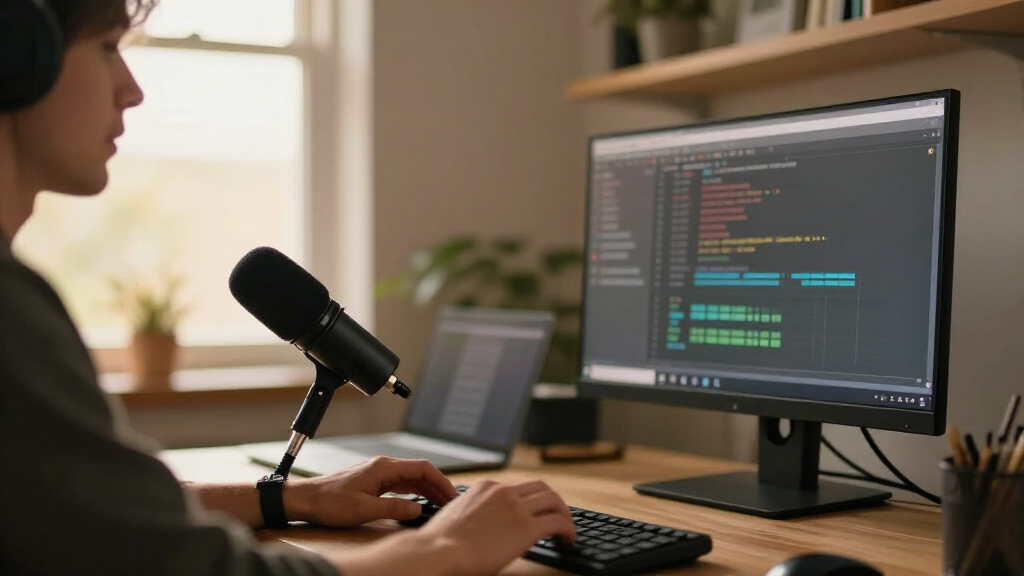

For streaming developers, a good USB microphone should make code walkthroughs and live conversations easy to follow while fitting the noise level and layout of a desk setup. I rank the FIFINE AmpliGame AM8 as the best overall for its dynamic design and USB/XLR flexibility. The HyperX QuadCast 2 stands out for stream-focused controls, while the Razer Seiren V3 Mini suits developers who need a compact setup. The main tradeoffs are room-noise pickup, desk space, control options, and whether you want a direct USB connection or room to expand later. Read on for the full comparison and help matching a mic to your setup.

Get business pricing on monitors, keyboards and dev gear
- Business-only prices and quantity discounts
- Tax-exempt purchasing
- Multiple users, one account, clear invoices
Complete the kit



Key Takeaways
- The amazon.com/dp/B0BMFQP2ZZ?tag=domystats-20&ascsubtag=dc-1107404″ target=”_blank” rel=”nofollow sponsored noopener”>FIFINE AM8 leads on flexibility: its dynamic capsule and USB/XLR connections make it a strong fit for developers who may add audio gear later.
- Dedicated controls separate stream-friendly picks: the HyperX QuadCast 2 and Blue Yeti models offer more ways to manage pickup or operation than basic USB condenser options.
- Small mics trade reach for desk space: the Razer Seiren V3 Mini is easier to place in a crowded workspace, while a compact body may require closer positioning.
- Room acoustics matter as much as recording specs: condenser models such as the FIFINE K669B and MAONO A04 can suit clear, controlled rooms but may reveal keyboard and room sound.
- Several entries serve nearly identical roles: the two Razer Seiren V3 Mini listings and two gooseneck listings make it sensible to choose by color, layout, and controls rather than expect a different recording approach.
| FIFINE AmpliGame AM8 USB/XLR Dynamic Microphone |  | Best for a Future XLR Upgrade | Connectivity: USB and XLR | Microphone type: Dynamic | Polar pattern: Cardioid | VIEW LATEST PRICE | See Our Full Breakdown |
| COCONISE USB Gaming Microphone with RGB Lighting, Mute, Pop Filter, and Headphone Monitoring |  | Best for a Ready-to-Stream Desk | Connectivity: USB | Connectors: USB and 3.5 mm jack | Microphone type: Condenser | VIEW LATEST PRICE | See Our Full Breakdown |
| FIFINE K669B USB Condenser Microphone |  | Best Simple USB Pick | Connectivity: USB-A; USB-B to USB-A/C cable | Pickup pattern: Cardioid | Power: USB-powered; no 48V phantom power required | VIEW LATEST PRICE | See Our Full Breakdown |
| TONOR Podcast Microphone, USB Computer Mic, Cardioid Condenser PC Microfono |  | Best for a Compact Starter Bundle | Connectivity: USB | Connector: USB Type-A | Polar pattern: Unidirectional cardioid | VIEW LATEST PRICE | See Our Full Breakdown |
| Tenlamp USB Gaming Microphone with Gain Control |  | Best for Focused Desktop Controls | Connectivity: USB-C and 3.5 mm | Polar pattern: Hypercardioid | Listed frequency response: 20 kHz | VIEW LATEST PRICE | See Our Full Breakdown |
| HyperX QuadCast 2 USB Microphone for Gaming, Streaming, and Podcasting |  | Best for Flexible Streaming Setups | Connection: Wired USB-C | Recording resolution: 24-bit, 96 kHz | Polar patterns: Cardioid, omnidirectional, bi-directional, stereo | VIEW LATEST PRICE | See Our Full Breakdown |
| Sennheiser Profile USB Cardioid Condenser Microphone with Table Stand |  | Best for Software-Free Setup | Microphone type: Cardioid condenser | Connection: USB-C | Cable length: 1.2 m | VIEW LATEST PRICE | See Our Full Breakdown |
| MAONO A04 USB Microphone – 192kHz/24Bit Condenser Mic Kit for PC Podcast |  | Best Complete Desk Kit | Connectivity: USB and USB Type-C | Sampling: 192 kHz/24-bit | Pickup pattern: Cardioid | VIEW LATEST PRICE | See Our Full Breakdown |
| USB Desktop Microphone with Flexible Gooseneck, Mute Button, and LED Indicator |  | Best Compact Call and Stream Mic | Connectivity: USB | Pickup pattern: 360-degree omnidirectional | Optimal pickup range: 6–12 inches | VIEW LATEST PRICE | See Our Full Breakdown |
| Logitech for Creators Blue Yeti Nano USB Microphone |  | Best Compact Pattern Choice | Microphone type: USB condenser | Pickup patterns: Cardioid and omnidirectional | Connectivity: USB | VIEW LATEST PRICE | See Our Full Breakdown |
| Logitech Blue Yeti USB Microphone, Blackout |  | Best for Flexible Streaming Setups | Microphone type: USB condenser | Capsule array: Three capsules | Pickup patterns: Cardioid, omnidirectional, bidirectional, stereo | VIEW LATEST PRICE | See Our Full Breakdown |
| Amazon Basics USB Condenser Microphone with Adjustable Stand |  | Best for No-Fuss Setup | Connectivity: USB | Polar pattern: Unidirectional (cardioid) | Diaphragm: 14 mm | VIEW LATEST PRICE | See Our Full Breakdown |
| Razer Seiren V3 Mini USB Condenser Microphone |  | Best Compact Pick | Microphone type: USB condenser | Pickup pattern: Supercardioid | Mute control: Tap-to-mute sensor with LED status indicator | VIEW LATEST PRICE | See Our Full Breakdown |
| Razer Seiren V3 Mini USB Microphone, White |  | Best White Desktop Fit | Connectivity: USB | Connector: USB Type-A | Microphone type: Condenser | VIEW LATEST PRICE | See Our Full Breakdown |
| USB Microphone with Adjustable Gooseneck, Mute Button, and LED Indicator |  | Best for Flexible Positioning | Microphone type: Omnidirectional condenser | Connection: USB | Cable length: 1.8 m (6 ft) | VIEW LATEST PRICE | See Our Full Breakdown |
| USB microphones for streaming developer | Connectivity | Microphone type | Signal-to-noise ratio | Compatibility |
|---|---|---|---|---|
| FIFINE AmpliGame AM8 USB/XLR D | USB and XLR | Dynamic | 80 dB | — |
| COCONISE USB Gaming Microphone | USB | Condenser | 78 dB | — |
| FIFINE K669B USB Condenser Mic | USB-A; USB-B to USB-A/C cable | — | — | Desktop and laptop computers, PS4, PS5 |
| TONOR Podcast Microphone | USB | — | 80 dB | Windows, Mac, PS4, PS5; not Xbox |
| Tenlamp USB Gaming Microphone | USB-C and 3.5 mm | — | 85 dB | — |
| HyperX QuadCast 2 USB Micropho | — | — | 65 dB | PC, Mac, PS5, PS4 |
| Sennheiser Profile USB Cardioi | — | Cardioid condenser | — | PC, Mac, tablets, and mobile devices |
| MAONO A04 USB Microphone | USB and USB Type-C | — | 70 dB | — |
| USB Desktop Microphone with Fl | USB | — | — | Windows and Mac |
| Logitech for Creators Blue Yet | USB | USB condenser | — | Mac and PC |
| Logitech Blue Yeti USB Microph | USB; plug and play on Mac and PC | USB condenser | — | — |
| Amazon Basics USB Condenser Mi | USB | — | 75 dB | Windows 7 or higher; Mac OS 10.10 or higher |
| Razer Seiren V3 Mini USB Conde | — | USB condenser | — | — |
| Razer Seiren V3 Mini USB Micro | USB | Condenser | 78 dB | — |
| USB Microphone with Adjustable | — | Omnidirectional condenser | — | Windows 7, 8, 10, 11, and macOS |
More Details on Our Top Picks
FIFINE AmpliGame AM8 USB/XLR Dynamic Microphone
The AM8 suits developers who want a straightforward USB setup now and a path to an XLR audio chain later. Its dynamic cardioid capsule focuses on a voice in front of the mic, which can help keep keyboard sounds and room noise less prominent than with a more open desk condenser such as the FIFINE K669B. In USB mode, tap-to-mute, headphone monitoring, and onboard gain make quick stream adjustments easier without reaching for software. The tradeoff is that these controls and the RGB lighting stop working in XLR mode, and an XLR cable is not included. Compared with the all-USB K669B, the AM8 takes up a larger, more feature-rich role, but makes more sense if changing your audio setup is part of the plan.
Pros:- USB and XLR connectivity support a later move to an audio interface.
- USB mode provides tap-to-mute, gain control, and headphone monitoring.
- Dynamic cardioid pickup is suited to focusing on a close voice.
- Built-in threads fit common 3/8-inch and 5/8-inch mic stands.
Cons:- XLR cable is not included.
- RGB lighting and onboard controls are unavailable in XLR mode.
Best for: Developers streaming from a desk who want onboard USB controls now and may add an XLR interface later.
Not ideal for: Buyers who want a minimal, permanently USB-only mic or expect its mute and lighting controls to remain active over XLR.
- Connectivity:USB and XLR
- Microphone type:Dynamic
- Polar pattern:Cardioid
- Frequency response:50 Hz–16 kHz
- Signal-to-noise ratio:80 dB
- Channels:1
- USB features:Tap-to-mute, RGB lighting, headphone monitoring, gain and volume controls
- Stand threads:3/8-inch and 5/8-inch
Our verdict“Choose the AM8 if you want convenient USB controls today and the option to build an XLR setup later.”
COCONISE USB Gaming Microphone with RGB Lighting, Mute, Pop Filter, and Headphone Monitoring
The COCONISE bundles the desk pieces a new streaming developer may otherwise need to source separately: a weighted base, shock mount, detachable pop filter, and USB cable. Its touch mute with an RGB light cue gives a quick visual indication when the mic is muted, while the headphone jack supports real-time voice monitoring. That makes it more self-contained than the FIFINE K669B, which keeps its setup simpler but includes only a tripod stand and volume knob. The main reservation is the supplied frequency information: a 20–2000 Hz range is unusually narrow for voice capture, so I would not choose it when dependable speech detail is the priority. It also requires a wired USB connection and offers no XLR route for a later audio-chain upgrade.
Pros:- Includes a weighted base, shock mount, and detachable pop filter.
- Touch mute is paired with an RGB light cue.
- Headphone jack supports real-time monitoring.
- Cardioid pickup is directed toward the speaker in front.
Cons:- Listed frequency range of 20–2000 Hz raises uncertainty about voice detail.
- USB-only wired connection offers no XLR upgrade path.
Best for: First-time PC or PlayStation streamers who want a desktop kit with mute, monitoring, pop filtering, and a stable base included.
Not ideal for: Developers prioritizing clearly specified full-range voice capture or planning to connect a microphone through XLR equipment.
- Connectivity:USB
- Connectors:USB and 3.5 mm jack
- Microphone type:Condenser
- Polar pattern:Cardioid
- Listed frequency range:20–2000 Hz
- Signal-to-noise ratio:78 dB
- Cable length:180 cm
- Included features:RGB lighting, touch mute, volume control, headphone monitoring, pop filter, shock mount
Our verdict“Pick the COCONISE for an all-in-one desktop streaming kit, provided its listed frequency range meets your needs.”
FIFINE K669B USB Condenser Microphone
The K669B is a practical choice for a developer who wants to connect a mic and get on with a stream, voice chat, or remote coding session. Its plug-and-play USB setup and physical volume knob keep the basic workflow easy to understand; turning the knob to zero also gives a direct way to silence the mic. Compared with the more elaborate COCONISE USB Gaming Microphone, it skips lighting, headphone monitoring, and bundled pop filtering, so there are fewer controls and accessories to manage. That simplicity comes with limits: it is not compatible with Xbox or phones, and some apps may change input levels unless automatic adjustment is disabled. The included tripod is useful for a compact desk, though streamers who need mute-at-a-glance or monitoring should look to a more feature-rich option.
Pros:- Plug-and-play setup for compatible computers and PlayStation consoles.
- Physical volume knob can be turned down to zero.
- Cardioid pickup focuses on the main voice source.
- Metal body and included tripod stand provide a simple desk setup.
Cons:- Not compatible with Xbox or phones.
- Some apps may change recording levels unless automatic gain adjustment is disabled.
Best for: PC or PlayStation developers who want a basic USB mic with a physical level control for calls, voice chat, and streaming.
Not ideal for: Xbox or phone users, and streamers who need built-in headphone monitoring, a dedicated mute button, or included pop filtering.
- Connectivity:USB-A; USB-B to USB-A/C cable
- Pickup pattern:Cardioid
- Power:USB-powered; no 48V phantom power required
- Controls:Microphone volume knob
- Cable length:5.9 ft
- Included accessory:Tripod stand
- Compatibility:Desktop and laptop computers, PS4, PS5
- Not compatible with:Xbox and phones
Our verdict“Choose the K669B if you want a simple computer or PlayStation USB mic and can do without monitoring and dedicated mute controls.”
TONOR Podcast Microphone, USB Computer Mic, Cardioid Condenser PC Microfono
The TONOR TC-777 puts its value in a compact desk package: a foldable tripod, shock mount, and adjustable pop filter arrive with the USB mic, helping a developer start streaming without assembling a separate stand and filter setup. Its one-click mute and volume control make common adjustments accessible, while the small non-slip stand is aimed at desks with limited room. Compared with the FIFINE K669B, the TONOR adds a mute control and filtering accessories, but the K669B has a clearer compatibility description and a metal body. TONOR lists Windows, Mac, PS4, and PS5 support, but not Xbox. The provided specs identify a 20 kHz frequency response without a full range, so buyers seeking detailed technical audio documentation may prefer a better-specified alternative.
Pros:- Includes foldable tripod, shock mount, and adjustable pop filter.
- One-click mute and volume control support quick stream adjustments.
- USB plug-and-play setup is described for Windows and Mac.
- Small non-slip stand suits a crowded desk.
Cons:- Not compatible with Xbox.
- Provided frequency specification gives only 20 kHz response, with no full range stated.
- PVC enclosure material is listed.
Best for: New Windows or Mac streamers who want a small USB desk kit with mute, pop filtering, and a foldable stand included.
Not ideal for: Xbox users or developers who want a fully documented frequency range and a more clearly specified microphone body.
- Connectivity:USB
- Connector:USB Type-A
- Polar pattern:Unidirectional cardioid
- Listed frequency response:20 kHz
- Signal-to-noise ratio:80 dB
- Cable length:1.9 m / 70 in
- Enclosure material:PVC
- Compatibility:Windows, Mac, PS4, PS5; not Xbox
- Included accessories:Foldable tripod, mini shock mount, pop filter
Our verdict“Choose the TC-777 for a compact starter setup with included filtering accessories, as long as its compatibility and audio specs fit your setup.”
Tenlamp USB Gaming Microphone with Gain Control
The Tenlamp is aimed at developers who want several audio adjustments within reach while streaming: gain, headphone volume, and mic-to-PC balance are paired with zero-latency monitoring and touch mute. Its listed hypercardioid pickup is more focused than the cardioid pattern on the FIFINE K669B, which may suit a close-mic setup where reducing off-axis sound matters. The kit also includes a weighted stand, shock mount, magnetic pop filter, and USB-C cable, so it arrives ready for a desktop position. The tradeoff is a wired, single-channel USB setup with no stated XLR connection for an interface-based upgrade. Compared with the FIFINE AmpliGame AM8, the Tenlamp emphasizes gaming-style controls and included accessories, while the AM8 offers the clearer long-term route to XLR.
Pros:- Dedicated gain, headphone volume, and mic-to-PC balance controls.
- Zero-latency headphone monitoring and touch mute.
- Hypercardioid pickup focuses on sound from the front.
- Includes weighted stand, shock mount, magnetic pop filter, and USB-C cable.
Cons:- Wired connection is required.
- Single-channel configuration.
- No XLR connection is listed for an interface-based upgrade.
Best for: Desktop developers and streamers who want hands-on monitoring, gain, and mix controls with a focused pickup pattern.
Not ideal for: Buyers who need an XLR connection, wireless operation, or multi-channel recording.
- Connectivity:USB-C and 3.5 mm
- Polar pattern:Hypercardioid
- Listed frequency response:20 kHz
- Signal-to-noise ratio:85 dB
- Channels:1
- Power source:Corded electric
- Enclosure material:Plastic
- Included accessories:Weighted desktop stand, shock mount, magnetic pop filter, USB-C cable, 3.5 mm adapter
Our verdict“Choose the Tenlamp if you want multiple desktop audio controls and focused pickup in a ready-to-use USB kit.”
HyperX QuadCast 2 USB Microphone for Gaming, Streaming, and Podcasting
The HyperX QuadCast 2 suits developers who stream solo most days but sometimes record a co-host or group discussion. Its four pickup patterns give it more room to adapt than the Sennheiser Profile, which is limited to cardioid pickup. Onboard gain, headphone volume, monitoring, and tap-to-mute controls also make quick level changes practical while a stream or coding session is underway. The detachable shock mount and desktop stand provide a ready-to-use setup, while 24-bit, 96 kHz recording offers ample capture detail for voice work. The tradeoff is a larger desktop footprint and a wired USB-C connection; changing lighting and microphone settings also calls for HyperX NGENUITY software. Choose it for pattern flexibility, and skip it if a simple, software-free mic is the priority.
Pros:- Four pickup patterns support solo speech, stereo capture, and shared conversations.
- Onboard gain, volume, monitoring, and tap-to-mute controls simplify live adjustments.
- Detachable shock mount and desktop stand are included.
- Records at 24-bit, 96 kHz.
Cons:- Its 7.17 × 5.31 × 9.5-inch dimensions take up noticeable desk space.
- Lighting and microphone settings require HyperX NGENUITY software.
- The USB-C connection is wired.
Best for: Developers who stream solo but also host interviews or group discussions and want multiple pickup patterns with direct onboard controls.
Not ideal for: Minimalist desk users who want a small, software-free microphone, since this model takes up substantial space and some settings require HyperX NGENUITY.
- Connection:Wired USB-C
- Recording resolution:24-bit, 96 kHz
- Polar patterns:Cardioid, omnidirectional, bi-directional, stereo
- Frequency response:20 Hz–20 kHz
- Signal-to-noise ratio:65 dB
- Weight:335 g
- Dimensions:7.17 × 5.31 × 9.5 inches
- Compatibility:PC, Mac, PS5, PS4
Our verdict“Choose the QuadCast 2 if your developer streams need to shift between solo commentary and multi-person recording.”
Sennheiser Profile USB Cardioid Condenser Microphone with Table Stand
The Sennheiser Profile keeps a developer’s streaming chain straightforward: connect it over USB-C, adjust gain or headphone mix on the mic, and speak. Its cardioid capsule focuses on the person in front, a useful fit for desk commentary where keyboard noise and room sound need less attention. That simplicity distinguishes it from the HyperX QuadCast 2, whose four patterns better suit changing recording formats but add settings and software for some adjustments. The Profile’s metal housing and included stand make it a tidy desktop option, though the stand still occupies desk space. Its fixed cardioid pattern is also a limitation for interviews or shared audio. I’d choose it for a solo streamer who values direct controls and no required software; developers needing flexible group capture should look elsewhere.
Pros:- Plug-and-play USB-C operation requires no software or external power.
- Onboard gain, mix, volume, and mute controls support adjustments at the desk.
- Cardioid pickup focuses capture on the speaker in front.
- Metal housing and included table stand provide a complete desktop setup.
Cons:- The cardioid-only pattern is less suited to shared conversations or room capture.
- The included table stand uses desk space.
- The 1.2 m cable gives less reach than the QuadCast 2’s 9.84 ft cable.
Best for: Developers who want a solo-streaming microphone with direct controls, a focused cardioid pickup, and no software setup.
Not ideal for: Streamers who regularly record multiple people around one microphone, since its cardioid pattern favors sound from the front.
- Microphone type:Cardioid condenser
- Connection:USB-C
- Cable length:1.2 m
- Controls:Mute, gain, mix, and volume
- Headphone jack:Built-in
- Construction:Metal housing
- Included accessories:Table stand and USB-C cable
- Compatibility:PC, Mac, tablets, and mobile devices
Our verdict“Pick the Profile for a dependable, software-free solo streaming setup with hands-on audio controls.”
MAONO A04 USB Microphone – 192kHz/24Bit Condenser Mic Kit for PC Podcast
The MAONO A04 is the kit pick for developers building a fixed streaming desk from scratch. Its included scissor arm, shock mount, pop filter, and windscreen cover more setup needs than the stand-based Sennheiser Profile, so the mic can be positioned off the work surface and placed close to the speaker. The cardioid pattern and 16 mm capsule are aimed at single-voice recording, while the stated 192 kHz/24-bit sampling supports high-resolution capture. That number alone does not make a stream sound better; mic placement and room noise still matter. The substantial 1.35 kg kit and desk clamp also demand space and a compatible desktop under 2.1 inches thick. This is a practical bundled option for a permanent setup, but less convenient for frequent relocation or Xbox use.
Pros:- Includes an adjustable scissor arm, shock mount, pop filter, and windscreen.
- Cardioid pickup is suited to a single developer speaking at a desk.
- USB plug-and-play setup works with a broad range of listed devices.
- The stated 192 kHz/24-bit sampling supports high-resolution recording.
Cons:- The desk clamp fits desktops less than 2.1 inches thick.
- At 1.35 kg, the kit is less convenient to move between workspaces.
- It is not compatible with Xbox and does not work with Maono Link software.
Best for: Developers setting up a dedicated PC or Mac streaming desk who want an arm, shock mount, and pop filter included.
Not ideal for: Xbox users, developers with desks thicker than 2.1 inches, or streamers who need a lightweight kit they can move often.
- Connectivity:USB and USB Type-C
- Sampling:192 kHz/24-bit
- Pickup pattern:Cardioid
- Capsule:16 mm
- Frequency response:30 Hz–16 kHz
- Signal-to-noise ratio:70 dB
- Weight:1.35 kg
- Included accessories:Shock mount, pop filter, windscreen, adjustable scissor arm
Our verdict“Choose the A04 if you want a bundled, arm-mounted cardioid setup for a dedicated streaming desk.”
USB Desktop Microphone with Flexible Gooseneck, Mute Button, and LED Indicator
This flexible gooseneck USB microphone is a space-saving choice for developers who want a mic for streams, stand-ups, and calls without mounting an arm to the desk. Its compact base and bendable neck let the user place it within the stated 6–12-inch pickup range, while the touch mute and red status light make it easier to confirm when the mic is off. Compared with the MAONO A04, it takes less setup and avoids a clamp, but lacks a listed pop filter kit, cardioid pattern, and detailed recording-resolution specification. The omnidirectional pickup can bring in room sound from every direction, which may be distracting in a noisy home office. I’d pick it for convenience and quick muting, not for a carefully isolated voice track.
Pros:- Compact base and flexible metal gooseneck make positioning simple.
- Touch-sensitive mute button has an LED status indicator.
- Plug-and-play operation requires no drivers or software.
- Includes windproof fluffy caps.
Cons:- Omnidirectional pickup can capture keyboard, fan, and room noise.
- Best pickup range is limited to 6–12 inches.
- The supplied details do not specify recording resolution or a headphone monitoring jack.
Best for: Developers who need a compact USB mic for desk calls and casual streams, with a visible mute state and flexible positioning.
Not ideal for: Streamers in noisy rooms or those seeking focused voice isolation, since its omnidirectional pickup captures sound from multiple directions.
- Connectivity:USB
- Pickup pattern:360-degree omnidirectional
- Optimal pickup range:6–12 inches
- Mute control:Touch-sensitive button
- Status indicator:LED, green when working and red when muted
- Gooseneck:Flexible metal
- Compatibility:Windows and Mac
- Cable length:1.8 m (6 ft)
Our verdict“Choose this mic for compact calls and casual streams where easy placement and a clear mute indicator matter most.”
Logitech for Creators Blue Yeti Nano USB Microphone
The Blue Yeti Nano gives developers two useful ways to capture audio in a smaller USB condenser format: cardioid for solo coding streams and omnidirectional for a shared conversation. That makes it more adaptable than the Sennheiser Profile, whose cardioid pattern is fixed, while its onboard headphone volume, mute, and pattern controls keep common adjustments close at hand. Zero-latency monitoring lets a streamer hear the mic feed without the delay that can make live level checks awkward. The compact design also suits a desk where a larger microphone is unwelcome. Its limitation is the same simplicity that keeps it small: only two pickup patterns are listed, and the provided product data does not specify a recording resolution or included stand. Choose it for flexible everyday streaming, not specialized multi-person capture.
Pros:- Cardioid and omnidirectional patterns cover solo speech and shared recording.
- Zero-latency headphone monitoring supports real-time voice checks.
- Onboard headphone volume, mute, and pickup-pattern controls simplify adjustments.
- Compact USB condenser design is suited to a crowded desk.
Cons:- Two pickup patterns offer less flexibility than the four on the HyperX QuadCast 2.
- The provided product details do not specify recording resolution or frequency response.
- Compatibility is listed for Mac and PC, without console support noted.
Best for: Developers who want a compact USB mic for solo streams and occasional shared conversations, with onboard monitoring.
Not ideal for: Streamers needing stereo or bi-directional capture, or buyers who require specified recording-resolution details before choosing.
- Microphone type:USB condenser
- Pickup patterns:Cardioid and omnidirectional
- Connectivity:USB
- Compatibility:Mac and PC
- Onboard controls:Headphone volume, mic mute, and pickup pattern
- Monitoring:Zero-latency headphone monitoring
Our verdict“Pick the Yeti Nano if you need a compact streaming mic that can switch between solo speech and shared conversation.”
Logitech Blue Yeti USB Microphone, Blackout
Four pickup patterns make the Blue Yeti the most adaptable choice here for developers who alternate between solo streams, guest conversations, and group calls. Its cardioid mode suits a focused voice setup, while bidirectional and omnidirectional modes cover other arrangements; the zero-latency headphone monitoring helps catch audio problems as they happen. Compared with the compact Razer Seiren V3 Mini, the Yeti offers more recording patterns and onboard gain and mute controls, but takes up more desk space and asks you to manage more settings. Basic USB plug-and-play works on Mac and PC, while full functionality requires Logitech G HUB. I’d choose it for a developer who values flexible formats over a minimal footprint, and skip it if a simple, single-speaker mic is all the stream needs.
Pros:- Four pickup patterns accommodate solo speech, interviews, and group recording.
- Onboard mute, gain, pattern, and headphone-volume controls enable quick adjustments.
- Zero-latency headphone monitoring helps catch audio issues during a stream.
- Includes a desktop stand and supports mic stands or boom arms.
Cons:- Full functionality requires installing Logitech G HUB.
- Larger desktop presence than compact options such as the Razer Seiren V3 Mini.
Best for: Developers who switch between solo streams, interviews, and group calls and want multiple pickup patterns with physical controls.
Not ideal for: Developers with a crowded desk or a fixed solo setup who prefer a compact mic with fewer controls and no companion software.
- Microphone type:USB condenser
- Capsule array:Three capsules
- Pickup patterns:Cardioid, omnidirectional, bidirectional, stereo
- Audio controls:Headphone volume, pattern selection, mute, microphone gain
- Monitoring:Zero-latency headphone monitoring
- Connectivity:USB; plug and play on Mac and PC
- Software:Logitech G HUB for full functionality
- Color:Blackout
Our verdict“Choose the Blue Yeti if your developer streams shift between solo commentary and multi-person audio; choose a compact mic if they do not.”
Amazon Basics USB Condenser Microphone with Adjustable Stand
If a developer wants to get voice into a stream without managing a feature-heavy mic, this cardioid, plug-and-play USB model keeps the setup straightforward. Its 360-degree adjustable stand helps aim the mic toward the speaker, and the one-tap mute is useful when a build, notification, or off-topic exchange interrupts a live session. Compared with the Logitech Blue Yeti, it has just one pickup pattern and a single audio channel, so it is a more limited fit for interviews or changing recording layouts. In return, there is less hardware to configure, and the listed Windows and Mac compatibility covers common development machines. The cord connection and desktop stand still constrain placement, so I’d pass if the desk needs a boom-arm arrangement or the stream includes multiple speakers.
Pros:- Plug-and-play USB setup avoids additional driver installation.
- Cardioid pickup is suited to a single speaker in front of the mic.
- One-tap mute supports quick privacy during live sessions.
- 360-degree adjustable stand helps orient the mic toward the speaker.
Cons:- Single audio channel and cardioid-only pickup limit recording flexibility.
- Corded USB connection and included stand offer less placement freedom than a boom-arm setup.
Best for: Developers who want a basic USB mic for solo coding streams and calls on Windows or Mac, with a physical mute button.
Not ideal for: Streamers who record interviews, need multiple pickup patterns, or want a boom arm for a crowded workstation.
- Connectivity:USB
- Polar pattern:Unidirectional (cardioid)
- Diaphragm:14 mm
- Mute function:One-tap mute
- Stand:360° adjustable
- Frequency response:20 Hz–20 kHz
- Signal-to-noise ratio:75 dB
- Compatibility:Windows 7 or higher; Mac OS 10.10 or higher
- Mounting:Standard 5/8-inch thread
Our verdict“Pick this mic for simple solo streams and calls; choose the Blue Yeti if multiple speakers or pickup patterns matter.”
Razer Seiren V3 Mini USB Condenser Microphone
The Seiren V3 Mini suits developers whose stream setup shares space with a laptop, notes, and other desk gear. Its compact body and tiltable stand make positioning less demanding than the larger Logitech Blue Yeti, while its supercardioid pattern focuses on a speaker in front and helps reduce surrounding room sound. The tap-to-mute sensor with LED status gives a quick visual cue during a stream or call. This is a focused solo-voice tool, though: unlike the Yeti, it does not offer alternate pickup patterns for interviews or group discussions. Basic plug-and-play use needs no software or drivers, but customization depends on Razer Synapse, and using a boom arm means detaching the stand. I’d favor it for a tidy single-speaker setup, not a developer building a flexible recording station.
Pros:- Compact form takes less desk space than the Logitech Blue Yeti.
- Supercardioid pickup is suited to focused, close voice capture.
- Tap-to-mute sensor and LED provide quick mute control and status.
- Plug-and-play setup works without extra software or drivers.
Cons:- Advanced audio customization requires Razer Synapse.
- Stand must be detached for boom-arm mounting.
- Single pickup pattern is less flexible than the Blue Yeti for multi-person recording.
Best for: Developers streaming solo from a compact desk who want visible mute status and a mic that can tilt toward their speaking position.
Not ideal for: Developers recording interviews or group sessions, or anyone who wants to move to a boom arm without detaching the stand.
- Microphone type:USB condenser
- Pickup pattern:Supercardioid
- Mute control:Tap-to-mute sensor with LED status indicator
- Stand:Tiltable with built-in shock absorber; detachable for boom arm setup
- Setup:Plug and play; no software or drivers required
- Compatible software:Discord, OBS Studio, XSplit, Razer Synapse
Our verdict“Choose the Seiren V3 Mini for compact solo developer streams; choose the Blue Yeti for broader recording setups.”
Razer Seiren V3 Mini USB Microphone, White
The white Seiren V3 Mini brings the same compact, focused voice setup as its black counterpart, making it a natural fit for a light-colored workstation where a larger mic would dominate the desk. Its supercardioid pattern and built-in shock absorber suit solo developer streams, while the tap-to-mute control and LED make mute status easy to check at a glance. Compared with the Amazon Basics USB microphone, this model adds the shock-absorbing tiltable stand and a more directional pickup pattern; both remain single-channel mics aimed at one speaker. The listed USB Type-A connector may call for an adapter on newer devices without that port, and its plastic enclosure is a less substantial material choice than a metal-bodied mic. I’d choose it for desk fit and color coordination, not for multi-person recording.
Pros:- Mini form and white color suit compact, light-colored workstations.
- Supercardioid pickup helps focus on a nearby speaker.
- Tap-to-mute sensor includes an LED status indicator.
- Tiltable stand includes a built-in shock absorber.
Cons:- USB Type-A connector may require an adapter for devices without that port.
- Single-channel design is limited for multi-person audio.
- Plastic enclosure may feel less substantial than other construction materials.
Best for: Developers with a white or light-colored desk setup who stream solo from a laptop or computer with USB Type-A.
Not ideal for: Developers using devices without USB Type-A, or those who need multiple pickup patterns or more than one audio channel.
- Connectivity:USB
- Connector:USB Type-A
- Microphone type:Condenser
- Polar pattern:Supercardioid
- Channels:1
- Frequency response:20 Hz–20 kHz
- Signal-to-noise ratio:78 dB
- Power source:Corded electric
- Color and enclosure:White; plastic
Our verdict“Pick the white Seiren V3 Mini for a compact, coordinated solo-stream setup with USB Type-A; skip it for multi-speaker flexibility.”
USB Microphone with Adjustable Gooseneck, Mute Button, and LED Indicator
This gooseneck mic is made for a developer who wants to bring a microphone close to their speaking position without putting a compact desktop capsule directly in the way. The 360-degree adjustable neck offers more aiming flexibility than the fixed footprint of the Amazon Basics USB Condenser Microphone, and its one-touch mute button with LED status is practical during screen sharing or live coding. The omnidirectional condenser design is a different tradeoff from the more voice-focused supercardioid Razer Seiren V3 Mini: it can suit a less fixed speaking position, but is not as specifically directional for a noisy room. It connects by USB and works with Windows and macOS, yet the listed incompatibility with Android, Xbox, and Raspberry Pi narrows its use. I’d pick it for flexible desk positioning, not for a multi-device streaming kit.
Pros:- 360-degree gooseneck allows flexible positioning near the speaker.
- One-touch mute button and LED indicate microphone status.
- Plug-and-play USB connection requires no driver.
- Metal pipe and ABS stand provide a mix of materials.
Cons:- Omnidirectional pickup is less focused on one speaker than the Razer Seiren V3 Mini’s supercardioid pattern.
- Incompatible with Android, Xbox, and Raspberry Pi.
- USB cable length is fixed at 1.8 m.
Best for: Windows or macOS developers who want a close, adjustable mic position for solo coding streams and frequent calls.
Not ideal for: Developers who need Android, Xbox, or Raspberry Pi compatibility, or who need a strongly directional mic for a noisy room.
- Microphone type:Omnidirectional condenser
- Connection:USB
- Cable length:1.8 m (6 ft)
- Gooseneck adjustment:360 degrees
- Controls:One-touch mute button
- Indicator:LED status indicator
- Compatibility:Windows 7, 8, 10, 11, and macOS
- Incompatible devices:Xbox, Raspberry Pi, and Android
- Materials:Metal pipe and ABS stand
Our verdict“Choose this gooseneck mic for adjustable positioning on Windows or Mac; choose the Seiren V3 Mini for more directional solo voice pickup.”
How We Picked
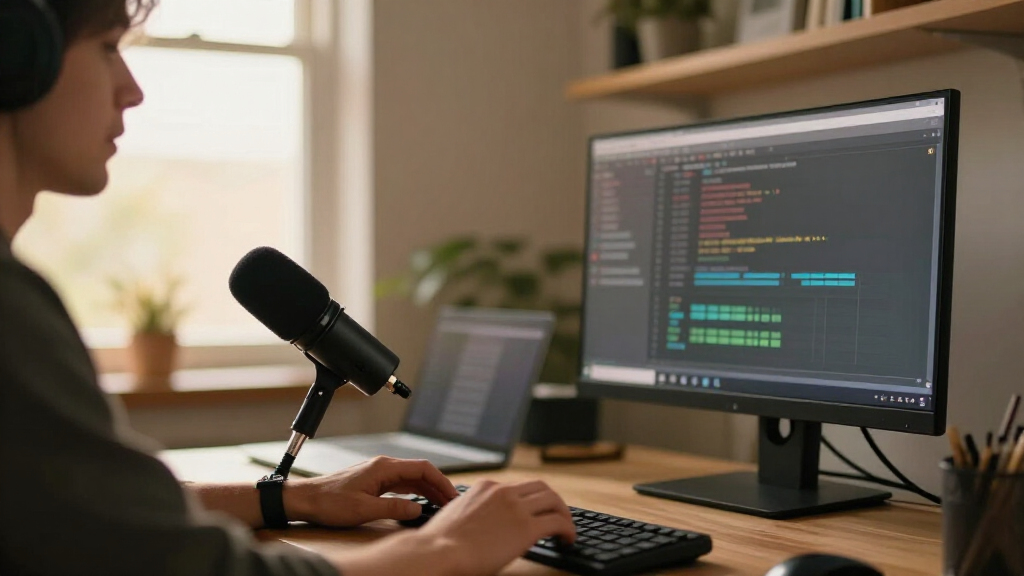
I ranked these microphones around the needs of a developer who streams coding sessions, meetings, or tutorials from a desk. I weighed connection flexibility, pickup pattern and capsule type, access to mute and gain controls, monitoring options, included stands, and how easily each design can fit beside a keyboard and monitor. I also considered how much room sound a buyer may need to manage, since typing and untreated rooms can shape stream clarity as much as microphone specifications.
The AM8 earns the lead by pairing a dynamic design with USB/XLR connectivity, giving it a practical balance of present-day simplicity and future flexibility. The QuadCast 2 and Blue Yeti options rank well for buyers who value stream controls or broader pickup choices; compact and basic condenser models rank higher when space or uncomplicated setup matters most. Similar listings are separated by their stated form and controls, and I avoid treating duplicate color or gooseneck variants as distinct performance classes. No pick is a universal winner: a mic that suits a treated room may be less forgiving beside an active keyboard.
| USB microphones for streaming developer | Connectivity | Microphone type |
|---|---|---|
| FIFINE AmpliGame AM8 USB/XLR D | USB and XLR | Dynamic |
| COCONISE USB Gaming Microphone | USB | Condenser |
| FIFINE K669B USB Condenser Mic | USB-A; USB-B to USB-A/C cable | — |
| TONOR Podcast Microphone | USB | — |
| Tenlamp USB Gaming Microphone | USB-C and 3.5 mm | — |
| HyperX QuadCast 2 USB Micropho | — | — |
| Sennheiser Profile USB Cardioi | — | Cardioid condenser |
| MAONO A04 USB Microphone | USB and USB Type-C | — |
| USB Desktop Microphone with Fl | USB | — |
| Logitech for Creators Blue Yet | USB | USB condenser |
| Logitech Blue Yeti USB Microph | USB; plug and play on Mac and PC | USB condenser |
| Amazon Basics USB Condenser Mi | USB | — |
| Razer Seiren V3 Mini USB Conde | — | USB condenser |
| Razer Seiren V3 Mini USB Micro | USB | Condenser |
| USB Microphone with Adjustable | — | Omnidirectional condenser |
Factors to Consider When Choosing USB Microphones For Streaming Developers
Before choosing a microphone, think through the whole streaming setup: where you sit, what your room sounds like, and how you manage audio during a live session. These decisions can matter more than a headline recording specification.
Match the pickup style to your room
A condenser microphone can capture fine vocal detail, but it may also make keyboard taps, fans, and room reflections more obvious. A dynamic design is often a useful starting point when the mic sits near a noisy desk, though it still needs close, consistent speaking distance. Neither type removes background sound on its own. Before buying, listen to a short recording made from your usual speaking position, with your computer and keyboard running. If your room is echo-prone, soft furnishings and mic placement can help more than changing brands. Choose based on the sound you can manage every day, not a quiet-room demo.
Decide whether you need USB only or an upgrade path
USB is convenient for a single-computer setup: connect the mic, select it as the input, and start streaming. XLR adds a path to an audio interface or mixer, but that route brings extra equipment, setup, and monitoring decisions. Buying an XLR-capable mic makes sense if you expect to expand your audio setup, not simply because the connector sounds more advanced. Check that the mic’s controls and connection work with the devices and software you already use. If you mostly stream from one desk, a direct USB model can keep the setup easier to troubleshoot. The right choice depends on whether flexibility has a real place in your plans.
Plan for keyboard noise and speaking distance
Developers often speak while typing, so microphone placement has to work around both hands and keyboard. A mic placed too far away encourages higher gain, which can make room noise and keystrokes more prominent. A desk stand is simple, but it can transmit desk bumps and occupy space near the keyboard. A boom arm can free that space, although buyers should check mount compatibility and available desk clearance before adding one. Test your intended position while typing and speaking at normal volume. The best setup is one that lets you keep a consistent distance without changing how you work.
Treat mute and monitoring as workflow controls
A physical mute control can make it quicker to silence a cough, a side conversation, or a noisy stretch of coding during a live stream. Its usefulness depends on reach: a button hidden behind the mic is less convenient than one you can find without looking. Headphone monitoring can help catch clipping, room noise, or the wrong input before an audience does. Check whether monitoring is available directly from the mic and whether its controls are easy to operate mid-session. Software mute buttons still matter, but they can be harder to locate while screen sharing or switching scenes. Prioritize controls around the interruptions you actually expect.
Choose pickup patterns for the people speaking
A single-speaker stream usually benefits from a focused pickup approach, which helps keep voices consistent when the mic points toward one person. Multiple pickup patterns can help when you record an interview or a conversation around a table, but added modes only help if you will use them. Each extra pattern can change which parts of the room the mic captures, so test it with the same seating and room conditions as your stream. A multi-pattern mic can reduce the need to reposition equipment between formats. For a solo developer who always speaks from one seat, simpler controls may be easier to manage. Choose versatility to support a real recording format, not for the feature count.
Pay for the workflow you need
Higher-end or more feature-rich microphones can make sense when they solve a recurring problem, such as switching between solo streams and group recordings. A compact mic may be a better fit when desk space and portability matter more than a broad set of controls. Beginner setups often gain more from straightforward connection, a usable stand, and an accessible mute button than from advanced settings they will rarely touch. Check what comes in the box and whether you will need a separate stand, arm, or interface. Also confirm the operating system and software can use the mic as intended. Set priorities before comparing specifications so that each feature has a clear job.
Frequently Asked Questions
Is a dynamic or condenser USB microphone a better fit beside a mechanical keyboard?
A dynamic mic is often easier to manage in a noisy desk setup because it is designed for close speech and can be less revealing of the room. A condenser can sound detailed, but keyboard taps and fan noise may also come through clearly. Placement and speaking distance still matter with either type. Keep the mic close enough for a steady voice level and test it while typing. If the room is quiet and controlled, a condenser may suit you well; if not, start by prioritizing noise management.
Do I need XLR for streaming software development sessions?
No, a USB connection is enough for many solo streams, tutorials, and calls. XLR becomes useful if you plan to connect an interface or mixer, share microphones across a more involved setup, or want additional control over audio routing. That flexibility also means more hardware and setup steps. A USB/XLR model can preserve an upgrade path, but it does not improve a stream by itself. Decide whether you expect to build out your audio chain before paying attention to the extra connection.
Will a USB microphone remove typing and computer fan noise?
No microphone can reliably erase nearby noise just because it is marketed for streaming. A directional pickup, close placement, and sensible gain can help keep the voice more prominent, while room treatment can reduce reflections. Software noise processing may reduce steady fan sound, but aggressive settings can make speech sound unnatural. Try moving the mic closer to your mouth and away from the keyboard before changing software settings. A recording made during a normal coding session is a better test than a quiet-room sample.
Is a compact microphone enough for a screen-sharing tutorial?
It can be, especially if you sit close to the mic and keep your voice level consistent. Compact models save desk space, which can matter when the microphone must share room with a keyboard, mouse, and development notes. Their smaller footprint does not guarantee a better position, so check whether the stand reaches your preferred speaking spot. If you move around or want more control over placement, a larger mic or separate arm may be easier to position. For a fixed seat and a simple setup, compactness can be a practical advantage.
Should I choose a microphone with multiple pickup patterns for developer interviews?
Multiple patterns can help when two or more people share a recording space, since the mic can be set up for a group rather than one speaker. They do not replace good seating and room acoustics, and a single mic may still capture more keyboard and room sound than each person wants. For remote interviews where each guest uses their own microphone, extra patterns may add little value. Consider how often you record in person and whether all speakers can sit at a consistent distance. If nearly every stream is solo, a simpler focused mic is usually easier to operate.
Conclusion
For the best overall balance, I recommend the FIFINE AmpliGame AM8: its dynamic design and USB/XLR connections suit developers who want a practical desk mic with room to expand. The best value depends on how simple your needs are; the FIFINE K669B is a straightforward condenser option for a quieter room, while the Amazon Basics model keeps the feature set basic. For a premium, stream-focused feature set, consider the HyperX QuadCast 2; the Blue Yeti is a better match if you want more pickup-pattern flexibility. Beginners who want a compact, uncomplicated setup can start with the Razer Seiren V3 Mini. For limited desk space, choose a compact mic; for a flexible mounting position or a simple physical mute, compare the two gooseneck listings and check which stated controls fit your layout.
Evergreen bestsellers Picks
bestsellers
As an affiliate, we earn on qualifying purchases.