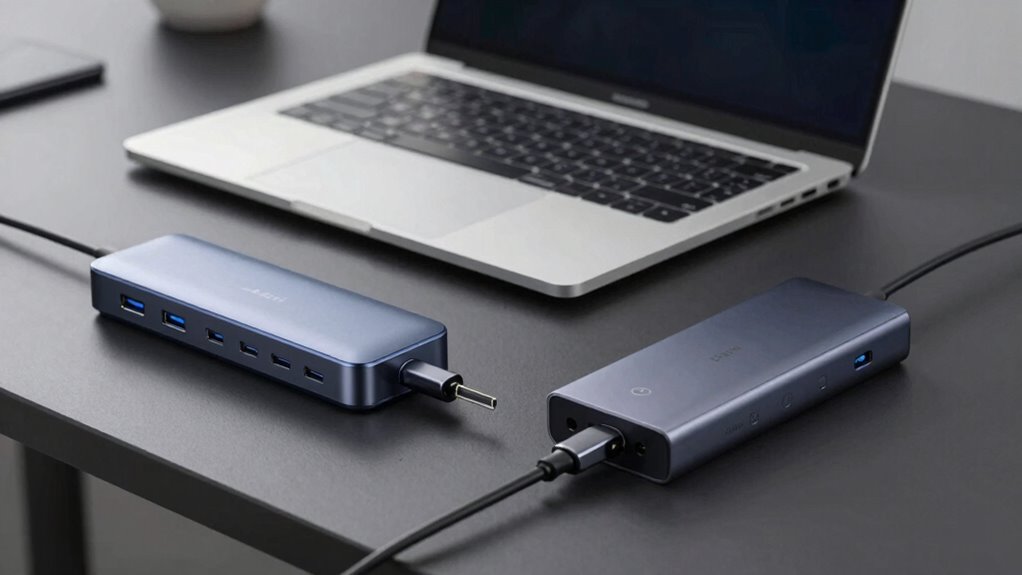

When choosing between a USB-C dock and a Thunderbolt dock, think about your specific needs. If you work with large files or multiple high-definition displays, a Thunderbolt dock’s 40 Gbps speed and versatile port options are worth the investment. However, if your tasks are less demanding, a USB-C dock might be sufficient and more budget-friendly. Assess compatibility based on your devices and planned usage. Want to know how to make the best choice for your setup?

Get business pricing on monitors, keyboards and dev gear
- Business-only prices and quantity discounts
- Tax-exempt purchasing
- Multiple users, one account, clear invoices
Key Takeaways
- Speed Requirements: Choose Thunderbolt docks for high-speed data transfers (up to 40 Gbps) and USB-C for standard speeds (around 10 Gbps).
- Compatibility Considerations: Ensure your devices are compatible; Thunderbolt docks support both Thunderbolt and USB-C, while USB-C may underperform with Thunderbolt devices.
- Device Support: Opt for Thunderbolt docks if you need multiple 4K display outputs and higher power delivery for more demanding devices.
- Port Variety: Thunderbolt docks usually offer a wider array of ports, making them ideal for users needing multiple connections.
- Budget Factors: While Thunderbolt docks are pricier, their advanced features may offer long-term value compared to more basic USB-C docks.

When you’re choosing between a USB-C dock and a Thunderbolt dock, it’s vital to understand the differences that can affect your setup. The first thing you’ll notice is the speed differences. Thunderbolt docks generally provide faster data transfer rates, reaching up to 40 Gbps, while USB-C docks typically offer speeds around 10 Gbps for USB 3.1. If you’re working with large files or high-definition video, this speed could make a significant difference in your workflow.
Choosing between a USB-C dock and a Thunderbolt dock? Remember, Thunderbolt offers speeds up to 40 Gbps, crucial for large files.
Compatibility issues also play an important role. Thunderbolt docks work seamlessly with Thunderbolt-enabled devices, but they can also support USB-C devices. On the other hand, USB-C docks may not deliver the same performance if you connect them to a Thunderbolt device. If you own a mix of devices, it’s important to reflect on which dock will give you the best overall compatibility. You’ll want to confirm that your setup runs smoothly without any hiccups.
Device support varies as well. Thunderbolt docks often come equipped with extra features, such as multiple 4K display outputs and higher power delivery—ideal if you’ve got devices that require more power. USB-C docks, while versatile, might lack some of these advanced features, limiting your options for connecting peripherals. Think about what devices you plan to connect and how the dock will support them.
Port variability is another factor that can affect your decision. Thunderbolt docks usually come with a variety of ports, including USB-A, HDMI, and even Ethernet, which can be beneficial for users needing multiple connections. USB-C docks might also offer several ports, but you may find fewer options for high-performance connections. If you frequently switch between devices, having a variety of ports can save you time.
Price comparison is equally important. Thunderbolt docks are generally more expensive due to their advanced capabilities. If budget is a concern, a USB-C dock might provide the functionality you need without breaking the bank. However, reflect on the long-term value; investing in a Thunderbolt dock might pay off in relation to speed and versatility down the road.
Finally, don’t overlook cable requirements. Thunderbolt cables can be pricier, and you’ll need to confirm you have the right ones for your setup. USB-C cables are generally more affordable and widely available. Ultimately, weigh these factors carefully to decide which dock best fits your needs.
Thunderbolt 3 Dock for MacBook Pro
As an affiliate, we earn on qualifying purchases.
As an affiliate, we earn on qualifying purchases.
Frequently Asked Questions
Can I Use a USB-C Dock With Thunderbolt Devices?
Yes, you can use a USB-C dock with Thunderbolt devices. While you’ll benefit from USB-C advantages like versatility and cost-effectiveness, keep in mind that you won’t achieve Thunderbolt performance. Your devices will work, but data transfer speeds might be slower than expected. If you need high-speed connections for tasks like video editing or gaming, a Thunderbolt dock would be a better choice. So, consider your needs before deciding!
What Cables Are Compatible With USB-C and Thunderbolt Docks?
Think of cables as bridges connecting your devices. For USB-C and Thunderbolt docks, you’ll find various cable types compatible with both. USB-C cables handle data transfer seamlessly, while Thunderbolt cables enhance speed and power delivery. To maximize performance, use Thunderbolt 3 or 4 cables for Thunderbolt docks. For USB-C docks, standard USB-C cables work perfectly. Just remember, choosing the right cable can elevate your tech experience considerably!
Are Thunderbolt Docks Backward Compatible With USB-C?
Yes, Thunderbolt docks are backward compatible with USB-C. You won’t face compatibility concerns when connecting USB-C devices to a Thunderbolt dock. However, keep in mind that while you’ll enjoy the convenience of connection, you might experience performance differences. Thunderbolt offers faster data transfer rates, so your USB-C devices won’t reach their full potential. Still, it’s a solid option for expanding your connectivity without worrying about compatibility issues.
How Do I Determine Which Dock Is Right for My Laptop?
To determine which dock’s right for your laptop, first check its port compatibility. If your laptop supports Thunderbolt, you’ll benefit from higher performance requirements, especially for data transfer and video output. If you only need basic connectivity, a USB-C dock should suffice. Consider your specific needs—like multiple displays or high-speed data transfers—and match the dock’s features accordingly. Always verify the dock meets your performance requirements for ideal use.
What Are the Power Delivery Differences Between the Two Docks?
When it comes to power delivery, you’ll notice distinct differences. Thunderbolt docks typically boast better power output, delivering up to 100W, which means faster charging speeds for your devices. In contrast, USB-C docks usually provide around 60W. If you’re running power-hungry devices, you’ll appreciate the Thunderbolt’s superior capabilities. So, if efficiency and speed are essential for your setup, leaning towards a Thunderbolt dock might just be your best bet.
USB-C docking station with 4K HDMI output
As an affiliate, we earn on qualifying purchases.
As an affiliate, we earn on qualifying purchases.
Conclusion
In the end, choosing between a USB-C dock and a Thunderbolt dock often feels like picking between two great friends. If you need speed and high performance, the Thunderbolt dock is your go-to buddy. But if versatility and budget are key, the USB-C dock fits right in. Coincidentally, your devices might just have a preference too! So, weigh your needs, consider your tech, and you’ll find the perfect match for your setup.
Thunderbolt docking station with multiple ports
As an affiliate, we earn on qualifying purchases.
As an affiliate, we earn on qualifying purchases.
As an affiliate, we earn on qualifying purchases.
Fall Picks
fall essentials
As an affiliate, we earn on qualifying purchases.