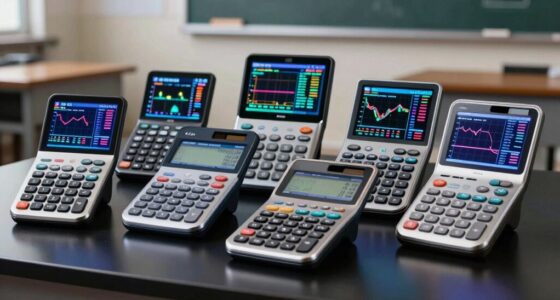

The best graphing calculator for most students is the Texas Instruments TI-84 Evo Graphing Calculator, thanks to its familiar TI-84 approach and a newer interface. For a color-screen alternative, the Casio Prizm FX-CG50 is a strong contender, while the HP Prime G2 suits buyers who want a touch display and advanced tools. Your choice depends on more than screen size: exam rules, course software, CAS features, and how easily you can use the interface all matter. I compare those tradeoffs across 15 options, including several color variants of the TI-84 Evo. Read on for the full breakdown and help matching a calculator to your classes.

Get business pricing on monitors, keyboards and dev gear
- Business-only prices and quantity discounts
- Tax-exempt purchasing
- Multiple users, one account, clear invoices
Key Takeaways
- The TI-84 Evo is the leading all-around choice in this lineup; its silver, pink, teal, white, lavender, and mint versions are color variants, not different feature sets.
- Exam and course compatibility can outweigh advanced features. A calculator approved for your class is more useful than a more capable model your instructor or exam rules do not allow.
- Color screens do not make these calculators interchangeable. The Prizm FX-CG50, TI-84 Plus CE, and TI-Nspire CX II use different interfaces and workflows, so check what your course teaches.
- CAS models target a narrower audience. The TI-Nspire CX II CAS and HP Prime G2 offer advanced symbolic or touch-based work, but they can be more than a typical introductory course requires.
- Renewed and non-color TI-84 Plus models trade newer presentation for familiar workflows. They may fit buyers seeking a straightforward TI setup, but condition, included accessories, and exact model details deserve extra checking.
| Texas Instruments TI-84 Evo Graphing Calculator, Silver |  | Best Overall | Brand: Texas Instruments | Model: TI-84 Evo | Color: Silver | VIEW LATEST PRICE | See Our Full Breakdown |
| Texas Instruments TI-84 Evo Graphing Calculator (Pink) |  | Best for Students Who Want Color Choice | Brand: Texas Instruments | Model: TI-84 Evo | Color: Pink | VIEW LATEST PRICE | See Our Full Breakdown |
| Texas Instruments TI-84 Evo Graphing Calculator (Teal) |  | Best for a Distinctive Finish | Brand: Texas Instruments | Model: TI-84 Evo | Color: Teal | VIEW LATEST PRICE | See Our Full Breakdown |
| Texas Instruments TI-84 Plus Graphing Calculator |  | Best for Traditional TI-84 Coursework | Brand: Texas Instruments | Model: TI-84 Plus | Display: LCD, 320 × 240 pixels, 2.8-inch diagonal | VIEW LATEST PRICE | See Our Full Breakdown |
| HP Prime G2 Graphing Calculator with 3.5-Inch Multi-Touch Color Display |  | Best Premium Feature Set | Brand: HP | Model: HP Prime G2 | Display: 3.5-inch multi-touch color LCD | VIEW LATEST PRICE | See Our Full Breakdown |
| NumWorks Graphing Calculator |  | Best for Beginners | Display: 2.8-inch LCD, 320 × 240 pixels | Calculator type: Graphing | Power: Battery powered; one lithium-ion battery required | VIEW LATEST PRICE | See Our Full Breakdown |
| Texas Instruments TI-84 Plus Graphing Calculator, Black (Renewed) |  | Best for TI-84 Coursework on a Refurbished Model | Calculator type: Graphing | Functions: 200+ | Display: LCD | VIEW LATEST PRICE | See Our Full Breakdown |
| Texas Instruments TI-Nspire CX II Color Graphing Calculator with Student Software |  | Best for Linked, Cross-Device Study | Display: 2.83-inch LCD | Power: Rechargeable battery | Weight: 9.28 ounces | VIEW LATEST PRICE | See Our Full Breakdown |
| Texas Instruments TI-84 Plus CE Graphing Calculator, Black |  | Best for Color Graphing and MathPrint | Display: 2.8-inch full-color backlit LCD | Calculator type: Graphing | Power: Battery powered; rechargeable lithium metal battery included | VIEW LATEST PRICE | See Our Full Breakdown |
| TI-84 Evo Graphing Calculator – White |  | Best for Faster Graphing and Introductory Coding | Model: TI-84 Evo, White | Model number: 84EVO/FC | Processor: Stated as 3× faster than older TI-84 models | VIEW LATEST PRICE | See Our Full Breakdown |
| Texas Instruments TI-84 Evo Graphing Calculator, Lavender |  | Best for Modern Classroom Use | Model: TI-84 Evo | Display size: 2.8 inches | Graphing space: 50% more than the previous model | VIEW LATEST PRICE | See Our Full Breakdown |
| Texas Instruments TI-84 Plus CE Color Graphing Calculator, Black |  | Best for Textbook-Style Math | Model: TI-84 Plus CE | Calculator type: Color graphing calculator | Color: Black | VIEW LATEST PRICE | See Our Full Breakdown |
| TI-84 Evo Graphing Calculator, Mint |  | Best for Python-Ready Students | Model: TI-84 Evo | Color: Mint | Display size: 2.8 inches | VIEW LATEST PRICE | See Our Full Breakdown |
| Casio Prizm FX-CG50 Color Graphing Calculator |  | Best for 3D Graphing | Model: FX-CG50 | Display: 3.17-inch LCD with over 65,000 colors | Graphing: 2D and 3D | VIEW LATEST PRICE | See Our Full Breakdown |
| Texas Instruments TI-Nspire CX II CAS Color Graphing Calculator with Student Software |  | Best for Computer Algebra | Model: TI-Nspire CX II CAS | Display: 3.5-inch LCD, 320 × 240 pixels, 16-bit color | Computer Algebra System: Included | VIEW LATEST PRICE | See Our Full Breakdown |
| graphing calculator | Weight | Model | Display |
|---|---|---|---|
| Texas Instruments TI-84 Evo Gr | 7.2 ounces | TI-84 Evo | — |
| Texas Instruments TI-84 Evo Gr | 7.2 ounces | TI-84 Evo | — |
| Texas Instruments TI-84 Evo Gr | 7.2 ounces | TI-84 Evo | — |
| Texas Instruments TI-84 Plus G | 0.29 kg | TI-84 Plus | LCD, 320 × 240 pixels, 2.8-inch diagonal |
| HP Prime G2 Graphing Calculato | — | HP Prime G2 | 3.5-inch multi-touch color LCD |
| NumWorks Graphing Calculator | 218 g | — | 2.8-inch LCD, 320 × 240 pixels |
| Texas Instruments TI-84 Plus G | 10 ounces | — | LCD |
| Texas Instruments TI-Nspire CX | 9.28 ounces | — | 2.83-inch LCD |
| Texas Instruments TI-84 Plus C | 231 g | — | 2.8-inch full-color backlit LCD |
| TI-84 Evo Graphing Calculator | 7.2 ounces | TI-84 Evo, White | — |
| Texas Instruments TI-84 Evo Gr | 7.2 ounces | TI-84 Evo | — |
| Texas Instruments TI-84 Plus C | — | TI-84 Plus CE | — |
| TI-84 Evo Graphing Calculator | 7.2 ounces | TI-84 Evo | — |
| Casio Prizm FX-CG50 Color Grap | 12.8 ounces | FX-CG50 | 3.17-inch LCD with over 65,000 colors |
| Texas Instruments TI-Nspire CX | 9.12 ounces | TI-Nspire CX II CAS | 3.5-inch LCD, 320 × 240 pixels, 16-bit color |
More Details on Our Top Picks
Texas Instruments TI-84 Evo Graphing Calculator, Silver
I rank the TI-84 Evo first for students who want a familiar classroom calculator with a more accessible interface and current conveniences. Its icon-based home screen and simplified keypad can make common tasks easier to find, while the faster processor and 50% larger graphing area help keep exploration of functions more responsive and readable. USB-C charging avoids the AAA-battery routine of the TI-84 Plus, and built-in Python adds a programming path without changing the calculator’s exam-focused role. It is approved for major standardized exams, though the supplied details do not list each exam by name. Compared with the more advanced HP Prime G2, the Evo has a smaller monochrome-style interface and no stated CAS. Its included online calculator subscription lasts four years, so buyers should not assume that access continues indefinitely.
Pros:- Icon-based interface and simplified keypad can reduce the learning curve
- 50% more graphing space than the previous design
- USB-C charging and rechargeable battery replace disposable AAA batteries
- Built-in Python and support for major standardized exams
Cons:- The included online calculator subscription lasts four years
- Its 2.8-inch screen is smaller than the HP Prime G2’s 3.5-inch color touchscreen
- No computer algebra system is listed
Best for: Middle-school through college students who want an exam-ready TI-84-style calculator with rechargeable power, Python, and easier menu navigation.
Not ideal for: Students who need a computer algebra system, a large color touchscreen, or online calculator access beyond the included four-year subscription.
- Brand:Texas Instruments
- Model:TI-84 Evo
- Color:Silver
- Calculator type:Graphing
- Screen size:2.8 inches
- Charging:USB-C
- Programming:Built-in Python
- Weight:7.2 ounces
- Online calculator subscription:4 years included
Our verdict“Choose the TI-84 Evo for a broadly capable, exam-ready student calculator with a more approachable interface than the TI-84 Plus.”
Texas Instruments TI-84 Evo Graphing Calculator (Pink)
The pink TI-84 Evo has the same practical strengths as the silver version: USB-C rechargeable power, built-in Python, a faster processor, and a larger graphing area than the previous design. Its distinguishing point in this lineup is the pink finish, which lets students choose a personal look without giving up the TI-84 Evo’s exam-oriented capabilities. Compared with the older TI-84 Plus, its icon-based home screen and simplified keypad are designed to make navigation less dependent on memorizing menus. The 2.8-inch display remains modest beside the HP Prime G2’s 3.5-inch color touchscreen, and this model is not listed with a CAS. Its useful features make sense for everyday coursework, but the color itself does not change its performance relative to the silver or teal Evo versions.
Pros:- Icon-based home screen and simplified keypad support easier navigation
- 50% larger graphing area than the previous design
- USB-C rechargeable battery
- Built-in Python and listed approval for ACT, SAT, PSAT/NMSQT, IB, and AP
Cons:- The 2.8-inch screen is smaller than the HP Prime G2 display
- No computer algebra system is listed
- Pink color is a cosmetic distinction rather than a feature difference from other Evo colors
Best for: Students who want the TI-84 Evo’s rechargeable, Python-capable design and specifically prefer a pink calculator for school.
Not ideal for: Buyers who prioritize a larger color touchscreen, CAS tools, or a performance difference over the silver and teal TI-84 Evo versions.
- Brand:Texas Instruments
- Model:TI-84 Evo
- Color:Pink
- Calculator type:Graphing
- Screen size:2.8 inches
- Power source:Rechargeable battery (USB-C)
- Programming language:Python
- Weight:7.2 ounces
- Exam approval:ACT, SAT, PSAT/NMSQT, IB, AP
Our verdict“Pick the pink TI-84 Evo if you want the newest listed TI-84 features and a pink finish, but not a larger display or CAS.”
Texas Instruments TI-84 Evo Graphing Calculator (Teal)
The teal TI-84 Evo brings a distinctive finish to the same student-focused toolset found in the silver and pink versions. The choice makes sense for buyers who want Python programming, a faster processor, and a 50% larger graphing area than the previous design, alongside an interface built around icons rather than a more traditional menu layout. Against the TI-84 Plus, USB-C charging is a clear day-to-day convenience: students can recharge rather than keep four AAA batteries on hand. The Evo’s 2.8-inch screen, however, does not match the larger, color touchscreen on the HP Prime G2, and the provided information does not list CAS support. Teal does not add a functional advantage over the other Evo colors, so this pick is mainly about combining the Evo platform with a preferred appearance.
Pros:- Faster processor and 50% more graphing space than the previous design
- Icon-based home screen and simplified keypad can ease routine navigation
- USB-C rechargeable power
- Built-in Python programming
Cons:- The 2.8-inch screen is smaller than the HP Prime G2’s display
- No computer algebra system is listed
- Teal is a finish choice, not a functional upgrade over other Evo colors
Best for: Students who want an exam-oriented TI-84 Evo with Python and rechargeable USB-C power in a teal finish.
Not ideal for: Buyers seeking a larger color touchscreen, CAS functionality, or a meaningful performance difference from other TI-84 Evo colors.
- Brand:Texas Instruments
- Model:TI-84 Evo
- Color:Teal
- Calculator type:Graphing
- Screen size:2.8 inches
- Power source:Rechargeable battery (USB-C)
- Programming:Built-in Python
- Weight:7.2 ounces
- Warranty:1-year limited warranty
Our verdict“Choose the teal TI-84 Evo when you want its modernized TI-84 features and prefer this finish, rather than a larger screen or CAS.”
Texas Instruments TI-84 Plus Graphing Calculator
The TI-84 Plus is a sensible choice for students whose classes use established TI-84 workflows and who value included learning tools over newer hardware. Its preloaded apps cover interactive geometry, inequalities, and data collection, while support for up to ten functions, split-screen viewing, and interactive zoom gives students several ways to inspect graphs. Compared with the TI-84 Evo, this model lacks the listed USB-C rechargeable battery, Python, and newer icon-based interface; it instead runs on four AAA batteries and includes a protective case and USB cable. That familiar, app-equipped approach can suit math and science coursework, but the 2.8-inch display is not larger than the Evo’s and the calculator weighs 0.29 kg. Buyers who want a color touchscreen or CAS should look at the HP Prime G2 instead.
Pros:- Preloaded apps for interactive geometry, inequality graphing, and data analysis
- Can define, save, graph, and analyze up to ten functions
- Split-screen options and 14 interactive zoom features
- Includes a protective slide case, USB cable, batteries, guidebook, and software apps
Cons:- Requires four AAA batteries rather than a rechargeable USB-C battery
- The 2.8-inch diagonal display is modest beside the HP Prime G2
- At 0.29 kg, it is heavier than the listed 7.2-ounce TI-84 Evo
Best for: Students in math or science classes built around TI-84-style graphing who want preloaded apps and included accessories.
Not ideal for: Students who want USB-C recharging, built-in Python, a lighter stated weight, or a color touchscreen like the HP Prime G2.
- Brand:Texas Instruments
- Model:TI-84 Plus
- Display:LCD, 320 × 240 pixels, 2.8-inch diagonal
- Power source:Four AAA batteries
- Weight:0.29 kg
- Dimensions:7.5 × 7.5 inches
- Functions:Up to 10 graphing functions
- Warranty:1-year limited warranty
- Included accessories:Protective slide case, USB connectivity cable, batteries, guidebook, and software apps
Our verdict“Choose the TI-84 Plus for familiar TI-84 coursework and bundled apps, but pick the Evo for rechargeable power and Python.”
HP Prime G2 Graphing Calculator with 3.5-Inch Multi-Touch Color Display
The HP Prime G2 stands apart from the TI-84 models by pairing computer algebra with graphing, dynamic geometry, and spreadsheet tools. Its 3.5-inch multi-touch color display supports pinch-to-zoom and direct graph manipulation, giving students a more visual way to examine relationships than the 2.8-inch screens on the TI-84 Evo and TI-84 Plus. A 256 MB flash memory capacity also gives programs and images room on the device. This broader toolkit makes it the strongest fit here for advanced coursework and programmable exploration, but it may be more calculator than a student needs for standard TI-84-based classes. The rechargeable lithium-ion battery and metal enclosure add practical appeal; wireless features, however, require optional accessories. Exam approval is listed for PSAT/NMSQT, SAT, IB, and select AP exams, so check that against a specific course or exam requirement.
Pros:- Combines CAS, graphing, dynamic geometry, and spreadsheet tools
- 3.5-inch multi-touch color display supports pinch-to-zoom and interactive graph manipulation
- 256 MB of flash memory for programs, exam configurations, and images
- Rechargeable lithium-ion battery and metal enclosure
Cons:- Wireless connectivity requires optional accessories
- Exam approval is limited to PSAT/NMSQT, SAT, IB, and select AP exams
- The wider feature set may be unnecessary for students needing a standard TI-84 classroom calculator
Best for: Advanced high-school or college students who need CAS, dynamic geometry, spreadsheets, and a large interactive color display.
Not ideal for: Students whose classes require a TI-84 workflow, who need broad AP exam approval, or who do not need CAS and advanced graph manipulation.
- Brand:HP
- Model:HP Prime G2
- Display:3.5-inch multi-touch color LCD
- Flash memory:256 MB
- Power source:Rechargeable lithium-ion battery, included
- Enclosure material:Metal
- Dimensions:7.25 × 3.66 inches
- Exam approval:PSAT/NMSQT, SAT, IB, and select AP exams
- Warranty:1-year manufacturer’s warranty
Our verdict“Choose the HP Prime G2 for CAS and a larger touch display, but favor a TI-84 model when class compatibility is the priority.”
NumWorks Graphing Calculator
The NumWorks Graphing Calculator is a strong starting point for students who want graphing tools without an interface that feels crowded. Its intuitive layout and 2.8-inch color display make equations and graphs easier to read than on a basic monochrome screen, while the rechargeable battery avoids routine battery swaps. Compared with the TI-84 Plus CE, it emphasizes approachability and a multilingual interface rather than MathPrint and image importing. That makes it appealing for learners moving into graphing, but students whose classes rely on a particular TI model or its familiar menus should check course expectations before choosing it. Its listed features also provide less detail about advanced functions than the TI-84 Plus renewed model, which offers more than 200 functions. I’d choose NumWorks for a clear, rechargeable learning tool, not for maximum documented feature breadth.
Pros:- Intuitive interface can make common graphing tasks easier for newer users.
- 320 × 240 color display provides clear visual space for graphs.
- Rechargeable battery reduces reliance on replaceable batteries.
- Supports seven listed languages, including English, French, and Spanish.
Cons:- Course-specific compatibility should be checked because it is not a TI-84 model.
- The supplied description does not detail its function set as fully as the TI-84 Plus renewed model.
- USB-C charging cable is included, but a charging adapter is not specified.
Best for: Middle- and high-school students beginning graphing, especially those who want a readable color screen and a simple, multilingual interface.
Not ideal for: Students whose courses or exams require a specific Texas Instruments model, or advanced users who want a clearly documented set of extensive functions.
- Display:2.8-inch LCD, 320 × 240 pixels
- Calculator type:Graphing
- Power:Battery powered; one lithium-ion battery required
- Languages:English, French, Dutch, Portuguese, Italian, German, and Spanish
- Weight:218 g
- Dimensions:6.3 × 3.2 in
- Included accessory:USB-C charging cable
Our verdict“Choose NumWorks for an approachable, rechargeable first graphing calculator, but check course requirements if instruction centers on TI models.”
Texas Instruments TI-84 Plus Graphing Calculator, Black (Renewed)
This renewed TI-84 Plus keeps the familiar TI workflow and a broad toolkit, including 200+ functions for graphing, matrices, statistics, and interactive function analysis. Compared with the newer TI-84 Plus CE, it offers a more traditional LCD rather than a full-color backlit screen, so graphs and formulas are less visually distinct. Its case has also been professionally inspected and tested, but renewed condition means it is pre-owned, not a new unit; the included 90-day limited warranty is shorter than the one-year coverage listed for the TI-84 Plus CE. The replaceable CR2 battery is another tradeoff against rechargeable alternatives such as NumWorks. I’d shortlist it for students who specifically need the TI-84 Plus experience and value its stated function range, while checking school requirements and accepting the refurbished condition.
Pros:- More than 200 functions cover graphing, matrix operations, and statistical analysis.
- Interactive graph analysis and multiple graph styles support varied classroom work.
- Professionally inspected and tested before sale.
- Includes a 90-day limited warranty.
Cons:- Renewed condition means the calculator is pre-owned or refurbished.
- LCD display lacks the full-color backlit screen of the TI-84 Plus CE.
- Requires a CR2 battery rather than using a rechargeable battery.
Best for: Students whose classes specifically teach the TI-84 Plus interface and who are comfortable buying a professionally inspected renewed calculator.
Not ideal for: Buyers who want a new unit, a color display, a rechargeable battery, or longer listed warranty coverage.
- Calculator type:Graphing
- Functions:200+
- Display:LCD
- Power:Battery powered; one CR2 battery required
- Weight:10 ounces
- Dimensions:7.8 in L × 6.06 in W
- Condition and warranty:Renewed; 90-day limited warranty
Our verdict“Pick this renewed TI-84 Plus when your coursework calls for its familiar tools and you accept a pre-owned unit and shorter warranty.”
Texas Instruments TI-Nspire CX II Color Graphing Calculator with Student Software
The TI-Nspire CX II suits students who want their calculator work to connect with study on a computer or iPad. Its full-color display supports linked visualizations, while the included computer software license lets students save and share work across devices. That broader workflow sets it apart from the TI-84 Plus CE, which offers a color screen and rechargeable power but is described here without the same cross-device sharing package. The Nspire’s rechargeable battery and stated approval for the PSAT/NMSQT, SAT, ACT, AP, and IB Diploma Programme add flexibility for school use. The tradeoff is reliance on a software license that lasts four years; buyers should also confirm that the calculator’s workflow suits their classes rather than assuming a TI-84-style interface. It makes the most sense for students who will actively use both calculator and computer work.
Pros:- High-resolution full-color display supports clear visualizations.
- Rechargeable battery suits regular portable use.
- Supports saving and sharing work across the calculator, computers, and iPad.
- Listed as approved for PSAT/NMSQT, SAT, ACT, AP, and IB Diploma Programme exams.
Cons:- Included computer software license lasts four years.
- The listed dimensions are unusually compact, so buyers may want to confirm fit and handling before purchase.
- The supplied product details do not specify connectivity methods.
Best for: High-school and college students who want to link calculator work with computer study and need a model approved for the listed exams.
Not ideal for: Students who only need a straightforward standalone calculator or who want a software license that does not have a stated four-year term.
- Display:2.83-inch LCD
- Power:Rechargeable battery
- Weight:9.28 ounces
- Dimensions:3.42 × 3.42 inches
- Software license:Four years
- Warranty:1-year limited warranty
- Compatible device:Laptop
- Listed exam approvals:PSAT/NMSQT, SAT, ACT, AP, and IB Diploma Programme
Our verdict“Choose the TI-Nspire CX II if you plan to use its linked calculator-and-computer workflow, rather than buying only for standalone graphing.”
Texas Instruments TI-84 Plus CE Graphing Calculator, Black
The TI-84 Plus CE is a well-rounded choice for students who want a familiar TI-84 layout with a more readable visual experience. Its 2.8-inch full-color backlit display makes graphs easier to distinguish, and MathPrint shows formulas and fractions in textbook-style notation rather than forcing every expression into a cramped linear view. Compared with the renewed TI-84 Plus, this model adds color, backlighting, and a rechargeable battery; compared with the TI-Nspire CX II, its appeal is a more direct TI-84-style experience rather than linked work across devices. It can also import images, though that feature is less central to routine coursework. The product data lists battery-powered operation alongside an included rechargeable lithium metal battery, so buyers should confirm charging details. I’d favor it for students who want visual clarity without switching to the Nspire workflow.
Pros:- Full-color backlit screen improves graph visibility.
- MathPrint presents formulas and fractions in textbook-style notation.
- Rechargeable lithium metal battery is included.
- Can import images for use on the display.
Cons:- Product details describe it as battery powered while also listing a rechargeable battery, leaving the power setup unclear.
- No cross-device sharing or linked visualization feature is specified, unlike the TI-Nspire CX II.
- Plastic enclosure may be less suited to buyers seeking a more rugged build.
Best for: High-school students who want a familiar TI-84 interface, color graphing, and textbook-style formula display for everyday math coursework.
Not ideal for: Students who need cross-device linked work like the TI-Nspire CX II, or buyers seeking a clearly specified charging method.
- Display:2.8-inch full-color backlit LCD
- Calculator type:Graphing
- Power:Battery powered; rechargeable lithium metal battery included
- Display features:MathPrint and image importing
- Weight:231 g
- Dimensions:8.6 in L × 6.1 in W
- Enclosure:Plastic
- Warranty:1 year
Our verdict“Choose the TI-84 Plus CE for a familiar TI-84 with a color screen and MathPrint, but look to the TI-Nspire CX II for linked study across devices.”
TI-84 Evo Graphing Calculator – White
The TI-84 Evo is the forward-looking pick in this group for students who want a faster TI-84 experience and an entry point to coding. Its stated 3× faster processor and 50% larger graphing area are aimed at smoother calculations and more room to inspect graphs than the TI-84 Plus CE. The icon-based home screen may also feel more approachable than the older TI-84 interface, while built-in Python adds a learning tool beyond standard graphing. USB-C rechargeable power cuts down on routine battery replacement, though this model still has a listed AAA backup battery whose endurance may be limited during heavy use. The supplied specs do not state screen resolution, full exam approval details, or dimensions, so buyers should verify those specifics against their course needs. I’d choose it for new TI-84 buyers interested in speed and Python, not for a tightly documented spec checklist.
Pros:- Stated 3× faster processor targets quicker calculations and smoother graphing.
- 50% larger graphing area on a 2.8-inch screen provides more room to inspect plots.
- USB-C rechargeable power avoids frequent primary battery changes.
- Built-in Python can add introductory coding practice.
Cons:- A single AAA backup battery is listed, with limited endurance noted for heavy use.
- The supplied details do not specify display resolution or dimensions.
- Buyers who only need conventional TI-84 graphing may not use the added processor speed or Python tools.
Best for: Students buying a newer TI-84 who want faster graphing, USB-C charging, and a first step into Python programming.
Not ideal for: Buyers who need detailed published display specifications or want to avoid any dependence on a backup AAA battery.
- Model:TI-84 Evo, White
- Model number:84EVO/FC
- Processor:Stated as 3× faster than older TI-84 models
- Graphing area:Stated as 50% larger on a 2.8-inch screen
- Power:USB-C rechargeable battery; one AAA backup battery listed
- Programming:Built-in Python
- Weight:7.2 ounces
- Warranty:1-year limited warranty
Our verdict“Pick the TI-84 Evo for its stated speed, larger graphing area, and Python tools; choose the TI-84 Plus CE if MathPrint is your priority.”
Texas Instruments TI-84 Evo Graphing Calculator, Lavender
The TI-84 Evo is my pick for students who want a familiar Texas Instruments calculator with a more modern interface. Its 50% larger graphing area gives functions more room on screen, while the faster processor is designed to make calculations and graph updates feel more responsive than on the TI-84 Plus CE. USB-C charging and a rechargeable battery also avoid the need to keep spare disposable batteries on hand. Built-in Python adds a route into programming, though students who mainly need symbolic algebra may be better matched to the TI-Nspire CX II CAS. The Evo’s simplified, icon-based keypad may ease classroom use, but buyers should confirm that its interface suits their course and exam requirements. This Lavender version shares its core features with other Evo colors, so the choice is mainly cosmetic.
Pros:- 50% more graphing space than the previous model
- Faster processor for more responsive calculations and graphing
- USB-C rechargeable power
- Built-in Python and support for major standardized exams
Cons:- Does not list a Computer Algebra System like the TI-Nspire CX II CAS
- The simplified interface may be less familiar to students accustomed to older TI-84 models
Best for: Students who want a rechargeable, exam-oriented TI graphing calculator with a clearer interface and room to explore Python.
Not ideal for: Students who need computer algebra features or prefer a more traditional TI-84 layout; the TI-Nspire CX II CAS is better suited to symbolic math.
- Model:TI-84 Evo
- Display size:2.8 inches
- Graphing space:50% more than the previous model
- Processor performance:3x faster than the previous model
- Charging:USB-C
- Programming:Built-in Python
- Weight:7.2 ounces
- Color:Lavender
Our verdict“Choose this Evo if you want a current, rechargeable classroom TI calculator with Python, but choose the TI-Nspire CX II CAS for symbolic algebra.”
Texas Instruments TI-84 Plus CE Color Graphing Calculator, Black
The TI-84 Plus CE makes a strong case for students who value familiar course coverage and formulas that look like they do in a textbook. Its MathPrint display shows expressions, symbols, and stacked fractions in a more natural layout, which can make checking work easier than reading a single-line expression. Color graphing helps separate plotted functions, while the rechargeable battery is specified to last up to a month per charge, depending on use. Compared with the newer TI-84 Evo, this model does not list the Evo’s larger graphing area, faster processor, or built-in Python. Its strengths are a clear math display and a long stated battery interval, not the newest interface. It is a sensible fit for standard math and science courses, but less compelling for buyers seeking advanced symbolic tools like those in the TI-Nspire CX II CAS.
Pros:- MathPrint displays formulas and stacked fractions in textbook-style formatting
- Color graphing helps distinguish plotted information
- Rechargeable battery is specified for up to one month per charge
- Includes a four-year TI-84 Plus CE online calculator subscription
Cons:- Battery life varies with use
- Does not list built-in Python programming
- Designed for math and science rather than broader calculator tasks
Best for: Middle school, high school, and college students who want color graphing and textbook-style equation display for math and science coursework.
Not ideal for: Students looking for built-in Python or a Computer Algebra System; the TI-84 Evo adds Python, while the TI-Nspire CX II CAS offers symbolic algebra.
- Model:TI-84 Plus CE
- Calculator type:Color graphing calculator
- Color:Black
- Display feature:MathPrint
- Battery:Rechargeable; up to one month per charge
- Online calculator subscription:Four years included
Our verdict“Pick the TI-84 Plus CE if readable textbook-style equations matter more to you than the Evo’s newer processor and Python tools.”
TI-84 Evo Graphing Calculator, Mint
With a built-in Python environment, a larger display, and a faster processor, the Mint TI-84 Evo is best for students who want programming alongside graphing in a classroom calculator. The 2.8-inch screen provides 50% more graphing space than the previous model, which can make multi-function comparisons easier to read. USB-C charging means the rechargeable battery can use a common cable type, while exam approval supports use in major standardized tests. Compared with the TI-84 Plus CE, the Evo is the more current choice for speed and coding; compared with the TI-Nspire CX II CAS, it does not list a Computer Algebra System. One drawback is the reported absence of a backlit display, which can make low-light use less comfortable. Mint is a color choice, not a different feature set from the Lavender Evo.
Pros:- Built-in Python supports introductory coding exploration
- 50% more graphing space than the previous model
- Faster processor for smoother calculations and graphing
- USB-C rechargeable power and approval for major standardized exams
Cons:- No backlit display is reported, limiting comfort in low-light settings
- Does not list a Computer Algebra System like the TI-Nspire CX II CAS
Best for: High school students who want to learn Python on the same calculator they use for graphing and standardized exams.
Not ideal for: Students who regularly work in dim rooms or need symbolic algebra; the reported lack of a backlit display and the TI-Nspire CX II CAS’s CAS focus may matter.
- Model:TI-84 Evo
- Color:Mint
- Display size:2.8 inches
- Graphing space:50% more than the previous model
- Processor performance:3x faster than the previous model
- Power:USB-C rechargeable battery
- Programming:Built-in Python
- Weight:7.2 ounces
Our verdict“Choose the Mint Evo for classroom graphing plus Python, but skip it if low-light visibility or CAS functions are priorities.”
Casio Prizm FX-CG50 Color Graphing Calculator
The Casio Prizm FX-CG50 is the standout here for students who need to visualize math beyond standard two-dimensional plots. Its 2D and 3D graphing and 3.17-inch color display make it a distinct alternative to the TI-84 Evo, whose listed selling points focus on a larger graphing area and built-in Python rather than 3D plots. Casio also includes MicroPython, USB connectivity, and support for several major exams, giving technically curious students useful options beyond graphing. The tradeoff is power: this model uses four AAA batteries instead of the rechargeable USB-C setup on the Evo and the rechargeable battery on the TI-84 Plus CE. It is also heavier than either listed Evo model. Choose it for its visualization range, not if rechargeable convenience or a lighter carry is your main priority.
Pros:- Supports both 2D and 3D graphing
- High-resolution display with over 65,000 colors
- MicroPython programming and USB connectivity
- Approved for AP, SAT, PSAT, NMSQT, ACT, and IB exams
Cons:- Requires four AAA batteries rather than rechargeable USB-C power
- At 12.8 ounces, it is heavier than the TI-84 Evo
- Its 3D graphing focus may be unnecessary for students with standard graphing needs
Best for: Students in advanced math or science courses who need 3D graphing and want a color display with MicroPython support.
Not ideal for: Students who want USB-C rechargeable power or a lighter calculator; the TI-84 Evo is lighter and recharges over USB-C.
- Model:FX-CG50
- Display:3.17-inch LCD with over 65,000 colors
- Graphing:2D and 3D
- Programming:MicroPython
- Power:Four AAA batteries
- Connectivity:USB
- Weight:12.8 ounces
- Included items:Protective hard case, quick start guide, and USB cable
Our verdict“Choose the FX-CG50 if 3D visualization is central to your coursework; choose the TI-84 Evo for a lighter rechargeable option.”
Texas Instruments TI-Nspire CX II CAS Color Graphing Calculator with Student Software
The TI-Nspire CX II CAS is the most advanced math-focused choice in this group for students who need a Computer Algebra System, not just numerical graphing. CAS support can help with symbolic work, setting it apart from the TI-84 Evo models, which list Python but not CAS. Its 3.5-inch color display supports six graph styles and 15 colors, and the included student software license extends the calculator’s work to a computer. The larger feature set comes with a narrower fit: the software is listed as compatible with PC and Mac, and this model is approved only for select AP and IB exams, so students should check their specific exam rules. Compared with the Casio FX-CG50, its distinguishing advantage is CAS rather than listed 3D graphing. For students who only need standard high school graphing, the TI-84 Plus CE is a simpler alternative.
Pros:- Computer Algebra System supports symbolic math work
- 3.5-inch color display offers six graph styles and 15 colors
- Rechargeable battery is specified for up to two weeks per charge
- Includes TI-Nspire CX Student Software with a four-year license
Cons:- Student software compatibility is limited to PC and Mac
- Approved for select AP and IB exams rather than all standardized tests
- May offer more advanced math capability than students need for standard coursework
Best for: Advanced high school or college students studying algebra-heavy math and science who need symbolic calculations and companion computer software.
Not ideal for: Students whose courses require only standard graphing or whose exams do not allow this model; check exam approval before buying.
- Model:TI-Nspire CX II CAS
- Display:3.5-inch LCD, 320 × 240 pixels, 16-bit color
- Computer Algebra System:Included
- Battery:Rechargeable; up to two weeks per charge
- Graph styles and colors:Six styles and 15 colors
- Included software:TI-Nspire CX Student Software; four-year license
- Weight:9.12 ounces
- Dimensions:7.59 × 3.62 inches
Our verdict“Choose the TI-Nspire CX II CAS for symbolic math and computer-supported study, but verify exam rules and skip its extra capability if you only need basic graphing.”

How We Picked
I compared these calculators on the factors that shape everyday classroom use: course and exam fit, interface clarity, graphing tools, display readability, and flexibility as math gets more advanced. I also considered practical ownership details such as power options, software or computer connections, physical controls, and the importance of checking condition on a renewed listing. The goal is not to rank by the longest feature list; it is to show which model is a sensible match for different students and study needs.
The ranking favors versatile choices that can serve a broad range of school math without imposing a steep learning curve or specialized workflow. Models with color displays, touch input, or CAS capabilities earn a higher position when those tools add useful flexibility, but they do not automatically outrank familiar calculators that may better match classroom instruction. Closely related TI-84 Evo color versions are treated as one feature family, while individual entries remain separate because buyers may prefer a particular finish. Before buying, I recommend confirming the exact model and local exam policy.
Factors to Consider When Choosing Best Graphing Calculators
Choosing among graphing calculators is less about chasing the most advanced model and more about avoiding a mismatch with your course. I would settle the compatibility and workflow questions first, then compare screens, input methods, and ownership details.
Check Course and Exam Compatibility Before Features
Ask your instructor which calculator models appear in class materials and which are permitted during exams. A model that matches demonstrations can make it easier to follow lessons and reproduce steps under time pressure. Exam rules can differ by school, course, and testing body, so do not assume that approval for one test applies everywhere. CAS functions may be restricted even when a graphing calculator without CAS is allowed. Confirm the exact model name, not just the manufacturer or product family, before you buy. This check can save you from paying for tools you cannot use in the setting that matters most.
Choose the Workflow You Will Actually Use
Physical key layouts, menus, and operating systems affect how quickly you can enter expressions and move between tasks. If a teacher uses TI-84 steps, a TI-84 family model may be easier to follow than a calculator with a different menu structure. Touch input and document-style workspaces can suit students who prefer visual navigation, but they bring their own learning curve. A powerful feature is less helpful if you cannot find it during class or an exam. Look for tutorials or classroom instructions for the exact model you plan to use. Familiarity often matters more than a feature checklist when assignments are timed.
Treat CAS as a Course-Specific Upgrade
A computer algebra system can manipulate symbolic expressions and support more advanced problem solving, which may be useful in higher-level study. It is not automatically a better choice for every student: some courses restrict CAS, and beginners may not need its added complexity. Before paying for that capability, check whether your syllabus teaches CAS workflows and whether assessments allow them. If the course focuses on graphing, numerical calculations, and standard classroom procedures, a non-CAS model may be simpler to learn. Also ask whether you need to show manual reasoning, since relying on automated output can obscure the steps an instructor expects. Buy the feature for a real course need, not just for future-proofing.
Balance Screen Benefits Against Portability and Input
A color or touch display can help distinguish graphs and make menus easier to scan, especially when several functions appear together. Yet display quality is only one part of usability: keypad layout, screen size, and how the calculator handles text entry also affect daily work. A larger or more feature-rich device may feel less convenient to carry, while a simpler interface can be quicker for routine calculations. If possible, compare the controls in person or use official product images to inspect key placement. Think about whether you will mostly graph at a desk, work in class, or carry the calculator all day. Choose the screen and controls that support your actual routine.
Verify Power, Connectivity, and Included Software
Power arrangements, charging needs, computer connections, and included software vary by model and bundle. Check the exact listing and manufacturer documentation rather than assuming that accessories or applications shown in an image are included. A rechargeable calculator can be convenient, but you will need a charging routine; replaceable batteries can be easier to refresh when a device runs low. Computer software may help with assignments or file transfer, though it matters only if your course uses it. Confirm operating-system compatibility and any licensing terms before relying on software for classwork. These small ownership details can affect how smoothly the calculator fits into your school setup.
Inspect Renewed Listings and Model Names Carefully
Several products here share TI-84 names, and small differences in generation, display, and condition can change what you receive. A renewed calculator may be a sensible fit, but check who refurbished it, what accessories are included, and whether the listing describes cosmetic wear or replacement parts. Confirm that the exact model matches your course requirements and that the keys, screen, and ports are in acceptable condition. Color names such as silver, pink, or mint do not by themselves indicate different capabilities. Keep a record of the seller’s condition description and return terms in case the delivered item differs from the listing. Careful verification matters more than the label on the case.
Frequently Asked Questions
Is a TI-84 Evo worth choosing over a TI-84 Plus CE?
The best choice depends on whether your classes use the newer Evo workflow or teach from TI-84 Plus CE materials. The Evo takes the lead in this roundup as the broadest all-around pick, while the Plus CE remains a relevant option for students who want a color TI-84 and a familiar course workflow. Before switching generations, check that your teacher’s instructions and any required software support your exact model. Also compare the controls and menus, since a newer name does not guarantee that every classroom step will match. If you are replacing a calculator mid-course, compatibility with existing notes may matter more than adding newer features.
Should I buy a CAS graphing calculator for high school?
Only if your classes or planned studies make use of symbolic algebra and your exam rules permit CAS. The TI-Nspire CX II CAS and HP Prime G2 offer capabilities aimed at more advanced workflows, but those features can add complexity for students who mainly need standard graphing and numerical tools. Some teachers may restrict CAS during tests or prefer students to demonstrate algebra by hand. Ask your instructor about both classroom use and exam permissions before choosing. If you do buy a CAS model, make time to learn its workflow before relying on it for assignments.
Can I use a graphing calculator I already own for a new math course?
Often, but the model must meet the course’s rules and support the methods used in instruction. Check the full model number against the syllabus, exam policy, and any required software list. A calculator from the same brand may still have a different interface or omit a feature the teacher expects students to use. If it is an older or renewed unit, confirm that its screen, keys, and connections work before the term begins. When the model is permitted but unfamiliar, practice the course’s common tasks ahead of class.
Does a color display matter if I mainly need to graph functions?
Color can make multiple graphs and on-screen information easier to distinguish, particularly when comparing several functions. It does not replace good controls or a workflow that matches your course, and it may not be worth changing calculators if your current model already handles the assigned work. Think about how often you will view several graphs at once and whether you benefit from visual separation. A simpler display can still support standard graphing tasks. Choose color for a practical readability benefit, not because it is automatically required for calculus or algebra.
What should I check before buying a renewed or used calculator?
Verify the exact model, seller condition description, included accessories, and return terms before placing an order. Inspect photos and listing details for screen damage, missing keys, worn labels, or signs that ports may be unreliable. Confirm whether batteries or charging equipment are included and whether the calculator powers on. For coursework, test common functions and check compatibility with any required software as soon as it arrives. A used calculator can suit a student who needs a known model, but unclear condition or a mismatched version can outweigh the appeal of buying secondhand.
Conclusion
For most students, I recommend the TI-84 Evo as the best overall because it leads this comparison as a versatile choice, with six color versions to suit different preferences. For best value, I would compare the TI-84 Plus and TI-84 Plus CE against the exact requirements of your course, then choose the compatible model in suitable condition. The HP Prime G2 is the best premium-style pick for buyers who want touch input and advanced tools, while the NumWorks is worth a closer look for beginners who prefer a different interface from the familiar TI workflow. For CAS-focused or advanced work, compare the TI-Nspire CX II CAS with the HP Prime G2 and check exam rules before committing. If your course centers on a particular calculator, choose that workflow first; if it does not, weigh ease of learning against the features you will genuinely use.
Fall Picks
fall essentials
As an affiliate, we earn on qualifying purchases.