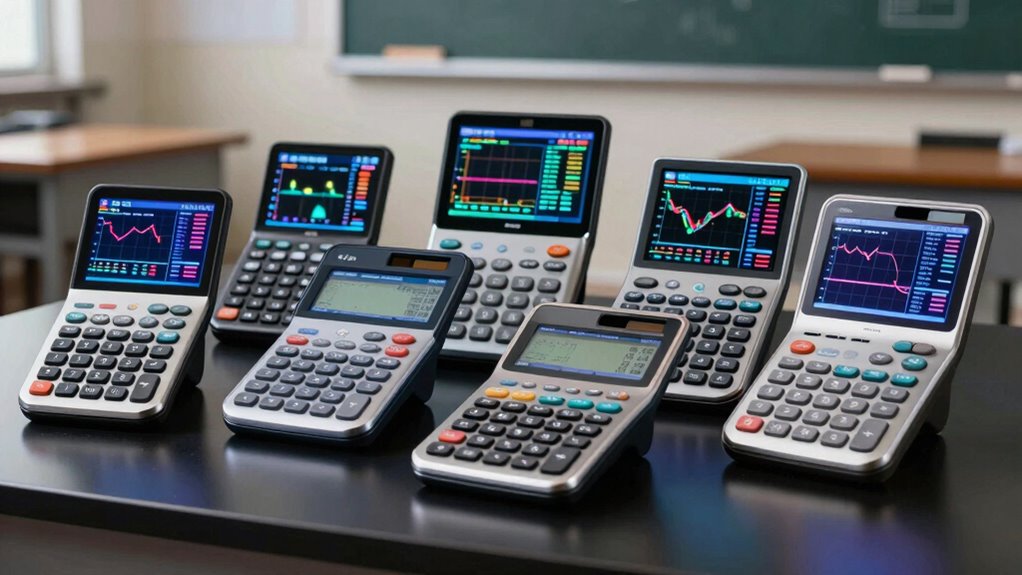

Choosing the right graphing calculator for statistics can significantly impact your learning experience and exam success. In 2026, options range from versatile models with advanced software capabilities to budget-friendly, beginner-friendly devices. The Texas Instruments TI-Nspire CX II stands out for its high-resolution color display and software suite, making it ideal for those who want a powerful learning tool with exam approval. Meanwhile, the TI-84 Plus CE remains a popular choice for its lightweight design and proven reliability, perfect for students seeking portability and durability. For those prioritizing speed and ease of use, the TI-84 Evo offers faster calculations and a simplified interface. Budget-conscious learners or those interested in programming may lean toward the Casio fx-9750GIII, which supports Python and offers natural textbook display at a lower price. Each option balances features and tradeoffs, so understanding your specific needs is key to selecting the best calculator for your statistics courses.
Key Takeaways
- The TI-Nspire CX II offers advanced visualization and software but at a higher cost.
- The TI-84 Plus CE combines portability with a robust feature set, suited for exams and daily use.
- The TI-84 Evo provides faster performance and a simplified interface for classroom settings.
- Casio fx-9750GIII is a budget-friendly option with programming support, ideal for learners interested in coding.
- Tradeoffs include size, complexity, and price, so match features with your course requirements.
| Texas Instruments TI-Nspire CX II Color Graphing Calculator with Student Software (PC/Mac) |  | Best Overall for Power and Visualization | Dimensions: 3.54 x 7.48 inches | Color: White | Battery: Rechargeable | VIEW ON AMAZON | See Our Full Breakdown |
| Texas Instruments TI-84 Plus Graphing Calculator |  | Best for Reliability and Multi-Functionality | Display: 320 x 240 pixels (2.8″ diagonal) | Color Screen: Yes | Graphing Functions: Up to ten | VIEW ON AMAZON | See Our Full Breakdown |
| Texas Instruments TI-84 Evo Graphing Calculator |  | Best for Classroom Use and Speed | Performance: 3x faster | Graphing Space: 50% more | Design: Simplified keypad with larger buttons | VIEW ON AMAZON | See Our Full Breakdown |
| Texas Instruments TI-84 Plus CE Color Graphing Calculator, Black |  | Best for Portability and Durability | Display: Color screen with MathPrint | Battery: Rechargeable, lasts up to one month | Subscription: 4-year online calculator access | VIEW ON AMAZON | See Our Full Breakdown |
| Casio fx-9750GIII Graphing Calculator with Python Programming, Pink |  | Best for Programming and Budget | Brand: Casio | Model: fx-9750GIII | Display: Natural Textbook | VIEW ON AMAZON | See Our Full Breakdown |
| graphing calculator for statistics student | Display |
|---|---|
| Texas Instruments TI-Nspire CX | — |
| Texas Instruments TI-84 Plus G | 320 x 240 pixels (2.8" diagonal) |
| Texas Instruments TI-84 Evo Gr | — |
| Texas Instruments TI-84 Plus C | Color screen with MathPrint |
| Casio fx-9750GIII Graphing Cal | Natural Textbook |
More Details on Our Top Picks
Texas Instruments TI-Nspire CX II Color Graphing Calculator with Student Software (PC/Mac)
The TI-Nspire CX II stands out for its vibrant color display and computer-like capabilities, making it well-suited for deep statistical analysis. It’s approved for major exams, including the SAT and AP, and includes a software license for extended learning. Compared to the TI-84 Plus, it offers more advanced visualization tools, but its higher price and steeper learning curve mean it’s better suited for dedicated students or those who want extensive software integration. The rechargeable battery and portability make it a strong choice for those who want a versatile device that can handle complex tasks.
Pros:- High-resolution color display enhances data visualization
- Approved for major standardized exams
- Includes a 4-year software license
- Rechargeable battery offers convenience
Cons:- Requires familiarity with complex graphing tools
- Higher price point compared to simpler models
Best for: Students seeking advanced visualization and software integration for in-depth statistics work
Not ideal for: Beginners or those on a tight budget who prefer simplicity
- Dimensions:3.54 x 7.48 inches
- Color:White
- Battery:Rechargeable
- Software License:4-year license of computer software
Our verdict“The TI-Nspire CX II offers advanced features ideal for dedicated statistics students willing to invest in a powerful device.”
Texas Instruments TI-84 Plus Graphing Calculator
The TI-84 Plus remains a staple in classrooms due to its reliability and extensive feature set. Its bright backlit color screen makes graphing more intuitive, and preloaded software like Cabri Jr. adds value for geometry and statistical functions. While its size and weight make it less portable than newer models, the TI-84 Plus supports multiple graphing functions simultaneously, making it ideal for complex data analysis. Its interface can be somewhat overwhelming for newcomers, but its familiarity and proven track record make it a dependable choice for ongoing coursework and exams.
Pros:- Vibrant backlit color display
- Supports multiple graphing functions at once
- Preloaded with interactive geometry software
- Long-standing reputation for dependability
Cons:- Relatively heavy and bulky for portability
- Interface may be complex for new users
Best for: Students who prioritize reliability, software support, and multi-function capabilities
Not ideal for: Those needing a lightweight device or who prefer a simpler interface
- Display:320 x 240 pixels (2.8″ diagonal)
- Color Screen:Yes
- Graphing Functions:Up to ten
- Software Included:Cabri Jr. interactive geometry
Our verdict“The TI-84 Plus is a dependable workhorse suited for students who need a versatile, proven calculator for statistics and beyond.”
Texas Instruments TI-84 Evo Graphing Calculator
The TI-84 Evo brings faster performance and a more intuitive, icon-based home screen, making it easier for students to navigate. Its larger, clearer graphs, with 50% more space, improve visual clarity during lessons or exams. Designed specifically for classroom use, it combines speed with simplicity, but it lacks some of the advanced features found in higher-end models like the Nspire series. Its quicker calculations and larger display make it a good middle ground for students who want a straightforward device that enhances their understanding without overwhelming them with features.
Pros:- Faster calculation speed
- User-friendly icon-based interface
- Larger, clearer graphs for better visualization
- Designed specifically for educational environments
Cons:- Limited advanced features for higher-level math
- Potentially higher cost than basic calculators
Best for: Students looking for faster calculations and an easy-to-use interface for classroom settings
Not ideal for: Advanced users needing extensive software options or complex data analysis
- Performance:3x faster
- Graphing Space:50% more
- Design:Simplified keypad with larger buttons
Our verdict“The TI-84 Evo offers a speedier, more accessible option for students who want effective visualization and simple operation.”
Texas Instruments TI-84 Plus CE Color Graphing Calculator, Black
The TI-84 Plus CE is known for its lightweight, durable design, making it perfect for students on the go. The MathPrint display simplifies inputting symbols and formulas, and its rechargeable battery can last up to a month. The included 4-year online subscription adds value for extended study and exam prep. While it lacks some of the advanced features of the Nspire, its balance of portability, battery life, and ease of use makes it a popular choice among middle school to college students who need a reliable device for everyday use and standardized tests.
Pros:- Vibrant color display with MathPrint
- Long-lasting rechargeable battery
- Includes 4-year online calculator subscription
- Lightweight and durable for daily use
Cons:- Higher price than entry-level models
- Rechargeable battery may need replacement over time
Best for: Students seeking a lightweight, durable calculator with long battery life and exam approval
Not ideal for: Users needing advanced statistical functions or programming features
- Display:Color screen with MathPrint
- Battery:Rechargeable, lasts up to one month
- Subscription:4-year online calculator access
- Durability:Lightweight and durable
Our verdict“The TI-84 Plus CE strikes a balance between portability and functionality, ideal for students who want a reliable, exam-approved device.”
Casio fx-9750GIII Graphing Calculator with Python Programming, Pink
The Casio fx-9750GIII offers a compelling option for students interested in coding, thanks to its Python programming support via MicroPython. Its Natural Textbook Display makes complex calculations easier to understand, and USB connectivity simplifies file management. While it may lack some of the advanced features of TI models, its affordability and programming capabilities make it attractive for learners who want to explore coding alongside statistics. The pink color adds a playful touch, which might appeal to some students, but others may prefer more subdued designs.
Pros:- Supports Python programming with MicroPython
- Natural Textbook Display simplifies calculations
- Exam-approved for standardized tests
- USB connectivity for file transfer
Cons:- Limited to basic graphing and scientific functions
- Pink color may not appeal to everyone
Best for: Students interested in programming and a lower-cost calculator for basic statistical tasks
Not ideal for: Those needing advanced graphing features or extensive software support
- Brand:Casio
- Model:fx-9750GIII
- Display:Natural Textbook
- Programming:Supports MicroPython
- Connectivity:USB
- Warranty:1 year limited
Our verdict“The Casio fx-9750GIII offers a budget-friendly entry point for students interested in programming and basic statistics work.”

How We Picked
Our selection process focused on models that are widely used in statistics courses, compatible with exam requirements, and offer a balance of features and affordability. We prioritized calculators with proven reliability, good user interfaces, and capabilities that support statistical analysis. We also compared software features, display quality, battery life, and portability to ensure options suit different learning styles and budgets. Tradeoffs were carefully considered to recommend calculators that serve both beginner and advanced users, helping students maximize their study time and exam performance.
Factors to Consider When Choosing Graphing Calculator For Statistics Students
Selecting the right graphing calculator for statistics depends on your experience level, study needs, and budget. Key considerations include display quality, software capabilities, exam approval, portability, and whether you need advanced features like programming. Understanding these factors helps in choosing a device that will support your coursework and prepare you for exams effectively.Display and Visualization
For statistics students, clear and vibrant visuals matter. A color display enhances understanding of complex data and graphs. The TI-Nspire CX II excels here with its high-resolution screen, while models like the TI-84 Plus CE and TI-84 Evo provide bright, easy-to-read color screens. If your coursework involves detailed graphing or visualization, prioritize models with high-quality displays to make analysis more intuitive.
Software and Functionality
Advanced software support can expand a calculator’s usefulness beyond basic graphing. The TI-Nspire CX II includes software licenses that enable deeper statistical analysis, while the TI-84 Plus comes with interactive geometry tools. For those interested in programming, Casio’s fx-9750GIII supports Python, making it a versatile choice. Balance your need for statistical functions with the software ecosystem when selecting.
Exam Compatibility and Portability
Most students need a calculator approved for standardized tests like the SAT or ACT. All models in this list are exam-approved, but portability varies. The TI-84 Plus CE and Casio fx-9750GIII are lightweight and durable, ideal for carrying around daily. Larger models like the TI-84 Plus may be less convenient for frequent transport. Consider how often you’ll carry the calculator and the exam restrictions when making your choice.
Price and Long-Term Use
Price varies significantly, from budget options like the Casio fx-9750GIII to premium models like the TI-Nspire CX II. Think about whether you need a device for just coursework or long-term investment for multiple courses. Rechargeable batteries, included subscriptions, and software licenses add value but also influence total cost. Determine your budget and future needs to find the best balance between features and affordability.
Frequently Asked Questions
Are graphing calculators allowed on standardized tests?
Most modern graphing calculators, including all the models in this lineup, are approved for exams like the SAT, ACT, and AP tests. However, it’s always wise to check the specific exam’s calculator policy before test day, as restrictions can vary. These calculators typically exclude models with computer algebra systems or programmable features that some tests prohibit.
Which calculator is best for beginners in statistics?
The Casio fx-9750GIII is a great choice for beginners due to its simple interface, natural textbook display, and affordable price. It provides essential graphing functions without overwhelming users with features, making it easier for new students to learn core concepts without distraction.
How important is software support for a statistics calculator?
Software support can greatly enhance your learning, especially for complex data analysis and visualization. Models like the TI-Nspire CX II include dedicated software licenses, which allow for more in-depth exploration of statistical concepts. If you plan to do a lot of programming or advanced analysis, choosing a calculator with robust software options makes a significant difference.
What are the tradeoffs between display quality and portability?
High-quality, colorful displays improve visualization but often come with increased size and weight, as seen with the TI-84 Plus. Conversely, more portable models like the TI-84 Plus CE balance display quality with lightweight design, but some may find the screen size limiting for detailed graphs. Consider how often you’ll carry your calculator versus the importance of visual clarity for your coursework.
Can I upgrade or add software to these calculators?
Most calculators in this list support file transfer via USB or proprietary ports, allowing you to update firmware or add applications where permitted. The TI-Nspire CX II and Casio fx-9750GIII specifically support such features, which can extend their functionality. Always check manufacturer guidelines to ensure compatibility before attempting upgrades.
Conclusion
For students just starting out in statistics or on a tight budget, the Casio fx-9750GIII offers essential features with programming support at an affordable price. Those seeking a reliable, portable device with long-term exam approval might prefer the TI-84 Plus CE. Power users or those interested in advanced visualization and software integration will find the TI-Nspire CX II best suited to their needs. Meanwhile, the TI-84 Evo strikes a balance with speed and user-friendliness, especially for classroom use. Match your study habits, coursework complexity, and budget to find the calculator that will serve you best throughout your statistics courses.