
📊 Full opportunity report: How to Reduce Heat and Noise in a High-Power AI Workstation on ThorstenMeyerAI.com — validation score, market gap, and execution plan.

Get business pricing on monitors, keyboards and dev gear
- Business-only prices and quantity discounts
- Tax-exempt purchasing
- Multiple users, one account, clear invoices
TL;DR
High-power AI workstations generate significant heat and noise due to sustained GPU loads. Key solutions include undervolting GPUs, improving cooling, and optimizing airflow. This helps maintain performance while reducing discomfort and energy costs.
High-power AI workstations produce excessive heat and noise due to sustained GPU loads, often exceeding expectations set by gaming PC benchmarks. This development is significant for professionals managing long inference tasks or multi-GPU setups, as it impacts comfort, energy efficiency, and hardware longevity.
AI workstations handling continuous inference workloads generate more heat and noise than typical gaming PCs because their GPUs operate at or near full load for extended periods. This leads to higher power consumption, increased fan speeds, and louder operation, especially in multi-GPU configurations where exhaust airflow becomes a bottleneck.
The primary sources of heat and noise are the GPU itself, which accounts for over 70% of thermal output under load, and the cooling fans. CPU and power supply components also contribute but are secondary. The heat must be dissipated efficiently to prevent throttling and hardware degradation, making cooling strategies critical.
Recent approaches focus on reducing heat at the source, notably through undervolting the GPU and capping power limits, which can lower thermal output significantly with minimal performance impact. Improving case airflow, selecting quieter cooling solutions, and managing fan curves are additional methods to reduce noise levels and maintain stable temperatures.
An AI workstation isn’t a gaming PC —
and that’s why it runs hot.
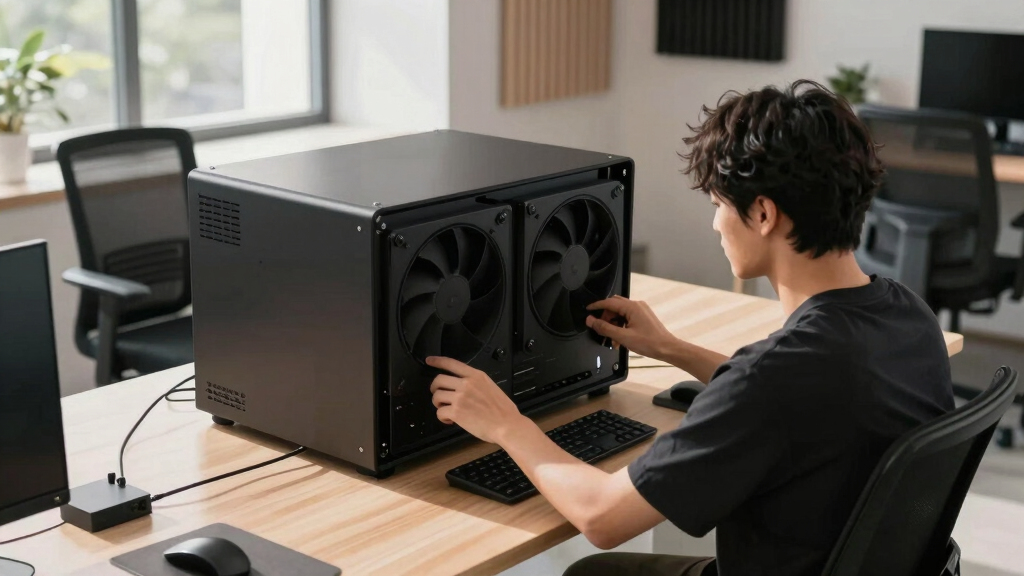
Local inference is a sustained load: the GPU sits near full power for hours with no loading screens, so the heat never dissipates and the fans never get a break. Here’s where the heat comes from — and the five levers that reduce it.
Why Managing Heat and Noise Is Critical for AI Workstations
Effective heat and noise management in high-power AI workstations is essential for maintaining hardware performance, extending component lifespan, and ensuring a comfortable working environment. As AI workloads grow more demanding, these strategies become vital for data scientists, researchers, and professionals who rely on sustained, high-performance inference without disruptive noise or overheating issues.
As an affiliate, we earn on qualifying purchases.
Thermal Challenges in Sustained AI Inference Workloads
Unlike gaming PCs, which experience bursty loads with idle periods, AI inference workloads keep GPUs running at high utilization continuously. This sustained load results in higher and more consistent heat generation. Historically, cooling solutions optimized for gaming are insufficient for these workloads, leading to throttling and louder fan operation. Recent developments emphasize source-level power reduction techniques and airflow optimization to address these issues.
“Undervolting your GPU and improving airflow are the most cost-effective ways to significantly reduce heat and noise in AI workstations.”
— Thorsten Meyer, AI hardware expert
quiet case fans for AI workstation
As an affiliate, we earn on qualifying purchases.
As an affiliate, we earn on qualifying purchases.
Remaining Questions About Long-Term Hardware Impact
While undervolting and airflow improvements are proven to reduce heat and noise, the long-term effects on hardware stability and lifespan are still being studied. The optimal configurations may vary across different GPU models and workloads, and more data is needed to establish best practices universally.
As an affiliate, we earn on qualifying purchases.
Next Steps for Optimizing AI Workstation Cooling
Future developments will likely include more sophisticated power management tools, custom cooling solutions, and AI-specific hardware optimizations. Users should monitor updates from hardware vendors and cooling specialists to refine their setups. Additionally, ongoing research aims to quantify the long-term benefits and potential trade-offs of these strategies.
As an affiliate, we earn on qualifying purchases.
Key Questions
Can undervolting reduce GPU performance?
In most cases, undervolting reduces heat and noise without significantly impacting performance, especially in memory-bound inference workloads. However, aggressive undervolting may cause instability, so it should be tested carefully.
What cooling options are best for quiet operation?
High-quality air coolers, low-noise fans, and liquid cooling solutions designed for quiet operation can significantly reduce noise. Proper case airflow and fan curve tuning are also essential.
Does improving airflow require a complete case overhaul?
Not necessarily. Simple modifications like adding or repositioning case fans, cleaning dust filters, and optimizing fan curves can improve airflow without replacing the entire case.
Are there risks to long-term hardware stability when undervolting?
While undervolting is generally safe when done within recommended parameters, improper settings can cause system instability or crashes. It’s advisable to test configurations thoroughly.
How do I balance cooling and noise for my AI workstation?
Start with source-level power reduction, then optimize fan curves and cooling hardware. Adjust settings gradually, monitoring temperatures and noise levels to find the best balance.
Source: ThorstenMeyerAI.com
Fall Picks
fall essentials
As an affiliate, we earn on qualifying purchases.