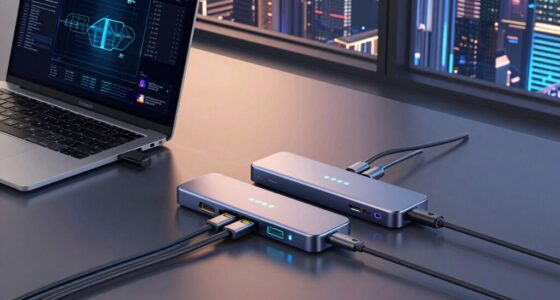

Whether you’re a seasoned software developer or a dedicated QA professional, having the right hardware and tools is essential for maintaining productivity and ensuring quality. This checklist is designed to guide you through the key hardware and software essentials for 2026, helping you build a reliable and efficient workspace.

Get business pricing on monitors, keyboards and dev gear
- Business-only prices and quantity discounts
- Tax-exempt purchasing
- Multiple users, one account, clear invoices
The list is organized into specific categories, each focusing on a critical aspect of your setup—from laptops to networking gear, and peripherals. Use this guide to evaluate your current equipment or to make informed purchasing decisions, ensuring every component supports your daily tasks effectively.
Remember, selecting the right tools is about balancing performance, compatibility, and future-proofing. Take the time to review each section carefully, and consider your unique workflow needs when choosing the best options for your setup.
Laptops & Workstations
A powerful laptop or workstation sets the foundation for seamless development and testing. The HP OmniBook 16 2K Touch Laptop offers a combination of high-resolution display, robust processing, and versatile touch capabilities, making it suitable for multitasking and detailed design work. Its 16GB RAM ensures smooth operation during resource-intensive tasks, while the 512GB SSD provides ample storage for projects and software. When choosing a laptop, consider compatibility with your preferred development environments and whether the display size and resolution meet your productivity standards.
Common mistakes include undervaluing upgradability and connectivity options. Always check for sufficient port availability and compatibility with peripherals like external monitors or docking stations. Sizing is also crucial—ensure the device’s weight and portability align with your work style. For example, if you travel frequently, a lighter model might be preferable. Also, verify that the hardware supports the latest operating systems and development tools to future-proof your setup.
What to look for:
- High-resolution display (Full HD or better)
- Adequate RAM (16GB or more)
- Fast SSD storage (512GB or larger)
- Multiple USB and Thunderbolt ports
- Good battery life
HP OmniBook 16" 2K Touch Laptop, Intel Ultra 7 255U, 16GB RAM, 512GB SSD

The HP OmniBook 16-inch laptop features a 2K touchscreen display, Intel Ultra 7 processor, 16GB DDR5 RAM, and a 512GB PCIe NVMe SSD, offering powerful performance and vibrant visuals. Designed for productivity and creative tasks, it includes advanced AI features, high-speed connectivity, and a sleek, portable design.
Pros:
- Vivid 2K touchscreen display with 120Hz refresh rate
- Powerful Intel Ultra 7 processor with AI acceleration
- High-speed 16GB DDR5 RAM and fast 512GB SSD
- Sleek, portable design with professional aesthetics
Cons:
- Limited physical security features (no fingerprint sensor)
- Relatively lightweight build may impact durability
- Battery life details not specified
Best for: Developers needing a versatile touch-enabled device
Not ideal for: Users requiring ultra-portable designs
Bottom line: Choose a laptop that balances power, portability, and future compatibility.
Testing Devices
While specific testing devices vary based on your project needs, having a range of compatible testing hardware is vital for comprehensive QA. Devices should mirror your end-user environments, including different operating systems and hardware configurations. Investing in a variety of testing devices helps catch issues early and ensures your software performs reliably across platforms.
Common mistakes include relying solely on emulators or virtual machines, which might not fully replicate real-world conditions. Incorporate physical devices for critical testing phases. Compatibility and connectivity are key—ensure your devices support the latest standards and are easy to connect to your network and development environment. Regularly updating your testing hardware to reflect current technology trends will help maintain your testing relevance and thoroughness.
What to look for:
- Devices matching target user environments
- Support for latest OS versions
- Good connectivity options
- Compatibility with testing tools
Networking Equipment
A robust networking setup ensures smooth collaboration and data transfer. The Ubiquiti Switch Enterprise XG 24 provides high-speed, reliable connectivity for multiple devices and servers, reducing bottlenecks during intensive development or testing sessions. Proper networking hardware helps maintain secure and stable connections, which is critical when working with cloud-based tools or remote teams.
Many overlook the importance of proper network segmentation or fail to match their switch capacity with their setup size. Ensure the switch supports the number of connected devices and offers features like VLAN support for enhanced security. Compatibility with existing network infrastructure and future expansion plans are also key considerations. Proper cabling and placement can prevent interference and ensure maximum performance, so plan your setup accordingly.
What to look for:
- High port count (24 ports or more)
- Support for Gigabit or higher speeds
- VLAN and security features
- Compatibility with existing network gear
Ubiquiti Switch Enterprise XG 24

The Ubiquiti Switch Enterprise XG 24 is a Layer 3 switch designed for efficient network connectivity. It features 24 ports, 10 Gigabit Ethernet, rack mounting, and management capabilities for professional and flexible network setups.
Pros:
- High-speed 10 Gigabit Ethernet connectivity
- Supports Layer 3 switching for advanced network management
- Rack-mountable for organized installation
- Management capabilities for maximum control
Cons:
- No mention of PoE support
- Potentially complex setup for beginners
Best for: Teams with extensive networking needs
Not ideal for: Small setups with minimal devices
Bottom line: Invest in scalable networking hardware for reliable performance.
Development Monitors
Coding Keyboards
Your coding keyboard directly impacts your typing comfort and efficiency. The ASUS ROG Strix Scope II 96 Wireless Mechanical Gaming Keyboard combines durability with precise mechanical switches, making it ideal for long coding sessions. Its wireless capability reduces desk clutter, and customizable keys enhance productivity. When selecting a keyboard, consider switch type, layout, and compatibility with your operating system. Mechanical switches generally offer better feedback and durability, which is crucial for extensive typing.
Many developers make the mistake of choosing keyboards based solely on aesthetics or brand recognition. Focus instead on switch type (linear, tactile, clicky), layout, and features like programmability and backlighting. Ensure the keyboard’s connectivity options match your setup—wireless or wired—based on your workspace preferences. Also, check for compatibility with your OS and whether the keyboard supports customization software for macros or key remapping. A comfortable, reliable keyboard is a long-term investment that can boost your coding efficiency.
What to look for:
- Mechanical switches (preferably tactile or linear)
- Wireless connectivity (Bluetooth or 2.4GHz)
- Programmable keys
- Compatibility with your OS
- Durable build quality
ASUS ROG Strix Scope II 96 Wireless Mechanical Gaming Keyboard

The ASUS ROG Strix Scope II 96 is a compact, full-size gaming keyboard featuring tri-mode connectivity, hot-swappable switches, and customizable RGB lighting. Designed for gamers and streamers, it offers ergonomic comfort, macro programmability, and compatibility with PC and Mac.
Pros:
- Compact design with full-size functionality and num pad
- Versatile tri-mode connectivity for flexibility
- Hot-swappable switches for customization
- Long battery life and ergonomic features
Cons:
- Complex setup with multiple connectivity options may be overwhelming for some users
- Premium features might come at a higher price point
- Switch options limited to ROG NX Snow and Storm types
Best for: Developers seeking a comfortable, customizable keyboard
Not ideal for: Casual users or those preferring membrane keys
Bottom line: Select a keyboard that offers comfort, durability, and customization.
External Storage
Reliable external storage is essential for backups, large files, and project sharing. The SSD Hard Case Compatible with Samsung T9/T7 Shield/T7 Portable SSD Dri offers durable protection and fast data transfer speeds. Its rugged design safeguards your data during travel or daily commutes, while the compatibility with popular Samsung SSDs ensures seamless integration. When choosing external storage, think about capacity, speed, and security features such as encryption or password protection. This helps prevent data loss and unauthorized access.
Many overlook the importance of proper case or enclosure compatibility with your SSD. Always verify that the case supports your specific drive model and offers sufficient cooling and protection. Speed is another critical factor—look for cases that support the latest USB standards to maximize transfer rates. Also, consider whether the enclosure provides additional security features like hardware encryption, especially if you handle sensitive data. An effective external storage solution will streamline your workflow and ensure your data remains safe and accessible.
What to look for:
- Compatibility with your SSD model
- Support for USB 3.2 or higher
- Rugged, protective design
- Encryption and security features
- Adequate capacity for your needs
SSD Hard Case Compatible with Samsung T9/T7 Shield/T7 Portable SSD Drive

This custom-designed protective case is compatible with Samsung T9, T7 Shield, and T7 Portable SSDs. It features dual-layer protection with waterproof and impact-resistant outer shell and soft inner padding, making it ideal for travel and outdoor use.
Pros:
- Provides durable dual-layer protection for Samsung SSDs
- Waterproof and impact-resistant outer shell
- Compact and easy to carry with a hiking clasp
Cons:
- Limited to specific Samsung SSD models
- No mention of additional storage compartments
- Design may be too specialized for non-Samsung SSDs
Best for: Users needing portable, secure storage
Not ideal for: Large, stationary storage solutions
Bottom line: Choose a rugged, fast external case to protect your data.
Start your hardware upgrades by prioritizing components that directly impact your daily tasks and long-term productivity. Focus on performance, compatibility, and future-proof features to build a setup that grows with your needs. Remember, investing in quality hardware is an investment in your efficiency and peace of mind.
With this checklist, you’re well-equipped to make informed decisions and create a workspace tailored to your software development and QA workflows. Happy shopping and here’s to a more productive, streamlined 2026!
Fall Picks
fall essentials
As an affiliate, we earn on qualifying purchases.