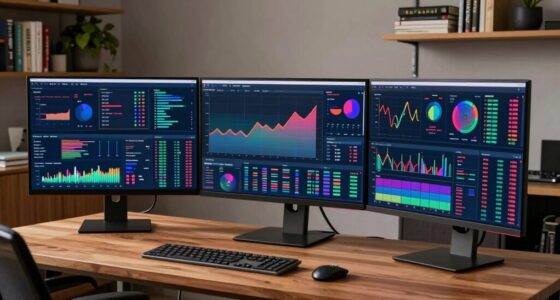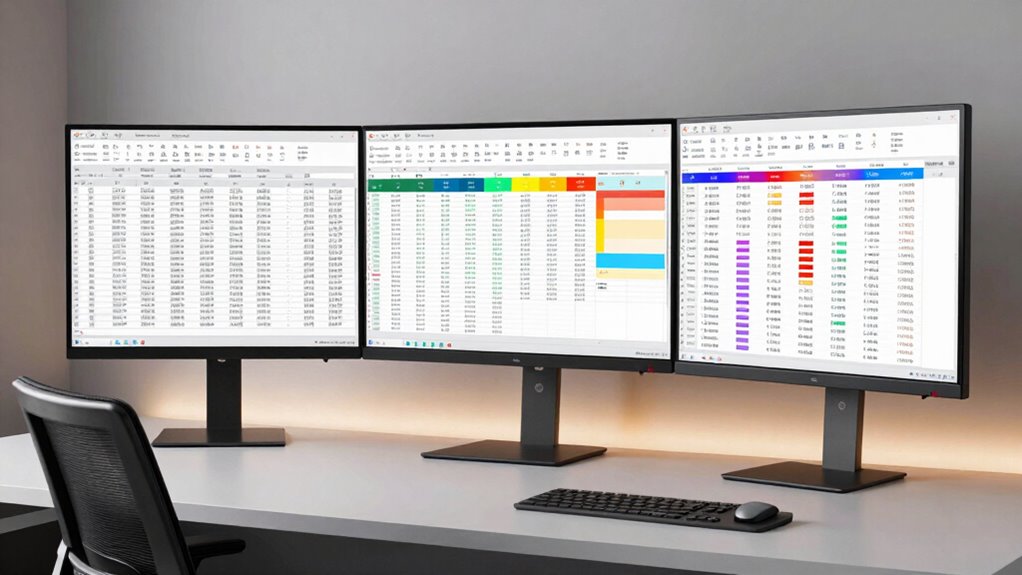

When working on spreadsheets for hours, having the right monitor can make all the difference. The best options balance screen size, resolution, comfort features, and connectivity to reduce eye strain and boost productivity. The LG 32MR50C-B stands out as the overall best for its curved design and high refresh rate, offering a comfortable viewing experience during long sessions. The Dell S2725DSM is a solid choice for its high refresh rate and sharp QHD resolution, ideal for detailed data work. However, larger ultra-wide monitors like the Samsung 49” Ultrawide provide expansive workspace but may come with higher costs and setup complexity. Keep reading for a detailed analysis of each option to find your perfect match for extended spreadsheet sessions.

Get business pricing on monitors, keyboards and dev gear
- Business-only prices and quantity discounts
- Tax-exempt purchasing
- Multiple users, one account, clear invoices
Key Takeaways
- Ultra-wide monitors significantly improve multitasking and reduce the need to switch between windows during long spreadsheet sessions.
- Resolution matters: 4K and QHD screens provide sharper text and more workspace, reducing eye strain over time.
- Curved screens enhance comfort by minimizing eye movement and distortion, especially on larger displays.
- Adjustable stands and ergonomic features are critical for maintaining comfort during extended work hours.
- Higher refresh rates (120Hz and above) are beneficial but may be less critical than resolution and ergonomics for spreadsheet tasks.
| LG 32MR50C-B Curved 32-Inch FHD Monitor with 100Hz and AMD FreeSync |  | Best Overall for Large, Immersive Long-Session Use | Display Size: 32 inches | Resolution: 1920 x 1080 (FHD) | Refresh Rate: 100Hz | VIEW ON AMAZON | See Our Full Breakdown |
| LG 34U60ZB-B 34-inch UltraWide WQHD Curved Monitor, Black |  | Best for Extensive Multitasking and Ergonomic Comfort | Display Size: 34 inches | Resolution: 3440×1440 WQHD | Curve Radius: 1800R | VIEW ON AMAZON | See Our Full Breakdown |
| LG 27UP650K-W 27-inch 4K UHD IPS Computer Monitor |  | Best for High-Resolution Clarity and Color Accuracy | Display Size: 27 inches | Resolution: 3840 x 2160 (4K UHD) | Panel Type: IPS | VIEW ON AMAZON | See Our Full Breakdown |
| Dell 34 Monitor S3425DW, WQHD VA, 120Hz, FreeSync Premium, Eye Comfort |  | Best for Large-Curve, Vibrant Colors, and Eye Comfort | Display Size: 34 inches | Resolution: 3440×1440 | Refresh Rate: 120Hz | VIEW ON AMAZON | See Our Full Breakdown |
| Dell 24 Plus Monitor – S2425HSM – 23.8-inch FHD (1920×1080) 144Hz 1ms Display, HDMI, Speakers, Adjustable, AMD FreeSync |  | Best Budget Compact for Long Spreadsheet Sessions | Display Size: 23.8 inches | Resolution: 1920 x 1080 (FHD) | Refresh Rate: 144Hz | VIEW ON AMAZON | See Our Full Breakdown |
| Dell 27 Plus QHD Monitor – S2725DSM – 27-inch QHD (2560×1440) 144Hz 1ms Display, HDMI/DisplayPort, Adjustable, AMD FreeSync |  | Best Overall for Long Spreadsheet Sessions | Display Size: 27 inches | Resolution: 2560×1440 (QHD) | Refresh Rate: 144Hz | VIEW ON AMAZON | See Our Full Breakdown |
| LG 34U530A-W 34-inch UltraWide WFHD IPS Computer Monitor |  | Best for Multitasking and Creative Workflow | Screen Size: 34 inches | Resolution: 2560 x 1080 | Aspect Ratio: 21:9 | VIEW ON AMAZON | See Our Full Breakdown |
| Samsung 49” Business Curved Ultrawide Dual QHD Monitor with USB-C, HDMI, DisplayPort, 120Hz, HDR 400, Built-in Speakers, Height Adjustable Stand |  | Best for Massive Multitasking and Immersive Productivity | Size: 49 inches | Aspect Ratio: 32:9 | Resolution: 5120×1440 | VIEW ON AMAZON | See Our Full Breakdown |
| Samsung 34″ ViewFinity S50GC Series Ultra-WQHD Monitor, 100Hz, HDR10, AMD FreeSync, Black |  | Best for Vibrant Colors and Multitasking in a Premium Package | Size: 34 inches | Resolution: Ultra-WQHD | Refresh Rate: 100Hz | VIEW ON AMAZON | See Our Full Breakdown |
| LG 34WR55QK-B 34-inch UltraWide WQHD Curved Computer Monitor |  | Best for Versatile Comfort and Space Efficiency | Size: 34 inches | Resolution: 3440 x 1440 | Refresh Rate: 100Hz | VIEW ON AMAZON | See Our Full Breakdown |
| CRUA 34 Inch 21:9 UWQHD Ultrawide Curved Monitor with Speakers, White |  | Best for Extensive Multitasking and Content Creation | Size: 34 inches | Resolution: 3440×1440 UWQHD | Aspect Ratio: 21:9 | VIEW ON AMAZON | See Our Full Breakdown |
| monitor for long spreadsheet session | Resolution | Refresh Rate | Display Size | Response Time |
|---|---|---|---|---|
| LG 32MR50C-B Curved 32-Inch FH | 1920 x 1080 (FHD) | 100Hz | 32 inches | 5 ms |
| LG 34U60ZB-B 34-inch UltraWide | 3440×1440 WQHD | 120Hz | 34 inches | 5ms |
| LG 27UP650K-W 27-inch 4K UHD I | 3840 x 2160 (4K UHD) | — | 27 inches | 5ms |
| Dell 34 Monitor S3425DW | 3440×1440 | 120Hz | 34 inches | 0.03ms |
| Dell 24 Plus Monitor | 1920 x 1080 (FHD) | 144Hz | 23.8 inches | 1ms |
| Dell 27 Plus QHD Monitor | 2560×1440 (QHD) | 144Hz | 27 inches | 1ms |
| LG 34U530A-W 34-inch UltraWide | 2560 x 1080 | 100Hz | — | — |
| Samsung 49” Business Curved Ul | 5120×1440 | 120Hz | — | — |
| Samsung 34" ViewFinity S50GC S | Ultra-WQHD | 100Hz | — | — |
| LG 34WR55QK-B 34-inch UltraWid | 3440 x 1440 | 100Hz | — | — |
| CRUA 34 Inch 21:9 UWQHD Ultraw | 3440×1440 UWQHD | 100Hz | — | — |
More Details on Our Top Picks
LG 32MR50C-B Curved 32-Inch FHD Monitor with 100Hz and AMD FreeSync
This 32-inch curved monitor excels at providing a wide, immersive workspace, making it ideal for long spreadsheet sessions where screen real estate matters. Compared to the Dell S2425HSM, it offers a larger display with a more visually engaging curved design, though it settles for a 1080p resolution, which may limit clarity for very detailed data. The 100Hz refresh rate ensures smooth scrolling and movement, reducing eye strain during extended periods, but it isn’t suited for fast-paced gaming where lower latency is critical. Its VA panel delivers vibrant colors and high contrast, helping distinguish data points, yet the brightness might fall short in very bright rooms. The ergonomic tilt stand promotes comfortable viewing angles, reducing fatigue over hours. For users who prioritize a large, curved display that balances size with decent image quality, this model provides a compelling package—though those needing 4K detail will want to look elsewhere.
Pros:- Vivid colors with VA technology and high contrast ratio
- Smooth visuals with 100Hz refresh rate and AMD FreeSync
- Adjustable tilt ergonomic stand for comfortable viewing
Cons:- Limited to 1080p resolution, not 4K
- Brightness may be insufficient in very bright environments
Best for: Professionals who need a large, curved display for extended spreadsheet work and multitasking.
Not ideal for: Competitive gamers or color-critical professionals needing higher resolution or lower response times.
- Display Size:32 inches
- Resolution:1920 x 1080 (FHD)
- Refresh Rate:100Hz
- Display Technology:VA
- Contrast Ratio:3000:1
- Viewing Angle:178 degrees
- Brightness:250 cd/m2
- Response Time:5 ms
- Dimensions:9.2″D x 27.9″W x 20.2″H
Our verdict“This monitor suits users seeking a large, curved screen that enhances multitasking and reduces eye fatigue during long sessions.”
LG 34U60ZB-B 34-inch UltraWide WQHD Curved Monitor, Black
This UltraWide 34-inch monitor offers a broad canvas perfect for long spreadsheet sessions, especially if multitasking is part of your workflow. Its 3440×1440 resolution provides more pixel detail than the full HD options, making data easier to read without sacrificing screen space. The 1800R curve enhances immersion, similar to the Dell S3425DW, but with a slightly more compact stand. The 120Hz refresh rate and HDR10 support contribute to smooth visuals and better contrast, reducing eye strain over long hours. Its high color coverage (99% sRGB) supports clearer differentiation of data and colors. However, the actual refresh rate may be limited by graphics hardware, and the stand’s height adjustment is less intuitive than dedicated ergonomic models. This pick makes the most sense for users who need a wide, high-quality display for multitasking, but those with limited desk space might find it too large.
Pros:- Wide 34-inch UltraWide display enhances multitasking
- High color accuracy with 99% sRGB and HDR10 support
- 120Hz refresh rate and fast response time for smooth visuals
- Adjustable stand and borderless design promote ergonomic comfort
Cons:- Refresh rate may vary depending on hardware compatibility
- Limited stand height adjustment details
Best for: Data analysts and multitaskers who want an expansive, detailed screen for long hours of spreadsheet work.
Not ideal for: Gamers seeking ultra-fast response times or users with small desks needing a more compact monitor.
- Display Size:34 inches
- Resolution:3440×1440 WQHD
- Curve Radius:1800R
- Refresh Rate:120Hz
- Response Time:5ms
- Color Coverage:99% sRGB
- HDR:HDR10
- Connectivity:DisplayPort, HDMI, headphone jack
Our verdict“This monitor is ideal for users who need a large, high-quality display that supports extensive multitasking with visual clarity.”
LG 27UP650K-W 27-inch 4K UHD IPS Computer Monitor
This 27-inch 4K UHD monitor delivers sharp details and vibrant colors, especially useful for those needing precise data visualization in long spreadsheet sessions. Compared with the larger ultra-wide options, it offers a higher pixel density, which improves clarity on detailed data points. Its IPS panel ensures consistent color and wide viewing angles, similar to the Dell S3425DW, but with a more compact size suited for smaller desks. The HDR 400 support enhances brightness and contrast, making it easier to read subtle differences in data. The stand’s adjustability (height, tilt, pivot) promotes ergonomic comfort. The main tradeoff is its 60Hz refresh rate, which isn’t ideal for fast-paced gaming or high-refresh workflows, but it’s excellent for static work like spreadsheets. This monitor is a solid choice for users who prioritize resolution and color fidelity over raw refresh speed.
Pros:- Vibrant 4K UHD image quality with wide color gamut
- HDR 400 support for better contrast and brightness
- Ergonomic stand with height, tilt, and pivot adjustments
Cons:- Limited to 60Hz refresh rate, not suited for gaming
- Smaller size may be less immersive for multitasking
Best for: Professionals who need crisp, detailed visuals and color accuracy for long hours of data analysis.
Not ideal for: Gamers or users seeking high refresh rates for fast-paced activities.
- Display Size:27 inches
- Resolution:3840 x 2160 (4K UHD)
- Panel Type:IPS
- HDR:DisplayHDR 400
- Color Gamut:95% DCI-P3
- Response Time:5ms
Our verdict“This monitor is best for users who value detailed visuals and color fidelity for extended spreadsheet work.”
Dell 34 Monitor S3425DW, WQHD VA, 120Hz, FreeSync Premium, Eye Comfort
The Dell S3425DW offers a 34-inch curved WQHD display that balances size with detailed resolution, making it ideal for long spreadsheet sessions. Its VA panel produces high contrast and vibrant colors, comparable to the LG 34U60ZB-B, but with a slightly larger size and a more aggressive curvature for immersion. The 120Hz refresh rate and FreeSync Premium create smooth visuals, reducing eye strain over extended use, and the Eye Comfort technology helps diminish fatigue. Its connectivity options include USB-C, simplifying cable management and device connection. The size may be overwhelming for small desks, and the stand’s adjustability, while present, isn’t as flexible as dedicated ergonomic models. This pick suits users who want a large, curved display with excellent color and eye comfort, but not those with very limited space.
Pros:- High contrast with VA panel and vibrant colors
- 120Hz refresh rate and FreeSync Premium for smooth visuals
- Blue light reduction technology for eye comfort
- USB-C connectivity with power delivery
Cons:- Large size may not fit small desks
- Stand adjustability is somewhat limited
Best for: Data professionals needing a large, vivid display that minimizes fatigue during long hours.
Not ideal for: Users with small desks or seeking a flat, less immersive monitor for everyday tasks.
- Display Size:34 inches
- Resolution:3440×1440
- Refresh Rate:120Hz
- Response Time:0.03ms
- Color Gamut:99% sRGB, 95% DCI-P3
- Panel Type:VA
- Ports:2 HDMI, 4 USB
Our verdict“This monitor is suitable for those who want a large, curved display with vivid visuals and eye comfort features for extended data work.”
Dell 24 Plus Monitor – S2425HSM – 23.8-inch FHD (1920×1080) 144Hz 1ms Display, HDMI, Speakers, Adjustable, AMD FreeSync
This 23.8-inch Full HD monitor with 144Hz and 1ms response time offers a compact yet capable option for extended spreadsheet work. It’s a smaller footprint than the larger models, making it suitable for limited desk space, yet still provides fast refresh and response times that reduce flicker and eye strain. The built-in dual speakers enhance audio without extra peripherals, and the adjustable stand allows for ergonomic positioning. While its 1080p resolution is less sharp than 4K or WQHD options, it still supports smooth scrolling and visual clarity for everyday data tasks. The lack of USB-C and limited resolution may be drawbacks for some users, but this model offers a good balance of performance and affordability for those prioritizing desk space and budget.
Pros:- High refresh rate and 1ms response time for smooth visuals
- Built-in dual speakers for convenience
- Adjustable stand for ergonomic comfort
Cons:- Limited to 1080p resolution, not ideal for detailed data
- No USB-C connectivity
Best for: Budget-conscious users with limited desk space who need fast, smooth spreadsheet navigation.
Not ideal for: Professionals requiring high-resolution detail or advanced connectivity options.
- Display Size:23.8 inches
- Resolution:1920 x 1080 (FHD)
- Refresh Rate:144Hz
- Response Time:1ms
- Contrast Ratio:1500:1
- Viewing Angle:178 degrees
- Brightness:300 cd/m²
Our verdict“This monitor is a practical choice for users wanting a compact, fast, and affordable display for long spreadsheet sessions.”
Dell 27 Plus QHD Monitor – S2725DSM – 27-inch QHD (2560×1440) 144Hz 1ms Display, HDMI/DisplayPort, Adjustable, AMD FreeSync
This Dell 27-inch monitor stands out for its combination of a sharp 2560×1440 resolution and a high 144Hz refresh rate, making it ideal for extended spreadsheet work combined with occasional multimedia use. Compared to larger ultrawide options like the Samsung 49” Curved Ultrawide, it offers a more manageable desk footprint and better pixel density for detailed viewing. Its adjustable stand and TÜV eye comfort certification help mitigate fatigue during long hours, though it lacks USB-C connectivity, which could limit convenience for some users. The fast 1ms response time ensures smooth scrolling and data manipulation, making it well-suited for intensive work sessions without sacrificing visual clarity. However, its size might feel restrictive for those needing larger displays or multitasking across multiple screens without additional setup.
Pros:- High resolution and fast refresh rate for clear, smooth visuals
- Fully adjustable stand enhances ergonomic comfort
- Built-in speakers add multimedia convenience
- Blue light reduction helps reduce eye strain
Cons:- Limited to 27 inches, which may be small for some multitasking needs
- No USB-C port, reducing connectivity options
Best for: Professionals who need a high-quality, ergonomic monitor for long spreadsheet sessions without requiring ultrawide scale.
Not ideal for: Users seeking ultrawide or multi-monitor setups, or those who prefer USB-C connectivity for streamlined desk setups.
- Display Size:27 inches
- Resolution:2560×1440 (QHD)
- Refresh Rate:144Hz
- Response Time:1ms
- Speakers:2 x 3W
- Connectivity:HDMI, DisplayPort 1.4
- Adjustability:Height, Tilt, Pivot, Swivel
- Blue Light Reduction:Yes
- Certification:TÜV
Our verdict“This monitor offers a balanced blend of resolution, refresh rate, and ergonomic features perfect for focused spreadsheet sessions.”
LG 34U530A-W 34-inch UltraWide WFHD IPS Computer Monitor
This 34-inch LG UltraWide monitor excels in multitasking, providing a 21:9 aspect ratio that vastly expands horizontal workspace compared to the Dell S2725DSM. Its 2560×1080 resolution, while less sharp than 3440×1440, keeps the pixel density balanced for long hours of detailed spreadsheet work and creative tasks alike. The IPS panel offers consistent color and wide viewing angles, making it a strong choice for prolonged use. Its adjustable stand and eye care features contribute to comfort, but the lower resolution may be a drawback for users who prioritize pixel-perfect clarity. The 100Hz refresh rate ensures smooth scrolling, though it’s not tailored for high-end gaming. Compared to the Samsung 49” ultrawide, it’s more space-efficient and less costly, but with slightly less screen real estate.
Pros:- Wide 21:9 aspect ratio boosts productivity
- IPS panel provides accurate color and viewing angles
- Adjustable stand and eye comfort features
- Multiple connectivity options including USB Type-C
Cons:- Lower resolution compared to 4K or higher-res monitors
- Built-in speakers are basic and may not satisfy audiophiles
Best for: Creative professionals and multitaskers who need ample horizontal space for long spreadsheet sessions and visual projects.
Not ideal for: Gamers or users who require ultra-high resolution for detailed image editing or high-end gaming.
- Screen Size:34 inches
- Resolution:2560 x 1080
- Aspect Ratio:21:9
- Refresh Rate:100Hz
- HDR:VESA DisplayHDR 400
- Connectivity:HDMI, DisplayPort, USB Type-C
Our verdict“This monitor strikes a balance between expansive workspace and color fidelity, suitable for long hours of multitasking.”
Samsung 49” Business Curved Ultrawide Dual QHD Monitor with USB-C, HDMI, DisplayPort, 120Hz, HDR 400, Built-in Speakers, Height Adjustable Stand
The Samsung 49-inch curved ultrawide is a powerhouse for those who want a single large display to replace multiple monitors, especially during long spreadsheet sessions. Its 5120×1440 resolution provides detailed clarity across an expansive 32:9 aspect ratio, making it ideal for extensive data analysis and multitasking. Compared to the LG 34-inch UltraWide, this model offers more screen real estate, but its size demands a substantial desk space and may be overwhelming for smaller setups. The 120Hz refresh rate ensures smooth navigation, and the inclusion of USB-C with 90W charging simplifies cable management. While the premium features justify its higher price, ergonomic adjustments beyond height are limited, which could impact long-term comfort for some users. Its immersive design is best suited for dedicated workspaces rather than portable or shared environments.
Pros:- Massive 49-inch curved display maximizes workspace
- High resolution and 120Hz refresh rate for smooth visuals
- USB-C with 90W charging reduces cable clutter
- HDR 400 enhances color and contrast
Cons:- Requires a large desk and ample space
- Limited ergonomic adjustments beyond height
- Premium price point
Best for: Data analysts or power users needing maximum screen space for long spreadsheet sessions and multitasking in a dedicated workspace.
Not ideal for: Users with limited desk space or those seeking a more affordable, compact monitor for basic tasks.
- Size:49 inches
- Aspect Ratio:32:9
- Resolution:5120×1440
- Refresh Rate:120Hz
- HDR:DisplayHDR 400
- Connectivity:USB-C (90W), HDMI, DisplayPort
Our verdict“This ultrawide monitor is perfect for those who need a panoramic view for complex spreadsheets and multitasking but require significant space and budget flexibility.”
Samsung 34″ ViewFinity S50GC Series Ultra-WQHD Monitor, 100Hz, HDR10, AMD FreeSync, Black
This Samsung 34-inch Ultra-WQHD monitor offers a compelling balance of color vibrancy and multitasking capability. Its 3440×1440 resolution provides sharp images, comparable to the LG 34WR55QK-B, but with better color support thanks to HDR10 and over a billion colors. The inclusion of AMD FreeSync and a 100Hz refresh rate ensures smooth scrolling during extended spreadsheet work, similar to the Dell S2725DSM’s focus on clarity. While it lacks built-in speakers, its multiple input options and vivid display make it a strong choice for users who value visual detail and flexibility. The main tradeoff is its higher price, which might be a stretch for budget-conscious buyers, and its absence of integrated audio.
Pros:- Ultra-WQHD resolution with vibrant HDR10 colors
- Multiple input options including PBP and PIP
- Excellent color support and contrast
- Good eye care features for extended use
Cons:- No built-in speakers, requiring external audio
- Higher cost compared to similar models
Best for: Creative professionals and data analysts who prioritize color accuracy and multitasking for long sessions.
Not ideal for: Gamers or users requiring high refresh rates above 100Hz or integrated audio for multimedia.
- Size:34 inches
- Resolution:Ultra-WQHD
- Refresh Rate:100Hz
- HDR:HDR10
- Color Support:Over 1 billion colors
- Inputs:2 x HDMI 2.2, 1 x DisplayPort 1.2
Our verdict“This monitor provides vibrant visuals and multitasking features ideal for long spreadsheet and content creation sessions, albeit at a higher price point.”
LG 34WR55QK-B 34-inch UltraWide WQHD Curved Computer Monitor
This LG 34-inch UltraWide WQHD curved monitor offers an excellent combination of size, resolution, and ergonomic features. Its 3440×1440 resolution provides sharp detail across a broad workspace, suitable for long spreadsheet sessions and multitasking. The curved design enhances immersion and reduces eye strain, especially when combined with its tilt and height adjustments. Its 100Hz refresh rate supports smooth navigation, comparable to the other 34-inch models, but it lacks HDR support, which may be a drawback for color-critical tasks. The inclusion of USB-C with power delivery streamlines cable management, making it a practical choice for busy work environments. However, its size still demands a generous desk space and it doesn’t include built-in speakers, requiring external audio solutions.
Pros:- Large, immersive UltraWide screen for multitasking
- Adjustable stand for ergonomic comfort
- USB-C with charging capability simplifies setup
- High color accuracy with HDR10 and 99% sRGB
Cons:- Lacks HDR support for enhanced color depth
- No built-in speakers, external audio needed
Best for: Office users and content creators seeking a comfortable, space-efficient UltraWide monitor for long hours of spreadsheet work.
Not ideal for: High-end gamers or those needing advanced HDR for professional photo or video editing.
- Size:34 inches
- Resolution:3440 x 1440
- Refresh Rate:100Hz
- HDR:HDR10
- Color Gamut:up to 99% sRGB
- Connectivity:HDMI, DisplayPort, USB Type-C (up to 65W)
Our verdict“This monitor offers a spacious, ergonomic workspace with excellent connectivity, suitable for long spreadsheet sessions and content creation tasks.”
CRUA 34 Inch 21:9 UWQHD Ultrawide Curved Monitor with Speakers, White
This 34-inch ultrawide curve from CRUA offers an expansive workspace that significantly boosts productivity during long spreadsheet sessions, especially when compared with narrower monitors like the LG 27UP650K-W. Its 21:9 aspect ratio maximizes horizontal space, making multiple spreadsheets visible simultaneously—a key advantage for extensive data analysis. The IPS panel ensures vivid, accurate colors and wide viewing angles, reducing eye strain over hours of use. The 100Hz refresh rate and AMD FreeSync provide smooth visuals, which are beneficial for reducing flicker and eye fatigue during prolonged periods. Connectivity options are versatile, with HDMI and DisplayPort, plus built-in speakers for convenience. However, the curved design might not suit all workspace setups, especially those favoring flat screens, and the absence of height adjustment could limit ergonomic customization. This monitor is perfect for users who prioritize a large, immersive display for multitasking but are okay with a fixed tilt and a potentially higher price.
Pros:- Extensive 34-inch ultrawide screen enhances multitasking efficiency
- High color accuracy with IPS panel and wide color gamut
- Smooth visuals with 100Hz refresh rate and FreeSync support
Cons:- Curved design may not suit all workspace setups or personal preferences
- Lack of height adjustment limits ergonomic flexibility
- Potentially higher price point compared to smaller or non-ultrawide monitors
Best for: Long hours of spreadsheet work combined with multitasking and content creation, especially for users who need wide visual space
Not ideal for: Office environments with limited desk space or users who prefer flat, height-adjustable screens for ergonomic reasons
- Size:34 inches
- Resolution:3440×1440 UWQHD
- Aspect Ratio:21:9
- Refresh Rate:100Hz
- Panel Type:IPS
- Connectivity:2× HDMI 2.0, 2× DisplayPort 1.4, 3.5mm audio jack
- Speakers:Built-in
- Brightness:350 cd/m²
- Contrast Ratio:1000:1
Our verdict“This monitor suits users seeking a large, immersive display for extended spreadsheet sessions and multitasking, accepting some ergonomic limitations.”

How We Picked
The monitors included in this roundup were selected based on their relevance to long spreadsheet sessions, emphasizing screen size, resolution, ergonomic features, and eye comfort. We evaluated each model for build quality, connectivity options, and user-adjustability, ensuring they support prolonged use without causing fatigue or discomfort. Our ranking prioritizes displays that maximize workspace and visual clarity while balancing affordability and ease of setup. Models with features like curved screens, high refresh rates, and adjustable stands received higher marks, as these features directly impact comfort and productivity during extended use.| monitor for long spreadsheet session | HDR |
|---|---|
| LG 32MR50C-B Curved 32-Inch FH | — |
| LG 34U60ZB-B 34-inch UltraWide | HDR10 |
| LG 27UP650K-W 27-inch 4K UHD I | DisplayHDR 400 |
| Dell 34 Monitor S3425DW | — |
| Dell 24 Plus Monitor | — |
| Dell 27 Plus QHD Monitor | — |
| LG 34U530A-W 34-inch UltraWide | VESA DisplayHDR 400 |
| Samsung 49” Business Curved Ul | DisplayHDR 400 |
| Samsung 34" ViewFinity S50GC S | HDR10 |
| LG 34WR55QK-B 34-inch UltraWid | HDR10 |
| CRUA 34 Inch 21:9 UWQHD Ultraw | — |
Factors to Consider When Choosing Monitor For Long Spreadsheet Sessions
Choosing the right monitor for long spreadsheet sessions involves balancing several factors. Larger screens and higher resolutions improve readability and reduce eye strain, but they also come at a higher price and require more desk space. Ergonomics, including height adjustability and tilt, can prevent discomfort over hours of work. Connectivity options like HDMI, DisplayPort, and USB-C matter for seamless integration with your setup. Additionally, features like flicker-free technology and blue light filters contribute to eye comfort, making long work sessions more sustainable. Don’t overlook the importance of build quality and durability, especially if your workspace demands frequent adjustments or relocations.Screen Size and Resolution
For long spreadsheet work, screen size and resolution are paramount. Larger displays, especially 27 inches and above, offer more space for multiple columns and rows, reducing the need to scroll constantly. Resolutions like QHD (2560×1440) or 4K (3840×2160) provide sharper text, which lessens eye fatigue and enhances clarity. Ultra-wide monitors can further expand your workspace horizontally, enabling you to view multiple spreadsheets side by side. However, very high resolutions demand more powerful hardware and can sometimes lead to scaling issues if not matched correctly with your operating system.
Ergonomics and Comfort Features
Extended sessions necessitate adjustable stands, tilt, swivel, and height features to maintain a comfortable posture. Curved screens can reduce eye strain by mimicking natural viewing angles, especially on larger displays. Blue light filters and flicker-free technology are additional features that help minimize eye fatigue. Investing in a monitor with ergonomic options prevents discomfort and potential musculoskeletal issues over time. Remember, a monitor that’s difficult to adjust can lead to awkward postures and increased fatigue, so prioritize models with flexible mounting options or stands.
Connectivity and Compatibility
Ensure your chosen monitor supports the connectivity options you need, such as HDMI, DisplayPort, or USB-C. USB-C is especially convenient, offering daisy-chaining and charging capabilities, which can reduce cable clutter and streamline your workspace. Compatibility with your existing hardware is critical to avoid frustrating setup issues. Also, consider monitors with multiple ports if you plan to connect several devices simultaneously. This flexibility enhances productivity and makes your workspace more adaptable to future upgrades or additional peripherals.
Additional Features and Build Quality
Other features like built-in speakers, anti-glare coatings, and sturdy construction add convenience and durability. Speakers are handy if you often listen to audio without external devices, but they shouldn’t compromise screen real estate or image quality. Anti-glare screens reduce reflections in well-lit environments, maintaining clarity and reducing eye strain. Build quality matters if you frequently move or adjust your monitor; a sturdy stand and quality materials ensure longevity. These extras can improve your overall experience but often come at a higher price, so weigh their importance against your budget.
Frequently Asked Questions
Is a 27-inch monitor enough for long spreadsheet sessions?
A 27-inch monitor can be sufficient for many users, especially if paired with a high resolution like QHD. It provides ample workspace for most spreadsheet tasks without overwhelming a standard desk. However, for those working with very large datasets or multitasking across multiple applications, a larger or ultra-wide display might be more comfortable. The key is balancing screen size with resolution and ergonomic features to prevent eye strain and maintain comfort over long hours.
Should I prioritize resolution over size for extended spreadsheet work?
Resolution generally has a greater impact on clarity and workspace than size alone. A higher resolution like 4K or QHD allows you to display more data sharply, which can reduce eye strain and improve productivity. Larger screens with lower resolutions may cause text to appear blurry or require scaling, which can be distracting. If your budget allows, aim for a larger display with at least QHD resolution to get the best combination of size and clarity for long spreadsheet sessions.
Are curved monitors better for long hours of spreadsheet work?
Curved monitors can improve comfort by reducing the need for excessive head movement and minimizing distortion at the edges, especially on larger screens. They help your eyes maintain a consistent focal distance, which can decrease fatigue over extended periods. However, the benefits depend on monitor size and curvature radius; overly curved or small monitors may not provide the same advantages. For long spreadsheet sessions, a well-designed curved monitor can be a worthwhile investment if it fits your workspace and preferences.
How important are ergonomic features like height adjustment and tilt?
Ergonomic features are essential for maintaining comfort during prolonged work periods. Proper height adjustment ensures your eyes are aligned with the top third of the screen, reducing neck and eye strain. Tilt and swivel options help you find a natural viewing position, preventing awkward postures. Over time, ergonomic adjustments can prevent musculoskeletal issues and fatigue, making these features a wise consideration, especially if you spend many hours at your desk.
Is a monitor with a high refresh rate necessary for spreadsheet work?
While high refresh rates like 120Hz or above are critical for gaming or fast-moving visuals, they are less important for spreadsheet work. A standard 60Hz or 75Hz refresh rate is usually sufficient for static or lightly animated content. However, monitors with higher refresh rates can make scrolling and window movements smoother, reducing eye strain. If you also plan to use your monitor for gaming or video editing, investing in a higher refresh rate model might provide additional comfort, but for pure spreadsheet tasks, resolution and ergonomics matter more.
Conclusion
For most users, the LG 32MR50C-B offers the best balance of size, curvature, and comfort, making it ideal for long hours of spreadsheet work. Those seeking a more budget-friendly option might prefer the Dell S2425HSM, which still provides high refresh rates and adjustable features. Power users or professionals who need maximum workspace should consider ultra-wide models like the Samsung 49” Ultrawide or the LG 34U60ZB-B for expansive views. Beginners or those with limited desk space will benefit from smaller or more straightforward designs, while advanced users should prioritize ergonomic and resolution features to maintain comfort over extended periods.
As an affiliate, we earn on qualifying purchases.Halloween Picks
halloween