Continuous integration software helps teams automate builds and tests when code changes, but the right choice depends on your platform, team skills, and delivery goals. My best overall pick is GitHub Actions in Action for teams already working in GitHub who want a direct path from code changes to automated workflows. Learning Continuous Integration with Jenkins suits teams that need a flexible, self-managed CI system, while Azure DevOps for Beginners gives newcomers a guided entry into Microsoft’s toolchain. The main tradeoff is between platform convenience and control, with broader delivery guides offering strategy rather than tool-specific setup. Read on for how these nine books differ and which one fits your team.

Get business pricing on monitors, keyboards and dev gear
- Business-only prices and quantity discounts
- Tax-exempt purchasing
- Multiple users, one account, clear invoices
Key Takeaways
- GitHub Actions in Action ranks first for readers seeking practical, platform-specific CI and delivery guidance without starting with a self-managed server.
- Learning Continuous Integration with Jenkins is the more suitable pick when pipeline control, operational resilience, and Jenkins administration matter more than low-maintenance setup.
- Azure DevOps for Beginners and the two GitHub Actions books serve different ecosystems; choose based on where your repositories and developer workflows already live.
- Commit Build Ship and Continuous Integration: Improving Software Quality and Reducing Risk focus more on dependable engineering practices than on teaching a particular CI product.
- Grokking Continuous Delivery, Continuous Delivery Pipelines, and Fundamentals of DevOps and Software Delivery broaden the discussion toward release pipelines and production operations rather than CI configuration alone.




More Details on Our Top Picks
Commit Build Ship: A Field Guide to Committing with Confidence, Building Trusted Artifacts, and Shipping Software Deliberately
Commit Build Ship takes a process-first approach to continuous integration: its stated focus is committing code with confidence, producing trusted artifacts, and shipping deliberately. That makes it a useful fit for readers who want to improve the decisions around their pipeline, rather than start with a particular platform’s configuration. Compared with GitHub Actions in Action and Learning Continuous Integration with Jenkins, it appears less tied to a named tool, so its ideas may travel across teams using different CI systems. The tradeoff is limited detail in the available description: it does not identify specific techniques, tools, or a chapter-by-chapter scope. I’d choose it for a delivery-practice perspective, not as a hands-on setup manual or a substitute for platform documentation.
Pros:- Focuses on improving software delivery practices
- Emphasizes building trusted software artifacts
- Addresses confidence in committing code
- Tool-neutral framing may apply across CI platforms
Cons:- Available details do not identify specific tools or techniques
- No detailed content outline is provided
- Its practical depth is difficult to judge from the supplied description
Best for: Engineering leads and developers seeking practical guidance on code confidence, artifact trust, and deliberate software releases across CI platforms
Not ideal for: Readers who need step-by-step configuration for Azure DevOps, GitHub Actions, or Jenkins, since the available description does not name tools or specific procedures
- Format:Book
- Title focus:Committing with confidence
- Build focus:Creating trusted artifacts
- Delivery focus:Shipping software deliberately
- Stated approach:Practical software delivery guidance
- Tools named in supplied description:None
Our verdict“Choose this book for tool-neutral delivery guidance, but pick a platform-specific guide if you need implementation steps.”
Azure DevOps for Beginners: Implement Continuous Integration and Delivery
Azure DevOps for Beginners is the clearest match here for someone who has already chosen Microsoft’s platform and wants an entry point into CI and delivery. Its title promises implementation guidance, giving it a narrower and more platform-specific role than Commit Build Ship, which is framed around delivery practices rather than a named service. That focus can help newcomers connect continuous integration and delivery to one toolset instead of comparing unrelated systems. The tradeoff is equally clear: the supplied information gives no description of its lessons, supported workflows, or technical depth. Readers working in GitHub Actions or Jenkins should look to the corresponding books in this roundup; this title’s value depends on a genuine Azure DevOps fit, not on broad CI coverage.
Pros:- Explicitly targets beginners
- Names Azure DevOps as its platform focus
- Covers both continuous integration and delivery in its stated scope
- Offers a more platform-directed starting point than Commit Build Ship
Cons:- The supplied product information contains no description of the actual lessons
- Specific Azure DevOps features and workflow coverage are not stated
- Platform-specific focus limits its usefulness for teams on other systems
Best for: Developers new to CI/CD whose team has selected Azure DevOps and who want a beginner-oriented implementation resource
Not ideal for: Teams building pipelines in GitHub Actions, Jenkins, or another CI platform, and readers seeking tool-neutral delivery principles
- Format:Book
- Named platform:Azure DevOps
- Audience stated in title:Beginners
- CI coverage:Continuous integration
- Delivery coverage:Continuous delivery
- Implementation focus:Implementing CI and delivery
Our verdict“Pick this if you are new to CI/CD and your team uses Azure DevOps; skip it if you need guidance for another platform.”
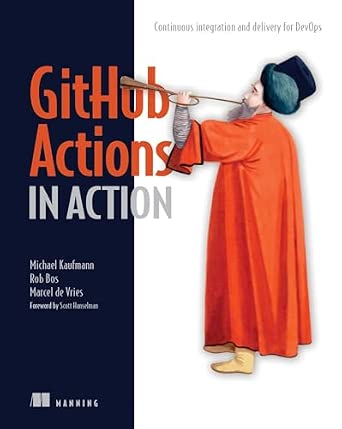
GitHub Actions in Action: Continuous integration and delivery for DevOps
GitHub Actions in Action stands out for readers whose CI work is centered on GitHub and who want guidance tied to that automation platform. Its stated scope spans continuous integration and delivery for DevOps, making it a more direct platform choice than Grokking Continuous Delivery, whose title points to delivery concepts rather than a named tool. That specificity can make the material more relevant when the goal is to build or improve GitHub-based workflows. The tradeoff is portability: teams using Azure DevOps or Jenkins may get more value from Azure DevOps for Beginners or Learning Continuous Integration with Jenkins. The supplied information does not spell out example projects or feature coverage, so I would not assume a particular level of hands-on detail from the title alone.
Pros:- Names GitHub Actions as its subject
- Covers continuous integration and delivery
- Connects the topic to DevOps practice
- Offers a more platform-specific path than Grokking Continuous Delivery
Cons:- Its guidance may transfer poorly to non-GitHub CI platforms
- The supplied information does not describe examples or technical depth
- Specific workflow features covered are not stated
Best for: Developers and DevOps practitioners whose repositories and automation workflows are built around GitHub Actions
Not ideal for: Teams committed to Azure DevOps or Jenkins, or readers looking primarily for tool-neutral CI principles
- Format:Book
- Named platform:GitHub Actions
- CI coverage:Continuous integration
- Delivery coverage:Continuous delivery
- Stated field:DevOps
- Publisher identifier:ISBN-10: 1633437302
Our verdict“Choose this for GitHub Actions-focused CI and delivery guidance, rather than for platform-neutral pipeline concepts.”
Learning Continuous Integration with Jenkins: An end-to-end guide to creating operational, secure, resilient, and cost-effective CI/CD processes
Learning Continuous Integration with Jenkins is the most operations-oriented choice in this group. Its title promises an end-to-end guide that considers security, resilience, operational needs, and cost alongside CI/CD, giving it a broader running-and-maintaining emphasis than GitHub Actions in Action, which is centered on a specific automation platform. This makes the Jenkins book a stronger fit for readers responsible for dependable pipelines, not just initial configuration. That breadth comes with a platform commitment: teams that have standardized on GitHub Actions or Azure DevOps may find the Jenkins focus less applicable. The available description names the intended outcomes but does not list the Jenkins versions, specific techniques, or chapter contents, so readers seeking a particular implementation detail should check the book’s full contents before choosing it.
Pros:- Focuses on Jenkins-based continuous integration
- States an end-to-end CI/CD scope
- Includes operational, security, and resilience concerns in its stated goals
- Addresses cost as part of pipeline design
Cons:- Its platform focus may not suit teams using other CI systems
- The supplied information does not specify Jenkins versions or detailed techniques
- The breadth of topics may be more than readers seeking a quick beginner setup need
Best for: Developers and platform engineers maintaining Jenkins pipelines who need to account for security, resilience, and operational cost
Not ideal for: Teams that have standardized on GitHub Actions or Azure DevOps, or buyers who need confirmed coverage of a specific Jenkins feature
- Format:Book
- Named CI platform:Jenkins
- Stated scope:End-to-end CI/CD processes
- Operational focus:Operational processes
- Security focus:Secure processes
- Resilience focus:Resilient processes
- Publisher identifier:ISBN-10: 1835087736
Our verdict“Choose this for Jenkins pipeline work where security and operational resilience matter, not for guidance centered on another CI platform.”
Grokking Continuous Delivery
Grokking Continuous Delivery is the concepts-oriented pick for readers who want to understand delivery as a practice rather than learn one named CI product. That distinguishes it from Azure DevOps for Beginners and GitHub Actions in Action, whose titles tie their guidance to particular platforms. For buyers comparing CI options, a delivery-centered perspective can help clarify the workflow goals a tool should support before they commit to its setup. The limitation is visible in the title: it emphasizes continuous delivery, not a specific CI system, and the supplied information provides no outline or description of hands-on exercises. Readers who need step-by-step Jenkins or GitHub Actions instructions should choose the matching platform guide; this book is better suited to building conceptual context.
Pros:- Focuses directly on continuous delivery
- Does not name a specific CI platform, making its stated scope platform-neutral
- Provides a conceptual contrast to the platform-specific books in this roundup
- May help teams frame delivery goals before selecting tooling
Cons:- The supplied information does not confirm hands-on exercises or implementation steps
- The title emphasizes delivery rather than a specific CI product
- No detailed content outline is provided
Best for: Developers and technical leads seeking a conceptual grounding in continuous delivery before choosing or refining CI tooling
Not ideal for: Readers who need a tool-specific setup guide or detailed continuous integration instructions for Azure DevOps, GitHub Actions, or Jenkins
- Format:Book
- Title focus:Continuous delivery
- Named CI platform:None stated
- Stated approach:Concept-oriented title
- Publisher identifier:ISBN-10: 1617298255
- Detailed contents supplied:Not provided
Our verdict“Choose this for delivery concepts that can inform tool choices; choose a platform-specific title when you need configuration guidance.”
Mastering GitHub Actions: Advance your automation skills with the latest techniques for software integration and deployment
Mastering GitHub Actions is the most focused choice here for readers who want to build CI workflows around GitHub’s automation platform. Its stated emphasis on integration and deployment techniques makes it a closer fit for hands-on GitHub Actions learning than Continuous Integration: Improving Software Quality and Reducing Risk, which is framed around CI principles rather than a named platform. That specificity is useful if your team already hosts code on GitHub and wants to improve automation in that environment. The tradeoff is a narrower scope: readers seeking a broad introduction to delivery practices may get more range from Fundamentals of DevOps and Software Delivery. The supplied product information does not describe its examples, technical prerequisites, or coverage of particular workflow features, so I would choose it for its platform focus rather than assume a particular level of detail.
Pros:- Focused specifically on GitHub Actions rather than CI as a general practice.
- Connects software integration with deployment automation.
- A relevant platform-specific counterpart to broader CI titles in the roundup.
Cons:- The supplied information does not identify particular workflow features or examples covered.
- Its GitHub Actions focus may be less useful to teams standardizing on another CI platform.
- The description does not state the intended experience level or technical prerequisites.
Best for: Developers and engineering teams already using GitHub who want a book focused on automating integration and deployment workflows.
Not ideal for: Readers comparing CI platforms or seeking a tool-neutral introduction; the title centers on GitHub Actions, and the supplied details do not establish broader platform coverage.
Our verdict“Choose this book if GitHub Actions is already central to your workflow and you want platform-focused automation guidance.”
Continuous Delivery Pipelines: How To Build Better Software Faster
Continuous Delivery Pipelines is the broad pipeline-oriented pick in this group: its title points to building delivery systems, not learning one CI product. That makes it a different choice from Mastering GitHub Actions, which is specifically tied to GitHub’s automation platform, and potentially more relevant to readers thinking about how software moves through a delivery process. The title also promises a focus on improving speed and software outcomes, but the supplied product data does not describe its methods, examples, or technical scope. I would treat it as a strategy-oriented option rather than assume it teaches a particular implementation. Readers who need established CI concepts may prefer Continuous Integration: Improving Software Quality and Reducing Risk; those who want named tooling should look for a platform-specific guide instead.
Pros:- Centers on continuous delivery pipelines rather than a single automation platform.
- The title connects pipeline design with software quality and delivery speed.
- Offers a broader comparison point to the platform-specific GitHub Actions title.
Cons:- The supplied data gives no detail on tools, examples, or implementation steps.
- Its coverage of continuous integration specifically is not described.
- Readers seeking a clearly established conceptual reference may favor the Fowler CI title.
Best for: Engineering leads and developers looking for a pipeline-focused view of how delivery practices can support faster software releases.
Not ideal for: Readers who need step-by-step instructions for a named CI platform or detailed tool coverage, which the supplied product information does not confirm.
Our verdict“Pick this book for a pipeline-centered perspective, but choose a platform guide if you need concrete tool instructions.”
Continuous Integration: Improving Software Quality and Reducing Risk (Addison-Wesley Signature Series (Fowler))
Continuous Integration: Improving Software Quality and Reducing Risk is the clearest fit for readers who want to understand CI as an engineering practice, rather than start with instructions for one automation service. Its framing around software quality and risk gives it a distinct role beside Mastering GitHub Actions, whose title centers on a specific platform, and Continuous Delivery Pipelines, which focuses on the broader delivery pipeline. That makes this a strong conceptual starting point for teams aligning on why integration habits matter. The tradeoff is that its title does not promise current, platform-specific setup guidance; readers configuring a modern GitHub workflow may need the Actions book as a companion. The supplied data does not specify edition details or technical examples, so I would select it for its CI-focused scope.
Pros:- Directly focused on continuous integration rather than general DevOps.
- Frames CI around software quality and risk reduction.
- Provides a useful conceptual contrast to platform-specific automation books.
Cons:- The supplied product data does not describe specific tools or setup instructions.
- May need a newer platform-focused companion for hands-on workflow configuration.
- The supplied information does not state edition or update details.
Best for: Developers, technical leads, and teams establishing shared CI practices and seeking a quality- and risk-focused foundation.
Not ideal for: Readers whose immediate goal is configuring a specific current CI service or following tool-specific deployment steps.
Our verdict“Choose this title when your priority is understanding CI principles and their connection to quality and risk.”
Fundamentals of DevOps and Software Delivery: A Hands-On Guide to Deploying and Managing Software in Production
Fundamentals of DevOps and Software Delivery extends the discussion beyond CI into deployment and software management in production. Its hands-on orientation and practical DevOps focus make it a wider delivery guide than Continuous Integration: Improving Software Quality and Reducing Risk, which is specifically about CI, while its supplied description is less tool-specific than Mastering GitHub Actions. This breadth suits readers who want to connect automation work with what happens after a build reaches production. The limitation is equally clear: the product details say no specific technical tools are covered in depth, and some software development knowledge may be needed. I would choose it for delivery context and real-world practice, not as a substitute for a detailed CI platform manual.
Pros:- Practical guidance connects delivery practices with production deployment and management.
- Covers a wider DevOps and software delivery scope than the CI-focused Fowler title.
- The supplied description positions it as relevant to both newer and experienced practitioners.
Cons:- Does not cover specific technical tools in detail, according to the supplied product information.
- May require prior software development knowledge.
- Its broad scope may offer less depth on CI workflow configuration than the GitHub Actions book.
Best for: Developers and operations-minded practitioners who want practical guidance spanning DevOps, deployment, and production software management.
Not ideal for: Beginners seeking a tool-by-tool CI tutorial, or readers without software development background who need an introductory starting point.
Our verdict“Choose this guide if you want CI to sit within a broader, practical view of software delivery and production operations.”

How We Picked
I compared these nine titles as learning resources for choosing, implementing, or improving continuous integration workflows. The ranking favors practical relevance to CI setup, clarity for the intended reader, and how directly each book connects automated integration to testing, artifact handling, and delivery. I also considered whether a title teaches a specific ecosystem, such as GitHub Actions, Jenkins, or Azure DevOps, or offers principles that transfer across tools.
The order reflects usefulness to readers who arrive looking for CI guidance, not a claim that one book is a software platform. Tool-specific guides rank higher when they can help a reader act within a named environment; broader delivery and engineering books rank lower for this query when their value lies in strategy or production practices beyond CI. A reader should match the book to their existing stack and goals: a detailed Jenkins guide is a stronger fit for Jenkins operators than a general-purpose introduction, even if it appears lower in this overall ordering.
Factors to Consider When Choosing Continuous Integration Software
These titles cover both CI tools and the engineering practices around them. Before choosing a book, I would start with the system your team already uses and the problem you need to solve; buying a guide for the wrong layer can leave you with useful ideas but no actionable next step.
Start With Your Existing Source-Control Platform
A CI guide is most useful when its examples match the place your team stores code and manages changes. If repositories and reviews already live in GitHub, a GitHub Actions guide can make the route from pull request to automated checks easier to follow. Azure DevOps and Jenkins involve different workflow models and operating choices, so their material may require translation when your team uses another stack. A common mistake is selecting a tool because a book presents it clearly, then discovering that migration or integration work outweighs the learning benefit. Prefer a guide aligned with your current platform unless you have a concrete reason to move. If you are evaluating a platform change, compare the total workflow impact rather than the pipeline syntax alone.
Decide How Much Infrastructure Your Team Will Own
Managed CI services can reduce the work involved in maintaining runners, upgrades, and availability, while self-managed systems give teams more control over their execution environment. That control can matter when builds need private network access, specialized hardware, or strict handling of sensitive code. It also creates ongoing duties for patching, capacity planning, access control, and recovery. Teams sometimes compare only setup effort and overlook the recurring operator workload. Before choosing a Jenkins-focused path or a hosted workflow model, identify who will own the service after the first pipeline is live. A tool that fits the team’s operational capacity is often more sustainable than one with the most configuration freedom.
Look Beyond Whether the Build Turns Green
A successful build is only useful when its checks catch problems that matter. Look for guidance on test selection, fast feedback, flaky-test handling, reproducible builds, and artifact integrity, not just on writing a pipeline file. Adding every test to every change can make feedback slow, while checking too little can let defects reach later stages. Teams should decide which checks block a merge and which run asynchronously, based on risk and execution time. This distinction affects how developers experience CI day to day. Books centered on quality and trusted artifacts can be a better complement to tool manuals when the pipeline already runs but gives weak assurance.
Match the Book’s Scope to the Problem You Have
Some teams need instructions for configuring a specific CI system; others need help connecting integration, release, and production operations. Those are related but not interchangeable learning goals. A tool manual may help you create workflows quickly, yet leave deployment design and production ownership mostly untouched. A delivery-focused guide can explain the larger process but may not answer where to place a platform-specific setting. Avoid choosing a broad title expecting step-by-step setup, or a narrow one expecting a complete delivery strategy. Write down the decision you need to make next, then choose the book whose scope reaches that decision.
Check the Learning Curve Against Your Team’s Experience
Beginners benefit from clear explanations of core terms, incremental examples, and assumptions that do not require prior pipeline administration. Experienced engineers may prefer advanced workflow patterns, security, resilience, and design tradeoffs over basic definitions. A mismatch can waste time in either direction: an introductory guide may feel slow to a platform team, while an advanced text may obscure the basics for a new developer. Consider who will read the book and whether it is intended for an individual learner, a team discussion, or an operational owner. If several roles need the material, pair a focused tool guide with a principles-oriented title rather than expecting one book to serve everyone. This is especially useful when developers own workflow files but infrastructure teams manage runners.
Frequently Asked Questions
Should I choose a GitHub Actions, Jenkins, or Azure DevOps guide?
Start with the platform your repositories and team workflows already use, since that makes examples easier to apply. GitHub Actions is a natural match for GitHub-centered teams, while Azure DevOps fits organizations using its connected planning and development tools. Jenkins can suit teams that need extensive control over CI infrastructure and are prepared to operate it. If your organization is actively comparing platforms, first list requirements such as runner location, integrations, access controls, and maintenance ownership. A book can teach a system, but it cannot replace that fit assessment.
Is a book about continuous delivery useful if I only need continuous integration?
It can be, but the value depends on whether your CI problem is limited to building and testing code. Delivery-focused books can clarify how integration checks connect to release decisions, deployment, and production feedback. If you only need to configure a workflow in a named platform, a tool-specific CI guide is likely a more direct starting point. If your team has reliable builds but struggles to turn them into safe releases, broader delivery material may address the larger bottleneck. Check the book’s scope before expecting detailed instructions for your CI provider.
When is self-managed Jenkins a better fit than hosted CI?
Self-managed Jenkins may make sense when you need control over build environments, private infrastructure access, or specialized integrations that hosted services do not support well. That flexibility comes with responsibility for updates, security, availability, and runner capacity. Hosted CI can reduce those operating tasks, though it may place limits on execution environments or administration. Compare the cost of operating Jenkins with the constraints of hosted options using your actual build needs. If no one on the team can own routine maintenance, the flexibility may not justify the operational burden.
Should a beginner start with a tool-specific guide or a general CI book?
Choose a tool-specific guide when you already know which platform your team uses and want to build a working pipeline. A general CI title can be a better first step if you need to understand why integration practices matter before learning platform syntax. Beginners often benefit from both, but in sequence: learn the core concepts, then apply them in the team’s tool. Avoid starting with advanced material if it assumes familiarity with pipeline operations or delivery design. The right starting point is the one that helps you complete a realistic task without hiding the underlying principles.
What should I read if our pipelines run but still fail to prevent problems?
Look for material that discusses test quality, reliable artifacts, risk reduction, and feedback—not only pipeline configuration. A green status can offer little protection if checks are incomplete, flaky, or disconnected from the changes they are meant to validate. Start by identifying what escapes the pipeline: regressions, inconsistent builds, insecure dependencies, or release failures. Then choose a guide whose scope addresses that failure mode. A broader quality or delivery book may add more value than another tutorial on writing workflow definitions.
Conclusion
For most readers seeking a practical starting point, I recommend GitHub Actions in Action as the best overall guide, particularly for teams already using GitHub. The best value depends on your immediate need: Commit Build Ship offers transferable practices around trusted builds and deliberate releases, while Azure DevOps for Beginners is a straightforward choice for newcomers in Microsoft’s ecosystem. For a premium, deeper study of advanced automation, I would choose Mastering GitHub Actions; for beginners who want a guided platform introduction, choose Azure DevOps for Beginners or the GitHub Actions guide that matches your stack. Teams needing self-hosted control should favor Learning Continuous Integration with Jenkins, while those addressing delivery design or production operations should look to Grokking Continuous Delivery, Continuous Delivery Pipelines, or Fundamentals of DevOps and Software Delivery. Choose by the problem you need to solve next, not by the broadest-sounding title.
Fall Picks
fall essentials
As an affiliate, we earn on qualifying purchases.