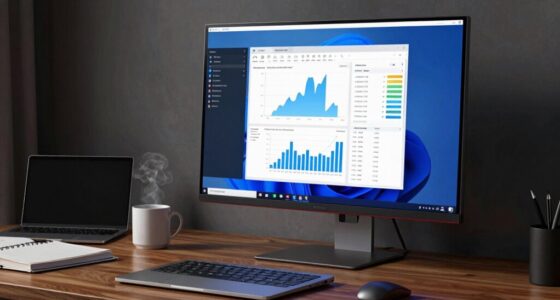
Among these portable monitors for developers, the Dell Pro 14 Plus Portable Monitor P1425 is my best overall pick for a practical, work-focused second screen. The Lenovo L15 stands out for its height-adjustable stand, while the Cocopar 16-inch QHD model offers a sharper, faster display for developers who value screen detail and smooth motion. The main tradeoffs are portability versus workspace, single-screen simplicity versus dual-screen productivity, and connection flexibility versus setup effort. Laptop extenders can provide more screen area, but their fit and compatibility need closer checking than a standalone monitor. Read on for the full comparison, buying advice, and picks for different development workflows.

Get business pricing on monitors, keyboards and dev gear
- Business-only prices and quantity discounts
- Tax-exempt purchasing
- Multiple users, one account, clear invoices
Key Takeaways
- The Dell P1425 leads as a work-focused single-screen choice, while the Lenovo L15’s adjustable stand makes screen positioning a stronger part of its appeal.
- The Cocopar’s 2.5K resolution and 144Hz refresh rate are distinct from the FHD group, but developers should weigh those display advantages against portability and power needs.
- Most standalone models here use 15.6-inch FHD panels, so stand design, connection options, and protective covers help separate otherwise similar choices.
- Dual-screen and triple-screen extenders promise more workspace, but they add fit, cable, and compatibility questions that standalone monitors largely avoid.
- USB-C convenience depends on the laptop, not just the monitor; buyers should check video output support and power requirements before choosing a single-cable setup.







| portable monitors for developer | Resolution | Refresh rate | Brightness | Weight |
|---|---|---|---|---|
| Dell Pro 14 Plus Portable Moni | 1920 x 1200 (WUXGA) | 144 Hz | 400 cd/m² | 0.65 kg |
| MSI PRO MP165 E6 Portable Moni | 1920 x 1080 (FHD) | 60 Hz | — | 0.78 kg |
| Lenovo L15 Portable Monitor | 1920 x 1080 (FHD) | 60 Hz | 250 nits | 4.7 pounds |
| 15.6" Laptop Screen Extender | 1920 x 1080 per display | 60 Hz | 280 cd/m² | 1.8 kg |
| KYY Portable Monitor 15.6" 108 | 1920 x 1080 | — | — | 1.7 pounds |
| Cocopar 16 Inch Portable Monit | 2560 x 1600 | 144Hz | 470 nits | 680 g (1.5 lb) |
| VisionOwl Portable Dual 15.6 I | 1920 x 1080 per display | 60Hz | 300 cd/m² | 3.5 lb |
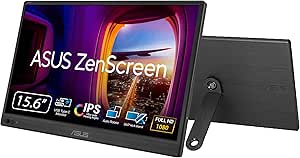
| ASUS ZenScreen MB16AHV 15.6 In | 1920 x 1080 | 60Hz | 250 nits | 2 lb |
| ASUS ZenScreen MB169CK 15.6 In | 1920 x 1080 | — | 300 nits | 960 g |
| Laptop Screen Extender | 1920 x 1080 | 60Hz | 300 cd/m² | 2.3 lb |
| KYY 15.6" Portable Laptop Scre | 1920 × 1080 per screen | 60 Hz | 300 cd/m² | — |
| Yodoit Portable Monitor 15.6" | 1920 × 1080 FHD | 60 Hz | 300 nits | — |
| InnoView Dual Portable Monitor | 1920 × 1080 per screen | 60 Hz | 300 cd/m² | 3.1 lb |
| MNN 15.6-inch FHD Portable Mon | 1920 × 1080 FHD | 60 Hz | — | — |
| ASUS ZenScreen MB16ACV 15.6 In | 1920 × 1080 | 60 Hz | — | — |
More Details on Our Top Picks
Dell Pro 14 Plus Portable Monitor P1425
The Dell Pro 14 Plus is my strongest pick for developers who want a travel-friendly screen with more vertical workspace than a standard 16:9 portable display. Its 14-inch, 1920 x 1200 resolution gives code and documentation extra room without the larger footprint of the Lenovo L15 or MSI PRO MP165 E6. At 0.65 kg, it is also the lightest option in this group with a listed weight, and its 400-nit brightness suits varied work settings better than the Lenovo’s 250-nit panel. The adjustable tilt and VESA compatibility give it more placement flexibility than the KYY’s cover stand. The tradeoff is the smaller screen: developers who keep several windows visible may prefer a 15.6-inch model. It also has no built-in speakers, and its single HDMI port limits wired display connections.
Pros:- 16:10 WUXGA resolution provides more vertical workspace for code and documents than the 16:9 models here.
- At 0.65 kg, it is lighter than the listed MSI and Lenovo monitors.
- 400-nit brightness is higher than the Lenovo L15’s listed 250 nits.
- Adjustable tilt and VESA compatibility support different desk and travel setups.
Cons:- The 14-inch screen gives less room for simultaneous windows than the 15.6-inch MSI, Lenovo, and KYY.
- A single HDMI port limits wired display connections.
- No built-in speakers.
Best for: Developers who travel frequently and want a light, 16:10 screen for code, terminal output, and documentation.
Not ideal for: Developers who need a larger workspace for several side-by-side windows or want built-in speakers for calls and media.
- Display:14 inches
- Resolution:1920 x 1200 (WUXGA)
- Aspect ratio:16:10
- Brightness:400 cd/m²
- Refresh rate:144 Hz
- Connectivity:HDMI, USB Type-C
- Weight:0.65 kg
- Mounting:VESA compatible
Our verdict“Choose the Dell if low carry weight and extra vertical coding space matter more than a larger screen or built-in audio.”
MSI PRO MP165 E6 Portable Monitor, 15.6-inch FHD IPS, USB Type-C & HDMI, Built-in Speakers, Tripod Mount Support, Metal Gray
The MSI PRO MP165 E6 suits developers who want a familiar 15.6-inch workspace and more ways to position it. Its USB-C and HDMI connectivity, plus tripod and VESA mounting support, make it easier to fit into a temporary desk or a custom workstation than the Dell Pro 14 Plus, whose main advantage is a lighter, taller 16:10 screen. The MSI also adds built-in speakers, useful when a developer wants basic audio without packing another device. Its 1920 x 1080 resolution is adequate for a side display, but it offers less vertical room than the Dell’s WUXGA panel. The 60Hz refresh rate is standard for work, not a reason to choose it for fast gaming. At 0.78 kg, it remains portable, though it is heavier than the Dell, and the listed brightness may fall short in direct sunlight.
Pros:- 15.6-inch IPS display provides more physical workspace than the 14-inch Dell.
- USB-C and HDMI support a range of laptop connections.
- Tripod mount and VESA compatibility offer flexible placement.
- Built-in speakers provide basic audio without extra gear.
Cons:- Its 1920 x 1080 16:9 format provides less vertical workspace than the Dell’s 16:10 display.
- At 0.78 kg, it weighs more than the Dell Pro 14 Plus.
- The listed brightness may be limiting in very bright environments.
Best for: Developers who move between home, office, and shared workspaces and want a 15.6-inch screen with tripod or VESA positioning options.
Not ideal for: Developers prioritizing the lightest possible travel setup, extra vertical coding space, or outdoor use in bright sunlight.
- Display:15.6 inches
- Resolution:1920 x 1080 (FHD)
- Panel:IPS
- Refresh rate:60 Hz
- Contrast ratio:2000:1
- Connectivity:USB Type-C, HDMI
- Weight:0.78 kg
- Mounting:Tripod mount and VESA compatible
- Audio:Built-in speakers
Our verdict“Pick the MSI if mount flexibility and built-in audio matter more than a lighter carry or a taller coding canvas.”
Lenovo L15 Portable Monitor, 15.6” Full HD IPS Display, 250 nits, 60Hz, USB-C, Height-Adjustable Stand, Flicker-Free, Grey
The Lenovo L15 is geared toward developers who spend long sessions at a desk and value screen positioning over the smallest travel load. Its height-adjustable stand is a practical advantage over the KYY’s cover-based stand, since it can help align a side display with a laptop screen. Three USB-C ports also give it more connection flexibility on paper than the MSI PRO MP165 E6’s listed USB-C and HDMI arrangement. The 15.6-inch Full HD IPS panel is a straightforward companion for terminals, documentation, or chat, while flicker-free technology is aimed at extended viewing. The compromise is portability: its listed 4.7-pound weight is far above the Dell Pro 14 Plus’s 0.65 kg. At 250 nits and 60Hz, it is also better suited to indoor work than bright locations or high-refresh gaming.
Pros:- Height-adjustable stand supports a more ergonomic multi-screen desk setup.
- Three USB-C ports offer several connection options.
- 15.6-inch IPS display provides a useful companion screen for code and reference material.
- Flicker-free technology is specified for extended viewing.
Cons:- Listed weight of 4.7 pounds is much higher than the Dell Pro 14 Plus’s 0.65 kg.
- 250-nit brightness is less suited to bright work environments than the Dell’s listed 400 nits.
- 60Hz refresh rate is not intended for high-refresh gaming.
Best for: Developers who mainly work indoors and want a height-adjustable portable display with multiple USB-C ports.
Not ideal for: Frequent flyers seeking a light monitor, or developers who work outdoors or need a high-refresh display.
- Display:15.6 inches
- Resolution:1920 x 1080 (FHD)
- Panel:IPS LCD
- Brightness:250 nits
- Refresh rate:60 Hz
- Ports:3 USB-C
- Weight:4.7 pounds
- Stand:Height-adjustable
- Warranty:1 year
Our verdict“Choose the Lenovo for a mostly stationary coding setup where adjustable height and USB-C ports outweigh travel weight and brightness.”
15.6″ Laptop Screen Extender, 1080P FHD Triple Portable Monitor for Laptops, Ultra-Slim Travel Dual Monitor Fit for 12″-17.3″ Laptops, USB-C Plug&Play Extended Screen Compatible with Win/Mac/Android
This laptop-mounted extender is the specialist pick for developers who need several applications visible at once: it adds two 15.6-inch displays around a compatible laptop, rather than acting as one standalone portable monitor like the KYY or Dell. That layout can keep code, a terminal, and documentation visible without repeated window switching, and portrait mode is listed for coding workflows. Its main drawback is setup dependence. The simplest connection needs a laptop with full-featured USB-C; some systems, including the listed M1/M2/M3 MacBooks, require an additional cable, power, and driver installation. At 1.8 kg, it is also much heavier than the Dell Pro 14 Plus and adds bulk around the laptop. Developers should check their specific laptop’s compatibility and port support before choosing this more elaborate workspace.
Pros:- Two additional 15.6-inch displays create a much larger multi-window workspace than a single-screen monitor.
- Portrait mode can suit code and long documentation panes.
- Includes a carrying bag, cables, and power adapter according to the product description.
- Aluminum shell and stated 1.8 kg weight make the dual-screen unit portable for its format.
Cons:- At 1.8 kg, it is substantially heavier than the Dell Pro 14 Plus and adds laptop-mounted bulk.
- Compatibility depends on laptop ports; some systems require extra cabling, power, and driver installation.
- The attached multi-screen design is less simple to position and use than a standalone monitor.
Best for: Developers with a compatible 12-to-17.3-inch laptop who regularly need code, terminal, and reference material visible across multiple screens.
Not ideal for: Developers seeking a simple, lightweight single-screen monitor or using a laptop that lacks supported video output and cannot accommodate the extra cable and driver setup.
- Display configuration:Two additional portable displays
- Screen size:15.6 inches per display
- Resolution:1920 x 1080 per display
- Aspect ratio:16:9
- Brightness:280 cd/m²
- Refresh rate:60 Hz
- Viewing angle:178 degrees
- Weight:1.8 kg
- Compatibility:Laptop sizes 12–17.3 inches; connection needs vary by device
Our verdict“Choose this extender only if your laptop is compatible and a three-screen coding workspace is worth the extra weight and setup complexity.”
KYY Portable Monitor 15.6″ 1080P Computer Monitor Screen Extender with Cover
The KYY is a straightforward standalone choice for developers who want a portable second screen without the laptop-mounted complexity of the dual-display extender. Its 15.6-inch Full HD IPS panel offers a familiar size for a terminal, documentation, or a video call, while Type-C and Mini-HDMI give it more connection routes than the Lenovo L15’s listed USB-C-only ports. The included cover doubles as a stand, so fewer separate accessories are needed; by comparison, the MSI PRO MP165 E6 offers tripod and VESA mounting for more placement options. The KYY’s listed 1.7-pound weight and 0.3-inch thickness suit a travel bag, but the cover stand is less adjustable than the Dell’s tilt stand. It has no built-in battery, so developers need a power source, and USB-C video depends on device compatibility.
Pros:- 15.6-inch Full HD IPS screen provides a useful single-display workspace.
- Type-C and Mini-HDMI support different device connection types.
- The included cover protects the screen and doubles as a stand.
- Listed weight of 1.7 pounds and thickness of 0.3 inches suit portable use.
Cons:- No built-in battery, so the monitor depends on external power.
- The cover stand offers less positioning flexibility than the Dell’s adjustable tilt stand or MSI’s tripod mount.
- USB-C display use depends on a compatible device.
Best for: Developers who want a lightweight, single-screen travel monitor with a protective cover that also serves as its stand.
Not ideal for: Developers who need a battery-powered display, a height-adjustable stand, or a multi-screen laptop-mounted setup.
- Display:15.6 inches
- Resolution:1920 x 1080
- Viewing angle:178 degrees
- Weight:1.7 pounds
- Thickness:0.3 inches
- Connectivity:Type-C, Mini-HDMI
- Audio:Built-in stereo speakers, 3.5 mm audio input
- Stand:Protective cover doubles as a stand
- Power:No built-in battery
Our verdict“Pick the KYY for a simple, slim standalone second screen when a cover stand and broad wired connectivity matter more than battery power or fine height adjustment.”
Cocopar 16 Inch Portable Monitor with 2.5K QHD, 144Hz, USB-C & HDMI, VESA Mountable, with Speakers and Kickstand
The Cocopar is the strongest fit here for developers who want more workspace and sharper text in a portable setup. Its 16-inch, 2560 x 1600 display gives code, terminals, and documentation more vertical room than the 1080p ASUS ZenScreen MB16AHV, while the 16:10 aspect ratio suits tall editor panes. A stated 144Hz refresh rate can make scrolling feel smoother, though it matters less for typical coding than resolution and screen area. At 680 g and 0.3 inches thick, it is unusually easy to pack for its size, and VESA mounting adds desk flexibility. The tradeoff is compatibility: full connectivity depends on USB-C DisplayPort Alt Mode or a supported Thunderbolt device. Its high resolution and feature set also make it a less straightforward pick than a basic FHD screen, and the built-in speakers are modest.
Pros:- 2560 x 1600 resolution provides more detailed text and workspace than the 1080p ASUS ZenScreen MB16AHV.
- 16:10 screen shape gives code and documents more vertical room.
- Light 680 g body and slim profile are practical for travel.
- Adjustable kickstand and VESA mounting support desk and arm setups.
Cons:- Full functionality depends on compatible USB-C DisplayPort Alt Mode or Thunderbolt support.
- External power options are not clearly specified in the supplied product data.
- Built-in 1.5W speakers are unlikely to replace dedicated audio.
Best for: Developers who travel with a compatible USB-C or Thunderbolt laptop and want a sharper, taller coding workspace than a standard 15.6-inch FHD monitor.
Not ideal for: Buyers whose laptop lacks USB-C DisplayPort Alt Mode or supported Thunderbolt, or developers who need a clearly specified external-power setup.
- Display:16-inch LED LCD
- Resolution:2560 x 1600
- Aspect ratio:16:10
- Refresh rate:144Hz
- Brightness:470 nits
- Color gamut:110% sRGB
- Ports:1 HDMI, 2 USB-C, 2 Thunderbolt
- Weight:680 g (1.5 lb)
- Mounting and stand:VESA compatible; adjustable metal kickstand
Our verdict“Choose the Cocopar if you want a lightweight, high-resolution coding display and your laptop supports its required video connection.”
VisionOwl Portable Dual 15.6 Inch 1080P FHD Monitor with Foldable Design and VESA Mount
The VisionOwl is the choice for developers who need two laptop-side screens, not simply a larger single panel. Its dual 15.6-inch displays can keep an editor, terminal, and reference material visible at once, a workflow a single-screen model like the Cocopar cannot match without extra hardware. The foldable format and VESA mounting give it more setup flexibility than a conventional portable monitor, while the matte IPS panels and stated 107% sRGB gamut suit text-heavy work and general content viewing. That expanded workspace carries a real travel cost: at 3.5 pounds, it is much heavier than the Cocopar, and its 60Hz refresh rate is aimed at productivity rather than fast motion. The screens are stacked rather than one continuous display, and some operating systems may require driver installation.
Pros:- Two 15.6-inch displays provide substantially more working area than a single-panel portable monitor.
- Foldable design supports a compact transport arrangement.
- Matte IPS screens have 178-degree viewing angles and stated 107% sRGB coverage.
- VESA compatibility and a built-in kickstand offer flexible positioning.
Cons:- At 3.5 pounds, it is considerably heavier than the Cocopar and ordinary single-screen options.
- The stacked displays do not form one continuous canvas.
- Some operating systems may require driver installation, and 60Hz limits motion smoothness.
Best for: Developers who regularly work away from a desk and need separate screens for code, terminal output, and documentation.
Not ideal for: Light-pack travelers, users who need a single seamless ultrawide workspace, or anyone unwilling to handle possible driver setup.
- Display configuration:Dual 15.6-inch IPS displays
- Resolution:1920 x 1080 per display
- Refresh rate:60Hz
- Brightness:300 cd/m²
- Color gamut:107% sRGB
- Contrast ratio:2000:1
- Connectivity:HDMI, USB-C, mini HDMI, 3.5 mm audio
- Weight:3.5 lb
- Design:Foldable; built-in kickstand; VESA mountable
Our verdict“Pick the VisionOwl when two separate screens matter more to your mobile coding workflow than low carry weight or a seamless display.”
ASUS ZenScreen MB16AHV 15.6 Inch 1080p Portable Monitor
The ZenScreen MB16AHV suits developers who move between offices, coworking spaces, and client sites, where a simple FHD second screen is more useful than a high-refresh gaming panel. Its anti-glare surface helps reduce reflections under varied lighting, and the embedded antibacterial coating is a distinctive feature for equipment used in shared environments. Compared with the higher-resolution Cocopar, this ASUS gives up pixel density and brightness, but offers a familiar 15.6-inch 1080p format with USB-C and Mini-HDMI connections. The fold-out kickstand, tripod mounting, and three-year advanced-replacement warranty add practical flexibility. At 250 nits and 60Hz, it is less suited to bright spaces or motion-focused work, and buyers should account for its stated external-power requirement rather than assume every connection alone will power it.
Pros:- Anti-glare coating is useful under changing office and travel lighting.
- Embedded antibacterial surface suits shared-use work environments.
- USB-C and Mini-HDMI provide connection options beyond a single USB-C port.
- Fold-out kickstand, tripod mounting, and three-year advanced-replacement warranty add setup and support flexibility.
Cons:- 250-nit brightness is lower than the Cocopar’s stated 470 nits.
- 1080p resolution offers less workspace detail than the Cocopar’s 2560 x 1600 panel.
- The supplied data says an external power source is required; refresh rate is limited to 60Hz.
Best for: Developers who frequently work in shared offices or travel between locations and want an anti-glare FHD second screen with a stated extended warranty.
Not ideal for: Developers who want higher resolution, brighter output, or a screen intended for high-refresh gaming.
- Display:15.6-inch LCD/LED
- Resolution:1920 x 1080
- Aspect ratio:16:9
- Brightness:250 nits
- Refresh rate:60Hz
- Response time:5 ms
- Connectivity:USB-C, HDMI, Mini-HDMI
- Weight:2 lb
- Features:Anti-glare; blue-light filter; fold-out kickstand; tripod mount; antibacterial coating
Our verdict“Choose this ZenScreen for shared-space travel work if anti-glare viewing and support coverage matter more than resolution or brightness.”
ASUS ZenScreen MB169CK 15.6 Inch 1080p Portable Monitor
The ZenScreen MB169CK is a straightforward pick for developers who want a standard-sized second screen without the bulk of a dual-display extender. Its 15.6-inch, 1080p anti-glare IPS panel gives an editor or documentation window room to sit beside a laptop screen, while the stated 960 g weight makes it easier to carry than the 3.5-pound VisionOwl. It is also lighter than the ASUS ZenScreen MB16AHV listed here, though the MB16AHV offers Mini-HDMI and extra workplace-focused features. The MB169CK’s product data highlights single USB-C connectivity, but also lists HDMI and three USB ports, so check the intended connection method and laptop compatibility before buying. Plug-and-play USB-C use depends on DisplayPort Alt Mode, and there is no built-in battery; the 60Hz panel is for coding and office work, not high-refresh gaming.
Pros:- 960 g listed weight keeps it easier to carry than the dual-screen VisionOwl.
- Anti-glare IPS panel and 178-degree viewing angle support flexible desk positioning.
- USB-C video connection can simplify a compatible laptop setup.
- Kickstand and tripod socket provide more placement options.
Cons:- USB-C plug-and-play requires a laptop with DisplayPort Alt Mode.
- No built-in battery; operation depends on external power.
- The supplied specs list several ports, while the product description emphasizes single USB-C connectivity, so buyers should verify their planned connection.
Best for: Developers who want a light, conventional 15.6-inch FHD display for laptop-based coding and have a USB-C port with DisplayPort Alt Mode.
Not ideal for: Buyers needing a built-in battery, higher-than-60Hz refresh, or guaranteed compatibility with laptops lacking DisplayPort Alt Mode.
- Display:15.6-inch LCD/LED
- Resolution:1920 x 1080
- Aspect ratio:16:9
- Brightness:300 nits
- Contrast ratio:2000:1
- Viewing angle:178 degrees
- Ports:1 HDMI, 3 USB (including 1 USB 2.0)
- Weight:960 g
- Response time:5 ms
Our verdict“Choose the MB169CK for a light, single-screen FHD travel setup if your laptop supports DisplayPort Alt Mode and external power is available.”
Laptop Screen Extender, 14-Inch FHD 1080P IPS Dual Monitor Portable Travel Display for Laptops 13.3-17″ with HDMI/USB-A/Type-C
This 14-inch extender is aimed at developers who want an additional screen attached to a laptop rather than a freestanding monitor on the desk. Its compact 14-inch FHD IPS panel is a smaller workspace than the Cocopar’s 16-inch 16:10 display, but the laptop-extender format can keep reference material close to the main screen in temporary setups. The stated compatibility spans Windows, Mac, Chrome, Linux, Android, and gaming consoles, giving it broader listed device coverage than either ASUS ZenScreen model. That claim still depends on having a suitable video connection: the product requires a full-featured USB-C or HDMI port, and some devices, including certain Surface Pro models, may not work. At 2.3 pounds, it also weighs more than a single-panel monitor such as the MB169CK, while its 60Hz refresh rate suits coding better than fast-motion use.
Pros:- 14-inch FHD IPS screen keeps a secondary workspace close to a compatible laptop.
- Listed compatibility spans Windows, Mac, Chrome, Linux, Android, and gaming consoles.
- HDMI and USB-C connections support multiple setup types.
- 178-degree viewing angle helps when the screen is positioned beside a laptop.
Cons:- At 2.3 pounds, it is heavier than the 960 g ASUS ZenScreen MB169CK.
- Requires a full-featured USB-C or HDMI connection; some Surface Pro devices may not be supported.
- The smaller 14-inch 16:9 panel offers less coding workspace than the Cocopar’s 16-inch 16:10 display.
Best for: Developers with a compatible 13.3- to 17-inch laptop who want a compact attached second display for code references, terminals, or chat.
Not ideal for: Buyers seeking a light standalone travel screen, a larger high-resolution coding canvas, or guaranteed support for Surface Pro devices.
- Display size:14 inches
- Resolution:1920 x 1080
- Display technology:IPS LCD
- Brightness:300 cd/m²
- Contrast ratio:1000:1
- Refresh rate:60Hz
- Connectivity:HDMI, USB Type-C
- Weight:2.3 lb
- Listed compatibility:Windows, Mac, Chrome, Linux, Android, gaming consoles
Our verdict“Choose this extender if you want a laptop-attached second screen and have verified that your laptop’s video ports are compatible.”
KYY 15.6″ Portable Laptop Screen Extender with Dual FHD IPS Displays
For developers who want two extra panes beside a laptop, the dual 15.6-inch FHD screens offer more room for code, logs, and documentation than a conventional single portable monitor such as the ASUS ZenScreen MB16ACV. A single USB-C connection can simplify the desk setup, while adjustable stands and portrait or landscape positioning let you arrange editors and reference material around your workflow. The 178° viewing angle also helps keep both panels readable when they are angled outward.
The tradeoff is portability: two displays make this a larger, more involved carry than a one-screen option, and the provided data does not specify its weight or battery life. Some systems may also require a driver download, so setup is less straightforward than the driver-free InnoView dual monitor. I’d pick this when workspace matters more than packing light.
Pros:- Two 15.6-inch FHD panels provide substantially more workspace than a single portable monitor.
- Single USB-C connection can reduce cable clutter.
- Adjustable stands support portrait and landscape layouts.
- 178° viewing angles suit side-by-side panel positioning.
Cons:- Some systems require a driver download before the displays can be extended.
- Weight and battery-life details are not provided, making travel planning harder.
- Dual screens are bulkier to carry than single-panel options such as the ASUS ZenScreen MB16ACV.
Best for: Developers who regularly work away from a desk and need separate screens for code, terminal output, and documentation.
Not ideal for: Minimalist travelers and developers who want a simple, lightweight single-screen setup or cannot install display drivers on their work computer.
- Display size:Two 15.6-inch screens
- Resolution:1920 × 1080 per screen
- Display technology:LCD, IPS
- Brightness:300 cd/m²
- Refresh rate:60 Hz
- Viewing angle:178°
- Connectivity:USB Type-C 3.1
- Aspect ratio:16:9
Our verdict“Choose the KYY if two extra coding screens matter more to you than the simplicity and lighter carry of a single portable monitor.”
Yodoit Portable Monitor 15.6″ FHD IPS Travel Screen Display with USB-C & HDMI, Built-in Speakers, Smart Cover, for MacBook, PC, Xbox
The Yodoit is a straightforward second screen for developers who want to add a code window or terminal without carrying a dual-display assembly. At 1.5 pounds and 0.43 inches thick, it is easier to pack than the 3.1-pound InnoView dual monitor, and its USB-C and HDMI inputs give it more connection flexibility than the USB-C-only ASUS ZenScreen MB16ACV. The 15.6-inch FHD IPS panel, anti-glare coating, and 178° viewing angle suit everyday editing and reference work.
Its 45% color gamut makes it a less compelling choice for color-sensitive design work, and the 60 Hz refresh rate is standard rather than a draw for gaming. There is no built-in battery, so the monitor needs external power; its built-in speakers are convenient for calls or video but are not a replacement for dedicated audio. I’d favor it for developers who value a light, adaptable carry over extra screen area.
Pros:- At 1.5 pounds and 0.43 inches thick, it is easy to pack.
- USB-C and HDMI support a wider range of host devices than USB-C-only monitors.
- FHD IPS panel with anti-glare coating and 178° viewing angles.
- Built-in speakers add basic audio without extra accessories.
Cons:- Requires external power because it has no built-in battery.
- 45% color gamut is limited for color-sensitive design work.
- 60 Hz refresh rate offers no advantage for high-refresh gaming.
Best for: Remote developers who need one lightweight FHD screen for coding, documentation, and occasional media, with both USB-C and HDMI available.
Not ideal for: Developers who need two extra displays, a built-in battery, or a wider color gamut for visual design work.
- Display size:15.6 inches
- Resolution:1920 × 1080 FHD
- Brightness:300 nits
- Contrast ratio:1000:1
- Refresh rate:60 Hz
- Viewing angle:178°
- Connectivity:USB-C and HDMI
- Weight and thickness:1.5 lb; 0.43 in
- Color gamut:45%
Our verdict“Pick the Yodoit for a light, connection-flexible single screen, but choose a dual-panel model if your workflow needs more than one added display.”
InnoView Dual Portable Monitor 15.6″ 1920×1080 Dual Stacked Foldable Screen
The InnoView pairs two 15.6-inch FHD IPS displays in a foldable design, making it a useful alternative to the KYY dual-screen extender for developers who want stacked workspace and flexible display modes. USB-C and HDMI connections support more setup options, and the listed no-driver connection is appealing for Windows users who cannot install extra software. The 180° rotation and adjustable angles can help position a reference pane or terminal around a laptop screen.
This extra workspace comes with a real carrying and power cost: at 3.1 pounds, it is heavier than the Yodoit single-screen monitor, and it calls for a 30W-or-higher adapter for optimal performance. Mac users need a driver for extension mode, so the driver-free advantage does not apply across every platform. Its 60 Hz refresh rate is suitable for typical coding, but not a reason to choose it for fast-motion gaming.
Pros:- Two 15.6-inch FHD IPS panels provide room for multiple development tools.
- USB-C and HDMI offer flexible connection choices.
- Foldable design and 180° rotation allow varied screen arrangements.
- Windows users can connect without installing drivers.
Cons:- At 3.1 pounds, it is heavier than single-screen portable options.
- Optimal performance calls for a 30W-or-higher power adapter.
- Mac users need a driver for extension mode.
Best for: Windows developers who need two extra screens, want flexible positioning, and can carry a heavier display with a suitable power adapter.
Not ideal for: Mac developers who cannot install drivers, or commuters who prioritize a light single-screen setup like the Yodoit.
- Display size:Two 15.6-inch screens
- Resolution:1920 × 1080 per screen
- Display technology:IPS LCD
- Brightness:300 cd/m²
- Refresh rate:60 Hz
- Response time:3 ms
- Ports:1 HDMI and 2 Thunderbolt
- Weight:3.1 lb
- Power requirement:30W or higher adapter recommended
Our verdict“Choose the InnoView for foldable dual-screen workspace on Windows, but look at the Yodoit if lighter travel matters more than the extra panel.”
MNN 15.6-inch FHD Portable Monitor with USB-C & HDMI, IPS HDR for Gaming and Work
The MNN is a practical single-screen choice for developers who switch between a laptop and other devices. Its USB-C and HDMI inputs support a broad mix of computers and consoles, while the included smart cover adds basic protection on the commute. Compared with the ASUS ZenScreen MB16ACV, the MNN lists HDMI alongside USB-C, which can be handy when a work laptop’s USB-C port does not carry video or when connecting a separate device. HDR support and multiple display modes add flexibility beyond routine code editing.
That flexibility depends on the host: USB-C video requires Thunderbolt 3 or USB 3.1 Type-C DP Alt Mode, and HDR performance can also vary by device. The listed specs do not give weight or brightness figures, so it is harder to compare travel burden and visibility directly with the Yodoit. The 60 Hz refresh rate suits coding, but does not cater to high-refresh gaming.
Pros:- USB-C and HDMI provide flexible connection options.
- FHD IPS panel supports multiple display modes and HDR.
- Smart cover provides a portable screen cover and stand.
- Listed compatibility includes laptops, phones, and major consoles.
Cons:- USB-C video requires a compatible DP Alt Mode or Thunderbolt 3 host.
- HDR mode depends on device compatibility.
- Weight and brightness are not specified in the provided product data.
Best for: Developers who share one portable screen between a laptop and HDMI-equipped devices and want a protective cover for travel.
Not ideal for: Buyers who need confirmed weight and brightness figures, or developers whose USB-C device lacks video output and who cannot use HDMI.
- Display size:15.6 inches
- Resolution:1920 × 1080 FHD
- Panel type:IPS
- Refresh rate:60 Hz
- HDR:Supported
- Ports:2 USB-C ports and HDMI
- Compatibility:Laptops, PCs, phones, MacBooks, PS5/PS4, Xbox, and Switch
- Cover material:PU leather smart cover
Our verdict“Choose the MNN if you need one covered monitor for both laptop work and HDMI devices, and confirm your host supports the connection mode you plan to use.”
ASUS ZenScreen MB16ACV 15.6 Inch 1080p USB-C Portable Monitor
The ASUS ZenScreen MB16ACV is the most straightforward business-travel pick here: a 15.6-inch FHD IPS screen with anti-glare viewing and eye-care features for long sessions of code, tickets, or documentation. Its hybrid USB-C connection can carry video and power through one cable when the laptop supports it, while the included USB-C-to-A cable offers another connection path. Compared with the MNN, this ASUS is more focused on laptop work than mixed console use; compared with the dual-screen KYY, it gives up extra workspace for a simpler, single-panel setup.
The tradeoffs are clear for developers: it has no built-in speakers, and its USB-C convenience depends on compatible host ports. The provided port list includes HDMI and two USB ports, but the description centers on hybrid USB-C connectivity, so buyers should check the exact connection requirements for their device. Its 60 Hz refresh rate is fine for standard development tasks, not high-refresh gaming.
Pros:- Anti-glare IPS display is suited to varied travel workspaces.
- Hybrid USB-C can carry video and power through one cable on compatible devices.
- Flicker-free and low-blue-light features support extended work sessions.
- Includes USB-C and USB-C-to-A cables plus a sleeve.
Cons:- No built-in speakers or additional audio features.
- Full USB-C functionality depends on host-device compatibility.
- A single display offers less workspace than the KYY or InnoView dual-screen models.
Best for: Consultants and developers who travel with a laptop and want a single FHD screen with anti-glare and eye-care features.
Not ideal for: Developers who need dual external displays, built-in speakers, or a monitor primarily for high-refresh gaming.
- Display size:15.6 inches
- Resolution:1920 × 1080
- Display technology:LED IPS
- Aspect ratio:16:9
- Refresh rate:60 Hz
- Viewing angle:178°
- Eye-care features:Flicker-free and low blue light
- Ports:HDMI and 2 USB ports, including USB-C
- Included components:Monitor, USB-C cable, USB-C-to-A cable, warranty card, and sleeve
Our verdict“Pick the ASUS ZenScreen MB16ACV for a focused, travel-friendly laptop companion, but choose a dual-screen model if one extra panel is not enough.”

How We Picked
I ranked these displays for a developer’s working day, prioritizing readable code, useful screen area, reliable laptop connections, and easy positioning at a desk or away from one. Resolution and panel size matter, but I also looked at stand or cover design, portability, mounting options, and whether the product’s configuration suits focused coding, reference material, or a more expansive multi-window setup. Features were judged by the work they support, not by spec count alone.
The ranking favors practical single-screen monitors with straightforward setup and credible work ergonomics, then recognizes products that serve narrower needs such as higher refresh, dual displays, or laptop-mounted expansion. A more elaborate extender does not rank higher just for adding panels: fit constraints and connection complexity can make it less suitable for everyday portability. Since listed specifications do not confirm compatibility with every laptop, I treat operating-system and port support as something buyers must verify before purchase.
Factors to Consider When Choosing Portable Monitors For Developers
Choosing a portable monitor for development is less about maximizing specifications and more about matching the display to your coding setup. These are the broader tradeoffs I would resolve before choosing between a simple second screen, a sharper panel, or a multi-display extender.
Decide What the Second Screen Will Do
Start with the job you want the extra display to handle: code editor, documentation, terminal, logs, or a video call. A standard 15.6-inch monitor is often enough to keep one reference window visible without making the setup cumbersome. A dual-screen extender can make sense when you regularly need several windows visible at once, but it attaches to the laptop and changes how the whole setup travels. Avoid buying extra panels just because they sound productive; small displays can become cramped if you split them among too many tools. Think about your usual window layout and whether a single larger secondary screen or two smaller ones would be easier to read.
Check Laptop Video Output Before Counting on USB-C
A USB-C port does not automatically send video: the laptop must support display output through that port, and the monitor still needs adequate power. Check your laptop’s specifications and the monitor’s connection instructions before assuming one cable will handle everything. HDMI can provide another route, but it may require a separate power connection and can add more cable clutter. Extenders deserve extra scrutiny because they may rely on combinations of USB-C, USB-A, HDMI, or software support. For a developer who moves between work machines, favor a connection plan that works with every laptop in the rotation rather than the tidiest setup on just one.
Balance Resolution Against Scaling and Text Size
Higher resolution can fit more code and make fine interface details appear sharper, but a denser panel may require scaling to keep text comfortable. FHD is a familiar resolution for a portable 15.6-inch screen and can be easier to read without adjustment. A 2.5K display can suit developers who want more workspace or crisp text, though its benefit depends on viewing distance, operating-system scaling, and the laptop’s graphics output. Refresh rate matters most for smooth scrolling and motion; it is not a substitute for comfortable text rendering. If possible, compare the usable text size you expect at your normal desk distance instead of choosing by resolution alone.
Treat the Stand as Part of Your Ergonomics
A portable display that sits too low can encourage a neck angle that becomes tiring during long coding sessions. Height adjustment or a VESA mounting option can help align the screen with your laptop or external keyboard, while a folio cover is lighter but may offer fewer placement choices. Check whether the support is stable on the surfaces where you plan to work, including narrow desks and shared tables. A laptop-mounted extender keeps screens close together but can make the computer wider and less flexible to position. If you already use a laptop stand or monitor arm, confirm how the portable display will fit into that arrangement.
Plan for Power, Brightness, and Travel Conditions
Using a portable monitor can draw power from your laptop, so a long coding session may shorten battery life even when the screen itself is easy to carry. Some setups need an additional power source, which affects how portable they feel in practice. Brightness also has a practical limit: a screen that works well indoors may be harder to see near windows or outdoors. Consider whether your regular work locations have outlets and whether you are willing to carry an extra adapter. For frequent travel, a lighter standalone display with a protective cover may be more useful than a larger multi-panel setup that needs more careful packing.
Choose the Right Kind of Portability
Portable monitors are not all portable in the same way. A standalone screen can move between a laptop bag, a desk, and another computer with relatively little setup, while a laptop extender is designed to remain physically attached during use. Measure your laptop and check the extender’s supported size range, screen thickness limits, and port placement; a listed diagonal range alone may not confirm a secure fit. Also consider whether your operating system supports the display arrangement you want, especially for stacked or multiple screens. If your development workflow changes between machines, a separate monitor generally gives more flexibility than a laptop-specific attachment.
Frequently Asked Questions
Will any USB-C portable monitor work with my developer laptop?
No. The laptop’s USB-C port needs to support video output for a direct USB-C display connection, and the monitor may also need more power than that port can supply. Check the laptop specifications for DisplayPort Alt Mode or another supported video standard, then compare the monitor’s connection and power requirements. If your laptop lacks compatible USB-C video, a monitor with HDMI may still work, though you could need a separate power cable. This check matters especially when buying an extender that lists several connection types.
Should I choose a dual-screen extender instead of a standalone portable monitor?
Choose an extender if you regularly need multiple windows visible and are comfortable attaching displays to your laptop. It can expand a coding workflow without requiring a separate desk monitor, but it brings added weight, a wider setup, and more questions about fit and connection support. A standalone model is usually easier to position independently and share between laptops or other devices. Before choosing an extender, confirm your laptop falls within its physical fit range and that your operating system supports the intended display layout. If you only need documentation beside an editor, one standalone screen may be simpler.
Is FHD enough for reading code on a 15.6-inch portable monitor?
For many developers, FHD at 15.6 inches provides a usable balance of workspace and readable text, especially when the display sits at a normal desk distance. A higher-resolution option can show finer details or more content, but scaling settings determine whether that extra resolution feels helpful or makes interface text too small. Your editor font size and eyesight matter as much as the panel specification. If you frequently compare large files or keep several code panes open, a sharper display may be worth considering. For a reference screen or terminal, FHD may be the more practical choice.
Can a portable monitor run from my laptop without a separate power adapter?
Sometimes, but the answer depends on both the laptop’s power output and the monitor’s requirements. A single USB-C cable may carry video and power when both devices support the needed modes, but running an extra screen can reduce laptop battery life. HDMI generally carries video rather than monitor power, so that setup may call for another cable. Check the manufacturer’s connection guidance and your laptop’s port specifications before relying on a cable-free power setup. For travel days away from outlets, consider how long you need the screen to run alongside your other work.
Is a 144Hz portable monitor useful for software development?
A high refresh rate can make scrolling and cursor movement look smoother, but it rarely improves coding productivity as much as comfortable text, stable positioning, and a reliable connection. The Cocopar 16-inch model is the standout here for buyers who also value smoother motion or use the display for gaming. Developers focused on code and documentation may get more practical benefit from choosing an adjustable stand or a screen size that suits their work. Higher refresh can also affect power use and requires the laptop to support the chosen mode. Treat it as a useful extra rather than a requirement for a development screen.
Conclusion
For most developers choosing one screen, I recommend the Dell Pro 14 Plus P1425 as the best overall work-focused option in this lineup. The Lenovo L15 is my best value-style pick for buyers who prioritize an adjustable stand, while the Cocopar 16-inch QHD model is the best premium-style choice for sharper resolution and higher refresh. Beginners who want a straightforward standalone FHD screen can start with the ASUS ZenScreen MB16AHV and confirm its connection needs against their laptop. For developers who need several panes visible at once, the InnoView Dual Portable Monitor or one of the laptop-mounted extenders better fits that specific workflow, provided the laptop’s size and ports are compatible. Choose the simplest setup that supports your daily window layout; more screens only help when you can position, power, and connect them comfortably.
Halloween Picks
halloween
As an affiliate, we earn on qualifying purchases.