
Jamovi makes statistical analysis simple and accessible without needing coding skills. Its user-friendly interface resembles familiar spreadsheet tools, allowing you to import data, create clear visuals, and run tests like t-tests or ANOVA with just a few clicks. The software also guides you through checking assumptions to guarantee your results are valid. If you want straightforward steps to perform reliable analysis and visualize your data easily, you’ll find more helpful tips ahead.
Key Takeaways
- Jamovi is a free, open-source software designed for easy, intuitive statistical analysis without complex coding.
- It offers clear data visualization tools like bar graphs and histograms to help users understand their data.
- The software prompts users to check assumptions such as normality and homogeneity to ensure valid results.
- Its user-friendly interface resembles familiar spreadsheet tools, simplifying data import, organization, and analysis.
- Jamovi enhances research accuracy by combining visual insights with assumption validation, ideal for students, teachers, and researchers.
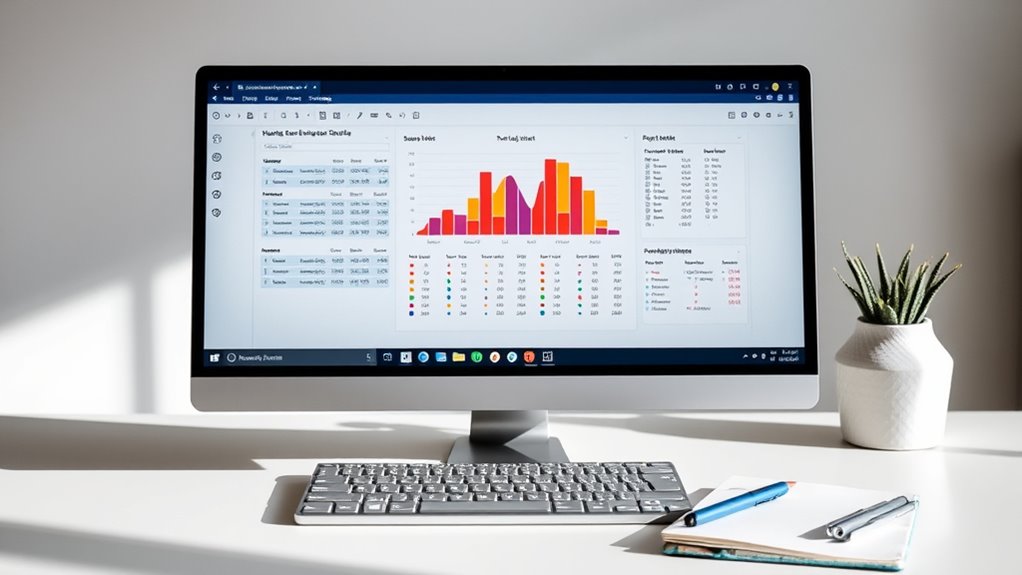
Have you ever felt overwhelmed by complex statistical software? If so, you’re not alone. Many beginners and even seasoned researchers find traditional programs intimidating due to their steep learning curves and cluttered interfaces. That’s where Jamovi comes in. It’s a free, open-source tool designed to make statistical analysis accessible and straightforward. One of its most helpful features is its focus on clear data visualization, which allows you to understand your data’s story at a glance. Instead of drowning in raw numbers, you can generate bar graphs, histograms, boxplots, and scatterplots with just a few clicks. These visuals help you spot patterns, outliers, or trends quickly, making your analysis more intuitive. Plus, Jamovi emphasizes the importance of checking statistical assumptions, which is essential for valid results. When you perform tests like t-tests, ANOVA, or regression, Jamovi prompts you to verify assumptions such as normality, homogeneity of variances, or linearity. This built-in guidance prevents you from blindly trusting results that might be invalid due to unmet assumptions. It’s a vital step often overlooked by beginners, but Jamovi makes it easy to incorporate into your workflow. Additionally, understanding statistical assumptions is crucial for ensuring your results are valid and reliable.
Getting started with Jamovi is simple because its interface closely resembles popular spreadsheet tools, so you won’t feel lost. You import your data, organize it, and then select the analysis you need from a menu. As you work through your analysis, the software immediately displays results in clear, easy-to-understand tables and graphs. If assumptions aren’t met, Jamovi suggests alternative methods or transformations, helping you make sound decisions without needing to learn complex coding or scripting. The user-friendly environment encourages experimentation, so you can try different analyses or visualize your data in various ways without fear of making mistakes. Furthermore, Jamovi’s ability to generate data visualizations on the fly helps you communicate your findings more effectively. Whether you’re preparing a report or presenting to colleagues, these visuals add clarity and impact to your work.
In essence, Jamovi simplifies the often intimidating world of statistical analysis. Its focus on visual data exploration, combined with guidance on checking statistical assumptions, guarantees you stay confident in your results. You don’t need to be a coding expert or spend hours learning complicated syntax. With Jamovi, you get a powerful yet accessible tool that helps you analyze data accurately and efficiently. As you become more comfortable, you’ll appreciate how seamlessly it integrates visualization and validation, making your research process smoother and more reliable. Whether you’re a student, teacher, or researcher, Jamovi is an excellent choice to make your statistical journey easier and more insightful.
Frequently Asked Questions
Is Jamovi Suitable for Advanced Statistical Analyses?
Yes, jamovi is suitable for advanced statistical analyses. You can perform advanced techniques like mixed models, Bayesian analyses, and factor analysis with ease. Its customization options allow you to tailor the software to your specific needs, making it versatile for complex research. While it’s user-friendly, it also supports more sophisticated analyses, so you’ll find it a powerful tool whether you’re a beginner or an experienced statistician.
Can I Export My Jamovi Results to Other Software?
Like a painter’s palette, jamovi offers versatile data export options, allowing you to seamlessly transfer your results to other software. You can export data and results in various file formats, ensuring excellent file compatibility. This flexibility means you can easily share or further analyze your findings in programs like Excel, R, or SPSS, making your workflow smooth and efficient without losing any detail or precision.
Does Jamovi Support Programming or Scripting?
Yes, Jamovi supports scripting capabilities through its integration with R, allowing you to use R commands and scripts directly within the software. While it doesn’t have a built-in programming language interface like some other stats tools, you can leverage R’s programming language support for advanced analyses. This makes it flexible if you’re familiar with scripting, giving you the ability to customize your analyses beyond standard functions.
Is Jamovi Compatible With Windows, Mac, and Linux?
You’re wondering if Jamovi works across different platforms, and yes, it does. Its platform compatibility includes Windows, Mac, and Linux, making it accessible to most users. The installation process is straightforward—just download the appropriate version for your OS, follow the prompts, and you’re ready to analyze data. Unlike complex software, Jamovi’s compatibility guarantees you can seamlessly switch devices without hassle, streamlining your workflow across operating systems.
How Secure Is My Data When Using Jamovi?
Your data is relatively secure when using Jamovi because it doesn’t transmit your data over the internet, minimizing exposure. While Jamovi doesn’t include built-in data encryption, you should verify your device has strong security measures in place. Check the software’s privacy policies and your system’s security settings, like encryption and firewalls, to protect your data further. Always back up sensitive data separately for added safety.
Conclusion
Now that you’ve explored jamovi, you can confidently analyze data without the steep learning curve of traditional software. While some argue that free tools lack advanced features, studies show jamovi’s growing capabilities rival paid options, making it a practical choice for many researchers. Embrace its user-friendly interface and open-source nature, which foster transparency and collaboration. By trusting in jamovi’s evolving features, you’re well-equipped to uncover insights and validate theories effectively.