A 13-inch laptop can be perfectly fine for statistics work, as long as it has a high-resolution display and ample connectivity options. You’ll benefit from good software compatibility, making sure it runs essential programs like R or SPSS smoothly. While portability is a plus, remember that ergonomics matter too, especially for long sessions. If you’re curious about optimizing your setup for better performance, there’s more to explore on this topic.

Get business pricing on monitors, keyboards and dev gear
- Business-only prices and quantity discounts
- Tax-exempt purchasing
- Multiple users, one account, clear invoices
Key Takeaways
- A 13-inch laptop offers adequate screen resolution for basic statistical tasks but may limit detailed data visualization.
- Connectivity options allow for external monitor setups, enhancing workspace and productivity during analysis.
- Portability makes 13-inch laptops ideal for professionals needing to work in various locations, maintaining flexibility.
- Ensuring ergonomic setups with accessories can mitigate strain during extended use, crucial for data-intensive work.
- Software compatibility is generally sufficient, but verify processing power and memory to avoid slowdowns with statistical software.

When it comes to tackling statistics work, you might wonder if a 13-inch laptop is too small for the job. It’s a valid concern, especially since data visualization often requires a clear view of your charts and graphs. However, a 13-inch screen can still deliver an effective workspace if you know how to optimize it. First, let’s talk about screen resolution. A high-resolution display can make a significant difference in how clearly you see your data. If you’re working on a laptop with a resolution of 1920×1080 pixels or higher, you’ll find that the screen real estate can be surprisingly sufficient for most tasks. Connectivity options also play a crucial role in setting up multiple displays or external monitors to expand your workspace. One of the key benefits of a 13-inch laptop is its portability. You can easily slip it into your bag and take it anywhere, making it a great choice for students or professionals on the go. This portability allows you to work in various environments, whether it’s a coffee shop, library, or during your commute. However, while you’re enjoying this mobility, consider your ergonomic setup. Sitting for long hours, even with a 13-inch laptop, can strain your neck and back. Investing in a good laptop stand or using an external keyboard and mouse can help you maintain a healthier posture. Additionally, ergonomic accessories can significantly improve your comfort during extended work sessions. Properly managing software compatibility is also essential, as most statistical software, like R, Python, or even more complex tools like SPSS, run perfectly fine on a 13-inch machine. Verifying that your system has adequate processing power and memory can prevent slowdowns during intensive data analysis. However, you should verify that your laptop meets the software’s minimum requirements. With the right specifications, you won’t face any issues running data analysis programs or generating reports. Now, let’s not forget about data visualization. While larger screens can provide a more immersive experience, you can still create effective visual representations on a smaller display. Zooming in on specific sections can help you focus on important details without losing clarity. Using software that allows for easy resizing and manipulation of elements can also make your work more manageable, and taking advantage of screen resolution can further enhance your ability to distinguish fine details in complex datasets.
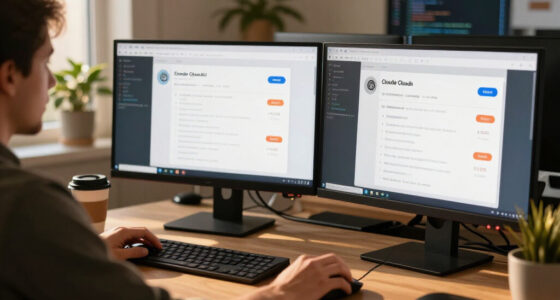
13 inch laptop with high resolution display
As an affiliate, we earn on qualifying purchases.
As an affiliate, we earn on qualifying purchases.
Frequently Asked Questions
What Software Is Essential for Statistics Work on a Laptop?
For statistics work on your laptop, essential software includes R for statistical modeling and Python for data visualization. Both tools offer extensive libraries that enhance your analysis capabilities. You’ll also want to check out Excel for basic data manipulation and Tableau for more advanced visualization. These programs will help you effectively manage and interpret your data, making your statistical tasks more efficient and insightful. Make sure to explore each option!
How Much RAM Is Recommended for Statistical Analysis?
For effective statistical analysis, you’ll want at least 16GB of RAM. Think of it like a bustling restaurant kitchen; if you’ve got enough chefs (memory) handling orders (data processing), everything runs smoothly. But with too few, chaos ensues, and you risk slow memory management. So, when you’re crunching numbers or running complex models, that extra RAM guarantees you can juggle your tasks without a hitch, keeping your workflow efficient and stress-free.
Can I Use External Monitors With a 13-Inch Laptop?
Yes, you can use external monitors with a 13-inch laptop, as most models have external monitor compatibility. Just connect the monitor via HDMI or USB-C, and adjust your laptop display settings to extend or mirror your screen. This setup enhances your workspace, allowing you to manage multiple applications more efficiently. Make sure your laptop’s graphics capabilities support the resolution of the external monitor for the best experience.
Is Battery Life Important for Statistical Work on the Go?
Absolutely, battery life’s essential for statistical work on the go. Sure, you might think you can just plug in whenever, but that’s not always feasible. Having portable power guarantees you can analyze data anywhere without worrying about finding an outlet. Plus, with good battery life, you maximize your data mobility, allowing you to work seamlessly during meetings or while traveling. So, invest in a laptop that keeps you powered up throughout the day!
What Are Common Accessories for a 13-Inch Laptop?
Common accessories for a 13-inch laptop include a portable keyboard and a laptop stand. A portable keyboard can enhance your typing experience, making it easier to input data and perform calculations. Meanwhile, a laptop stand helps improve ergonomics, reducing strain on your neck and back during long sessions. You might also consider a protective sleeve or an external mouse for added convenience. These accessories can greatly boost your productivity and comfort while working.
As an affiliate, we earn on qualifying purchases.
Conclusion
In the end, a 13-inch laptop isn’t too small for your statistics work. Think of it as a compact Swiss Army knife—versatile and efficient. While screen real estate matters, you can easily adjust your workspace with external monitors or cloud-based tools. Ultimately, it’s about how you use the device to crunch numbers and visualize data. So, don’t underestimate its power; with the right approach, you can tackle any statistical challenge that comes your way!
As an affiliate, we earn on qualifying purchases.
laptop external keyboard and mouse
As an affiliate, we earn on qualifying purchases.
As an affiliate, we earn on qualifying purchases.
Fall Picks
fall essentials
As an affiliate, we earn on qualifying purchases.