

For effective remote tutoring, you need a reliable internet connection, sufficient bandwidth, and quality equipment. Aim for at least 25 Mbps to handle smooth video calls and interactive tools. Managing connected devices is essential, as too many can slow you down. Consider a wired connection for better stability and look into upgrading your router if it’s outdated. These factors create a seamless learning experience, and there’s more to explore to optimize your setup.
Key Takeaways
- A stable internet connection is crucial to prevent disruptions during remote tutoring sessions and maintain student engagement.
- Aim for a minimum of 25 Mbps bandwidth to ensure seamless video calls and effective use of interactive tools.
- Manage connected devices by prioritizing those used for tutoring to avoid lag and interruptions during lessons.
- Invest in a high-quality router to support necessary speeds and evenly distribute bandwidth across devices for optimal performance.
- Prefer wired connections over Wi-Fi for enhanced stability and reduced risk of disconnections during tutoring sessions.
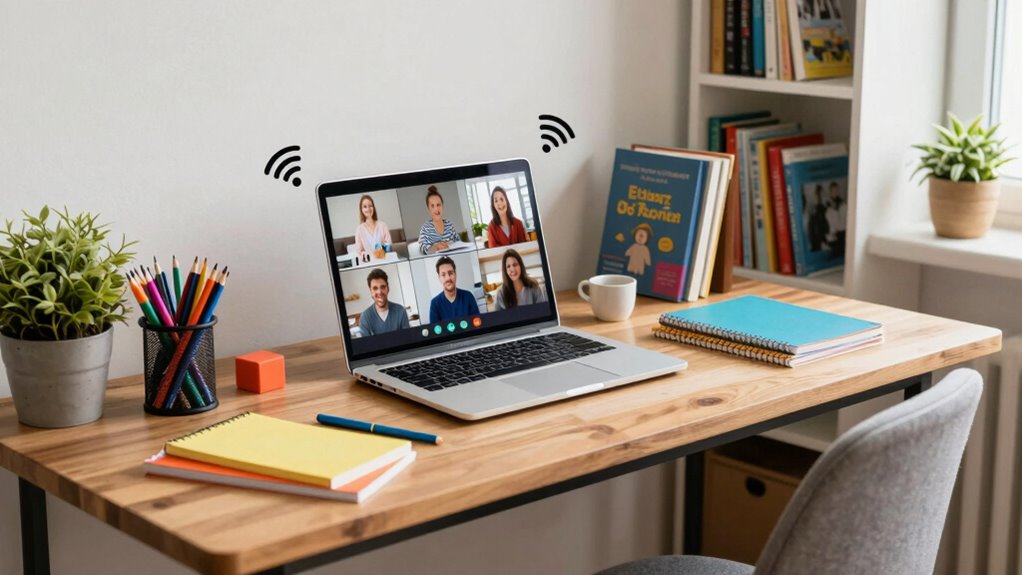
In today’s digital age, having a reliable home internet connection is essential for effective remote tutoring. When you’re trying to teach or learn online, you need to guarantee that your connection stability is first-rate. Without it, you risk interruptions that can disrupt the flow of a lesson. Imagine this: you’re in the middle of explaining a complex math problem and suddenly, the video freezes. It’s frustrating, right? You want to avoid those moments, and the key lies in understanding what your internet setup requires.
First, let’s talk about bandwidth requirements. Depending on the type of tutoring you’re doing, you may need different levels of bandwidth. For instance, if you’re streaming videos or using interactive educational tools, you’ll need higher bandwidth to keep everything running smoothly. Generally, a minimum of 25 Mbps download speed is recommended for seamless video calls, but if multiple devices are connected at home, you might want to aim for even more. This guarantees that everyone can use the internet without lagging your tutoring sessions.
Understanding bandwidth requirements is crucial for successful remote tutoring; aim for at least 25 Mbps for smooth video calls.
Now, consider how many devices are connected to your home network. If several people are streaming movies or downloading large files while you’re trying to conduct a lesson, you could face bandwidth issues. It’s vital to prioritize your tutoring sessions, especially during peak usage times. You might want to set up a dedicated connection for your tutoring device, so you can avoid interruptions and maintain that all-important connection stability. Additionally, understanding your internet speed can help you identify whether your current setup is sufficient or if an upgrade is needed.
Another factor to look at is your router. The quality of your router can greatly impact your internet experience. Older routers may not support the speeds you need for effective remote tutoring. If you notice slow speeds or frequent disconnections, it might be time to upgrade. A good router can help distribute your bandwidth more evenly across devices, contributing to a smoother tutoring experience. Additionally, some routers now include quality of service (QoS) settings that allow you to prioritize specific devices or applications, which can be very useful for remote learning.
Finally, don’t forget about the importance of a wired connection. Whenever possible, using an Ethernet cable instead of relying solely on Wi-Fi can greatly enhance your connection stability. Wired connections tend to be faster and more reliable, which is exactly what you need when teaching remotely. Additionally, understanding your internet’s backup power options can help ensure your tutoring sessions aren’t interrupted during outages.
high speed Wi-Fi router for home
As an affiliate, we earn on qualifying purchases.
As an affiliate, we earn on qualifying purchases.
Frequently Asked Questions
What Internet Speed Is Ideal for Remote Tutoring Sessions?
For remote tutoring sessions, an ideal internet speed is at least 25 Mbps. This guarantees smooth video quality and meets bandwidth requirements for real-time interactions. Slower speeds might lead to lag or buffering, disrupting your sessions. If you’re sharing screens or using interactive tools, consider higher speeds, around 50 Mbps or more, to enhance the experience. Prioritizing a stable connection will help you focus on teaching, not tech issues.
How Can I Improve My Wi-Fi Signal at Home?
To improve your Wi-Fi signal at home, start by repositioning your router to a central location, away from obstructions. Consider adding Wi-Fi extenders or signal boosters to cover dead zones. Also, limit network congestion by disconnecting unused devices. If you have multiple users, scheduling high-bandwidth activities during off-peak times can help. Regularly updating your router’s firmware can enhance performance, ensuring a stronger, more reliable connection for your remote sessions.
Is Wired Internet Better Than Wi-Fi for Tutoring?
Think of wired internet like a sturdy bridge, while Wi-Fi can feel like a wobbly tightrope. When it comes to tutoring, wired connections offer clear advantages, like faster speeds and more stable connections. You won’t have to worry about Wi-Fi limitations, like signal drops or interference, which can disrupt lessons. If you want a smooth, uninterrupted experience for both you and your student, opting for wired internet is the way to go.
What Devices Are Best for Online Tutoring?
For online tutoring, a reliable tablet like the iPad Pro or Samsung Galaxy Tab S series works great for portability and functionality. Make certain it has a good processor for smooth performance. Pair it with a quality webcam, like the Logitech C920, for clear video. These devices guarantee your students see and hear you clearly, enhancing your tutoring sessions. Don’t forget to use a good microphone for the best audio quality!
How Can I Ensure Online Privacy During Tutoring?
To guarantee online privacy during tutoring, you should use data encryption and secure connections. Start by selecting platforms that offer end-to-end encryption for your sessions. Always connect to a reputable VPN to protect your data from prying eyes. Avoid public Wi-Fi networks, as they can compromise your security. Regularly update your devices and software to safeguard against potential vulnerabilities. Keeping your digital environment secure helps maintain confidentiality during your tutoring sessions.
Ethernet cable for stable internet
As an affiliate, we earn on qualifying purchases.
As an affiliate, we earn on qualifying purchases.
Conclusion
In the grand tapestry of remote tutoring, your home internet is the thread that binds it all together. Just like a sturdy bridge supports the weight of travelers, a reliable connection guarantees smooth communication and learning. Without it, the flow of knowledge can stall, leaving students adrift in a sea of uncertainty. So, invest in that internet lifeline; it’s the compass guiding both you and your students toward academic success. After all, a strong connection opens doors to endless possibilities.
Wi-Fi 6 router for gaming and streaming
As an affiliate, we earn on qualifying purchases.
As an affiliate, we earn on qualifying purchases.
internet speed booster for remote work
As an affiliate, we earn on qualifying purchases.
As an affiliate, we earn on qualifying purchases.