

To format APA tables correctly, focus on clear organization, minimal lines, and consistent font use—typically 12-point Times New Roman. Place the table number and title in bold above the table, with headings labeled clearly and aligned properly. Use horizontal lines sparingly—only at the top, bottom, and below headers—to maintain a clean look. Keep spacing simple and uniform for readability. Continuing will help you master these guidelines so your tables look professional and meet standards effortlessly.

Get business pricing on monitors, keyboards and dev gear
- Business-only prices and quantity discounts
- Tax-exempt purchasing
- Multiple users, one account, clear invoices
Key Takeaways
- Use horizontal lines only at the top, bottom, and below header rows to maintain APA compliance.
- Center the table number and bold the title for clear identification.
- Align numerical data to the right and text to the left or center for readability.
- Keep font consistent (e.g., 12-point Times New Roman) throughout the table and document.
- Design tables simply with proper spacing and minimal lines to enhance clarity and professionalism.
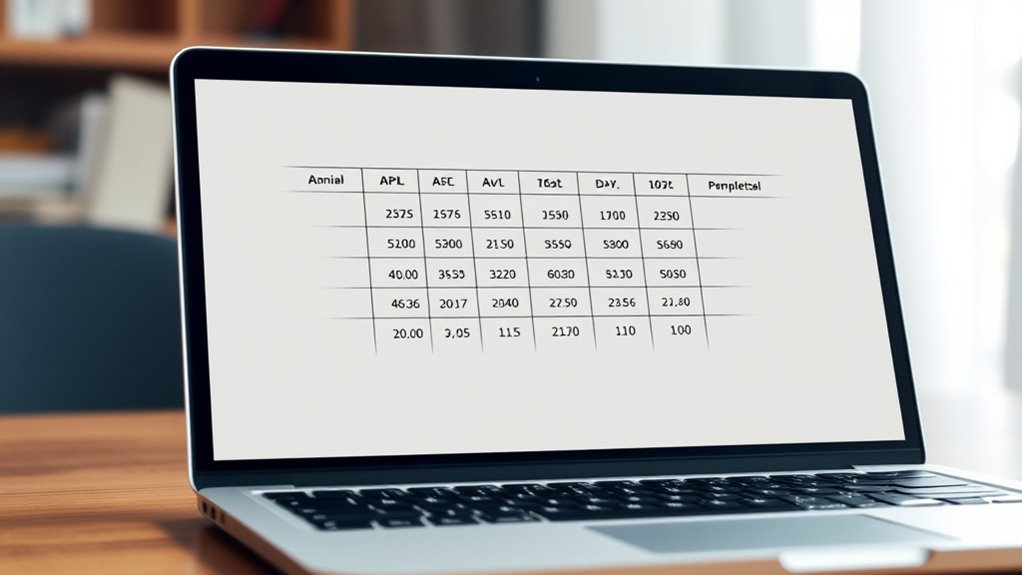
Have you ever struggled to format a table correctly in APA style? You’re not alone. Many students and researchers find this part of formatting challenging, especially when it comes to achieving a professional, polished look. One key to mastering APA tables is understanding the importance of table design. This involves organizing your data clearly, with a logical structure that guides the reader seamlessly through the information. Your table should have a clear title, placed above the table, that succinctly describes its content. Use horizontal lines sparingly—only at the top, bottom, and to separate the header row from the data—to keep the design clean and uncluttered. Remember, cluttered tables can confuse readers and detract from your message. Keep columns and rows aligned properly, ensuring each cell is easy to read and matches the overall layout. Consistency in design helps your table look professional and enhances readability.
Another critical aspect is font consistency. In APA style, your entire document, including tables, should use the same font—typically 12-point Times New Roman or a similar serif font. When creating your table, avoid mixing fonts or sizes, as inconsistency can make your work look disorganized. The font within the table should match the rest of your paper, maintaining a uniform appearance. Pay attention to spacing as well—use single spacing within cells and double spacing between the table and surrounding text if needed. Proper font choice and consistency not only improve the visual appeal but also comply with APA guidelines, giving your work credibility. Additionally, understanding table layout principles can further improve your formatting skills and ensure your tables are both functional and visually appealing.
Furthermore, pay attention to the labels and headings within your table. Labels should be clear and concise, directly describing the data they represent. Use boldface for the table number and title, but keep headings within the table in regular font. This hierarchy guides readers effortlessly through your data. When it comes to numbers and text, align numerical data to the right and text to the left or center as appropriate. Doing so enhances clarity and makes comparison easier. Also, avoid unnecessary lines or decorative elements—simplicity is key in APA formatting. Adhering to these principles of table design and font consistency ensures your tables look professional, are easy to understand, and meet APA standards.
Top picks for "formatt tabl demystifi"
As an affiliate, we earn on qualifying purchases.
Frequently Asked Questions
How Do I Cite Sources Within an APA Table?
When you include sources in an APA table, you should use in-text citations for source attribution directly within the table or its notes. Place the citation in parentheses immediately after the relevant data or in a note beneath the table, following APA guidelines. Make sure your in-text citations match your reference list entries. This way, you clearly attribute your data, making your table credible and properly sourced.
Can I Use Colors in APA Tables?
You can use colors in APA tables to enhance table aesthetics and highlight key data, but keep it simple and professional. Stick to subtle shades that improve readability without distracting from the content. Avoid overly bright or contrasting colors, and make certain your color usage aligns with APA guidelines. Remember, the goal is to make your table clear and easy to interpret, so use color thoughtfully to support your data presentation.
What Software Options Are Best for Creating APA Tables?
When creating APA tables, you want software that simplifies table design and offers precise formatting options. Microsoft Word is a popular choice because it provides easy-to-use table tools and customization. Another option is Excel, which excels in data organization and calculations, and you can transfer tables into Word. For advanced features, consider software like Google Sheets or LaTeX. Comparing these options helps you choose the best software for your needs.
How Should I Handle Large Datasets in APA Tables?
Imagine managing a dataset with over 10,000 entries—that’s a massive table size! To handle large datasets in APA tables, focus on clear data organization by breaking info into manageable sections or summaries. Use landscape orientation if needed, and consider supplemental online tables for detailed data. Keep your table concise, highlight key findings, and make sure it’s easy to read, so your audience grasps the essential information without overwhelm.
Are There Specific APA Guidelines for Table Footnotes?
When it comes to table footnotes in APA style, you should follow specific guidelines for footnote formatting and table annotations. Use superscript lowercase letters to label footnotes, placing them directly after the relevant table element. Keep footnotes concise and clear, and place them below the table, starting with the label. This guarantees your table remains organized and easy to interpret, adhering to APA standards.
Conclusion
So, after all this fuss, it turns out that mastering APA table formatting isn’t rocket science—just a matter of attention to detail. Who knew that aligning headings and choosing the right font could be the secret to academic success? Now, armed with these tips, you’re practically a formatting guru. Ironically, the simplest aspects often make the biggest difference. So go ahead, dazzle your readers—your perfectly formatted table might just steal the show.
Halloween Picks
halloween
As an affiliate, we earn on qualifying purchases.