
When you present statistical results, a big monitor is often the better choice. It offers sharper visuals and clearer engagement, especially in bright settings where projectors can appear washed out. With a big monitor, everyone in the room can see the data clearly, reducing strain for viewers at the back. Plus, installation is easier and requires less maintenance over time. You’ll find even more advantages when you consider both options closely.
Key Takeaways
- Big monitors provide sharper, more vibrant visuals, enhancing the clarity of statistical data for better audience retention.
- Audience engagement is higher with big monitors, ensuring clear visibility and reducing strain for viewers at the back of the room.
- Installation of big monitors is quicker and easier, allowing more focus on delivering the message rather than setting up equipment.
- Projectors require proper lighting control and distance, which can limit their effectiveness in various presentation environments.
- Although projectors may have lower initial costs, big monitors offer better long-term cost efficiency due to reduced maintenance and longer lifespan.
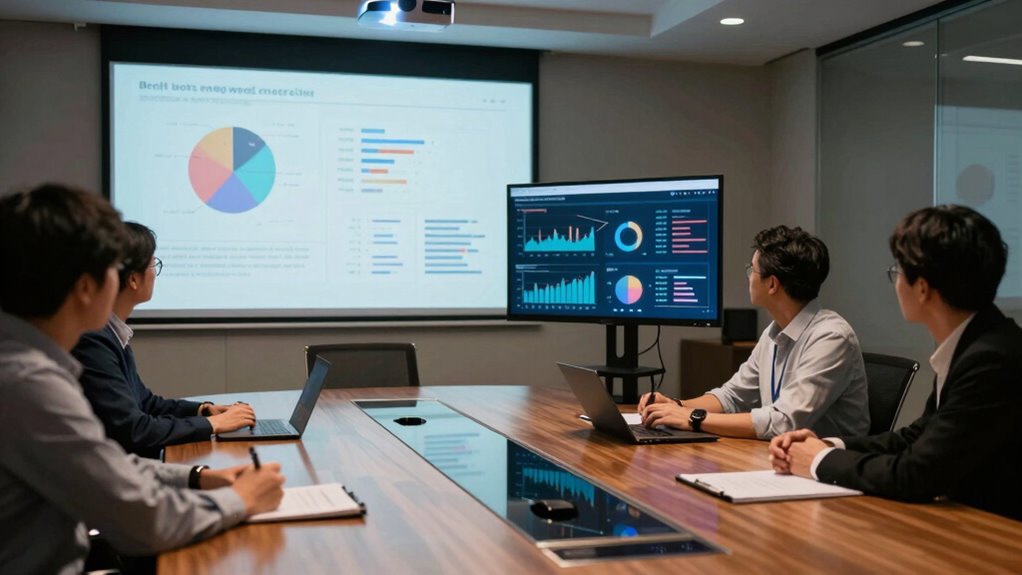
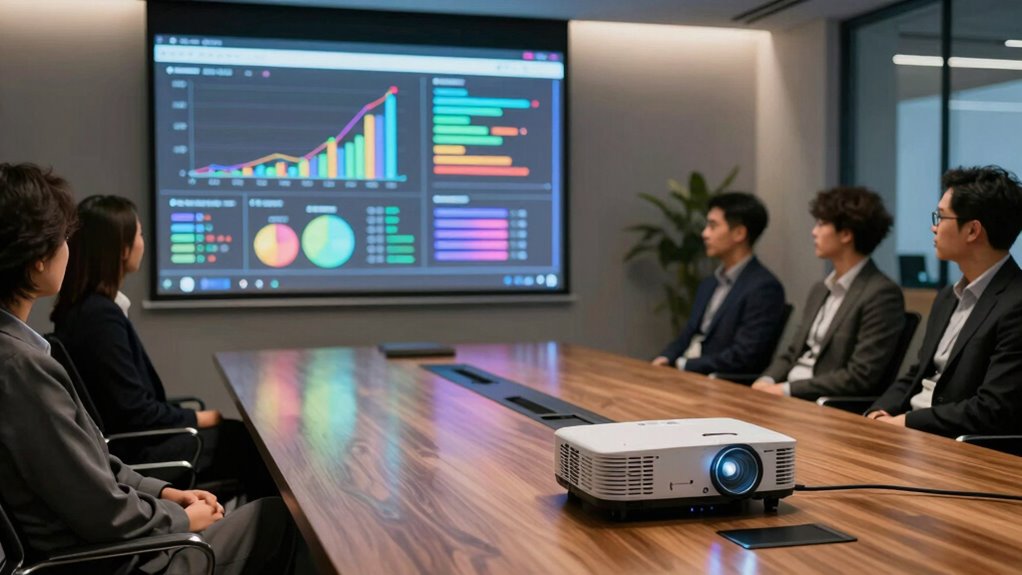
When it comes to presenting, choosing between a projector and a big monitor can make a significant difference. Both options have their pros and cons, but understanding how they affect your presentation can help you make the right choice. One of the first factors to take into account is image clarity. Projectors can deliver large images, but they often struggle in well-lit rooms, leading to a washed-out effect. In contrast, a big monitor typically provides sharper, more vibrant visuals, ensuring your data stands out and captures attention.
Audience engagement is another vital element to keep in mind. If you’re aiming to foster interaction, a big monitor may be the better choice. Its size allows for clear visibility from various angles, ensuring everyone can follow along. With a projector, you might find that people sitting at the back of the room strain to see the details, potentially losing interest in your presentation. Keeping your audience engaged is essential, and the right display can make a big difference.
Audience engagement is crucial; a big monitor ensures visibility for all, keeping everyone involved and attentive throughout your presentation.
Installation flexibility is also worth evaluating. Projectors often require some setup, including positioning and adjusting for focus and keystone correction. If you’re in a temporary space, this can be a hassle. Big monitors, on the other hand, can be mounted on a wall or set up on a stand, making them easier to use in various settings. This flexibility can save you time and help you focus on delivering your message rather than fiddling with equipment. Additionally, display technology can influence the overall experience, especially in terms of brightness and color accuracy. Understanding the lighting conditions of your presentation space can help you determine which display type will perform best.
Space considerations come into play as well. If you’re presenting in a small room, a big monitor might fit more comfortably compared to a projector, which needs a certain distance from the screen to display an image effectively. In contrast, bigger spaces may benefit from the expansive display of a projector, provided you can control the lighting. Additionally, contrast ratio can significantly influence the perceived clarity and detail of your visuals, especially in darker environments.
Lastly, cost analysis is essential. While projectors may seem cheaper initially, their ongoing costs—like bulbs and maintenance—can add up. Big monitors typically have a higher upfront cost but last longer and require less upkeep, making them a more economical choice in the long run.
large 4K computer monitor for presentations
As an affiliate, we earn on qualifying purchases.
As an affiliate, we earn on qualifying purchases.
Frequently Asked Questions
What Are the Best Resolutions for Projectors and Monitors?
For ideal image clarity, aim for at least 1080p (1920×1080) resolution standards for both projectors and monitors. If you want to elevate your visuals, consider 4K (3840×2160) resolution, which offers stunning detail. This higher resolution‘s particularly beneficial for large screens, ensuring data and graphics remain sharp. Remember, the right resolution enhances your audience’s understanding, making your statistical results more impactful and engaging. So, choose wisely based on your needs!
How Do Ambient Light Conditions Affect Visibility?
Ambient light conditions can considerably affect visibility. In bright settings, you’ll need effective lighting techniques to enhance your presentation. A higher contrast ratio helps make text and images stand out, guaranteeing clarity even in well-lit rooms. If you’re using a projector, consider its brightness; for monitors, verify they have good anti-glare features. Adjusting your setup based on lighting conditions will assure your audience sees your statistical results clearly and effectively.
What Are the Costs of Projectors Compared to Monitors?
When you explore cost analysis, projectors often seem cheaper upfront, but don’t forget about maintenance expenses. Bulbs need replacement, and that can add up. Monitors may have a higher initial cost, yet they’re typically more durable and require less upkeep. Over time, the total cost of ownership for a monitor might actually be lower. So, weigh those long-term costs against your budget to make the best choice for your needs.
Can I Connect Multiple Devices to Both Options?
Yes, you can connect multiple devices to both options. Most projectors and big monitors offer various connection methods, like HDMI, USB, or VGA, guaranteeing device compatibility. If you’re using a projector, you might need a switcher for seamless changes between devices. For monitors, you can often connect several devices directly or use a hub. Just check the specifications to confirm they support the number of connections you need for your presentations.
Which Is More Portable for On-The-Go Presentations?
If you’re looking for something that’s easy to whisk away, you’ll find the projector’s compact design a true delight. It’s lightweight and can effortlessly fit into your bag, making it ideal for on-the-go presentations. While big monitors may boast impressive visuals, their weight differences make them less appealing for travel. So, when you’re ready to impress anywhere, a projector’s portability shines through, ensuring you’re always prepared, no matter the venue.
portable projector for business presentations
As an affiliate, we earn on qualifying purchases.
As an affiliate, we earn on qualifying purchases.
Conclusion
In the battle of brightness and boldness, choosing between a projector and a big monitor boils down to your needs. If you’re craving clarity and crispness, a monitor might be your match. However, if you desire dynamic displays in larger spaces, a projector could prove perfect. Ultimately, prioritize your presentation’s purpose and the audience’s experience. Whichever you choose, make sure it magnifies your message and mesmerizes your viewers, turning data into delightful dialogue.
interactive display monitor for meetings
As an affiliate, we earn on qualifying purchases.
As an affiliate, we earn on qualifying purchases.
high brightness projector for well-lit rooms
As an affiliate, we earn on qualifying purchases.
As an affiliate, we earn on qualifying purchases.