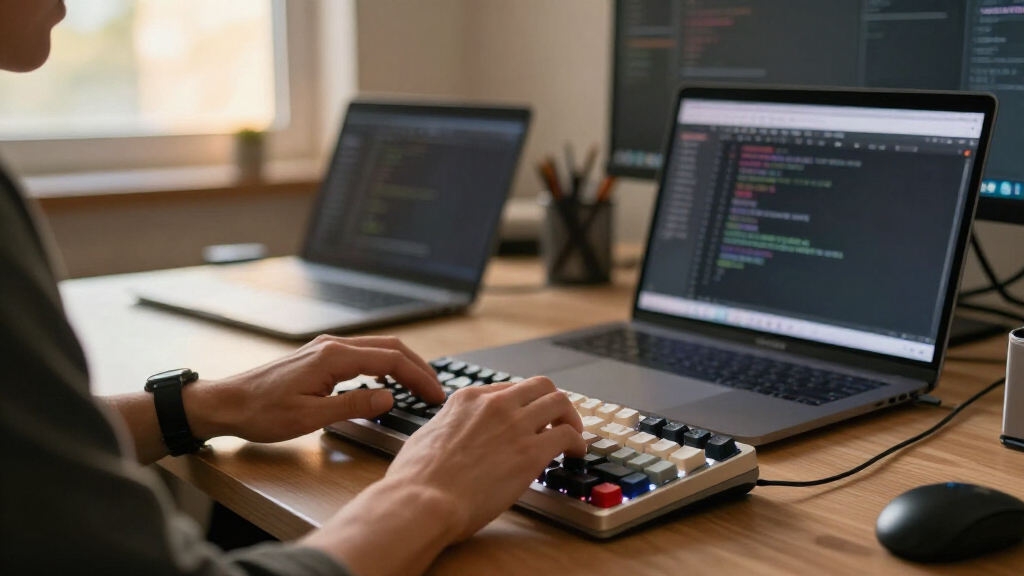
For software developers who enter figures, timestamps, or spreadsheet data without giving up a compact keyboard, the Kisnt MF17 is my best overall pick: QMK/VIA support and hot-swappable switches make it adaptable to different workflows. The YUNZII AL21 stands out for a wireless aluminum build, while the EPOMAKER EK21 offers a wireless, VIA-compatible alternative for users who want programmability. The main tradeoffs are customization versus plug-and-play simplicity, and compact layouts versus extra keys and controls. Read on for the full comparison of all 15 models and guidance on which features matter most for coding work.

Get business pricing on monitors, keyboards and dev gear
- Business-only prices and quantity discounts
- Tax-exempt purchasing
- Multiple users, one account, clear invoices
Key Takeaways
- The Kisnt MF17 leads for customization: QMK/VIA and hot-swappable switches give developers more control over layers and key behavior than simpler backlit pads.
- The YUNZII AL21 prioritizes desk feel and wireless convenience: its aluminum construction separates it from the wired, feature-focused MF17, though it offers a different balance of customization.
- Extra keys change the use case: the 30-key Womier SK30 and BOYI TD31Pro add a screen and knob, while the Kisnt KN34 and other expanded layouts provide more keys than a standard numeric block.
- Retro styling is a real tradeoff: the three 8BitDo Retro 18 editions share a compact mechanical numpad concept, so the choice is more about edition preference than a distinct developer feature set.
- Wireless does not automatically mean developer-ready: compare each model’s programming support, connection mode, and layout before choosing convenience or appearance over reliable workflow control.
| YUNZII AL21 Aluminum Wireless Mechanical Number Pad, Pink, Cocoa Cream V2 Switches |  | Best Premium Customizable Pick | Key count: 19 | Switch: Cocoa Cream V2 linear | Connectivity: Bluetooth, 2.4GHz wireless, USB-C wired | VIEW LATEST PRICE | See Our Full Breakdown |
| Kisnt MF17 17-Key Wired Mechanical Numpad with QMK/VIA, Hot-Swappable Switches, and RGB Backlighting |  | Best for QMK/VIA Workflow Customization | Key count: 17 | Connectivity: Wired USB-C to USB-A | Cable: Included, 1.5 m | VIEW LATEST PRICE | See Our Full Breakdown |
| TISHLED 19-Key Programmable Mechanical Numpad with RGB Backlighting |  | Best Battery-Focused Wireless Pick | Key count: 19 | Programmable keys: 18; FN key excluded | Connectivity: Bluetooth 5.0, 2.4GHz wireless, USB-C wired | VIEW LATEST PRICE | See Our Full Breakdown |
| 8BitDo Retro 18 Mechanical Numpad – M Edition |  | Best for Windows Calculator Workflows | Key count: 18 | Switches: Kailh Box White | Connectivity: Bluetooth, 2.4GHz wireless, USB | VIEW LATEST PRICE | See Our Full Breakdown |
| 8BitDo Retro 18 Mechanical Numpad – N Edition |  | Best Simple Tri-Mode Pick | Key count: 18 | Switches: Kailh Box White Switches V2 | Connectivity: Bluetooth, 2.4GHz wireless, USB | VIEW LATEST PRICE | See Our Full Breakdown |
| JPHTEK 21-Key Wireless Mechanical Numeric Keypad with RGB Backlighting |  | Best for Clicky-Typing Fans | Keys: 21 | Switches: Cherry MX Blue clicky | Connectivity: Bluetooth 5.0, 2.4 GHz wireless, USB-C wired | VIEW LATEST PRICE | See Our Full Breakdown |
| YUNZII AL21 Aluminum Wireless Number Pad, Black with Cocoa Cream V2 Switches |  | Best Premium Build | Keys: 19 | Switches: Linear Cocoa Cream V2 | Connectivity: Bluetooth, 2.4 GHz wireless, USB-C wired | VIEW LATEST PRICE | See Our Full Breakdown |
| 8BitDo Retro 18 Mechanical Numpad, C64 Edition |  | Best Standalone Calculator | Keys: 18 | Switches: Kailh Box White V2 mechanical | Connectivity: Bluetooth, 2.4G wireless, USB | VIEW LATEST PRICE | See Our Full Breakdown |
| Womier SK30 30-Key Wireless Mechanical Numpad with Screen and Knob |  | Best for Extra Controls | Keys: 30 | Switches: POM linear; hot-swappable 3-pin and 5-pin switches | Connectivity: Bluetooth 5.0, 2.4 GHz wireless, USB-C wired | VIEW LATEST PRICE | See Our Full Breakdown |
| BOYI TD31Pro Wireless Mechanical Numpad with Screen and Knob, 30 Keys, RGB, Hot-Swappable, Black Transparent |  | Best for Multi-Device Workflows | Keys: 30 | Connectivity: Bluetooth 5.0, 2.4 GHz wireless, USB-C wired | Device switching: Up to 3 devices | VIEW LATEST PRICE | See Our Full Breakdown |
| LOFREE Foundation Tri-Mode Wireless Mechanical Numpad with White LED Backlight |  | Best for Multi-Device Setups | Keys: 20 | Connectivity: Bluetooth 5.3, 2.4 GHz RF, USB-C | Device connections: Up to 3 simultaneously | VIEW LATEST PRICE | See Our Full Breakdown |
| YUNZII AL21 Aluminum Wireless Number Pad, Silver, Cocoa Cream V2 Switch |  | Best Premium Build | Keys: 19 | Connectivity: Bluetooth, 2.4 GHz, USB-C wired | Switch: Cocoa Cream V2 linear | VIEW LATEST PRICE | See Our Full Breakdown |
| MOTOSPEED K24 Programmable Mechanical Numeric Keypad with RGB Backlighting |  | Best for Audible Feedback | Listed key count: 21 in description; 22 in specifications | Connectivity: Wired USB | Switch type: Tactile blue mechanical switches | VIEW LATEST PRICE | See Our Full Breakdown |
| Kisnt KN34 34-Key Wired Mechanical Numpad |  | Best for Navigation and Data Entry | Keys: 34 | Connectivity: Wired USB-C to USB-A | Switches: Linear Gateron Red | VIEW LATEST PRICE | See Our Full Breakdown |
| EPOMAKER EK21 VIA Gasket Wireless Mechanical Numpad |  | Best for VIA Remapping | Keys: 20 | Connectivity: USB-C wired, Bluetooth 5.0, 2.4 GHz wireless | Programmability: VIA key remapping, macros, customizable knob | VIEW LATEST PRICE | See Our Full Breakdown |
| mechanical numpads for software developer | Connectivity | Switches | Keys |
|---|---|---|---|
| YUNZII AL21 Aluminum Wireless | Bluetooth, 2.4GHz wireless, USB-C wired | — | — |
| Kisnt MF17 17-Key Wired Mechan | Wired USB-C to USB-A | Bsun linear, 45–50 gf actuation force | — |
| TISHLED 19-Key Programmable Me | Bluetooth 5.0, 2.4GHz wireless, USB-C wired | KEYCOOL Linear Ice linear switches | — |
| 8BitDo Retro 18 Mechanical Num | Bluetooth, 2.4GHz wireless, USB | Kailh Box White | — |
| 8BitDo Retro 18 Mechanical Num | Bluetooth, 2.4GHz wireless, USB | Kailh Box White Switches V2 | — |
| JPHTEK 21-Key Wireless Mechani | Bluetooth 5.0, 2.4 GHz wireless, USB-C wired | Cherry MX Blue clicky | 21 |
| YUNZII AL21 Aluminum Wireless | Bluetooth, 2.4 GHz wireless, USB-C wired | Linear Cocoa Cream V2 | 19 |
| 8BitDo Retro 18 Mechanical Num | Bluetooth, 2.4G wireless, USB | Kailh Box White V2 mechanical | 18 |
| Womier SK30 30-Key Wireless Me | Bluetooth 5.0, 2.4 GHz wireless, USB-C wired | POM linear; hot-swappable 3-pin and 5-pin switches | 30 |
| BOYI TD31Pro Wireless Mechanic | Bluetooth 5.0, 2.4 GHz wireless, USB-C wired | BOYI Jadeite Green HIFI linear | 30 |
| LOFREE Foundation Tri-Mode Wir | Bluetooth 5.3, 2.4 GHz RF, USB-C | — | 20 |
| YUNZII AL21 Aluminum Wireless | Bluetooth, 2.4 GHz, USB-C wired | — | 19 |
| MOTOSPEED K24 Programmable Mec | Wired USB | — | — |
| Kisnt KN34 34-Key Wired Mechan | Wired USB-C to USB-A | Linear Gateron Red | 34 |
| EPOMAKER EK21 VIA Gasket Wirel | USB-C wired, Bluetooth 5.0, 2.4 GHz wireless | — | 20 |
More Details on Our Top Picks
YUNZII AL21 Aluminum Wireless Mechanical Number Pad, Pink, Cocoa Cream V2 Switches
The YUNZII AL21 is the strongest fit here for developers who want a numpad that can move between a desk setup and other devices without giving up customization. Its Bluetooth, 2.4GHz, and USB-C connections accommodate different workstations, while hot-swap support lets you change compatible switches without soldering. The aluminum case, PBT keycaps, and gasket mount give it a more substantial build than the plastic Kisnt MF17, and the knob adds a handy way to adjust volume or another assigned function.
The tradeoff is that its premium-feeling materials do not change the basic 19-key numpad layout: it is an add-on, not a compact replacement keyboard. Battery life also falls to about 10 hours with RGB on, so developers who want extensive lighting may need to charge more often. I’d choose it over the TISHLED when aluminum construction matters more than the TISHLED’s stated longer battery range.
Pros:- Bluetooth, 2.4GHz wireless, and USB-C wired modes suit multi-device desk setups.
- Aluminum case and plate, PBT keycaps, and gasket mount provide a more substantial typing platform than the plastic Kisnt MF17.
- Hot-swappable sockets accept compatible 3-pin and 5-pin switches.
- Programmable keys, customizable RGB, and a multifunction knob allow workflow and control customization.
Cons:- Battery life is approximately 10 hours with backlighting on, which can mean frequent charging for RGB users.
- The 19-key layout adds number-pad functionality but does not replace a full keyboard.
- The product’s extra controls and lighting may be unnecessary for developers who only need straightforward numeric entry.
Best for: Developers who switch among computers or mobile devices and want a durable, programmable numpad with wireless and wired options.
Not ideal for: Developers who leave RGB on all day, need a full set of keyboard keys, or prefer a lightweight, low-cost plastic accessory.
- Key count:19
- Switch:Cocoa Cream V2 linear
- Connectivity:Bluetooth, 2.4GHz wireless, USB-C wired
- Case and plate:Aluminum
- Keycaps and mount:PBT; gasket mount
- Hot-swap support:Compatible with 3-pin and 5-pin switches
- Battery:1500mAh; approximately 90 hours with RGB off or 10 hours with backlight on
- Additional controls:Multifunction knob; customizable RGB
- Dimensions:3.59 × 5.33 × 1.73 in
Our verdict“Choose the AL21 if you want an aluminum, tri-mode numpad with substantial customization; pick the TISHLED instead if its stated longer battery range matters more than the metal build.”
Kisnt MF17 17-Key Wired Mechanical Numpad with QMK/VIA, Hot-Swappable Switches, and RGB Backlighting
For developers who want the numpad to act like a programmable macro pad, the Kisnt MF17 makes its case through QMK and VIA support. That gives it a clearer software-customization focus than the YUNZII AL21, whose listed strengths emphasize wireless flexibility, materials, and a knob. You can remap keys or assign macros, while the hot-swappable sockets allow compatible switches to be changed without soldering. Its 17-key footprint also keeps it compact beside a full-size development keyboard.
The compromises are practical ones: this is wired only, and the listed compatibility excludes Chrome OS while macOS functionality is limited. The plastic enclosure is less substantial than the AL21’s aluminum case, and the MF17 is not water resistant. I’d favor it when custom layers and macros matter more than cable-free placement, but the tri-mode TISHLED is a better match for developers who move the pad between devices or desks.
Pros:- QMK and VIA support enable key remapping and macro programming.
- Hot-swappable sockets support compatible 3-pin and 5-pin switches.
- PBT dye-sublimated keycaps and customizable RGB offer more customization than a basic numeric keypad.
- Compact 17-key design and layered sound-dampening materials suit a dedicated desktop setup.
Cons:- Wired-only USB connection limits placement and requires the included cable.
- Chrome OS is unsupported, and macOS functionality is listed as limited.
- Plastic enclosure is less substantial than the aluminum YUNZII AL21, and the pad is not water resistant.
Best for: Developers who want QMK/VIA remapping and macros in a compact, wired number pad for a Windows or Linux workstation.
Not ideal for: Chrome OS users, developers who need reliable full macOS functionality, or anyone who wants wireless placement or water resistance.
- Key count:17
- Connectivity:Wired USB-C to USB-A
- Cable:Included, 1.5 m
- Switches:Bsun linear, 45–50 gf actuation force
- Hot-swap support:Compatible with 3-pin and 5-pin switches
- Programming:QMK and VIA
- Keycaps and lighting:PBT dye-sublimated keycaps; customizable RGB
- Operating-system compatibility:Android, Linux, macOS with limited functionality, and Windows; not compatible with Chrome OS
- Dimensions and enclosure:4.41 × 3.39 × 1.38 in; plastic
Our verdict“Pick the MF17 if QMK/VIA macros and switch swapping matter more than wireless convenience or broad operating-system support.”
TISHLED 19-Key Programmable Mechanical Numpad with RGB Backlighting
The TISHLED 19-Key is a practical choice for developers who want wireless flexibility without making charging an everyday task. It supports Bluetooth, 2.4GHz, and USB-C, and its stated battery life of 30–60 days varies with use. That makes it a more natural fit for a mobile or shared-desk setup than the wired-only Kisnt MF17, while still offering hot-swap support and programmable keys. The multifunction knob can adjust volume or backlight brightness, adding direct control without requiring another key layer.
Its tradeoff against the YUNZII AL21 is a less premium listed enclosure: TISHLED specifies PBT keycaps and a metal knob, but not an aluminum case. The FN key also cannot be programmed, and there is no water resistance. Developers who value a metal-bodied accessory may prefer the AL21; those prioritizing stated battery endurance and three connection modes have a stronger reason to choose this one.
Pros:- Bluetooth, 2.4GHz wireless, and USB-C wired modes support varied workstation setups.
- Stated battery life is 30–60 days depending on usage.
- Programmable keys, 3-pin and 5-pin hot-swap support, and RGB offer room to tailor the pad.
- PBT keycaps and a multifunction knob add durable-feeling controls and direct adjustment.
Cons:- The FN key cannot be programmed, limiting complete key remapping.
- Not water resistant.
- Unlike the aluminum YUNZII AL21, the listed specifications do not identify an aluminum case.
Best for: Developers who move a numpad among Windows, macOS, iOS, or Android devices and want tri-mode connectivity with less frequent charging.
Not ideal for: Developers who need water resistance, want to remap every key including FN, or require a listed aluminum case.
- Key count:19
- Programmable keys:18; FN key excluded
- Connectivity:Bluetooth 5.0, 2.4GHz wireless, USB-C wired
- Switches:KEYCOOL Linear Ice linear switches
- Hot-swap support:Compatible with 3-pin and 5-pin switches
- Battery:1500mAh; stated 30–60 days depending on usage
- Keycaps and lighting:PBT keycaps; RGB with up to 18 modes
- Additional control:Metal multifunction knob for volume and backlight brightness
- Key rollover:19-key NKRO
Our verdict“Choose the TISHLED if you want a tri-mode programmable numpad with a stated long battery range and can accept its unprogrammable FN key.”
8BitDo Retro 18 Mechanical Numpad – M Edition
The 8BitDo Retro 18 M Edition suits developers who want a number pad with a straightforward calculator function rather than deep key programming. Its calculator mode and Bluetooth, 2.4GHz, and USB connectivity give it more placement flexibility than the wired Kisnt MF17, while the Kailh Box White switches distinguish its typing feel from the linear-switch YUNZII AL21 and TISHLED. For Windows users who frequently enter or check figures, the calculator feature is the defining reason to choose it.
That focus comes with fewer customization options in the listed data: the backlight is single color, and no hot-swap support or programmable keys are specified. Compatibility is listed for Windows and Android, so developers on macOS or Linux should look elsewhere. The N Edition shares the calculator and connection options, but this M Edition’s listed specifications explicitly identify single-color backlighting and Kailh Box White switches. Its 1.3-pound weight also makes it less appealing for frequent travel.
Pros:- Calculator mode is useful for quick arithmetic alongside data entry.
- Bluetooth, 2.4GHz wireless, and USB connectivity offer three connection options.
- Kailh Box White switches provide a distinct alternative to the linear switches on the YUNZII AL21 and TISHLED.
- Dedicated 18-key layout keeps number-pad tasks separate from the main keyboard.
Cons:- Listed compatibility is limited to Windows and Android, excluding macOS and Linux developers.
- Backlighting is single color rather than customizable RGB.
- At 1.3 pounds, it is relatively heavy for a numpad intended to move between work locations.
Best for: Windows or Android developers who often enter figures and want a dedicated calculator mode alongside wireless and wired connections.
Not ideal for: macOS or Linux developers, users seeking RGB or key remapping, and anyone who wants a particularly light travel numpad.
- Key count:18
- Switches:Kailh Box White
- Connectivity:Bluetooth, 2.4GHz wireless, USB
- Calculator mode:Supported for Windows and Android devices
- Operating-system compatibility:Windows 10 or later and Android
- Backlighting:Single color
- Layout:QWERTY
- Enclosure and weight:ABS; 1.3 pounds
- Warranty:1 year
Our verdict“Choose the M Edition for a Windows or Android workflow built around calculator access, not for broad OS support or extensive key customization.”
8BitDo Retro 18 Mechanical Numpad – N Edition
The 8BitDo Retro 18 N Edition is the straightforward choice for developers who want a separate mechanical number pad with fewer customization demands. It offers Bluetooth, 2.4GHz, and USB, plus a calculator mode, so it can work across a fixed desk or a setup where the pad is moved occasionally. Like the M Edition, it uses an 18-key layout and ABS enclosure; its listed Kailh Box White Switches V2 make the switch specification more specific than the M Edition’s listing.
Compared with the programmable TISHLED, the N Edition gives up listed RGB, hot-swap support, and programmable keys. That simplicity may suit developers who mainly need numeric entry, but the Windows and Android-only compatibility is a firm limit for macOS and Linux users. The M Edition also lists calculator mode and the same connection choices, so the N Edition’s clearest distinction is its V2 switch specification—not a broader feature set. At 1.3 pounds, it is not a particularly light mobile accessory.
Pros:- Bluetooth, 2.4GHz wireless, and USB support flexible desk placement.
- Calculator mode adds a useful function for numerical work.
- Kailh Box White Switches V2 are specified, distinguishing it from the M Edition’s listed Box White switches.
- Ambidextrous design works on either side of a keyboard.
Cons:- Listed compatibility is limited to Windows and Android.
- No programmable keys, hot-swap support, or RGB backlighting are specified, unlike the TISHLED.
- The ABS enclosure and 1.3-pound weight offer less appeal for developers seeking a light, premium-feeling accessory.
Best for: Windows or Android developers who want a mechanical numpad with tri-mode connectivity and calculator access without needing programmable layers.
Not ideal for: macOS or Linux developers, users who want hot-swappable switches or custom RGB, and frequent travelers seeking a lightweight pad.
- Key count:18
- Switches:Kailh Box White Switches V2
- Connectivity:Bluetooth, 2.4GHz wireless, USB
- Calculator mode:Supported
- Operating-system compatibility:Windows 10 or later and Android
- Layout and language:QWERTY; English
- Enclosure:ABS
- Orientation and weight:Ambidextrous; 1.3 pounds
- Warranty:1 year
Our verdict“Pick the N Edition if you want a simple tri-mode number pad and calculator mode for Windows or Android, and do not need programmable features.”
JPHTEK 21-Key Wireless Mechanical Numeric Keypad with RGB Backlighting
The JPHTEK’s strongest case for developers is three connection modes: Bluetooth, 2.4 GHz wireless, and USB-C let it move between a desk setup and mobile devices without committing to one host. Its 21-key layout stays compact while adding more than a bare number cluster, and the stepped keys may help keep repeated numeric entry comfortable. PBT double-shot caps are suited to frequent use, while RGB lighting makes the pad easier to locate in a dim workspace. Compared with the YUNZII AL21, this is a simpler option without a knob, macros, or hot-swap support. The tradeoff is its Cherry MX Blue clicky switches: they provide distinct feedback, but can distract nearby coworkers or interrupt calls. It also needs a USB power source, so wireless operation does not mean power-free operation.
Pros:- Bluetooth, 2.4 GHz wireless, and USB-C wired connectivity offer flexible placement and device pairing.
- Compact 21-key layout can sit on either side of a main keyboard.
- PBT double-shot keycaps are designed to withstand frequent typing.
- RGB backlighting and stepped keycaps add visibility and a more ergonomic profile.
Cons:- Cherry MX Blue clicky switches can be disruptive in quiet shared spaces.
- Requires a USB power source, limiting untethered use.
- Lacks the knob and hot-swappable switches found on the YUNZII AL21.
Best for: Developers who enter numbers frequently, want tactile audible feedback, and switch a compact pad between a computer and mobile devices.
Not ideal for: Quiet-office users, people who share a workspace on calls, and buyers who want battery-powered portability or programmable controls.
- Keys:21
- Switches:Cherry MX Blue clicky
- Connectivity:Bluetooth 5.0, 2.4 GHz wireless, USB-C wired
- Keycaps:PBT, double-shot molded
- Backlighting:RGB
- Compatibility:Windows, macOS, iOS, Android, Linux
- Keystroke durability:50 million keystrokes
Our verdict“Choose the JPHTEK if you want a compact, multi-device numpad with pronounced clicky feedback and can accommodate its noise and USB power needs.”
YUNZII AL21 Aluminum Wireless Number Pad, Black with Cocoa Cream V2 Switches
The YUNZII AL21 is the pick for developers who want a compact number pad to feel like a considered part of the desk setup, not a lightweight accessory. Its CNC-machined aluminum case, PBT caps, and gasket mount give it a more substantial, cushioned design than the JPHTEK, while hot-swappable switches make future feel changes possible without replacing the whole pad. The multifunction knob and programmable keys can put a frequent action within reach, and support for up to five devices suits people moving among work machines and mobile devices. Its 19-key layout keeps the footprint small, but offers fewer keys than the 30-key Womier SK30 or BOYI TD31Pro. Battery life is listed at around 10 hours with RGB on, so heavy lighting use means more frequent charging; with RGB off, the stated figure rises to around 90 hours.
Pros:- CNC-machined aluminum case and gasket mount provide a sturdy, cushioned construction.
- Tri-mode connectivity and switching among up to five devices suit multi-device desks.
- Hot-swappable switches and programmable keys allow meaningful customization.
- Multifunction knob adds a physical control beyond the number keys.
Cons:- RGB-on battery life is listed at around 10 hours, which can mean frequent charging.
- The 19-key layout has fewer controls than the Womier SK30 and BOYI TD31Pro.
- Its premium construction and feature set may be unnecessary for developers who only need basic numeric entry.
Best for: Developers seeking an aluminum-cased, customizable numpad for a polished desk setup, especially those who switch among several devices or want to change switches later.
Not ideal for: Buyers who need many extra programmable keys, prefer a low-maintenance wired pad, or expect long sessions with RGB lighting between charges.
- Keys:19
- Switches:Linear Cocoa Cream V2
- Connectivity:Bluetooth, 2.4 GHz wireless, USB-C wired
- Device switching:Up to 5 devices
- Case and mount:CNC-machined aluminum; gasket mount
- Battery:1500 mAh; around 90 hours with RGB off or around 10 hours with backlight on
- Customization:Hot-swappable 3-pin and 5-pin switches; programmable keys and macros
- Compatibility:Windows, macOS, Linux, Android, iOS
Our verdict“Pick the AL21 if build quality, device switching, and switch customization matter more than a larger key count or long RGB-on runtime.”
8BitDo Retro 18 Mechanical Numpad, C64 Edition
For developers who regularly work away from their main workstation, the C64 Edition’s unusual advantage is that it can act as a standalone calculator as well as a PC numpad. Bluetooth, 2.4G wireless, and USB give it flexible computer connectivity, while the retro LED display and Windows Calculator shortcut make calculation tasks easy to access. Its Kailh Box White V2 switches offer clicky mechanical feedback, a different feel from the linear switches in the Womier SK30 and BOYI TD31Pro. The 18-key layout is the most focused choice here: it covers number-pad duties without the extra programmable controls on those 30-key models. That simplicity also means fewer ways to tailor workflows. Compatibility is limited to Windows and Android, and the unit is not water resistant, so it is less suitable for mixed Apple/Linux setups or spill-prone desks.
Pros:- Standalone calculator mode makes it useful away from a connected computer.
- Bluetooth, 2.4G wireless, and USB support multiple connection styles.
- Kailh Box White V2 switches provide mechanical clicky feedback.
- Retro LED display and Windows Calculator shortcut give calculation tasks a direct control.
Cons:- Compatibility is limited to Windows and Android.
- The 18-key layout offers fewer programmable controls than the Womier SK30 and BOYI TD31Pro.
- It is not water resistant and requires a battery for battery-powered operation.
Best for: Developers who want a mechanical numpad that can double as a standalone calculator and mainly work with Windows or Android devices.
Not ideal for: Mac or Linux users, people who need programmable macro layers, and anyone whose desk setup needs water resistance.
- Keys:18
- Switches:Kailh Box White V2 mechanical
- Connectivity:Bluetooth, 2.4G wireless, USB
- Modes:PC numpad and standalone calculator
- Display:Retro LED
- Keycaps:Double-shot ABS
- Compatibility:Windows, Android
- Water resistance:Not water resistant
Our verdict“Choose the C64 Edition if calculator mode is as useful to you as numeric entry, and skip it if you need broad operating-system support or extensive programming options.”
Womier SK30 30-Key Wireless Mechanical Numpad with Screen and Knob
The Womier SK30 makes more sense for developers who want a small programmable control surface alongside numeric entry than for anyone seeking only a conventional numpad. Its 30 keys, customizable display, and rotary volume-and-mute knob offer more direct controls than the 19-key YUNZII AL21. Tri-mode connectivity supports Bluetooth 5.0, 2.4 GHz wireless, and USB-C, while hot-swappable linear switches give switch enthusiasts room to adjust the feel. The rechargeable 3000mAh battery is larger on paper than the BOYI TD31Pro’s 1000mAh battery, though the supplied data does not state runtime, so capacity alone cannot predict time between charges. The screen and programmable keys can add flexibility, but they also make this a more involved choice than a simple number pad. It is not water resistant, and compatibility does not list Linux or iOS.
Pros:- 30-key layout provides more control options than the YUNZII AL21’s 19-key layout.
- Customizable display and rotary volume-and-mute knob add functions beyond numeric entry.
- Hot-swappable PCB supports 3-pin and 5-pin switches.
- Bluetooth 5.0, 2.4 GHz wireless, and USB-C wired connections suit varied desk setups.
Cons:- Not water resistant, making it a poor fit for spill-prone work areas.
- Compatibility lists Windows, macOS, and Android, but not Linux or iOS.
- Battery runtime is not specified, so the 3000mAh capacity does not establish how often it needs charging.
Best for: Developers who want extra programmable keys, a customizable screen, and a physical volume control alongside numeric input.
Not ideal for: Buyers who need a simple, low-profile number pad, Linux or iOS compatibility, or protection against desk spills.
- Keys:30
- Switches:POM linear; hot-swappable 3-pin and 5-pin switches
- Connectivity:Bluetooth 5.0, 2.4 GHz wireless, USB-C wired
- Battery:Rechargeable, 3000 mAh
- Display:Customizable multimedia screen
- Controls:Rotary knob with volume and mute functions
- Backlighting:RGB
- Compatibility:Windows, macOS, Android
Our verdict“Choose the SK30 if you want a programmable 30-key desk companion with a display and volume knob, rather than a bare-bones numeric keypad.”
BOYI TD31Pro Wireless Mechanical Numpad with Screen and Knob, 30 Keys, RGB, Hot-Swappable, Black Transparent
The BOYI TD31Pro is aimed at developers who want a programmable keypad that can move among work devices, with Bluetooth 5.0, 2.4 GHz wireless, and USB-C plus pairing for up to three devices. Its 30-key layout, customizable TFT screen, and programmable keys offer more workflow controls than the 21-key JPHTEK, while hot-swappable switches let owners change compatible 3-pin or 5-pin switches without soldering. The gasket-mounted structure and dye-sublimated PBT caps add a more tailored typing setup than a basic numeric pad. Compared with the Womier SK30, the BOYI has a smaller 1000mAh battery and a knob that does not support one-click muting in screen mode; the Womier lists a 3000mAh battery and a volume-and-mute knob. Some features, including RGB music effects, rely on software, which adds setup overhead.
Pros:- Tri-mode connectivity and pairing for up to three devices support flexible workstation use.
- 30 keys, a customizable TFT screen, and programmable controls provide more workflow options than the JPHTEK.
- Hot-swappable 3-pin and 5-pin switch support allows switch changes without soldering.
- Gasket mounting and dye-sublimated PBT keycaps add a customizable, durable-feeling setup.
Cons:- The 1000mAh battery has less stated capacity than the Womier SK30’s 3000mAh battery.
- The knob does not support one-click muting in screen mode.
- Some features, including RGB music effects, require software.
Best for: Developers who move between up to three computers or mobile devices and want programmable keys, a display, and switch customization.
Not ideal for: People who prioritize longer battery capacity, need one-click mute while using screen mode, or prefer features that work without companion software.
- Keys:30
- Connectivity:Bluetooth 5.0, 2.4 GHz wireless, USB-C wired
- Device switching:Up to 3 devices
- Battery:Rechargeable, 1000 mAh
- Switches:BOYI Jadeite Green HIFI linear
- Switch compatibility:Hot-swappable 3-pin and 5-pin mechanical switches
- Keycaps and mount:Dye-sublimated PBT; gasket-mounted
- Display and lighting:Customizable TFT screen; RGB backlighting
- Compatibility:Windows, macOS, Android
Our verdict“Choose the TD31Pro if multi-device pairing and programmable 30-key controls matter more than battery capacity or software-free operation.”
LOFREE Foundation Tri-Mode Wireless Mechanical Numpad with White LED Backlight
The LOFREE Foundation is a practical fit for developers who move between a desktop, laptop, and mobile device. Its Bluetooth, 2.4 GHz, and USB-C connections let you switch between up to three paired devices, a flexibility the wired-only Kisnt KN34 does not offer. Tactile switches provide a clear press without committing to the distinctly clicky sound of the MOTOSPEED K24’s blue switches, while N-key rollover helps keep fast, overlapping key presses registered.
The tradeoff is its 20-key layout: it covers compact numeric entry, not the extra navigation keys on the KN34. The plastic enclosure and ABS/PC keycaps are less substantial than the YUNZII AL21’s aluminum-and-PBT build, and the white backlight offers no RGB customization. I’d choose it for flexible device switching, not for extensive remapping or a fuller layout.
Pros:- Connects to up to three devices using Bluetooth, 2.4 GHz wireless, or USB-C.
- Tactile switches offer physical feedback without the K24’s specifically clicky blue-switch character.
- N-key rollover supports simultaneous key presses.
- Rechargeable battery and white backlighting suit use away from a permanently wired desk.
Cons:- The 20-key layout lacks the extra navigation cluster found on the Kisnt KN34.
- Plastic housing and ABS/PC keycaps are less substantial than the YUNZII AL21’s aluminum case and PBT caps.
- Single-color white lighting offers less customization than RGB models.
Best for: Developers who regularly enter numbers across multiple computers or mobile devices and want both wireless and USB-C connection options.
Not ideal for: Programmers who need dedicated navigation keys, extensive key remapping, RGB customization, or a premium metal case.
- Keys:20
- Connectivity:Bluetooth 5.3, 2.4 GHz RF, USB-C
- Device connections:Up to 3 simultaneously
- Switch type:Tactile
- Rollover:N-key rollover
- Backlighting:Single-color white LED
- Keycap material:ABS and PC
- Operating systems:macOS, iOS, Windows, Android
Our verdict“Choose the LOFREE Foundation if switching a compact numpad among several devices matters more than expanded keys or deep customization.”
YUNZII AL21 Aluminum Wireless Number Pad, Silver, Cocoa Cream V2 Switch
The YUNZII AL21 is the build-focused choice in this group: its CNC-machined aluminum case, PBT keycaps, and gasket mount make it better suited to a permanent, polished coding desk than the plastic-bodied LOFREE Foundation. Its Cocoa Cream V2 switches are linear, so keystrokes feel smoother and less tactile than the LOFREE’s switches. Bluetooth, 2.4 GHz, and USB-C give it flexible placement, while hot-swap sockets let switch enthusiasts change the feel without replacing the whole pad.
The programmable knob, remapping, and macros add useful control options, though the 19-key layout remains focused on numpad duties rather than navigation. The EPOMAKER EK21 also offers wireless modes, hot swapping, and customization, but the AL21’s listed 1500mAh battery lasts around 10 hours with lighting on; frequent RGB use means more charging. It makes most sense for developers who prize materials and switch tuning over battery endurance.
Pros:- CNC-machined aluminum case and PBT keycaps give it a more substantial build than the plastic LOFREE Foundation.
- Gasket mount and linear Cocoa Cream V2 switches offer a different, smoother typing feel than tactile or clicky options.
- Tri-mode connectivity supports wired and wireless desk setups.
- Hot-swap sockets, macros, remapping, and a programmable knob provide multiple customization paths.
Cons:- The 19-key layout is limited to number-pad functions and does not add a navigation cluster like the Kisnt KN34.
- Listed battery life falls to around 10 hours with backlighting on.
- Its heavier feature set may be unnecessary for developers who only need dependable numeric entry.
Best for: Developers building a refined desk setup who want an aluminum numpad, linear switches, and the ability to remap keys or change switches.
Not ideal for: Users who want extra navigation keys, long runtimes with RGB lighting on, or a lightweight plastic accessory they can toss in a bag.
- Keys:19
- Connectivity:Bluetooth, 2.4 GHz, USB-C wired
- Switch:Cocoa Cream V2 linear
- Case and keycaps:CNC-machined aluminum; PBT
- Mount:Gasket mount
- Switch sockets:Hot-swappable; supports 3-pin and 5-pin switches
- Battery:1500mAh; around 90 hours RGB off or 10 hours backlight on
- Customization:RGB lighting, macros, key remapping, programmable knob
- Operating systems:Windows, macOS, Linux, Android, iOS
Our verdict“Pick the YUNZII AL21 if premium materials and switch customization matter more to your desk setup than extended RGB battery life or extra keys.”
MOTOSPEED K24 Programmable Mechanical Numeric Keypad with RGB Backlighting
The MOTOSPEED K24 suits developers who want each press to feel and sound unmistakable. Its clicky blue switches provide more audible feedback than the linear switches in the YUNZII AL21 or the tactile LOFREE Foundation, which can help make deliberate numeric entry feel clear. Programmable keys, a calculator shortcut, and 14 RGB modes give it more desk-side utility than a basic wired pad, while the lightweight ABS body is easy to reposition.
That sound is also the main compromise: the K24 is a poor fit for shared offices or calls where keystrokes may distract others. Unlike the tri-mode LOFREE and YUNZII, it is wired USB only, so it cannot move freely between devices without reconnecting. Its listed specifications also give conflicting key counts—21-key in the description and 22 in the specs—so I would not choose it based on an exact layout count. Consider it for a single Windows-oriented workstation where clicky feedback is welcome.
Pros:- Clicky blue switches provide stronger audible and physical feedback than the linear YUNZII AL21.
- Programmable keys and a calculator shortcut can speed up repetitive numeric tasks.
- Fourteen RGB backlight modes and adjustable brightness offer lighting choice.
- Lightweight ABS construction is easier to move than the aluminum YUNZII AL21.
Cons:- Clicky switches can be disruptive in quiet offices, calls, or shared workspaces.
- Wired USB connectivity lacks the multi-device flexibility of the LOFREE Foundation and YUNZII AL21.
- The supplied product data conflicts on key count, listing both 21 and 22.
Best for: Developers at a dedicated workstation who prefer loud, distinct key feedback and want programmable keys plus a quick calculator shortcut.
Not ideal for: People working in quiet shared rooms, developers who need wireless device switching, or buyers who require a confirmed exact key count.
- Listed key count:21 in description; 22 in specifications
- Connectivity:Wired USB
- Switch type:Tactile blue mechanical switches
- Backlighting:RGB with 14 modes and adjustable brightness
- Programmability:Programmable keys; calculator shortcut
- Construction:ABS
- Dimensions:7.28 × 5.71 × 2.17 in
- Compatibility:Laptop and PC; listed support for Windows, Android, and Linux
Our verdict“Choose the K24 for a single workstation where clicky feedback and programmable keys matter more than quiet operation or wireless use.”
Kisnt KN34 34-Key Wired Mechanical Numpad
The Kisnt KN34 is the clearest choice here for developers who need more than digits. Its 34-key layout adds arrows, Home, Page Up, Page Down, Delete, and other navigation or editing keys, giving it a wider working range than the 19-key YUNZII AL21 or 20-key LOFREE Foundation. That can reduce trips back to the main keyboard during spreadsheet work, data entry, and numeric editing. Linear Gateron Red switches keep presses smooth, and hot-swappable sockets make later switch changes possible.
Unlike the wireless alternatives, the KN34 is USB-C-to-USB-A wired only, and its keys cannot be programmed. It also lacks RGB and water resistance. The EPOMAKER EK21 is more adaptable for remapping and wireless setups, but it cannot match the KN34’s listed navigation-key breadth. I’d favor this model when the extra keys are the point and a direct plug-in connection is acceptable.
Pros:- 34-key layout adds arrow, page, home, delete, and other keys absent from compact pads such as the LOFREE Foundation.
- Hot-swappable sockets support most 3-pin and 5-pin switches.
- PBT dye-sub keycaps and adjustable white backlighting are suited to regular desk use.
- Plug-and-play wired USB connection avoids wireless pairing and battery charging.
Cons:- Wired-only connection offers less placement and device flexibility than the EPOMAKER EK21.
- Keys cannot be programmed, unlike the customizable YUNZII AL21 and EPOMAKER EK21.
- No water resistance is listed.
Best for: Developers who frequently move between numeric input, arrow-key navigation, and page or editing commands without reaching for their main keyboard.
Not ideal for: People who need a wireless numpad, custom key mappings, RGB effects, or a compact digits-only pad.
- Keys:34
- Connectivity:Wired USB-C to USB-A
- Switches:Linear Gateron Red
- Switch sockets:Hot-swappable; supports most 3-pin and 5-pin switches
- Keycaps:PBT dye-sub
- Additional keys:Esc, Tab, Backspace, Delete, Home, Page Up, Page Down, and four arrow keys
- Backlighting:Adjustable single-color white
- Compatibility:Windows, macOS, Android
- Dimensions:5.87 × 5.28 × 1.54 in
Our verdict“Pick the KN34 if navigation and editing keys are more useful to your workflow than wireless connectivity or remapping.”
EPOMAKER EK21 VIA Gasket Wireless Mechanical Numpad
The EPOMAKER EK21 is the strongest fit here for developers who want to tailor a numpad to their own shortcuts. VIA support handles key remapping and macros, while its customizable aluminum knob adds another control to configure. That makes it more programmable than the LOFREE Foundation, whose appeal is device switching rather than custom layouts. Tri-mode USB-C, Bluetooth, and 2.4 GHz connectivity also gives it more placement options than the wired-only Kisnt KN34.
Its 20-key layout keeps the footprint focused on compact numeric-pad duties; the KN34 remains the better pick for dedicated navigation keys. Hot-swappable switches and cushioned internal layers add flexibility and are designed for a quieter, more comfortable feel, though the supplied data does not identify the installed switch type. The 1000mAh battery needs recharging for wireless use, and the ABS panels are less substantial than the YUNZII AL21’s aluminum case. This is the customization-first option, not the broadest-layout choice.
Pros:- VIA supports key remapping and macros, offering more layout control than the LOFREE Foundation.
- USB-C, Bluetooth 5.0, and 2.4 GHz modes support wired and wireless setups.
- Hot-swappable switches let owners change the switch type.
- Poron, sandwich foam, and IXPE layers are designed to soften typing feel and reduce noise.
Cons:- The 20-key layout has fewer navigation options than the Kisnt KN34’s 34-key design.
- The 1000mAh battery requires recharging for wireless use.
- ABS front and back panels are less premium than the YUNZII AL21’s CNC-machined aluminum case.
Best for: Developers who want to assign custom shortcuts or macros to a compact numpad and use it wired or wirelessly across devices.
Not ideal for: Buyers who need a navigation-rich layout, prefer an aluminum case, or want to avoid recharging a wireless accessory.
- Keys:20
- Connectivity:USB-C wired, Bluetooth 5.0, 2.4 GHz wireless
- Programmability:VIA key remapping, macros, customizable knob
- Battery:1000mAh
- Switch compatibility:Hot-swappable
- Backlighting:Customizable RGB
- Construction:CNC-cut PC plate; ABS front and back panels
- Sound and comfort materials:Poron bottom layer, sandwich foam, IXPE switch pad
- Compatible devices:Laptop, PC, smartphone, tablet
Our verdict“Choose the EK21 if VIA remapping and flexible connectivity matter more than expanded navigation keys or an all-metal enclosure.”
How We Picked
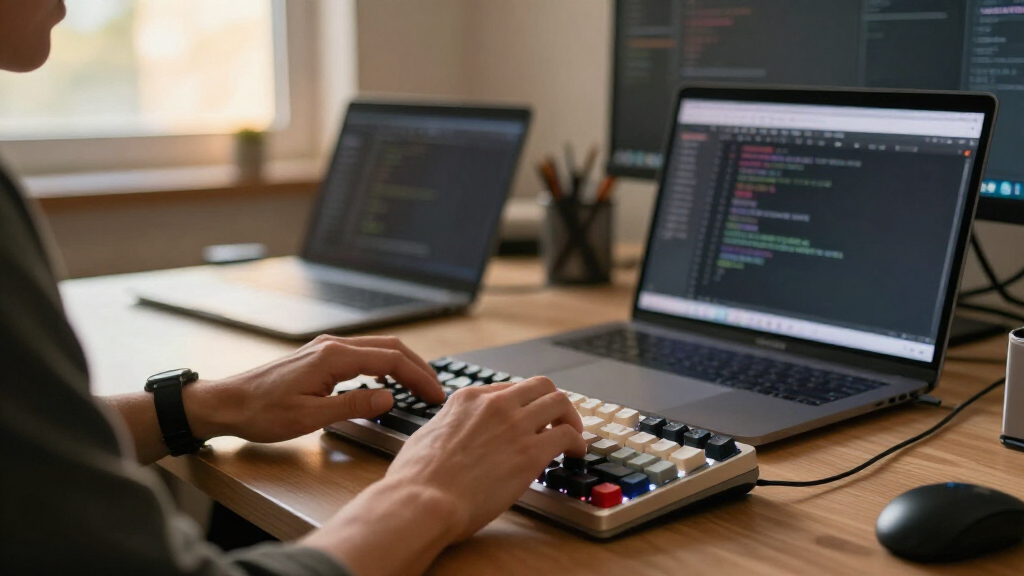
I ranked these mechanical numpads around how well they can support real developer tasks: repeated numeric entry, shortcut access, and a tidy desk beside a primary keyboard. I gave extra weight to programmability, hot-swappable switches, practical layout, connection options, and build, since those factors affect whether a pad can adapt to different applications and habits. I also considered how much added hardware—such as a screen, knob, or expanded key count—could help a workflow rather than simply add complexity.
The order favors a balanced, useful feature set over appearance alone. That puts the Kisnt MF17 first for its QMK/VIA support and switch flexibility, while the YUNZII AL21 and EPOMAKER EK21 appeal to different wireless and build priorities. Models with more keys or controls rank for users who need them, not as automatic upgrades; simpler pads may suit a developer who wants dedicated number entry without configuration. The supplied product details do not establish compatibility or layout behavior across every operating system and application, so I treat those as points to verify before buying.
Factors to Consider When Choosing Mechanical Numpads For Software Developers
A numpad can speed up number-heavy work, but the right choice depends on what you want it to do beside your main keyboard. I recommend deciding how much customization you will actually use, then checking desk fit, connection needs, and the layout you already know.
Choose Programmability for Repeated Shortcuts
QMK/VIA support can turn a numpad into more than a calculator-style cluster: keys may be assigned to application shortcuts, symbols, or alternate layers. That can help when a developer repeats the same commands across an editor, terminal, or data tool. The tradeoff is setup time; customization only pays off if you are willing to configure and maintain it. Before buying, check whether the programming method works with your computer and the software you use. Do not assume that a pad described as programmable supports every remapping method. If you mainly type numbers, a simpler model may be easier to live with.
Match Key Count to the Tasks You Actually Do
A compact number pad keeps its footprint small and makes it easy to move beside a laptop or compact keyboard. More keys can provide room for navigation, extra commands, or dedicated functions, but they also take up more desk space and may require learning a new layout. Screens and knobs add another layer of control, yet they are useful only when their functions fit your routine. Think about whether you reach for navigation keys or application controls often enough to justify the larger unit. A common mistake is choosing the biggest layout for its feature list, then rarely using the additions. Sketching the numpad’s position beside your main keyboard can help reveal whether its size will interfere with mouse movement.
Treat Wireless as a Desk-Setup Choice, Not a Performance Guarantee
Wireless models can reduce cable clutter and make a numpad easier to reposition or store. A wired pad avoids charging and keeps the connection path simple, which may matter when the device stays at one workstation. Compare the specific connection modes and power details rather than relying on the word wireless alone. Also consider whether you will move the numpad between computers, since switching devices can be more important than eliminating a single cable. Check for any host or operating-system limitations before purchase. If you work in a fixed setup and value minimal upkeep, a wired option may be the more practical choice.
Consider Switch Flexibility and Long-Term Maintenance
Hot-swappable sockets can let you change compatible switches without soldering, making them useful for someone who wants to adjust feel or replace a faulty switch. That flexibility is less compelling if the stock switches already suit your typing and you have no interest in modifications. Confirm which switch types and socket formats are supported before buying replacements; hot-swappable does not mean universal compatibility. Mechanical switches can also differ in sound and feel, which matters if the numpad will sit near coworkers or be used during calls. Think about the workspace, not just the sensation of key presses. A simpler fixed configuration may be a better fit if you want fewer parts and less tinkering.
Check Layout, Software, and Application Behavior Before You Commit
Number-pad layouts can vary in key placement and extra functions, so familiarity matters if you enter figures quickly. Programmable layers may behave differently across operating systems or applications, and a key assignment that works in one program may not suit another. Look for clear documentation on remapping, firmware, and supported hosts before relying on a pad for a specialized workflow. If you use keyboard shortcuts heavily, confirm that the numpad can send the combinations you need. Do not judge compatibility from a product name or general claim alone. When details are unclear, a standard layout with well-documented software is often the safer choice.
Pay for Useful Build Features, Not Appearance Alone
Materials, lighting, and styling affect how a numpad fits into a workspace, but they do not automatically improve coding speed. Aluminum construction may appeal if you want a more substantial desk accessory, while RGB or themed designs may be a personal preference rather than a functional advantage. Screens and knobs can be valuable when they control tasks you perform often; otherwise, they add bulk and complexity. Set a priority order before comparing models: workflow support first, then layout and connection, then aesthetics. This helps prevent a polished design from distracting from missing programmability or inconvenient key placement. Paying more makes the most sense when the added feature solves a problem you actually have.
Frequently Asked Questions
Is a programmable numpad worth choosing if I mainly write code?
It can be, if you regularly enter numbers, use repeated shortcuts, or want a dedicated layer for commands and symbols. QMK/VIA support on the Kisnt MF17 and VIA support on the EPOMAKER EK21 make them stronger candidates for that kind of customization than basic number-entry pads. If your coding rarely involves numeric entry and you do not plan to remap keys, the added setup may bring little benefit. Check the supported software and host compatibility before building a workflow around custom mappings. A standard layout may be the better choice when simplicity matters more than shortcuts.
Should I choose a wireless numpad or a wired one for a fixed desk?
For a fixed desk, the choice comes down to whether cable reduction or avoiding charging and wireless setup matters more to you. Wireless models such as the YUNZII AL21 offer more freedom to reposition the pad, while wired options such as the Kisnt MF17 keep the connection straightforward. Verify the connection modes and power details for the exact model rather than assuming every wireless pad behaves alike. If you rarely move the device, a cable may be a small price for a simpler setup. If you switch between work areas, wireless flexibility can be more useful.
Do I need a 30-key or 34-key numpad instead of a compact number pad?
Choose an expanded layout only if the extra keys support tasks you perform regularly, such as navigation or dedicated commands. The Womier SK30 and BOYI TD31Pro add a screen and knob to a 30-key format, while the Kisnt KN34 offers a larger key count without that same described screen-and-knob emphasis. Larger layouts occupy more desk space and can be less familiar than a standard numeric block. Before choosing one, compare its key arrangement with your existing keyboard habits and the space available beside your mouse. If numeric entry is your only need, added controls may be more distraction than help.
What should I verify before buying a numpad for macOS or Linux?
Check the manufacturer’s documentation for operating-system support, remapping software, and any firmware tools required for setup. A product’s programmable label does not by itself confirm that every configuration utility works on macOS or Linux. Also verify how the numpad sends key codes and whether your target applications recognize the functions you plan to assign. For a standard number-entry workflow, basic host support may be enough; custom layers call for closer checks. If compatibility information is missing, favor a model with clear documentation or a simple layout that needs no special software.
Is hot-swappable worth prioritizing if I have never changed mechanical switches?
Hot-swappable sockets are most useful if you expect to experiment with switch feel or want a straightforward way to replace a compatible switch. They are not a requirement for enjoying a mechanical numpad, and the feature does not guarantee that every switch will fit. Confirm socket compatibility and the available replacement options before treating it as a long-term upgrade path. If you are new to mechanical keyboards, start with the stock setup and decide later whether changing switches would solve a real problem. A model with a familiar layout and the right connection may matter more than modification options.
Conclusion
For most developers who want one pad that can adapt to shortcuts and changing workflows, I recommend the Kisnt MF17 as best overall for its QMK/VIA support and hot-swappable switches. My best value-style pick for straightforward numeric entry is the TISHLED 19-Key, which keeps the focus on a compact mechanical pad rather than advanced customization; verify its programming needs against your workflow. For a more substantial wireless desk accessory, the YUNZII AL21 is my premium-leaning choice, while the 8BitDo Retro 18 is a beginner-friendly route for someone who wants a recognizable compact layout without making programmability the main priority. Choose the Womier SK30 or BOYI TD31Pro if a screen and knob fit your routine, and the Kisnt KN34 if you specifically want a larger key count. Before ordering, confirm host compatibility and layout details; the best numpad is the one whose features solve a real desk or coding-workflow need.