
If you’re looking for the best UPS options for your desktop and router in 2026, I recommend the Amazon Basics UPS for basic needs, CyberPower ST425 with solid backup and surge protection, APC BE600M1 for flexibility and wall-mounting, and CyberPower’s 1500VA system for higher capacity and advanced features. These models balance capacity, reliability, and management features. Keep these in mind, and you’ll discover more ways to safeguard your devices effectively.
Key Takeaways
- Consider UPS models with adequate capacity (400VA to 1500VA) for reliable backup of desktops and routers.
- Prioritize units with multiple outlets, surge protection, and battery backup for comprehensive device safety.
- Opt for models with user-friendly management features like LCD displays, remote monitoring, and firmware updates.
- Balance budget and features by selecting reliable UPSs that offer longer runtime and better surge protection.
- Ensure compatibility with device plugs and adequate outlet spacing to prevent overloads and facilitate setup.
| Amazon Basics UPS Battery Backup & Surge Protector |  | Compact & Reliable | Capacity: 400VA / 255W | Outlets: 6 outlets (3 surge + 3 backup/surge) | Surge Protection: Yes | VIEW LATEST PRICE | See Our Full Breakdown |
| CyberPower ST425 UPS Battery Backup and Surge Protector |  | Energy Efficient | Capacity: 425VA / 260W | Outlets: 8 outlets (4 backup + surge, 4 surge-only) | Surge Protection: Yes | VIEW LATEST PRICE | See Our Full Breakdown |
| APC BE600M1 UPS Battery Backup & Surge Protector | Versatile & Easy Swap | Capacity: 600VA / 330W | Outlets: 7 outlets (5 backup + surge, 2 surge-only) | Surge Protection: Yes | VIEW LATEST PRICE | See Our Full Breakdown | |
| CyberPower 1500VA LCD UPS System with Outlets |  | Premium Power Management | Capacity: 1500VA / 900W | Outlets: 12 outlets (6 backup + surge, 6 surge-only) | Surge Protection: Yes | VIEW LATEST PRICE | See Our Full Breakdown |
More Details on Our Top Picks
-
B07GZR981Y
Amazon Product B07GZR981Y
As an affiliate, we earn on qualifying purchases.
Amazon Basics UPS Battery Backup & Surge Protector
If you’re looking for a reliable backup that’s perfect for home networks, IoT devices, or entertainment setups, the Amazon Basics UPS Battery Backup & Surge Protector is an excellent choice. It offers a 400VA / 255W capacity, providing about 6 minutes of backup at half load and 1.5 minutes at full load. Its compact design with six outlets—three surge-protected and three with battery backup—keeps your devices protected during outages. The lightweight build, 5-foot cord, and right-angle plug make installation simple. Plus, the surge protection guarantees your electronics stay safe from power spikes, making it a versatile, easy-to-use solution for everyday home use.
- Capacity:400VA / 255W
- Outlets:6 outlets (3 surge + 3 backup/surge)
- Surge Protection:Yes
- Battery Runtime:~6 min (half load)
- Additional Charging Ports:No USB ports
- Display/Monitoring:No
- Additional Feature:Compact, lightweight design
- Additional Feature:5-foot power cord
- Additional Feature:Power management software available
-
B01FWAZEIU
Amazon Product B01FWAZEIU
As an affiliate, we earn on qualifying purchases.
CyberPower ST425 UPS Battery Backup and Surge Protector
The CyberPower ST425 UPS Battery Backup and Surge Protector stands out as an excellent choice for home office setups and entertainment centers that need reliable, energy-efficient power protection. It offers 425VA/260W capacity, perfect for computers, routers, and gaming consoles. With eight outlets—four with battery backup and surge protection, and four surge-only—you get versatility and safety. Its simulated sine wave ensures stable power delivery, while LED indicators keep you informed of status and wiring faults. The GreenPower design reduces energy consumption, and the five-foot cord adds convenience. Plus, the three-year warranty and $75,000 connected equipment guarantee provide peace of mind.
- Capacity:425VA / 260W
- Outlets:8 outlets (4 backup + surge, 4 surge-only)
- Surge Protection:Yes
- Battery Runtime:Not specified
- Additional Charging Ports:No USB ports
- Display/Monitoring:LED indicators
- Additional Feature:Simulated sine wave output
- Additional Feature:Transformer-spaced outlets
- Additional Feature:3-year warranty and $75,000 guarantee
-
B0BCMLLSHL
Amazon Product B0BCMLLSHL
As an affiliate, we earn on qualifying purchases.
APC BE600M1 UPS Battery Backup & Surge Protector
The APC BE600M1 UPS Battery Backup & Surge Protector is an excellent choice for anyone needing reliable power protection for a small desktop setup or router, especially in limited spaces. It offers a 600VA/330W capacity with seven outlets—five with battery backup and surge protection, and two surge-only. Its wall-mountable design makes installation flexible, perfect for tight spots. The UPS features a replaceable battery, ensuring longevity, and includes a dedicated USB port for charging devices. With built-in surge protection and compatibility with PowerChute software, it’s a straightforward, efficient solution for safeguarding your electronics during outages and voltage spikes.
- Capacity:600VA / 330W
- Outlets:7 outlets (5 backup + surge, 2 surge-only)
- Surge Protection:Yes
- Battery Runtime:Not specified
- Additional Charging Ports:Yes (USB port)
- Display/Monitoring:No
- Additional Feature:Wall-mountable design
- Additional Feature:Replaceable battery model
- Additional Feature:USB charging port (1.5A)
CyberPower 1500VA LCD UPS System with Outlets
For those seeking reliable power protection for their desktop and router setup, the CyberPower CP1500AVRLCD3 UPS stands out with its 1500VA capacity and all-inclusive outlet options. It offers 12 outlets—six with battery backup and surge protection, and six surge-only—ensuring ample, flexible connections. The UPS features a multifunction color LCD that provides real-time info on battery status and power conditions, alerting me to potential issues early. Its automatic voltage regulation stabilizes power without draining the battery, extending its lifespan. Plus, it comes with a three-year warranty, a $500,000 equipment guarantee, and free management software, making it a dependable choice for extensive power protection.
- Capacity:1500VA / 900W
- Outlets:12 outlets (6 backup + surge, 6 surge-only)
- Surge Protection:Yes
- Battery Runtime:Not specified
- Additional Charging Ports:Yes (USB-A & USB-C)
- Display/Monitoring:Color LCD panel
- Additional Feature:Automatic Voltage Regulation (AVR)
- Additional Feature:Multifunction color LCD display
- Additional Feature:Multiple USB charging ports
Factors to Consider When Choosing a UPS for Desktop and Router Setup
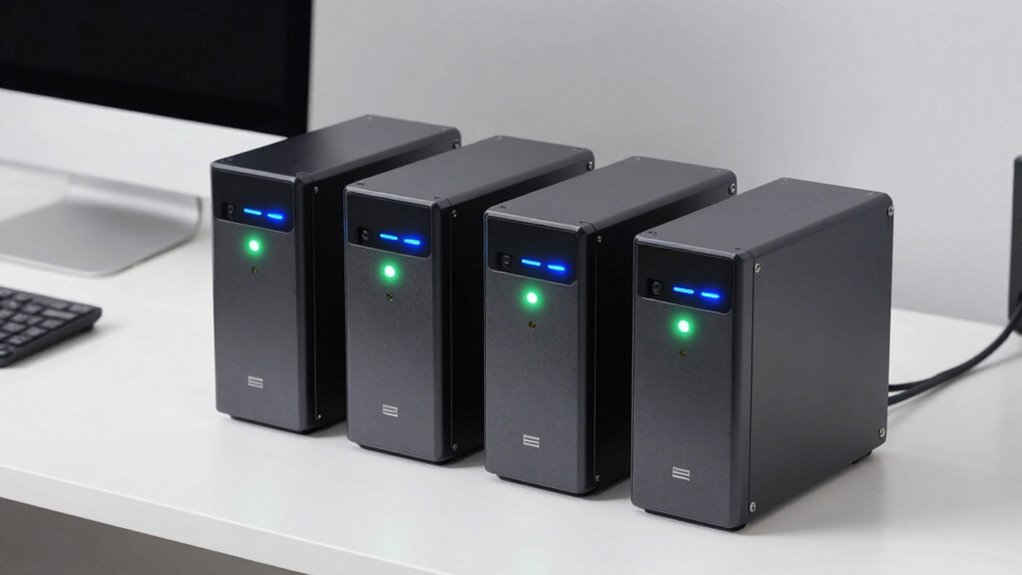
When choosing a UPS for your desktop and router, I consider factors like power capacity to guarantee it can handle your devices’ needs, and outlet compatibility to connect everything properly. I also look at runtime duration, so my setup stays protected during outages, and surge protection features to guard against power spikes. Finally, device management options matter to me for easy control and monitoring of the UPS’s performance.
Power Capacity Needs
Choosing the right UPS starts with understanding your power capacity needs. First, you need to determine the total wattage of your desktop and router to guarantee the UPS can handle the load, ideally with some extra headroom for future devices. A basic setup usually requires at least 400VA/255W, but if you have multiple devices or power-hungry equipment, a larger capacity, like 600VA or more, is advisable. Consider how long you need backup power during outages; higher capacity units provide longer runtime. Remember, it’s best to keep the load below 80% of the UPS’s rated capacity to maximize performance and battery life. Always choose a UPS that exceeds your total wattage to prevent overloads and ensure reliable backup.
Outlet Compatibility
Selecting the right UPS means guaranteeing it has enough outlets to connect all your essential devices, like your desktop and router, without overcrowding. Look for units with multiple surge-protected and battery-backed outlets for flexibility. Make sure the outlets are spaced adequately so larger plugs or power adapters don’t block neighboring outlets. Check that the outlets match your device’s plug type, usually NEMA 5-15R for North American outlets. If you have devices that only need surge protection, consider a UPS with dedicated surge-only outlets. It’s also important to confirm the total outlet capacity can support all your devices simultaneously without overloading the system. Proper outlet compatibility ensures a seamless setup and reliable backup power when you need it most.
Runtime Duration
The runtime duration of a UPS is largely determined by the total power load of the devices connected to it. If your devices draw less power, the UPS can run longer during an outage. A higher VA or wattage capacity generally means a longer backup time, giving you more time to save work or shut down safely. Backup times can vary from just a few seconds to several minutes, depending on the load and capacity. To maximize runtime, only connect essential devices—like your desktop and router—to the battery backup outlets, and move non-critical devices to surge-only outlets. Knowing the combined power consumption of your setup helps you choose a UPS that provides sufficient runtime, ensuring you’re protected when power fails.
Surge Protection Features
Surge protection is essential because power spikes and voltage surges can quickly damage sensitive electronics like your desktop and router. A good UPS should have robust surge protection to guard against these sudden voltage spikes, preventing costly damage. Look for models with a high joule rating, which indicates a greater capacity to absorb energy from surges. Some UPS units offer surge-only outlets, providing protection for less critical devices without backup power, which can be useful. Combining surge protection with filtering reduces electromagnetic interference (EMI) and radio frequency interference (RFI), improving device performance. Properly rated protection ensures your UPS can handle unexpected voltage spikes, maintaining safety and extending the lifespan of your electronics. It’s a critical feature for reliable, long-term setup protection.
Device Management Options
Device management options play a significant role in how effectively you can oversee and control your UPS setup. They include physical ports like USB or data connections that allow remote monitoring and control. Some UPS systems support dedicated software, offering real-time status updates, battery health info, and automatic shutdown features. Management features often include firmware updates, event logs, and customizable alert notifications, helping guarantee your device operates smoothly. Outlets with individual control let you selectively power off connected devices, saving energy or protecting against surges. Advanced UPS units even have network management capabilities, enabling centralized monitoring and control over multiple devices. These options give you better insight, flexibility, and peace of mind, making device management a vital factor in choosing the right UPS for your desktop and router setup.
Budget Considerations
Choosing a UPS that fits your budget requires balancing what you can afford with the power and features you need to protect your desktop and router effectively. Setting a budget helps narrow down options by defining the maximum capacity and features you can get within your price range. Cheaper UPS units often have limited runtime and fewer outlets, which might not be enough during extended outages. On the other hand, higher-priced models usually offer longer backup times, more outlets, and advanced features like software management. Don’t forget to take into account the total cost of ownership, including replacement batteries and maintenance expenses over time. By balancing your budget with your device’s power needs, you’ll select a UPS that provides reliable protection without overspending.
Frequently Asked Questions
How Long Does Each UPS Provide Backup Power During an Outage?
The backup time for each UPS varies depending on its capacity and the load connected. Generally, smaller units last about 5-10 minutes, enough to save work and shut down safely. Larger models can provide power for 30 minutes or more, giving you extra time during outages. I recommend checking the specific runtime details for each UPS, as they’re usually listed in the product specs, ensuring it meets your needs.
Can These UPS Units Support Gaming or High-Performance PCS?
Yes, many UPS units can support gaming or high-performance PCs, but it depends on their wattage and capacity. I recommend choosing a UPS with a high VA and watt rating to handle the power draw of your gaming rig or high-end PC. This guarantees your system stays protected during outages without shutting down unexpectedly. Always check the specifications to match your PC’s power needs for peak performance and safety.
What Is the Typical Lifespan of a UPS Battery?
A UPS battery typically lasts 3 to 5 years, but this can vary based on usage, environment, and maintenance. I’ve noticed that batteries tend to degrade faster if they’re exposed to high temperatures or frequent power surges. Regularly testing your UPS, keeping it in a cool, dry place, and replacing the battery when needed can extend its lifespan. Staying proactive helps make certain your setup stays protected when you need it most.
Are These UPS Units Compatible With Smart Home Setups?
Yes, many UPS units are compatible with smart home setups. I’ve found that models with USB or Ethernet ports can integrate easily with home automation systems, allowing you to monitor battery status and control power remotely. Just make certain the UPS you choose supports your specific smart home platform. I recommend checking compatibility details to ensure seamless integration and reliable backup power for your devices.
How Often Should I Perform Maintenance or Battery Replacements?
They say, “prevention is better than cure,” and that’s true here. I recommend checking your UPS batteries every 6 to 12 months, especially if you notice longer shutdown times. Replace batteries every 3 to 5 years, or sooner if they show signs of wear or fail a load test. Regular maintenance keeps your setup safe and reliable, ensuring your devices stay protected during power fluctuations.
Conclusion
After exploring these top UPS options, I realize how essential it is to choose the right power backup for my setup. Just last month, a sudden blackout caused my work to halt—reminding me how a reliable UPS can be a game changer. Whether it’s the Amazon Basics or CyberPower, having that extra peace of mind makes all the difference. I hope you find the perfect fit—because sometimes, a little backup is all it takes to keep everything running smoothly.