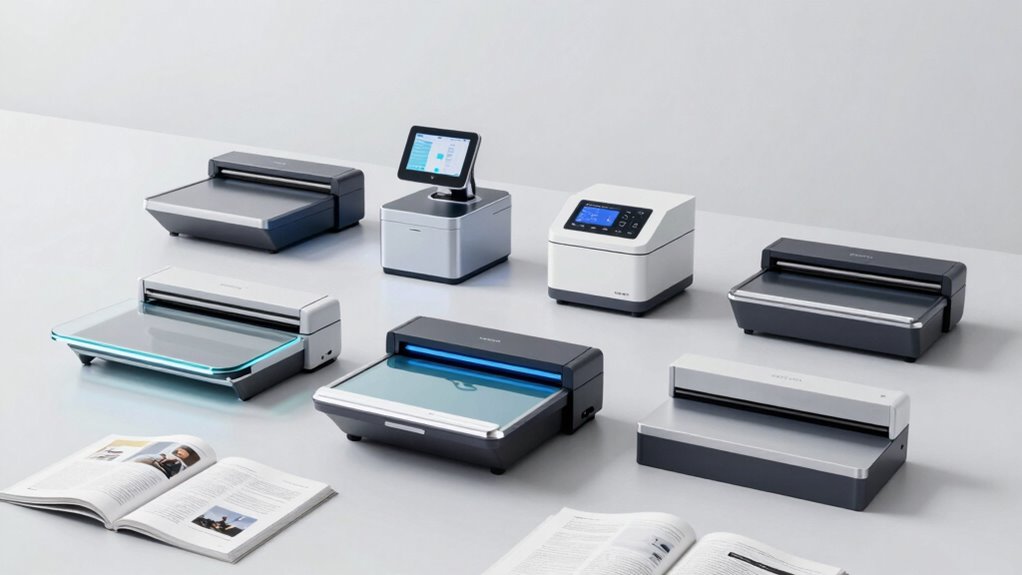

Finding the right scanner for research articles and books involves balancing image quality, speed, and ease of use. The CZUR Aura Pro stands out as the best overall due to its high-resolution scans and user-friendly interface, making it ideal for detailed research work. The IRIScan Book 7 offers excellent portability and wireless operation for those who need mobility, while the ScanSnap SV600 provides overhead scanning with fast processing for bulk projects. Buyers often face tough choices between high-end features and budget-friendly options. Continue reading for a detailed comparison to help you pick the perfect match for your research needs.
Open a free Amazon Business account
Business pricing, bulk buying and tax-exempt orders.
Create a free accountAs an affiliate, we earn on qualifying purchases.
Key Takeaways
- High-resolution document cameras like the CZUR ET MAX excel at detailed scanning but come at a higher cost.
- Portability and wireless features are key for researchers on the move, making handheld models like the IRIScan Book 7 appealing.
- Overhead scanners such as the ScanSnap SV600 offer fast, hands-free scanning, suitable for large volumes of research materials.
- The best value often comes from models that balance quality and price, like the CZUR Shine Ultra.
- Choosing the right scanner depends heavily on whether portability, image quality, or speed is your priority.
| CZUR Aura Pro Book & Document Scanner |  | Best Overall for Speed and Versatility | Compatibility: Mac (Apple Silicon: macOS 13+, Intel: macOS 12+), Windows XP/7/8/10/11 | Scanning Speed: 2 seconds per page | Output Formats: JPG, Word, PDF, Searchable PDF | VIEW ON AMAZON | See Our Full Breakdown |
| Plustek OpticBook 4900 Flatbed Scanner with File Sorting Software |  | Best for Document Management and Collaboration | Model: OpticBook 4900 | Software: BookMaker, eDoc cloud storage | Compatibility: Windows 7/8/10/11, Mac OS X 10.13-14.x | VIEW ON AMAZON | See Our Full Breakdown |
| CZUR ET24 Pro Professional Book Scanner, 24MP Document Camera |  | Best for High-Resolution Large-Format Scans | Camera Resolution: 24MP | DPI: 320 | Maximum Document Size: A3 (16.5” x 11.7”) | VIEW ON AMAZON | See Our Full Breakdown |
| CZUR ET MAX Professional Book & Document Scanner, 38MP Document Camera |  | Best for Ultra-High-Resolution Professional Scanning | Scanner Type: Book, Document | Resolution: 7168 × 5376 | Color Depth: 24 bits per pixel | VIEW ON AMAZON | See Our Full Breakdown |
| IRIScan Book 7 White Portable Wireless Handheld Scanner with 1050 DPI, SD Card, OCR, Compatible with Windows and Mac |  | Best Portable Scanner for On-the-Go High-Resolution Scanning | Resolution: 300/600/1050 DPI | Battery: 900mAh Lithium-ion Polymer | Scanning Speed: 4 sec at 300 DPI, 7 sec at 600 DPI, 11 sec at 1050 DPI | VIEW ON AMAZON | See Our Full Breakdown |
| ScanSnap SV600 Overhead Book and Document Scanner, Black |  | Best for Hands-Free, Damage-Free Book Digitization | Color: Black | Functionality: Overhead book and document scanning | Features: Multi Document Detection, Auto Book Correction, Page Turning Detection, Time Mode | VIEW ON AMAZON | See Our Full Breakdown |
| CZUR Shine Ultra Smart Portable Document Scanner |  | Best for Portable, High-Resolution Document Scanning | Compatibility: Windows XP/7/8/10/11, macOS 10.13 or later | Document Size: A3, A4 | Scanning Speed: about 1 second per page | VIEW ON AMAZON | See Our Full Breakdown |
| scanner for research articles and book | Compatibility | Scanning Speed |
|---|---|---|
| CZUR Aura Pro Book & Document | Mac (Apple Silicon: macOS 13+, Intel: macOS 12+), Windows XP/7/8/10/11 | 2 seconds per page |
| Plustek OpticBook 4900 Flatbed | Windows 7/8/10/11, Mac OS X 10.13-14.x | Not specified |
| CZUR ET24 Pro Professional Boo | — | — |
| CZUR ET MAX Professional Book | — | — |
| IRIScan Book 7 White Portable | Windows and Mac | 4 sec at 300 DPI, 7 sec at 600 DPI, 11 sec at 1050 DPI |
| ScanSnap SV600 Overhead Book a | — | — |
| CZUR Shine Ultra Smart Portabl | Windows XP/7/8/10/11, macOS 10.13 or later | about 1 second per page |
More Details on Our Top Picks
CZUR Aura Pro Book & Document Scanner
The CZUR Aura Pro stands out for its lightning-fast 2-second per page scanning speed, making it an excellent choice for those who need quick digitization of large volumes of research articles and books. Its support for multiple output formats, including searchable PDFs, and advanced features like AI image processing and curved page flattening, set it apart from more basic models like the IRIScan Book 7. However, its OCR lacks support for certain languages such as Thai and Hebrew, and it requires app control for lighting adjustments, which could be a hassle for some users. Compared with the Plustek OpticBook 4900, this scanner offers faster speeds but less flexibility in software management. Its compatibility is limited to Mac and Windows, which could be restrictive for some workflows.
Pros:- Fast scanning speed of 2 seconds per page
- Supports multiple output formats including searchable PDFs
- Advanced lighting and flattening technology for high-quality scans
- AI-powered image processing for smarter operation
Cons:- OCR does not support Thai, Hebrew, and Arabic languages
- Requires app control for lighting adjustments
- Limited to specific operating systems (Mac and Windows)
Best for: Researchers and librarians who need rapid, multi-format scans of diverse documents with minimal manual intervention.
Not ideal for: Users needing multilingual OCR support for languages like Thai or Hebrew, or those working on Linux systems without additional configuration.
- Compatibility:Mac (Apple Silicon: macOS 13+, Intel: macOS 12+), Windows XP/7/8/10/11
- Scanning Speed:2 seconds per page
- Output Formats:JPG, Word, PDF, Searchable PDF
- OCR Languages:180+ languages (Thai, Hebrew, Arabic not supported)
- Lighting:32 LED + 2 supplemental side lights with 4 color temperature settings
- Special Features:Flattening curved pages with laser lines, AI image processing, glare-free lighting
Our verdict“This scanner is ideal for fast-paced research environments where speed and multi-format output are priorities, but it sacrifices some language support and system flexibility.”
Plustek OpticBook 4900 Flatbed Scanner with File Sorting Software
The Plustek OpticBook 4900 makes the list for its dedicated software bundle, including BookMaker and cloud storage options, which facilitate organized research workflows. Its high-accuracy OCR supports editable, searchable documents, making it well-suited for managing large collections of research articles and notes. Unlike the CZUR Aura Pro, it emphasizes document organization and collaboration, but it lacks details about scanning speed and resolution, which could affect efficiency. Its compatibility with both Windows and Mac broadens its appeal, yet the need for registration and cloud setup might hinder quick use for some users. If you prioritize software integration over raw speed or high-resolution capture, this model fits well into a professional research setting.
Pros:- Includes dedicated document management software
- High-accuracy OCR for searchable, editable files
- Supports collaboration with free cloud storage
- Compatible with Windows and Mac
Cons:- Requires registration for cloud services
- Limited details about resolution and speed
- No mention of advanced flattening or high-speed scanning
Best for: Academics and research teams managing large document libraries who need organized, searchable files with cloud collaboration.
Not ideal for: Users requiring fast bulk scanning or high-resolution images without a focus on software features, or those on unsupported OS versions.
- Model:OpticBook 4900
- Software:BookMaker, eDoc cloud storage
- Compatibility:Windows 7/8/10/11, Mac OS X 10.13-14.x
- Features:AI Text Recognition, OCR, Page-tagging, Note-taking
- Resolution:Not specified
- Scanning Speed:Not specified
Our verdict“Best suited for research professionals seeking organized digital archives with integrated collaboration tools, though it offers less speed and resolution focus.”
CZUR ET24 Pro Professional Book Scanner, 24MP Document Camera
The CZUR ET24 Pro is tailored for those who need detailed, high-resolution images, thanks to its 24MP camera and 320 DPI support. Its real-time preview and adjustable lighting help optimize scans of books, artwork, or fragile documents. Compared with the CZUR Aura Pro, this model offers superior image quality and larger document support, but it might be less efficient for bulk scanning due to its focus on high detail rather than speed. It supports macOS, Windows, and Linux, broadening its usability, but its OCR language support remains limited to 180 languages, excluding some less common scripts. Use this if your research involves detailed images or artwork where clarity outweighs scanning speed.
Pros:- High-resolution 24MP camera for detailed images
- Supports large A3 documents
- Real-time preview with adjustable lighting
- Compatible with macOS, Windows, and Linux
Cons:- Less suitable for high-volume bulk scanning
- Limited OCR language support for some scripts
- Requires system setup for optimal performance
Best for: Researchers and archivists digitizing fragile, detailed, or high-resolution materials like artwork, maps, or rare books.
Not ideal for: Users prioritizing rapid bulk scanning or working primarily with languages not supported by its OCR.
- Camera Resolution:24MP
- DPI:320
- Maximum Document Size:A3 (16.5” x 11.7”)
- Supported Systems:macOS 10.13+, Windows XP/7/8/10/11, Linux Ubuntu 20.04-24.04
- Connectivity:HDMI
- Lighting:2 Side Lights and 1 Head Light
Our verdict“Ideal for detailed, high-quality scans of fragile or large-format materials, but less suited to fast, bulk digitization projects.”
CZUR ET MAX Professional Book & Document Scanner, 38MP Document Camera
The CZUR ET MAX offers an exceptional 38MP CMOS sensor, delivering ultra-detailed images up to 7168 × 5376 pixels. Its patented curve-flattening technology and rapid 1.5-second scan speed make it a standout for professional archives or bulk digitization requiring the finest detail. Unlike smaller sensors, its high resolution captures intricate textures, which benefits researchers working with high-quality images or detailed maps. It supports multiple operating systems, including Linux, providing flexibility. However, its high resolution and advanced features come with a significant price tag and potential overkill for tasks that don’t require such detail. It’s best for users who demand the highest possible image quality for research materials demanding fine detail.
Pros:- High-resolution 38MP sensor for ultra-detailed images
- Fast scanning speed of 1.5 seconds per page
- Supports multiple OS including Linux
- Patented curve-flattening technology enhances scan quality
Cons:- High cost and potentially over-specified for casual use
- Limited suitability for glossy or reflective materials
- Complex system setup for optimal performance
Best for: Professional archivists and researchers digitizing high-resolution images, artwork, or detailed documents where maximum clarity is essential.
Not ideal for: Those needing fast, volume-focused scanning or working with glossy, reflective surfaces that might hinder image quality.
- Scanner Type:Book, Document
- Resolution:7168 × 5376
- Color Depth:24 bits per pixel
- Optical Sensor Technology:CMOS
- Maximum Document Size:A3 (16.5” × 11.7”)
- Light Source Type:LED
Our verdict“Perfect for high-precision, professional digitization where maximum detail, speed, and system flexibility justify the investment.”
IRIScan Book 7 White Portable Wireless Handheld Scanner with 1050 DPI, SD Card, OCR, Compatible with Windows and Mac
The IRIScan Book 7 excels in portability, offering up to 1050 DPI resolution in a compact, battery-powered design. Its ability to quickly scan documents and photos on the move makes it a favorite among field researchers, students, or travelers. While it doesn’t support Wi-Fi, its USB-C connection and SD card support facilitate easy transfer of high-res files. Compared with the CZUR Aura Pro, this model favors mobility over bulk scanning speed, with scan times of 4-11 seconds depending on resolution. Its OCR software enhances productivity by enabling quick conversion into editable documents, but limited battery capacity and the absence of wireless transfer options could be limiting for intensive use. This is best suited for those needing high-res scans in flexible, mobile settings.
Pros:- High-resolution scanning up to 1050 DPI
- Portable and lightweight design
- Supports SD card storage and USB-C transfer
- Includes OCR and PDF editing software
Cons:- No Wi-Fi connectivity support
- Limited battery capacity for prolonged use
- Requires MicroSD card for storage
Best for: Field researchers, students, or professionals needing quick, high-res scans while traveling or working remotely, with minimal setup.
Not ideal for: Users requiring wireless connectivity or extensive scanning sessions without frequent recharging, or those working primarily from a desktop environment.
- Resolution:300/600/1050 DPI
- Battery:900mAh Lithium-ion Polymer
- Scanning Speed:4 sec at 300 DPI, 7 sec at 600 DPI, 11 sec at 1050 DPI
- File Formats:JPEG, PDF
- Display:1.5” Color LCD
- Compatibility:Windows and Mac
Our verdict“A strong choice for mobile professionals who need high-resolution scans without sacrificing portability, though it lacks wireless features for seamless transfer.”
ScanSnap SV600 Overhead Book and Document Scanner, Black
The ScanSnap SV600 stands out for its ability to scan books and delicate documents without damaging their spines, making it ideal for archival projects. Compared with the CZUR Shine Ultra, it offers a more sophisticated overhead scanning experience with multi-document detection and auto book correction, though it involves a more complex setup. Its design is less portable and more expensive, which might deter casual users or those needing quick, on-the-go scans. This model excels when accuracy and gentle handling matter most, but may be overkill for informal or occasional scanning tasks.
Pros:- Allows scanning without damaging books or documents
- Automatically detects and crops multiple items in one scan
- Corrects page curvature for clear images
Cons:- May require setup and calibration for optimal use
- Limited to overhead scanning, not portable
- Potentially expensive for casual users
Best for: Researchers and librarians needing high-quality, damage-free digitization of fragile books and archival materials
Not ideal for: Casual users or students who prefer portable, quick scans and are less concerned with protecting delicate items
- Color:Black
- Functionality:Overhead book and document scanning
- Features:Multi Document Detection, Auto Book Correction, Page Turning Detection, Time Mode
Our verdict“This scanner suits those prioritizing gentle, precise digitization of valuable or fragile books over portability and immediate ease of use.”
CZUR Shine Ultra Smart Portable Document Scanner
The CZUR Shine Ultra makes a compelling case for users needing a versatile, portable scanner capable of high-resolution imaging and quick turnaround. Its 13MP camera and AI-powered auto cropping outperform the more static overhead scans of the SV600, especially when mobility is critical. However, compared to the SV600, it is less suited for fragile or thick books, and its OCR support omits several languages like Thai and Arabic, which could limit international research. Its foldable, lightweight design makes it perfect for fieldwork or multiple locations, but it sacrifices some depth handling capabilities.
Pros:- Fast scanning speed of about 1 second per page
- High-resolution 13MP camera with AI features
- Compatible with Windows and macOS, suitable for flat papers and thin books
- Lightweight and foldable for portability
Cons:- Not compatible with Android and iOS devices
- Limited support for thicker books
- OCR language support excludes some scripts like Thai and Arabic
Best for: Academic researchers or professionals who need fast, high-quality scans on the move, especially of flat papers and thin books
Not ideal for: Users working with thick or hardcover books, or those requiring extensive OCR language support for complex scripts
- Compatibility:Windows XP/7/8/10/11, macOS 10.13 or later
- Document Size:A3, A4
- Scanning Speed:about 1 second per page
- Camera Resolution:13MP (4160*3120)
- Weight:4 lbs
- Height Adjustment:2-level adjustable neck
Our verdict“This scanner is ideal for mobile professionals needing quick, high-res scans of flat documents and thin books, but less so for thick or complex texts.”
How We Picked
The products in this roundup were evaluated based on a combination of image resolution, scanning speed, ease of use, build quality, and compatibility with different devices. We prioritized models that are specifically designed for documents and books, considering the typical needs of research professionals and students. Additional factors included portability for mobile use, software features such as OCR, and overall value for their price points. The ranking reflects a balance between advanced features for serious research and practical, user-friendly options for everyday use.| scanner for research articles and book | Compatibility |
|---|---|
| CZUR Aura Pro Book & Document | Mac (Apple Silicon: macOS 13+, Intel: macOS 12+), Windows XP/7/8/10/11 |
| Plustek OpticBook 4900 Flatbed | Windows 7/8/10/11, Mac OS X 10.13-14.x |
| CZUR ET24 Pro Professional Boo | — |
| CZUR ET MAX Professional Book | — |
| IRIScan Book 7 White Portable | Windows and Mac |
| ScanSnap SV600 Overhead Book a | — |
| CZUR Shine Ultra Smart Portabl | Windows XP/7/8/10/11, macOS 10.13 or later |
Factors to Consider When Choosing Scanner For Research Articles And Books
Choosing the right scanner for research articles and books involves understanding several key factors. It’s important to consider the type of documents you’ll scan most often, whether portability is essential, and what image quality level you need. Additional considerations include software compatibility, ease of setup, and future-proof features like OCR. Understanding these factors helps prevent common pitfalls, such as overpaying for unnecessary features or selecting a model that can’t handle your typical workload.Image Resolution and Quality
For research purposes, high image resolution is vital to capture fine details in text and illustrations. Look for scanners with at least 1050 DPI, especially if you need to digitize detailed diagrams or small print. Cheaper models may save money upfront but often sacrifice clarity, leading to less effective OCR processing and harder-to-read digital copies. Balance your need for quality with your budget, but prioritize resolution if your research relies heavily on visual fidelity.
Portability and Size
If you frequently travel or work in multiple locations, a portable scanner becomes essential. Handheld and compact models tend to be lighter and easier to carry but might compromise in scan speed or quality. Overhead scanners are bulkier but often provide faster, more consistent results, making them better suited for a dedicated workspace. Consider your typical workflow to determine whether portability or a larger, stationary unit makes more sense.
Speed and Efficiency
Scanning large volumes of research articles or books calls for models with quick processing times. Overhead scanners like the ScanSnap SV600 excel in this area, offering fast, batch scanning capabilities. Handheld and portable models may require more manual effort and time per scan, which can become tedious for extensive projects. Think about your typical workload—speed can significantly influence productivity.
Software and OCR Capabilities
Effective OCR (Optical Character Recognition) software transforms images into editable text, a crucial feature for research. Ensure the scanner comes with compatible OCR tools that support your preferred formats and languages. Some models include built-in or bundled software, reducing the need for third-party solutions. Compatibility with Windows and Mac can also influence your choice, especially if you work across different devices.
Price and Overall Value
While high-end scanners offer advanced features, they often come at premium prices. Conversely, budget models may lack key functionalities, leading to frustration or additional purchases later. Focus on finding a model that offers the best combination of quality, features, and price for your specific needs. Sometimes investing a bit more upfront pays off in durability and efficiency, especially for frequent use.
Frequently Asked Questions
Can these scanners handle thick books without damaging them?
Overhead scanners like the ScanSnap SV600 and CZUR models are designed to gently handle books, often with adjustable height and good lighting to avoid damaging pages. However, for very fragile or rare books, a flatbed scanner with a glass surface might be gentler, though it requires manual page turning. Always check the scanner’s specifications and recommended usage to ensure it suits your delicate materials.
Is OCR software included, or do I need to buy it separately?
Many of these scanners come with built-in OCR software or bundled solutions, making it simpler to convert scans into editable text. For example, the IRIScan Book 7 includes OCR features, while some CZUR models also offer integrated OCR. In cases where software isn’t included, there are reliable third-party OCR programs available, but these may add to the overall cost and setup complexity.
Which scanner is best for scanning multiple research articles quickly?
Overhead scanners like the ScanSnap SV600 are typically better suited for rapid batch scanning of multiple pages or articles, thanks to their hands-free operation and fast processing speeds. Portable or handheld models tend to require more manual effort, making them less ideal for large document sets. For high-volume needs, investing in a dedicated overhead scanner is usually the most efficient choice.
How important is resolution if I mainly scan text-heavy documents?
While lower resolutions like 300-600 DPI might suffice for plain text, higher resolutions—around 1050 DPI or more—are recommended for detailed graphs, small fonts, or annotations. Higher resolution also improves OCR accuracy, reducing errors and making text easier to read digitally. However, higher DPI scans generally take more storage space and longer to process, so consider your specific needs carefully.
Are portable scanners reliable enough for professional research use?
Portable scanners like the IRIScan Book 7 are suitable for on-the-go research, especially when mobility is a priority. While they may not match the speed or resolution of larger, dedicated models, many offer sufficient quality for most research tasks. For critical projects requiring high accuracy or large volumes, a more robust, stationary scanner might be preferable, but portable options can be highly effective for fieldwork or quick digitization.
Conclusion
For those seeking a versatile, high-quality scanner that handles detailed research documents, the CZUR Aura Pro offers excellent overall performance. Budget-conscious users or students may prefer the IRIScan Book 7 for portability and affordability. Researchers working with large volumes or needing fast results should consider the ScanSnap SV600. Beginners or casual users will find the CZUR Shine Ultra straightforward and reliable. Ultimately, your choice depends on balancing image quality, portability, speed, and budget based on your specific research needs.Flea & tick season Picks
flea and tick prevention
As an affiliate, we earn on qualifying purchases.