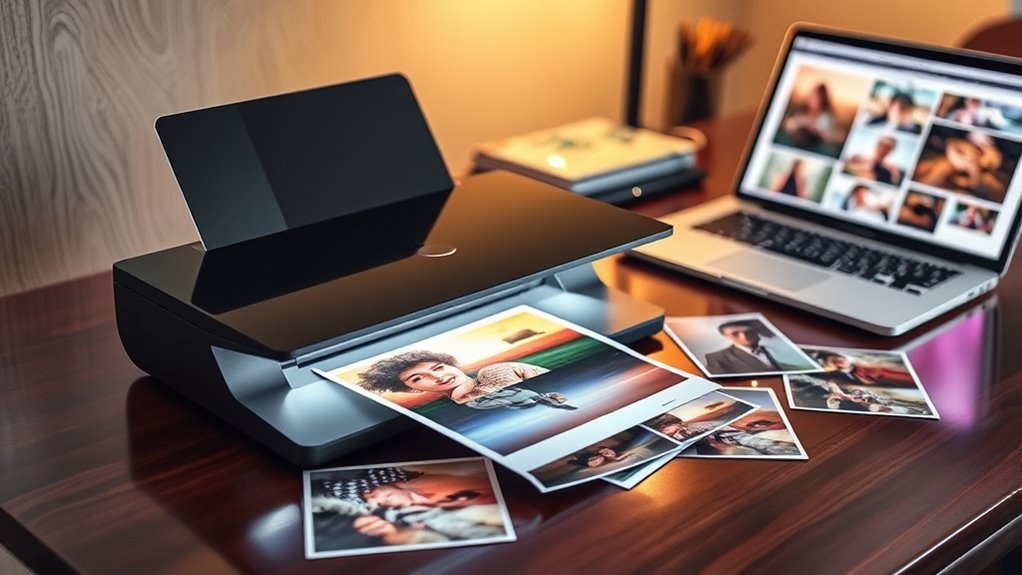

Searching for the best photo scanners in 2026? Whether digitizing vintage prints, slides, or negatives, the right scanner can make all the difference. The Epson Perfection V39 II stands out as the overall top pick for its balance of quality and affordability. The Canon CanoScan LiDE 400 offers a sleek, space-saving design, ideal for casual users. Meanwhile, high-end options like the Epson Perfection V850 Pro cater to professionals needing the highest resolution and color accuracy. The main tradeoffs involve balancing scan quality, speed, ease of use, and price. Continue reading for a detailed breakdown to find your best fit.

Get business pricing on monitors, keyboards and dev gear
- Business-only prices and quantity discounts
- Tax-exempt purchasing
- Multiple users, one account, clear invoices
Key Takeaways
- High-resolution scanners like the Epson Perfection V850 Pro provide detailed, professional-grade images but come with a higher price tag.
- Portability is a key factor for users needing on-the-go scanning, with compact models like the Epson Perfection V19 II excelling in this area.
- Speed varies significantly, with high-speed models like the Epson FastFoto FF-680W suited for large batch digitization tasks.
- Ease of use and connectivity options, such as wireless or USB, influence user experience and setup simplicity.
- Budget-friendly options like the Canon CanoScan LiDE 300 deliver decent quality at a lower price, but may lack advanced features.
| Epson Perfection V39 II Flatbed Photo Scanner 4800 dpi |  | Best Overall for Home Use | Optical Resolution: 4800 dpi | Connectivity: USB-powered | Removable Lid: Yes | VIEW ON AMAZON | See Our Full Breakdown |
| Canon CanoScan LiDE 400 Slim Scanner |  | Best for Speed and Ease of Use | Dimensions: 7.7″ x 14.5″ x 0.4″ | Resolution: 4800 x 4800 dpi | Paper Size: 8.27 x 11.69 inches | VIEW ON AMAZON | See Our Full Breakdown |
| Photo, Slide & Negative Scanner with 5” Large Screen |  | Best for Standalone Family Archiving | Screen Size: 5 inches | Supported Formats: 35mm slides, negatives, printed photos | Connectivity: SD card, USB | VIEW ON AMAZON | See Our Full Breakdown |
| Plustek Photo Scanner ePhoto Z300 |  | Best for Speed and Volume | Supported Photo Sizes: 3×5, 4×6, 5×7, 8×10 inches | Maximum Resolution: 600 dpi | Scan Speed: 2 seconds for 4×6 at 300 dpi | VIEW ON AMAZON | See Our Full Breakdown |
| ScanSnap iX2500 Photo Edition Wireless and USB High-Speed Scanner, Black |  | Best for Speed and Connectivity | Scanner Type: Document, ID, photo | Connection Type: USB, Wi-Fi | Resolution: 600 dpi | VIEW ON AMAZON | See Our Full Breakdown |
| HP Small USB Document & Photo Scanner for Portable 1-Sided Sheetfed Digital Scanning, Model HPPS100 |  | Best for On-the-Go Scanning and Portability | Scanner Type: Document, Business Card, Driving License, Embossed Card, Envelop, ID Card, Insurance Card, Photo, Receipt, Text | Connection Type: USB | Resolution: 300 dpi | VIEW ON AMAZON | See Our Full Breakdown |
| Epson Perfection V850 Pro Photo Scanner, 6400 dpi, Dual Lens, Digital ICE |  | Best for Professional-Grade Photo Restoration | Resolution: 6400 dpi | Lens System: Dual lens | Operating Systems: Windows 8.1, 8, 7, Vista, XP, Mac OS X 10.6.X to 10.10.X | VIEW ON AMAZON | See Our Full Breakdown |
| Canon imageFORMULA RS40 Photo and Document Scanner |  | Best for Fast Batch Digitization of Photos and Documents | Scanner Type: Document scanner, photo scanner | Connection Type: USB | Resolution: 150/200/300/400/600/1200 dpi | VIEW ON AMAZON | See Our Full Breakdown |
| Epson Perfection V19 II Flatbed Photo Scanner 4800 dpi |  | Best for Compact High-Quality Photo Scanning | Optical Resolution: 4800 dpi | Weight: 3.1 lbs | Connectivity: USB | VIEW ON AMAZON | See Our Full Breakdown |
| Epson FastFoto FF-680W High-Speed Duplex Photo and Document Scanner |  | Best for Rapid Batch Photo and Document Archiving | Scan Speed: 1 photo per second | Max Photo Size: 8 x 10 inches | DPI Options: 300, 600, 1200 dpi | VIEW ON AMAZON | See Our Full Breakdown |
| Canon CanoScan LiDE 300 Scanner |  | Best Compact & Easy-to-Use Photo Scanner | Scanner Type: Document, Photo | Connectivity: USB | Resolution: 2400 x 2400 dpi | VIEW ON AMAZON | See Our Full Breakdown |
| AMBIR Photo Scanner with Photo Cleaning Kit Bundle |  | Best for Archival Quality and Delicate Photos | Photo Sizes Supported: 3×5, 4×6, 5×7, 8×10, 1×1, panoramic up to 12″ | Resolution: 300/600 DPI | Connectivity: USB | VIEW ON AMAZON | See Our Full Breakdown |
| ScanSnap iX2500 Wireless and USB Document Scanner, Black |  | Best for High-Speed Multi-Page Document Management | Connectivity: Wi-Fi 6, USB-C | Scan Speed: 45 pages per minute | Document Capacity: 100 sheets | VIEW ON AMAZON | See Our Full Breakdown |
| Epson Perfection V600 Photo Scanner – 6400 x 9600 dpi, Flatbed, USB Connectivity |  | Best for High-Resolution Photo and Film Restoration | Scanner Type: Flatbed color image scanner | Optical Resolution: 6400 dpi | Maximum Resolution: 12,800 x 12,800 dpi | VIEW ON AMAZON | See Our Full Breakdown |
| Epson WorkForce ES-50 Compact & Lightweight Mobile Document Scanner |  | Best for Portable, On-the-Go Scanning | Compatibility: Windows and Mac | Scan Speed: 5.5 seconds per page | Maximum Document Size: 8.5 x 72 inches | VIEW ON AMAZON | See Our Full Breakdown |
| photo scanner | Connectivity |
|---|---|
| Epson Perfection V39 II Flatbe | USB-powered |
| Canon CanoScan LiDE 400 Slim S | — |
| Photo | SD card, USB |
| Plustek Photo Scanner ePhoto Z | — |
| ScanSnap iX2500 Photo Edition | — |
| HP Small USB Document & Photo | — |
| Epson Perfection V850 Pro Phot | — |
| Canon imageFORMULA RS40 Photo | — |
| Epson Perfection V19 II Flatbe | USB |
| Epson FastFoto FF-680W High-Sp | USB, Wireless |
| Canon CanoScan LiDE 300 Scanne | USB |
| AMBIR Photo Scanner with Photo | USB |
| ScanSnap iX2500 Wireless and U | Wi-Fi 6, USB-C |
| Epson Perfection V600 Photo Sc | USB 2.0 |
| Epson WorkForce ES-50 Compact | USB 2.0 |
More Details on Our Top Picks
Epson Perfection V39 II Flatbed Photo Scanner 4800 dpi
The Epson Perfection V39 II stands out as the best overall choice for those needing high-resolution photo scans without complexity. Its 4800 dpi optical resolution captures fine details, making it ideal for archiving cherished photos. Compared with the Canon CanoScan LiDE 400, this model offers similar resolution but adds photo restoration features, enhancing old images. However, its reliance on a USB connection and lack of wireless limits flexibility for users wanting a clutter-free setup or multi-device access. Its compact design makes it perfect for home environments, but it’s strictly a flatbed scanner, so it’s not suited for batch scanning or larger volumes.
Pros:- High-resolution 4800 dpi scans preserve fine detail
- Easy one-touch operation with photo restoration
- Compact and lightweight for home use
Cons:- Limited to flatbed scanning, no automatic document feeder
- No wireless connectivity, reliant on USB
Best for: Home users and hobbyists who want detailed scans with minimal fuss.
Not ideal for: Small offices or users needing to scan large volumes quickly, as it lacks a document feeder and wireless options.
- Optical Resolution:4800 dpi
- Connectivity:USB-powered
- Removable Lid:Yes
- Scan Speed:Letter-sized in 10 seconds
Our verdict“This scanner is best for individuals seeking high-quality, detailed photo scans in a simple, space-saving design.”
Canon CanoScan LiDE 400 Slim Scanner
The Canon CanoScan LiDE 400 excels in delivering fast, high-resolution scans with a sleek, lightweight profile. Its 4800 x 4800 dpi resolution rivals the Epson V39 II, but its real advantage lies in speed, completing scans in about 8 seconds per page, making it suitable for quick digitization tasks. The USB Type-C connection simplifies setup and reduces clutter, ideal for modern offices. Unlike the Plustek Z300, which offers dedicated photo sizes and more dedicated features, the LiDE 400 is more generalist, designed for occasional photo or document scans. Its limitations include a lack of an automatic document feeder and less suitability for high-volume scanning, especially for those needing batch processing.
Pros:- Fast scan times of around 8 seconds per page
- High resolution preserves fine detail
- USB Type-C connectivity for modern compatibility
Cons:- Limited to flatbed scanning, no document feeder
- Less suitable for bulk or high-volume scanning
Best for: Photographers or home office users who need quick, high-quality scans with minimal setup effort.
Not ideal for: Users with high-volume scanning needs or those requiring automatic feeders for batch processing.
- Dimensions:7.7″ x 14.5″ x 0.4″
- Resolution:4800 x 4800 dpi
- Paper Size:8.27 x 11.69 inches
- Scan Speed:8 seconds per page
Our verdict“This scanner is ideal for users who prioritize speed and simplicity over batch processing capabilities.”
Photo, Slide & Negative Scanner with 5” Large Screen
This all-in-one photo converter shines in offering a standalone, user-friendly experience, perfect for those digitizing family memories without a computer. Its 5-inch HD LCD screen allows instant preview and editing, making it accessible for users who prefer direct control. While it supports common formats like 35mm slides and negatives, it’s limited to specific media types and lacks advanced editing features found in more sophisticated software. The included accessories and 3-year warranty add value, but the reliance on SD cards and limited format support may hinder versatility compared to multi-purpose flatbed scanners like the Epson V39 II.
Pros:- Large 5-inch HD LCD screen for easy viewing
- Standalone operation, no computer required
- Quick scanning with instant archiving
Cons:- Limited to specific formats and sizes
- No advanced editing or batch processing
Best for: Families and hobbyists wanting an easy, standalone device to archive old photos and negatives.
Not ideal for: Professional photographers or archivists needing extensive editing options or support for varied media formats.
- Screen Size:5 inches
- Supported Formats:35mm slides, negatives, printed photos
- Connectivity:SD card, USB
- Included Storage:8GB SD card
Our verdict“This device is best suited for casual users seeking straightforward, on-the-spot digitization of family photos and negatives.”
Plustek Photo Scanner ePhoto Z300
The Plustek ePhoto Z300 is designed for quick, efficient scanning of multiple photos, making it a strong choice for those with larger collections. Supporting sizes from 3×5 to 8×10 inches, it can scan a 4×6 in just 2 seconds at 300 dpi—far faster than flatbed options like the Epson V39 II. Its 600 dpi resolution is adequate for most casual photo archiving, and the built-in enhancement features help restore old images. However, it’s limited to photos and specific document sizes, requiring software downloads and more setup effort. It’s less flexible for scanning larger or non-standard media compared to flatbed models but excels in speed for standard-sized photos.
Pros:- Very fast scan times, 2 seconds for 4×6 photos
- Supports multiple photo sizes and formats
- Includes image enhancement features
Cons:- Limited to supported photo and document sizes
- Requires software download from website
Best for: Photographers or archivists with large collections needing quick, consistent scans of standard photo sizes.
Not ideal for: Users needing to scan irregular media or large documents, as it’s optimized for standard photo sizes only.
- Supported Photo Sizes:3×5, 4×6, 5×7, 8×10 inches
- Maximum Resolution:600 dpi
- Scan Speed:2 seconds for 4×6 at 300 dpi
- Compatibility:Windows 7/8/10/11, Mac OS X
Our verdict“This scanner fits those prioritizing speed and efficiency for standard photo sizes over versatile media support.”
ScanSnap iX2500 Photo Edition Wireless and USB High-Speed Scanner, Black
The ScanSnap iX2500 Photo Edition combines rapid scanning capabilities with robust wireless features, making it ideal for busy households or small offices. Its ability to handle up to 100 photos per minute, paired with automatic image enhancement, streamlines digitization workflows. The dedicated photo carrier sheets protect delicate prints, and connectivity options include Wi-Fi 6 and USB-C, offering seamless device integration. Compared with the Epson V39 II, which focuses on high resolution and photo editing, the iX2500 emphasizes speed, volume, and wireless convenience. Its weight and price point may be less appealing for casual users or those with minimal scanning needs, but it excels in environments with larger volumes and multi-device use.
Pros:- High-speed scanning of up to 100 photos per minute
- Automatic image enhancement for high-quality results
- Wireless connectivity with Wi-Fi 6 and USB-C
Cons:- Relatively heavy at 7.7 pounds
- Higher cost compared to basic flatbed scanners
Best for: Small offices or active households needing fast, high-volume photo and document digitization with wireless access.
Not ideal for: Individuals seeking a lightweight, budget-friendly scanner for occasional use or detailed photo editing.
- Scanner Type:Document, ID, photo
- Connection Type:USB, Wi-Fi
- Resolution:600 dpi
- Standard Sheet Capacity:100
- Item Dimensions:6.26″D x 11.5″W x 6.34″H
- Item Weight:7.7 pounds
Our verdict“This model is best for users requiring rapid, high-volume scans with seamless wireless and device integration.”
HP Small USB Document & Photo Scanner for Portable 1-Sided Sheetfed Digital Scanning, Model HPPS100
The HPPS100 stands out for its compact, lightweight design, making it perfect for travelers or those who need quick scans outside the office. Compared to larger, more feature-rich scanners like the Epson V850 Pro, it sacrifices duplexing and higher capacity for portability. Its USB-only connection limits flexibility, but its 15 ppm speed and support for multiple media types deliver reliable, straightforward scanning. While it’s ideal for small batches of single-sided documents or photos, it isn’t suited for high-volume or double-sided scanning tasks. This pick makes the most sense for mobile professionals, students, or anyone needing quick, simple scans without bulk.Pros:- Extremely portable and lightweight, perfect for travel
- Fast scanning speed of 15 pages per minute for small batches
- Supports a wide range of media types like receipts, photos, and ID cards
- Simple, user-friendly software with auto-scan options
Cons:- Limited sheet capacity of only 10 pages per batch
- No duplex scanning, restricting efficiency for double-sided documents
- USB-only connection limits wireless flexibility
Best for: Travelers, students, or mobile professionals who need a compact, reliable scanner for occasional single-sided scans.
Not ideal for: Large offices or professional photographers needing high-volume, duplex, or high-resolution scanning, due to its limited capacity and no duplex feature.
- Scanner Type:Document, Business Card, Driving License, Embossed Card, Envelop, ID Card, Insurance Card, Photo, Receipt, Text
- Connection Type:USB
- Resolution:300 dpi
- Color Depth:24 bits
- Standard Sheet Capacity:10
- Media Type:Business Card, Paper, Photo, Receipt
- Item Dimensions:2″D x 11.6″W x 1.4″H
- Item Weight:3 ounces
- Minimum System Requirements:Windows 7
Our verdict“This scanner is ideal for anyone needing quick, portable scans of single-sided items on the go.”
Epson Perfection V850 Pro Photo Scanner, 6400 dpi, Dual Lens, Digital ICE
The Epson V850 Pro is designed for serious photographers and archivists who need top-tier detail and tonal accuracy. Its 6400 dpi resolution and dual lens system enable highly detailed scans, surpassing the Epson V19 II’s 4800 dpi in resolution and quality. The V850 Pro excels in reproducing subtle gradations and shadow details, making it ideal for large-format, high-resolution scans. However, its complex setup and higher price point make it less suitable for casual users or those just needing quick digital copies. Compared to more affordable flatbeds, it offers unmatched detail at the cost of convenience. This model makes the most sense for professionals or dedicated hobbyists focused on archival quality.Pros:- High-resolution 6400 dpi scans for exceptional detail
- Dual lens system optimizes image quality across formats
- Excellent tonal range with smooth gradations for archival quality
- Suitable for large-format and delicate originals
Cons:- High price point makes it less accessible for casual users
- Complex setup requiring technical knowledge
- Lack of wireless connectivity or built-in editing features
Best for: Professional photographers, archivists, or photo restorers demanding maximum detail and tonal range.
Not ideal for: Casual users or those with limited budgets, as its complexity and price may be prohibitive.
- Resolution:6400 dpi
- Lens System:Dual lens
- Operating Systems:Windows 8.1, 8, 7, Vista, XP, Mac OS X 10.6.X to 10.10.X
Our verdict“This scanner is best suited for professionals and serious enthusiasts prioritizing maximum detail and tonal fidelity.”
Canon imageFORMULA RS40 Photo and Document Scanner
The Canon RS40 combines high speed with versatility, supporting up to 40 pages per minute, making it ideal for busy offices or photography workflows. Unlike the slower Epson V19 II, its rapid throughput helps reduce scanning time significantly. It features an automatic feeder capable of handling various media sizes and supports multiple file formats, including photo enhancement and editing software. Yet, its 60-sheet capacity in the feeder and limited resolution of 1200 dpi may fall short for high-detail professional work. Its USB-only connection also rules out wireless convenience. This model makes sense for those who prioritize speed and volume over maximum resolution, such as event photographers or document-heavy offices.Pros:- Fast scanning speed of up to 40 pages per minute
- Supports a variety of media sizes and formats
- Includes software for photo editing and enhancement
- Compatible with Windows and Mac
Cons:- Limited to 60 sheets in the automatic feeder
- No wireless connectivity, only USB
- Maximum resolution of 1200 dpi may be insufficient for high-detail needs
Best for: Small to medium-sized offices or photographers needing quick batch scans of photos and documents daily.
Not ideal for: Professional photo archivists or artists requiring high-resolution, detailed scans, due to its resolution limit and moderate sheet capacity.
- Scanner Type:Document scanner, photo scanner
- Connection Type:USB
- Resolution:150/200/300/400/600/1200 dpi
- Wattage:22 watts
- Standard Sheet Capacity:60
- Sensor Technology:CIS
Our verdict“This scanner offers quick, high-volume scanning perfect for busy environments but falls short on resolution for detailed professional needs.”
Epson Perfection V19 II Flatbed Photo Scanner 4800 dpi
The Epson V19 II offers a straightforward, space-saving solution for high-quality photo and document scans with 4800 dpi resolution. Its flatbed design favors delicate or fragile originals, and features like one-touch scanning, OCR, and color restoration streamline workflow. Compared to the larger V850 Pro, it provides a more accessible option for hobbyists or casual users who want good detail without complexity. However, its lack of wireless features and slower batch speeds make it less suitable for frequent large-volume scans. Its compact size makes it perfect for small offices or home studios needing reliable, high-resolution scans without the fuss of professional-grade equipment.Pros:- High-quality 4800 dpi scans with sharp detail
- Compact and lightweight, easy to store
- One-touch scanning with OCR and color restoration
- Good for fragile or delicate originals
Cons:- Limited to letter-sized documents and photos
- No wireless or Ethernet options
- Slower batch speed compared to larger professional scanners
Best for: Photographers or hobbyists needing reliable, high-resolution scans in a compact form for occasional use.
Not ideal for: High-volume professional archiving or bulk document processing, due to its slower speed and limited capacity.
- Optical Resolution:4800 dpi
- Weight:3.1 lbs
- Connectivity:USB
- Features:One-touch scanning, color restoration, OCR, searchable PDFs
Our verdict“This scanner provides excellent high-resolution scans in a compact package, ideal for occasional use by hobbyists or small studios.”
Epson FastFoto FF-680W High-Speed Duplex Photo and Document Scanner
The Epson FastFoto FF-680W excels in high-speed batch scanning, with the ability to capture one photo per second and scan up to 240 pages at once. Its duplex scanning, combined with auto enhancement and red-eye reduction, makes it ideal for digitizing large collections of old photos or extensive documents quickly. Wireless connectivity and cloud integration streamline sharing and storage, distinguishing it from slower or wired-only models like the Canon RS40. The extensive feature set comes with a higher price tag, which might be too much for casual users or those with infrequent scanning needs. This model makes sense for professional archivists, event photographers, or families digitizing entire photo albums rapidly.Pros:- Extremely fast scanning at one photo per second
- Wireless connectivity and cloud sharing options
- Supports large batches of up to 240 pages
- Auto enhancement features for restoring old photos
Cons:- Expensive for infrequent or casual use
- Complex setup requiring some technical familiarity
- Bulk features may be overkill for small-scale needs
Best for: Professionals or serious hobbyists needing fast, bulk digitization of photos and documents with auto enhancement features.
Not ideal for: Casual users with small scanning needs or those on a tight budget, due to its higher cost and complexity.
- Scan Speed:1 photo per second
- Max Photo Size:8 x 10 inches
- DPI Options:300, 600, 1200 dpi
- Connectivity:USB, Wireless
- Scan Capacity:Up to 240 pages
- Supported Formats:JPEG, TIFF
- Additional Features:Auto enhancement, red-eye reduction, crop, rotate
Our verdict“This scanner is best suited for high-volume, rapid digitization projects where speed and auto-enhancement are priorities.”
Canon CanoScan LiDE 300 Scanner
The Canon CanoScan LiDE 300 excels in simplicity and space-saving design, making it ideal for casual digitization of photos and documents. Compared to the Epson Perfection V600, it offers a lower resolution but benefits from a much smaller footprint and faster, 10-second scans. Its auto-detection and auto-scan mode streamline the process, especially for those who prefer minimal adjustments. However, its single-sheet capacity limits high-volume tasks, and the lack of wireless connectivity reduces flexibility. This pick makes sense for individuals who want quick, high-quality scans without fuss, but it’s less suited for professional archiving or frequent batch scanning.
Pros:- High-resolution scanning at 2400 x 2400 dpi for detailed images
- Fast 10-second scan speed enhances workflow
- Auto Scan Mode simplifies operation for beginners
- Compact and lightweight for easy storage
Cons:- Limited to single-sheet scanning, not suitable for high-volume tasks
- Requires USB connection; no wireless option for convenience
- Basic feature set may not satisfy professional needs
Best for: Casual users or small households needing quick, straightforward photo and document scans
Not ideal for: Photographers or archivists requiring high-resolution, multi-page, or bulk scanning
- Scanner Type:Document, Photo
- Connectivity:USB
- Resolution:2400 x 2400 dpi
- Wattage:4.5 watts
- Color Depth:48 bits
- Sheet Capacity:1
- Light Source:LED
- Dimensions:14.5″D x 9.9″W x 1.7″H
- Weight:3.6 pounds
Our verdict“This scanner is perfect for casual users seeking quick, reliable photo and document scans in a compact form.”
AMBIR Photo Scanner with Photo Cleaning Kit Bundle
The AMBIR Photo Scanner stands out for its focus on preserving delicate and varied-sized photos, with options up to 600 DPI for detailed archival quality. Unlike the ScanSnap iX2500, which is geared toward document processing, the AMBIR specializes solely in photos, including panoramics and small prints, with a handy cleaning kit that helps maintain image quality. Its software compatibility across Mac and PC simplifies editing and organization. The main tradeoff is its lack of wireless connectivity, and its price point may be a consideration for casual users. This device makes the most sense for those prioritizing delicate photo preservation and versatile sizes, rather than bulk document handling.
Pros:- Supports multiple photo sizes, including panoramas
- High-resolution options up to 600 DPI for quality scans
- Includes a cleaning kit to protect delicate prints
- Compatible with both Mac and PC for flexible software use
Cons:- No wireless or Wi-Fi connectivity, tethered via USB
- Limited to photo scanning, not suitable for documents
- Price may be high for casual users with basic needs
Best for: Photographers or family archivists needing to digitize and restore a variety of printed photos
Not ideal for: Users seeking a multi-purpose scanner for both photos and documents or wireless convenience
- Photo Sizes Supported:3×5, 4×6, 5×7, 8×10, 1×1, panoramic up to 12″
- Resolution:300/600 DPI
- Connectivity:USB
- Compatibility:Mac & PC
- Warranty:2 years
Our verdict“Ideal for those focused on preserving and restoring a variety of printed photos with detailed scans and care, not for bulk or document scanning.”
ScanSnap iX2500 Wireless and USB Document Scanner, Black
The ScanSnap iX2500 appeals to busy offices or home users who need rapid, high-volume document scanning. Its 45 pages per minute speed and 100-sheet feeder surpass many photo-focused options like the AMBIR, emphasizing efficiency over photo preservation. The large touchscreen and cloud support make organization straightforward. However, its focus on documents means it’s not suitable for high-resolution photo scanning or delicate images. The setup can be complex for less tech-savvy users, and its size requires ample space. This model makes the most sense for those prioritizing fast, organized document processing, rather than detailed photo archiving or restoration.
Pros:- Fast double-sided scanning at 45 ppm for high productivity
- Large 100-sheet automatic feeder reduces manual intervention
- Wireless and USB-C connectivity for flexible setup
- Intuitive touchscreen interface for easy operation
Cons:- Higher price point that may be prohibitive for casual users
- Designed primarily for documents, not high-res photos
- Requires space for its larger footprint
Best for: Small businesses or professionals managing large quantities of documents daily
Not ideal for: Photographers or hobbyists needing detailed photo scans or film negatives
- Connectivity:Wi-Fi 6, USB-C
- Scan Speed:45 pages per minute
- Document Capacity:100 sheets
- Color:Black
- Design:Faceted with large touchscreen
Our verdict“Best suited for users who need quick, organized, high-volume document scans with minimal fuss, not for detailed photo work.”
Epson Perfection V600 Photo Scanner – 6400 x 9600 dpi, Flatbed, USB Connectivity
The Epson Perfection V600 is a top choice for serious photographers and archivists, offering a maximum resolution of 6400 x 9600 dpi that captures fine details in photos, slides, and negatives. Its built-in transparency unit and Digital ICE dust and scratch removal technology make it ideal for restoring old or damaged images. Compared to the Canon CanoScan LiDE 300, it provides much higher resolution and film support, but at the expense of size and complexity. The V600’s large footprint and detailed setup process may deter casual users, while professionals will appreciate its comprehensive features. This scanner is best for those who need detailed, high-quality digitization of fragile or vintage media, rather than quick everyday scans.
Pros:- High-resolution scans up to 6400 x 9600 dpi capture incredible detail
- Includes built-in transparency unit for slides and negatives
- Digital ICE technology for dust and scratch removal
- Customizable buttons for quick access to frequently used functions
Cons:- Large and heavy, requiring dedicated space
- Setup and software installation can be complex and time-consuming
- Requires USB connection; no wireless functionality
Best for: Professional photographers, archivists, or serious hobbyists restoring vintage photos and negatives
Not ideal for: Casual users or those needing a compact, simple scanner for occasional use
- Scanner Type:Flatbed color image scanner
- Optical Resolution:6400 dpi
- Maximum Resolution:12,800 x 12,800 dpi
- Color Bit Depth:48-bits
- Supported Film Sizes:35 mm slides, negatives, medium format 6x22cm
- Light Source:ReadyScan LED
- Connectivity:USB 2.0
- Dimensions:11″ x 19″ x 4.6″
- Weight:9 lb
Our verdict“This scanner is tailored for demanding users who require precise, high-resolution archiving and restoration, not for casual or portable use.”
Epson WorkForce ES-50 Compact & Lightweight Mobile Document Scanner
The Epson WorkForce ES-50 caters to mobile professionals who need quick, single-page scans without heavy equipment. Its compact, lightweight design makes it easy to carry, and it can scan a page in just 5.5 seconds. While it’s excellent for receipts, IDs, or short documents, it’s not suited for batch scanning or high-volume tasks, unlike the ScanSnap iX2500. Its reliance on USB power limits flexibility in some environments, and its maximum document length of 8.5 x 72 inches might restrict certain projects. This device is perfect for travelers, salespeople, or students who need fast, portable scans, but it’s not designed for extensive archival or multi-page document processing.
Pros:- Extremely portable and lightweight for on-the-go use
- Fast scanning speed of 5.5 seconds per page
- Powered via USB, no external power supply needed
- Includes OCR for searchable, editable files
Cons:- Limited to single-sheet scanning, not suitable for bulk tasks
- No wireless capability, reliant on USB connection
- Maximum document length may be restrictive for some users
Best for: Travelers, field professionals, or students needing quick, portable scans of single pages
Not ideal for: Users requiring batch scanning, multi-page documents, or high-volume workflows
- Compatibility:Windows and Mac
- Scan Speed:5.5 seconds per page
- Maximum Document Size:8.5 x 72 inches
- Connectivity:USB 2.0
- Power:USB-powered
- Includes OCR:Yes
Our verdict“This scanner is ideal for mobile professionals needing quick, single-page scans, not for high-volume or multi-page processing.”

How We Picked
In evaluating these photo scanners, I prioritized image quality, resolution, and color fidelity to ensure detailed digital reproductions. Usability factors like setup complexity, user interface, and connection options also played a key role, especially for less tech-savvy users. Durability and build quality were considered to gauge long-term reliability, while value was assessed by comparing features relative to price. Speed was important for those with large archives, and versatility was a bonus for models that handle slides, negatives, and prints. These criteria helped rank the options, balancing professional needs with casual use and budget considerations.| photo scanner | Connectivity |
|---|---|
| Epson Perfection V39 II Flatbe | USB-powered |
| Canon CanoScan LiDE 400 Slim S | — |
| Photo | SD card, USB |
| Plustek Photo Scanner ePhoto Z | — |
| ScanSnap iX2500 Photo Edition | — |
| HP Small USB Document & Photo | — |
| Epson Perfection V850 Pro Phot | — |
| Canon imageFORMULA RS40 Photo | — |
| Epson Perfection V19 II Flatbe | USB |
| Epson FastFoto FF-680W High-Sp | USB, Wireless |
| Canon CanoScan LiDE 300 Scanne | USB |
| AMBIR Photo Scanner with Photo | USB |
| ScanSnap iX2500 Wireless and U | Wi-Fi 6, USB-C |
| Epson Perfection V600 Photo Sc | USB 2.0 |
| Epson WorkForce ES-50 Compact | USB 2.0 |
Factors to Consider When Choosing Photo Scanners
Choosing the right photo scanner depends on how you’ll use it and what features matter most to you. Understanding key factors can help you avoid common pitfalls like overpaying for unnecessary features or selecting a model that doesn’t meet your quality expectations. This guide highlights the essential elements to consider, from resolution to connectivity, ensuring you make a confident purchase that fits your needs.Resolution and Image Quality
Resolution determines how detailed your digital copies will be, with higher DPI (dots per inch) providing sharper images, especially for large prints or archival purposes. For casual digitizing, a resolution of 4800 dpi is typically sufficient, but if you want to enlarge or preserve fine details, look for models offering 6400 dpi or more. Keep in mind that higher resolutions can increase file sizes and scanning times, so balance your needs accordingly.
Scanning Speed and Batch Processing
If you’re digitizing large collections of photos, slides, or negatives, speed becomes a critical factor. High-speed models like the Epson FastFoto are designed for rapid batch scanning, reducing the time spent on tedious tasks. However, faster scanners may trade off some resolution or require more expensive features. For small archives, slower but more detailed scanners might suffice, especially if you prioritize quality over quantity.
Ease of Use and Connectivity
Simple interfaces, clear software, and reliable connectivity options—USB, Wi-Fi, or both—can make a significant difference in your experience. Wireless models offer greater flexibility, allowing scanning from multiple devices without cables, but sometimes sacrifice speed or stability. For users comfortable with technology, more advanced software features may add value, while beginners should prioritize straightforward operation with minimal setup.
Compatibility and Versatility
Consider whether the scanner supports a variety of media, such as negatives, slides, and different print sizes. Some models excel at handling multiple formats, saving you from purchasing separate devices. Compatibility with your computer’s operating system and included software is equally important to prevent frustration and ensure seamless workflow. Versatile scanners often come with adapters or specialized holders for different media types.
Price and Long-term Value
Balance your budget against the features you need. Premium models offer superior resolution, faster speeds, and additional features but come at a higher cost. Budget options can work well for occasional use or casual digitization, but may lack durability or advanced capabilities. Investing in a slightly more expensive model could save you time and frustration in the long run, especially if you plan to digitize large volumes regularly.
Frequently Asked Questions
What resolution do I need for high-quality photo scans?
For most purposes, a resolution of 4800 dpi provides excellent detail for prints up to 8×10 inches, suitable for archiving and sharing digitally. If you plan to enlarge your images significantly or preserve very fine details, consider models offering 6400 dpi or higher. Keep in mind that higher resolutions increase file sizes and scanning times, so choose a balance based on your intended use and storage capacity.
Are flatbed scanners better than dedicated slide or negative scanners?
Flatbed scanners are versatile and can handle photos, documents, and sometimes negatives or slides with optional attachments. Dedicated slide and negative scanners often provide higher resolution and specialized features for those media types, resulting in better quality scans. Your choice depends on your media collection; if you mainly digitize prints, a flatbed might suffice, but for extensive slide or negative archives, dedicated scanners may be worth the investment.
How important is scanning speed for casual photo digitization?
If you’re digitizing only a few photos now and then, speed may not be a primary concern. For larger projects, high-speed scanners can significantly reduce the time spent on digitization, especially when scanning batches of photos or negatives. Consider your volume and timeline—if you need quick results, prioritize models with faster throughput, but if you value detail over speed, a slower but higher-resolution scanner might be better.
Is wireless connectivity necessary for photo scanning?
Wireless connectivity offers convenience, especially if you want to scan from multiple devices or in a clutter-free workspace. However, it can sometimes compromise speed or stability compared to wired connections. If you prefer simplicity and reliability, USB connections might be better, but for flexible workflows and shared access, wireless options are worth considering, particularly if your network is robust.
Should I prioritize resolution or speed when choosing a scanner?
This depends on your primary use. If your goal is detailed archival quality, prioritize resolution, even if it means slower scans. For bulk digitization where speed is more important, opt for a high-speed model with decent resolution. Balancing both aspects is ideal, but understanding your main priority will guide you toward the best choice for your needs.
Conclusion
For casual users or those on a budget, the Canon CanoScan LiDE 300 offers reliable quality at an affordable price. If you need a versatile device capable of handling different media types, the Epson Perfection V39 II provides a solid balance of features and ease of use. Professionals or serious archivists should consider the Epson Perfection V850 Pro for its exceptional resolution and color accuracy. For large-scale batch digitization, the Epson FastFoto FF-680W excels with its high speed. Choose based on your volume, media types, and desired quality to ensure your investment truly serves your needs.
Fall Picks
fall essentials
As an affiliate, we earn on qualifying purchases.