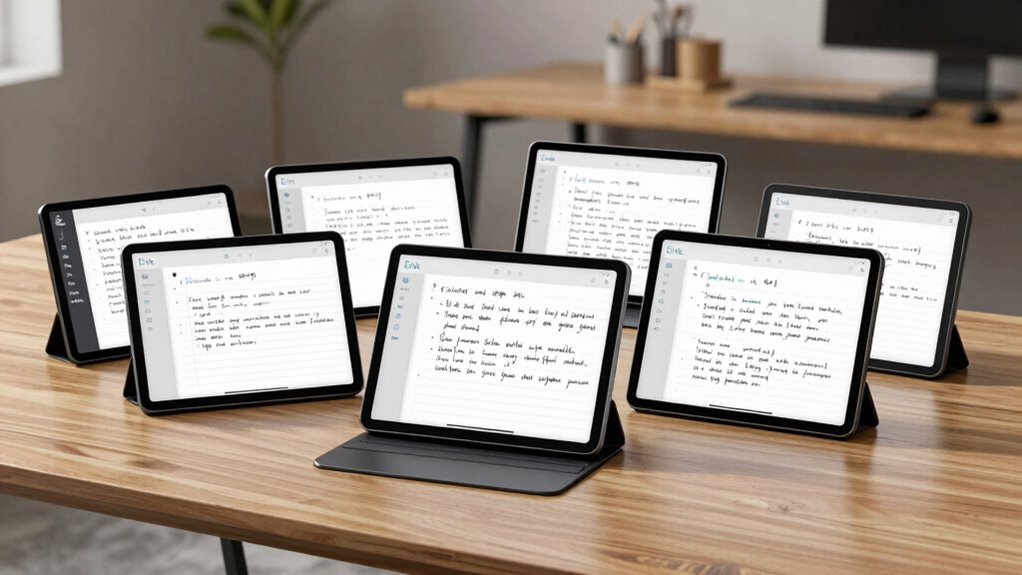

Choosing the right e ink tablet with handwriting to text capabilities involves balancing display quality, AI features, portability, and price. The Penstar eNote 2 stands out for its large, high-resolution display and advanced AI voice-to-text, making it ideal for heavy note-takers. Meanwhile, the iFLYTEK AINOTE Air 2 offers a compact size and excellent transcription tools perfect for on-the-go professionals. For those seeking colorful visuals combined with AI tools, the Penstar eNote Pro could be appealing, though it’s bulkier. The VIWOODS AiPaper excels in reading and writing comfort with a larger screen and AI assistance, while the Huion Ink EB1011 balances versatility with long battery life and drawing functions. Each option presents distinct tradeoffs, from display size to AI integration, tailored to different user priorities.

Get business pricing on monitors, keyboards and dev gear
- Business-only prices and quantity discounts
- Tax-exempt purchasing
- Multiple users, one account, clear invoices
Key Takeaways
- The Penstar eNote 2 offers a large, high-res display with advanced AI voice-to-text, ideal for intensive note-taking but lacks waterproof features.
- iFLYTEK AINOTE Air 2 is highly portable with AI meeting summaries, suitable for mobile professionals but refresh rates may be less fluid.
- Penstar eNote Pro combines color display with AI tools, but its bulkier design may be less convenient for quick notes.
- VIWOODS AiPaper provides a large, glare-free display with AI translation, perfect for reading and organizing, though refresh latency can be noticeable.
- Huion Ink EB1011 excels in long battery life and versatility, supporting handwriting, reading, and drawing, but it may be pricier and less colorful.
| Penstar eNote 2 E-Ink Digital Notebook with Pen, 10.3″ AI eNote Tablet |  | Best Overall for Large, High-Res Note Taking | Screen Size: 10.3 inches | Resolution: 2480×1860 (300 ppi) | Stylus Pressure Sensitivity: 8,192 levels | VIEW ON AMAZON | See Our Full Breakdown |
| iFLYTEK AINOTE Air 2, 8.2-Inch E Ink Tablet with Black Folio Case |  | Best Compact for On-the-Go Transcriptions | Display: 8.2-inch E Ink | Dimensions: 7.6 × 5.4 inches | Pressure Sensitivity: 4,096 levels | VIEW ON AMAZON | See Our Full Breakdown |
| Penstar eNote Pro C E-Ink Digital Notebook with Pen, 10.3″ AI Enote Tablet |  | Best for Color and AI Productivity | Display: 10.3-inch, 2K QHD | Pressure Sensitivity: 8,192 levels | Battery: 6500mAh, up to 3 weeks | VIEW ON AMAZON | See Our Full Breakdown |
| VIWOODS AiPaper 10.65″ AI E Ink Tablet, Digital Notebook Bundle with Pen |  | Best for Reading and Organizing Large Notes | Display: 10.65 inch Carta 1300 E Ink, 2560×1920 | Stylus: W2 Stylus Pro, 4096 pressure levels | Storage: 128GB | VIEW ON AMAZON | See Our Full Breakdown |
| Huion Ink EB1011 10.3-Inch E Ink Digital Notebook with Dual Front Light |  | Best Versatile for Drawing and Notes with Long Battery Life | Display Size: 10.3 inches | Resolution: 1404×1872 (227 PPI) | Battery Life: Up to 12 days | VIEW ON AMAZON | See Our Full Breakdown |
| e ink tablet with handwriting to text | Storage | Display |
|---|---|---|
| Penstar eNote 2 E-Ink Digital | 128GB | — |
| iFLYTEK AINOTE Air 2 | — | 8.2-inch E Ink |
| Penstar eNote Pro C E-Ink Digi | — | 10.3-inch, 2K QHD |
| VIWOODS AiPaper 10.65" AI E In | 128GB | 10.65 inch Carta 1300 E Ink, 2560×1920 |
| Huion Ink EB1011 10.3-Inch E I | 64GB (expandable up to 2TB) | — |
More Details on Our Top Picks
Penstar eNote 2 E-Ink Digital Notebook with Pen, 10.3″ AI eNote Tablet
The Penstar eNote 2 stands out for its expansive 10.3-inch high-resolution display that mimics paper, making writing and reading comfortable even in sunlight. Its AI-powered voice-to-text and handwriting conversion elevate productivity, especially for students and professionals handling lengthy notes. Compared to smaller or lower-res options, it offers a more natural writing experience, but its Android 14 OS may limit app compatibility and it lacks waterproofing. The long battery life of up to four weeks further supports intensive use.
Pros:- High-resolution, sunlight-readable display
- Advanced AI voice-to-text and handwriting conversion
- Long battery life up to 4 weeks
Cons:- No waterproof or dustproof features
- Limited app compatibility due to Android 14
- Stylus requires charging
Best for: Students and professionals who need a large, high-quality display with advanced note management.
Not ideal for: Casual users or those needing waterproof features or a more compact device.
- Screen Size:10.3 inches
- Resolution:2480×1860 (300 ppi)
- Stylus Pressure Sensitivity:8,192 levels
- Storage:128GB
- Battery Capacity:6500mAh
- Operating System:Android 14
Our verdict“This pick is best for those prioritizing a large, natural writing surface with robust AI features and long-lasting battery life.”
iFLYTEK AINOTE Air 2, 8.2-Inch E Ink Tablet with Black Folio Case
The iFLYTEK AINOTE Air 2 offers a smaller, more portable 8.2-inch display that excels in transcription and note-taking during meetings. Its AI-powered meeting summaries and multilingual transcription make it a strong choice for busy professionals and students who need quick, accurate notes without fuss. While its page refreshes are slower than LCD tablets, the device’s lightweight design makes it easy to carry, though the smaller screen may limit detailed reading or extensive writing. It doesn’t support simultaneous voice transcription and handwriting-to-text, which could be a drawback for multitasking.
Pros:- Lightweight and portable
- AI meeting summaries and multilingual transcription
- Excellent for quick, accurate notes
Cons:- Slower page refresh rate
- No simultaneous voice and handwriting transcription
- Brief afterimages during scrolling
Best for: Professionals and students needing portable AI transcription and notes on the move.
Not ideal for: Users requiring a larger display or fast refresh rates for drawing or rapid note editing.
- Display:8.2-inch E Ink
- Dimensions:7.6 × 5.4 inches
- Pressure Sensitivity:4,096 levels
- Languages Supported:18 for transcription, 14 for translation
- Battery Life:Power-efficient
- Weight:8.1 oz
Our verdict“This device is perfect for quick transcription and portability but less suited for detailed or rapid note-taking tasks.”
Penstar eNote Pro C E-Ink Digital Notebook with Pen, 10.3″ AI Enote Tablet
The Penstar eNote Pro C offers a vivid 2K QHD color display in a 10.3-inch size, making it ideal for users who want a richer reading and note-taking experience. Its AI-powered tools include voice-to-text and handwriting recognition, supporting a wide range of file formats. While the display enhances visual clarity, the device’s bulkier design and higher price may deter casual users or those seeking a lightweight option. It’s best suited for creatives or professionals who need color visuals combined with AI features.
Pros:- Vivid 2K color display
- AI tools for productivity
- Supports multiple file formats
Cons:- Bulkier and heavier
- Less suited for fast scrolling or video playback
- Higher cost
Best for: Creative users and professionals who need color display and AI productivity tools.
Not ideal for: Casual readers or users prioritizing ultra-lightweight devices or fast scrolling.
- Display:10.3-inch, 2K QHD
- Pressure Sensitivity:8,192 levels
- Battery:6500mAh, up to 3 weeks
- Operating System:Android 14
- Included Components:Stylus, nibs, folio
Our verdict“Ideal for users seeking vibrant visuals and AI-powered productivity, but less suitable for quick, lightweight use or fast-paced navigation.”
VIWOODS AiPaper 10.65″ AI E Ink Tablet, Digital Notebook Bundle with Pen
The VIWOODS AiPaper boasts a 10.65-inch Carta 1300 E Ink display with high resolution that reduces glare and eye strain, making it excellent for long reading and writing sessions. Its AI tools assist with translating, reading, and organizing ideas, while the included accessories like a folio and replacement nibs add value. The larger screen offers a natural feel for extended sessions, but its refresh latency and limited color options might frustrate users expecting faster updates or vibrant visuals. It’s a solid choice for those who prioritize comfort and AI organization tools.
Pros:- Large, glare-free display reduces eye strain
- Responsive stylus for natural writing and sketching
- AI tools for translation and organization
Cons:- Refresh latency during rapid updates
- Limited color options
- Requires regular charging
Best for: Readers and writers who want a large, glare-free display with AI support for organizing ideas.
Not ideal for: Users who need rapid refresh rates or vibrant color features for multimedia tasks.
- Display:10.65 inch Carta 1300 E Ink, 2560×1920
- Stylus:W2 Stylus Pro, 4096 pressure levels
- Storage:128GB
- Included Accessories:Folio cover, nibs
- Connectivity:USB-C
Our verdict“Best suited for long-form reading and writing with AI assistance, though not for fast-paced or colorful multimedia use.”
Huion Ink EB1011 10.3-Inch E Ink Digital Notebook with Dual Front Light
The Huion Ink EB1011 combines a high-res 10.3-inch display with 8,192 pressure levels, supporting handwriting-to-text, drawing, and reading. Its dual-color front light makes it suitable for various lighting conditions. Its long battery life of up to 12 days makes it ideal for frequent, extended use, especially for creatives needing a device that can double as a drawing tablet when connected to a computer. However, its limited color options and somewhat complex setup might not appeal to casual users or those seeking a purely lightweight reading device.
Pros:- High-resolution, paper-like display
- Supports handwriting-to-text and drawing
- Long battery life up to 12 days
Cons:- Limited color options
- Requires setup for advanced features
- Higher price point
Best for: Artists, designers, and professionals who want a versatile device for drawing, note-taking, and reading.
Not ideal for: Casual users or those who prefer a device primarily for lightweight reading or quick notes.
- Display Size:10.3 inches
- Resolution:1404×1872 (227 PPI)
- Battery Life:Up to 12 days
- Storage:64GB (expandable up to 2TB)
- Stylus Pressure Levels:8192
Our verdict“A versatile device suited for creative professionals needing long battery life and multi-purpose use, but less ideal for casual or purely reading tasks.”

How We Picked
Our selection process prioritized devices that combine effective handwriting-to-text features with e ink displays, ensuring natural writing experiences and AI-powered transcription. We evaluated display size and resolution for clarity, stylus responsiveness for natural handwriting, AI capabilities like voice-to-text and translation, battery life for sustained use, and device portability. Additional factors included file format support, ease of use, and overall value. We focused on products that balance performance with user-friendly features, avoiding devices that compromise on core handwriting or reading experiences.
Factors to Consider When Choosing E Ink Tablet With Handwriting To Text
When selecting an e ink tablet with handwriting to text, it’s vital to consider the display size and quality, AI features like voice-to-text accuracy, stylus responsiveness, and overall portability. Your choice depends on whether you prioritize large, natural writing surfaces, AI-powered transcription, or multi-purpose use such as drawing or reading. Understanding these factors helps align a device with your specific workflow and environment.Display Size and Quality
The size and resolution of the display directly influence how comfortably you can write, read, or view content. Larger screens like 10.3 inches provide a more natural writing experience, especially for lengthy notes or detailed sketches. Higher resolution enhances clarity and reduces eye strain, making long sessions more comfortable. Smaller screens, such as 8.2 inches, boost portability but may require more scrolling and zooming, which can hinder efficiency.
AI-Powered Handwriting and Voice-to-Text
Effective AI features can transform handwritten notes into editable text quickly, saving time and effort. Devices with accurate voice-to-text add another layer of convenience, especially for multitasking or recording ideas on the fly. However, the performance of these tools varies; some devices support multiple languages and formats, while others may be slower or less precise during rapid note-taking.
Stylus Responsiveness and Compatibility
A responsive stylus with high pressure sensitivity ensures a natural writing feel, closely mimicking pen and paper. Consider whether the stylus requires charging or is battery-free, as this impacts convenience. Compatibility with different file formats and ease of annotation are also key, especially if you plan to use the device for professional or academic work.
Portability and Battery Life
If you need a device for frequent movement, lightweight models with long-lasting batteries are essential. Devices like the iFLYTEK AINOTE Air 2 excel here, while larger, feature-rich tablets may be bulkier and require more frequent charging. Think about your typical usage patterns—if extended battery life is a priority, some devices offer up to several weeks between charges.
Frequently Asked Questions
Can these e ink tablets convert handwriting to editable text?
Yes, most of these devices support handwriting-to-text conversion, allowing you to digitize notes seamlessly. The accuracy and speed depend on the device’s AI capabilities and stylus sensitivity; some perform better with certain languages or handwriting styles. Features like AI-powered recognition are designed to make this process smooth and reliable for daily use.
Are these tablets suitable for drawing or sketches?
Several options, such as the Huion Ink EB1011, are designed with pressure-sensitive styluses and support drawing alongside note-taking. While most e ink displays are not as vibrant as LCD or OLED screens, they are capable of supporting detailed sketches and annotations. Those seeking advanced graphic features should consider the Huion or similar versatile devices.
How long does the battery typically last on these e ink tablets?
Battery life varies significantly, with models like the Huion Ink EB1011 lasting up to 12 days on a single charge, whereas others like the Penstar eNote 2 can last up to four weeks due to efficient e ink displays. Longer battery life is common because e ink technology consumes power mainly during page refreshes, making these devices ideal for extended use without frequent charging.
Do these devices support multiple file formats?
Yes, most devices support a range of formats including PDF, EPUB, MOBI, DOCX, and image files like JPG. This flexibility makes them suitable for reading, annotating, and editing diverse content. Check the specific specs to ensure compatibility with your preferred formats for seamless integration into your workflow.
Are these tablets waterproof or dustproof?
Most of these devices do not feature waterproofing or dustproofing, so they should be used with care around liquids and in dusty environments. If water resistance is a priority, look for devices explicitly rated for such conditions or consider additional protective accessories.
Conclusion
For users who need a large, high-resolution writing surface with robust AI transcription, the Penstar eNote 2 makes the most sense. Professionals seeking portability and efficient meeting notes might prefer the iFLYTEK AINOTE Air 2. Creatives or users who want a colorful display combined with AI tools should consider the Penstar eNote Pro. Those prioritizing long battery life and multi-functionality might find the Huion Ink EB1011 best suited. Ultimately, your choice hinges on your primary use case—whether it’s extensive writing, quick transcription, portability, or creative work.
Fall Picks
fall essentials
As an affiliate, we earn on qualifying purchases.