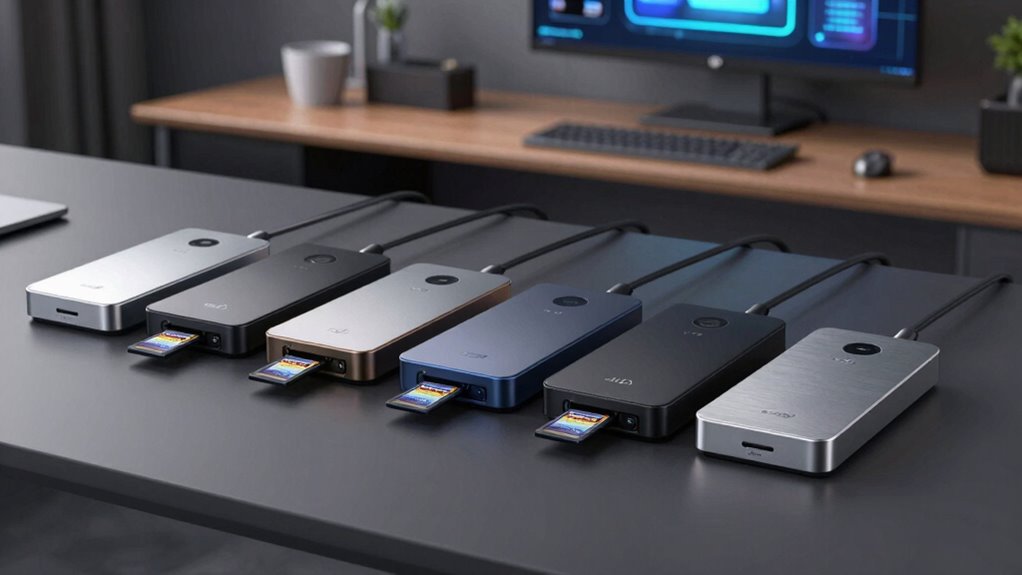

When choosing a docking station with an SD card reader, I focus on compatibility, video output quality, and charging power. The Anker 8-in-1 USB-C Hub stands out for dual 4K HDMI and high wattage, making it perfect for multi-display setups. The Anker USB-C Hub, 7-in-1 offers a sleek, portable design with high-speed data transfer, ideal for on-the-go users. Meanwhile, the Anker Nano Laptop Docking Station delivers extensive connectivity and triple monitor support, suited for power users needing maximum versatility. Each has tradeoffs: some favor display quality, others portability or extensive ports. Here’s how they compare.

Get business pricing on monitors, keyboards and dev gear
- Business-only prices and quantity discounts
- Tax-exempt purchasing
- Multiple users, one account, clear invoices
Key Takeaways
- Dual 4K HDMI support varies in refresh rate; high refresh rates matter for video editing or gaming.
- Power delivery ratings differ, impacting charging speed and compatibility with high-wattage laptops.
- Number of ports and SD card reader availability influence overall versatility and workflow.
- Compatibility varies across operating systems, especially macOS and Linux support.
- Design and portability are key for mobile professionals needing lightweight solutions.
| Anker 8-in-1 USB-C Hub with Dual 4K HDMI and Power Delivery |  | Best Overall for Versatile Connectivity | Ports: 2 HDMI, 2 USB-A, Ethernet, SD card reader, USB-C PD-IN | Video Output: Dual 4K@30Hz or single 4K@60Hz | Power Delivery: Up to 85W | VIEW ON AMAZON | See Our Full Breakdown |
| Anker USB-C Hub, 7-in-1 Multi-Port USB Adapter with 4K@60Hz HDMI |  | Best for Compact, High-Quality Video | Ports: HDMI, 2 USB-A, USB-C data, SD/TF card slots | Video Output: 4K@60Hz | Power Delivery: Up to 85W | VIEW ON AMAZON | See Our Full Breakdown |
| Anker Nano Laptop Docking Station, 13-in-1 Dock with Detachable 6-in-1 USB-C Hub |  | Best for Extensive Connectivity and Travel | Ports: 2 HDMI, DisplayPort, Ethernet, SD/TF, 5 USB ports | Wattage: 100W | Dimensions: 3.74″ x 1.57″ x 5.51″ | VIEW ON AMAZON | See Our Full Breakdown |
| Acer USB-C Docking Station Dual Monitor 9-in-1 Laptop Dock with 2 HDMI |  | Best for High-Quality Dual 4K Display | Ports: 2 HDMI, 4 USB, SD card, Ethernet | Video Output: Dual 4K@60Hz | Power Delivery: Up to 100W | VIEW ON AMAZON | See Our Full Breakdown |
| Benfei USB-C Hub 7-in-1 with HDMI, 100W Power Delivery, 3 USB 3.0, SD/TF Card Reader |  | Best Budget with High Power Delivery | Ports: HDMI, 3 USB 3.0, SD/TF, USB-C PD | Video Output: 4K@60Hz | Power Delivery: 100W | VIEW ON AMAZON | See Our Full Breakdown |
| docking station with sd card reader | Ports | Compatibility | Dimensions | Weight |
|---|---|---|---|---|
| Anker 8-in-1 USB-C Hub with Du | 2 HDMI, 2 USB-A, Ethernet, SD card reader, USB-C PD-IN | USB-C, USB4, Thunderbolt, Windows 10/11, ChromeOS | 3.94" x 3.15" x 0.75" | 8.3 oz |
| Anker USB-C Hub | HDMI, 2 USB-A, USB-C data, SD/TF card slots | Windows, macOS | 5.17" x 1.46" x 0.47" | 2.36 oz |
| Anker Nano Laptop Docking Stat | 2 HDMI, DisplayPort, Ethernet, SD/TF, 5 USB ports | Full USB-C/Thunderbolt3/4/5 laptops | 3.74" x 1.57" x 5.51" | 15.2 oz |
| Acer USB-C Docking Station Dua | 2 HDMI, 4 USB, SD card, Ethernet | Windows and macOS (mirroring only) | 7.2" x 4.7" x 1.2" | 1.3 lbs |
| Benfei USB-C Hub 7-in-1 with H | HDMI, 3 USB 3.0, SD/TF, USB-C PD | MacBook, Windows, smartphones | 4.7" x 1.6" x 0.4" | 3.2 oz |
More Details on Our Top Picks
Anker 8-in-1 USB-C Hub with Dual 4K HDMI and Power Delivery
This hub stands out for its ability to support dual 4K displays at 30Hz, or a single at 60Hz, which is ideal for high-quality video and multitasking. Its extensive port selection includes two HDMI outputs, multiple USB-A ports, Ethernet, and an SD card reader, making it a comprehensive desktop solution. The 85W pass-through charging supports most ultrabooks, though it requires a 100W charger for full power delivery. Compared to smaller hubs, it’s better suited for users who want maximum connectivity without sacrificing display quality, but it may be overkill for light tasks or portable needs.
Pros:- Supports dual 4K HDMI with high refresh rates
- Multiple ports including Ethernet and SD card reader
- Provides up to 85W charging
Cons:- Requires a 100W charger for full power
- Display on macOS is mirrored only
- Not compatible with Linux
Best for: Power users needing multiple displays and extensive ports
Not ideal for: Travelers seeking ultra-lightweight options or Linux users
- Ports:2 HDMI, 2 USB-A, Ethernet, SD card reader, USB-C PD-IN
- Video Output:Dual 4K@30Hz or single 4K@60Hz
- Power Delivery:Up to 85W
- Compatibility:USB-C, USB4, Thunderbolt, Windows 10/11, ChromeOS
- Dimensions:3.94″ x 3.15″ x 0.75″
- Weight:8.3 oz
Our verdict“A robust, feature-rich hub perfect for productivity-focused users with demanding display needs.”
Anker USB-C Hub, 7-in-1 Multi-Port USB Adapter with 4K@60Hz HDMI
This sleek, lightweight hub excels at supporting a single 4K display at 60Hz, which is ideal for video streaming, casual editing, and general use. Its port selection includes SD/TF card slots, USB-A and USB-C data ports, and a 85W charging input, making it highly portable while still versatile. However, it only supports video output through the HDMI port, limiting its use for multi-monitor setups. Its compatibility primarily covers Windows and macOS, and it doesn’t include an AC charger, relying on the host device’s power.
Pros:- Supports 4K@60Hz HDMI output
- Includes SD/TF card readers
- High-speed data transfer at 5Gbps
Cons:- Only supports one external display
- USB-C port is data-only
- No included power supply
Best for: Travelers or portable users needing reliable high-res video output
Not ideal for: Power users requiring multiple external displays or Linux users
- Ports:HDMI, 2 USB-A, USB-C data, SD/TF card slots
- Video Output:4K@60Hz
- Power Delivery:Up to 85W
- Compatibility:Windows, macOS
- Dimensions:5.17″ x 1.46″ x 0.47″
- Weight:2.36 oz
Our verdict“A compact, high-performance hub perfect for quick setups and travel, with limited multi-monitor capabilities.”
Anker Nano Laptop Docking Station, 13-in-1 Dock with Detachable 6-in-1 USB-C Hub
This model offers a comprehensive suite of ports, including dual HDMI, DisplayPort, Ethernet, SD card slots, and a detachable hub, making it highly adaptable for both desktop and mobile use. Its 100W power delivery ensures quick charging for most laptops, and its support for triple monitors enhances productivity. Nonetheless, it requires a connection to a laptop for full functionality, and macOS support for multi-display modes is limited to mirroring, which could be a drawback for Mac users seeking extended desktops.
Pros:- Detachable design for portability
- Supports triple monitors with high resolution
- 100W charging capability
Cons:- Requires connection to activate ports
- Limited macOS multi-display support
- Complex setup for some users
Best for: Power users needing maximum connectivity in a portable form factor
Not ideal for: Users expecting full macOS multi-monitor extension or Linux support
- Ports:2 HDMI, DisplayPort, Ethernet, SD/TF, 5 USB ports
- Wattage:100W
- Dimensions:3.74″ x 1.57″ x 5.51″
- Compatibility:Full USB-C/Thunderbolt3/4/5 laptops
- Weight:15.2 oz
- Warranty:18 months
Our verdict“A versatile, high-capacity dock ideal for demanding workflows and frequent travel, with some limitations for Mac users.”
Acer USB-C Docking Station Dual Monitor 9-in-1 Laptop Dock with 2 HDMI
This dock prioritizes dual 4K@60Hz monitor support with two HDMI ports, making it an excellent choice for professionals needing high-resolution displays. Its multiple USB ports, SD card slots, and 100W charging make it a balanced choice for most Windows or macOS devices. However, it requires devices with USB-C DisplayPort Alt Mode support, and macOS users can only mirror displays, not extend, which might limit its flexibility for Mac workflows.
Pros:- Supports dual 4K@60Hz displays
- Multiple USB ports and SD card slots
- Power delivery up to 100W
Cons:- Requires devices with DisplayPort Alt Mode
- macOS only mirrors displays
- Some features need system setup
Best for: Professionals needing reliable dual 4K display output
Not ideal for: Mac users seeking extended displays or those without DisplayPort Alt Mode support
- Ports:2 HDMI, 4 USB, SD card, Ethernet
- Video Output:Dual 4K@60Hz
- Power Delivery:Up to 100W
- Compatibility:Windows and macOS (mirroring only)
- Dimensions:7.2″ x 4.7″ x 1.2″
- Weight:1.3 lbs
Our verdict“A dependable dual 4K dock for Windows users, with some limitations for Mac users and systems lacking Alt Mode support.”
Benfei USB-C Hub 7-in-1 with HDMI, 100W Power Delivery, 3 USB 3.0, SD/TF Card Reader
This budget-friendly hub offers a solid set of features, including 4K HDMI output, SD/TF card slots, and 100W charging. Its lightweight, aluminum shell makes it durable yet portable. While it supports high-res video and fast data transfer, it doesn’t offer the extensive port variety or multi-monitor support found in pricier options. It’s best suited for users who need a reliable basic hub without extra bells and whistles, especially those with MacBook or newer smartphones.
Pros:- Supports 4K HDMI at 60Hz
- Includes SD and TF card slots
- Power delivery up to 100W
Cons:- Limited to one external display
- No multi-monitor support
- Performance may vary with high-demand devices
Best for: Budget-conscious users needing reliable SD card reading and video output
Not ideal for: Power users requiring multiple external displays or extensive ports
- Ports:HDMI, 3 USB 3.0, SD/TF, USB-C PD
- Video Output:4K@60Hz
- Power Delivery:100W
- Compatibility:MacBook, Windows, smartphones
- Dimensions:4.7″ x 1.6″ x 0.4″
- Weight:3.2 oz
Our verdict“An affordable, dependable hub suitable for everyday use, with sufficient power and video support for most casual tasks.”

How We Picked
My selection process focused on products that explicitly include SD card readers, support high-resolution video output, and offer sufficient power delivery for most laptops. I evaluated the number and types of ports, build quality, and compatibility with Windows, macOS, and ChromeOS devices. I prioritized models with good user reviews, balanced features against price, and selected options that cater to different user needs—from portable on-the-go hubs to full-featured desktop docks.
| docking station with sd card reader | Compatibility |
|---|---|
| Anker 8-in-1 USB-C Hub with Du | USB-C, USB4, Thunderbolt, Windows 10/11, ChromeOS |
| Anker USB-C Hub | Windows, macOS |
| Anker Nano Laptop Docking Stat | Full USB-C/Thunderbolt3/4/5 laptops |
| Acer USB-C Docking Station Dua | Windows and macOS (mirroring only) |
| Benfei USB-C Hub 7-in-1 with H | MacBook, Windows, smartphones |
Factors to Consider When Choosing Docking Station With Sd Card Reader
Choosing the right docking station with an SD card reader depends on your specific needs. Consider whether you prioritize multiple high-resolution displays, portability, or extensive ports for peripherals. Compatibility with your device’s video output capability and power delivery requirements are also key factors. Here’s a breakdown to help clarify these choices.
Display Support and Video Output
If you need dual 4K displays at high refresh rates, the Anker 8-in-1 or Acer Dual HDMI Dock are ideal, but check your device’s support for DisplayPort Alt Mode. For single 4K@60Hz, the Anker 7-in-1 is a compact alternative. For Mac users, expect mirroring unless you opt for specialized models.
Power Delivery and Compatibility
Most high-end docks support up to 100W charging, suitable for most laptops. Always verify your device’s charging needs and compatibility—especially if you use a MacBook or Linux system. Some docks require a specific charger or system configuration to unlock full potential.
Ports and Card Readers
Assess how many USB-A, USB-C, SD, and TF slots you need. If card reading is a priority, all five options include SD/TF slots, but the number of USB ports and their speed varies. For extensive peripherals, the Anker Nano offers the most ports, while the Benfei provides a budget-friendly, reliable choice.
Portability and Design
If mobility matters, consider size, weight, and detachable features. The Anker USB-C Hub 7-in-1 and Benfei are more portable, whereas the Anker Nano Dock offers a detachable hub for versatility. Heavy or bulky docks are better suited for fixed desk setups.
Frequently Asked Questions
Can I connect multiple monitors with these docks?
The ability to connect multiple monitors depends on your device’s video output support and the dock’s capabilities. The Anker 8-in-1 and Acer Dual HDMI support dual 4K displays, but some systems only mirror displays on macOS. The Anker Nano supports up to three monitors, making it versatile for multi-screen setups if your device supports it.
Do these docks support fast charging for all laptops?
Most docks listed support up to 100W power delivery, which is sufficient for most high-performance laptops. However, some models like the Anker 8-in-1 require a 100W charger for full power. Always verify your laptop’s wattage needs and ensure the dock’s power delivery matches or exceeds that requirement.
Are these docks compatible with macOS?
Compatibility varies. The Anker 8-in-1 and Acer Dock work well with macOS but only support mirroring on some models, not extended desktops. The Anker Nano is compatible but may have limited multi-monitor support or require specific system settings. Always check manufacturer specs for system-specific limitations.
Will these docks work with Linux?
Linux compatibility is limited; most docks are primarily designed for Windows and macOS. The Anker 8-in-1 explicitly states incompatibility with Linux, while others may work with certain distributions but lack guaranteed support. If Linux is your primary OS, verify compatibility before purchase or consider docks specifically designed for Linux.
Is a dedicated power supply necessary?
Many docks require an external power source, especially those supporting multiple displays or high wattage charging. The Anker 8-in-1, Acer Dock, and Benfei all benefit from a dedicated charger to unlock full features. For portable, single-port hubs like the Anker USB-C 7-in-1, relying on the host device’s power may suffice.
Conclusion
If you primarily need a versatile, multi-monitor setup with high power delivery, the Anker 8-in-1 makes a compelling choice. For portability and high-quality single display support, the Anker USB-C Hub 7-in-1 is ideal. Power users who require maximum connectivity in a flexible, detachable design should consider the Anker Nano Laptop Docking Station. Budget-conscious buyers will find the Benfei Hub offers reliable SD card reading and video output at a lower price point. Your ideal choice hinges on balancing display needs, portability, and system compatibility.
As an affiliate, we earn on qualifying purchases.Fall Picks
fall essentials