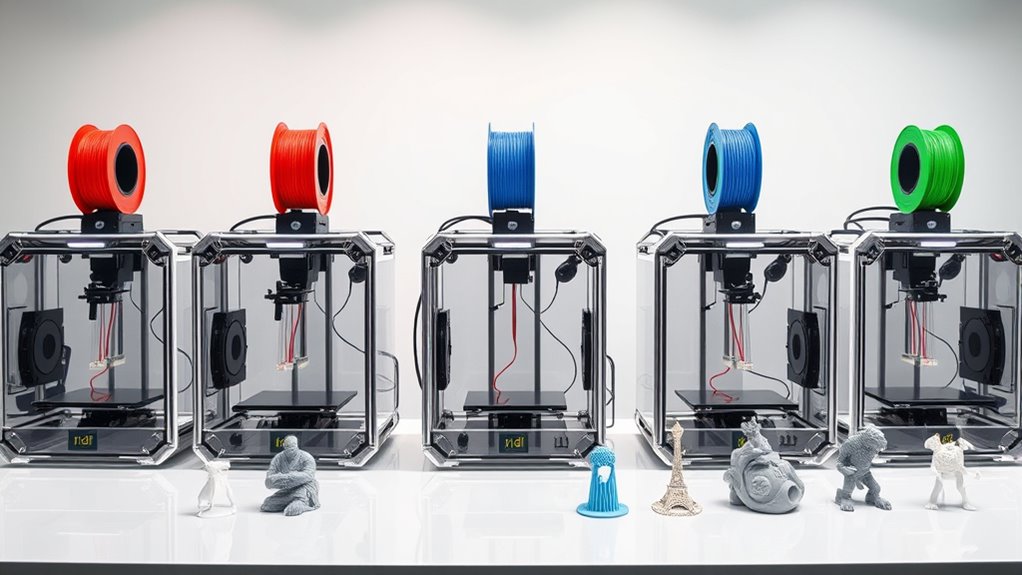

Looking for the best 3D printers in 2026? The market offers a wide range of options, from high-precision, enclosed models to versatile multi-color printers. The Bambu Lab P1S stands out as the overall best choice thanks to its speed, multi-material support, and large build volume. The FlashForge Adventurer 5M is a top pick for ease of use and auto-leveling, making it ideal for beginners. Meanwhile, the Snapmaker U1 offers impressive multi-tool versatility for creative professionals. The main tradeoffs involve balancing print quality, speed, complexity, and price. Keep reading for the full breakdown to find the best fit for your 3D printing needs.

Get business pricing on monitors, keyboards and dev gear
- Business-only prices and quantity discounts
- Tax-exempt purchasing
- Multiple users, one account, clear invoices
Key Takeaways
- Multi-material and multi-color support significantly increase versatility but often come with a higher price tag.
- Enclosed printers tend to offer better print quality and safety, especially for delicate or detailed models.
- Speed varies widely; high-speed models can reduce print times but may sacrifice some precision.
- Auto bed leveling is a common feature among the top picks, simplifying setup and improving first-layer success rates.
- Build volume size remains a key consideration, especially for larger or batch projects, influencing overall value.
| Bambu Lab P1S 3D Printer, Fully Enclosed, Supports Up to 16 Colors and Multi Materials, Fast Printing & High Precision, CoreXY, Auto Bed Leveling, Large Print Size |  | Best Overall for Versatility and Speed | Maximum Colors: 16 | Print Speed: 500mm/s | Acceleration: 20000 mm/s² | VIEW ON AMAZON | See Our Full Breakdown |
| FlashForge Adventurer 5M 3D Printer with Auto Leveling and High-Speed Printing |  | Best for Speed and Simplicity | Print Size: 220x220x220mm | Max Speed: 600mm/s | Extruder Temperature: 280°C | VIEW ON AMAZON | See Our Full Breakdown |
| Snapmaker U1 3D Printer Multi-Color with 4 Toolheads and Fast Tool Change |  | Best for Multi-Color and Multi-Material Flexibility | Toolheads: 4 | Tool Change Time: 5 seconds | Max Speed: 500 mm/s | VIEW ON AMAZON | See Our Full Breakdown |
| Bambu Lab P1S 3D Printer and AMS Combo |  | Best for High-Speed Multi-Color Precision | Maximum Colors: 16 | Printing Speed: 500mm/s | Acceleration: 20000 mm/s² | VIEW ON AMAZON | See Our Full Breakdown |
| FLASHFORGE AD5X Multi-Color 3D Printer, CoreXY, 600mm/s High-Speed, Auto Leveling, 300°C Direct Drive Extruder, 220x220x220mm Build Volume |  | Best for Rapid Prototyping and Fast Turnaround | Build Volume: 220x220x220mm | Max Speed: 600mm/s | Extruder Temperature: 300°C | VIEW ON AMAZON | See Our Full Breakdown |
| Anycubic Kobra S1 Combo Multi-Color 3D Printer with Active Filament Drying, Auto Leveling, and Smart App Control |  | Best for Rapid Prototyping and Complex Multi-Color Projects | Maximum Speed: 600mm/s | Color Capabilities: Up to 8-color printing with 2 ACE Pro units | Auto Leveling: Yes | VIEW ON AMAZON | See Our Full Breakdown |
| Bambu Lab A1 Combo + LED Lamp Kit for Multi-Color 3D Printing |  | Best for Creative Multi-Color and Decorative Projects | Support for Multi-Color Printing: Yes | Maximum Acceleration: 10,000 mm/s² | Noise Level: ≤48 dB | VIEW ON AMAZON | See Our Full Breakdown |
| Creality K2 SE 3D Printer, High-Speed Multi-Color Support, Auto Leveling, Solid Metal Frame, 220×215×245mm Print Size | 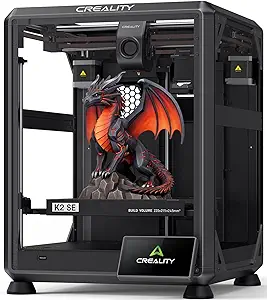 | Best for Beginners and Intermediate Users Needing Stability and Speed | Print Speed: 500mm/s | Build Volume: 220×215×245mm | Material Support: Multi-color (with CFS) | VIEW ON AMAZON | See Our Full Breakdown |
| Creality K2 Pro Combo 3D Printer with Multicolor Printing, High-Speed, Dual AI Cameras, and Large Build Volume |  | Best for Professional-Grade Multi-Material and Monitoring | Build Volume: 300×300×300mm | Max Speed: 600mm/s | Chamber Temperature: up to 60°C | VIEW ON AMAZON | See Our Full Breakdown |
| Bambu Lab A1 Mini 3D Printer + LED Lamp Kit |  | Best Compact Option for Beginners and Light Use | Setup Time: 20 minutes | Noise Level: ≤48 dB | Calibration: Full-auto | VIEW ON AMAZON | See Our Full Breakdown |
| Creality K2 Combo 3D Printer, Multicolor Printing, Auto Leveling, 260x260x260mm Build Volume |  | Best for High-Quality Multicolor Printing with Advanced Automation | Build Volume: 260 x 260 x 260 mm | Printing Speed: 600 mm/s | Weight: 65.9 pounds | VIEW ON AMAZON | See Our Full Breakdown |
| Anycubic Kobra X Multicolor 3D Printer with 19-Color Capability, AI Camera, and Fast Printing |  | Best for Versatility and High-Speed Multi-Color Printing | Build Volume: 260 x 260 x 260 mm | Max Speed: 600 mm/s | Filament Compatibility: PLA, PETG, TPU, PVA, ASA | VIEW ON AMAZON | See Our Full Breakdown |
| FlashForge Adventurer 5M Pro 3D Printer with Auto Printing System |  | Best for High-Speed, Reliable Functional Prints | Build Volume: 220 x 220 x 220 mm | Max Nozzle Temperature: 280°C | Travel Speed: 600 mm/s | VIEW ON AMAZON | See Our Full Breakdown |
| 3d printer | Build Volume |
|---|---|
| Bambu Lab P1S 3D Printer | — |
| FlashForge Adventurer 5M 3D Pr | — |
| Snapmaker U1 3D Printer Multi- | 270 x 270 x 270 mm |
| Bambu Lab P1S 3D Printer and A | — |
| FLASHFORGE AD5X Multi-Color 3D | 220x220x220mm |
| Anycubic Kobra S1 Combo Multi- | — |
| Bambu Lab A1 Combo + LED Lamp | — |
| Creality K2 SE 3D Printer | 220×215×245mm |
| Creality K2 Pro Combo 3D Print | 300×300×300mm |
| Bambu Lab A1 Mini 3D Printer + | — |
| Creality K2 Combo 3D Printer | 260 x 260 x 260 mm |
| Anycubic Kobra X Multicolor 3D | 260 x 260 x 260 mm |
| FlashForge Adventurer 5M Pro 3 | 220 x 220 x 220 mm |
More Details on Our Top Picks
Bambu Lab P1S 3D Printer, Fully Enclosed, Supports Up to 16 Colors and Multi Materials, Fast Printing & High Precision, CoreXY, Auto Bed Leveling, Large Print Size
The Bambu Lab P1S stands out as the most versatile option in this roundup, thanks to its support for up to 16 colors and multiple materials, making it ideal for complex, multi-material projects. Compared to the FlashForge Adventurer 5M, the P1S offers significantly faster speeds and a larger print volume, though this comes with a more involved setup process. Its fully enclosed design enhances print quality with advanced filaments, but it requires connecting the Bambu Lab AMS for multi-color printing, which could be a barrier for some users. The automatic bed leveling and high-speed capability make it suitable for both hobbyists and professionals who need rapid, reliable results. However, it’s less ideal for those who want to use carbon fiber or glass fiber reinforced filaments, as support is limited. Overall, this pick makes the most sense for experienced users seeking high throughput and multi-material flexibility.Pros:- Supports up to 16 colors and multiple filaments for versatile printing
- Fast printing speeds up to 500mm/s reduce wait times
- Automatic bed leveling ensures consistent high-quality results
- Fully enclosed design improves print stability with advanced filaments
Cons:- Connecting the Bambu Lab AMS is required for multi-color printing, adding complexity
- Not compatible with carbon or glass fiber reinforced filaments
- Setup may be challenging for complete beginners
Best for: Advanced hobbyists or professionals needing multi-color, multi-material prints with high speed and large volume
Not ideal for: Beginners or users working mostly with reinforced composites like carbon fiber, due to filament restrictions
- Maximum Colors:16
- Print Speed:500mm/s
- Acceleration:20000 mm/s²
- Supported Filaments:PLA, PETG, TPU, PVA, PET, ABS, ASA, PA, PC
- Auto Bed Leveling:Yes
- Enclosure:Fully enclosed
- Setup Time:15 minutes
- Print Volume:Large
Our verdict“This model is best suited for users who need high-speed, multi-material, multi-color printing with a large build volume and are comfortable with a more involved setup.”
FlashForge Adventurer 5M 3D Printer with Auto Leveling and High-Speed Printing
The FlashForge Adventurer 5M is designed for users who prioritize quick setup and rapid printing, with speeds reaching 600mm/s that outpace many competitors like the Bambu Lab P1S. Its automatic bed leveling simplifies calibration, making it accessible even for those new to 3D printing. The large print size of 220x220x220mm balances versatility with manageable workspace. While high-speed printing can sometimes compromise detail if not carefully managed, this printer’s quick warm-up time of just 35 seconds helps streamline workflows. However, its complex setup and high speeds require some technical familiarity to avoid print quality issues. This pick makes the most sense for those needing fast turnaround times in prototyping or production, especially if they’re comfortable with a slightly steeper learning curve.Pros:- Automatic bed leveling for easy setup
- High-speed operation up to 600mm/s for rapid results
- Supports remote monitoring via mobile app
- Quick nozzle changes for versatile projects
Cons:- Complex setup may require some technical knowledge
- High-speed printing might affect fine detail if not calibrated properly
- Limited build volume for large projects
Best for: Prototypers or educators needing quick, reliable, high-speed printing with minimal setup
Not ideal for: Beginners or casual users who prefer slower, more controlled printing for intricate models
- Print Size:220x220x220mm
- Max Speed:600mm/s
- Extruder Temperature:280°C
- Nozzle Sizes:0.25-0.8mm
- Nozzle Flow Rate:32mm³/s
- Warm-up Time:35 seconds
Our verdict“This printer excels for users who need fast, straightforward printing and are comfortable managing higher speeds for efficiency.”
Snapmaker U1 3D Printer Multi-Color with 4 Toolheads and Fast Tool Change
The Snapmaker U1 offers a unique multi-tool approach with four independent toolheads that swap in just 5 seconds, making it ideal for multi-color and multi-material projects. Its high-speed CoreXY motion—up to 500mm/s—ensures quick, precise results, especially compared to single-tool printers like the Bambu Lab P1S. The automatic calibration and large build volume of 270 x 270 x 270mm make it suitable for hobbyists and professionals who want both speed and flexibility. Still, its complex setup can be a hurdle for newcomers, and the price might be high for casual users. This machine is perfect for those who need multi-color capabilities without sacrificing speed or quality, provided they’re willing to manage the learning curve.Pros:- Fast 5-second tool changes reduce downtime
- Supports multi-material and multi-color printing
- High-speed printing up to 500mm/s with accuracy
- Automatic calibration for consistent results
Cons:- Complex setup for those new to multi-tool systems
- Limited to specific filament types
- Higher price point may be prohibitive for casual users
Best for: Hobbyists or professionals who require rapid multi-material or multi-color printing with quick tool changes
Not ideal for: Beginners or those on a tight budget, due to setup complexity and higher cost
- Toolheads:4
- Tool Change Time:5 seconds
- Max Speed:500 mm/s
- Build Volume:270 x 270 x 270 mm
- Calibration:Automatic
- Connectivity:Remote app control
- Display:3.5-inch touchscreen
- Warranty:1 year
Our verdict“This model is ideal for users who need rapid, multi-color, multi-material printing with flexible, multi-tool options and are prepared for a learning curve.”
Bambu Lab P1S 3D Printer and AMS Combo
The Bambu Lab P1S combined with the AMS module offers an all-in-one solution for multi-color, multi-material printing with rapid speeds. This combo enhances the core P1S’s capabilities, making it ideal for detailed, vibrant prints with a large palette of colors. While similar to the standalone P1S, the addition of the AMS simplifies multi-material workflows, especially for professional environments. However, the need to connect the AMS adds some complexity, and the limited support for carbon or glass fiber reinforced filaments restricts certain applications. Its fast setup and automatic bed leveling make it approachable for users who want consistent results without extensive tuning. This setup best serves users seeking high throughput and vibrant, multi-material results, but those working with reinforced composites should look elsewhere.Pros:- Supports up to 16 colors for vibrant multi-material prints
- Fast printing at 500mm/s speeds
- Automatic bed leveling for high-quality results
- Easy setup suitable for all skill levels
Cons:- Connecting the AMS is necessary for multi-material support, adding complexity
- Not compatible with carbon or glass fiber filaments
- Build volume details are not specified, limiting large projects
Best for: Professionals or serious hobbyists needing multi-color, multi-material, high-speed printing with easy workflow
Not ideal for: Users focusing on reinforced filaments like carbon fiber, due to filament compatibility issues
- Maximum Colors:16
- Printing Speed:500mm/s
- Acceleration:20000 mm/s²
- Supported Filaments:PLA, PETG, TPU, PVA, PET, ABS, ASA; Capable: PA, PC
- Auto Bed Leveling:Yes
- Setup Time:15 minutes
- Enclosure:Yes
Our verdict“This combo is best for users prioritizing multi-color, high-speed, multi-material printing with reliable automation and vibrant results.”
FLASHFORGE AD5X Multi-Color 3D Printer, CoreXY, 600mm/s High-Speed, Auto Leveling, 300°C Direct Drive Extruder, 220x220x220mm Build Volume
The FLASHFORGE AD5X emphasizes speed, with a maximum of 600mm/s, making it a prime choice for rapid prototyping and fast-paced production environments. Its auto bed leveling simplifies setup, and the 300°C direct drive extruder broadens filament compatibility, including some flexible options. Compared to the Bambu Lab P1S, the AD5X’s higher speed can boost productivity but risks sacrificing some detail if not carefully calibrated. Its smaller build volume of 220x220x220mm limits large projects, yet it compensates with smart features like remote monitoring through a mobile app. It’s best suited for users who need quick results in a compact, high-speed package, but those requiring larger build sizes or working with reinforced filaments may find it restrictive.Pros:- Supports multi-color printing with up to 4 extruders
- High-speed operation of 600mm/s for fast results
- Automatic bed leveling ensures consistent quality
- Remote control and monitoring via mobile app
Cons:- Complex setup may challenge less experienced users
- High speeds can impact print quality if not carefully managed
- Limited build volume for larger models
Best for: Prototypers or startups focused on rapid iteration and needing quick, multi-color output in a compact form
Not ideal for: Users who require large-scale prints or primarily work with reinforced or specialty filaments
- Build Volume:220x220x220mm
- Max Speed:600mm/s
- Extruder Temperature:300°C
- Auto Leveling:Yes
- Connectivity:Mobile app control
Our verdict“This printer is well-suited for users needing ultra-fast, multi-color, multi-material printing within a compact workspace and are capable of managing high speeds.”
Anycubic Kobra S1 Combo Multi-Color 3D Printer with Active Filament Drying, Auto Leveling, and Smart App Control
This model stands out for its impressive high-speed printing up to 600mm/s, making it ideal for rapid prototyping where time matters. Its automatic calibration simplifies setup, especially for beginners, while the multi-color capability allows for complex, multi-tone designs—an advantage over single-color printers like the Bambu Lab A1 Mini. However, the system’s complex features can pose a learning curve, and the limited details on maximum build volume mean large projects might be constrained. Compared to the K2 SE, it offers faster speeds but with potentially less stability due to higher velocities. The built-in filament drying improves success with moisture-sensitive materials, essential for consistent results.
Pros:- High-speed printing up to 600mm/s for quick turnarounds
- Automatic calibration simplifies setup for new users
- Supports up to 8 colors with connected units, enabling complex multi-color prints
- Built-in filament drying enhances success with moisture-sensitive filaments
Cons:- ACE Pro units cannot be used simultaneously, limiting multi-color flexibility
- Complex features may require a steep learning curve for beginners
Best for: Designers and engineers needing fast, multi-color prototypes with moisture-sensitive filament handling
Not ideal for: Beginners who prefer straightforward setups and larger build volumes without complex multi-color options
- Maximum Speed:600mm/s
- Color Capabilities:Up to 8-color printing with 2 ACE Pro units
- Auto Leveling:Yes
- Enclosure:Fully enclosed chamber
- Connectivity:Smart app control, LAN
- Filament Drying:Built-in drying parameters
Our verdict“This printer is best suited for skilled users needing fast, multi-color production with advanced filament management.”
Bambu Lab A1 Combo + LED Lamp Kit for Multi-Color 3D Printing
This pick makes the most sense for artists and DIY enthusiasts who want vibrant, illuminated models. Its automatic calibration and quiet operation make it user-friendly, especially compared to the more complex K2 Pro, which requires more setup. The support for multi-color printing combined with the LED Lamp Kit provides creative flexibility for decorative projects. Nonetheless, the system’s reliance on the AMS lite module for multi-color capability adds an extra layer of setup complexity, and limited information on filament compatibility may restrict certain materials. Its quiet operation is ideal for home studios, but it may lack the larger build volume some users need.
Pros:- Automatic calibration for quick setup
- Supports vibrant multi-color printing
- Includes LED Lamp Kit for illuminated designs
- Quiet operation suitable for home environments
Cons:- Requires AMS lite for multi-color functionality, adding setup complexity
- Limited details on material compatibility may restrict diverse filament use
Best for: Home hobbyists and artists interested in colorful, illuminated models for decoration or gifting
Not ideal for: Users seeking large build volumes or advanced multi-material capabilities without additional modules
- Support for Multi-Color Printing:Yes
- Maximum Acceleration:10,000 mm/s²
- Noise Level:≤48 dB
- Calibration:Full-Auto
- Flow Rate Compensation:Active
- Additional Kit:LED Lamp Kit included
Our verdict“Ideal for creative hobbyists wanting colorful, illuminated prints with minimal fuss and quiet operation.”
Creality K2 SE 3D Printer, High-Speed Multi-Color Support, Auto Leveling, Solid Metal Frame, 220×215×245mm Print Size
This printer offers a solid balance between speed and stability, with a maximum speed of 500mm/s and an automatic bed leveling system that streamlines setup for newcomers. Its metal frame ensures high precision and durability, making it a good option for users transitioning from entry-level models like the Adventurer 5M. While it supports multi-color printing via the optional CFS system, this requires an additional purchase, which might dissuade budget-conscious buyers. Its complex features could challenge beginners unfamiliar with multi-material workflows, and the exact price is not specified, which may affect decision-making.
Pros:- Supports up to 500mm/s for fast production
- Automatic bed leveling simplifies initial setup
- Robust metal frame enhances stability and precision
- Supports multi-color with optional CFS system
Cons:- Requires additional CFS purchase for multi-color capability
- Complex features may be overwhelming for complete beginners
Best for: Intermediate users and hobbyists seeking a stable, fast multi-color printer with reliable auto leveling
Not ideal for: Absolute beginners or those seeking a large build volume with straightforward multi-material support
- Print Speed:500mm/s
- Build Volume:220×215×245mm
- Material Support:Multi-color (with CFS)
- Frame Material:Die-cast aluminum alloy
- Auto Leveling:Yes
- Connectivity:Creality OS, Creality Print & Cloud
Our verdict“This printer suits users who want speed, stability, and future multi-color expansion, with some setup complexity.”
Creality K2 Pro Combo 3D Printer with Multicolor Printing, High-Speed, Dual AI Cameras, and Large Build Volume
The Creality K2 Pro Combo is designed for advanced users needing large-scale, multi-material, and multi-color printing. Its impressive 300×300×300mm build volume and high-speed performance up to 600mm/s make it suitable for complex, professional projects. The inclusion of dual AI cameras for real-time monitoring and auto-tuning elevates its utility for production environments. While the setup offers extensive features, its complex configuration might challenge beginners, and the higher price point could deter hobbyists. Additional accessories like the CFS system are necessary for full multi-color support, which adds to the overall cost.
Pros:- Supports multi-material and multi-color printing with CFS system
- Large 300×300×300mm build volume for complex projects
- High-speed printing up to 600mm/s
- Dual AI cameras enable real-time monitoring and auto-tuning
Cons:- Complex setup may be difficult for beginners
- Higher price may be prohibitive for casual users
- Requires additional accessories for full multi-color support
Best for: Professional makers and creators who need large, multi-material, multi-color prints with real-time monitoring
Not ideal for: Beginners or casual hobbyists who prefer straightforward, smaller-scale printers without extensive setup
- Build Volume:300×300×300mm
- Max Speed:600mm/s
- Chamber Temperature:up to 60°C
- Filament Compatibility:PLA, ABS, ASA, PPA-CF, PET-CF, and more
- Nozzle:Hardened Steel
- Connectivity:WiFi, LAN, remote monitoring
Our verdict“This printer is targeted at professionals needing large, multi-material, multi-color capability with advanced monitoring features.”
Bambu Lab A1 Mini 3D Printer + LED Lamp Kit
This compact, easy-to-use printer is perfect for newcomers or those with limited space. Its automatic calibration and quiet operation make it an excellent choice for home or small studio environments. The inclusion of the LED Lamp Kit adds a creative touch, making it especially appealing for decorative projects or gifts. However, limited details on build volume and material support restrict its versatility compared to larger, more feature-rich options like the K2 Pro. Its reliance on smartphone or app control for full features may be a drawback for users who prefer physical controls.
Pros:- Automatic calibration for quick, hassle-free setup
- Quiet operation ideal for shared spaces
- Includes LED Lamp Kit for creative projects
- Compatible with a broad library of models via MakerWorld
Cons:- Limited information on build volume and material support
- Full ecosystem features depend on app or smartphone use
Best for: Beginners and hobbyists seeking an easy, quiet, and space-efficient 3D printer for creative and decorative projects
Not ideal for: Users requiring large build volumes or extensive material compatibility for complex or professional tasks
- Setup Time:20 minutes
- Noise Level:≤48 dB
- Calibration:Full-auto
- Flow Rate Compensation:Active
- Operation:High speed & precision, quiet
- Additional Kit:LED Lamp Kit included
Our verdict“Best suited for beginners and casual users who prioritize ease of use, quiet operation, and creative lighting features.”
Creality K2 Combo 3D Printer, Multicolor Printing, Auto Leveling, 260x260x260mm Build Volume
The Creality K2 Combo stands out for its ability to support up to 16 colors, making it ideal for intricate multicolor designs compared to the Bambu Lab P1S, which offers similar multi-material support but with fewer color options. Its pre-assembled design reduces setup time, and the AI-powered auto leveling ensures consistent first layers, a step above traditional manual calibration. However, its substantial weight and bulk—nearly 66 pounds—can be a drawback for those with limited space or needing portability. The multi-color support involves additional CFS units, which can complicate operation and increase costs. Print consistency reviews are mixed, suggesting some tuning may be necessary for perfect results. This model suits experienced hobbyists and professionals who prioritize color versatility and high-quality finishes, but less so for casual users or those with limited space.
Pros:- Supports up to 16 colors for complex multicolor prints
- Pre-assembled for quick setup and ease of use
- Quiet operation with noise reduction features
- Fast, precise auto leveling with AI camera
Cons:- Heavy and bulky, making it less portable
- Additional CFS units increase complexity and cost
- Mixed customer reviews on print consistency
Best for: Professionals or advanced hobbyists seeking multicolor prints with auto leveling and quiet operation.
Not ideal for: Users with limited space or those needing a lightweight, portable printer, due to its weight and size.
- Build Volume:260 x 260 x 260 mm
- Printing Speed:600 mm/s
- Weight:65.9 pounds
- Item Dimensions:16.93 x 16.54 x 21.06 inches
- Support for Colors:Up to 16
- Auto Leveling:Yes, AI camera
Our verdict“This printer is best suited for users who need high-quality multicolor printing and can manage its size and setup complexity.”
Anycubic Kobra X Multicolor 3D Printer with 19-Color Capability, AI Camera, and Fast Printing
The Anycubic Kobra X differentiates itself by offering up to 19 colors, surpassing the K2 Combo’s 16, and boasts a rapid printing speed of 600mm/s, making it appealing for those who need quick turnarounds. Its auto bed leveling with LeviQ 3.0 ensures accurate first layers, akin to the K2’s AI camera but with a more straightforward setup. Its large build volume makes it suitable for bigger projects or batch printing, unlike the FlashForge Adventurer 5M Pro’s smaller 220mm cube. The complex setup might challenge beginners, and its size demands ample workspace. Lack of compatibility with ACE Pro units could limit some workflows. This pick makes the most sense for intermediate users, educators, or professionals prioritizing speed and multi-color flexibility.
Pros:- Supports up to 19 colors for vibrant, detailed prints
- Fast printing speed of 600mm/s for efficient workflows
- Auto leveling with LeviQ 3.0 enhances first-layer accuracy
- AI monitoring for remote control and process detection
Cons:- Complex setup may challenge new users
- Large footprint requires significant space
- Incompatibility with ACE Pro units limits some integrations
Best for: Enthusiasts or educators wanting fast, multi-color printing with sizeable build capacity.
Not ideal for: Beginners or those with restricted space, due to complex setup and large footprint.
- Build Volume:260 x 260 x 260 mm
- Max Speed:600 mm/s
- Filament Compatibility:PLA, PETG, TPU, PVA, ASA
- Nozzle Temperature:300°C
- Connectivity:Wi-Fi (2.4G/5G), LAN
- Color Capability:Up to 19 colors
Our verdict“This printer is ideal for users who need rapid, versatile, multi-color printing with large build capacity and are comfortable with setup complexity.”
FlashForge Adventurer 5M Pro 3D Printer with Auto Printing System
The FlashForge Adventurer 5M Pro emphasizes speed and ease of use, making it a strong choice for those who need quick, detailed, and functional prints. Its high-speed capabilities—up to 600mm/s—outpace many competitors like the K2 Combo, which is slower and more complex to operate. The automatic bed leveling with pressure sensors reduces manual adjustments, streamlining setup for users who prioritize efficiency. Its all-metal frame and support for multiple materials like ABS and PETG make it suitable for producing durable objects. However, the smaller 220mm cube build volume limits larger projects, and the premium features, while valuable, increase the upfront cost. Handling the all-metal frame requires care to prevent damage over time. This model is best for users seeking high-speed, reliable prints with minimal manual intervention, especially in a professional or educational setting.
Pros:- High-speed printing up to 600mm/s for quick turnaround
- Automatic bed leveling with pressure sensing for flawless first layers
- Supports a wide range of materials including ABS and PETG
- User-friendly interface with mobile app control and remote monitoring
Cons:- Limited build volume restricts larger projects
- All-metal structure demands careful handling to avoid damage
- Higher price point compared to smaller or less feature-rich models
Best for: Professionals or educators needing fast, consistent, and versatile prints with minimal setup effort.
Not ideal for: Users requiring large build volumes or budget-conscious hobbyists, due to size and price.
- Build Volume:220 x 220 x 220 mm
- Max Nozzle Temperature:280°C
- Travel Speed:600 mm/s
- Acceleration:20,000 mm/s²
- Nozzle Sizes:0.25mm, 0.4mm, 0.6mm, 0.8mm
- Material Compatibility:PLA, ABS, PETG, ASA, TPU, PC, PLA-CF, PETG-CF
Our verdict“This printer suits users who need fast, reliable, multi-material production in a compact, automated package, and are prepared for its size and cost.”

How We Picked
The selection process focused on evaluating each 3D printer’s performance, usability, build quality, and value. Priority was given to models that balanced high print quality with ease of setup and operation. We also considered features like multi-material support, speed, and reliability, as these directly impact a user’s experience. Cost-effectiveness was a factor, but not at the expense of essential features or durability. The ranking reflects a combination of these criteria, highlighting models that serve different buyer needs while maintaining overall quality and innovation.Factors to Consider When Choosing 3d Printers
Choosing the right 3D printer involves more than just comparing specs. You need to consider your specific project requirements, budget, and skill level. Some printers excel at high detail and precision, while others prioritize speed or multi-color capabilities. Understanding these factors can help you avoid common pitfalls such as overpaying for features you won’t use or selecting a model too complex for your experience. This guide covers key considerations to help you make an informed decision.Performance and Print Quality
High-quality prints depend on a combination of precision, stability, and material compatibility. Look for printers with reliable extruders, good layer resolution, and consistent movement. Cheaper models might produce acceptable results for hobby projects but may struggle with detailed or functional parts. Investing in a machine with proven stability ensures fewer failed prints and less frustration. Remember, the most advanced features won’t matter if the core printing quality isn’t up to par.
Ease of Use and Setup
For beginners, user-friendly features like auto bed leveling, touchscreen controls, and straightforward assembly can make or break your experience. Advanced users might prefer more customization options but should be prepared for a steeper learning curve. A reliable customer support and a large community can also be invaluable when troubleshooting. Overly complex machines may require more maintenance, which could detract from your overall productivity and enjoyment.
Build Volume and Size
The size of the print bed directly affects what you can produce. Larger volumes enable printing bigger models or multiple smaller parts simultaneously, which can be more efficient. However, bigger printers tend to be bulkier and more expensive, and may require more space. Smaller models are more portable and affordable but limit project scope. Consider your typical project size and workspace constraints before choosing.
Multi-Material and Multi-Color Support
If your projects demand multiple materials or colors, prioritize printers with dedicated multi-material systems or multi-extruder setups. These features expand creative possibilities but often increase complexity and maintenance. Keep in mind that multi-color printing may require more sophisticated slicing software and calibration, adding to setup time. For hobbyists or occasional use, simpler single-material printers might be more practical.
Price and Long-Term Value
While budget models can be tempting, they often compromise on durability, speed, or advanced features. Conversely, premium models tend to last longer and support more complex projects, justifying their higher cost. Think about your expected usage frequency and whether investing in a more capable machine will save you money and time over the long run. Sometimes, paying more upfront results in fewer frustrations and better results.
Frequently Asked Questions
How do I choose between a single-extruder and a multi-extruder 3D printer?
Single-extruder printers are simpler, more affordable, and easier to maintain, making them ideal for beginners or projects that don’t require multiple materials or colors. Multi-extruder models enable multi-color or multi-material printing, offering greater creative flexibility for complex designs. However, they come with increased setup complexity and maintenance. Your choice should depend on the scope of your projects and your comfort level with more advanced equipment.
Is auto bed leveling really necessary for good print quality?
Auto bed leveling significantly improves print success, especially for beginners, by ensuring the print bed is perfectly calibrated before each job. It reduces issues like uneven first layers, which can cause print failures. While manual leveling can work if done carefully, auto-leveling features save time and reduce user error. For consistent results and ease of use, a printer with auto bed leveling is highly recommended.
Should I prioritize speed over print quality?
Speed and quality often have a tradeoff in 3D printing. High-speed printers can produce models faster but may sacrifice detail and precision, especially at lower resolutions. If your projects require fine details or functional parts, prioritizing print quality is better, even if it takes longer. Conversely, for quick prototypes or larger, less detailed models, speed might be more important. Balance your needs based on your typical projects.
How important is build volume for my 3D printer?
The build volume determines the maximum size of parts you can print. Larger volumes are essential for big projects or batch printing but often come with increased cost and size. Smaller build sizes are more affordable and space-efficient but limit the scope of your work. Consider your typical project sizes and storage space to choose a printer that offers the right balance for your needs.
Are multi-material systems worth the extra cost?
Multi-material systems expand creative possibilities by allowing different filaments or colors within a single print, useful for complex or professional projects. However, they tend to be more expensive, more complex to calibrate, and require additional maintenance. If your work involves multi-color or multi-material models regularly, investing in such a system can be worthwhile. For occasional or hobby use, a single-material printer might be more practical and cost-effective.
Conclusion
For casual hobbyists or those new to 3D printing, the FlashForge Adventurer 5M offers ease of use and reliable auto-leveling at a reasonable price. If you need a versatile, high-speed machine capable of multi-color, the Creality K2 Pro or Bambu Lab P1S are excellent choices. Professionals or serious makers should consider premium models like the Bambu Lab A1 Combo for enhanced multi-material support and large build volumes. Budget-conscious buyers will find value in simpler, smaller printers, while those seeking maximum creative flexibility should prioritize multi-color and multi-material capabilities. Align your choice with your specific needs, project scope, and experience level for the best results in 2026.
As an affiliate, we earn on qualifying purchases.Halloween Picks
halloween