
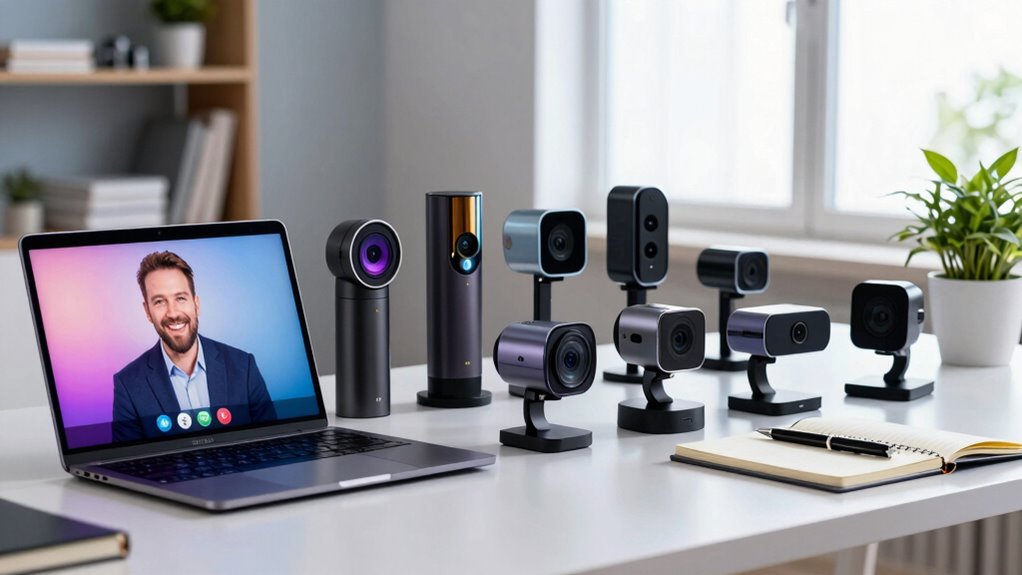

Finding the right webcam for graduate students on Zoom means balancing video quality, ease of setup, and affordability. The Logitech Brio 101 stands out as the best overall choice with its 4K resolution and versatile features, ideal for clear, professional-looking video calls. The Logitech C920e remains a top pick for reliable HD quality at a moderate price, while the AOC 4K Webcam offers impressive resolution for those who prioritize ultra-sharp visuals. Graduate students need a webcam that captures their expressions clearly without complex setup or excessive cost, but tradeoffs include balancing resolution, microphone quality, and ease of use. Continue reading for a detailed breakdown of each option and how to choose the best fit for your needs.

Get business pricing on monitors, keyboards and dev gear
- Business-only prices and quantity discounts
- Tax-exempt purchasing
- Multiple users, one account, clear invoices
Key Takeaways
- Top-tier webcams like the Logitech Brio 101 offer 4K resolution but come at a higher price, making them best for students who prioritize video clarity.
- The C920 series from Logitech balances affordability with solid 1080p quality, suitable for most graduate students on a budget.
- Built-in microphones vary significantly; models with noise-canceling features improve call clarity, especially in noisy environments.
- Plug-and-play connectivity simplifies setup for students who need quick, reliable solutions without technical hassle.
- Higher resolution webcams benefit students presenting or recording, but they may require more powerful hardware to run smoothly.
| Logitech Brio 101 Full HD 1080p Webcam – Black |  | Best Overall for Budget-Conscious Students Who Want Reliability | Resolution: 1080p Full HD | Color: Black | Microphone: Built-in | VIEW ON AMAZON | See Our Full Breakdown |
| Pro HD 1080p/30fps Webcam with Tripod |  | Best for Students Needing Flexibility and Better Audio | Resolution: 1080p at 30fps | Microphones: Dual noise-cancelling | Rotation: 360° | VIEW ON AMAZON | See Our Full Breakdown |
| AOC 4K Webcam for PC, Streaming Computer Camera with Noise-Canceling Mic |  | Best for High-Resolution Professional-Quality Streaming | Resolution: 4K Ultra HD | Field of View: 80° | Connectivity: USB-C & USB-A | VIEW ON AMAZON | See Our Full Breakdown |
| Philips 4K Webcam with Built-in Microphone and Privacy Cover |  | Best for Professional-Looking Video with Easy Setup | Resolution: 4K (3840 pixels) | Sensor Type: CMOS | Connectivity: USB | VIEW ON AMAZON | See Our Full Breakdown |
| Shcngqio TWC29 1080P HD Webcam with Noise-Canceling Microphone, Privacy Cover, Wide-Angle Lens, Auto Light Correction, Plug & Play USB |  | Best for Basic Yet Reliable Video with Wide-Angle Coverage | Resolution: 1080p Full HD | Frame Rate: 30 fps | Microphone: Noise-canceling | VIEW ON AMAZON | See Our Full Breakdown |
| Logitech C920e HD 1080p Webcam with Microphone, Certified for Zoom and Microsoft Teams |  | Best Overall for Reliable, High-Quality Video and Versatile Mounting | Resolution: Full HD 1080p | Field of View: 78° | Microphones: 2 omnidirectional microphones | VIEW ON AMAZON | See Our Full Breakdown |
| Logitech C920x HD Pro Webcam, 1080p/30fps, Black |  | Best Value for Vibrant Video and Background Flexibility | Resolution: 1080p Full HD | Frame Rate: 30 fps | Microphones: Dual stereo mics | VIEW ON AMAZON | See Our Full Breakdown |
| EMEET C960 1080P Webcam with Microphone for Desktop and Laptop |  | Best for Wide-Angle Group Calls on a Budget | Resolution: 1920 x 1080p | Field of View: 90° | Focus: Fixed focus (11.8–118.1 inches) | VIEW ON AMAZON | See Our Full Breakdown |
| EMEET C960 1080P Webcam with Dual Microphones |  | Best for Clear Audio and Low-Light Performance | Resolution: 1920 x 1080p | Microphones: 2 noise-reduction omnidirectional | Focus: Fixed (11.8–118.1 inches) | VIEW ON AMAZON | See Our Full Breakdown |
| NexiGo N60 1080P Webcam with Microphone, Software Control & Privacy Cover |  | Best for Easy Setup and Compatibility Across Multiple OS | Resolution: 1920 x 1080p | Frame Rate: 30 fps | Microphone: Built-in noise-canceling | VIEW ON AMAZON | See Our Full Breakdown |
| UGREEN 2K HD Webcam with Dual Microphones |  | Best for Clear, High-Resolution Video with Noise Reduction | Max Resolution: 2K 30FPS | Sensor: 4 MP CMOS | Field of View: 95° | VIEW ON AMAZON | See Our Full Breakdown |
| webcam for graduate students on zoom | Resolution | Privacy Cover | Microphones |
|---|---|---|---|
| Logitech Brio 101 Full HD 1080 | 1080p Full HD | Integrated slide shutter | — |
| Pro HD 1080p/30fps Webcam with | 1080p at 30fps | — | Dual noise-cancelling |
| AOC 4K Webcam for PC | 4K Ultra HD | — | — |
| Philips 4K Webcam with Built-i | 4K (3840 pixels) | — | — |
| Shcngqio TWC29 1080P HD Webcam | 1080p Full HD | Yes | — |
| Logitech C920e HD 1080p Webcam | Full HD 1080p | Attachable flip-up cover | 2 omnidirectional microphones |
| Logitech C920x HD Pro Webcam | 1080p Full HD | — | Dual stereo mics |
| EMEET C960 1080P Webcam with M | 1920 x 1080p | Yes | 2 omnidirectional |
| EMEET C960 1080P Webcam with D | 1920 x 1080p | Yes | 2 noise-reduction omnidirectional |
| NexiGo N60 1080P Webcam with M | 1920 x 1080p | Yes | — |
| UGREEN 2K HD Webcam with Dual | — | — | Dual built-in with noise reduction |
More Details on Our Top Picks
Logitech Brio 101 Full HD 1080p Webcam – Black
The Logitech Brio 101 stands out for its straightforward, plug-and-play setup and features that improve image quality in typical student environments. Its auto light correction helps reduce shadows in dim rooms, making it a dependable choice for those who attend classes from poorly lit spaces. Compared with the Shcngqio TWC29, it offers less resolution (1080p vs. 4K), but its simplicity and compatibility with major platforms like Zoom and Google Meet make it more accessible for most students. The built-in privacy shutter adds security, and made with recycled plastic aligns with eco-conscious choices. However, its lack of 4K resolution and absence of stereo microphones mean it isn’t suited for high-end streaming or content creation. This pick is ideal for students who prioritize ease of use and reliability over high-fidelity video.
Pros:- Auto light correction improves image quality in low-light settings
- Built-in privacy shutter provides security when not in use
- Plug-and-play USB-A connectivity ensures compatibility with major platforms
Cons:- Limited to 1080p resolution, no 4K option available
- No autofocus or stereo microphone, which could affect video clarity and audio quality
Best for: Graduate students on a budget seeking a reliable, easy-to-use webcam that works seamlessly with Zoom.
Not ideal for: Students who need ultra-high-definition video for professional presentations or content creation, as it doesn’t support 4K resolution.
- Resolution:1080p Full HD
- Color:Black
- Microphone:Built-in
- Privacy Cover:Integrated slide shutter
- Light Correction:RightLight (up to 50% brightness boost)
- Connection:USB-A
- Compatibility:Windows, Mac, Teams, Zoom, Google Meet
- Recycled Plastic:Minimum 34%
Our verdict“This webcam offers a dependable, straightforward solution for graduate students prioritizing simplicity and compatibility on a budget.”
Pro HD 1080p/30fps Webcam with Tripod
The Pro HD 1080p/30fps Webcam is tailored for students who want sharp video combined with versatile mounting options. Its auto-focus and low-light correction deliver clear images, even in less ideal lighting, outperforming simpler webcams like the Shcngqio TWC29. The inclusion of dual noise-cancelling microphones enhances voice clarity, which is critical during long lecture sessions or group discussions. The 360° rotation and sturdy telescopic tripod provide flexibility in positioning that standard webcams lack. However, it’s limited to 1080p and 30fps, which isn’t suitable for high-frame-rate streaming or professional content. Its wide-angle lens can sometimes distort backgrounds, making it less ideal for focused presentations. This model makes sense for students who need adjustable setups and better audio, especially in varied environments.
Pros:- Sharp 1080p video with fast auto-focus and low-light correction
- Dual noise-cancelling microphones enhance audio quality
- Includes a sturdy, adjustable tripod for flexible mounting
Cons:- Limited to 1080p/30fps, not suitable for high-definition streaming
- Wide-angle lens can distort backgrounds or focus less on the subject
Best for: Graduate students who require flexible positioning and improved audio clarity for Zoom calls and online classes.
Not ideal for: Students seeking 4K resolution or high-framerate streaming, since this camera maxes out at 1080p/30fps.
- Resolution:1080p at 30fps
- Microphones:Dual noise-cancelling
- Rotation:360°
- Privacy Shutter:Yes
- Tripod:Aluminum, telescopic, universal 1/4-inch screw
- Compatibility:Windows, Mac, Chrome OS, Linux
Our verdict“This webcam offers enhanced flexibility and audio clarity for students needing adaptable setups at an affordable price.”
AOC 4K Webcam for PC, Streaming Computer Camera with Noise-Canceling Mic
The AOC 4K Webcam is clearly aimed at students who want crisp, professional-quality video. Its ultra HD 4K resolution outperforms most competitors like the Philips 4K Webcam in clarity, making it suitable for detailed presentations or recording high-quality content. The broad 80° field of view captures more of the scene, ideal for group discussions or teaching demonstrations. Built-in noise-canceling microphone boosts audio clarity, though some reviews note limited info on low-light performance, which might impact less-lit environments. Its plug-and-play nature with USB-C and USB-A offers versatility, but it requires specific ports or adapters on some devices. Overall, it’s a strong pick for students who prioritize image quality over compactness or portability. It’s best for those who need maximum video fidelity in a professional or streaming setting.
Pros:- High-quality 4K video ensures professional-looking calls and recordings
- Wide 80° field of view captures more of the scene
- Built-in noise-canceling mic enhances audio clarity
Cons:- Requires USB-C or USB-A with possible adapters, limiting immediate plug-and-play on some devices
- Limited info on low-light performance could affect usability in dim rooms
Best for: Graduate students involved in content creation or professional online presentations requiring ultra HD quality.
Not ideal for: Students with basic laptops or limited USB-C ports, as they may need adapters or find it less portable.
- Resolution:4K Ultra HD
- Field of View:80°
- Connectivity:USB-C & USB-A
- Built-in Microphone:Yes
- Focus Type:Auto Focus
- Weight:0.16 kg
Our verdict“This webcam is ideal for students who need high-resolution video for professional or content creation purposes and can manage the equipment requirements.”
Philips 4K Webcam with Built-in Microphone and Privacy Cover
The Philips 4K Webcam emphasizes high-quality visuals for students who want a polished appearance on Zoom or streaming. Its 4K resolution surpasses most budget options, making it suitable for professional presentations or online teaching. The built-in microphone simplifies audio setup, and the privacy shutter enhances security, comparable to the privacy features of the Logitech Brio 101. The camera’s auto focus and plug-and-play USB connectivity make it straightforward to use across platforms like Teams or Google Meet. However, it doesn’t specify advanced low-light features, which may hinder performance in poorly lit rooms. Its lack of water resistance and absence of advanced features mean it’s best for stable, indoor use — not rugged environments. This camera works well for students who need professional-quality video with minimal fuss.
Pros:- 4K ultra HD video quality provides a sharp, professional appearance
- Built-in microphone reduces the need for external audio gear
- Physical privacy shutter enhances security
Cons:- No explicit mention of advanced low-light performance
- Lacks water resistance or rugged features for outdoor or mobile use
Best for: Graduate students seeking high-quality, professional-looking video for online seminars and teaching.
Not ideal for: Students who need a portable or rugged camera for varied environments, as it’s primarily designed for indoor use.
- Resolution:4K (3840 pixels)
- Sensor Type:CMOS
- Connectivity:USB
- Focus Type:Auto Focus
- Special Features:Privacy Shutter, Low Light
- Supported Video Format:MP4
Our verdict“This webcam is suitable for students who prioritize image quality and ease of use for professional online interactions.”
Shcngqio TWC29 1080P HD Webcam with Noise-Canceling Microphone, Privacy Cover, Wide-Angle Lens, Auto Light Correction, Plug & Play USB
The Shcngqio TWC29 is a solid, affordable choice for students who need reliable 1080p video with a broad field of view. Its wide-angle lens captures more background, which can be useful for demonstrating projects or group discussions, though it may distort close-up shots. The auto light correction adjusts to various lighting conditions, ensuring clear video even in less ideal setups. The noise-canceling microphone helps maintain voice clarity during zoom calls, similar to the Pro HD Webcam, but at a lower price point. Its plug-and-play USB setup makes it accessible for students with minimal technical skills. The main tradeoff is its limited 30fps frame rate, which might not satisfy students involved in fast-paced content creation or gaming. This webcam suits students who want decent video quality without complicated features or high cost.
Pros:- Sharp 1080p video with wide-angle lens for broader scene capture
- Noise-canceling microphone enhances audio clarity
- Sliding privacy cover for security when not in use
Cons:- Limited to 30fps, not ideal for fast-motion or high-end streaming
- No advanced features like 4K resolution or high frame rates
Best for: Graduate students needing a straightforward, dependable webcam for regular Zoom meetings and online classes.
Not ideal for: Students interested in high-frame-rate streaming or professional content creation, as it only supports 30fps.
- Resolution:1080p Full HD
- Frame Rate:30 fps
- Microphone:Noise-canceling
- Privacy Cover:Yes
- Lens Type:Wide-Angle
- Connectivity:USB 2.0/3.0/3.1, OTG
Our verdict“This webcam offers a reliable, budget-friendly option for students who value simplicity and consistent performance in video calls.”
Logitech C920e HD 1080p Webcam with Microphone, Certified for Zoom and Microsoft Teams
The Logitech C920e stands out for delivering crisp 1080p video with automatic light correction, making it ideal for graduate students who need professional-looking calls. Its 78° fixed field of view provides a focused image, but this can be a limitation if you frequently need to include multiple participants or a wider scene, unlike the broader view of some competitors like the EMEET C960. The built-in dual omnidirectional microphones ensure clear audio, which is crucial for engaging discussions. The included privacy cover adds security, a feature not always standard on webcams like the Logitech C920x. However, it lacks zoom or pan capabilities, so framing must be done manually. Compared to budget options, this offers a professional-grade experience, but the fixed view and requirement for external power can be drawbacks for some users.
Pros:- Sharp 1080p video with automatic light correction
- Clear audio from dual omnidirectional microphones
- Versatile mounting options including tripod compatibility
- Privacy cover for added security
Cons:- Fixed field of view may not suit all setups
- No built-in zoom or pan features
- Requires external power or USB connection
Best for: Graduate students who prioritize reliable HD video and flexible mounting options with a focus on security.
Not ideal for: Students needing a wide-angle view or adjustable framing, as the fixed 78° view limits versatility.
- Resolution:Full HD 1080p
- Field of View:78°
- Microphones:2 omnidirectional microphones
- Autofocus:Yes
- Light Correction:Automatic
- Privacy Cover:Attachable flip-up cover
Our verdict“This webcam suits graduate students seeking dependable, high-quality video with flexible mounting, but not those needing adjustable framing or a wider view.”
Logitech C920x HD Pro Webcam, 1080p/30fps, Black
The Logitech C920x HD Pro offers vibrant 1080p video at 30 fps, making it suitable for students who want crisp visuals without the need for high frame rates. Its HD autofocus and automatic light correction perform well in various lighting conditions, comparable to the Logitech C920e. The inclusion of a 3-month XSplit VCam license provides easy background removal, a feature that enhances privacy and professionalism during calls. Unlike the C920e, it doesn’t include a privacy shutter, which could be a concern for privacy-conscious students. The frame rate capped at 30 fps limits smoothness in fast-paced movements. This model is better suited for students who value image quality and background flexibility but can compromise on frame rate or built-in privacy options.
Pros:- Vibrant 1080p video at 30 fps
- Effective autofocus and light correction
- Includes XSplit VCam license for background editing
- Crisp, natural audio with dual mics
Cons:- No privacy shutter included
- Frame rate limited to 30 fps
- No zoom or pan capabilities
Best for: Budget-conscious graduate students who want good video quality and background customization without extra cost.
Not ideal for: Students requiring privacy shutters or higher frame rates for dynamic presentations or movement.
- Resolution:1080p Full HD
- Frame Rate:30 fps
- Microphones:Dual stereo mics
- Features:HD autofocus, light correction
- Software Included:3-month XSplit VCam license
- Privacy Shutter:No
Our verdict“This webcam offers solid video quality and background options at a good price, though it lacks a privacy shutter and higher frame rates.”
EMEET C960 1080P Webcam with Microphone for Desktop and Laptop
The EMEET C960 shines with its expansive 90° wide-angle lens, making it ideal for students who often participate in group discussions or need to include multiple participants in a tight space. Its automatic light and color adjustment improve image clarity in various environments, similar to the Logitech C920e. The built-in dual omnidirectional microphones ensure clear audio, crucial for engaging remote classes. It’s a plug-and-play device compatible with major platforms like Zoom and Google Meet. However, its fixed focus can be limiting, especially if you move closer or farther from the camera. It’s best suited for well-lit, stable setups rather than dynamic environments. Compared to the C920x, it offers a wider field of view but less flexibility in focus control.
Pros:- Wide 90° field of view for group calls
- Plug-and-play setup with USB-C and USB-A
- Automatic light and color adjustment
- Built-in privacy cover for security
Cons:- No autofocus; fixed focus only
- Performance depends heavily on good lighting
- No built-in speakers
Best for: Students who attend large group meetings or need a broad view during collaborative projects.
Not ideal for: Students requiring autofocus or precise framing, as fixed focus limits versatility.
- Resolution:1920 x 1080p
- Field of View:90°
- Focus:Fixed focus (11.8–118.1 inches)
- Microphones:2 omnidirectional
- Connectivity:USB Type-A with A-to-C adapter
- Privacy Cover:Yes
Our verdict“This webcam suits students who prioritize a broad view for group interactions but can accept limited focus control.”
EMEET C960 1080P Webcam with Dual Microphones
The EMEET C960 with dual microphones provides reliable audio pickup, making it a strong choice for students who need to be heard clearly in noisy environments. Its automatic low-light correction helps maintain clarity even in dim rooms, similar to the Logitech C920e. Its 90° wide-angle lens captures multiple participants comfortably, but the fixed focus setup limits framing flexibility, especially if you move around. Its compatibility with a range of platforms, including Linux and Android TV, adds versatility. However, the absence of autofocus and the fixed focus range mean you need to stay within a specific distance for optimal clarity. It’s ideal for students who prioritize audio clarity and broad views over adjustable focus features.
Pros:- Dual noise-reduction microphones
- Automatic low-light correction
- Wide 90° angle for multiple participants
- Plug-and-play with broad OS compatibility
Cons:- Fixed focus; no autofocus
- Limited to 11.8–118.1 inches focusing range
- No internal speakers
Best for: Graduate students who need high-quality audio and a wide view for group or panel discussions.
Not ideal for: Students who frequently move closer or farther from the camera, as it lacks autofocus.
- Resolution:1920 x 1080p
- Microphones:2 noise-reduction omnidirectional
- Focus:Fixed (11.8–118.1 inches)
- Field of View:90°
- Compatibility:Windows, macOS, Linux, Android TV
- Privacy Cover:Yes
Our verdict“This webcam excels in delivering clear audio and a wide field of view, best for students in need of stable, group-oriented visuals without adjustable focus.”
NexiGo N60 1080P Webcam with Microphone, Software Control & Privacy Cover
The NexiGo N60 offers straightforward plug-and-play setup with both USB-A and USB-C, making it accessible for students with various devices. Its 2MP CMOS sensor delivers sharp Full HD 1080p video at 30 fps, suitable for most academic needs. The included privacy cover enhances security, and the built-in noise-canceling microphone captures clear voice quality. Its compatibility spans Windows, macOS, Android, Linux, and Chrome OS, providing flexibility for varied platforms, unlike some webcams that are limited to Windows or Mac. However, its fixed focus and absence of advanced features like autofocus or zoom make it less adaptable for dynamic environments. It’s ideal for students who want a reliable, easy-to-use webcam with broad compatibility but don’t need advanced framing controls.
Pros:- Plug-and-play setup with USB-A and USB-C
- Sharp 1080p video at 30 fps
- Built-in privacy cover for security
- Compatible with multiple operating systems
Cons:- Fixed focus limits flexibility
- No additional features like zoom or pan
- No internal speakers
Best for: Students seeking a simple, reliable webcam with broad device compatibility and security features.
Not ideal for: Students who need adjustable focus or advanced framing options for dynamic or close-up shots.
- Resolution:1920 x 1080p
- Frame Rate:30 fps
- Microphone:Built-in noise-canceling
- Focus:Fixed
- Connectivity:USB Type-A and Type-C
- Privacy Cover:Yes
Our verdict“This webcam suits students who prioritize ease of use, security, and broad compatibility over adjustable focus or framing features.”
UGREEN 2K HD Webcam with Dual Microphones
The UGREEN 2K HD Webcam stands out for delivering sharp, detailed video at 2K resolution, which surpasses most typical 1080p webcams like the Logitech C920x. Its 4 MP CMOS sensor ensures crisp visuals, making it ideal for graduate students who want to appear professional on Zoom. The dual microphones with noise reduction help mitigate background noise better than single-mic options, which is essential in noisy environments. Automatic low-light correction enhances image quality in dim settings, a common challenge during late-night study calls. However, its fixed focus might be a drawback for those needing to switch distances frequently, and 2K resolution demands more from your computer’s hardware and USB port—potentially causing lag on less powerful systems. Compared to the Pro HD 1080p Webcam, this model offers higher resolution but at the cost of increased system requirements. This pick makes the most sense for students who prioritize video clarity and audio quality but have a relatively modern setup.
Pros:- Sharp 2K video quality with detailed clarity
- Dual microphones with background noise reduction
- Automatic low-light and color correction for better visibility
- Privacy cover and plug-and-play setup for ease of use
Cons:- Fixed focus limits flexibility for different distances
- Requires a high-quality USB port and system support for optimal performance
Best for: Graduate students who want crisp, high-quality video and clear audio for professional Zoom calls and presentations.
Not ideal for: Students with older or less powerful computers, as the 2K resolution requires substantial processing power and bandwidth.
- Max Resolution:2K 30FPS
- Sensor:4 MP CMOS
- Field of View:95°
- Microphones:Dual built-in with noise reduction
- Focus:Fixed focus (no zoom)
- Compatibility:Windows 7/8/10/11, Mac OS 10.6, Linux, Android
- Installation:Plug-and-play, driver-free
Our verdict“This webcam is best suited for graduate students seeking high-resolution video with clear audio, provided their system can handle the higher data load.”
How We Picked
We evaluated webcams based on performance, video quality, microphone clarity, ease of setup, and value for money. Since graduate students need reliable, straightforward devices that enhance their Zoom calls, we prioritized models with consistent performance, user-friendly features, and good build quality. The ranking reflects a balance between high-quality video, microphone performance, and affordability, ensuring each product meets the typical demands of academic presentations, discussions, and remote learning. We also considered user reviews and brand reputation to identify models that provide long-term reliability and support.| webcam for graduate students on zoom | Privacy Cover |
|---|---|
| Logitech Brio 101 Full HD 1080 | Integrated slide shutter |
| Pro HD 1080p/30fps Webcam with | — |
| AOC 4K Webcam for PC | — |
| Philips 4K Webcam with Built-i | — |
| Shcngqio TWC29 1080P HD Webcam | Yes |
| Logitech C920e HD 1080p Webcam | Attachable flip-up cover |
| Logitech C920x HD Pro Webcam | — |
| EMEET C960 1080P Webcam with M | Yes |
| EMEET C960 1080P Webcam with D | Yes |
| NexiGo N60 1080P Webcam with M | Yes |
| UGREEN 2K HD Webcam with Dual | — |
Factors to Consider When Choosing Webcam For Graduate Students On Zoom
Choosing the right webcam for graduate students on Zoom involves understanding several key factors. Beyond basic resolution, it’s important to consider microphone quality, ease of use, and compatibility with your existing setup. The right balance depends on your specific needs, whether for casual study calls or professional presentations. Carefully weighing these elements helps avoid common pitfalls like poor audio or shaky video, ensuring your virtual presence is as effective as in person.Video Resolution and Frame Rate
Higher resolution webcams, such as 4K models, offer sharper images, which can be beneficial for presentations or recording high-quality content. However, they require more processing power and bandwidth, which might slow down older computers or congest networks. For everyday Zoom calls, 1080p is typically sufficient, providing clear visuals without demanding too much from your system. Consider your typical usage; if you often record lectures or want the best video quality for a professional portfolio, investing in higher resolution makes sense.
Microphone Quality and Noise Cancellation
Clear audio is often overlooked but critical during long discussions or presentations. Built-in microphones vary widely—some include noise-canceling features that block background noise, making your voice clearer even in noisy settings like shared living spaces. When choosing, check for dual microphones or enhanced audio technology if you frequently participate in group calls or need to record lectures. Failing to consider this can lead to frustrating misunderstandings or the need for external mics, complicating your setup.
Ease of Setup and Compatibility
Most modern webcams are plug-and-play, but some require additional software or driver installations, which can be a hassle during busy study periods. Look for models that are compatible with your operating system and preferred conferencing apps, like Zoom or Microsoft Teams. USB connectivity is standard, but some models offer USB-C or wireless options. Choosing a device with straightforward setup and reliable driver support reduces technical issues and lets you focus on your coursework and discussions.
Build Quality and Design
Durability and design matter, especially if you’ll be transporting your webcam or using it in multiple locations. A sturdy mount, adjustable angles, and a compact size help you position the camera for optimal framing. Privacy features, like built-in covers, add peace of mind when the camera isn’t in use. Cheaper models may feel flimsy or have limited adjustability, which can hinder effective framing during calls or recordings.
Price and Value
While premium webcams offer excellent features, they come with higher price tags. For most graduate students, a mid-range model that balances quality and affordability provides the best value. Beware of models that cut corners on microphone quality or resolution to lower costs, as these can impact your call clarity and professional appearance. Consider your primary use cases—if you only need basic video for casual calls, a budget option may suffice, but for frequent presentations, investing in a higher-quality device pays off.
Frequently Asked Questions
Can I use a 4K webcam for Zoom calls without a powerful computer?
Using a 4K webcam on a less powerful computer can lead to lag or dropped frames, especially if your system struggles to process high-resolution video. For most students, 1080p webcams provide a good balance between quality and performance, ensuring smooth calls without overtaxing your hardware. If you do opt for 4K, ensure your computer has a modern processor and sufficient RAM, and check your internet bandwidth to handle the higher data rates.
Is a built-in microphone sufficient for graduate student needs?
In many cases, a good built-in microphone with noise-canceling features can adequately meet the needs of graduate students during Zoom calls. However, if you frequently participate in noisy environments or need to record lectures, investing in a dedicated external microphone might be better. Remember, clear audio often has a greater impact on communication than video quality, so prioritize microphone quality if your budget allows.
How important is compatibility with other conferencing apps besides Zoom?
While Zoom compatibility is essential, most webcams designed for general use also work well with other platforms like Microsoft Teams or Google Meet. Ensuring your chosen model supports standard USB interfaces and is recognized by your operating system can prevent compatibility issues across different apps. If you switch between platforms regularly, selecting a versatile, widely supported model reduces frustration and setup time.
Should I prioritize resolution or microphone quality?
Both are important, but for most graduate students, microphone quality should take precedence if you participate in lengthy discussions or need to record lectures. Clear audio minimizes misunderstandings and improves engagement. Higher resolution video is beneficial for presentations or creating professional content, but if your primary concern is communication clarity, investing in a quality microphone or a webcam with noise-canceling mics offers immediate benefits.
Is a privacy cover necessary, or is it just a luxury?
A privacy cover provides peace of mind, especially when the camera is not in use, protecting you from accidental video sharing or hacking. While not strictly necessary, many students appreciate having a physical cover, which is an inexpensive feature that enhances security and privacy. If you frequently move between locations or share your device with others, a privacy cover becomes a practical addition rather than a luxury.
Conclusion
For graduate students seeking the best overall experience, the Logitech Brio 101 offers exceptional video quality and versatile features, making it ideal for presentations and recordings. Those on a tighter budget will find the Logitech C920e provides reliable HD performance at a reasonable price. Students new to video setups can consider models like the NexiGo N60 for straightforward use, while those prioritizing portability might prefer compact options like the Ugreen 2K. For academic professionals, investing in a higher-end model with better microphone quality and 4K resolution can enhance their virtual presence, but most students will find a mid-range camera meets their daily needs effectively.