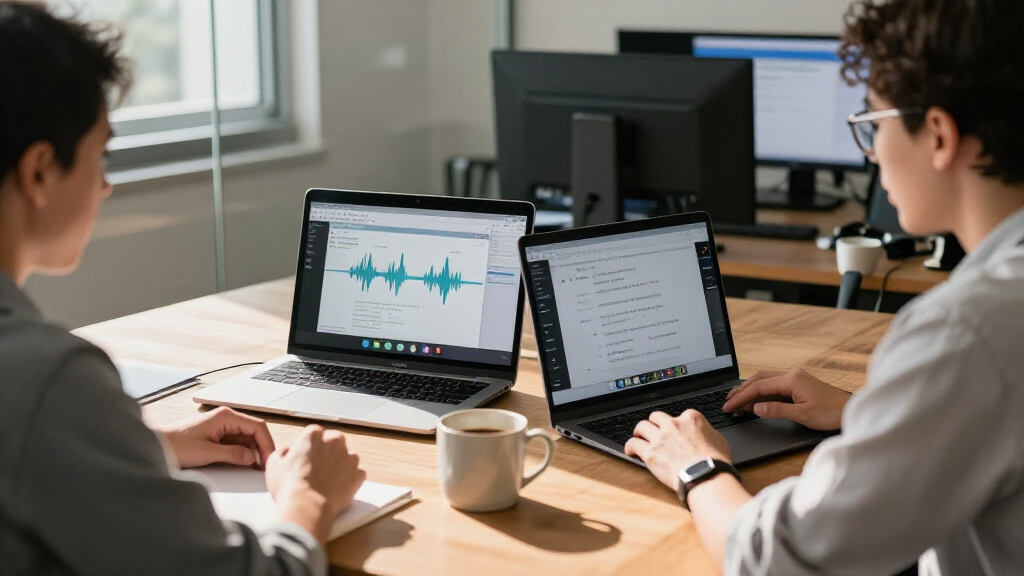
AI meeting transcription software can turn spoken discussions into searchable text, summaries, and follow-up notes, but the products here range from dedicated recorders to a manual transcription program. I’d name the viaim NoteKit best overall for buyers seeking a meeting-focused assistant, while HiDock H1E stands out for combining transcription with a desk dock and Express Scribe for people who want hands-on control of transcription playback. The main tradeoff is between automatic convenience and control over recordings, editing, and workflow. Portability, language support, and how notes are created also separate these picks. Read on for the full breakdown and help matching a tool to the way you meet.

Get business pricing on monitors, keyboards and dev gear
- Business-only prices and quantity discounts
- Tax-exempt purchasing
- Multiple users, one account, clear invoices
Key Takeaways
- The lineup mixes software and hardware. Express Scribe is built around controlled playback and manual transcription, while most other picks are voice recorders or meeting assistants with AI features.
- Meeting workflow matters more than a long feature list. HiDock H1E pairs note-taking with a docking station, while portable recorders suit people who need to capture conversations away from a desk.
- Automatic documents and summaries are not the same as a finished transcript. Buyers should check whether their priority is searchable text, organized notes, or ready-to-share meeting follow-ups.
- Language needs can change the shortlist. The portable recorder advertised with 59-language translation stands apart for multilingual use, but buyers should verify that its language functions fit their actual workflow.
- Convenience comes with workflow tradeoffs. Dedicated devices can simplify capture, while software-centered approaches offer more deliberate control; portability, setup, editing, and data handling should shape the choice.
| HiDock H1E AI Meeting Note-Taker and 8-in-1 Docking Station |  | Best for a Desk-Based Meeting Setup | Supported languages: 75 | Storage: 32 GB | Battery life: 4 hours | VIEW LATEST PRICE | See Our Full Breakdown |
| NeoSapien Neo 1 AI Note-Taking Device, Gunmetal |  | Best Wearable for Multilingual Notes | Supported languages: More than 140 | Connectivity: Bluetooth | Compatible devices: Android and iPhone smartphones | VIEW LATEST PRICE | See Our Full Breakdown |
| Express Scribe Professional Transcription Software with Infinity IN-USB-3 USB Foot Pedal |  | Best for Manual Transcription Workflows | Included software: Express Scribe Professional user license | Included pedal: Infinity IN-USB-3 USB transcription foot pedal | Interface: USB 3.0 | VIEW LATEST PRICE | See Our Full Breakdown |
| EurekaMind AI Voice Recorder and Meeting Note Taker |  | Best for Phone Calls and Compact Recording | Storage capacity: 64 GB | Battery life: Up to 30 hours | Recording modes: Ambient and call recording | VIEW LATEST PRICE | See Our Full Breakdown |
| Comu Action Pro AI Voice Recorder with Automatic AI Documents |  | Best for Turning Meetings into Follow-Up Documents | Microphones: Six: four omnidirectional, one directional, and one bone-conduction | Languages: 113 | Battery life: Up to 70 hours | VIEW LATEST PRICE | See Our Full Breakdown |
| AI Voice Recorder with Magnetic Back and AI Transcription |  | Best for Flexible Recording Modes | Storage: 32 GB | Recording format: WAV | Maximum recording time: Up to 1,000 hours | VIEW LATEST PRICE | See Our Full Breakdown |
| Comu Action Pro AI Voice Recorder with Automatic Document Creation |  | Best for Multilingual Follow-Up | Microphones: Six: four omnidirectional, one directional, and one bone-conduction | Transcription and translation: 113 languages | Storage: 16 GB | VIEW LATEST PRICE | See Our Full Breakdown |
| Pocket AI Voice Recorder with Auto Transcription, Baby Pink |  | Best for Asking Questions About Recordings | Storage: 64 GB | Battery life: Up to 4 days | Microphone: Built-in | VIEW LATEST PRICE | See Our Full Breakdown |
| Portable AI Voice Recorder with Transcription, Summaries, and 59-Language Translation |  | Best for Longer Mobile Recording | Storage: 64 GB | Digital recording time: Up to 400 hours | Battery life: Up to 30 hours | VIEW LATEST PRICE | See Our Full Breakdown |
| viaim NoteKit AI Meeting Assistant and Voice Recorder |  | Best for Secure Computer-Based Meetings | Transcription coverage: 78 languages and 145 dialects | Recording modes: 3 | Microphones and pickup range: Dual built-in microphones; up to 16.4 ft (5 m) | VIEW LATEST PRICE | See Our Full Breakdown |
| AI meeting transcription software | Battery life | Storage | Connectivity |
|---|---|---|---|
| HiDock H1E AI Meeting Note-Tak | 4 hours | 32 GB | — |
| NeoSapien Neo 1 AI Note-Taking | Up to 2 days | — | Bluetooth |
| Express Scribe Professional Tr | — | — | — |
| EurekaMind AI Voice Recorder a | Up to 30 hours | — | — |
| Comu Action Pro AI Voice Recor | Up to 70 hours | — | Bluetooth, Wi-Fi, and USB-C |
| AI Voice Recorder with Magneti | — | 32 GB | Bluetooth, BLE, USB Type-C |
| Comu Action Pro AI Voice Recor | Up to 70 hours | 16 GB | Bluetooth, Wi-Fi, USB-C |
| Pocket AI Voice Recorder with | Up to 4 days | 64 GB | — |
| Portable AI Voice Recorder wit | Up to 30 hours | 64 GB | Bluetooth 5 |
| viaim NoteKit AI Meeting Assis | — | — | — |
More Details on Our Top Picks
HiDock H1E AI Meeting Note-Taker and 8-in-1 Docking Station
The HiDock H1E makes the most sense for people who want meeting transcription built into their desk setup rather than another wearable or pocket recorder. It supports transcription and AI summaries in 75 languages, with VoiceMarks for marking key moments and bidirectional noise cancellation to help capture clearer speech. Its distinctive advantage over the EurekaMind AI Voice Recorder is the built-in dock: you also get a 4K display connection, Ethernet, USB ports, and up to 83W power delivery for a computer. That combination reduces desk clutter, but makes the H1E less suitable for recording on the move. Auto-recording needs to be activated in the app, and some advanced tools require a paid Pro membership. The included open-ear earphone is aimed at calls and voice, not music.
Pros:- Free transcription and summaries in 75 languages
- VoiceMarks and bidirectional noise cancellation support meeting review
- Dock provides 4K@60Hz HDMI, Ethernet, and multiple USB ports
- Includes a lightweight open-ear earphone
Cons:- Auto-recording must be activated manually in the app
- Some advanced features require a paid Pro membership
- The dock-focused design is less convenient for recording away from a desk
Best for: Remote workers who want a desktop transcription device and a multiport dock for their computer.
Not ideal for: People who need a discreet, portable recorder for in-person meetings or expect every AI feature to be included without a paid membership.
- Supported languages:75
- Storage:32 GB
- Battery life:4 hours
- Digital recording time:Up to 1,000 hours
- Display output:4K@60Hz HDMI
- Ports:1 Gbps Ethernet, 3 USB-C 3.2, 2 USB-A 3.2, and 1 DC-In
- Audio format:MP3
- Included accessory:Open-ear earphone
Our verdict“Choose the HiDock H1E if you want transcription features and a capable workstation dock in one desk-based device.”
NeoSapien Neo 1 AI Note-Taking Device, Gunmetal
The NeoSapien Neo 1 is the wearable pick for people who want meeting notes without setting a recorder on the table. It pairs with iPhone and Android through Bluetooth and turns captured conversations into searchable transcripts, summaries, decisions, tasks, and reminders. Its support for more than 140 languages is broader than the 75 offered by the HiDock H1E, while a privacy indicator and automatic audio deletion after transcription give buyers more control over recordings. The tradeoff is a smaller, phone-dependent form: this is not a desktop dock like the HiDock, and its listed storage is only 2 MB. Battery life is up to two days, but it is not water resistant, so I would treat it as a wearable note-taking accessory rather than a device for every setting.
Pros:- Supports more than 140 languages
- Creates searchable transcripts, summaries, decisions, tasks, and reminders
- Privacy indicator and audio deletion after transcription
- Core features do not require a recurring subscription
Cons:- Listed storage capacity is 2 MB
- Not water resistant
- Relies on a compatible smartphone and app connection
Best for: Smartphone users who attend multilingual meetings and want a small wearable that turns conversations into searchable tasks and notes.
Not ideal for: Buyers who need a standalone recorder, water resistance, or a device with substantial onboard storage.
- Supported languages:More than 140
- Connectivity:Bluetooth
- Compatible devices:Android and iPhone smartphones
- Battery life:Up to 2 days
- Battery charge time:3 hours
- Storage capacity:2 MB
- Dimensions:45 × 22 × 8 mm
- Weight:20 g
Our verdict“Pick the NeoSapien Neo 1 if multilingual, wearable capture matters more than standalone recording or water resistance.”
Express Scribe Professional Transcription Software with Infinity IN-USB-3 USB Foot Pedal
This bundle is different from the AI-first recorders in this roundup: Express Scribe Professional is playback software paired with a foot pedal, not a service that automatically creates meeting transcripts or summaries. The pedal lets a typist pause, rewind, and control audio while keeping hands on the keyboard, and variable-speed playback helps move through recordings at a comfortable pace. That makes it a better fit for people who already transcribe recordings themselves than the Comu Action Pro, which generates searchable transcripts and follow-up documents. The tradeoff is clear: buyers give up automated speech recognition, AI summaries, and action-item extraction. It also requires a personal computer and supports specified audio formats rather than serving as a general-purpose meeting recorder. There is no subscription, but the workflow depends on manual typing.
Pros:- Foot pedal controls playback while hands stay on the keyboard
- Variable-speed playback supports efficient manual transcription
- Includes multichannel control, video playback, and file management
- No subscription is required
Cons:- Does not automatically generate transcripts or AI meeting summaries
- Requires a personal computer and a manual typing workflow
- Product information gives conflicting foot-pedal weights
Best for: Transcriptionists and administrative staff who type meeting records from audio and want hands-free playback controls.
Not ideal for: Meeting attendees who expect automatic AI transcripts, summaries, or task extraction without manual typing.
- Included software:Express Scribe Professional user license
- Included pedal:Infinity IN-USB-3 USB transcription foot pedal
- Interface:USB 3.0
- Compatible device:Personal computer
- Supported formats:MP3, WAV, WMA
- Playback features:Variable speed, multichannel control, and video playback
- Warranty:1 year
Our verdict“Choose this bundle if you transcribe recordings by hand and want pedal-controlled playback, not automated AI meeting notes.”
EurekaMind AI Voice Recorder and Meeting Note Taker
The EurekaMind AI Voice Recorder stands out for capturing both ambient conversations and phone calls, then producing transcripts, speaker labels, summaries, and action items. That makes it a more flexible capture choice than the HiDock H1E, which is designed around a desktop dock, while its credit-card-sized body and magnetic attachment suit phone-centered use. The listed 64 GB of storage and up to 30 hours of battery life give it room for longer stretches of recording. Its free Starter Plan includes unlimited transcription and summaries, while premium features such as reminders, calendar sync, and Ask AI sit behind an upgrade. I would shortlist it for calls and mobile meetings, but buyers who need a headphone jack will need another option; this recorder has none.
Pros:- Records both ambient conversations and phone calls
- Free Starter Plan includes unlimited transcription and AI summaries
- 64 GB storage and up to 30 hours of battery life
- Lightweight magnetic design attaches to a phone
Cons:- Advanced features require a premium plan
- No headphone jack
- Designed around smartphone compatibility rather than a desktop docking setup
Best for: Smartphone users who need one compact recorder for both in-person meetings and phone calls, with transcripts and action items.
Not ideal for: People who need headphone monitoring or want advanced AI tools such as reminders and calendar sync without a premium plan.
- Storage capacity:64 GB
- Battery life:Up to 30 hours
- Recording modes:Ambient and call recording
- Microphone:Built-in
- Dimensions:3.39 × 2.13 × 0.12 in
- Weight:29 g (1.02 oz)
- Headphone jack:None
- AI outputs:Transcripts, summaries, speaker recognition, and action items
Our verdict“Choose EurekaMind if call recording and compact phone attachment matter more than headphone monitoring or included premium tools.”
Comu Action Pro AI Voice Recorder with Automatic AI Documents
The Comu Action Pro is aimed at people who need more than a transcript: it turns recordings into searchable text, summaries, and editable follow-up documents. Its six-microphone array, including a directional mic and bone-conduction mic, sets it apart from the simpler built-in microphone listed for the EurekaMind AI Voice Recorder, while support for 113 languages gives it a wide multilingual range. A claimed recording life of up to 70 hours also exceeds EurekaMind’s 30 hours, making Comu better suited to long stretches away from charging. The catch is that the AI-generated content must be accessed through the Comu app or website, so it is not a self-contained document workflow. Its 16 GB storage is also less than EurekaMind’s 64 GB, and there is no headphone jack.
Pros:- Generates searchable transcripts, summaries, and editable follow-up documents
- Supports 113 languages
- Up to 70 hours of recording per charge
- Six-microphone setup and magnetic design
Cons:- AI-generated content requires the Comu app or website
- 16 GB storage is less than the EurekaMind recorder’s 64 GB
- No headphone jack
Best for: Teams and professionals who want recordings converted into editable meeting follow-ups and need long battery life across multilingual sessions.
Not ideal for: Buyers who want large onboard storage, headphone monitoring, or access to AI notes without the Comu app or website.
- Microphones:Six: four omnidirectional, one directional, and one bone-conduction
- Languages:113
- Battery life:Up to 70 hours
- Storage capacity:16 GB
- Connectivity:Bluetooth, Wi-Fi, and USB-C
- Weight:52 g
- Audio format:MP3
- Screen size:0.95 inches
Our verdict“Pick the Comu Action Pro if editable AI follow-ups and long recording life matter more than larger storage or standalone access.”
AI Voice Recorder with Magnetic Back and AI Transcription
This recorder suits people who want a small standalone device and the option to shape how it captures a meeting. Its noise-cancellation, omnidirectional, and unidirectional modes offer more recording control than the simpler built-in microphone listed for Pocket’s recorder. The magnetic back and Type-C file transfer also make it easy to attach or move recordings to a computer. The ZKEagle app adds transcription, summaries, and translation, but those AI tools are not available directly on the recorder: you must connect to the app. That makes it less self-contained than Comu Action Pro, which can also create editable follow-up materials. Its up-to-eight-hour recording limit per charge is another constraint for long days of back-to-back sessions, despite ample stated storage.
Pros:- Offers noise-cancellation, omnidirectional, and unidirectional microphone modes.
- Companion app provides transcription, summaries, and translation.
- Magnetic back supports convenient attachment.
- Bluetooth syncing and USB Type-C transfer provide two ways to move files.
Cons:- Continuous recording lasts up to eight hours per charge.
- AI features require connecting to the ZKEagle app.
- The 160 mAh battery is a limiting factor for extended recording sessions.
Best for: People who want selectable microphone modes, a magnetic recorder, and app-based transcription for meetings or interviews.
Not ideal for: People who need a recorder to last through multiple long days without charging or want transcripts without using a companion app.
- Storage:32 GB
- Recording format:WAV
- Maximum recording time:Up to 1,000 hours
- Continuous battery life:Up to 8 hours
- Connectivity:Bluetooth, BLE, USB Type-C
- Microphone modes:Noise cancellation, omnidirectional, unidirectional
- Dimensions and weight:55 × 82 × 4 mm; 52 g
- App compatibility:iOS and Android
Our verdict“Choose this recorder if microphone-mode flexibility matters more than all-day battery life or app-free transcription.”
Comu Action Pro AI Voice Recorder with Automatic Document Creation
Comu stands out when a meeting needs to become usable follow-up, not just a transcript. It supports transcription and translation in 113 languages and turns recordings into editable summaries and follow-up materials, a more document-focused workflow than the transcription and summaries described for the ZKEagle recorder. Its six-microphone array, including a bone-conduction microphone, gives it a more elaborate capture setup than Pocket’s single built-in microphone. The stated 70-hour battery life also makes it better suited to extended use than the eight-hour ZKEagle option. The tradeoff is app dependence: AI features require the Comu app or website, and the device is listed as compatible with smartphones rather than computers. A 0.95-inch screen and lack of a headphone jack further limit on-device interaction.
Pros:- Transcribes and translates in 113 languages.
- Creates editable summaries and follow-up materials.
- Up to 70 hours of stated battery life supports extended recording use.
- Magnetic design is compatible with MagSafe-enabled iPhones.
Cons:- AI features require the Comu app or website.
- Listed device compatibility is limited to smartphones.
- No headphone jack for wired listening.
Best for: Multilingual teams and mobile professionals who need transcripts converted into editable summaries and follow-up documents.
Not ideal for: Computer-first users or people who want to review recordings through a wired headphone connection.
- Microphones:Six: four omnidirectional, one directional, and one bone-conduction
- Transcription and translation:113 languages
- Storage:16 GB
- Battery life:Up to 70 hours
- Audio format:MP3
- Connectivity:Bluetooth, Wi-Fi, USB-C
- Compatible devices:Smartphones
- Weight and screen:52 g; 0.95 inches
Our verdict“Pick Comu if multilingual transcription and editable meeting follow-up matter more than computer compatibility or on-device listening options.”
Pocket AI Voice Recorder with Auto Transcription, Baby Pink
Pocket’s clearest distinction is that its workflow goes beyond producing a transcript: users can ask questions about recorded conversations, alongside getting summaries, key points, action items, and conversation maps. That makes it a fit for people who revisit meeting content to find decisions or tasks, rather than just archive audio. Its one-tap capture and up-to-four-day battery life contrast with the eight-hour limit stated for the ZKEagle recorder, while its 64 GB storage exceeds Comu Action Pro’s listed 16 GB. The catch is that some advanced features require an optional subscription, so the full workflow may depend on ongoing access. The supplied data lists smartphone compatibility and a built-in microphone, making this less clearly suited to computer-based recording or buyers seeking microphone-mode choices.
Pros:- One-tap recording supports quick capture of meetings, calls, and conversations.
- Creates summaries, key points, action items, and conversation maps.
- Question-answering helps locate information within recorded conversations.
- Up to four days of stated battery life and 64 GB storage.
Cons:- Some advanced features require an optional subscription.
- Listed compatibility is limited to smartphones.
- The supplied specs identify a built-in microphone but do not give pickup modes or range.
Best for: Smartphone-focused users who want quick meeting capture and the ability to query recordings for decisions or action items.
Not ideal for: Computer-first teams, buyers who need selectable microphone pickup modes, or users who want every advanced feature without a subscription.
- Storage:64 GB
- Battery life:Up to 4 days
- Microphone:Built-in
- Hardware interface:Bluetooth
- Compatible devices:Smartphones
- MagSafe compatibility:Yes
- Audio format:RealAudio
- Dimensions:1.77 × 3.2 × 7.4 in
Our verdict“Choose Pocket if you want to query meeting recordings and organize action items from a smartphone, and are comfortable with some subscription-dependent features.”
Portable AI Voice Recorder with Transcription, Summaries, and 59-Language Translation
This recorder combines voice-activated capture with up to 30 hours of battery life, making it a stronger fit for long mobile recording stretches than the ZKEagle recorder’s stated eight-hour limit. Its 64 GB storage and magnetic attachment for MagSafe-compatible iPhones or iron surfaces add practical flexibility, while the companion app provides transcription, summaries, and translation across 59 languages. That language coverage is narrower than Comu Action Pro’s 113 languages, but this model lists compatibility with both smartphones and computers. The transcription allowance is the central tradeoff: new users get 360 minutes per month for 12 months, after which continued transcription requires a paid membership or minute pack. Buyers should weigh that service limit alongside the hardware, especially if they record meetings frequently.
Pros:- One-touch and voice-activated recording with noise reduction.
- Up to 30 hours of battery life and 64 GB storage.
- Magnetic attachment works with MagSafe-compatible iPhones and iron surfaces.
- App offers transcription, summaries, and translation in 59 languages.
Cons:- Free transcription is limited to 360 minutes per month for 12 months.
- Continued transcription requires a paid membership or minute pack.
- Its 59-language coverage is less extensive than Comu Action Pro’s 113 languages.
Best for: People who record long meetings on the go and want voice activation, magnetic mounting, and smartphone or computer file access.
Not ideal for: Frequent transcription users who need an ongoing, unrestricted transcription allowance or broader language coverage than 59 languages.
- Storage:64 GB
- Digital recording time:Up to 400 hours
- Battery life:Up to 30 hours
- Connectivity:Bluetooth 5
- Translator languages:59
- Free transcription:12 months for new users; 360 minutes per month
- Compatible devices:Smartphones and computers
- Dimensions and weight:0.25 × 2.37 × 3.17 in; 5 g
Our verdict“Choose this model for longer mobile recording and flexible mounting if its monthly transcription allowance fits your workload.”
viaim NoteKit AI Meeting Assistant and Voice Recorder
NoteKit is the most clearly computer-oriented choice in this group: it supports Windows 10 and later and macOS, with meeting transcription in 78 languages and 145 dialects. Its summaries, to-do lists, and mind maps turn spoken discussion into several kinds of follow-up, while AES-256/TLS encryption gives security-conscious teams a stated protection detail missing from the other listings here. Compared with the smartphone-focused Comu Action Pro, NoteKit is better matched to laptop workflows, but its device compatibility is correspondingly narrower. Three recording modes and pickup up to 16.4 feet give it flexibility for different meeting setups. The limits are notable: recording time is listed at eight hours, AI access can depend on viaim app plans, and it requires a compatible computer for computer recording.
Pros:- Transcribes in 78 languages and 145 dialects.
- Generates summaries, to-do lists, and mind maps.
- Three recording modes and microphone pickup up to 16.4 feet.
- Uses AES-256/TLS encryption for recordings.
Cons:- AI features and some language models depend on viaim app plans.
- Computer recording requires a compatible Windows or macOS device.
- Digital recording time is listed as eight hours.
Best for: Security-conscious professionals who record meetings on Windows or Mac and want transcripts plus structured task and idea summaries.
Not ideal for: People who need a standalone smartphone recorder, extended recording beyond eight hours, or AI access without plan restrictions.
- Transcription coverage:78 languages and 145 dialects
- Recording modes:3
- Microphones and pickup range:Dual built-in microphones; up to 16.4 ft (5 m)
- Supported operating systems:Windows 10+ and macOS
- Recording format:WAV
- Digital recording time:8 hours
- Bluetooth:5.3
- Weight:8.53 g (0.3 oz)
Our verdict“Choose NoteKit for encrypted, computer-based meeting transcription with structured follow-up, rather than standalone mobile recording.”

How We Picked
I compared these options as tools for capturing spoken meetings and turning them into usable records. The main criteria were the clarity of the stated transcription and note-making workflow, ease of capturing audio, portability or desk usefulness, and whether the product’s distinguishing features solve a specific buyer problem. I also separated automatic note creation from manual transcription control, since those approaches serve different users.
The ranking favors products with a clear meeting use case and a practical path from recording to notes. A focused meeting assistant ranks ahead of a general-purpose recorder when meeting organization is the central task; a distinctive docking setup or language feature earns a place for a narrower need. Products with overlapping recorder functions rank lower unless they present a meaningful difference. Buyers should confirm current software capabilities, platform compatibility, transcription limits, and privacy terms before choosing.
| AI meeting transcription software | Connectivity |
|---|---|
| HiDock H1E AI Meeting Note-Tak | — |
| NeoSapien Neo 1 AI Note-Taking | Bluetooth |
| Express Scribe Professional Tr | — |
| EurekaMind AI Voice Recorder a | — |
| Comu Action Pro AI Voice Recor | Bluetooth, Wi-Fi, and USB-C |
| AI Voice Recorder with Magneti | Bluetooth, BLE, USB Type-C |
| Comu Action Pro AI Voice Recor | Bluetooth, Wi-Fi, USB-C |
| Pocket AI Voice Recorder with | — |
| Portable AI Voice Recorder wit | Bluetooth 5 |
| viaim NoteKit AI Meeting Assis | — |
Factors to Consider When Choosing AI Meeting Transcription Software
Choosing AI meeting transcription software is partly a workflow decision: the right tool should fit how audio is captured, corrected, shared, and stored. These checks can prevent a mismatch that a feature list alone may not reveal.
Choose Between Live Meeting Capture and Recorded Audio
Start by identifying where the audio comes from. A tool designed around in-person recording may not handle online meetings the way a desktop or conferencing workflow does. If you need both, confirm how each source is captured rather than assuming one recorder covers every situation. Separate microphones, call audio, and room sound can produce very different transcript quality. A common mistake is buying for portability when most conversations happen at a computer. Match the capture method to your regular meeting setting before comparing summaries or translation features.
Check How Much Editing the Transcript Needs
AI output is a draft, not a guaranteed record of every name, acronym, or decision. Ask whether the product lets you review and correct text easily, and whether edits stay connected to the audio. For formal minutes or client records, a simple correction workflow may matter more than automatic summaries. Manual transcription tools can give a user greater playback control, but they demand more time and attention. Buyers sometimes focus on transcription speed and overlook the hours spent fixing errors. Consider who will review the transcript and how precise it must be before choosing an automation level.
Treat Summaries, Documents, and Transcripts as Different Outputs
A short summary helps recall the discussion, while a transcript preserves the wording and a generated document may organize actions or topics. These outputs are related, but one does not replace the others. Decide whether you need an auditable text record, a quick recap, or structured follow-up notes. If action items matter, check whether they can be edited and assigned rather than merely extracted. A common buying error is assuming that a polished AI document captures every detail needed later. Pick based on the output your team will actually use after the meeting.
Verify Language and Translation Needs Before Buying
Language support can refer to transcription, translation, interface options, or some combination of these. Confirm which languages are supported for the exact task you need, and check whether mixed-language speech is handled. Translation can help teams share a conversation across language boundaries, but it is not a substitute for an accurate source transcript. Industry terms, accents, and names may need human correction regardless of language count. Avoid choosing from a headline number alone. Test a representative recording or review the vendor’s language details when multilingual meetings are frequent.
Plan for Privacy, Storage, and Sharing
Meeting audio can include personal, commercial, or confidential information, so recording convenience should not outweigh data handling. Find out whether audio and transcripts are stored locally or in cloud services, how long they remain available, and who can access shared notes. Check whether your organization requires participant consent or restricts recording tools. Also review export options: a transcript that is difficult to move into your team’s records can create extra work. Buyers often postpone these questions until after adoption, when changing tools is harder. Make storage and sharing rules part of the shortlist from the start.
Compare Total Workflow Cost, Not Just the Device
A recorder’s usefulness depends on more than its hardware: software access, transcription allowances, exports, and ongoing service terms can affect long-term fit. Check whether the core workflow requires a subscription or limits how much audio can be processed, and confirm those details with the seller. Also account for setup, charging, accessory needs, and the time required to review outputs. A cheaper device may cost more in staff effort if it creates extra editing steps. Conversely, a premium meeting assistant may be unnecessary for occasional recordings. Compare the full routine you expect to use, not just the purchase item.
Frequently Asked Questions
Can a portable AI recorder replace transcription software for online meetings?
Not automatically. A recorder may capture sound from a speaker or room, but that can be less direct than capturing the meeting’s digital audio, and playback quality can affect transcription. Check whether the tool supports your meeting platform and capture method before relying on it for remote calls. If you attend both online and in-person meetings, compare how each workflow handles those sources. Choose a recorder only when its capture approach matches your actual setup.
Should I choose automatic transcription or a manual tool like Express Scribe?
Automatic transcription suits buyers who want a quick first draft and are comfortable reviewing AI output. A manual playback workflow can make more sense when you need close control over wording, already have recordings, or want to transcribe at your own pace. The tradeoff is time: manual work generally asks more of the user, while automated output can require correction. Consider how often you transcribe and how exact the final text needs to be. A mixed workflow may also work: generate a draft, then review key passages manually.
Are AI meeting summaries reliable enough to use as official minutes?
They can be useful starting points, but a summary may omit context, nuance, or a precise commitment. For official records, have a participant review the text against the meeting and confirm decisions, owners, and dates. Keep the original audio or full transcript when your policies allow, so uncertain details can be checked later. A generated document should not be treated as verified minutes merely because it reads clearly. Define who approves meeting records before making automation part of a formal process.
What should I check before recording confidential meetings?
Check the product’s storage, access, retention, and deletion controls, including whether audio or transcripts are sent to cloud services. Confirm organizational rules and local consent requirements before recording participants. Review who can view shared notes and whether exports leave the product’s controlled environment. If the data handling terms do not match your meeting’s sensitivity, do not record with that tool. A convenient device is not a substitute for an approved privacy process.
Is a recorder with many supported languages the right choice for a multilingual team?
It may help, but language counts alone do not show how well transcription or translation works for your team’s accents, terminology, and mixed-language conversations. Confirm which languages are available for transcription and which are available for translation, since those functions can differ. Test a short sample with technical terms and overlapping speech if possible. Also decide whether team members need translated output, source-language transcripts, or both. Select based on the languages and meeting conditions you encounter, not the largest advertised number.
Conclusion
For a meeting-centered workflow, I’d start with viaim NoteKit as the best overall pick, then compare it with HiDock H1E if a desk dock is useful alongside note-taking. Express Scribe is the best fit for buyers who prefer controlled, manual transcription rather than relying on automatic meeting notes. For a multilingual need, the portable recorder advertising 59-language translation deserves a closer look, subject to checking exact language support. The roundup does not establish a standout best value or best beginner option from confirmed cost or setup evidence, so I’d choose those by checking current terms and ease of use against your workflow. Prioritize direct capture and editing for accuracy-sensitive work, portability for meetings on the move, and privacy controls whenever recordings contain sensitive discussion.
Columbus Day / Indigenous Peoples' Day Picks
long weekend sales
As an affiliate, we earn on qualifying purchases.