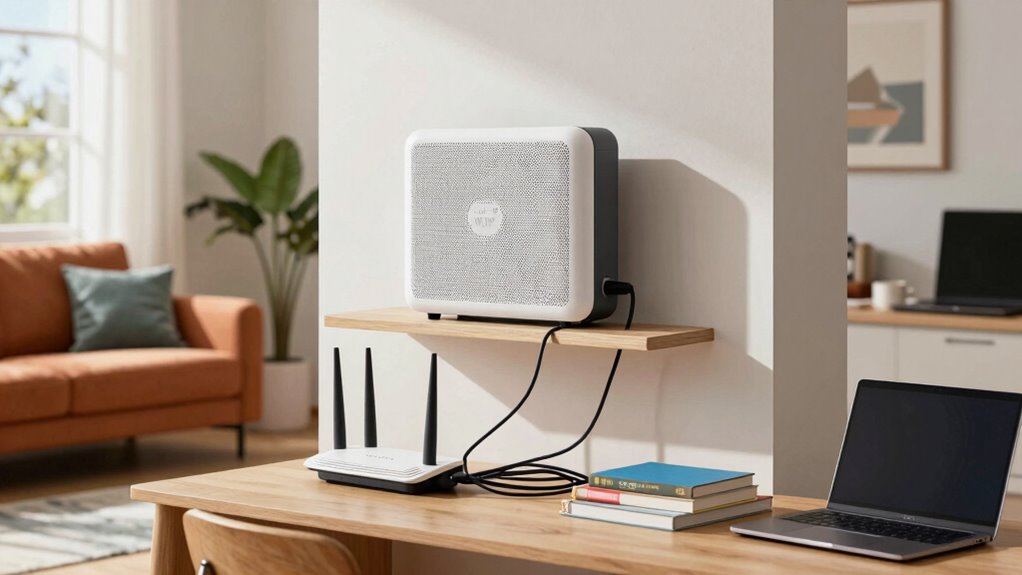

When choosing between mesh Wi-Fi and traditional router upgrades for your student home, think about your connectivity needs. Mesh systems offer excellent range and consistent signals, perfect for streaming and gaming with multiple devices. They’re easy to set up and ideal if you’re not tech-savvy. Traditional routers can save you money upfront but might struggle with multiple connections. Assess your budget and specific requirements carefully, and you’ll discover which option suits you best. Curious to learn more?

Get business pricing on monitors, keyboards and dev gear
- Business-only prices and quantity discounts
- Tax-exempt purchasing
- Multiple users, one account, clear invoices
Key Takeaways
- Network Range: Mesh Wi-Fi systems provide superior coverage, eliminating dead zones, ideal for larger student homes with multiple rooms.
- Device Management: Traditional routers may struggle with numerous devices, while mesh systems handle multiple connections seamlessly, perfect for student life.
- User-Friendly Setup: Mesh systems feature intuitive apps for easy installation, making them suitable for tech-averse students compared to traditional router setups.
- Cost Considerations: While mesh systems have a higher initial cost, they may save money long-term by reducing the need for additional range extenders.
- Future-Proofing: Mesh Wi-Fi systems can adapt to increasing device demands, ensuring reliable connectivity as students accumulate more smart devices.

When it comes to improving your home network, choosing between mesh Wi-Fi systems and traditional router upgrades can be a tough decision. If you’re living in a student home, you likely want a reliable connection for multiple devices without breaking the bank. Both options have their merits, but understanding how they fit your needs will make your choice easier.
Mesh Wi-Fi systems are known for their impressive network range. Unlike traditional routers that broadcast a single signal, mesh systems spread multiple nodes throughout your space, effectively eliminating dead zones. If you’ve ever struggled to get a decent connection in your room or the kitchen, a mesh system might be your best bet. The signal strength remains consistent, no matter where you are in the house, which is vital for streaming, gaming, or video calls. Additionally, mesh systems often include smart home integration features that can enhance overall connectivity and device management.
Mesh Wi-Fi systems eliminate dead zones by spreading multiple nodes, ensuring consistent signal strength throughout your home for smooth streaming and gaming.
On the other hand, upgrading to a more powerful traditional router can also enhance your network. This option often involves less upfront investment, especially if you already own a decent router. Traditional routers can offer great signal strength, especially in smaller homes. However, they may struggle with multiple devices connected at once, which is common in a student environment. If you’re sharing your network with roommates, this could lead to slower speeds and frustrating experiences.
Installation ease is another factor to take into account. Mesh systems usually come with user-friendly apps that guide you through setup, making it simple to get up and running. If you’re not tech-savvy, this can save you a lot of time and headaches. Traditional routers might require more technical know-how, especially if you need to tweak settings for peak performance.
Device compatibility is important, too. Most new devices work seamlessly with both mesh and upgraded routers. However, if you have older devices, check compatibility before making a choice. You don’t want to invest in a system that doesn’t support everything you own.
Cost effectiveness often tips the scales. Mesh systems can be pricier upfront, but they offer long-term savings by reducing the need for additional range extenders. Plus, their future-proofing nature means they can adapt to increasing demands as you and your roommates add more devices over time. Moreover, integrating AI-enabled devices like smart home hubs can optimize your network’s performance and security. Additionally, considering network scalability can help ensure your setup remains effective as your needs grow.
In the end, whether you choose a mesh system or a router upgrade, evaluate your specific needs and budget. Each option has its strengths, but what matters most is finding the right fit for your student home.
mesh Wi-Fi system for large homes
As an affiliate, we earn on qualifying purchases.
As an affiliate, we earn on qualifying purchases.
Frequently Asked Questions
How Do I Choose the Right Mesh System for My Needs?
To choose the right mesh system for your needs, start by evaluating your coverage area. Measure the size of your space and identify any obstacles that might interfere with the signal. Next, consider performance factors like speed and the number of devices you’ll connect. Look for systems that offer robust bandwidth and easy setup. Finally, read reviews to see how well they perform in real-world situations, ensuring they meet your specific requirements.
Can I Mix Different Brands of Routers and Mesh Systems?
You can mix different brands of routers and mesh systems, but it’s like trying to fit a square peg in a round hole—compatibility issues can arise. While some brands play nice together, others might not deliver peak performance. Always check the specifications and user reviews to gauge brand performance before you plunge in. If you want seamless connectivity, sticking to one brand is usually the safest bet for a smooth experience.
What Internet Speed Do I Need for Student Housing?
For student housing, you’ll want at least 25 Mbps of internet bandwidth per user to handle streaming, online classes, and gaming. If your house has multiple students, aim for 100 Mbps or more to guarantee everyone’s needs are met. Consider your specific student requirements, like how many devices will connect simultaneously. This way, you’ll avoid slowdowns and keep everyone connected without frustrations during essential study sessions or entertainment time.
How Many Devices Can a Mesh Network Support?
A mesh network can support anywhere from 30 to over 100 devices, depending on the system you choose. However, keep in mind that the more devices you connect, the more it can impact network performance. To guarantee smooth connectivity, consider your device capacity needs and the types of activities you’ll be doing online. Balancing the number of connected devices with expected usage helps maintain peak performance for everyone in your home.
Is It Easy to Set up a Mesh Wi-Fi System?
Yes, setting up a mesh Wi-Fi system is generally easy and straightforward. You’ll find the installation process user-friendly, requiring minimal technical skills. Just plug in the nodes, connect to the app, and follow the prompts. For smoother setup, remember these troubleshooting tips: make sure your internet connection is stable and place nodes strategically. By following these steps, you’ll enjoy seamless coverage throughout your space without much hassle.
best traditional Wi-Fi router for students
As an affiliate, we earn on qualifying purchases.
As an affiliate, we earn on qualifying purchases.
Conclusion
In the debate between mesh Wi-Fi and router upgrades, mesh systems often win for student homes. You might worry about the cost, but think about the seamless connectivity you’ll gain for all your devices. With a mesh network, you won’t have to deal with dead spots or slow speeds during late-night study sessions. Investing in a mesh system means more reliable internet for group projects and streaming, making it a smart choice for your busy student lifestyle.
As an affiliate, we earn on qualifying purchases.
multi-device Wi-Fi router upgrade
As an affiliate, we earn on qualifying purchases.
As an affiliate, we earn on qualifying purchases.
Fall Picks
fall essentials
As an affiliate, we earn on qualifying purchases.