
TL;DR
Play games included with Prime
Start a Prime free trial and play with Amazon Luna on your devices.
Start playingAs an affiliate, we earn on qualifying purchases.
Building your own AI workstation used to be cheaper, but recent shortages and price spikes have flipped the script. Now, choosing depends on your skills, needs, and whether you value convenience or customization more.
Imagine pulling the trigger on a powerful AI workstation. Your options? Build one yourself or buy a preconfigured system. The answer used to be simple: build for savings, buy for speed. But in 2026, the game has shifted. Component shortages and soaring prices for GPUs, RAM, and SSDs mean that prebuilt systems often match or beat DIY costs. That changes everything. Whether you’re a hobbyist, researcher, or startup, understanding the latest market dynamics helps you make the right call. Ready to uncover the truth behind build vs buy in today’s AI hardware landscape?
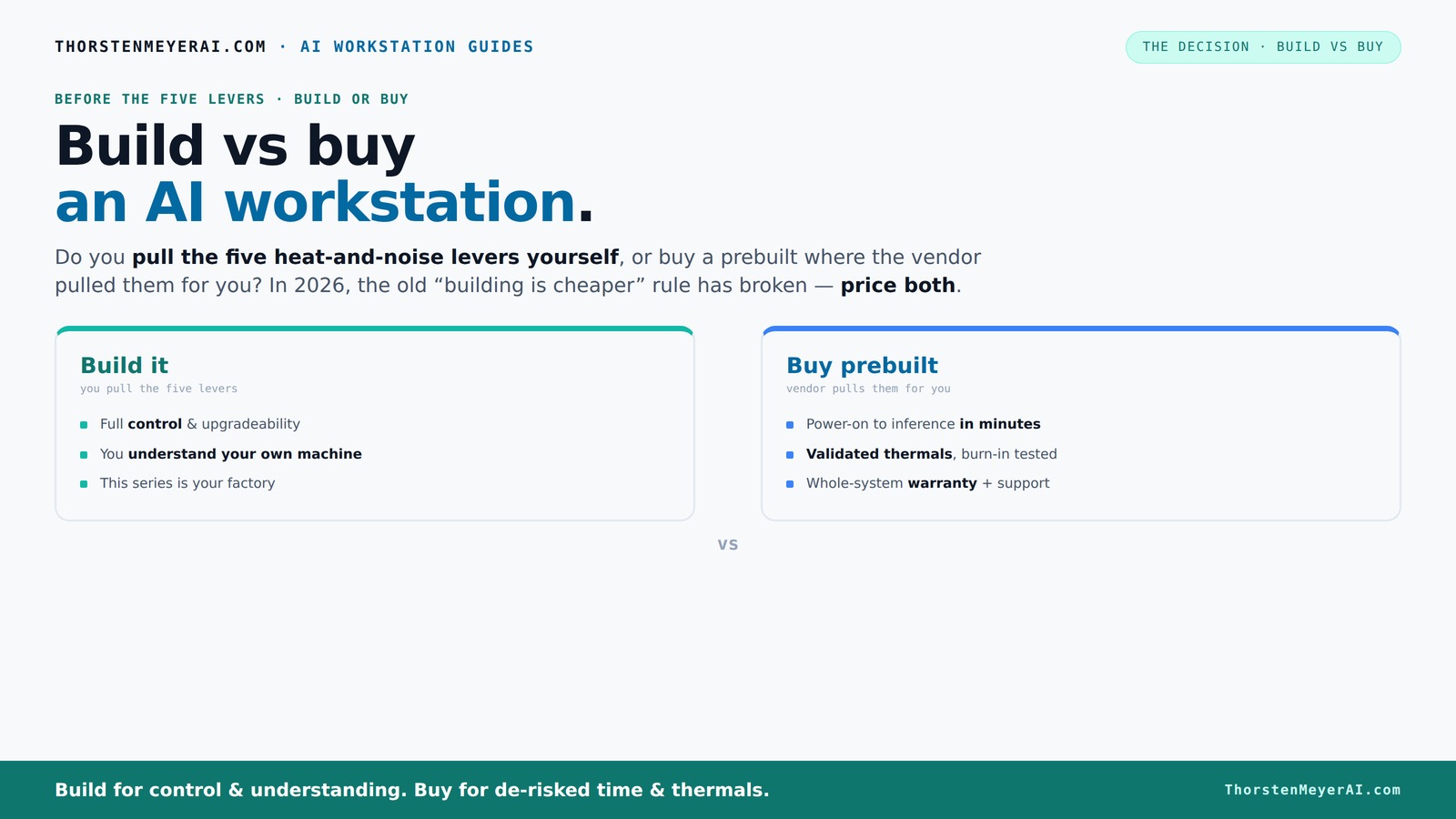
Build vs buy
an AI workstation.
The real question behind this whole series: do you pull the five heat-and-noise levers yourself, or buy a prebuilt where the vendor pulled them for you? And in 2026, the old “building is cheaper” rule has broken. Match your situation in Part 3.
Key Takeaways
- Component shortages in 2026 have made prebuilt AI workstations often as affordable or cheaper than DIY builds, especially for multi-GPU setups.
- Thermal management is critical; prebuilt vendors validate cooling and noise levels, saving you time and effort.
- Building your own allows customization and learning but demands time, skill, and patience — and may not save money anymore.
- Always price out your exact configuration now, rather than assuming the old rule: DIY is cheaper.
- High-end prebuilt systems often include advanced cooling, warranty, and support, making them a smarter choice for many professionals.
As an affiliate, we earn on qualifying purchases.
Why 2026 Changes Everything for Building Your Own AI Workstation
Building an AI rig used to be cheaper because you could pick parts to fit your budget precisely. Now, with GPU shortages and price spikes, a DIY build that once cost $2,000 can easily climb above $3,000. Meanwhile, prebuilt vendors like Lambda and Puget Systems buy components in bulk before prices spike, passing savings directly to you. For example, a multi-GPU workstation with 4 NVIDIA RTX 4090s, a high-end CPU, and fast storage now costs around $8,000 in parts, but a prebuilt with similar specs can be found for about the same or less. So, the old rule — DIY is always cheaper — no longer holds. You must compare prices for your specific config today, not assume.
As an affiliate, we earn on qualifying purchases.
How the 'Heat & Noise' Challenge Shapes Your Choice
High-end AI workstations are like mini furnaces — heat, noise, and thermal management matter. When you build your own, you control every detail: undervolt GPUs, choose quiet coolers, set up airflow. For example, a DIY setup with a custom water-cooling loop can run 30% cooler and quieter than off-the-shelf options. But this takes skill, time, and patience. Conversely, prebuilt vendors often validate thermal performance at the factory, tuning fan curves and cooling for you. BIZON, for instance, guarantees systems that run up to 30% cooler and quieter, tested under sustained load. If noise and heat are your pain points, buying a prebuilt might be the smarter choice — you skip the guesswork and get a machine ready to run quietly all day.
As an affiliate, we earn on qualifying purchases.
What Components Matter Most for AI — And How They Differ
| Component | Build |
|---|---|
| GPU | Choose a quiet, high-performance model like NVIDIA RTX 4090 or A100. You can undervolt and tweak for thermal performance. |
| CPU | Pick a high-core count CPU (e.g., AMD Ryzen Threadripper or Intel Xeon) for data handling. |
| RAM | At least 64GB DDR5, preferably ECC for stability. |
| Cooling | Custom water cooling or high-end air coolers — DIY allows fine-tuning. |
| Power Supply | Reliable, high-capacity PSU (1000W+), with headroom for upgrades. |
Prebuilt workstations often come with these components optimized out of the box, tested for thermal and power stability, and backed by warranty. They may include features like NVLink bridges or multi-GPU support, which are harder to set up yourself. Learn more at curiousminds.info. They may include features like NVLink bridges or multi-GPU support, which are harder to set up yourself.
As an affiliate, we earn on qualifying purchases.
Should You Build or Buy? Quick Tips Based on Your Goals
- If you love tinkering and want total control: Build. You set every part, every fan curve, every tweak. It’s your factory, and you learn a ton.
- If you want a reliable, plug-and-play solution: Buy. Let experts handle thermal tuning, validation, and warranty support. It’s faster and less stressful.
- For multi-GPU setups or high-end workloads: Prebuilt systems often outperform DIY because of validated cooling and power setups. For more insights, visit this comparison.
- On budget: Price both options now. Shortages mean sometimes the prebuilt is cheaper than sourcing parts individually.
The Real Cost of Building vs Buying — A Side-by-Side Look
Here's a quick comparison to help you see the big picture. For more detailed guides, visit haltmal.com.
| Aspect | Build |
|---|---|
| Cost (average) | $2,500–$10,000+ depending on specs. Shortages can push this higher. |
| Time investment | Several hours to days for research, assembly, and troubleshooting. |
| Thermal tuning | Variable; requires skill, patience, and testing. |
| Warranty & Support | Limited; depends on individual parts and your troubleshooting skills. |
| Aspect | Buy |
|---|---|
| Cost (average) | $3,000–$12,000+ for high-end systems, often competitive with DIY due to bulk buying. |
| Time investment | Minutes to hours; plug in & go. |
| Thermal validation | Factory-tested; runs cooler and quieter out of the box. |
| Warranty & Support | Included; manufacturer support, warranty, and RMA. |
Frequently Asked Questions
Is building my own AI workstation cheaper than buying prebuilt in 2026?
Not always. Due to component shortages and bulk discounts, prebuilt systems often match or beat DIY costs, especially for multi-GPU setups. Always price both options for your specific configuration before deciding.
How important is thermal management when choosing between build and buy?
Thermal management is critical. Prebuilts are tested for optimal cooling, often running quieter and cooler. DIY setups require careful tuning, but give you full control over noise and heat levels.
Can I upgrade a prebuilt AI workstation later?
Yes, but it varies. Some prebuilts have limited upgrade paths due to proprietary cases or power supplies. Always check compatibility and upgrade options before purchasing.
What hardware should I prioritize for AI workloads?
NVIDIA GPUs with lots of CUDA cores and VRAM are essential. Pair them with a high-core CPU, plenty of RAM, and fast NVMe SSDs for best performance.
Should I choose a prebuilt if I’m new to hardware?
Yes. Prebuilts save time, reduce troubleshooting, and come with support. They’re ideal if you want to start AI work fast without the hassle of assembly and tuning.
Conclusion
In 2026, the choice between building and buying your AI workstation is less about cost and more about control, confidence, and convenience. With prices shifting and hardware more accessible, your decision hinges on what you value most — mastery or simplicity. Remember, your machine is your tool; make it fit your needs, not just your budget.
So, whether you’re a tinkerer eager to learn every bolt or a professional who needs reliability now, the right choice is within reach. Just don’t forget to compare prices today — the market’s moving fast.
Fall yard work Picks
leaf blowers
As an affiliate, we earn on qualifying purchases.