

Teams comparing Playwright and Cypress are usually choosing the foundation for browser-based end-to-end tests, not just a scripting library. Both can automate realistic user journeys, run in continuous integration, and help catch regressions before release. The practical difference is how they balance browser reach and execution flexibility against an integrated, highly visible debugging experience.

Get business pricing on monitors, keyboards and dev gear
- Business-only prices and quantity discounts
- Tax-exempt purchasing
- Multiple users, one account, clear invoices

All You Need to Know About Software Testing: From Beginner to Job-Ready QA Engineer
- ✔ Resource type: Software testing guide
- ✔ Stated audience: Beginners pursuing QA engineering skills
- ✔ Testing approaches: Manual testing and automation
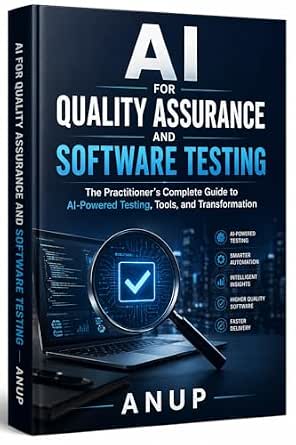
AI for Quality Assurance and Software Testing: The Practitioner’s Complete Guide to AI-Powered Testing, Tools, and Transformation
- ✔ Resource type: Practitioner guide to AI-powered testing
- ✔ Primary focus: AI in quality assurance and software testing
- ✔ Coverage: Tools, methodologies, and workflow integration

Spec-Driven Software Testing with AI
- ✔ Resource type: Software testing guide
- ✔ Series: Spec-Driven AI Engineering Series
- ✔ Primary focus: Spec-driven software testing with AI
Playwright is the stronger default for teams that need Chromium, Firefox, and WebKit coverage, parallel execution, or tests across multiple browser contexts. Cypress suits teams that value an approachable test runner, interactive debugging, and a smooth path from writing tests to diagnosing failures. The choice matters most when a suite grows: browser coverage, CI time, and maintenance habits can outweigh the initial comfort of either tool.
At a Glance
| Criteria | Playwright | Cypress | Winner |
|---|---|---|---|
| Browser coverage | Chromium, Firefox, and WebKit support, including branded browser channels | Strong Chromium-family support; Firefox and WebKit support are available, with feature differences to check | A |
| Test execution model | Out-of-process automation with isolated browser contexts and multiple pages | Runs tests in a browser-oriented architecture that keeps the application and test runner closely connected | A |
| Debugging workflow | Trace Viewer, screenshots, video, and inspector tools for diagnosing failures | Interactive runner, command log, time-travel snapshots, screenshots, and video | B |
| Language and framework support | JavaScript and TypeScript, plus Python, Java, and .NET APIs | Primarily JavaScript and TypeScript, with a focused web testing ecosystem | A |
| CI scalability | Parallel workers, sharding, and headless runs built for CI workflows | Parallelization and orchestration are available through Cypress Cloud, with local CI options too | A |
| Setup and learning curve | Flexible configuration; some teams need to learn its fixtures and browser-context model | Often approachable for frontend developers; its command model and constraints take learning | B |
| Cloud services and cost | Open-source core; hosted reporting and orchestration options are separate choices | Open-source core; Cypress Cloud is a paid service for team reporting and parallelization | Depends |
All You Need to Know About Software Testing: From Beginner to Job-Ready QA Engineer
For readers starting with software testing, this is the most approachable fit in the lineup based on its stated scope. It covers manual testing alongside automation, then names APIs, Selenium, Playwright, and CI/CD, giving a learner several landmarks across modern QA work. That breadth can help us connect the idea of a test case with the tools and delivery practices that may support it, rather than starting with an AI workflow before the basics are clear.Compared with Spec-Driven Software Testing with AI, this guide is less specialized: it is aimed at building broad skills for a QA engineering role, not specifically at shaping test suites around specifications. Compared with AI for Quality Assurance and Software Testing, it foregrounds the journey from beginner to job-ready rather than AI transformation. That makes it the strongest first read for a new learner, though readers seeking advanced AI adoption guidance may want one of the other books after establishing core QA concepts.The title’s career-oriented promise is useful context, but the supplied description does not detail exercises, chapter structure, or the depth of coverage for each named technology. We should therefore view its list of topics as a map of intended breadth, not proof of mastery-level instruction in every area. Its central tradeoff is wide entry-level coverage over a narrow specialist focus. For a reader trying to decide what to learn before choosing testing software, that is a sensible starting point; experienced QA engineers may find the emphasis too introductory.
Pros:
- Addresses both manual and automated testing.
- Names APIs, Selenium, Playwright, and CI/CD as areas of coverage.
- Its beginner-to-career framing gives new QA learners a clear intended audience.
Cons:
- The description does not establish how deeply each listed topic is covered.
- Its broad career-preparation scope may be less useful to readers focused specifically on AI testing.
Best for: People new to QA who want an overview of manual testing, automation, APIs, browser testing tools, and CI/CD.
Not ideal for: Experienced QA engineers seeking an advanced AI testing methodology or a deep, specialist treatment of one automation framework.
Bottom line: We would start here for foundational QA breadth, then move to an AI-focused title when our testing goals become more specialized.
“We would start here for foundational QA breadth, then move to an AI-focused title when our testing goals become more specialized.”
AI for Quality Assurance and Software Testing: The Practitioner’s Complete Guide to AI-Powered Testing, Tools, and Transformation
This guide has the widest organizational lens among the two AI-related titles. Its description covers AI-powered testing tools and methodologies, along with strategies for integrating them into QA workflows. It also addresses both technical and organizational aspects of transformation, a useful distinction for practitioners who need to consider how a new approach affects teams and processes, not just test execution.That breadth sets it apart from Spec-Driven Software Testing with AI, which concentrates on reliable test suites, TDD, API testing, and CI/CD. If our question is how AI could fit into a wider quality assurance practice, this title appears more relevant; if our question is how to structure an automated engineering workflow, the spec-driven guide has the clearer focus. It also differs from the beginner-oriented All You Need to Know About Software Testing: readers are expected to bring some QA or AI context instead of beginning with a broad survey of manual and automated testing.The stated inclusion of practical examples and step-by-step implementation guidance gives this book a practitioner orientation. Its meaningful limitation is that it may be too advanced for readers without QA or AI foundations, and the description notes a focus on certain industries that may narrow its applicability. We should check whether those examples match our environment before relying on them. As a learning resource, it is best for someone evaluating AI’s place in an existing QA function, rather than a newcomer still learning basic test design.
Pros:
- Covers AI testing concepts, tools, and methodologies.
- Description includes practical examples and step-by-step implementation guidance.
- Addresses technical workflow changes as well as organizational transformation.
Cons:
- May be difficult for readers without prior QA or AI knowledge.
- The described industry focus may not transfer equally well to every team.
- The information may need checking against rapidly changing AI tools and practices.
Best for: QA practitioners and team leads considering how to integrate AI methods and tools into established testing workflows.
Not ideal for: Readers who are new to both QA and AI, or buyers seeking a neutral comparison of executable testing platforms.
Bottom line: We would choose this for a broad view of AI adoption across QA, especially when team and process changes matter alongside tooling.
“We would choose this for a broad view of AI adoption across QA, especially when team and process changes matter alongside tooling.”
Spec-Driven Software Testing with AI
This is the most focused engineering title in the comparison. Its description ties AI-assisted testing to specifications, test automation, TDD, API testing, and CI/CD, a combination aimed at readers building reliable test suites as part of a software delivery workflow. That specificity helps distinguish it from a general AI overview: the emphasis is on how testing practices fit together around a defined engineering process.Against AI for Quality Assurance and Software Testing, this book appears narrower and more directly concerned with suite construction. The broader AI guide covers organizational transformation as well as technical integration; the spec-driven title prioritizes the mechanisms named in its description. Compared with All You Need to Know About Software Testing, it offers less of a beginner’s survey and more of a specialized route for engineers already comfortable with development workflows. We would not pick it first if we still need an introduction to what QA encompasses.The main tradeoff is its niche audience. The description itself warns that the focus may not suit beginners, and AI tools change quickly, which can date specific workflow advice. Still, for an engineer who already works with APIs and CI/CD, the combination of specification-led thinking and TDD can help frame a disciplined approach to automation. We should treat it as guidance on methods and workflow, then confirm that any AI tooling recommendations fit our current stack. Its strongest role is focused workflow learning, not broad career preparation.
Pros:
- Connects AI with test automation and reliable test suite construction.
- Includes TDD, API testing, and CI/CD in its stated topic scope.
- Its spec-driven focus gives experienced readers a distinct workflow perspective.
Cons:
- The niche engineering focus may be unsuitable for software testing beginners.
- AI tooling changes quickly, so readers may need to validate guidance against current tools.
Best for: Software engineers and QA automation practitioners who want to connect specifications, AI, TDD, API testing, and CI/CD.
Not ideal for: Beginners seeking a broad introduction to manual QA or readers who want a general overview of organizational AI adoption.
Bottom line: We would choose this over the broader AI guide when our priority is a specification-led automation workflow inside an engineering pipeline.
“We would choose this over the broader AI guide when our priority is a specification-led automation workflow inside an engineering pipeline.”
As an Amazon Associate we earn from qualifying purchases.
Key Differences
The biggest distinction is how much control teams want over browsers and execution. Playwright provides a consistent way to automate Chromium, Firefox, and WebKit, and its isolated contexts make it natural to test multiple users, sessions, or pages. Cypress has expanded beyond its early browser limits, but its support and feature behavior can vary by browser and use case. Teams with a firm cross-browser requirement should verify the exact capabilities they rely on and generally have the safer fit in Playwright.
Cypress counters with an especially legible debugging loop. Its runner shows commands and application state in a way that helps developers understand what happened before a failure. Playwright offers strong traces and inspection tools, but the experience is less centered on one interactive runner. In practice, the Cypress advantage matters most when developers frequently debug tests locally; Playwright’s flexibility matters more when suites run across browsers and environments.
Both tools have capable open-source versions, so the license alone rarely settles the choice. The added cost comes from hosted services that support reporting, collaboration, and parallel execution. Cypress Cloud can be worth paying for when its workflow and reporting features save a team time. Playwright can fit teams that prefer to assemble CI reporting from existing tools, though hosted options are also available. Compare the total cost of execution and maintenance, not just the entry price.
Detailed Comparison
Browser coverage (Playwright wins — major)
Playwright wins by a moderate margin for teams that need a consistent suite across Chromium, Firefox, and WebKit. Its browser support is a core part of the product’s design. Cypress supports multiple browser families too, but some capabilities and behavior can differ, so teams should check their target browsers and required features. If Safari-like WebKit coverage is a release requirement, Playwright is the more dependable starting point.
Test execution model (Playwright wins — moderate)
Playwright wins moderately for tests involving multiple users, tabs, or independent sessions. Browser contexts provide isolation without requiring a separate browser process for every case, which makes scenarios such as an administrator and customer interacting at once easier to represent. Cypress’s close connection between runner and browser supports its distinctive debugging flow, though teams may need to adapt tests to its execution model and constraints.
Debugging workflow (Cypress wins — moderate)
Cypress wins by a moderate margin for interactive local diagnosis. Its runner presents a command history and snapshots that can make it clear where application behavior diverged from expectations. Playwright’s traces, screenshots, video, and inspector are strong, especially for CI failures, but the workflow is less centered on time-travel through a single runner. Teams with less experienced test authors may find Cypress easier to inspect day to day.
Language and framework support (Playwright wins — moderate)
Playwright wins by a moderate margin when teams have established languages outside JavaScript and TypeScript. Its APIs include Python, Java, and .NET, which can let a test suite fit existing engineering practices. Cypress focuses on the JavaScript ecosystem, a good match for many frontend teams but limiting when test authors work in other languages.
CI scalability (Playwright wins — moderate)
Playwright wins by a moderate margin for teams that want built-in control over workers and sharding across CI jobs. Cypress can also scale and parallelize through Cypress Cloud, and that service can provide useful coordination and reporting. The practical winner depends on whether the team wants to manage scaling in its CI configuration or pay for a hosted workflow that handles more of the orchestration.
Setup and learning curve (Cypress wins — minor)
Cypress has a minor advantage for many frontend developers who want to see tests execute inside an interactive runner soon after installation. Playwright’s setup is also straightforward, but teams may spend more time learning its fixtures, contexts, and configuration choices. The gap narrows once a suite grows, since both require disciplined test design and reliable selectors.
Cloud services and cost (moderate difference)
This is a tie because value depends on the team’s existing infrastructure and collaboration needs. Both tools offer open-source cores, so small teams can begin without a platform subscription. Cypress Cloud may justify its cost when managed parallelization and centralized results improve the team’s workflow. Teams with established CI reporting may get better value from Playwright’s open-source execution and their existing services.
Playwright: Pros and Cons
Pros:
- Broad and consistent Chromium, Firefox, and WebKit automation
- Useful browser contexts for isolated sessions and multi-user scenarios
- APIs for JavaScript, TypeScript, Python, Java, and .NET
- Workers and sharding support scalable CI runs
Cons:
- Its fixtures and context model require some initial learning
- Local debugging can feel less immediate than Cypress’s interactive runner
- Teams may need to configure their own reporting and orchestration around CI
Cypress: Pros and Cons
Pros:
- Interactive runner makes local failures and command history easy to inspect
- Accessible workflow for many JavaScript-focused frontend teams
- Open-source core allows teams to begin without a subscription
- Cloud service adds centralized results and managed parallelization
Cons:
- JavaScript and TypeScript focus is less suitable for teams using other test languages
- Browser support and feature behavior should be checked against specific requirements
- Some teams will need Cypress Cloud for their preferred managed scaling workflow
Who Should Choose What
Choose Playwright if:
- You need a reliable suite across Chromium, Firefox, and WebKit.
- Your tests cover several users, browser contexts, or parallel CI jobs.
- Your engineering team writes tests in Python, Java, or .NET as well as JavaScript.
Choose Cypress if:
- Your team is JavaScript-focused and wants an interactive runner for everyday debugging.
- Developers need a clear local view of commands and application state to diagnose failures.
- Cypress Cloud’s reporting and managed parallelization justify its recurring cost.
Skip both if: Your primary need is unit or API testing rather than real browser journeys; a focused unit or API testing framework may be simpler and cheaper.
Value for Money
Both tools can be used without paying for a hosted service, so the value question is whether a paid platform saves enough engineering time to warrant its recurring cost. Cypress Cloud is worth paying for when centralized reporting and managed parallel runs reduce CI friction for a team that already prefers Cypress. For a small team or a company with established CI dashboards, that added expense may bring little benefit.
Playwright is often the better value when broad browser coverage, language choice, and CI control matter more than a bundled dashboard. That does not make it cost-free: teams still spend time maintaining tests and may choose a hosted reporting service. Pay for Cypress’s cloud features when they solve a clear workflow problem; otherwise, choose the tool that meets browser requirements with the least ongoing maintenance.
Final Verdict
Choose Playwright for most teams starting a cross-browser end-to-end suite. Its browser coverage, language options, isolated contexts, and CI controls make it the stronger long-term choice when requirements span more than one browser or test environment. Choose Cypress if your team is centered on JavaScript and the interactive runner is likely to make test debugging faster and more routine.
The deciding factor is whether browser and execution flexibility or local debugging experience carries more weight in your work. Playwright is the better default for broad coverage and scale; Cypress is the better fit for a focused frontend team that values its runner and is comfortable with its browser support. Pay for a cloud service only when its reporting or parallelization removes a real bottleneck.
Frequently Asked Questions
Is Playwright better than Cypress for cross-browser testing?
Usually. Playwright provides a consistent approach across Chromium, Firefox, and WebKit. Cypress supports multiple browser families, but teams should verify that its browser-specific features match their needs. For broad cross-browser release coverage, Playwright is generally the safer choice.
Which is easier for a beginner to use?
Cypress often feels more approachable to frontend developers because its interactive runner makes test commands and failures visible. Playwright is also accessible, though its fixture and context model can take time to learn. The easier choice depends on whether the team values a guided runner or flexible test structure.
Do teams have to pay to use Playwright or Cypress?
No. Both have open-source cores that teams can run locally and in CI. Paid hosted services add features such as centralized reporting or managed parallelization. A team should pay only when those features save enough setup or debugging time to justify the cost.
Which tool is better for CI?
Playwright is a strong fit when teams want to configure workers and sharding within their CI setup. Cypress can be a better fit when its hosted service’s reporting and parallelization align with the team’s workflow. Compare total runtime, reporting needs, and subscription cost for your actual suite.