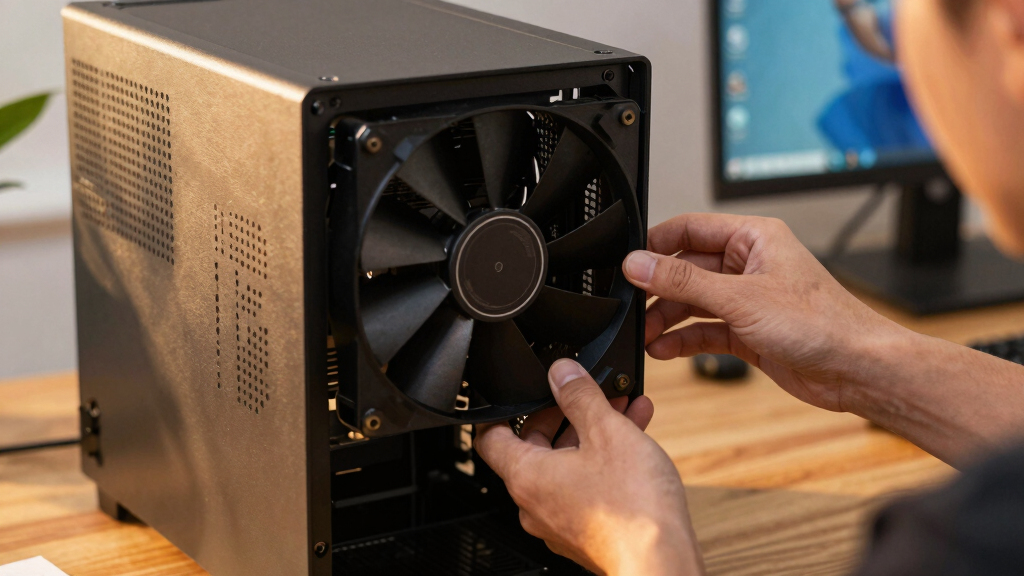

📊 Full opportunity report: Best Quiet Case Fans + the Airflow Setup That Actually Works on ThorstenMeyerAI.com — validation score, market gap, and execution plan.

Get business pricing on monitors, keyboards and dev gear
- Business-only prices and quantity discounts
- Tax-exempt purchasing
- Multiple users, one account, clear invoices
TL;DR
This article identifies the best quiet case fans in 2026 and explains the airflow setup that maximizes cooling while minimizing noise. It emphasizes using large, slow-moving fans and proper placement for optimal results.
In 2026, the top recommended case fans for quiet, effective cooling are the Noctua NF-A12x25 and NF-A14, which are widely regarded as the best-engineered fans for continuous operation, according to industry reviews.
The Noctua NF-A12x25 and NF-A14 are considered the best overall fans for quiet operation and longevity, moving over 100 CFM at under 1000 RPM with noise levels around 16 dB. Arctic P12 Pro and P14 PWM PST fans offer high value, delivering nearly comparable airflow and static pressure at a fraction of the cost, making them ideal for budget-conscious builds. For absolute silence, be quiet! Silent Wings 4 fans are designed to operate at around 17 dB, making them suitable for noise-sensitive environments. Fans with airflow designs are best used as case intake and exhaust, while static-pressure fans like Arctic P12 Pro and Noctua NF-F12 are suited for radiators and dense heatsinks, ensuring efficient cooling without noise compromise.Best quiet case fans
+ the airflow that works.
The best fan won’t help if it’s pointed the wrong way. The whole recipe: big fans, running slowly, in a clean front-to-back path, with slightly more intake than exhaust. Build a config in Part 2 and watch the pressure balance respond.
Why Quiet Fans and Proper Airflow Matter in 2026
Using high-quality, large, slow-moving fans reduces noise significantly while maintaining effective cooling, which is crucial for high-performance AI and workstation setups. Proper airflow configuration prevents overheating and ensures system stability, especially under sustained loads. This balance between silence and cooling enhances productivity and comfort, particularly in office or shared environments where noise can be disruptive.
As an affiliate, we earn on qualifying purchases.
Current Trends in Quiet PC Cooling for 2026
In recent years, the emphasis on quiet computing has grown, driven by the proliferation of high-power AI workstations that generate substantial heat. Manufacturers like Noctua, Arctic, and be quiet! have refined fan designs to prioritize low noise and durability. The principle that larger, slower fans provide quieter operation has become standard advice among builders. Additionally, the distinction between airflow fans for open spaces and static-pressure fans for radiators remains critical for effective cooling without noise penalties. As of 2026, these principles are widely adopted in both custom builds and preconfigured workstations.
"Choosing large, slow fans and proper placement is the key to achieving both silence and effective cooling in high-performance workstations."
— Thorsten Meyer, expert in PC cooling
As an affiliate, we earn on qualifying purchases.
Remaining Questions About Fan Compatibility and Long-Term Performance
While the recommended fans are highly regarded, specific compatibility with custom cases and the long-term durability of budget options like Arctic P12 Pro in continuous operation are still being evaluated. Additionally, optimal fan curve settings and airflow configurations may vary depending on individual case design and ambient conditions, which are not yet fully standardized.
As an affiliate, we earn on qualifying purchases.
Next Steps for Builders and Users in 2026
Builders should focus on selecting larger, low-RPM fans and fine-tuning fan curves to optimize noise and cooling. Future firmware updates and case design improvements are expected to further enhance airflow efficiency. Monitoring real-world performance and noise levels after setup will help refine configurations for specific workloads.
As an affiliate, we earn on qualifying purchases.
Key Questions
Are larger fans always quieter?
Generally, yes. Larger fans move the same amount of air at lower RPMs, which produces less noise compared to smaller fans running faster.
Can I mix different brands of fans in my build?
It's possible, but for optimal noise and airflow performance, it's best to use fans with similar specifications and tuning. Mixing brands may require additional testing to achieve the desired balance.
Do static-pressure fans significantly improve radiator cooling?
Yes, static-pressure fans are designed to push air through dense fin stacks efficiently, ensuring better cooling with less noise when used on radiators or dense heatsinks.
Is fan noise the only factor for quiet operation?
No, case design, fan placement, and airflow path also play vital roles. Proper case ventilation and cable management contribute to overall noise reduction.
Source: ThorstenMeyerAI.com
Columbus Day / Indigenous Peoples' Day Picks
long weekend sales
As an affiliate, we earn on qualifying purchases.