You should care about webcam quality for proctored exams because it directly impacts image clarity and the proctor’s ability to monitor you. Low-resolution footage can create stress and suspicion, making the exam more challenging. Proper lighting and placement enhance your presentation and guarantee clear visuals. A well-functioning setup not only boosts your confidence but also supports a smoother testing experience. Discover how to optimize your webcam setup for the best results ahead.

Get business pricing on monitors, keyboards and dev gear
- Business-only prices and quantity discounts
- Tax-exempt purchasing
- Multiple users, one account, clear invoices
Key Takeaways
- High-resolution webcams ensure clear images, helping proctors monitor adherence to exam rules effectively.
- Proper lighting enhances image quality, reducing misunderstandings and stress during the exam.
- Correct webcam placement at eye level creates a natural perspective, improving proctor engagement.
- Testing the setup beforehand minimizes distractions and boosts confidence during the test.
- Overall quality of the webcam setup contributes to a smoother exam experience and better performance.
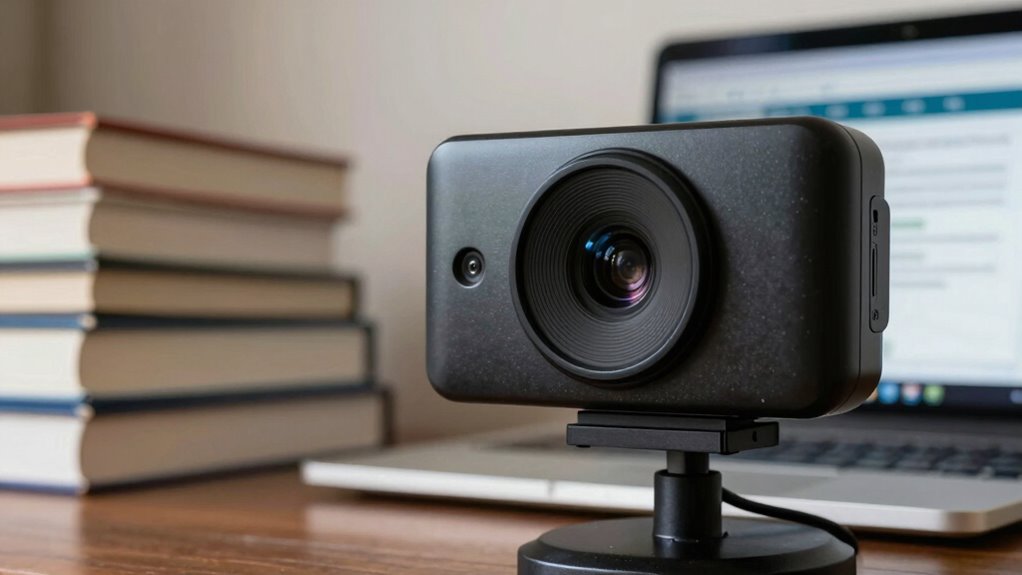
When it comes to proctored exams, the quality of your webcam can make or break your experience. You might think that any camera will do, but the truth is that the webcam resolution plays an essential role in how your exam is monitored. If your camera is low-resolution, it may not capture your image clearly enough for the proctor to guarantee you’re following the rules. This can lead to unnecessary stress and even suspicion during your test, which is the last thing you want when you’re trying to focus.
You need to take into account not just the webcam itself, but also the lighting conditions in which you’ll be taking the exam. Poor lighting can obscure your face and make it difficult for the proctor to see your expressions and movements clearly. It’s vital to set up your space in a way that maximizes visibility. Natural light is ideal; however, if that’s not an option, investing in good artificial lighting can make a significant difference. A well-lit environment helps ensure that your webcam captures a clear image, which can prevent any misunderstandings during the exam.
Another factor to keep in mind is the placement of your webcam. Position it at eye level to create a more natural and engaging perspective. If your camera is angled improperly, it can distort your image, making it harder for the proctor to see you clearly. A clear angle can also help you appear more focused and attentive, which could positively impact how the proctor perceives your behavior during the exam.
You should also test your setup beforehand. A quick test run will reveal any issues with webcam resolution or lighting conditions, allowing you to make adjustments before the actual exam. This preparation can save you from potential distractions and concerns during your test.
Popular right now

De'Longhi La Specialista Touch Semi-Automatic Espresso Machine with Grinder

Dyson V15 Detect Cordless Vacuum

Dyson Cyclone V10 Origin Cordless Vacuum
As an affiliate, we earn on qualifying purchases.
Frequently Asked Questions
How Do I Test My Webcam Before the Exam?
To test your webcam before the exam, open your webcam software and check the video feed. Make certain it’s clear and properly focused. You should also check for any connectivity issues by verifying your internet connection is stable. If you notice any problems, try restarting your device or unplugging and replugging the webcam. Doing this will help you avoid any surprises during the exam and guarantee everything runs smoothly.
What Is the Ideal Resolution for Proctored Exams?
The ideal resolution for proctored exams is typically 720p (1280×720) or higher. This guarantees clear visuals while maintaining webcam compatibility with most systems. Alongside resolution, aim for an ideal frame rate of at least 30 frames per second. This combination helps minimize lag and assures that your movements are captured smoothly, which can enhance the overall integrity of your exam experience. So, check your settings before the exam!
Can I Use an External Webcam Instead of My Laptop’s?
Absolutely, you can use an external webcam instead of your laptop’s. Think of it as upgrading from a flickering candle to a bright spotlight; the external benefits are significant. Just verify your external webcam has good compatibility with your system. A higher resolution can enhance your exam experience, providing clarity that your built-in camera might lack. This small switch can make a world of difference in how you’re perceived during the test.
What Lighting Conditions Are Best for Webcam Exams?
For webcam exams, natural lighting is best, but if that’s not available, use artificial lighting. Position your light source in front of you to illuminate your face evenly. Avoid harsh overhead lights, as they can create shadows. To reduce glare, angle your lights away from the camera and use diffusers if possible. Experiment with different setups until you find the right balance, ensuring you look clear and professional during your exam.
How Can I Improve My Webcam’s Audio Quality?
To improve your webcam’s audio quality, adjust your audio settings and guarantee your microphone placement is ideal. Position the microphone close to your mouth, but not too close to avoid distortion. Use noise-canceling features if available, and test different settings to find what works best. Make certain your environment is quiet, minimizing background noise. With these tweaks, you’ll enhance your sound quality and make your proctored exam experience smoother.
Conclusion
In the high-stakes world of proctored exams, your webcam’s clarity can feel like a spotlight illuminating your every move. A crisp image not only guarantees you’re seen but also reflects your commitment to integrity. So, as you prepare for that pivotal moment, envision your webcam as a trusted ally, capturing your focus and determination. Invest in quality, and let your performance shine through the lens, transforming a simple exam into a demonstration of your hard work and dedication.