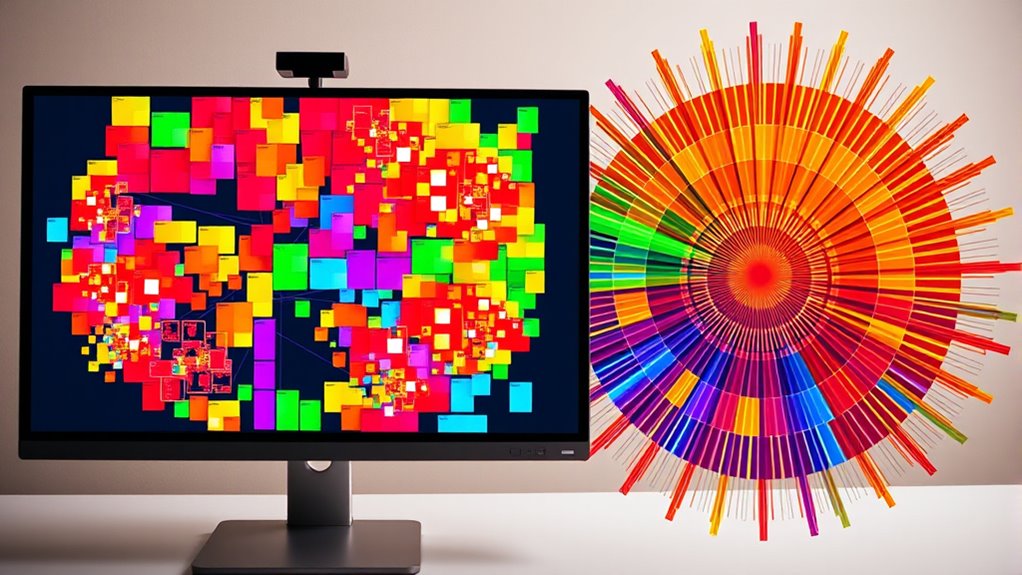

Treemap and sunburst charts are visual tools that help you understand complex hierarchical data easily. Treemaps display data as nested rectangles where size reflects importance or value, making patterns and outliers clear. Sunburst charts show relationships through concentric rings, revealing how different categories and subcategories connect. Both formats make large datasets more accessible and engaging. If you keep exploring, you’ll discover how these charts can simplify your data analysis even further.
Open a free Amazon Business account
Business pricing, bulk buying and tax-exempt orders.
As an affiliate, we earn on qualifying purchases.
Key Takeaways
- Treemaps use nested rectangles sized by data values to show proportions, ideal for large, complex datasets.
- Sunburst charts display hierarchical data as concentric rings, illustrating relationships and nested categories clearly.
- Treemaps emphasize size and space efficiency, while sunburst charts highlight data flow and hierarchical structure.
- Both visualizations enhance understanding by transforming complex data hierarchies into engaging, intuitive graphics.
- Choice depends on whether the focus is on comparison (treemaps) or understanding hierarchical relationships (sunburst).

Have you ever wondered how to visualize complex hierarchical data in a way that’s both intuitive and visually engaging? When you’re dealing with large datasets that have multiple levels of categorization, traditional charts like bar or pie charts often fall short. That’s where hierarchical visualization comes into play, allowing you to represent data hierarchy clearly and efficiently. Treemap and sunburst charts are powerful tools in this domain, transforming complex structures into accessible visual formats.
Discover how treemaps and sunburst charts transform complex hierarchical data into clear, engaging visual stories.
A treemap is a rectangular visualization that partitions space based on data values, with each rectangle representing a node in your data hierarchy. The size of each rectangle correlates with its value, making it easy to compare different segments at a glance. For example, if you’re analyzing a company’s revenue across different departments and sub-departments, a treemap can instantly show which areas dominate the budget. Its compact, space-filling design minimizes wasted space and enables you to see the entire data hierarchy in a single view. This makes it ideal for spotting patterns, outliers, and relative proportions within large datasets. The nested rectangles intuitively reflect parent-child relationships, helping you understand how each subgroup contributes to the whole.
Sunburst charts, on the other hand, represent hierarchical data as concentric rings. Each ring corresponds to a level in the data hierarchy, with the innermost circle typically representing the highest level (such as a root category). As you move outward, each segment depicts a subcategory or subgroup, creating a radial structure that’s visually distinct and easy to interpret. Sunburst charts excel at illustrating how data points are distributed across different levels, giving you a clear picture of data hierarchy with minimal clutter. If you’re exploring website traffic sources segmented by region, device type, and user behavior, a sunburst chart can help you understand how various factors interrelate and contribute to overall traffic.
Additionally, visualization techniques like these can be customized with colors, labels, and interactive features to enhance clarity and engagement, making your data stories even more compelling. Both charts offer unique advantages depending on your goal. Treemaps are excellent for emphasizing size and proportion, especially when space efficiency matters. Sunburst charts excel at showing relationships and pathways within the hierarchy, making them perfect for illustrating flow or nested categories. When you choose between them, consider how you want to perceive the data: Are you more interested in comparing values, or in understanding the structure and relationships? With these visual tools, you can turn complex data hierarchies into clear, compelling stories that are easy to interpret and analyze, whether you’re presenting to stakeholders or making strategic decisions.
As an affiliate, we earn on qualifying purchases.
Frequently Asked Questions
How Do I Choose Between a Treemap and a Sunburst Chart?
You should choose a treemap if you want to display hierarchical data with high data density and compact visual complexity, making it easy to compare sizes. Opt for a sunburst chart when you need to emphasize the hierarchy’s structure clearly and improve readability, especially with fewer levels. Consider your audience’s familiarity and the level of detail needed; both charts handle complex data but serve slightly different visualization needs.
Can Treemaps and Sunburst Charts Display Hierarchical Data Dynamically?
You can definitely display hierarchical data dynamically with treemaps and sunburst charts. An impressive 85% of data visualizations now incorporate interactive filtering and animation techniques. These features allow you to explore different data layers in real-time, revealing insights as you click or hover. By utilizing these techniques, your charts become more engaging and insightful, helping users understand complex structures without overwhelming them.
What Are Common Pitfalls When Interpreting These Charts?
When interpreting treemaps and sunburst charts, you should watch out for visual misinterpretation and data oversimplification. You might mistake the size of segments for precise values, ignoring the context or hierarchy. Overlooking color coding can lead to misunderstandings of relationships. Additionally, complex data can get lost in detailed segments, causing you to miss important insights. Always double-check legends and labels to accurately grasp the data’s story.
Are There Accessibility Considerations for These Visualization Types?
Yes, there are accessibility considerations for these visualization types. You should guarantee good color contrast so users with visual impairments can distinguish sections easily. Additionally, make your charts navigable via keyboard, allowing users to explore data without a mouse. Providing alternative text descriptions also helps, ensuring everyone can understand the data. These steps make your visualizations more inclusive and usable for a broader audience.
How Can I Customize Colors and Labels Effectively?
Think of customizing your chart like painting a masterpiece. You can choose vibrant color schemes that highlight key data points and establish a visual hierarchy. For labels, place them thoughtfully—inside or outside segments—to maximize clarity without clutter. Use contrasting colors for labels and segments to improve readability. Experiment with label placement and color schemes until your visualization communicates clearly, guiding viewers’ eyes effortlessly through the data story you want to tell.
sunburst chart visualization tool
As an affiliate, we earn on qualifying purchases.
As an affiliate, we earn on qualifying purchases.
Conclusion
By understanding treemap and sunburst charts, you gently open the door to clearer data insights. These visual tools beautifully fold complex information into colorful, layered patterns, making details easier to grasp. As you become more comfortable with their design, you’ll find yourself sketching vivid mental pictures of data structures. With practice, you’ll navigate these charts smoothly, revealing stories hidden within the layers, and transforming data complexity into visual clarity that guides your decisions effortlessly.
hierarchical data visualization software
As an affiliate, we earn on qualifying purchases.
As an affiliate, we earn on qualifying purchases.
interactive data visualization tools
As an affiliate, we earn on qualifying purchases.
As an affiliate, we earn on qualifying purchases.
NFL season / tailgating Picks
team gear
As an affiliate, we earn on qualifying purchases.