
TL;DR
ScreenWall is a new app that allows users to repurpose old smartphones as synchronized widgets for their spaces. The app is currently in beta testing, with official release details forthcoming. This innovation offers a sustainable way to reuse devices and personalize environments.
ScreenWall is a new application that allows users to repurpose old smartphones as synchronized widgets for their personal spaces. The app, developed by a startup team, was announced on March 20, 2024, and is currently available in a limited beta phase. This development offers a way to extend the utility of outdated devices while enabling personalized, dynamic displays in homes or offices.
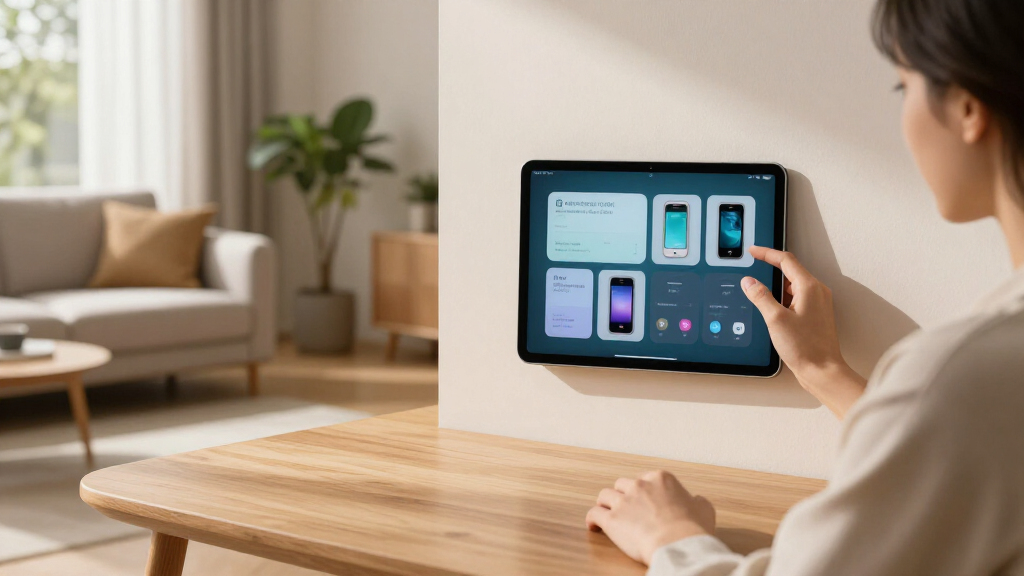
The ScreenWall app enables users to connect multiple old phones, transforming them into a unified display of widgets that can show weather, calendars, news feeds, or custom content. According to the developers, the app uses a cloud-based synchronization system, allowing all connected devices to update in real-time, creating a seamless visual experience across a physical space.
During the beta phase, users can link up to five devices, with plans to expand features and device compatibility before a full launch. The developers stated that the app is designed to be easy to set up, requiring only a Wi-Fi connection and a free account. The company has not yet announced a definitive release date but indicated that a public version will be available within the next few months.
Potential Impact on Space Personalization and Device Recycling
ScreenWall offers a new way to personalize living or working environments by turning old smartphones into synchronized display panels. This could reduce electronic waste by giving outdated devices a second life and provide an affordable alternative to dedicated digital signage or smart displays. For consumers, it means a customizable, scalable way to create dynamic environments that reflect their preferences without investing in new hardware.
Additionally, the app could influence how people think about device lifecycle management, encouraging reuse and sustainability. It may also inspire other developers to explore similar cross-device synchronization solutions, fostering innovation in smart space design.
digital photo frame old smartphones
As an affiliate, we earn on qualifying purchases.
As an affiliate, we earn on qualifying purchases.
Growing Interest in Repurposing Old Devices for Smart Spaces
In recent years, there has been increased interest in repurposing old smartphones for various smart home and workspace applications. Companies like Google and Apple have introduced features to extend device usability, but dedicated apps like ScreenWall aim to offer more customizable solutions. The concept aligns with broader sustainability trends and the desire for affordable, flexible digital displays.
While similar projects have existed, few have achieved seamless synchronization across multiple devices with user-friendly setup. ScreenWall’s announcement follows a wave of startups exploring device recycling and environmental sustainability in tech, with some comparable solutions still in early development stages.
“Our goal is to give new life to old devices by transforming them into beautiful, functional displays that can adapt to any space.”
— Jane Doe, CEO of ScreenWall
smart home synchronized display devices
As an affiliate, we earn on qualifying purchases.
As an affiliate, we earn on qualifying purchases.
Details on Full Launch and Device Compatibility Still Unclear
It is not yet confirmed when ScreenWall will be broadly available to the public, as the app remains in beta testing. The scope of device compatibility beyond recent Android and iOS phones has not been fully disclosed. Additionally, the final feature set and pricing details are still under development, with potential updates expected before the official launch.
DIY digital signage for home or office
As an affiliate, we earn on qualifying purchases.
As an affiliate, we earn on qualifying purchases.
Expected Public Release and Feature Expansion Plans
The developers plan to expand device compatibility, improve synchronization stability, and introduce new widget options before releasing a full version to the broader market. They also indicated that additional customization features and integrations with smart home systems could be added based on user feedback. An official launch date is anticipated within the next three to four months, with updates to follow in the coming weeks.
As an affiliate, we earn on qualifying purchases.
Key Questions
Can I use any old smartphone with ScreenWall?
Currently, ScreenWall supports recent Android and iOS devices, but full compatibility details are still being finalized. The beta supports up to five devices per user.
What types of widgets can I display?
The app allows customization to display weather, calendars, news feeds, and user-defined content. Additional widget options are expected to be added after the full launch.
Is ScreenWall free to use?
The app is currently in beta and free during testing. Pricing for the full version has not yet been announced.
Will this app work across different brands and operating systems?
The developers aim for broad compatibility, but initial support is focused on recent Android and iOS devices. Cross-platform synchronization is a core feature, with plans for wider device support in future updates.
Source: hn