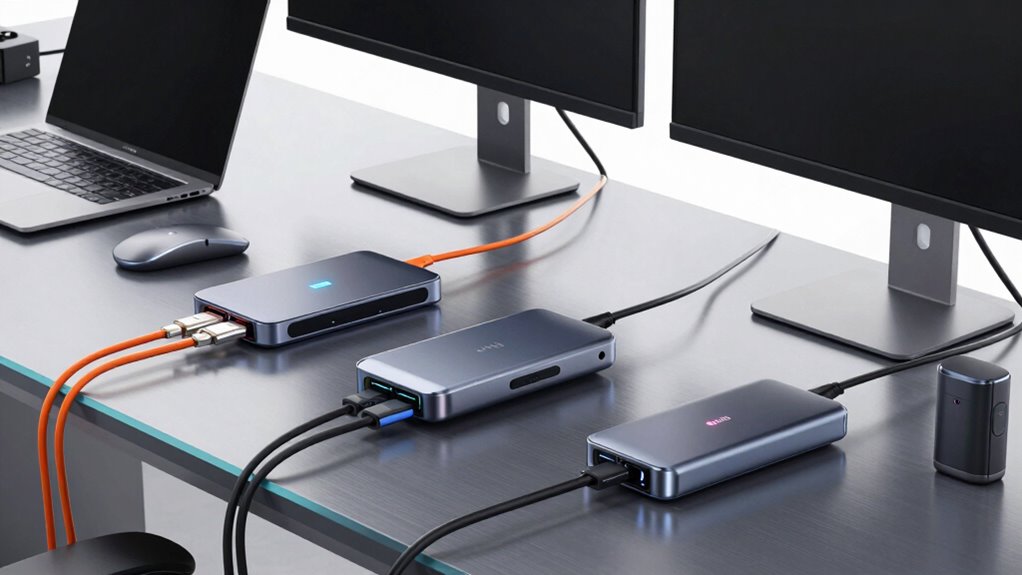

For power users who rely on multiple high-resolution displays, fast data transfer, and robust charging capabilities, choosing the right Thunderbolt dock can significantly boost productivity. The best options support dual 4K or even 8K displays, deliver ample power delivery, and offer a wide range of ports—all within a durable, reliable build. The top pick for overall performance is the Plugable Thunderbolt 4 Dock with 100W Charging, thanks to its solid balance of features and price. The Dell Pro Thunderbolt 4 Dock stands out for its extensive connectivity and sustainable design, while the Anker Prime TB5 offers cutting-edge Thunderbolt 5 speeds. Keep in mind that these docks often require tradeoffs between port selection, size, and price. Continue reading for a detailed breakdown of each option and how to choose the best dock for your needs.
Open a free Amazon Business account
Business pricing, bulk buying and tax-exempt orders.
Create a free accountAs an affiliate, we earn on qualifying purchases.
Key Takeaways
- Top picks differentiate based on port variety, power delivery, and display support for demanding workflows.
- Most high-end docks excel in multi-display setups but can vary significantly in size and price.
- Durability and build quality are critical for a device intended for daily, heavy use.
- Advanced docks like Thunderbolt 5 models offer future-proofing but come at a premium.
- Compatibility with specific laptops (Mac vs. PC) influences the ideal choice, especially for Thunderbolt 4 vs. Thunderbolt 5 docks.
| WAVLINK Thunderbolt 4 Dock with Dual 4K HDMI and 8K Support |  | Best Overall for High-Resolution Multi-Display Setups | Hardware Interface: Thunderbolt 4, USB 3.2 Gen 2, MicroSD, 3.5mm Audio | Total USB Ports: 6 | HDMI Ports: 2 | VIEW ON AMAZON | See Our Full Breakdown |
| Plugable Thunderbolt 4 Dock for M4/M5 MacBook Air & Pro, 100W Charging |  | Best for MacBook Power Users Requiring Plug-and-Play Dual 4K Displays | Ports: 13 | Display Support: Dual 4K 60Hz HDMI | Charging Power: 100W | VIEW ON AMAZON | See Our Full Breakdown |
| Plugable Thunderbolt 4 Dock with 100W Charging, Dual 4K HDMI |  | Best for High-Performance Professional Workstations | Power Delivery: 100W | Display Support: Dual 4K 60Hz HDMI or single 8K | Ports: 13 | VIEW ON AMAZON | See Our Full Breakdown |
| Dell Pro Thunderbolt 4 Smart Dock SD25TB4 – USB-C Station 130W, 4 Displays 4K, 2X DP 1.4, HDMI 2.1, 2X Thunderbolt 4, 2.5GbE, Wi-Fi, Sustainable Design |  | Best for Creative Professionals Needing Multiple 4K Displays and Eco-Friendly Design | Power Delivery: 130W | Display Support: Up to 4 x 4K monitors | Video Ports: 2x DisplayPort 1.4, HDMI 2.1, 2x Thunderbolt 4 | VIEW ON AMAZON | See Our Full Breakdown |
| Dell Thunderbolt WD22TB4 4 Dock 130W |  | Best Modular Dock for Flexibility and Upgrades | Ports: 2x Thunderbolt 4, USB-C, USB-A, DisplayPort, HDMI, Ethernet | Power Delivery: 130W | Display Support: Multiple 4K monitors | VIEW ON AMAZON | See Our Full Breakdown |
| Anker Prime TB5 Docking Station, 14-in-1 Thunderbolt 5 Dock for Laptops |  | Best Overall for Power Users Demanding High Performance | Ports: 14-in-1 including Thunderbolt 5, USB-C, USB-A, SD/TF card readers, Ethernet, audio, HDMI 2.1/DisplayPort 2.1 | Maximum Video Output: 8K@60Hz for single display, dual 8K@60Hz for dual displays | Charging Power: Up to 140W via Thunderbolt 5 upstream port | VIEW ON AMAZON | See Our Full Breakdown |
| UGREEN 8-in-1 Thunderbolt 4 Docking Station, Dual 4K@60Hz, 3xTBT4, 40Gbps |  | Best for Versatile Dual 4K or 8K Display Support | Number of Ports: 8 | Thunderbolt 4 Ports: 3 | USB A 3.2 Ports: 3 | VIEW ON AMAZON | See Our Full Breakdown |
| OWC 11-Port Thunderbolt Dock for Mac and PC with 96W Power Delivery |  | Best for Expanding Connectivity with High Power Delivery | Power Delivery: 96W | Display Support: Up to 8K @ 60Hz or 4K @ 120Hz | Host Port: Thunderbolt 4 up to 40 Gb/s | VIEW ON AMAZON | See Our Full Breakdown |
| Belkin Thunderbolt 4 Docking Station, 5-in-1 USB-C Multiport Hub with 96W Power Delivery |  | Best Compact Multiport for Space-Conscious Power Users | Ports: 3x Thunderbolt 4 USB-C, 1x USB-A | Power Delivery: 96W | Display Support: Dual 4K@60Hz or 8K@30Hz | VIEW ON AMAZON | See Our Full Breakdown |
| Plugable 16-in-1 Thunderbolt 4 Dock – Dual 4K Monitors, 100W Charging |  | Best for Professional Multitasking and Content Creators | Number of USB ports: 7 | Ethernet: 2.5Gbps | SD/microSD slots: Yes | VIEW ON AMAZON | See Our Full Breakdown |
| Anker Prime Docking Station, 14-in-1 Laptop Docking Station Dual Monitor |  | Best for High-Performance Multi-Device Management | Connectivity: 14-in-1 | Total USB Ports: 10 | Data Transfer Rate: 10Gbps | VIEW ON AMAZON | See Our Full Breakdown |
| thunderbolt dock for power user | Display Support | Power Delivery |
|---|---|---|
| WAVLINK Thunderbolt 4 Dock wit | — | Up to 96W |
| Plugable Thunderbolt 4 Dock fo | Dual 4K 60Hz HDMI | — |
| Plugable Thunderbolt 4 Dock wi | Dual 4K 60Hz HDMI or single 8K | 100W |
| Dell Pro Thunderbolt 4 Smart D | Up to 4 x 4K monitors | 130W |
| Dell Thunderbolt WD22TB4 4 Doc | Multiple 4K monitors | 130W |
| Anker Prime TB5 Docking Statio | — | — |
| UGREEN 8-in-1 Thunderbolt 4 Do | Dual 4K@60Hz or single 8K | 85W |
| OWC 11-Port Thunderbolt Dock f | Up to 8K @ 60Hz or 4K @ 120Hz | 96W |
| Belkin Thunderbolt 4 Docking S | Dual 4K@60Hz or 8K@30Hz | 96W |
| Plugable 16-in-1 Thunderbolt 4 | Dual 4K 60Hz | 100W |
| Anker Prime Docking Station | Dual 4K@60Hz | — |
More Details on Our Top Picks
WAVLINK Thunderbolt 4 Dock with Dual 4K HDMI and 8K Support
This WAVLINK Thunderbolt 4 Dock stands out for its ability to support dual 4K displays at 60Hz or a single 8K monitor, making it ideal for power users who rely on high-resolution workflows. Compared with the Plugable Thunderbolt 4 Dock with 100W charging, WAVLINK offers similar display support but emphasizes dual 4K or 8K flexibility, though some Mac users might encounter configuration hiccups. Its 96W power delivery and multiple ports—including SD card reader, Ethernet, and audio—offer comprehensive connectivity for demanding setups. However, compatibility on Mac M1/M2 systems can be inconsistent, especially with dual monitors, which may require specific configurations. This dock balances high resolution with versatile port options, but system compatibility may limit out-of-the-box performance for some users.
Pros:- Supports dual 4K displays or an 8K monitor, ideal for high-res workflows
- Fast Thunderbolt 4 data transfer with 2.5Gbps Ethernet for lag-free networking
- Multiple ports including SD card reader, USB, and audio for comprehensive connectivity
Cons:- Dual monitor extension may require specific Mac configurations
- Compatibility varies depending on Mac model and system setup
Best for: Power users needing dual 4K/8K displays and extensive connectivity for high-resolution workstations.
Not ideal for: Mac users with M1/M2 chips seeking seamless plug-and-play support, due to potential compatibility issues.
- Hardware Interface:Thunderbolt 4, USB 3.2 Gen 2, MicroSD, 3.5mm Audio
- Total USB Ports:6
- HDMI Ports:2
- Power Delivery:Up to 96W
- Ethernet:2.5G
- Supported Systems:Windows 10/11, macOS 11+
Our verdict“This dock is perfect for professionals who prioritize high-resolution multi-display setups and extensive port options, despite some compatibility nuances.”
Plugable Thunderbolt 4 Dock for M4/M5 MacBook Air & Pro, 100W Charging
This Plugable Thunderbolt 4 Dock is tailored for MacBook users, especially M4 and M5 models, offering a straightforward setup with dual 4K HDMI support and 100W charging. It surpasses some other docks like the Dell WD22TB4 by emphasizing a driverless, plug-and-play experience, making it ideal for users who want reliable dual-monitor support without fiddling with configurations. Its 13-in-1 port array includes USB-A, USB-C, SD card reader, Ethernet, and audio, covering most professional needs. The main tradeoff is its limited support for dual displays on base M1 and M2 Macs, which might disappoint users with those models. This dock makes high-resolution dual display connectivity accessible for MacBook users, but only on newer or compatible Macs.
Pros:- Supports dual 4K monitors without requiring drivers or extra software
- High 100W charging supports MacBooks for all-day work
- Plug-and-play setup minimizes configuration hassle
Cons:- Limited dual display support on base M1 and M2 MacBooks
- More expensive compared to simpler docks with fewer ports
Best for: MacBook Air and Pro users who need reliable dual 4K monitor support with high power delivery and minimal fuss.
Not ideal for: Users with older MacBooks or Windows PCs expecting full dual monitor support across all systems, due to limited compatibility on some Macs.
- Ports:13
- Display Support:Dual 4K 60Hz HDMI
- Charging Power:100W
- Thunderbolt 4:Yes
- USB-A Ports:4
- SD/microSD:UHS-II
Our verdict“Ideal for MacBook power users seeking a hassle-free dual 4K display setup with robust charging and connectivity, provided they have compatible Macs.”
Plugable Thunderbolt 4 Dock with 100W Charging, Dual 4K HDMI
Compared with the Plugable Thunderbolt 4 Dock for M4/M5 MacBooks, this model offers a broader spectrum of ports, including additional USB and Ethernet options, making it well-suited for intensive workstation environments. Its high-speed 40Gbps performance and support for dual 4K 60Hz displays make it a strong choice for creative professionals and developers. It provides 100W power delivery, enough to keep most laptops charged during demanding tasks. The complexity of its port array and varying compatibility on macOS can be a drawback, requiring careful system check for optimal use. This dock targets high-performance setups but demands some user research for perfect compatibility.
Pros:- 40Gbps Thunderbolt 4 performance supports fast data transfer
- Supports dual 4K displays or a single 8K display for high-res workflows
- 13 versatile ports including Ethernet, SD, and multiple USB-A and USB-C
Cons:- Complex compatibility, especially on macOS systems
- Some configurations support only one display on certain Mac models
Best for: Power users with demanding multitasking needs, especially in creative or technical fields requiring multiple high-res displays and fast data transfer.
Not ideal for: Casual users or those with simpler setups who do not need multiple high-speed ports or advanced display options, as it may be overkill.
- Power Delivery:100W
- Display Support:Dual 4K 60Hz HDMI or single 8K
- Ports:13
- Performance:40Gbps Thunderbolt 4
- Compatibility:Windows 10 and up, macOS (varies)
Our verdict“Best suited for high-end professional environments demanding maximum data throughput and multiple high-res displays, with some setup complexity involved.”
Dell Pro Thunderbolt 4 Smart Dock SD25TB4 – USB-C Station 130W, 4 Displays 4K, 2X DP 1.4, HDMI 2.1, 2X Thunderbolt 4, 2.5GbE, Wi-Fi, Sustainable Design
This Dell Pro Thunderbolt 4 Smart Dock offers robust support for up to four 4K monitors, making it a top choice for professionals with high-resolution multitasking needs. Its 130W charging capability surpasses many competitors like the Dell WD22TB4, enabling full power delivery for power-hungry laptops. The dock’s multiple video outputs—DisplayPort 1.4, HDMI 2.1, Thunderbolt 4—support diverse display configurations. Its eco-conscious design, using recycled plastics and packaging, appeals to sustainability-minded users. However, its setup process can be complex for non-technical users, and it primarily targets Dell and compatible systems, limiting broader Mac compatibility. This dock excels for demanding creative workflows but may require technical setup skills.
Pros:- Supports up to four 4K monitors for extensive multitasking
- Provides 130W charging, suitable for power-intensive laptops
- Eco-friendly design with recycled materials
Cons:- Setup can be complex for non-technical users
- Limited compatibility outside Dell and compatible devices
Best for: Creative professionals and teams needing multiple 4K displays and high-power charging in a sustainable package.
Not ideal for: Users seeking simple, plug-and-play solutions or those on non-Dell hardware, due to setup complexity and compatibility considerations.
- Power Delivery:130W
- Display Support:Up to 4 x 4K monitors
- Video Ports:2x DisplayPort 1.4, HDMI 2.1, 2x Thunderbolt 4
- Ethernet:2.5GbE
- Design:Recycled plastics, sustainable packaging
Our verdict“A top choice for creative professionals demanding multiple high-resolution displays and sustainability, with some setup effort involved.”
Dell Thunderbolt WD22TB4 4 Dock 130W
Compared to the Dell SD25TB4, the WD22TB4 4 Dock emphasizes modularity, allowing easy upgrades and replacements of individual ports, which appeals to users who want future-proofing. Its 130W power delivery and support for multiple 4K displays, including HDMI and DisplayPort options, make it suitable for demanding workflows. The extensive port array—including multiple USB-A and USB-C ports, Ethernet, and video outputs—offers broad compatibility, especially for Windows users. However, the abundance of ports can be overwhelming, and the setup may require more technical familiarity. Mac users will find limited support, especially for multi-display configurations. This dock is ideal for users who want a flexible, upgradeable Thunderbolt station with high power delivery.
Pros:- Modular design allows easy upgrades and replacements
- Supports multiple 4K displays with 130W charging
- Broad port selection for diverse peripherals
Cons:- Setup can be complex and overwhelming for some users
- Primarily optimized for Windows, with limited Mac support
Best for: Power users who want a versatile, modular dock that adapts to evolving peripheral needs, mainly on Windows systems.
Not ideal for: Casual or Mac users seeking straightforward, out-of-the-box dual monitor support, due to potential complexity and limited Mac compatibility.
- Ports:2x Thunderbolt 4, USB-C, USB-A, DisplayPort, HDMI, Ethernet
- Power Delivery:130W
- Display Support:Multiple 4K monitors
- Compatibility:Primarily Windows 10/11
Our verdict“Best for users valuing flexibility and future-proofing in a Thunderbolt dock, accepting a more involved setup process.”
Anker Prime TB5 Docking Station, 14-in-1 Thunderbolt 5 Dock for Laptops
This model stands out for its comprehensive port selection, including Thunderbolt 5, enabling support for multiple 8K displays and lightning-fast data transfer, which surpasses most competitors like the Plugable 16-in-1 Thunderbolt 4 Dock. Its 140W charging capacity ensures that power users can keep their laptops and peripherals energized without switching chargers. The active cooling system helps sustain peak performance during intense workloads, a feature absent in smaller docks like the Belkin Thunderbolt 4 Dock. However, its complexity and higher price point might be daunting for users unfamiliar with multi-port setups, and it requires a Thunderbolt 5-compatible laptop for full feature access. This dock makes the most sense for those who need maximum connectivity and high-resolution output in a single device, willing to invest in top-tier performance.
Pros:- Supports up to 8K video output for multiple displays
- Outstanding 14-in-1 port variety including Thunderbolt 5
- Fastest data transfer with Thunderbolt 5
- Powerful 140W charging capacity
Cons:- High cost may be prohibitive for some users
- Requires Thunderbolt 5 laptop for full features
- Potentially complex setup for beginners
Best for: Power users with Thunderbolt 5 laptops requiring extensive multi-monitor setups and fast data transfer
Not ideal for: Casual users or those with Thunderbolt 4 or USB-C laptops who don’t need ultra-high resolutions or multiple ports
- Ports:14-in-1 including Thunderbolt 5, USB-C, USB-A, SD/TF card readers, Ethernet, audio, HDMI 2.1/DisplayPort 2.1
- Maximum Video Output:8K@60Hz for single display, dual 8K@60Hz for dual displays
- Charging Power:Up to 140W via Thunderbolt 5 upstream port
- Cable Included:Thunderbolt 5 cable, AC power cable
- Warranty:24 months
Our verdict“This dock is best suited for professionals demanding maximum performance and connectivity, despite its premium price and setup complexity.”
UGREEN 8-in-1 Thunderbolt 4 Docking Station, Dual 4K@60Hz, 3xTBT4, 40Gbps
The UGREEN 8-in-1 Thunderbolt 4 Dock offers a balanced mix of ports and performance, supporting dual 4K displays or an 8K single display, which makes it more flexible than the Belkin Thunderbolt 4 Dock that leans heavily on dual 4K. Its 40Gbps data transfer speed ensures quick file movement, ideal for content creators. The 85W power delivery is sufficient for most Ultrabooks but falls short of the 96W offered by the OWC 11-Port Thunderbolt Dock, which could limit charging of power-hungry laptops during heavy use. Compatibility is broad, but full display support hinges on the host computer’s capabilities, and it requires the included charger for full performance. This dock is best for users who want reliable dual monitor support with good data speeds without the highest charging wattage.
Pros:- Supports dual 4K or single 8K display output
- High-speed 40Gbps data transfer
- Up to 85W charging for most laptops
- Multiport design with USB-A and Ethernet
Cons:- Requires connection to the included charger for full functionality
- Limited to Thunderbolt 4 devices, not Thunderbolt 5
- Display support may vary based on host system
Best for: Creative professionals needing dual 4K displays and high data throughput on Thunderbolt 4-compatible laptops
Not ideal for: Users with Thunderbolt 3 or older port laptops, or those needing higher power delivery for demanding peripherals
- Number of Ports:8
- Thunderbolt 4 Ports:3
- USB A 3.2 Ports:3
- Ethernet:Gigabit
- Power Delivery:85W
- Display Support:Dual 4K@60Hz or single 8K
Our verdict“Ideal for creative professionals seeking dual monitor setups with fast data transfer, but limited by power delivery and Thunderbolt 4 constraints.”
OWC 11-Port Thunderbolt Dock for Mac and PC with 96W Power Delivery
The OWC 11-Port Thunderbolt Dock offers extensive connectivity, including USB, Ethernet, SD card reader, and dual display support up to 8K, making it well-suited for demanding workflows. Its 96W power delivery surpasses many competitors like the Belkin Thunderbolt 4 Dock, providing reliable charging for most high-performance laptops. The multiple USB ports and SD card reader are advantages for content creators and professionals needing diverse peripherals. However, display support can vary depending on the host system and GPU capabilities, and the dock’s size might be less portable for mobile power users. Compared to the Plugable 16-in-1 Thunderbolt 4 Dock, it offers fewer USB ports but more dedicated display options. This device fits users who prioritize versatile port expansion over maximum port count.
Pros:- Supports dual 8K or 4K displays
- Multiple USB, Ethernet, and SD ports
- High 96W power delivery for charging
- Compatible with Mac and Windows
Cons:- Display support depends on host GPU capabilities
- Size and weight may reduce portability
- Some features require specific host hardware
Best for: Professionals needing a broad array of ports and high-resolution display support in a mostly stationary workstation
Not ideal for: Mobile users or those seeking ultra-compact docks, due to its size and complexity
- Power Delivery:96W
- Display Support:Up to 8K @ 60Hz or 4K @ 120Hz
- Host Port:Thunderbolt 4 up to 40 Gb/s
- USB Ports:3 USB 3.2 Gen 2
- Ethernet:Gigabit Ethernet
Our verdict“Best for stationary professionals who need extensive port options and high-resolution display support, accepting some size tradeoffs.”
Belkin Thunderbolt 4 Docking Station, 5-in-1 USB-C Multiport Hub with 96W Power Delivery
The Belkin Thunderbolt 4 Dock offers a sleek, low-profile design with five essential ports, making it suitable for tight spaces. Its support for dual 4K displays at 60Hz or an 8K display at 30Hz aligns with the needs of users who prioritize clarity over ultra-high refresh rates. Compared with larger docks like the OWC 11-Port Thunderbolt Dock, it sacrifices port variety for a smaller footprint, which is ideal for portable setups or minimalist desks. The 96W power delivery is adequate for most laptops but may fall short for power-hungry peripherals. The price point is higher than typical USB-C hubs, but this reflects its premium build and broad compatibility. This dock is best for users who want a compact, stylish solution without sacrificing high-res display support.
Pros:- Supports dual 4K or 8K display outputs
- Compact, low-profile design
- Fast data transfer up to 40Gbps
- Powerful 96W charging
Cons:- Limited to five ports, fewer than larger docks
- Requires compatible hardware for dual 4K or 8K displays
- Price premium for small size
Best for: Workspace users seeking a portable, stylish dock with reliable dual monitor support
Not ideal for: Heavy workflow environments requiring extensive port options or high wattage for demanding peripherals
- Ports:3x Thunderbolt 4 USB-C, 1x USB-A
- Power Delivery:96W
- Display Support:Dual 4K@60Hz or 8K@30Hz
- Material:Recycled content (72%)
- Warranty:3 years
Our verdict“A smart choice for space-conscious users who need reliable high-resolution display support and decent connectivity in a minimal footprint.”
Plugable 16-in-1 Thunderbolt 4 Dock – Dual 4K Monitors, 100W Charging
The Plugable 16-in-1 Thunderbolt 4 Dock offers a highly versatile setup, supporting dual 4K displays at 60Hz and a wide array of USB peripherals, making it a favorite for content creators and professionals who need maximum connectivity. Its 100W power delivery surpasses many competitors like the UGREEN 8-in-1 Dock, providing ample charge for demanding laptops during intensive tasks. The multiple USB ports and Ethernet ensure that all peripherals can be connected without compromise. However, the reliance on Thunderbolt 4 or USB4 means it’s incompatible with older or lower-spec USB-C laptops, and it’s limited to dual 4K setups, which might not suffice for high-end 8K workflows. This dock is an excellent choice for those who prioritize extensive port options and dual monitor support, accepting some size and compatibility limitations.
Pros:- Supports dual 4K monitors at 60Hz
- Powerful 100W charging for laptops
- Many USB ports for peripherals
- Universal compatibility with Thunderbolt 4 and USB4
Cons:- Requires compatible Thunderbolt 4 or USB4 hardware
- Limited to dual 4K resolution, not higher
- Larger footprint may be less portable
Best for: Content creators and professionals needing extensive ports and dual 4K monitors with high power delivery
Not ideal for: Light users or those with older USB-C laptops lacking Thunderbolt 4 or USB4 support
- Number of USB ports:7
- Ethernet:2.5Gbps
- SD/microSD slots:Yes
- Power Delivery:100W
- Display support:Dual 4K 60Hz
Our verdict“This dock excels for professionals needing multiple ports and dual 4K displays, with some size and compatibility considerations.”
Anker Prime Docking Station, 14-in-1 Laptop Docking Station Dual Monitor
The Anker Prime Docking Station stands out for its expansive connectivity, offering 14 ports including dual 4K display support, which makes it an excellent choice for users who rely on multiple peripherals and high-resolution monitors. Compared to the WAVLINK Thunderbolt 4 Dock, which supports 8K but offers fewer USB ports, this dock prioritizes versatility over ultra-high display resolution. Its 160W power delivery is robust enough to charge demanding laptops and accessories simultaneously, streamlining workspace clutter. However, it’s limited to Windows, ChromeOS, and compatible laptops, excluding Linux users, and it doesn’t support monitors with resolutions above 4K or ultrawide formats like 5120×1440. The dual 4K support ensures crisp visuals, but the identical display output on macOS might be a drawback for those needing extended desktops. Overall, this dock is ideal for professionals managing multiple devices and high-res displays, but less suited for Linux or ultrawide monitor setups.
Pros:- Supports dual 4K@60Hz displays with high-quality streaming
- Provides 160W fast charging suitable for demanding laptops
- Offers 14-in-1 connectivity with numerous USB ports including data transfer at 10Gbps
Cons:- Limited to Windows, ChromeOS, and select laptops; incompatible with Linux
- Displays on both monitors are identical for macOS, limiting extended desktop options
- Does not support monitors with 5120×1440 resolution or ultrawide formats
Best for: Power users who need extensive connectivity and fast charging for multiple devices across Windows and ChromeOS environments.
Not ideal for: Linux users or those requiring support for ultrawide monitors with resolutions above 4K, as compatibility and resolution support are limited.
- Connectivity:14-in-1
- Total USB Ports:10
- Data Transfer Rate:10Gbps
- Power Output:160W
- Display Support:Dual 4K@60Hz
- Compatible Devices:USB-C, USB4, Thunderbolt laptops, Windows 10/11, ChromeOS
- Color:Grey
- Material:Plastic
- Item Weight:1.28 kg
Our verdict“This dock makes the most sense for Windows and ChromeOS power users who need maximum device connectivity and high-resolution dual displays, accepting some resolution and OS limitations.”

How We Picked
These products were evaluated based on their performance in supporting multiple high-resolution displays, maximum data transfer speeds, power delivery capacity, build quality, and overall versatility. We prioritized docks that cater to demanding workflows typical of power users, such as content creators, developers, and professionals running multiple peripherals. Cost-effectiveness was also considered, ensuring that the top picks offer a compelling balance of features versus price. Docks were ranked to highlight the best overall, best value, and premium options, providing a clear guide for different user priorities.Factors to Consider When Choosing Thunderbolt Dock For Power Users
Choosing the right Thunderbolt dock for power users involves balancing multiple factors to ensure seamless performance, future-proofing, and durability. It’s essential to evaluate your specific needs—whether that’s supporting multiple 4K displays, fast data transfer, or powering high-demand peripherals—and match those to a dock’s capabilities. Understanding key factors like port selection, power delivery, and build quality can help avoid costly mistakes and ensure your investment supports your workflow for years to come.Port Selection and Compatibility
Power users need a variety of ports to connect monitors, external drives, and accessories. Look for docks that offer enough Thunderbolt, USB-C, HDMI, or DisplayPort options to match your setup. Compatibility with your laptop’s Thunderbolt version is also critical—an older Thunderbolt 3 dock might not support the latest features of Thunderbolt 4 or Thunderbolt 5. Consider your future needs as well; a dock with versatile port options can adapt as your setup evolves.
Power Delivery and Charging
A high-capacity power delivery (PD) feature ensures your laptop and peripherals stay charged during intense work sessions. Most premium docks offer 85W or higher PD, but some power-hungry setups may benefit from 100W or more. Keep in mind that a dock’s charging capability should match or exceed your laptop’s requirements to avoid relying on an external charger. Overpaying for excessive power delivery isn’t necessary unless you have a particularly power-hungry device.
Display Support and Video Performance
Supporting dual 4K or even 8K displays is a hallmark of a true power user dock. Check whether the dock supports the resolution and refresh rate you need, especially if working with high-end video editing or 3D modeling. Docks with multiple video outputs often rely on DisplayPort or HDMI standards—ensure they are compatible with your monitors. Be mindful that some docks may limit simultaneous display performance, so verify the specifications before purchasing.
Build Quality and Durability
Heavy daily use demands a sturdy, well-built dock that can withstand the rigors of a professional environment. Metal enclosures tend to be more durable than plastic, and a well-designed dock minimizes overheating and cable strain. Consider docks with a stable base or mounting options if desk space is limited. Investing in a high-quality build can reduce the risk of failure and extend the device’s lifespan, making it a worthwhile expense.
Size and Portability
While most power users prefer a desktop-centric dock, some may need portability for travel or remote work. Smaller docks tend to have fewer ports but are easier to carry, whereas larger models pack more features but occupy more space. Evaluate your workspace and mobility needs carefully. A compact yet capable dock can deliver high performance without cluttering your setup.
Price and Future-Proofing
Expect to spend more for docks that support the latest standards like Thunderbolt 5, higher data transfer rates, and extensive port options. While premium models come with a higher price tag, they often provide better longevity and compatibility with future devices. Cheaper docks might seem appealing initially but can limit upgrade paths or lack support for demanding workflows. Weigh your budget against your long-term needs to avoid frequent replacements.
Frequently Asked Questions
Can I use a Thunderbolt dock with a non-Thunderbolt USB-C port laptop?
While some docks may work with USB-C ports that aren’t Thunderbolt, full functionality—such as daisy-chaining and high-speed data transfer—is typically limited or unavailable. Thunderbolt docks rely on the Thunderbolt protocol for their performance, so compatibility with non-Thunderbolt USB-C ports is often reduced to basic connectivity and charging. Always check the dock specifications and your laptop’s port capabilities before purchasing to ensure it meets your needs.
Is it worth investing in a Thunderbolt 5 dock over Thunderbolt 4 for power users?
Thunderbolt 5 docks offer faster data transfer rates and often more future-proof features, making them appealing for heavy data workflows and the latest peripherals. However, they come at a higher cost and may not be fully compatible with older devices. If your setup includes cutting-edge hardware or you want the utmost performance and longevity, investing in Thunderbolt 5 makes sense. For most current needs, Thunderbolt 4 still provides ample performance at a lower price.
How important is port variety versus build quality in a Thunderbolt dock?
Both are critical, but the priority depends on your workflow. A wide variety of ports allows greater flexibility in connecting multiple peripherals, which is essential for complex setups. However, without good build quality, the dock may fail prematurely or have connectivity issues. Ideally, choose a model that balances both—robust construction with enough ports to support your most demanding tasks.
Should I prioritize a dock with multiple display outputs or higher data transfer speeds?
This depends on your typical workload. If your work revolves around multiple high-resolution displays, prioritize a dock with strong display support. If heavy data transfer or external storage access is more critical, focus on models with higher bandwidth capabilities. Many docks try to balance both, but understanding your primary needs will guide the best choice.
How does the size of the dock impact its usability for a power user?
Size influences portability and desk space. Larger docks tend to have more ports and better cooling but are less portable, making them suitable for dedicated workspace setups. Smaller docks are easier to carry and fit into tight spaces but may compromise on port options or thermal performance. Consider your workspace and mobility needs carefully before selecting a size.
Conclusion
For those seeking the best overall performance and versatility, the Plugable Thunderbolt 4 Dock with 100W Charging emerges as the top choice, ideal for demanding workflows. Budget-conscious power users who prioritize value without sacrificing essential features should consider the UGREEN 8-in-1 Thunderbolt 4 Docking Station. Professionals looking for premium features and future-proofing might find the Anker Prime TB5 Docking Station worth the investment. Beginners or those with less complex needs could start with a more straightforward model like the Belkin Thunderbolt 4 Docking Station. Tailor your pick based on your specific work environment, device compatibility, and long-term goals—this approach ensures a setup that supports your productivity now and in the future.
As an affiliate, we earn on qualifying purchases.NFL season / tailgating Picks
team gear