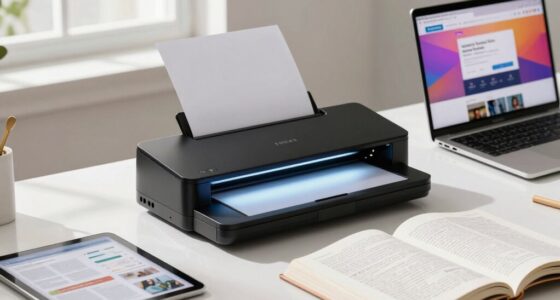
Choosing a photo printer for home can be challenging because of the wide variety of options and features available. The best overall pick, the Canon PIXMA PRO-200S, offers professional-quality prints with easy wireless connectivity. For portability, the Canon PIXMA TR160 stands out, perfect for printing on the go, while the Epson EcoTank ET-2800 provides excellent value with its refillable tanks. However, tradeoffs include size, print quality, and ongoing ink costs. Keep reading for a clear comparison to help you find the ideal photo printer for your home setup.

Get business pricing on monitors, keyboards and dev gear
- Business-only prices and quantity discounts
- Tax-exempt purchasing
- Multiple users, one account, clear invoices
Key Takeaways
- The top-ranked printers balance print quality, ease of use, and ongoing ink costs, with the Canon PIXMA PRO-200S leading in professional-grade results.
- Portable printers like the Canon PIXMA TR160 excel for on-the-move printing but may sacrifice some print quality and paper capacity.
- Supertank models such as Epson EcoTank ET-2800 offer significant savings on ink over time, though they tend to be larger and more expensive upfront.
- Color accuracy and print size options vary, making some printers better suited for framing or larger projects, while others focus on quick, casual prints.
- Price ranges are broad; investing more generally yields better quality and longevity, but budget options can still produce good results for casual use.
| Canon PIXMA PRO-200S Professional 13″ Wireless Inkjet Photo Printer with 3.0″ Color LCD |  | Best for Professional-Quality Large-Format Printing | Print Size: Up to 13″ x 19″ | Connectivity: Wi-Fi, Ethernet, USB | Ink System: 8-color dye-based | VIEW ON AMAZON | See Our Full Breakdown |
| Canon PIXMA TR160 Wireless Portable Compact Printer, 50-Sheet Paper Tray and 1.44″ Display – Print On-The-Go |  | Best for Portable On-the-Go Printing | Paper Tray Capacity: 50 sheets | Display: 1.44″ OLED | Connectivity: Wireless, Wi-Fi, AirPrint, Mopria | VIEW ON AMAZON | See Our Full Breakdown |
| Canon PIXMA G620 Wireless MegaTank Photo All-in-One Printer |  | Best for High-Volume, Cost-Effective Photo Printing | Connectivity: Wireless | Functions: Print, Copy, Scan | Ink System: 6-color dye-based | VIEW ON AMAZON | See Our Full Breakdown |
| Epson EcoTank ET-2800 Wireless Color All-in-One Supertank Printer |  | Best for Eco-Friendly, High-Volume Home Printing | Printer Type: All-in-One (Print, Scan, Copy) | Connectivity: Wireless | Ink System: Cartridge-Free EcoTank | VIEW ON AMAZON | See Our Full Breakdown |
| Canon MegaTank G3270 All-in-One Wireless Inkjet Printer |  | Best for Cost-Conscious Home Multi-Function Printing | Functionality: Print, Scan, Copy | Connectivity: Wireless | Display: 1.35-inch LCD | VIEW ON AMAZON | See Our Full Breakdown |
| Liene M100 4×6 Portable Wi-Fi Photo Printer with 100 Sheets and 3 Cartridges |  | Best Portable Photo Printer for On-the-Go Use | Print Size: 4 x 6 inches | Printing Technology: Thermal dye sublimation | Connectivity: Built-in Wi-Fi hotspot | VIEW ON AMAZON | See Our Full Breakdown |
| Canon SELPHY CP1500 Wireless Compact Photo Printer Bundle with KP-108 Paper and Ink |  | Best All-in-One Compact Wireless Photo Printer | Printer Model: Canon SELPHY CP1500 | Color: Black | Printing Technology: Dye-sublimation | VIEW ON AMAZON | See Our Full Breakdown |
| Canon Selphy CP1500 Photo Printer Bundle (White) with KP-108 Paper, Color Ink Cartridges & Cleaning Cloth |  | Best All-in-One Portable Bundle for Home Use | Printer Type: Dye-sublimation | Color Ink Cartridges: 3 full-size cartridges | Photo Paper: KP-108, 108 sheets | VIEW ON AMAZON | See Our Full Breakdown |
| HP Envy Photo 7975 Wireless Color Inkjet All-in-One Photo Printer |  | Best Versatile Home All-in-One for Photos and Documents | Model: HP Envy Photo 7975 | Functions: Print, scan, copy | Color Print Speed: Up to 10 ppm | VIEW ON AMAZON | See Our Full Breakdown |
| KODAK Dock Plus 4×6 Photo Printer with Smartphone Dock and 50 Sheets |  | Best Smartphone-Friendly Desktop Photo Printer | Print Size: 4 x 6 inches | Printing Technology: 4PASS dye sublimation | Print Time: Approximately 55 seconds | VIEW ON AMAZON | See Our Full Breakdown |
| Epson Expression Photo HD XP-15000 Wireless Wide-Format Color Printer |  | Best for Professional-Quality Wide-Format Photos | Printer Type: Wireless Color Wide-Format Printer | Maximum Print Size: 13 inches x 19 inches | Ink Cartridges: 4x Claria Photo HD 312-I, 2x Claria Photo HD 314-I | VIEW ON AMAZON | See Our Full Breakdown |
| Epson Expression Premium XP-7100 Wireless All-in-One Color Photo Printer |  | Best for Versatile Home Use with Photo and Document Printing | Printer Type: All-in-one color inkjet | Functions: Print, scan, copy | Automatic Document Feeder: 30 pages | VIEW ON AMAZON | See Our Full Breakdown |
| Epson EcoTank Photo ET-8550 Wireless Wide-Format All-in-One Supertank Printer |  | Best for Cost-Efficient High-Volume Photo Printing | Functions: Print, scan, copy | Printer Type: Cartridge-free supertank | Print Format: Wide-format color | VIEW ON AMAZON | See Our Full Breakdown |
| Canon SELPHY CP1500 Compact Photo Printer White |  | Best for Portable, High-Quality Photo Prints | Connectivity: Wi-Fi, USB, memory card | Display: 3.5-inch | Print Technology: Dye sublimation | VIEW ON AMAZON | See Our Full Breakdown |
| Canon PIXMA TS6520 Wireless Color All-in-One Inkjet Printer, White |  | Best for Small Spaces with Versatile Printing and Copying | Functions: Print, scan, copy | Printer Type: Color inkjet | Maximum Print Resolution: 1200 x 1200 dpi | VIEW ON AMAZON | See Our Full Breakdown |
| photo printers for home | Connectivity |
|---|---|
| Canon PIXMA PRO-200S Professio | Wi-Fi, Ethernet, USB |
| Canon PIXMA TR160 Wireless Por | Wireless, Wi-Fi, AirPrint, Mopria |
| Canon PIXMA G620 Wireless Mega | Wireless |
| Epson EcoTank ET-2800 Wireless | Wireless |
| Canon MegaTank G3270 All-in-On | Wireless |
| Liene M100 4×6 Portable Wi-Fi | Built-in Wi-Fi hotspot |
| Canon SELPHY CP1500 Wireless C | Wi-Fi |
| Canon Selphy CP1500 Photo Prin | Wireless Wi-Fi |
| HP Envy Photo 7975 Wireless Co | — |
| KODAK Dock Plus 4×6 Photo Prin | Bluetooth, smartphone dock |
| Epson Expression Photo HD XP-1 | Wireless, Amazon Dash Replenishment |
| Epson Expression Premium XP-71 | Wi-Fi, Ethernet, USB, SD card |
| Epson EcoTank Photo ET-8550 Wi | Wireless, Ethernet, USB |
| Canon SELPHY CP1500 Compact Ph | Wi-Fi, USB, memory card |
| Canon PIXMA TS6520 Wireless Co | — |
More Details on Our Top Picks
Canon PIXMA PRO-200S Professional 13″ Wireless Inkjet Photo Printer with 3.0″ Color LCD
The Canon PIXMA PRO-200S stands out for its ability to produce vibrant, gallery-quality prints up to 13×19 inches, making it ideal for photographers and artists who need large, detailed images. Unlike the more compact PIXMA TR160, it offers superior color accuracy and borderless large-format printing, though it does come with a larger footprint and more complex setup, which may deter casual users. The 8-color dye-based ink system ensures rich, nuanced colors, but its price and size make it less suitable for everyday household printing. This model makes the most sense for hobbyists or professionals who prioritize print quality and size over convenience or space-saving design.
Pros:- Vibrant, high-quality color prints
- Borderless printing up to 13×19 inches
- Easy to monitor ink levels via LCD
Cons:- Expensive for casual or infrequent printing
- Large size requiring significant space
- Complex setup for beginners
Best for: Photographers and artists requiring high-quality, large-format prints at home
Not ideal for: Casual users or those with limited space who only need small, infrequent prints
- Print Size:Up to 13″ x 19″
- Connectivity:Wi-Fi, Ethernet, USB
- Ink System:8-color dye-based
- Display:3.0″ color LCD
- Print Speed:A3+ in 90 seconds, 8″ x 10″ in 53 seconds
Our verdict“This printer is best suited for serious photographers or artists who need large, professional-grade prints at home.”
Canon PIXMA TR160 Wireless Portable Compact Printer, 50-Sheet Paper Tray and 1.44″ Display – Print On-The-Go
The Canon PIXMA TR160 makes a compelling case for portability, offering high-quality color and black-and-white prints from a lightweight design. Compared to the bulkier PIXMA PRO-200S, this model sacrifices large-format capabilities for compactness and ease of transport, making it perfect for travelers and remote workers. Its 50-sheet paper tray and 1.44″ OLED display provide quick access and status updates, but limited paper capacity and potentially slower print speeds may hinder frequent printing needs. While it doesn’t match the photo fidelity of professional-grade models, it hits a sweet spot for quick, quality prints on the move.
Pros:- Lightweight and portable design
- High-quality color and monochrome prints
- Wireless printing via multiple apps and services
- Built-in OLED display for easy status checks
Cons:- Limited paper tray capacity for heavy use
- Slower print speeds compared to larger printers
- Battery life not specified, may need frequent charging
Best for: Travelers, students, or remote workers needing portable photo and document printing
Not ideal for: Users requiring high-volume or large-format printing, as paper capacity and speed are limited
- Paper Tray Capacity:50 sheets
- Display:1.44″ OLED
- Connectivity:Wireless, Wi-Fi, AirPrint, Mopria
- Print Size:Up to 8.5″ x 11″
- Color System:5-Color Hybrid Ink
Our verdict“This printer is ideal for those who need reliable, portable photo printing on the go, but not for high-volume or large-format projects.”
Canon PIXMA G620 Wireless MegaTank Photo All-in-One Printer
The Canon PIXMA G620 is tailored for high-volume photo printing with its MegaTank system, offering an impressive page yield and low cost per print. Compared against smaller, cartridge-based models like the PIXMA TR160, it provides a more economical solution for users who print frequently. Its wireless capabilities and Alexa integration add convenience, but the dye-based inks may fade over time, making it less suited for archival purposes. The G620 excels in scenarios where ongoing print volume and affordability matter most, making it a smart choice for hobbyists or photographers who print large batches regularly.
Pros:- High page yield with MegaTank system
- Low cost per photo approximately 2.5 cents
- Wireless connectivity with Alexa support
- Compact design fits small spaces
Cons:- Requires setup for smart reordering
- Dye-based inks may fade over time
- Limited to photo printing and basic functions
Best for: Photographers or hobbyists printing large batches at home with budget considerations
Not ideal for: Those seeking archival-quality prints or multi-functionality beyond photo printing
- Connectivity:Wireless
- Functions:Print, Copy, Scan
- Ink System:6-color dye-based
- Page Yield:Up to 3,800 photos (4×6)
- Cost per Print:Approx. 2.5 cents
- Design:Compact
Our verdict“This printer is perfect for high-volume photo printing where cost efficiency and volume matter more than advanced features.”
Epson EcoTank ET-2800 Wireless Color All-in-One Supertank Printer
The Epson EcoTank ET-2800 offers a compelling mix of high-volume capacity and eco-conscious design, thanks to its cartridge-free ink tanks that deliver thousands of pages per set. Unlike the smaller G620, it’s designed for users who want a reliable all-in-one with minimal ink replacements, suitable for families or hobbyists who print frequently across documents and photos. Its vibrant color output and high page yield make it a standout, though its initial purchase price is higher, and genuine Epson inks are necessary for peak performance. It’s a solid choice for households needing versatile, cost-effective printing without fuss.
Pros:- Cartridge-free ink system reduces waste
- High page yield per ink bottle set
- Vivid, detailed color printing
- Wireless connectivity for convenience
Cons:- Requires genuine Epson ink for optimal results
- Higher initial cost compared to traditional inkjet printers
- No photo-specific features like borderless large-format printing
Best for: Families or hobbyists seeking reliable, high-volume color printing at home
Not ideal for: Users primarily interested in archival photo quality or occasional printing, due to its focus on volume and affordability
- Printer Type:All-in-One (Print, Scan, Copy)
- Connectivity:Wireless
- Ink System:Cartridge-Free EcoTank
- Print Speed:10 ISO pages per minute
- Page Yield:Black: 4,500 pages, Color: 7,500 pages
Our verdict“This model is excellent for families or hobbyists who want dependable, eco-friendly, high-volume printing at home.”
Canon MegaTank G3270 All-in-One Wireless Inkjet Printer
The Canon MegaTank G3270 provides a practical balance of affordability and function, with high page yields and up to 2 years of included ink. Compared with the EcoTank ET-2800, it offers a similar high-volume approach but is often more budget-friendly upfront. Its 1.35-inch LCD simplifies operation, but it is limited to single-sided printing and is primarily designed for home use rather than professional photo output. This printer is well-suited for families or students who need reliable printing and scanning without breaking the bank, but it’s not ideal for those requiring advanced photo features or duplex printing.
Pros:- High page yield with up to 2 years of ink included
- Wireless printing and scanning
- Simple, user-friendly LCD display
- Cost-effective for high-volume printing
Cons:- Limited to single-sided printing
- Basic features may not satisfy advanced photo needs
- Not suited for high-end photo archival quality
Best for: Home users seeking affordable, high-yield printing with basic multifunctionality
Not ideal for: Photographers or professionals needing advanced photo printing or duplex capability
- Functionality:Print, Scan, Copy
- Connectivity:Wireless
- Display:1.35-inch LCD
- Ink Capacity:Up to 2 years of ink
- Page Yield:6,000 black / 7,700 color pages
Our verdict“This printer is a smart choice for cost-conscious households that prioritize volume and simplicity over advanced photo features.”
Liene M100 4×6 Portable Wi-Fi Photo Printer with 100 Sheets and 3 Cartridges
The Liene M100 stands out for its true portability and direct Wi-Fi hotspot, making it ideal for outdoor events or instant printing from multiple devices without relying on home Wi-Fi. Compared to the Canon SELPHY CP1500, it offers the advantage of connecting up to five devices simultaneously, but it’s limited to 4×6-inch prints and may require frequent cleaning of the print head. Its thermal dye-sublimation process produces vibrant, laminated photos that resist water, scratches, and fingerprints, ensuring durability outside the home. However, its small print size and the need for secure cartridge placement could slow down workflow in busy environments. This pick makes the most sense for travelers, party hosts, or photographers needing quick, durable prints on demand.Pros:- Vibrant, durable laminated 4×6-inch photos
- Built-in Wi-Fi hotspot supports up to five devices simultaneously
- Includes 100 sheets of photo paper and three cartridges
Cons:- Limited to 4×6-inch photo size, restricting larger prints
- Print head may need cleaning if smudges occur
- Cartridge installation requires careful clicking
Best for: Travelers, outdoor event hosts, or mobile photographers needing compact, immediate printing
Not ideal for: Home users seeking larger or multiple photo sizes, or those printing in high volumes regularly
- Print Size:4 x 6 inches
- Printing Technology:Thermal dye sublimation
- Connectivity:Built-in Wi-Fi hotspot
- Compatibility:iPhone, Android, PC
- Simultaneous Connections:Up to 5 devices
- Included Photo Paper:100 sheets
Our verdict“This portable printer is perfect for on-the-move printing needs but best suited for those who prioritize mobility over larger formats.”
Canon SELPHY CP1500 Wireless Compact Photo Printer Bundle with KP-108 Paper and Ink
The Canon SELPHY CP1500 makes the list for its compact design and ease of use, supporting wireless printing from smartphones, tablets, and computers. Compared to the KODAK Dock Plus, it delivers more professional-looking, water- and fingerprint-resistant 4×6 photos with vibrant colors, but it’s limited to just 4×6 size and requires ongoing replacement of ink and paper. Its dye-sublimation technology produces lab-quality images, making it suitable for home photo projects or small events. The bundle’s included supplies and microfiber cloth simplify setup, but the device’s small footprint means it lacks the flexibility to print larger formats or high-volume batches. It’s ideal for users who want quick, high-quality prints without a bulky machine.Pros:- Produces vibrant, water- and fingerprint-resistant photos
- Includes all necessary supplies in one bundle
- Supports wireless printing from multiple devices
Cons:- Limited to 4×6-inch photo size
- Ongoing ink and paper replacements necessary
- Small form factor limits large-format printing
Best for: Home users or small event organizers who need a compact, reliable photo printer that’s easy to operate
Not ideal for: Photographers needing larger formats or those printing in bulk regularly
- Printer Model:Canon SELPHY CP1500
- Color:Black
- Printing Technology:Dye-sublimation
- Photo Size:4 x 6 inches
- Connectivity:Wi-Fi
- Included Paper:KP-108, 108 sheets
Our verdict“This compact printer is well-suited for those seeking professional-quality 4×6 prints in a small, easy-to-use device.”
Canon Selphy CP1500 Photo Printer Bundle (White) with KP-108 Paper, Color Ink Cartridges & Cleaning Cloth
This bundle simplifies the process of producing vibrant, water-resistant 4×6 photos, making it ideal for home use or small gatherings. Its dye-sublimation technology ensures lab-quality results, with the added convenience of included ink, paper, and a cleaning cloth, unlike standalone options that require separate purchases. Compared to the more portable KODAK Dock Plus, the Canon bundle offers a more polished look and consistent results, but it shares the same size limitations and ongoing supply needs. Its wireless capability makes it accessible for multiple users, though the small size limits high-volume or large-format printing. It’s a smart choice for families or hobbyists who want reliable, ready-to-print photos without extra trips to the store.Pros:- Produces vibrant, professional-quality photos
- All necessary supplies included for immediate use
- Supports wireless printing from multiple devices
Cons:- Limited to 4×6-inch prints, restricting size options
- Requires ongoing replacements of ink and paper
- Small size may limit use for larger projects
Best for: Families or hobbyists needing a compact, all-in-one solution for occasional high-quality photo printing
Not ideal for: Photographers or offices requiring larger, high-volume, or wide-format printing
- Printer Type:Dye-sublimation
- Color Ink Cartridges:3 full-size cartridges
- Photo Paper:KP-108, 108 sheets
- Connectivity:Wireless Wi-Fi
- Print Size:4×6 inches
- Design:Compact and portable
Our verdict“This all-in-one bundle offers a convenient, high-quality printing experience for casual or family use in a compact form.”
HP Envy Photo 7975 Wireless Color Inkjet All-in-One Photo Printer
The HP Envy Photo 7975 earns its spot by combining multiple functions — printing, scanning, copying — in a single device, making it suitable for families or creative home offices. Unlike dedicated photo printers like the Canon SELPHY, it handles larger formats and offers automatic two-sided printing, which reduces paper waste for everyday tasks. Its borderless photo feature produces high-quality, vibrant images, but its slower photo print speed—up to 10 pages per minute—may frustrate quick-turnaround needs. The large color touchscreen simplifies operation, yet those primarily seeking dedicated photo printing might find its multi-functionality overkill and costlier to maintain due to ink use. This model makes sense for households that need a versatile device for both photos and documents.Pros:- Supports printing, scanning, and copying in one device
- Produces borderless, vibrant photos
- Includes a large color touchscreen for easy navigation
Cons:- Slower photo printing speed (up to 10 ppm)
- More expensive maintenance due to ink use
- Designed primarily for home use rather than high-volume printing
Best for: Home users needing a multifunction printer that handles both photo printing and document tasks
Not ideal for: Photographers or hobbyists seeking a dedicated, high-volume photo printer with specific photo formats
- Model:HP Envy Photo 7975
- Functions:Print, scan, copy
- Color Print Speed:Up to 10 ppm
- Duplex Printing:Automatic two-sided
- Display:Color touchscreen
- Paper Handling:Separate photo tray and ADF
Our verdict“This versatile all-in-one fits households needing both document and photo functions but isn’t specialized for high-volume photo printing.”
KODAK Dock Plus 4×6 Photo Printer with Smartphone Dock and 50 Sheets
The KODAK Dock Plus is designed for quick, easy printing directly from your phone, making it ideal for casual home or event use. Its 4PASS dye-sublimation process creates water- and fade-resistant photos with a laminated finish, comparable in durability to the Canon SELPHY but with a built-in phone dock for added convenience. While the print time of around 55 seconds per photo is reasonable, it’s slower than portable options like the Liene M100, and it requires a power outlet, limiting portability. The app offers editing tools, and the dock charges phones during printing, which is a smart feature for busy households. This is a good choice for those who want simple, high-quality prints from their smartphones without complexity.Pros:- Produces laminated, water- and fade-resistant photos
- Integrated phone dock charges devices during printing
- App supports editing, cropping, and customization
Cons:- Requires a power outlet, reducing portability
- Prints take around 55 seconds, slower than portable models
- Limited to compatible smartphones (iOS and Android)
Best for: Families or individuals who frequently print from smartphones and want a desktop solution with charging capability
Not ideal for: Photographers or users needing larger or high-volume printing options
- Print Size:4 x 6 inches
- Printing Technology:4PASS dye sublimation
- Print Time:Approximately 55 seconds
- Connectivity:Bluetooth, smartphone dock
- Included Paper:50 sheets
- Print Protection:Water, fingerprint, fade-resistant laminated finish
Our verdict“This printer is ideal for casual smartphone users looking for durable, quick prints with added charging convenience at a desktop level.”
Epson Expression Photo HD XP-15000 Wireless Wide-Format Color Printer
This Epson model stands out for producing ultra HD, borderless prints up to 13×19 inches, making it ideal for photographers and artists who want gallery-quality results at home. Compared to the Canon SELPHY CP1500, which excels in portability and water resistance, the XP-15000 offers larger print sizes and supports specialty media, though it’s bulkier and more expensive to operate due to its ink system. Its six-color Claria Photo HD ink ensures color accuracy and detail, but using non-genuine ink risks damage and voids warranty—an important consideration for those seeking reliability. The compact design helps it fit on a desktop, yet it remains a dedicated photo printer rather than an all-in-one. This choice is perfect for hobbyists or professionals needing high-quality prints without space for a large machine.
Pros:- Professional ultra HD photo quality with borderless printing
- Supports specialty media and auto duplex printing
- Compact design fits on a desktop
Cons:- Use of non-genuine ink can damage the printer and void warranty
- Requires frequent ink cartridge replacements
Best for: Photographers or artists wanting professional-quality large-format photos at home
Not ideal for: Casual users or families needing versatile all-in-one functionality in a small footprint
- Printer Type:Wireless Color Wide-Format Printer
- Maximum Print Size:13 inches x 19 inches
- Ink Cartridges:4x Claria Photo HD 312-I, 2x Claria Photo HD 314-I
- Paper Tray Capacity:200 sheets
- Connectivity:Wireless, Amazon Dash Replenishment
- Dimensions:Smaller than previous model
Our verdict“This printer is ideal for serious photographers who prioritize high-quality large-format prints over multifunction capabilities.”
Epson Expression Premium XP-7100 Wireless All-in-One Color Photo Printer
This Epson model offers a strong balance of photo quality and multifunctionality, making it well-suited for families or small offices that need to print sharp text, vibrant photos, and handle scanning and copying tasks. Its automatic duplex capability and 30-page document feeder give it an edge over the Epson XP-15000, which is more specialized for high-end photo printing. The 4.3-inch touchscreen simplifies navigation, and support for multiple media feeds enhances flexibility. However, its borderless photo printing is limited to 8×10 inches, which may frustrate those wanting full-page enlargements. Designed exclusively for Epson Genuine Cartridges, it may be less appealing for users seeking more affordable ink options. Overall, it’s better for casual photographers who want an all-in-one printer for everyday use rather than dedicated photo printing only.
Pros:- Sharp text and vibrant photo printing
- Automatic duplex and 30-page document feeder
- Large touchscreen and multiple connectivity options
Cons:- Borderless printing limited to 8×10 inches
- Requires Epson Genuine Cartridges, which can be costly
Best for: Small households or home offices needing a versatile printer for both photos and documents
Not ideal for: Enthusiasts seeking larger borderless photo sizes or dedicated photo labs
- Printer Type:All-in-one color inkjet
- Functions:Print, scan, copy
- Automatic Document Feeder:30 pages
- Maximum Borderless Photo Size:8 x 10 in
- Display:4.3 in touchscreen
- Connectivity:Wi-Fi, Ethernet, USB, SD card
Our verdict“This all-in-one offers a versatile solution for mixed home use but isn’t optimized for larger or borderless photo prints.”
Epson EcoTank Photo ET-8550 Wireless Wide-Format All-in-One Supertank Printer
This Epson EcoTank model is designed for users who want high-quality photo printing combined with low ongoing costs. Its six-color Claria ET Premium inks and high-yield refillable bottles enable about 6,200 pages of color printing, making it ideal for creative projects or frequent photo prints. Compared with the Epson XP-15000, which uses cartridges, the ET-8550’s cartridge-free supertank system significantly reduces ink expenses and waste. Its wide-format capability supports up to 13×19 inches, but its large footprint and six separate ink bottles demand ample desk space and management. While the high initial investment might seem steep, the long-term savings in ink costs make it appealing for serious hobbyists or small studios who prioritize volume and economy over compactness.
Pros:- High-yield refillable ink bottles for low cost per page
- Vibrant photo colors and sharp text
- Supports wide-format printing up to 13×19 inches
Cons:- Requires management of six separate ink bottles
- Large footprint may not suit small desks
Best for: Creative users or small studios needing high-volume, cost-effective photo printing
Not ideal for: Users with limited space or those seeking a compact, all-in-one device
- Functions:Print, scan, copy
- Printer Type:Cartridge-free supertank
- Print Format:Wide-format color
- Ink System:Claria ET Premium 6-color inks
- Connectivity:Wireless, Ethernet, USB
- Estimated 4×6 Photo Cost:About 4 cents per print
Our verdict“This supertank offers a compelling balance of quality and economy for high-volume photo printing at home.”
Canon SELPHY CP1500 Compact Photo Printer White
The Canon SELPHY CP1500 excels as a portable photo printer for those who want quick, high-quality prints on the go. Its dye sublimation technology produces water-resistant, fade-resistant photos that last up to 100 years, surpassing the durability of inkjet prints like the Epson XP-7100. Its compact size and optional battery make it ideal for travel, parties, or immediate photo sharing. However, it’s limited strictly to photo printing, with no scanning or copying, and its small 3.5-inch display can make editing or selecting images less convenient. Unlike larger photo printers, it’s designed for quick, high-quality prints rather than large or borderless images. This makes it a strong choice for event photographers or travelers needing instant prints, but not for those wanting a multi-purpose home office device.
Pros:- Portable and lightweight with optional battery
- Produces water and fade-resistant photos lasting 100 years
- Wireless, USB, and memory card connectivity
Cons:- Requires optional battery for true portability
- Limited to photo printing only and small display
Best for: Travelers or event attendees needing portable, durable photo prints
Not ideal for: Home users seeking an all-in-one device or larger photo formats
- Connectivity:Wi-Fi, USB, memory card
- Display:3.5-inch
- Print Technology:Dye sublimation
- Color:White
Our verdict“This compact printer is perfect for mobile photo printing needs but isn’t suitable as a full home photo station.”
Canon PIXMA TS6520 Wireless Color All-in-One Inkjet Printer, White
The Canon PIXMA TS6520 offers a compact, all-in-one solution for households that need to print, scan, and copy both documents and photos in a limited space. Its automatic duplex printing reduces paper waste, and dual-band Wi-Fi plus support for mobile printing makes it easy to use from various devices. While it supports borderless printing, it’s limited to 8.5×11 inches, making it less suitable for larger photos or enlargements. The basic two-cartridge ink system simplifies maintenance but can lead to higher costs per page and less vibrant color depth compared to six- or four-color systems. Its small 1.42-inch monochrome OLED display may be less convenient for frequent editing. Overall, this model is well suited for casual home users who want an affordable, space-saving device for everyday printing.
Pros:- Compact design with all-in-one functionality
- Automatic duplex printing to save paper
- Supports popular mobile printing services
Cons:- Uses a basic two-cartridge ink system, less vibrant colors
- Small display limits ease of use for editing
Best for: Small households needing a space-efficient, all-in-one printer for printing and copying documents and small photos
Not ideal for: Photographers or hobbyists seeking larger or more vibrant photo output
- Functions:Print, scan, copy
- Printer Type:Color inkjet
- Maximum Print Resolution:1200 x 1200 dpi
- Maximum Media Size:8.5 x 11 inches
- Paper Tray Capacity:100 sheets
- Display:1.42-inch monochrome OLED
Our verdict“This printer fits small spaces and basic home needs but isn’t designed for high-quality or large-format photo printing.”
How We Picked
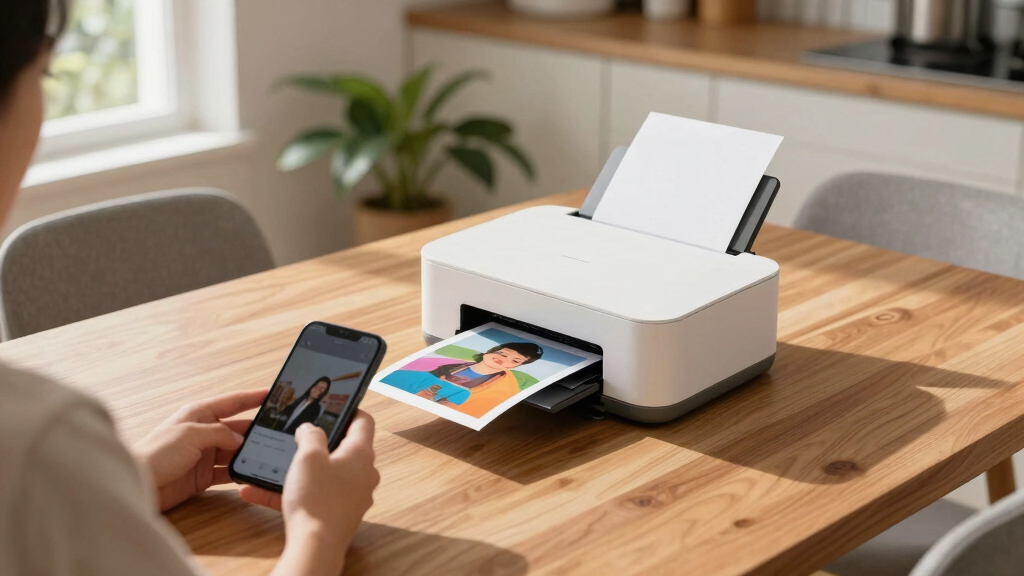
These photo printers for home were selected based on performance, ease of use, build quality, ink efficiency, and versatility. I prioritized models that balance print quality with cost of ownership, considering both inkjet and supertank technologies. The ranking reflects how well each printer meets typical home user needs, including photo quality, size, and connectivity options. Additional factors included user reviews, reliability, and value for money, ensuring each option offers a clear advantage for certain types of buyers. This approach guarantees a lineup that caters to beginners, hobbyists, and more serious photographers alike.Factors to Consider When Choosing Photo Printers For Home
When choosing a photo printer for home, it’s important to consider several key factors beyond just print quality. Your budget, available space, and the types of photos you plan to print all influence the best choice. Understanding these broader considerations helps avoid common pitfalls like overpaying for features you don’t need or selecting a model that can’t handle your desired print sizes.Print Quality and Resolution
For high-quality photo prints, look for printers with at least 1200 dpi resolution. Higher resolution generally translates into sharper images with better detail. However, ultra-high resolutions can be unnecessary for casual prints and may increase costs. Consider your intended use—framing large prints or fine art projects warrants higher resolution, while casual snapshots can suffice with standard quality settings.
Cost of Ink and Maintenance
Inks can be a significant ongoing expense, especially with traditional inkjet models. Supertank printers like Epson EcoTank models offer refillable ink reservoirs that drastically reduce per-print costs, making them ideal for frequent printing. Conversely, cartridge-based printers may have a lower upfront price but can become expensive over time due to frequent cartridge replacements. Balancing initial cost with long-term expenses is key to affordability.
Size and Space Requirements
Photo printers vary from compact portable units to larger, wide-format models. Consider your available space—if you have limited room, a smaller or all-in-one compact printer may be preferable. Larger printers often support bigger photo sizes and higher quality, but require more dedicated space. Think about where you’ll place the printer and whether portability or size is a priority for your setup.
Connectivity and Ease of Use
Wireless connectivity, mobile app support, and cloud printing options add convenience for home use. Easy-to-navigate menus and touchscreen controls also improve the user experience. If you’ll be printing from multiple devices or prefer to print directly from smartphones, prioritize models with versatile connectivity options. This can prevent frustration and streamline your printing workflow.
Print Size and Media Compatibility
Not all printers support large or specialty media. If you plan to print large photos, posters, or fine art prints, look for wide-format models that handle larger paper sizes. For casual, everyday prints, standard sizes like 4×6 or 5×7 are usually sufficient. Also, check compatibility with different paper types and thicknesses to match your creative needs.
Frequently Asked Questions
How much does it cost to maintain a home photo printer?
The ongoing costs depend heavily on the type of printer you choose. Inkjet printers with cartridges tend to have higher per-print costs because of frequent cartridge replacements, especially if you print often. Supertank models, like Epson EcoTank, offer refillable ink reservoirs, which significantly lower the cost per photo over time. Additionally, factors like paper quality and size also influence maintenance expenses. Budgeting for occasional ink refills and quality paper is important for long-term affordability.
Can I print large photos at home, and which printer should I choose?
Yes, printing large photos at home is possible, but you’ll need a wide-format printer designed for larger media. The Epson Expression Photo HD XP-15000 and Epson EcoTank Photo ET-8550 are excellent choices, supporting sizes up to 13×19 inches or wider. These models are more expensive and larger but provide the flexibility to create gallery-quality prints. For casual large prints, smaller models might suffice, but if size and quality are priorities, investing in a wide-format printer makes a difference.
What’s the best type of photo printer for someone new to printing at home?
For beginners, all-in-one inkjet printers like the Canon PIXMA TS6520 or HP Envy Photo 7975 provide a good balance of ease of use, decent print quality, and versatile features. They often include wireless connectivity, user-friendly interfaces, and support for various media types. These models typically require less maintenance and have lower initial costs, making them suitable starting points. As skills and needs grow, upgrading to higher-end models can offer better quality and more features.
What should I consider if I want to print both photos and documents at home?
Choosing a versatile all-in-one printer that handles both photos and documents well is key. Look for models with good color accuracy, high resolution, and fast print speeds for documents. Compatibility with various paper sizes and types is also helpful. Keep in mind that photo quality may be slightly compromised on printers optimized for documents, so if quality is paramount, consider dedicated photo printers for high-detail work. Balancing these needs will help you select a printer that suits your overall printing habits.
Conclusion
For general home use and casual photo printing, the Canon PIXMA TS6520 offers excellent value and ease of use, making it ideal for beginners. If you prioritize professional-quality prints and larger formats, the Canon PIXMA PRO-200S stands out as the best overall choice, suitable for hobbyists and semi-professionals. Budget-conscious buyers will appreciate the long-term savings of the Epson EcoTank ET-2800. For those who need portability, the Canon PIXMA TR160 is perfect, while the Epson ET-8550 is best for serious photographers wanting wide-format options. Ultimately, your decision should align with your printing volume, quality expectations, and available space.