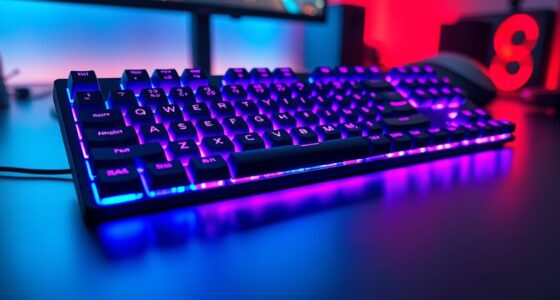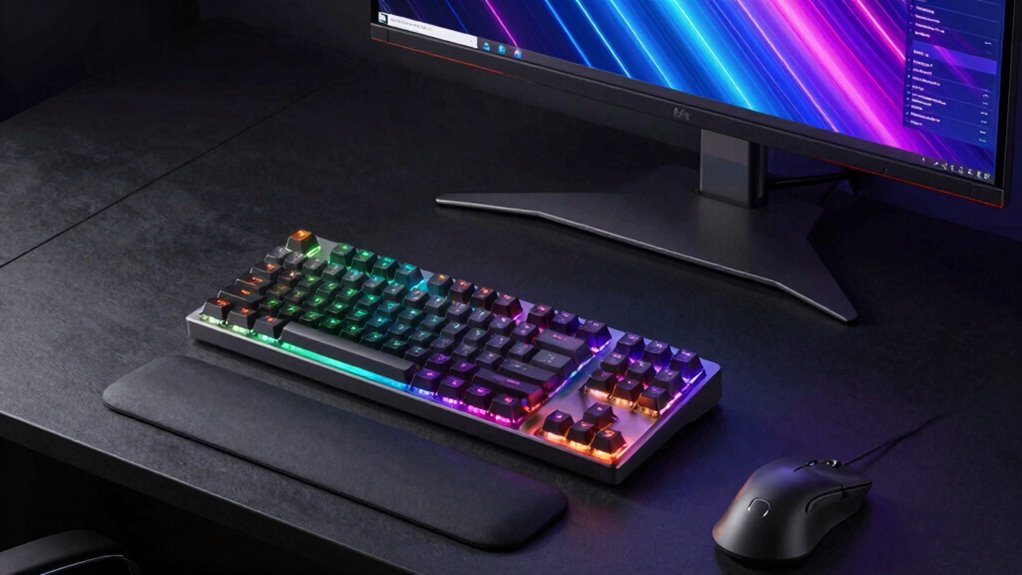

Choosing the right mechanical keyboard for coding and statistics involves balancing performance, comfort, and customization. The Keychron V5 Max stands out as the best overall due to its versatile 96% layout and wireless capability, ideal for long coding sessions. The Keychron K3 Version 2 offers a low-profile design for comfort and portability, making it perfect for those who prefer a sleeker setup. Meanwhile, the Logitech G413 SE provides a dependable wired option with a solid build for intensive work. These choices reflect the common tradeoffs: feature-rich models often come with a higher price and larger footprint, while more compact options may sacrifice some functionality. Keep reading for a detailed breakdown of each option to find your best fit.

Get business pricing on monitors, keyboards and dev gear
- Business-only prices and quantity discounts
- Tax-exempt purchasing
- Multiple users, one account, clear invoices
Key Takeaways
- The best keyboards for coding and statistics combine a comfortable typing experience with reliable build quality and programmability.
- Wireless models like Keychron V5 Max and F99 offer freedom of movement but may introduce slight latency compared to wired options.
- Full-size layouts provide dedicated numpads, essential for statisticians, while compact layouts save space but may limit certain workflows.
- Hot-swappable switches add flexibility for customization without soldering, a key feature for enthusiasts.
- Price varies widely, with premium models offering advanced features and budget options focusing on core typing comfort.
| Keychron V5 Max Custom Wireless Mechanical Keyboard, 96% with Number Pad |  | Best Overall for Versatility and Customization | Connectivity: 2.4 GHz wireless and Bluetooth 5.1 | Layout: 96% with number pad | Switch Compatibility: Hot-swappable for 3pin and 5pin MX style switches | VIEW ON AMAZON | See Our Full Breakdown |
| Keychron K3 Version 2 QMK 75% Wireless Low-Profile Mechanical Keyboard |  | Best for Portability and Minimalist Productivity | Compatible Devices: Laptop, PC, Smartphone, Tablet | Connectivity Technology: wired, wireless | Backlighting: Single Color | VIEW ON AMAZON | See Our Full Breakdown |
| Keychron C1 Wired TKL Hot-Swappable Mechanical Keyboard with RGB Backlight |  | Best for Space-Saving Ergonomic Wired Use | Layout: Tenkeyless (87 keys) | Backlight: White LED | Switch Type: Hot-swappable | VIEW ON AMAZON | See Our Full Breakdown |
| Keychron K10 (Version 2) Full Size Wireless Mechanical Keyboard |  | Best for Extensive Customization and Multi-Device Use | Connectivity: Bluetooth 5.2, USB-C wired | Number of Keys: 104 | Switch Type: Linear Red | VIEW ON AMAZON | See Our Full Breakdown |
| Keychron C2 Full Size Wired Mechanical Keyboard, Brown Switch, Retro |  | Best for Classic Aesthetic and Tactile Feel | Number of Keys: 104 | Switch Type: Brown | Connectivity: Wired | VIEW ON AMAZON | See Our Full Breakdown |
| Logitech G413 SE Full-Size Mechanical Gaming Keyboard – Black |  | Best for Durability and Reliable Performance | Keycaps: PBT, heat- and wear-resistant | Switches: Tactile mechanical switches | Lighting: White LED backlit | VIEW ON AMAZON | See Our Full Breakdown |
| Keychron V5 8K 96% Wired Mechanical Keyboard with Numpad & Knob |  | Best for High-Performance, Customization, and Compact Layouts | Layout: 96% with Numpad | Polling Rate: 8000 Hz | Switch Compatibility: 3-pin and 5-pin hot-swappable | VIEW ON AMAZON | See Our Full Breakdown |
| AULA F75 Pro Wireless Mechanical Keyboard, 75% Hot Swappable RGB Backlit Gaming Keyboard with Knob and PBT Side-Printed Keycaps |  | Best for Versatile Wireless Use and Creative Control | Connection: Bluetooth 5.0, 2.4GHz, USB-C | Battery Capacity: 4000mAh | Switch Type: Reaper switches, hot-swappable | VIEW ON AMAZON | See Our Full Breakdown |
| AULA F99 Wireless Mechanical Keyboard, Tri-Mode BT5.0/2.4GHz/USB-C, Hot Swappable, RGB Backlit, 96% Layout for PC/Tablet/Console |  | Best for Multi-Device, All-in-One Flexibility | Connection Modes: BT5.0, 2.4GHz, USB-C | Number of Keys: 99 keys | Battery Capacity: 8000mAh | VIEW ON AMAZON | See Our Full Breakdown |
| Logitech K835 TKL Wired Mechanical Keyboard with Aluminum Frame and Red Linear Switches |  | Best for Compact, Durable Typing in Limited Spaces | Compatible Devices: Laptop | Connectivity Technology: USB-A | Switch Type: Mechanical, Red linear | VIEW ON AMAZON | See Our Full Breakdown |
| Logitech Alto Keys K98M Wireless Mechanical Gasket Keyboard – Graphite |  | Best Wireless for Coding and Statistics | Connectivity: Bluetooth, Logi Bolt USB Receiver | Backlighting: White non-RGB | Number of Keys: 98 + Numpad | VIEW ON AMAZON | See Our Full Breakdown |
| mechanical keyboard for coding and statistic | Switch Type | Layout |
|---|---|---|
| Keychron V5 Max Custom Wireles | — | 96% with number pad |
| Keychron K3 Version 2 QMK 75% | — | — |
| Keychron C1 Wired TKL Hot-Swap | Hot-swappable | Tenkeyless (87 keys) |
| Keychron K10 | Linear Red | — |
| Keychron C2 Full Size Wired Me | Brown | — |
| Logitech G413 SE Full-Size Mec | — | Full-size, Tenkeyless option available |
| Keychron V5 8K 96% Wired Mecha | — | 96% with Numpad |
| AULA F75 Pro Wireless Mechanic | Reaper switches, hot-swappable | 75%, 81 keys |
| AULA F99 Wireless Mechanical K | Pre-lubed linear switches | — |
| Logitech K835 TKL Wired Mechan | Mechanical, Red linear | — |
| Logitech Alto Keys K98M Wirele | Hot-swappable Marble Switches | 1800-style compact with Numpad |
More Details on Our Top Picks
Keychron V5 Max Custom Wireless Mechanical Keyboard, 96% with Number Pad
The Keychron V5 Max stands out as the most versatile option in this lineup, combining wireless connectivity, a 96% layout with a dedicated number pad, and hot-swappable switches for tailored feel. Compared to the Keychron K10, it offers greater flexibility with multi-device support and a gasket-mounted design that enhances typing comfort, though it sacrifices some simplicity for advanced features. It’s ideal for programmers who value customization and a seamless multi-platform experience, but those new to mechanical keyboards might find its complexity daunting. The sound-absorbing foam and upgraded MCU improve typing experience and responsiveness, making it a solid choice for long coding sessions.
Pros:- Wireless multi-device support via Bluetooth 5.1 and 2.4 GHz
- Hot-swappable switches for personalized feel and easy customization
- Compatible with macOS, Windows, and Linux for versatile use
Cons:- Lacks backlit keys, which can hinder visibility in low-light environments
- Potentially complex setup and remapping process for newcomers
- Limited details on battery life, which could impact portability
Best for: Developers and statisticians who want a fully customizable, multi-device wireless keyboard with a numpad
Not ideal for: Beginners seeking a straightforward, plug-and-play wired keyboard without the need for extensive customization
- Connectivity:2.4 GHz wireless and Bluetooth 5.1
- Layout:96% with number pad
- Switch Compatibility:Hot-swappable for 3pin and 5pin MX style switches
- Keycaps:PBT double-shot, non-backlit
- System Compatibility:macOS, Windows, Linux
- Features:Sound-absorbing foam, gasket design, upgraded MCU
Our verdict“This keyboard best suits users who prioritize customization, multi-platform compatibility, and a premium typing experience, despite some setup complexity.”
Keychron K3 Version 2 QMK 75% Wireless Low-Profile Mechanical Keyboard
The Keychron K3 V2 is a standout for those needing a compact, lightweight wireless keyboard that still offers a satisfying tactile experience. Its 75% layout means it retains essential keys while freeing up desk space, making it ideal for mobile work or tight setups. The open-source QMK firmware enables deep customization, similar to the K10 but in a more portable form factor. Unlike the K10, it lacks a wired option and water resistance, which could be drawbacks for heavy use or accidental spills. Its low-profile switches and modern design appeal to users who prefer a sleek aesthetic and easy portability, though it may feel less substantial than full-sized options for some typists.
Pros:- Ultra-slim, lightweight design ideal for portability
- Supports up to three devices via Bluetooth 5.1
- Open-source QMK firmware for extensive customization
Cons:- No water resistance, so spills are a concern
- Requires batteries and charging, which may be inconvenient during long work sessions
Best for: Travelers and remote workers who need a compact, customizable keyboard that connects seamlessly with multiple devices
Not ideal for: Users requiring a full-sized or water-resistant keyboard for intensive use or spill-prone environments
- Compatible Devices:Laptop, PC, Smartphone, Tablet
- Connectivity Technology:wired, wireless
- Backlighting:Single Color
- Button Quantity:84
- Enclosure Material:Acrylonitrile Butadiene Styrene, Aluminum
- Power Source:Battery Powered
Our verdict“This pick is perfect for those who prioritize portability and customization in a sleek, wireless package, but not for spill-prone or heavy-duty environments.”
Keychron C1 Wired TKL Hot-Swappable Mechanical Keyboard with RGB Backlight
The Keychron C1 offers a reliable, wired TKL setup with hot-swappable switches, making it a strong contender for users who want a compact yet customizable keyboard. Its tenkeyless layout helps save desk space, which is beneficial for coding and statistical work that requires multiple screens or peripherals. The white backlight enhances visibility without being distracting, and the ergonomic design supports long hours of use. Compared to wireless models like the K3 or K10, it’s more straightforward, but it lacks wireless convenience, which might be limiting for mobile or multi-device users. Its wired-only design makes it ideal for fixed setups, especially in office environments.
Pros:- Compact tenkeyless design saves space on the desk
- Hot-swappable switches for easy customization
- White backlight improves visibility in low-light conditions
Cons:- No wireless connectivity, limiting flexibility
- Limited to wired use, less portable for on-the-go work
Best for: Stationary programmers and statisticians who prioritize a compact, customizable wired keyboard with good ergonomics
Not ideal for: Mobile users or those seeking wireless flexibility and spill resistance
- Layout:Tenkeyless (87 keys)
- Backlight:White LED
- Switch Type:Hot-swappable
- Connection:USB Type-C
- Compatibility:Mac & Windows
- Features:Adjustable brightness, ergonomic design
Our verdict“Ideal for stationary users who want a reliable, space-efficient mechanical keyboard with customization options, but not suited for wireless needs or portability.”
Keychron K10 (Version 2) Full Size Wireless Mechanical Keyboard
The Keychron K10 V2 provides a full-sized, feature-rich wireless experience, supporting Bluetooth 5.2 and wired connections. It’s tailored for users who want extensive customization, thanks to its QMK firmware support and the Keychron Launcher app, similar to the K1 but with a larger footprint. Its durable PBT keycaps and aluminum plate add to its longevity, making it suitable for long coding sessions or statistical work that benefits from a full layout. Compared with the compact K3, it offers more keys but at the expense of desk space. While it excels in customization and multi-device support, its larger size and need for batteries may be less appealing for those with limited space or who prefer wired simplicity.
Pros:- Supports Bluetooth 5.2 and wired connections for versatile use
- Highly customizable with QMK firmware and Launcher app
- Durable PBT keycaps and aluminum plate for long-lasting build
Cons:- Requires batteries, adding maintenance concerns
- Full-size layout may be bulky for small desks
- Advanced customization has a learning curve
Best for: Power users and programmers who need a full-size, highly customizable wireless keyboard with multi-OS support
Not ideal for: Users with limited desk space or those preferring a compact, wired setup
- Connectivity:Bluetooth 5.2, USB-C wired
- Number of Keys:104
- Switch Type:Linear Red
- Backlight:White with 14 modes
- Keycap Material:PBT
- OS Compatibility:Mac, Windows, Linux
Our verdict“Best suited for advanced users seeking a full-sized, customizable wireless keyboard that integrates seamlessly into multi-device workflows, despite its size and complexity.”
Keychron C2 Full Size Wired Mechanical Keyboard, Brown Switch, Retro
The Keychron C2 combines a full-size layout with a vintage-inspired design, appealing to those who want a tactile, reliable keyboard for everyday coding and statistical tasks. Its Brown switches deliver a tactile bump without loud noise, suitable for office environments or shared workspaces. Its wired connection ensures stable performance, and the adjustable feet support ergonomic comfort during long sessions. Compared to wireless models like the K10 or K3, it offers simplicity and reliability but lacks portability and wireless convenience. The retro aesthetic makes it stand out visually, yet some users might find the non-backlit design less suitable for low-light conditions, especially when working late into the night.
Pros:- Retro-inspired design adds character to workspace
- Tactile Brown switches provide satisfying feedback
- Ergonomic with adjustable feet for long-term comfort
Cons:- No backlit keys, which can hinder low-light use
- Wired-only design limits flexibility and portability
- Number pad may be bulky for small desks
Best for: Office-based programmers and statisticians who prefer a tactile, aesthetically vintage keyboard with a reliable wired connection
Not ideal for: Mobile professionals or those needing backlit keys and wireless flexibility
- Number of Keys:104
- Switch Type:Brown
- Connectivity:Wired
- Material:ABS
- Dimensions:17.1″ L x 5.1″ W x 1.5″ H
- Additional Features:Extra keycaps for Mac and Windows
Our verdict“This keyboard suits those who value tactile feedback and a vintage look in a reliable wired package, but it’s less suited for portable or backlit needs.”
Logitech G413 SE Full-Size Mechanical Gaming Keyboard – Black
The Logitech G413 SE stands out for its sturdy construction, featuring a robust aluminum body and durable PBT keycaps that resist wear over long coding sessions. Its tactile switches deliver satisfying feedback, making it well-suited for those who value responsive key feel, especially compared to the more gaming-focused AULA F75 Pro. However, its wired-only design limits flexibility for mobile or multi-device setups, and its bulkiness might be a drawback for cramped workspaces. This pick makes the most sense for programmers or statisticians who prioritize durability and a solid typing experience over wireless convenience or extensive customization.Pros:- Durable PBT keycaps resist wear and shine
- Sturdy aluminum body enhances longevity
- Responsive tactile switches improve typing accuracy
- Reliable anti-ghosting with 6-Key rollover
Cons:- Wired-only connection limits mobility
- Bulky size may be unsuitable for small desks
Best for: Developers and statisticians seeking a sturdy, wired keyboard with reliable typing feel for long coding and data work
Not ideal for: Users who need wireless connectivity or a more compact form factor for portable setups
- Keycaps:PBT, heat- and wear-resistant
- Switches:Tactile mechanical switches
- Lighting:White LED backlit
- Layout:Full-size, Tenkeyless option available
- Material:Brushed aluminum-magnesium alloy
- Features:6-Key rollover, anti-ghosting, media controls
Our verdict“This keyboard excels for those who prioritize durability and tactile feedback in a wired setup, especially in stationary work environments.”
Keychron V5 8K 96% Wired Mechanical Keyboard with Numpad & Knob
The Keychron V5 8K’s 96% layout offers a full set of keys with minimal footprint, ideal for users who want a compact yet comprehensive typing experience, especially compared to the more space-saving AULA F75 Pro. Its ultra-high 8000 Hz polling rate reduces latency, which benefits coding and statistical data entry where responsiveness matters. The hot-swappable switches and programmable knob provide extensive customization for advanced users, but this complexity might overwhelm beginners or those with less powerful PCs, given the need for high performance to fully leverage the 8K polling rate. This makes it an excellent choice for power users who value speed and customization but not for casual or portable users.Pros:- Compact 96% layout maximizes desk space
- 8000 Hz polling rate minimizes input latency
- Hot-swappable switches enable easy customization
- Programmable knob adds quick control options
Cons:- Requires high-performance system to fully benefit from 8K polling
- Complex setup may be daunting for novices
Best for: Experienced programmers and statisticians who want a highly responsive, customizable keyboard for intensive work
Not ideal for: Beginners or users with low-performance PCs who won’t utilize the high polling rate or extensive features
- Layout:96% with Numpad
- Polling Rate:8000 Hz
- Switch Compatibility:3-pin and 5-pin hot-swappable
- Backlighting:South-facing RGB
- Connectivity:Wired
- Features:QMK support, programmable knob
Our verdict“This is a tailored choice for experienced users who prioritize speed, customization, and a compact footprint for coding and statistical work.”
AULA F75 Pro Wireless Mechanical Keyboard, 75% Hot Swappable RGB Backlit Gaming Keyboard with Knob and PBT Side-Printed Keycaps
The AULA F75 Pro combines wireless flexibility with a compact 75% layout, making it suitable for those who need mobility without sacrificing mechanical feel, unlike the wired Logitech K835. Its RGB backlighting and programmable features appeal to creative users, while the hot-swappable switches allow easy customization. However, its reliance on drivers for advanced lighting effects can complicate setup, and the smaller layout limits dedicated function keys, which could hinder efficiency for data-heavy tasks. This keyboard makes the most sense for users who want a versatile, portable option for coding, data analysis, and gaming across multiple devices.Pros:- Wireless connectivity with Bluetooth 5.0, 2.4GHz, and USB-C
- Hot-swappable switches for customization
- Vivid RGB lighting with multiple effects
- Compact 75% layout saves space
Cons:- Driver installation needed for advanced lighting
- Limited to 81 keys, fewer dedicated function keys
Best for: Creative professionals and mobile coders/statisticians needing a wireless, customizable keyboard for multi-device use
Not ideal for: Users who prefer a fully wired setup or require extensive function keys for complex workflows
- Connection:Bluetooth 5.0, 2.4GHz, USB-C
- Battery Capacity:4000mAh
- Switch Type:Reaper switches, hot-swappable
- Backlight:RGB, 16.8 million colors
- Layout:75%, 81 keys
- Features:Programmable keys, mode switch knob
Our verdict“This keyboard suits mobile and creative users seeking wireless flexibility and visual customization in a compact design.”
AULA F99 Wireless Mechanical Keyboard, Tri-Mode BT5.0/2.4GHz/USB-C, Hot Swappable, RGB Backlit, 96% Layout for PC/Tablet/Console
The AULA F99’s tri-mode connectivity and large 96% layout make it a versatile choice for users who switch between PC, tablet, or console, unlike the simpler K835 TKL. Its 8000mAh battery supports extended use, while hot-swappable switches and macro support cater to advanced users. The RGB lighting and macro features enhance productivity and gaming, but the complex setup might require driver installation, and the compact layout could be less ergonomic for extended typing sessions. This makes it ideal for those who need a multi-device, feature-rich keyboard on the go or in multi-platform environments.Pros:- Tri-mode connectivity enables seamless device switching
- Large 8000mAh battery supports long hours
- Hot-swappable switches for easy customization
- Vibrant RGB lighting with multiple effects
Cons:- Setup may require drivers for full feature access
- Compact layout may reduce typing comfort over long periods
Best for: Power users who operate across multiple devices and need macro and customization features for coding and data tasks
Not ideal for: Casual users or those who prefer plug-and-play simplicity without driver dependencies
- Connection Modes:BT5.0, 2.4GHz, USB-C
- Number of Keys:99 keys
- Battery Capacity:8000mAh
- Keycap Material:Double shot PBT
- Switch Type:Pre-lubed linear switches
- Lighting:RGB with 16 effects
Our verdict“This keyboard fits advanced users with multi-device needs who value extensive customization and connectivity options.”
Logitech K835 TKL Wired Mechanical Keyboard with Aluminum Frame and Red Linear Switches
The Logitech K835 TKL offers a sleek, space-saving design with an aluminum frame that ensures durability, making it suitable for tight desks or portable setups compared to bulkier options like the G413 SE. Its linear red switches provide smooth, quiet keystrokes ideal for coding and statistics where precision and comfort matter. The dual-function keys for media controls add convenience, but the absence of wireless options and the limited number of keys might slow down workflows that rely heavily on dedicated function or numpad keys. This keyboard is best for users who need a durable, minimalist wired solution for focused work on small desks.Pros:- Compact, space-efficient design ideal for small desks
- High-quality aluminum frame for durability
- Smooth linear switches for quiet, responsive typing
- Adjustable tilt for ergonomic comfort
Cons:- No wireless or Bluetooth support
- Limited to 84 keys, no dedicated numeric keypad
Best for: Mobile professionals and those with limited desk space who need a reliable, durable wired keyboard for coding or statistical analysis
Not ideal for: Users requiring wireless connectivity or extensive function keys for complex workflows
- Compatible Devices:Laptop
- Connectivity Technology:USB-A
- Switch Type:Mechanical, Red linear
- Keyboard Layout:QWERTY
- Hand Orientation:Ambidextrous
- Minimum Required Operating System Version:Windows 10
Our verdict“This keyboard is perfect for users seeking a durable, minimalist wired keyboard that fits tight spaces without sacrificing mechanical feel.”
Logitech Alto Keys K98M Wireless Mechanical Gasket Keyboard – Graphite
The Logitech Alto Keys K98M stands out for its wireless convenience combined with satisfying mechanical feedback, making it ideal for those who need flexibility in their workspace without sacrificing tactile response. Unlike the Keychron V5 Max, which offers a near-complete 96% layout and more advanced customization options, the Alto Keys opts for a more compact 1800-style design that favors portability and minimal desk footprint. The gasket mount design absorbs vibrations, providing a quieter, more refined typing experience—though it limits the feel to a specific tactile profile, which might not suit users seeking more clicky switches. Its long battery life of up to 12 months and multi-device support make it a strong choice for multitaskers, but the non-RGB backlighting could be less appealing for those who prefer more visual customization. Wireless connectivity, via Bluetooth or Logi Bolt USB Receiver, offers freedom of movement but adds a degree of complexity for users who prefer plug-and-play solutions. Overall, this pick makes the most sense for remote coders and statisticians who prioritize clean aesthetics, long-term cordless operation, and satisfying feedback.
Pros:- Responsive, satisfying tactile and auditory feedback from hot-swappable Marble Switches
- Long-lasting battery life of up to 12 months
- Wireless connectivity supports multi-device workflows
- Compact, 1800-style layout saves desk space
Cons:- Non-RGB backlighting reduces visual customization for aesthetic users
- Limited to 98 keys, which might restrict complex workflows or custom macros
- Requires Bluetooth or Logi Bolt USB Receiver, adding setup complexity
Best for: Remote coders and statisticians who want a compact, wireless, and tactile keyboard with good battery life.
Not ideal for: Users who prefer RGB lighting or require extensive macro programmability, as this model offers limited backlight options and fewer customization features.
- Connectivity:Bluetooth, Logi Bolt USB Receiver
- Backlighting:White non-RGB
- Number of Keys:98 + Numpad
- Switch Type:Hot-swappable Marble Switches
- Battery Life:Up to 12 months
- Rechargeable:USB-C
- Compatibility:Windows, macOS
- Layout:1800-style compact with Numpad
- Design:Transparent top case, vibrant colors
Our verdict“This wireless gasket keyboard is ideal for coders and statisticians seeking a portable, tactile, long-lasting device with minimal distractions.”

How We Picked
Our evaluation focused on performance, build quality, versatility, and value. We prioritized keyboards that are comfortable for extended coding and statistical work, with features like programmable keys, reliable switches, and sturdy construction. Wireless capability was a plus for flexibility, but wired options were also considered for low latency and stability. We also looked at layout options—full size, TKL, or 75%—to match different workspace needs. The ranking reflects a balance between feature set, user feedback, and price, aiming to recommend models suitable for serious coding and statistical analysis without unnecessary extras.Factors to Consider When Choosing Mechanical Keyboard For Coding And Statistics
When selecting a mechanical keyboard for coding and statistics, consider how layout, switch type, connectivity, and build quality impact your workflow. Each factor influences comfort, efficiency, and long-term satisfaction, so understanding these elements helps avoid costly mistakes.Layout and Size
The layout determines how much desk space your keyboard occupies and what keys are readily accessible. Full-size keyboards include a dedicated numpad, which many statisticians find essential for data entry. TKL (tenkeyless) models save space and reduce clutter, making them suitable for compact setups. 75% and 65% layouts strike a balance, offering most keys in a smaller footprint, but they may lack dedicated function keys or a numpad. Consider your workflow and workspace constraints when choosing the size that best suits your needs.
Switch Type and Feel
The choice of switches affects typing feel and sound. Linear switches like Reds or Reds-like options enable smooth keystrokes with minimal resistance, favored for fast typing and long sessions. Tactile switches provide feedback with a bump, helpful for accurate typing in coding and data work. Clicky switches produce audible noise, which can be distracting in shared environments. Hot-swappable switches allow easy customization, enabling you to try different types without soldering—an advantage for users who want to tailor their experience.
Connectivity and Power
Wireless keyboards offer greater flexibility and a cleaner setup, especially models like Keychron V5 Max and F99. However, they may introduce slight input lag, which can matter during precise tasks. Wired keyboards provide a direct connection, ensuring minimal latency and maximum reliability, making them preferable for intensive statistical analysis. Consider your workspace and whether cable clutter or convenience is more important for your workflow.
Build Quality and Durability
For long-term reliability, look for keyboards with sturdy construction—metal frames or high-quality plastics—and durable switches. Hot-swappable options tend to use robust sockets, but verify switch quality. Keycaps matter too; PBT caps resist shine and wear better than ABS. A well-built keyboard reduces fatigue during extended work sessions and withstands daily use, which is critical for coding marathons or data crunching.
Additional Features and Customization
Programmable keys, RGB lighting, and macro support can enhance productivity, especially for complex statistical workflows. However, extra features come at a cost and may add complexity. For most coders and statisticians, straightforward, reliable keyboards without excessive bells and whistles tend to be more satisfying long-term investments. Balance feature needs with budget and simplicity.
Frequently Asked Questions
Is a wireless mechanical keyboard suitable for coding and statistics?
Wireless mechanical keyboards can be highly convenient, offering freedom of movement and a clutter-free desk. Modern wireless models like Keychron V5 Max and F99 are designed to minimize latency, making them suitable for coding and statistical work. However, in environments where precise input timing is critical, wired keyboards often provide more dependable performance with zero lag. Consider your workspace setup and whether the slight latency of wireless models affects your workflow before making a choice.
Are hot-swappable switches worth it for coding and statistics?
Hot-swappable switches provide a flexible way to customize your typing experience without soldering. For users who like experimenting or want to fine-tune their feel, this feature adds significant value, especially if you find your preferred switch type changes over time. However, hot-swappable sockets can slightly increase the price and may sometimes reduce overall durability if not well-made. For most dedicated coders and statisticians, it’s a worthwhile investment if customization and maintenance ease are priorities.
Should I prioritize a full-size keyboard with a numpad?
A full-size keyboard with a numpad is often preferred by statisticians and data analysts who frequently input large numbers. This layout allows fast, direct number entry without using function layers or secondary keys, saving time and reducing errors. However, it takes up more space and can be cumbersome in tight workspaces. If your workflow involves lots of numeric input, a full-size model makes sense; otherwise, a TKL or smaller layout can free up valuable desk real estate.
How important are switch types for long coding sessions?
The switch type directly impacts comfort and fatigue over long periods. Linear switches tend to be the smoothest, reducing finger strain, while tactile switches offer feedback that can help avoid accidental key presses. For extended coding or statistical analysis, choosing switches that match your typing style can make a noticeable difference in comfort. Testing different switch types, if possible, is recommended to find what minimizes fatigue and maximizes accuracy.
Is RGB lighting necessary for a mechanical keyboard for coding and statistics?
RGB lighting is primarily a visual feature, providing aesthetic appeal and sometimes aiding in key identification in low light. For coding and statistical work, it’s not essential unless you find it helps reduce eye strain or improves visibility. Many professionals prefer simple, backlit or even non-lit keyboards for focus and clarity. If customization and style are important, RGB can add a fun element without compromising core performance, but it isn’t a requirement for functionality.
Conclusion
For dedicated coders and statisticians seeking the best overall experience, the Keychron V5 Max offers a blend of versatility, layout, and wireless convenience. Those with limited space or who prefer portability might lean toward the Keychron K3 Version 2 or AULA F75 Pro. Budget-conscious users should consider reliable wired options like the Logitech G413 SE, which delivers solid build and performance without extra cost. Complete beginners will find the Logitech Alto Keys intuitive and straightforward, while advanced users who enjoy customization may prioritize hot-swappable models like the Keychron C1. Ultimately, your choice hinges on your workspace needs, workflow, and personal preferences, but this list ensures you find a keyboard tailored to your coding and statistical tasks in 2026.
As an affiliate, we earn on qualifying purchases.Halloween Picks
halloween