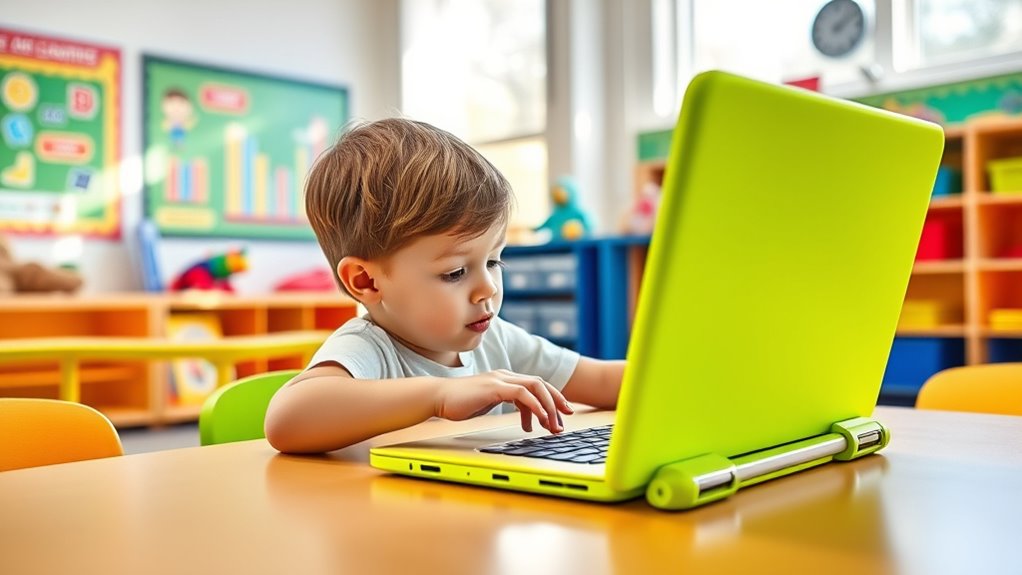

Choosing the right Chromebook for a child involves balancing performance, durability, and affordability. The HP Chromebook 14-inch stands out as the best overall due to its solid build and reliable performance, while the Lenovo 300e Chromebook Gen2 offers a versatile 2-in-1 design ideal for younger kids. However, tradeoffs include screen size, battery life, and price, which can sway your decision. Continue reading to explore the full lineup and find the best fit for your child’s learning and entertainment needs.

Get business pricing on monitors, keyboards and dev gear
- Business-only prices and quantity discounts
- Tax-exempt purchasing
- Multiple users, one account, clear invoices
Key Takeaways
- Durability and build quality are critical for kids’ devices, with many models featuring reinforced frames or rugged designs.
- Screen size varies from compact 11-inch models to larger 15-inch displays, impacting portability versus productivity.
- Performance specifications like RAM and processor type influence multitasking and app compatibility, especially for heavier tasks.
- Battery life is a key consideration for long school days or travel, with some models offering 12+ hours of use.
- Price ranges widely, with budget options suitable for basic tasks and premium models for more intensive use or future-proofing.


| chromebooks for kid | Display | Processor | Storage | RAM |
|---|---|---|---|---|
| HP Chromebook 14-inch Laptop | 14-inch HD, anti-glare | Intel Processor N100 | 128 GB UFS | 8 GB LPDDR5 |
| Lenovo 300e Chromebook Gen2 11 | 11.6-inch Touchscreen HD | Intel N4020 Dual-Core 1.1GHz up to 2.8GHz | 32GB SSD | 4GB |
| HP Chromebook 14 Laptop | 14" HD | Intel Celeron N4120 | 64 GB eMMC | 4 GB |
| Samsung 14" Galaxy Chromebook | 14-inch | Intel Celeron N4500 | 64GB | 4GB |
| 10.1-Inch Android Laptop with | 10.1-inch IPS, 800*1280 resolution | AllWinner Quad-core 64-Bit Processor A133plus | 64GB eMMC | 2GB |
| Dell Chromebook 3100 11.6" HD | 11.6" HD | Celeron N4000 1.1GHz | 16GB SSD | 4GB |
| Lenovo IdeaPad Slim 3 Chromebo | 14" HD | MediaTek Kompanio 520 | 64GB | — |
| HP Chromebook 11A G8 Education | 11.6-inch HD | AMD A4-9120C | 32GB eMMC | 4GB DDR4 |
| Lenovo IdeaPad Flex 3i Chromeb | 12.2" FHD+ Touchscreen | Intel N100 | 64GB eMMC + 64GB SD card | 4GB LPDDR5 |
| Lenovo IdeaPad 3i Chromebook 1 | 15.6" FHD 1920×1080 | Intel Celeron N4500 | 64GB eMMC | 8GB |
| HP 14" HD Chromebook Laptop fo | 14.0-inch HD (1366 x 768), anti-glare | Intel Celeron N4120 | 64GB eMMC | 4GB LPDDR4x |
| Dell Chromebook 11 3100 | 11.6" | Celeron N4020 | 16GB Flash Memory | 4 GB |
| HP 14 2-in-1 Chromebook 14-inc | 14-inch FHD IPS touchscreen | Intel N100 quad-core | 64GB | 4GB DDR5 |
| ASUS 2026 15" FHD IPS Chromebo | 15" FHD IPS | Up to 2.80GHz | 128GB SSD | 4GB DDR4 |
| Lenovo 11.6" 300e Chromebook T | 11.6" HD IPS touchscreen | MediaTek 8173C | Up to 32GB eMMC | 4GB LPDDR3 |
More Details on Our Top Picks
HP Chromebook 14-inch Laptop, HD Display, Intel Processor N100, 8 GB RAM, 128 GB UFS, UHD Graphics, Chrome OS, Chalkboard Gray
This HP Chromebook stands out for its larger 14-inch HD display with anti-glare technology, making it ideal for extended study sessions and media consumption. Its Intel Processor N100 paired with 8 GB RAM ensures smooth multitasking, outperforming the Lenovo 300e’s lighter specs for more demanding tasks. The 128 GB UFS storage provides faster access than the smaller SSDs on other models, though it still falls short for large media libraries. Chrome OS guarantees automatic updates and security, making it a safe choice for kids’ daily use. While lacking a touchscreen, its performance makes it suitable for homework, video calls, and casual gaming, with a lightweight build for portability. The main tradeoff is limited storage for large files, but overall, it offers a balanced mix of power, size, and security.
Pros:- Large anti-glare 14-inch display enhances viewing comfort
- Powerful performance with 8 GB RAM and Intel N100
- Fast access with 128 GB UFS storage
- Secure, virus-free Chrome OS with automatic updates
Cons:- Limited storage for large files and media
- No touchscreen feature included
- Performance may be limited for intensive applications
Best for: Families seeking a reliable, all-around Chromebook for schoolwork, media, and light gaming
Not ideal for: Users needing extensive local storage or touchscreen functionality for creative tasks
- Display:14-inch HD, anti-glare
- Processor:Intel Processor N100
- RAM:8 GB LPDDR5
- Storage:128 GB UFS
- Graphics:UHD Graphics
- Operating System:Chrome OS
- Color:Chalkboard Gray
Our verdict“This Chromebook is best suited for students and families who want a dependable, versatile device for everyday use.”
Lenovo 300e Chromebook Gen2 11.6in Touchscreen 2-in-1 Laptop
The Lenovo 300e Chromebook Gen2 excels as a portable 2-in-1 with a responsive touchscreen, making it ideal for interactive learning and quick tasks. Its 11.6-inch display is smaller than the HP 14 but offers more flexibility in tight spaces, especially with its convertible design. The Intel N4020 processor and 4 GB RAM are adequate for basic tasks, but fall behind the HP Chromebook’s more robust specs when multitasking or running more demanding apps. The 32GB SSD is sufficient for light storage but limited compared to larger options. The inclusion of a 4-in-1 SD card reader and USB Type-C port enhances connectivity, though the Japanese keyboard layout might hinder usability for some. Overall, this model is perfect for younger children or beginners who prioritize portability and touch interaction over raw power.
Pros:- Responsive touchscreen interface for easy navigation
- Lightweight and highly portable design
- Fast boot times thanks to SSD storage
- Versatile 2-in-1 convertible form factor
Cons:- Limited storage capacity for large files
- Basic performance for heavy multitasking
- Keyboard layout may not suit all users
Best for: Parents wanting a lightweight, touchscreen device for elementary students or casual learners
Not ideal for: Power users or older students who need more storage or performance for multitasking
- Display:11.6-inch Touchscreen HD
- Processor:Intel N4020 Dual-Core 1.1GHz up to 2.8GHz
- RAM:4GB
- Storage:32GB SSD
- Operating System:Chrome OS
- Ports:USB Type-C, USB 3.0, 4-in-1 SD card reader
Our verdict“Great for young children or beginners who need a portable, touch-enabled Chromebook for simple tasks.”
HP Chromebook 14 Laptop, Intel Celeron N4120, 4 GB RAM, 64 GB eMMC, 14″ HD Display, Chrome OS, Long Battery Life, Ash Gray Keyboard
This HP Chromebook offers a solid balance for everyday school tasks with a 14-inch HD display and impressive 14-hour battery life, making it ideal for students who need all-day usage. Its Intel Celeron N4120 processor and 4 GB RAM provide reliable performance for browsing, document editing, and streaming, though it lags behind models with more RAM or faster processors for multitasking. The 64 GB eMMC storage is enough for essential apps and files but could fill quickly with media. Its lightweight design and long battery life make it perfect for students who spend a lot of time away from power outlets. On the downside, its basic HD display isn’t as crisp as Full HD screens, and the processor may struggle with intensive multitasking, making it less suited for heavier workloads.
Pros:- Long-lasting 14-hour battery life
- Lightweight and portable design
- Reliable performance for everyday tasks
- Supports 4K streaming and Android apps
Cons:- Limited storage with 64 GB eMMC
- Basic HD resolution, not Full HD
- Processor less suited for heavy multitasking
Best for: Students who prioritize long battery life and basic computing for schoolwork and casual browsing
Not ideal for: Users needing extensive storage or more powerful multitasking capabilities
- Processor:Intel Celeron N4120
- RAM:4 GB
- Storage:64 GB eMMC
- Display:14″ HD
- Battery Life:Up to 14 hours
- Operating System:Chrome OS
Our verdict“Ideal for students who need a dependable device with all-day battery life for basic school activities.”
Samsung 14″ Galaxy Chromebook Go Laptop PC with Intel Celeron N4500, 4GB RAM, 64GB Storage, ChromeOS, Silver
The Samsung Galaxy Chromebook Go emphasizes durability and portability, with a sleek, lightweight design and a 14-inch display. Its military-grade build makes it suitable for active children who need a device that can withstand rough handling. The Intel Celeron N4500 and 4 GB RAM provide adequate performance for browsing, streaming, and school apps, but fall behind the more powerful HP or Lenovo options for multitasking or demanding tasks. The 64 GB storage is modest, making cloud storage or microSD expansion a good idea. The device’s 12-hour battery life ensures all-day use, especially for students who are often away from chargers. However, the basic specs mean it’s best for simple tasks, not intensive work, and its limited storage could be a concern for media-heavy users.
Pros:- Military-grade durability for rough handling
- Lightweight and slim for portability
- Long 12-hour battery life
- Fast Wi-Fi connectivity
Cons:- Limited storage capacity for large files
- Basic specs may not support intensive applications
- Limited performance for demanding multitasking
Best for: Active students needing a durable, budget-friendly Chromebook for basic tasks
Not ideal for: Students requiring more storage or performance for multitasking or creative work
- Processor:Intel Celeron N4500
- RAM:4GB
- Storage:64GB
- Display:14-inch
- Battery Life:12 hours
- Color:Silver
Our verdict“Best suited for active children who need a sturdy, portable Chromebook for everyday tasks.”
10.1-Inch Android Laptop with Quad-Core Processor, 2GB RAM, 64GB Storage, and Accessories
This 10.1-inch Android laptop offers portability and affordability, making it suitable for very young children or as a secondary device. Its small screen and 2 GB RAM limit multitasking and intensive use, especially compared with the larger, more capable Chromebooks like the HP 14 or Lenovo 300e. The quad-core processor provides decent performance for basic learning apps, browsing, and media consumption, but it’s not ideal for heavy multitasking or creative tasks. The included accessories and lightweight build make it easy to carry around, though the fragile screen requires careful handling. This device is a good choice for simple tasks, but it won’t handle demanding educational software or extended multitasking well.
Pros:- Compact, lightweight design for easy portability
- Full connectivity with multiple ports
- Affordable price point
- Pre-installed with Android 12.0
Cons:- Fragile screen that needs careful handling
- Limited RAM hampers multitasking
- Small display size may not be comfortable for extended use
Best for: Parents seeking an inexpensive, highly portable device for very young children or basic use
Not ideal for: Older students or users needing multitasking or media editing capabilities
- Display:10.1-inch IPS, 800*1280 resolution
- Processor:AllWinner Quad-core 64-Bit Processor A133plus
- RAM:2GB
- Storage:64GB eMMC
- Operating System:Android 12.0
- Ports:2*USB, 1*Type-C, 1*TF Card
- Weight:0.75kg
Our verdict“A practical, budget-friendly option for basic learning and casual use, best for very young children or as a secondary device.”
Dell Chromebook 3100 11.6″ HD, Celeron N4000, 4GB RAM, 16GB SSD, Chrome OS
This refurbished Dell Chromebook 3100 offers essential features at an affordable price, making it a solid choice for basic browsing and schoolwork. Its lightweight design and inclusion of necessary ports, like USB-C and USB 3.1, make it easy to carry and connect peripherals. Compared to the Lenovo IdeaPad Flex 3i, it sacrifices some multitasking power due to its slower processor and limited RAM, but its lower price and refurbished status appeal to budget-conscious families. The small 16GB SSD is a clear tradeoff—adequate for light use but limiting for storage-heavy tasks. Overall, this model is best suited for younger students or those with minimal multitasking needs. However, its refurbished condition means performance can vary, and the storage is tight for media or apps.
Pros:- Affordable refurbished price with essential features
- Lightweight and highly portable design
- Includes necessary ports and accessories
Cons:- Limited storage capacity with only 16GB SSD
- Processor may struggle with multitasking or heavier apps
- Refurbished condition can lead to inconsistent performance
Best for: Budget-conscious families needing a simple, portable device for elementary school students
Not ideal for: Families requiring more storage or multitasking capability, or those seeking a brand-new device
- Display:11.6″ HD
- Processor:Celeron N4000 1.1GHz
- RAM:4GB
- Storage:16GB SSD
- Operating System:Chrome OS 64Bit
- Ports:2 USB 3.1 Gen 1, 2 USB Type-C with Power Delivery, Headset Jack
Our verdict“This Chromebook is best for young students who need a budget-friendly, portable device for basic tasks, accepting some storage and performance limitations.”
Lenovo IdeaPad Slim 3 Chromebook Laptop 2024 – 14-inch HD Display, Waves MaxxAudio, 4GB RAM, 64GB Storage, MediaTek Kompanio 520, Abyss Blue
The Lenovo IdeaPad Slim 3 Chromebook excels in portability with its slim profile and up to 13.5 hours of battery life, making it perfect for children who learn on the go. Its 14-inch HD display and Waves MaxxAudio speakers provide a good multimedia experience, especially compared to smaller screen models like the Dell 3100. The MediaTek processor offers sufficient performance for everyday tasks, but it’s less suitable for intensive multitasking or demanding apps. Its 64GB storage, while more generous than some budget options, can still be limiting for media-heavy use, requiring reliance on cloud storage or SD card expansion. This model makes the most sense for students who need all-day battery life and a lightweight design, but it may fall short for heavy multitasking or media production.
Pros:- Long battery life up to 13.5 hours
- Lightweight and easy to carry
- Good audio quality with Waves MaxxAudio
Cons:- Limited 64GB storage, expandable via SD card
- Only 4GB RAM may hinder multitasking
- Processor less powerful for demanding applications
Best for: Students or parents seeking a lightweight, long-lasting Chromebook for daily learning and entertainment on the move
Not ideal for: Power users or those needing extensive local storage and high multitasking performance
- Display:14″ HD
- Processor:MediaTek Kompanio 520
- Memory:4GB RAM
- Storage:64GB
- Battery Life:Up to 13.5 hours
- Connectivity:WiFi 6, USB-C
Our verdict“This Chromebook is ideal for users prioritizing portability and all-day battery life over extensive local storage or heavy multitasking.”
HP Chromebook 11A G8 Education Edition AMD A4-9120C, 4GB RAM, 32GB eMMC, 11.6-inch HD Display, Chrome OS
The HP Chromebook 11A G8 Education Edition is tailored for classroom environments, featuring a spill-resistant keyboard and simple design. Its AMD A4-9120C processor handles basic educational tasks, similar to the Dell 3100, but with a more durable build that withstands student use. The limited 32GB storage is a drawback compared to models with larger capacities, and the basic 1366×768 display may not satisfy multimedia needs. This device’s strength lies in its durability and suitability for young learners, but it’s less ideal for media-heavy or multitasking scenarios. If your child needs a robust device primarily for schoolwork, this pick offers peace of mind and reliable performance in a compact form.
Pros:- Durable, spill-resistant keyboard
- Lightweight and portable
- Adequate performance for simple tasks
Cons:- Limited 32GB storage capacity
- Basic 1366×768 display, less vibrant
- Processor may be slow for multitasking
Best for: Elementary school students who need a durable, spill-resistant Chromebook for basic school tasks
Not ideal for: Parents seeking a device with ample storage or higher-resolution display for multimedia use
- Display:11.6-inch HD
- Processor:AMD A4-9120C
- RAM:4GB DDR4
- Storage:32GB eMMC
- Display Resolution:1366 x 768
- Ports:2 USB 3.1 Type-C, 2 USB 2.0, headphone/mic
Our verdict“This Chromebook fits those who need a durable, school-ready device for basic tasks but can’t handle heavy multitasking or storage-heavy applications.”
Lenovo IdeaPad Flex 3i Chromebook 2-in-1 Laptop (12.2″ FHD+ Touchscreen, Intel N100, 4GB RAM, 64GB eMMC + 64GB SD Card)
The Lenovo IdeaPad Flex 3i offers a versatile 2-in-1 experience, with a 12.2-inch FHD+ touchscreen that supports multiple modes—laptop, tent, and tablet. Its Intel N100 processor provides enough power for web browsing, homework, and media, outperforming the MediaTek-based Lenovo IdeaPad Slim 3 in multitasking due to its more responsive core architecture. Its 128GB total storage (64GB eMMC plus 64GB SD card) offers more flexibility than many budget options, though the base RAM of 4GB remains a limiting factor for heavy multitasking. The device’s 12-hour battery life and low blue light certification make it appealing for children who want a device that adapts to different learning styles and environments. However, its less powerful processor means it’s not suited for demanding tasks like video editing or gaming.
Pros:- Versatile 2-in-1 design with multiple modes
- Long battery life up to 12 hours
- Vivid touchscreen with low blue light certification
Cons:- Limited 64GB eMMC storage, though expandable via SD card
- Only 4GB RAM may limit multitasking
- Processor less suited for demanding tasks
Best for: Students and parents seeking a flexible, mode-switching device for school, homework, and media consumption
Not ideal for: Heavy multitaskers or those requiring high-performance applications like video editing or gaming
- Display:12.2″ FHD+ Touchscreen
- Processor:Intel N100
- RAM:4GB LPDDR5
- Storage:64GB eMMC + 64GB SD card
- Battery Life:Up to 12 hours
- Connectivity:Wi-Fi 6, Bluetooth 5.3, NFC
Our verdict“This 2-in-1 Chromebook appeals to users who want a flexible device with long battery life for daily learning and media use, accepting some performance constraints.”
Lenovo IdeaPad 3i Chromebook 15.6″ FHD, Intel Celeron N4500, 8GB RAM, 64GB eMMC, Abyss Blue
The Lenovo IdeaPad 3i with a 15.6-inch Full HD display offers a spacious viewing experience, ideal for kids who do a lot of reading, watching, or multitasking. Its Intel Celeron N4500 processor, combined with 8GB RAM, provides smoother performance than smaller-screen models like the Dell 3100 or HP 11A, especially when handling multiple tabs or applications. The 64GB eMMC storage, while more than enough for documents and light media, may still require cloud storage solutions for larger files. The lack of a touchscreen might be a downside for children who prefer interactive activities, but its lightweight and long battery life make it suitable for schoolwork away from home. This model is best for those who prioritize a larger display for comfort and multitasking, but less so for media creation or heavy storage needs.
Pros:- Large, vivid FHD display for comfortable viewing
- Long battery life up to 10 hours
- 8GB RAM for smoother multitasking
Cons:- No touchscreen feature
- Limited 64GB storage, may require cloud solutions
- Processor less suited for demanding tasks
Best for: Families who need a larger screen and better multitasking performance for middle school or high school students
Not ideal for: Young children or users who prefer touchscreen interaction and maximum portability
- Display:15.6″ FHD 1920×1080
- Processor:Intel Celeron N4500
- RAM:8GB
- Storage:64GB eMMC
- Battery Life:Up to 10 hours
- Color:Abyss Blue
Our verdict“This Chromebook is well-suited for students who need a larger screen and better multitasking but don’t require touchscreen capabilities.”
HP 14″ HD Chromebook Laptop for Students, Intel Quad-Core N4120, 4GB RAM, 64GB eMMC, WiFi, Webcam, HDMI, USB-A & C, 14-Hour Battery Life
This HP 14-inch Chromebook excels in portability, thanks to its lightweight design and impressive 14-hour battery life, making it ideal for students on the go. Compared with the Dell Chromebook 11 3100, it offers longer battery life and a larger display, though it sacrifices some processing power and storage capacity. The 64GB eMMC storage is enough for lightweight browsing and school apps but can be limiting if your child needs to store many large files offline. The anti-glare display is helpful in various lighting conditions, and multiple ports ensure flexible connectivity. However, the modest processor may struggle with multitasking or heavier tasks, and the HD resolution isn’t suited for media-intensive activities. This pick is best for students needing a reliable, portable device for basic tasks, but not for those handling more demanding software or large media files.
Pros:- Lightweight and easy to carry
- Up to 14 hours of battery life
- Multiple connectivity options including USB-C and HDMI
- Anti-glare display suitable for various lighting conditions
Cons:- Limited storage capacity at 64GB
- HD resolution may not satisfy media viewing needs
- Processor may be insufficient for multitasking or intensive tasks
Best for: Students who prioritize long battery life and portability for everyday schoolwork
Not ideal for: Families who need significant local storage or plan to run demanding apps on the device
- Processor:Intel Celeron N4120
- Display:14.0-inch HD (1366 x 768), anti-glare
- RAM:4GB LPDDR4x
- Storage:64GB eMMC
- Battery Life:Up to 14 hours
- Weight:3.35 pounds
Our verdict“This Chromebook is a great choice for students who need a lightweight device with all-day battery life for basic tasks.”
Dell Chromebook 11 3100, 11.6-inch, 4GB RAM, 16GB Flash, Chrome OS
The Dell Chromebook 11 3100 offers a compact and affordable option for younger kids or beginners, with an 11.6-inch display and straightforward performance. While its smaller size makes it highly portable, it comes with only 16GB of storage, which may be tight compared to the HP 14 for families needing more offline space. The Celeron N4020 processor provides decent performance for browsing, streaming, and school apps, but it’s unlikely to handle multitasking or heavy multitasking well. The lower resolution display is sufficient for basic tasks but can be less engaging for media. Compared with the HP 14, this model is less suited for media consumption or multitasking but excels in mobility and price. This device is ideal for young students with simple needs and limited budgets, but it’s not suitable for older students or those with more demanding workloads.
Pros:- Lightweight and portable design
- Fast startup with Chrome OS
- Affordable price for basic use
- Decent performance for simple tasks
Cons:- Very limited storage at 16GB
- Lower resolution display
- Basic specifications may limit multitasking
Best for: Young students or beginners needing an affordable, highly portable device for basic tasks
Not ideal for: Families seeking a device capable of multitasking or storing large files locally
- Processor:Celeron N4020
- Display:11.6″
- RAM:4 GB
- Storage:16GB Flash Memory
- Operating System:Chrome OS
- Weight:3.2 pounds
Our verdict“This Chromebook is well-suited for young or novice users who need an inexpensive, portable device for everyday schoolwork.”
HP 14 2-in-1 Chromebook 14-inch FHD Touchscreen
This HP 14 2-in-1 Chromebook combines a 14-inch FHD touchscreen with a flexible 360-degree hinge, making it ideal for interactive learning and media consumption. Powered by an Intel N100 quad-core processor, it offers better performance than basic models like the Dell 11.6, especially for multimedia tasks and multitasking. The FHD touchscreen provides sharp visuals, and its convertible design supports tablet mode, which can be engaging for younger users. Wi-Fi 6 and Bluetooth 5 ensure fast connectivity, but with only 64GB storage, it may require cloud storage or external drives for larger files. Compared to the ASUS 15.6, it’s more portable but has less storage and processing power. This device makes the most sense for children who enjoy interactive activities or need a versatile device for both work and play, but it’s not ideal for intensive multitasking or large local media libraries.
Pros:- Convertible 2-in-1 design with 360-degree flip
- FHD touchscreen for vivid visuals
- Wi-Fi 6 and Bluetooth 5 connectivity
- Lightweight and portable
Cons:- Limited storage at 64GB
- Basic processor for demanding tasks
- No dedicated graphics card
Best for: Children who benefit from a convertible, touchscreen device for learning and entertainment
Not ideal for: Families needing extensive local storage or high-performance processing for demanding tasks
- Display:14-inch FHD IPS touchscreen
- Processor:Intel N100 quad-core
- RAM:4GB DDR5
- Storage:64GB
- Connectivity:Wi-Fi 6, Bluetooth 5
- Weight:3.5 pounds
Our verdict“This Chromebook is best suited for kids who want a flexible, touchscreen device for interactive learning and media use.”
ASUS 2026 15″ FHD IPS Chromebook, Intel Processor Up to 2.80GHz, 4GB DDR4, 128GB Storage, HDMI, WiFi, Chrome OS, Pastel Blue (Renewed)
The ASUS 15-inch Chromebook offers a larger, sharper display and more storage than smaller or less capable models like the Lenovo 11.6. Its 15″ FHD IPS screen makes it a strong choice for media, reading, and multitasking, especially with 128GB of SSD storage. The processor up to 2.80GHz provides decent performance for multitasking, though it’s not designed for intensive computing. The lightweight design and inclusion of HDMI support also make it versatile for connecting to larger screens or external displays. Compared to the HP 14, it sacrifices some portability for a bigger display and more local storage, though the battery life remains unspecified. This device works well for older kids or students who need a larger screen for schoolwork, media, and multitasking, but it may be less portable for on-the-go use.
Pros:- Large 15-inch FHD IPS display with vivid colors
- 128GB SSD for ample storage
- Decent processor for multitasking
- HDMI port for external display connectivity
Cons:- Heavier and less portable than smaller models
- Limited battery info, may vary
- Renewed product may have wear or limited warranty
Best for: Older children or students who need a larger display and more storage for multitasking or media projects
Not ideal for: Younger children or families prioritizing ultra-lightweight portability and long battery life
- Processor:Up to 2.80GHz
- Display:15″ FHD IPS
- RAM:4GB DDR4
- Storage:128GB SSD
- Ports:HDMI
- Connectivity:Wi-Fi 802.11ac, Bluetooth
Our verdict“This Chromebook is ideal for students who want a bigger screen and more storage for productivity and media tasks, accepting added weight for performance.”
Lenovo 11.6″ 300e Chromebook Touchscreen 2-in-1 with MediaTek Processor
The Lenovo 300e 2-in-1 offers a rugged design with a touch-enabled 11.6-inch display, making it suitable for active children who need a device that can withstand daily bumps and spills. Its MediaTek processor, while not as powerful as Intel options, provides enough performance for browsing, streaming, and basic educational apps. The 32GB storage is quite limited, especially compared to the ASUS or HP models, and the resolution of 1366 x 768 is basic, but the device’s durability and 2-in-1 flexibility make it appealing for younger students. Compared with the Dell Chromebook 11, it offers a more durable build at the expense of storage and resolution. This Chromebook makes the most sense for kids in early grades who need a tough device for everyday activities, but it’s less suitable for more advanced or media-heavy tasks.
Pros:- Touchscreen 2-in-1 design offers versatility
- Rugged, durable construction
- Lightweight and portable
- Decent performance for basic tasks
Cons:- Limited storage capacity at 32GB
- Basic display resolution
- Renewed product may have less durability
Best for: Younger children or active students needing a durable, versatile device for basic tasks
Not ideal for: Older students or families requiring larger storage or higher-resolution displays
- Processor:MediaTek 8173C
- Display:11.6″ HD IPS touchscreen
- RAM:4GB LPDDR3
- Storage:Up to 32GB eMMC
- Connectivity:WiFi 802.11 AC, Bluetooth v4.2
- Durability:Rugged, education-grade design
Our verdict“This Chromebook is best for young students who need a tough, versatile device for everyday learning activities.”

How We Picked
The Chromebooks included in this list were selected based on a combination of factors that matter most to parents and guardians. Performance metrics like processor speed, RAM, and storage were prioritized to ensure smooth multitasking and longevity. Durability features such as reinforced chassis and spill-resistant keyboards helped identify models suited for active kids. We also considered battery life to support all-day use, as well as user-friendly features like touchscreens and 2-in-1 functionality. Cost was a key factor, balancing affordability with value, while customer reviews and brand reputation helped refine the rankings. All models are compatible with typical educational apps and Google Classroom, making them practical choices for school use.Factors to Consider When Choosing Chromebooks For Kids
When selecting a Chromebook for a child, it’s essential to consider several key factors beyond just specifications. Durability, for example, can make a significant difference in how well the device withstands daily handling. Screen size and weight influence portability, especially for younger kids who carry their devices to school. Performance specs like RAM and processor determine how smoothly the Chromebook runs apps, which is crucial for both learning and entertainment. Battery life ensures your child won’t be left without power during school hours or trips. Lastly, budget considerations help narrow options to those offering the best value for your money while meeting your child’s needs.Durability and Build Quality
Children can be rough on technology, so choosing a device with reinforced edges, spill-resistant keyboards, or rugged casings can extend its lifespan. Some models are specifically designed for education environments, with features like rubberized bumpers and reinforced screens. While these options tend to be slightly heavier or bulkier, they often prevent costly repairs or replacements. Consider how much your child will carry the device daily and whether extra protection justifies a heavier weight. Investing in a durable Chromebook can save money and frustration over time.
Screen Size and Portability
Smaller screens, like 11-inch models, are easier for younger children to handle and fit into backpacks, but they might limit multitasking or detailed viewing. Larger screens, such as 14 or 15 inches, enhance productivity and media viewing but add weight and reduce portability. Think about your child’s age, typical usage scenarios, and whether they prefer a lightweight device for travel or a larger display for schoolwork. If the device is primarily for short-term use or travel, a compact model makes more sense; for longer study sessions, a bigger screen might be better.
Performance and Processing Power
For most educational tasks, a Chromebook with an Intel Celeron or MediaTek processor combined with 4GB of RAM provides sufficient speed. However, if your child uses multiple apps simultaneously or engages in more demanding activities like video editing or advanced coding, opting for models with higher specs or additional RAM can improve multitasking. Be cautious of models with very limited storage, as cloud storage or external drives may be necessary for larger files. Balancing performance with cost helps ensure the device remains responsive without overspending on unnecessary power.
Battery Life and Usage Time
Most kids’ Chromebooks aim for at least 8-10 hours of battery life, which covers a typical school day. Devices with longer battery life reduce the need for frequent recharging, especially during trips or long classes. Some models boast 12+ hours, making them ideal for busy schedules. Keep in mind that battery performance can diminish over time, so choosing a device from a reputable brand with good reviews on longevity can be a smarter investment. Also, consider the charging options and whether the device supports fast charging.
Budget and Value
Prices for kids’ Chromebooks range from budget-friendly options under $200 to more premium models around $500. Lower-cost devices often provide basic functionality suitable for young children or light usage, but may lack durability or battery longevity. Mid-range options typically balance performance, durability, and price, fitting most families’ needs. Premium models offer extras like better displays, faster processors, or convertible designs, which might be worth considering if your child needs a device that can handle more intensive tasks or future-proofing. Carefully evaluate what features are essential versus luxury to avoid overspending.
Frequently Asked Questions
How durable should a Chromebook be for young children?
Durability is vital when selecting a Chromebook for young children, as devices are often subjected to drops, spills, and rough handling. Look for models with reinforced frames, rubberized bumpers, or spill-resistant keyboards. Some Chromebooks are specifically designed for educational environments, which typically incorporate these rugged features. While these options might be slightly heavier or bulkier, they can significantly extend the device’s lifespan, saving money and frustration. Investing in a durable model is especially wise if your child tends to be hard on electronics or if the device will be used in busy environments like schools or trips.
Is a larger screen always better for kids?
Not necessarily. Larger screens—like 14 or 15 inches—offer more real estate for multitasking and media consumption, making them suitable for older children or those who do schoolwork that benefits from bigger displays. However, they tend to be heavier and less portable, which could be inconvenient for younger kids or those carrying their device daily. Smaller screens, such as 11 inches, are more lightweight and easier to handle but may limit multitasking and detailed viewing. Consider your child’s age, typical usage, and whether portability or display size is a higher priority when choosing the right screen size.
Do I need a convertibl or touchscreen Chromebook for my child?
Convertible and touchscreen Chromebooks can add versatility, especially for creative tasks, note-taking, or interactive learning apps. They allow your child to switch between laptop and tablet modes, which can be especially helpful for younger users or those who prefer touch interactions. However, these models often come at a higher price and might be slightly heavier or more fragile than traditional clamshell designs. If your child’s activities include drawing, handwriting, or using touch-based apps, investing in a touchscreen Chromebook makes sense. For basic browsing and schoolwork, a standard model might suffice and save money.
How important is battery life for a kids’ Chromebook?
Battery life plays a significant role, especially if your child uses the device throughout the school day, during travel, or in locations where charging isn’t always available. Most kids’ Chromebooks offer between 8 and 12 hours of use, which generally covers a full day. Longer battery life reduces the need for carrying chargers and minimizes disruptions. Keep in mind that battery performance can decrease over time, so choosing a reputable brand with good reviews on longevity can protect your investment. Also, consider whether the device supports fast charging, which can quickly replenish power in a pinch.
Conclusion
For families on a budget or those seeking a straightforward, durable device for young children, mid-range models like the Lenovo 300e Chromebook tend to offer the best balance of price and functionality. If you want the best overall experience with reliable performance, the HP Chromebook 14-inch is the top pick, suitable for older kids with more demanding tasks. For those willing to spend more for added features and longevity, a premium convertible like the Lenovo IdeaPad Flex 3i can serve versatile needs. Beginners or younger children will benefit from models with rugged designs, while tech-savvy students may prefer larger screens or faster processors. Tailor your choice to your child’s age, usage habits, and your budget to find the perfect fit.
As an affiliate, we earn on qualifying purchases.Fall Picks
fall essentials