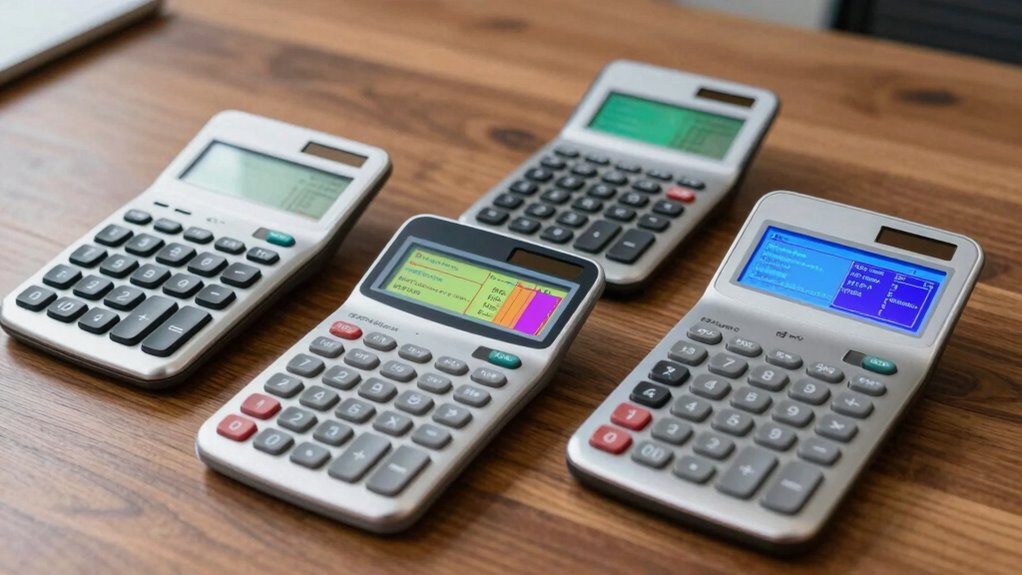

Choosing the right calculator for AP Statistics and Calculus can significantly impact your exam performance and study efficiency. For 2026, the Casio fx-9750GIII stands out for its user-friendly display and broad functionality, making it ideal for students needing a versatile device. The TI-Nspire CX II CAS offers vibrant color graphics and advanced software, perfect for visual learners and tech-savvy students. Meanwhile, the Casio fx-115ES Plus 2nd Edition provides a natural textbook display at an accessible price point for those focusing on scientific calculations. Each of these options balances features, ease of use, and exam approval differently, so understanding their strengths and limitations will help you pick the best fit.
Key Takeaways
- The Casio fx-9750GIII offers a natural textbook display and broad math support, ideal for exam use and STEM courses.
- The TI-Nspire CX II CAS excels in visual clarity with its color display and includes useful software, suited for tech-forward students.
- The Casio fx-115ES Plus provides extensive functions with an easy-to-read display, perfect for students needing a scientific calculator.
- The TI-84 Evo combines speed, user-friendly interface, and Python support, making it great for classroom and exam settings.
- The TI-84 Plus CE balances portability, long battery life, and vibrant visuals, suitable for middle school to college students.
| Casio fx-9750GIII Graphing Calculator |  | Best Overall for Versatility and Exam-Readiness | Display: Natural Textbook Display℠ | Supports: Graph plotting, vectors, probability distributions, spreadsheets, integrals | Programming: MicroPython | VIEW ON AMAZON | See Our Full Breakdown |
| Texas Instruments TI-Nspire CX II CAS Color Graphing Calculator with Student Software (PC/Mac) |  | Best for Visual Learners and Advanced Graphing | Screen Size: 3.5 inches | Screen Resolution: 320 x 240 pixels | Color: 16-bit | VIEW ON AMAZON | See Our Full Breakdown |
| Casio fx-115ES Plus 2nd Edition Scientific Calculator |  | Best for Scientific Calculations and Budget-Conscious Students | Display: 16-digit, 4-line LCD | Functions: 280+ | Ideal for: Math, Science, Engineering, Statistics | VIEW ON AMAZON | See Our Full Breakdown |
| TI-84 Evo Graphing Calculator by Texas Instruments |  | Best for Classroom Use and Speed | Color: White | Connectivity: USB-C | Performance: 3x faster | VIEW ON AMAZON | See Our Full Breakdown |
| Texas Instruments TI-84 Plus CE Color Graphing Calculator, Black |  | Best for Long-Term Classroom Use and Portability | Color: Black | Display: Color graphing | Battery: Rechargeable, up to one month | VIEW ON AMAZON | See Our Full Breakdown |
| calculator for ap statistics and calculu | Display | Color |
|---|---|---|
| Casio fx-9750GIII Graphing Cal | Natural Textbook Display℠ | — |
| Texas Instruments TI-Nspire CX | — | 16-bit |
| Casio fx-115ES Plus 2nd Editio | 16-digit, 4-line LCD | — |
| TI-84 Evo Graphing Calculator | — | White |
| Texas Instruments TI-84 Plus C | Color graphing | Black |
More Details on Our Top Picks
Casio fx-9750GIII Graphing Calculator
The Casio fx-9750GIII stands out for its natural textbook display that shows expressions as they appear in textbooks, making complex algebra and calculus easier to interpret. It supports a wide range of functions including graph plotting, vectors, probability distributions, and spreadsheets, making it suitable for both AP exams and STEM coursework. Compared to higher-end models, its programming capabilities are more limited, and the design may feel a bit dated, but its ease of use and exam approval make it a top choice for most students.
Pros:- Natural textbook display simplifies complex math
- Supports extensive functions relevant for AP and STEM courses
- USB connectivity for easy file transfer
- Exam approved for AP, SAT, ACT
Cons:- Limited programming features compared to high-end models
- Design may feel less modern
Best for: Students who need a reliable, exam-acceptable calculator with broad math functions
Not ideal for: Users seeking advanced programming or a modern design
- Display:Natural Textbook Display℠
- Supports:Graph plotting, vectors, probability distributions, spreadsheets, integrals
- Programming:MicroPython
- Connectivity:USB
- Exam Approved:Yes
Our verdict“A well-rounded, exam-approved calculator that balances functionality and ease of use for most AP students.”
Texas Instruments TI-Nspire CX II CAS Color Graphing Calculator with Student Software (PC/Mac)
The TI-Nspire CX II CAS offers a vibrant 3.5-inch color screen that makes graphing and visualizing data more intuitive. With rechargeable batteries lasting up to two weeks and included student software, it enhances learning through interactive features, multiple graph styles, and easy navigation. While its focus on graphing and educational software makes it less suitable for pure scientific calculations or professional use, it provides an engaging experience for students who benefit from visual aids and software integration. The software installation requirement may be a slight hurdle for some users.
Pros:- Vivid color display enhances data visualization
- Long-lasting rechargeable battery
- Includes educational software for deeper understanding
- Lightweight and portable
Cons:- Limited to graphing and educational use
- Requires software installation for full features
Best for: Students who prioritize visual learning and advanced graphing features
Not ideal for: Users needing a simple scientific calculator or professional-grade device
- Screen Size:3.5 inches
- Screen Resolution:320 x 240 pixels
- Color:16-bit
- Battery:Rechargeable, up to two weeks
- Included Software:TI-Inspire CX Student Software
- Graph Styles:Six styles
- Colors for Graphs:15
Our verdict“Ideal for students who learn best through visuals and need advanced graphing capabilities with software support.”
Casio fx-115ES Plus 2nd Edition Scientific Calculator
The Casio fx-115ES Plus 2nd Edition provides over 280 functions with a natural textbook display, making it well-suited for students handling a broad range of math, science, and engineering problems. Its LCD display shows calculations clearly, which helps in understanding complex formulas. However, it lacks advanced graphing features and software support, making it less suitable for visual learners or those needing graphing capabilities. Still, its extensive functions and affordability make it a practical choice for everyday calculations and exams.
Pros:- Wide range of functions for scientific and statistical work
- Natural textbook display simplifies reading calculations
- Affordable and durable
Cons:- No graphing or programming support
- Limited details on power source and battery life
Best for: Students needing a versatile scientific calculator on a budget
Not ideal for: Those requiring graphing, programming, or advanced visualization
- Display:16-digit, 4-line LCD
- Functions:280+
- Ideal for:Math, Science, Engineering, Statistics
Our verdict“A dependable scientific calculator that covers most academic needs without the complexity or cost of graphing models.”
TI-84 Evo Graphing Calculator by Texas Instruments
The TI-84 Evo improves on the classic design with faster performance—three times quicker than previous models—and a larger, clearer display. Its icon-based interface simplifies operation, and the support for Python programming adds a modern touch. While more expensive than basic scientific calculators, it offers a strong balance of speed, functionality, and user-friendliness, making it suitable for students who want a reliable classroom companion that can handle complex graphing tasks efficiently.
Pros:- Faster calculations and graphing
- Intuitive icon-based interface
- Larger, clearer graphs
- Supports Python programming
Cons:- Higher price point
- Learning curve for new features
Best for: Students needing fast, user-friendly graphing and programming capabilities
Not ideal for: Budget-conscious users or those who only need scientific functions
- Color:White
- Connectivity:USB-C
- Performance:3x faster
- Graphing Space:50% more
- Features:Icon-based homescreen, Python
Our verdict“A solid choice for students who want quick performance, modern features, and easy operation in a classroom setting.”
Texas Instruments TI-84 Plus CE Color Graphing Calculator, Black
The TI-84 Plus CE remains a popular choice for students from middle school through college. Its vibrant color display enhances data visualization, and the rechargeable battery can last up to a month on a single charge. The inclusion of a 4-year online calculator subscription adds value for ongoing learning. While it’s primarily geared toward educational use and may not satisfy professional or advanced scientific needs, its durability and long battery life make it an excellent, portable option for everyday classroom work.
Pros:- Vibrant color display improves visualization
- Long-lasting rechargeable battery
- Includes 4-year online subscription
- Lightweight and durable
Cons:- Limited to educational purposes
- Requires charging; battery may run out unexpectedly
Best for: Students seeking a durable, visually engaging calculator for long-term use
Not ideal for: Users requiring professional-level graphing or extensive programming
- Color:Black
- Display:Color graphing
- Battery:Rechargeable, up to one month
- Subscription:4-year online calculator
Our verdict“A durable, feature-rich calculator suited for everyday classroom use with a focus on visual clarity and portability.”

How We Picked
Our selection process focused on calculators that meet the specific demands of AP Statistics and Calculus students. We prioritized exam approval, functionality, ease of use, and durability. Features like graphing capabilities, display quality, programming support, and software compatibility were key considerations. We also evaluated user reviews and the balance between price and advanced features to ensure each product offers unique value for different types of learners and study needs.
Factors to Consider When Choosing Calculator For Ap Statistics And Calculus
Choosing the right calculator for AP Statistics and Calculus depends on your specific learning style, exam requirements, and budget. Key features to consider include graphing capabilities, display quality, programming support, battery life, and exam approval. Understanding how each calculator supports your coursework and exam strategy will help you make an informed decision.Understanding Your Needs
Identify whether you prioritize detailed graphing, scientific calculations, or a combination of both. Students focusing on visual learning should lean towards graphing calculators with color displays and software support. Those on a budget or requiring only scientific functions can opt for more straightforward models.
Graphing vs. Scientific Calculators
If your coursework or exams involve complex graphing and data visualization, prioritize models like the TI-Nspire CX II CAS or TI-84 Plus CE. For purely scientific calculations, the Casio fx-115ES Plus offers a broad range of functions without the added complexity of graphing.
Battery and Portability
Consider rechargeable options like the TI-84 Plus CE and TI-Nspire CX II CAS for convenience and longer use without frequent replacements. If you prefer a lighter device, look for models with compact designs, but keep in mind that some may require regular charging or battery replacements.
Exam Approval and Software
All recommended calculators are approved for AP exams, but check specific rules if you plan to use advanced features. Software support can enhance learning but may require installation and familiarity with digital tools.
Frequently Asked Questions
Are graphing calculators allowed for AP exams?
Yes, all the calculators reviewed here are approved for AP exams, including the College Board’s calculator policy. Always double-check the latest exam regulations before test day to ensure compliance with specific model allowances and feature restrictions.
What features should I prioritize for AP Calculus and Statistics?
For AP Calculus, graphing capabilities, a natural display, and the ability to handle calculus functions are important. For Statistics, look for statistical functions, data plotting, and ease of reading results. Combining these features in a single device simplifies your preparation and exam strategy.
Is programming necessary for AP Calculus or Statistics?
Programming is not essential for most AP exams, but having the option—such as Python support on the TI-84 Evo or MicroPython on the Casio fx-9750GIII—can enhance your understanding and allow for more complex problem solving outside the exam environment.
How important is display quality?
A clear, high-resolution display makes it easier to interpret graphs and read calculations quickly, especially during exams. Color screens and larger sizes can provide better visualization but often come at a higher cost. Balance your need for clarity with your budget.
Should I buy a scientific or graphing calculator?
If your coursework or exams include calculus and data analysis, a graphing calculator is typically recommended. Scientific calculators are sufficient for basic algebra and statistics but may limit your ability to visualize complex functions or data relationships effectively.
Conclusion
For students focused on exam preparation and broad functionality, the Casio fx-9750GIII offers a reliable balance of features and simplicity. Those who prefer visual learning and advanced graphing should consider the TI-Nspire CX II CAS, especially if software support enhances their study. Budget-conscious users or those needing only scientific functions will find the Casio fx-115ES Plus a practical choice. Finally, students seeking speed and modern features might lean toward the TI-84 Evo or TI-84 Plus CE, both offering quick processing and portability. Your choice depends on your specific coursework needs, study style, and future aspirations.