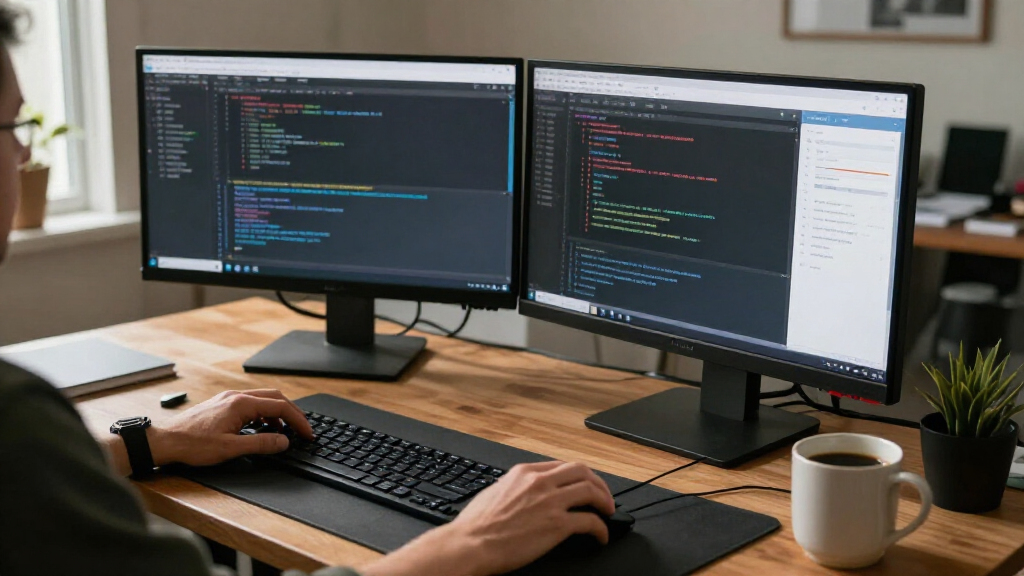
The best software developer monitor for most desks is the BenQ RD280U, whose 4K resolution and coding-focused design favor long sessions with dense text. For a wide workspace, the Dell 34 Plus S3425DW gives side-by-side windows more room, while the Dell 27 Plus S2725DC pairs a sharper QHD view with USB-C convenience. The main tradeoffs are screen space versus desk footprint, resolution versus the computer’s ability to drive it, and useful work features versus gaming-focused refresh rates. Smaller FHD screens can suit a secondary display or a tight budget, but they show less code at once than the higher-resolution picks. Read on for the full comparison and guidance on choosing a monitor that fits your setup.

Get business pricing on monitors, keyboards and dev gear
- Business-only prices and quantity discounts
- Tax-exempt purchasing
- Multiple users, one account, clear invoices
Key Takeaways
- The BenQ RD280U stands out for coding-focused 4K detail; it is the most specialized pick for readers who prioritize dense text and a dedicated programming display.
- The Dell 34 Plus S3425DW makes the strongest case for a single-screen workspace, since its ultrawide format can keep multiple windows visible without placing two monitors side by side.
- QHD models offer a practical middle ground: the Dell 27 Plus S2725DC and S2725DSM provide more workspace detail than FHD without the full pixel load of 4K.
- Refresh rates vary widely, but higher numbers are not automatically better for coding; the Sceptre and Alienware gaming models make more sense when gaming is also a priority.
- The compact and portable options solve different constraints: the BenQ GW2486TC is a small USB-C desk display, while the MNN 15.6-inch is suited to travel or temporary second-screen use.
| Dell 34 Plus S3425DW 34-Inch Curved USB-C Monitor |  | Best for Ultrawide Coding | Screen size: 34 inches | Resolution: 3440 × 1440 (WQHD) | Aspect ratio: 21:9 | VIEW LATEST PRICE | See Our Full Breakdown |
| Sceptre 22-Inch FHD 144Hz Gaming Monitor with Built-In Speakers |  | Best Compact Budget Pick | Screen size: 22 inches | Resolution: 1920 × 1080 (FHD) | Refresh rate: Up to 144Hz | VIEW LATEST PRICE | See Our Full Breakdown |
| Dell SE2426H 23.8-Inch FHD IPS Monitor, 144Hz, 1ms MPRT, AMD FreeSync, Dual HDMI |  | Best for a Simple Dual-Screen Setup | Screen size: 23.8 inches | Resolution: 1920 × 1080 (Full HD) | Panel type: IPS LCD | VIEW LATEST PRICE | See Our Full Breakdown |
| Dell 27 Plus S2725DC 27-Inch QHD USB-C Monitor |  | Best Overall for Everyday Development | Screen size: 27 inches | Resolution: 2560 × 1440 (QHD) | Panel type: IPS LCD | VIEW LATEST PRICE | See Our Full Breakdown |
| Alienware AW2525HM 24.5-Inch FHD 320Hz Gaming Monitor |  | Best for High-Refresh Work and Play | Screen size: 24.5 inches | Resolution: 1920 × 1080 (FHD) | Panel type: Fast IPS | VIEW LATEST PRICE | See Our Full Breakdown |
| Dell 27 Plus QHD Monitor (S2725DSM), 27-inch, 144Hz, Ash White |  | Best for Smooth QHD Work | Screen size: 27 inches | Resolution: 2560 × 1440 (QHD) | Panel: IPS LCD | VIEW LATEST PRICE | See Our Full Breakdown |
| BenQ RD280U 28.2-Inch 4K Programming Monitor |  | Best for Tall Coding Workspace | Screen size: 28.2 inches | Resolution: 3840 × 2560 | Aspect ratio: 3:2 | VIEW LATEST PRICE | See Our Full Breakdown |
| Dell 24 Plus S2425HSM 23.8-Inch FHD 144Hz Monitor with Speakers, HDMI, and Adjustable Stand – Ash White |  | Best Compact High-Refresh Pick | Screen size: 23.8 inches | Resolution: 1920 × 1080 (Full HD) | Refresh rate: 144 Hz | VIEW LATEST PRICE | See Our Full Breakdown |
| BenQ GW2486TC 24-Inch FHD IPS USB-C Monitor |  | Best for USB-C Laptop Desks | Screen size: 24 inches | Resolution: 1920 × 1080 (Full HD) | Panel: IPS | VIEW LATEST PRICE | See Our Full Breakdown |
| MNN 15.6-Inch FHD Portable Monitor with IPS Display |  | Best Portable Second Screen | Screen size: 15.6 inches | Resolution: 1920 × 1080 (Full HD) | Panel: LCD IPS | VIEW LATEST PRICE | See Our Full Breakdown |
| software developer monitor | Screen size | Resolution | Refresh rate | Response time |
|---|---|---|---|---|
| Dell 34 Plus S3425DW 34-Inch C | 34 inches | 3440 × 1440 (WQHD) | Up to 120Hz | — |
| Sceptre 22-Inch FHD 144Hz Gami | 22 inches | 1920 × 1080 (FHD) | Up to 144Hz | 1ms |
| Dell SE2426H 23.8-Inch FHD IPS | 23.8 inches | 1920 × 1080 (Full HD) | 144Hz | 1ms MPRT |
| Dell 27 Plus S2725DC 27-Inch Q | 27 inches | 2560 × 1440 (QHD) | 144Hz | — |
| Alienware AW2525HM 24.5-Inch F | 24.5 inches | 1920 × 1080 (FHD) | 320Hz | 0.5ms gray-to-gray minimum; 1ms most observed |
| Dell 27 Plus QHD Monitor | 27 inches | 2560 × 1440 (QHD) | 144 Hz | — |
| BenQ RD280U 28.2-Inch 4K Progr | 28.2 inches | 3840 × 2560 | 60 Hz | 5 ms |
| Dell 24 Plus S2425HSM 23.8-Inc | 23.8 inches | 1920 × 1080 (Full HD) | 144 Hz | 1 ms MPRT |
| BenQ GW2486TC 24-Inch FHD IPS | 24 inches | 1920 × 1080 (Full HD) | 75 Hz | — |
| MNN 15.6-Inch FHD Portable Mon | 15.6 inches | 1920 × 1080 (Full HD) | — | 5 ms |
More Details on Our Top Picks
Dell 34 Plus S3425DW 34-Inch Curved USB-C Monitor
The 34-inch, 21:9 screen gives me room to keep an editor, terminal, and documentation visible together, making this a stronger fit for wide multitasking than Dell’s 27 Plus S2725DC. Its 3440 × 1440 resolution also provides more workspace than a standard FHD panel, while the curved VA display and 3000:1 contrast suit long sessions with dark interfaces. USB-C can carry a laptop connection and deliver up to 65W of power, though that may fall short for some higher-power laptops. The 120Hz refresh rate and FreeSync add smooth motion, but matter less to coding than the screen’s width. I’d skip it if desk space or easy repositioning matters: at 20.7 pounds, it is heavier than the 27-inch Dell, and its stand footprint needs room.
Pros:- Ultrawide 3440 × 1440 workspace can reduce window switching while coding.
- USB-C provides a one-cable laptop connection with up to 65W power delivery.
- High contrast VA panel and 99% sRGB, 95% DCI-P3 coverage support clear dark themes and broad color work.
- Built-in 2 × 10W speakers and ComfortView Plus add useful desk conveniences.
Cons:- 65W USB-C power delivery may not fully power some demanding laptops.
- At 20.7 pounds, it is cumbersome to move or reposition.
- A 21:9 curved screen takes more desk width than the Dell 27 Plus S2725DC.
Best for: Developers who keep several code, terminal, and reference windows open and want a single wide USB-C display.
Not ideal for: Developers with compact desks, frequent monitor moves, or laptops that need more than 65W charging.
- Screen size:34 inches
- Resolution:3440 × 1440 (WQHD)
- Aspect ratio:21:9
- Panel type:VA
- Refresh rate:Up to 120Hz
- USB-C power delivery:Up to 65W
- Color coverage:99% sRGB, 95% DCI-P3
- Weight:20.7 pounds
Our verdict“Choose this Dell if a wide coding workspace and USB-C laptop connection matter more than desk space and lighter handling.”
Sceptre 22-Inch FHD 144Hz Gaming Monitor with Built-In Speakers
The Sceptre’s 22-inch FHD screen is a straightforward fit for a small desk or a secondary display for logs and documentation. Its 144Hz refresh rate is unusually high for this compact format, but developers choosing a coding screen will get less usable workspace than on the Dell SE2426H, which is larger and uses an IPS panel. The Sceptre’s matte finish and Blue-Light Shift offer basic comfort features, while HDMI and DisplayPort make it easy to connect to a desktop. Built-in speakers help avoid another desk accessory, though the supplied details do not establish sound quality. I’d treat this as a space-saving or dual-monitor option, not a main screen for keeping multiple code panes open: 1920 × 1080 on 22 inches limits room for dense side-by-side work.
Pros:- Compact 22-inch size can fit where larger displays are impractical.
- 144Hz refresh rate and 1ms response time provide smooth motion.
- HDMI and DisplayPort support common desktop connections.
- Minimal bezels can suit a paired monitor setup.
Cons:- FHD resolution and 22-inch size restrict usable workspace for multitasking.
- 170-degree listed viewing angle is narrower than the Dell SE2426H’s 178 degrees.
- No USB-C connection is listed for a streamlined laptop setup.
Best for: Developers with a very small desk who need a compact screen for a single editor or secondary reference window.
Not ideal for: Developers who want generous side-by-side coding space or wide viewing angles for shared screens.
- Screen size:22 inches
- Resolution:1920 × 1080 (FHD)
- Refresh rate:Up to 144Hz
- Response time:1ms
- Display technology:LED
- Aspect ratio:16:9
- Connectivity:HDMI, DisplayPort
- Weight:7 pounds
Our verdict“Pick the Sceptre when compact size is the priority and you can live with limited coding workspace.”
Dell SE2426H 23.8-Inch FHD IPS Monitor, 144Hz, 1ms MPRT, AMD FreeSync, Dual HDMI
For developers who want a familiar, uncomplicated desktop display, the Dell SE2426H combines a 23.8-inch IPS panel with matte anti-glare coating and wide viewing angles. Compared with the smaller Sceptre 22-inch, its extra screen area makes an editor more comfortable to use, and IPS helps the picture stay consistent when the monitor is viewed from the side. Its two HDMI ports are useful for switching between a work computer and another device, but there is no USB-C or DisplayPort listed, so laptop docking is less tidy than on the Dell 27 Plus S2725DC. The 144Hz refresh rate and FreeSync make motion smooth, though the main coding limitation is FHD resolution: developers who want more room for text and panels should step up to QHD. The stand only tilts, which limits ergonomic adjustment.
Pros:- IPS panel and 178-degree viewing angles keep the image consistent across the screen.
- Two HDMI ports simplify connection to multiple devices.
- Matte anti-glare finish and TÜV Rheinland 3-star eye comfort certification suit desk work.
- 144Hz with AMD FreeSync supports smooth motion.
Cons:- FHD resolution offers less workspace detail than the Dell 27 Plus S2725DC’s QHD panel.
- Stand adjustment is limited to tilt.
- No USB-C or DisplayPort is listed.
Best for: Developers who need an affordable-feeling, conventional 24-inch class screen for an editor and occasional second-device connection.
Not ideal for: Laptop-first developers seeking USB-C docking, QHD workspace, or height-adjustable ergonomics.
- Screen size:23.8 inches
- Resolution:1920 × 1080 (Full HD)
- Panel type:IPS LCD
- Refresh rate:144Hz
- Response time:1ms MPRT
- Adaptive sync:AMD FreeSync
- Ports:2 HDMI
- Adjustability:Tilt
Our verdict“Choose the SE2426H for a simple IPS desktop display, but pick a QHD or USB-C model if your setup needs more workspace or easier docking.”
Dell 27 Plus S2725DC 27-Inch QHD USB-C Monitor
The Dell 27 Plus S2725DC is the most balanced coding pick here: its 27-inch QHD IPS display gives me more room for code and tools than the SE2426H, without taking the desk width of the 34-inch S3425DW. USB-C with up to 65W power delivery makes it a practical laptop-centered screen, and the stand adjusts for height, tilt, pivot, and swivel—useful when switching between a landscape editor and portrait documentation. Its 144Hz refresh rate and FreeSync are welcome for smooth movement, while the 99% color gamut suits general interface work. The tradeoff is a more conventional 16:9 workspace, which cannot keep as many wide windows visible as the ultrawide Dell. The source also lists conflicting response-time figures, so I would not choose it on the advertised 1ms MPRT alone.
Pros:- QHD resolution on a 27-inch IPS panel offers a useful balance of detail and workspace.
- USB-C delivers up to 65W and joins a broad set of video and USB connections.
- Height, tilt, pivot, and swivel adjustments support varied desk positions and portrait coding.
- TÜV 4-star eye comfort certification and blue-light reduction suit long work sessions.
Cons:- 16:9 provides less side-by-side room than the Dell 34 Plus S3425DW.
- 65W USB-C power delivery may be insufficient for some laptops.
- Provided response-time details conflict between the advertised 1ms MPRT and listed 8ms.
Best for: Developers who want one versatile QHD monitor for laptop docking, coding, and adjustable portrait or landscape use.
Not ideal for: Developers who need ultrawide side-by-side workspace or high-power USB-C charging beyond 65W.
- Screen size:27 inches
- Resolution:2560 × 1440 (QHD)
- Panel type:IPS LCD
- Refresh rate:144Hz
- USB-C power delivery:Up to 65W
- Color gamut:99%
- Stand adjustments:Height, tilt, pivot, swivel
- Speakers:Dual 3W
Our verdict“For most developers seeking a flexible QHD screen with laptop-friendly USB-C, this Dell offers the strongest balance in this group.”
Alienware AW2525HM 24.5-Inch FHD 320Hz Gaming Monitor
The Alienware AW2525HM is the motion-focused choice in this set, with a 320Hz Fast IPS panel and adaptive-sync support for NVIDIA and AMD systems. That makes moving content exceptionally fluid, but it gives coding a narrower benefit than extra resolution would: the 24.5-inch FHD screen has less workspace than the Dell 27 Plus S2725DC and its QHD panel. The adjustable stand, 99% sRGB coverage, and ComfortView Plus make it more practical for a mixed gaming and development desk than a single-purpose gaming screen. Still, I’d rank it for buyers who spend substantial time gaming or value very high refresh rates; developers focused on text density get more from a larger QHD or ultrawide display. The 0.5ms figure is a minimum in Extreme mode, with 1ms listed as most observed.
Pros:- 320Hz refresh rate and Fast IPS make motion exceptionally fluid.
- Supports NVIDIA G-SYNC Compatible, AMD FreeSync Premium, and VESA AdaptiveSync.
- Height, pivot, swivel, and tilt adjustments offer broad positioning options.
- 99% sRGB coverage and ComfortView Plus support general visual work and longer sessions.
Cons:- FHD resolution gives less workspace detail than the Dell 27 Plus S2725DC.
- No USB-C connection is listed for laptop docking.
- The 0.5ms response figure applies to Extreme mode; 1ms is listed as most observed.
Best for: Developers who also play fast-paced games and specifically want very high refresh with a fully adjustable stand.
Not ideal for: Developers prioritizing code density, QHD detail, or USB-C laptop docking.
- Screen size:24.5 inches
- Resolution:1920 × 1080 (FHD)
- Panel type:Fast IPS
- Refresh rate:320Hz
- Response time:0.5ms gray-to-gray minimum; 1ms most observed
- Adaptive sync:NVIDIA G-SYNC Compatible, AMD FreeSync Premium, VESA AdaptiveSync
- Brightness:400 nits
- Stand adjustments:Height, pivot, swivel, tilt
Our verdict“Choose the Alienware if gaming smoothness is a major part of your desk use; for coding-first work, the QHD Dell is a more practical fit.”
Dell 27 Plus QHD Monitor (S2725DSM), 27-inch, 144Hz, Ash White
The Dell S2725DSM pairs a 27-inch QHD workspace with a 144Hz refresh rate, giving code, documentation, and scrolling more room and smoother motion than the Full HD Dell S2425HSM. Its IPS panel and four-way adjustable stand suit developers who switch between landscape coding and portrait logs or long documents. AMD FreeSync is a useful extra for a machine that also handles games or animation, while the eye-comfort certification and matte finish support long desk sessions. The tradeoff is that this is a conventional HDMI and DisplayPort monitor: unlike the BenQ GW2486TC, it has no USB-C laptop connection or power delivery. Its 3W speakers cover basic audio, but developers who rely on clear calls will likely want separate speakers or a headset.
Pros:- QHD resolution gives code and side-by-side windows more room than Full HD models.
- 144Hz refresh rate and FreeSync support smooth scrolling and motion.
- Height, tilt, pivot, and swivel adjustments help fit different desk setups.
- Matte screen and TÜV 4-star eye-comfort certification suit extended sessions.
Cons:- No USB-C connectivity or laptop power delivery.
- Dual 3W speakers are limited for calls and richer audio.
Best for: Developers who want a 27-inch QHD workspace, smooth scrolling, and a stand that supports portrait coding.
Not ideal for: Laptop-first developers who want USB-C video and charging through one cable, or anyone needing more than basic built-in audio.
- Screen size:27 inches
- Resolution:2560 × 1440 (QHD)
- Panel:IPS LCD
- Refresh rate:144 Hz
- Adaptive sync:AMD FreeSync
- Connectivity:HDMI 2.1 (TMDS), DisplayPort 1.4
- Stand adjustments:Height, tilt, pivot, and swivel
- Speakers:Dual 3W
Our verdict“Choose the S2725DSM for a flexible QHD coding desk with smooth motion; pick the BenQ GW2486TC if USB-C laptop docking matters more.”
BenQ RD280U 28.2-Inch 4K Programming Monitor
The BenQ RD280U takes a different approach to developer work than the Dell S2725DSM: its 3:2, 3840 × 2560 display adds vertical room for code, terminals, and documentation, reducing the need to keep scrolling through tall files. The matte Nano Matte panel, coding modes, and MoonHalo backlight are tailored to desk work, and USB-C gives compatible laptops a simpler connection than the Dell’s HDMI and DisplayPort setup. This makes the RD280U a strong fit for developers who prioritize a tall, glare-conscious workspace over high refresh rates. The tradeoff is its 60Hz refresh rate and 5ms response time; motion feels less fluid than on the Dell 27 Plus or Dell S2425HSM. It is also a larger, heavier setup than a standard 24-inch monitor.
Pros:- 3:2 high-resolution screen provides more vertical workspace for code and logs.
- Matte Nano Matte finish is designed to limit reflections.
- Coding modes and MoonHalo backlighting are geared toward programming desks.
- USB-C connectivity and height adjustment support a practical laptop setup.
Cons:- 60Hz refresh rate and 5ms response time trail the faster Dell options.
- At 16.8 pounds, it is less convenient to reposition than smaller monitors.
Best for: Developers who spend long sessions reading code and documentation and want extra vertical space with USB-C connectivity.
Not ideal for: Developers who prioritize high-refresh gaming, very fluid motion, or a compact and lightweight desk setup.
- Screen size:28.2 inches
- Resolution:3840 × 2560
- Aspect ratio:3:2
- Refresh rate:60 Hz
- Response time:5 ms
- Connectivity:HDMI, USB Type-C
- Eye-care features:Brightness Intelligence Gen2, blue light filter, flicker-free
- Warranty:3-year manufacturer warranty
Our verdict“Pick the RD280U for a tall, programming-focused screen with USB-C; choose the Dell S2725DSM if smoother motion matters more.”
Dell 24 Plus S2425HSM 23.8-Inch FHD 144Hz Monitor with Speakers, HDMI, and Adjustable Stand – Ash White
The Dell S2425HSM brings 144Hz motion and a fully adjustable stand to a smaller 23.8-inch screen, making it a space-conscious choice for a developer who also games or values smooth scrolling. Its matte Full HD panel, FreeSync, and dual speakers make for a straightforward everyday setup, while height, tilt, pivot, and swivel adjustments offer flexibility the compact size alone does not suggest. The main compromise is resolution: compared with the 27-inch QHD Dell S2725DSM, this model shows less detail and less room for multiple windows, so dense code or side-by-side tools can feel cramped. It also lacks USB-C and relies on HDMI connections. I’d choose it when desk space and refresh rate outrank extra workspace, but not as a productivity upgrade for developers moving from a higher-resolution display.
Pros:- 144Hz refresh rate and FreeSync support smooth motion.
- Compact 23.8-inch size can fit smaller desks.
- Stand adjusts for height, tilt, pivot, and swivel.
- Matte screen and eye-care features support everyday desk use.
Cons:- Full HD provides less workspace and detail than the QHD Dell S2725DSM.
- Connectivity is limited to HDMI, with no USB-C.
Best for: Developers with limited desk space who want a 144Hz display, portrait rotation, and built-in basic audio.
Not ideal for: Programmers who keep several code, terminal, and reference windows visible or need USB-C laptop docking.
- Screen size:23.8 inches
- Resolution:1920 × 1080 (Full HD)
- Refresh rate:144 Hz
- Response time:1 ms MPRT
- Adaptive sync:AMD FreeSync
- Connectivity:2 HDMI ports
- Stand adjustments:Height, tilt, pivot, and swivel
- Speakers:Dual 3W
Our verdict“Choose the S2425HSM for a compact, smooth 144Hz setup, but choose the S2725DSM if coding space and sharper detail come first.”
BenQ GW2486TC 24-Inch FHD IPS USB-C Monitor
The BenQ GW2486TC is the most laptop-friendly compact pick here: its USB-C connection supports video, data, and up to 60W power delivery, helping reduce desk cable clutter for compatible machines. Compared with the Dell S2425HSM, it trades 144Hz motion for a USB-C-centered setup, adjustable brightness, and a microphone that works with a laptop or external PC over USB-C. The 75Hz refresh rate is a modest step up from 60Hz, but it cannot match the Dell’s smoother 144Hz motion. Its Full HD resolution also offers less workspace detail than the QHD Dell S2725DSM or the tall BenQ RD280U. I’d favor it for a developer who docks one laptop and values eye-care features, pivot positioning, and convenient connections over a large or high-resolution canvas.
Pros:- USB-C supports video, data, and up to 60W power delivery.
- Height and pivot adjustments help position the screen for coding.
- Adaptive brightness, blue-light filtering, and flicker-free features support desk work.
- USB-C-connected microphone can simplify laptop calls.
Cons:- Full HD resolution gives less workspace detail than the QHD Dell S2725DSM.
- 75Hz refresh rate is below the Dell S2425HSM’s 144Hz.
Best for: Laptop-based developers who want USB-C charging, video, and data from one cable alongside height and pivot adjustment.
Not ideal for: Developers who need QHD or 4K-level coding space, high-refresh motion, or do not have a compatible USB-C display connection.
- Screen size:24 inches
- Resolution:1920 × 1080 (Full HD)
- Panel:IPS
- Refresh rate:75 Hz
- USB-C power delivery:Up to 60 W
- Connectivity:DisplayPort, HDMI, USB Type-C
- USB ports:3
- Warranty:3 years
Our verdict“Choose the GW2486TC for a simpler USB-C laptop desk; choose the Dell S2425HSM for faster motion or the Dell S2725DSM for more coding space.”
MNN 15.6-Inch FHD Portable Monitor with IPS Display
The MNN 15.6-inch portable monitor is the only option in this group designed to travel: at 1.5 pounds, it can add a second screen for a laptop without requiring a permanent desk setup. Its two full-featured USB-C ports support one-cable video and power when the connected device has Thunderbolt 3 or USB-C DP Alt Mode; HDMI offers another route for compatible devices. The included cover works as a stand and supports portrait positioning, useful for code reviews or logs beside a laptop screen. Compared with the BenQ GW2486TC, it gives up a height-adjustable desktop stand and USB-C charging for the laptop, but gains portability. Full HD on a 15.6-inch panel limits working room, and the 5ms response time and 300 brightness rating make it less suited to a main workstation.
Pros:- Lightweight 1.5-pound design is suited to travel.
- Two full-featured USB-C ports and HDMI provide connection options.
- Cover doubles as a stand and supports landscape or portrait positioning.
- IPS panel offers 178° viewing angles and a matte finish.
Cons:- One-cable USB-C video and power requires Thunderbolt 3 or USB-C DP Alt Mode.
- Small Full HD screen offers less coding workspace than the BenQ GW2486TC.
Best for: Developers who travel or work in changing locations and want a lightweight second screen for a compatible laptop.
Not ideal for: Developers seeking a full-time primary monitor, a height-adjustable stand, or a display that works over one USB-C cable with every laptop.
- Screen size:15.6 inches
- Resolution:1920 × 1080 (Full HD)
- Panel:LCD IPS
- Brightness:300
- Response time:5 ms
- Ports:2 full-featured USB-C, 1 HDMI
- Weight:1.5 lb
- Display modes:Copy, extended, second screen, portrait
Our verdict“Choose the MNN as a portable second screen for compatible devices; for a permanent laptop desk, the BenQ GW2486TC offers a more adjustable setup.”
How We Picked
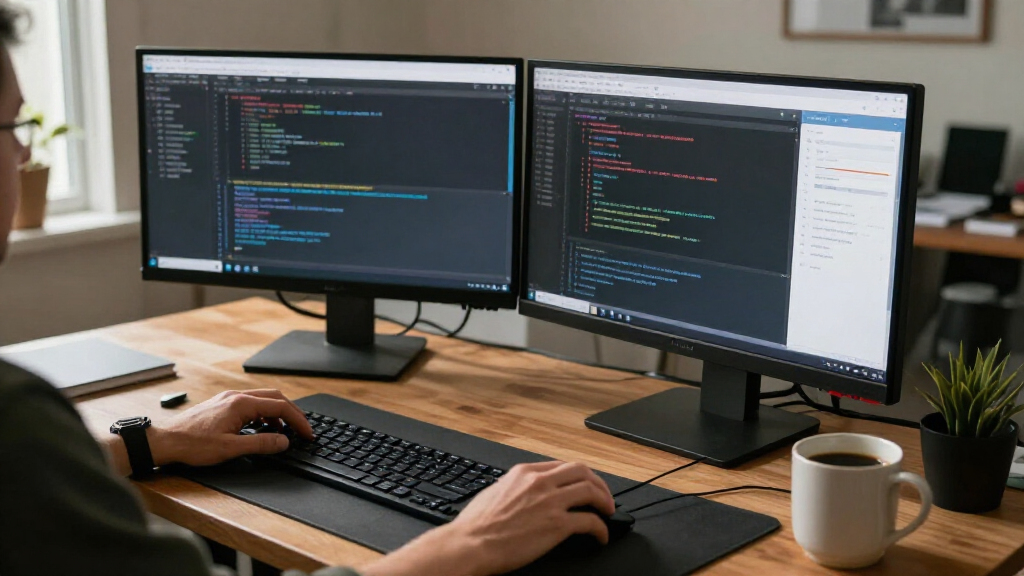
I ranked these monitors by how well their screen format, resolution, connectivity, and adjustment options support real developer workflows: reading code, comparing files, keeping terminals visible, and working through long sessions. I gave more weight to usable workspace and text clarity than to gaming refresh rates, while still accounting for buyers who split time between coding and games. USB-C can simplify a laptop desk, and an adjustable stand can make daily positioning easier, but neither replaces a suitable screen size and resolution.
The ranking favors models with a clear advantage for development work, then weighs flexibility and likely fit across different desks and budgets. That puts the BenQ RD280U and Dell ultrawide near the top for focused coding and multitasking, with the QHD Dell options offering a more compact balance. FHD gaming, entry-level, and portable models rank lower for primary coding because they offer less workspace or emphasize features that matter less to text-heavy work. Their distinct strengths still make them sensible for specific setups.
Factors to Consider When Choosing Software Developer Monitors
Choosing a developer monitor starts with how you arrange work, not with the longest specification list. These factors can help you match screen space and connection needs to your desk, computer, and daily routine.
Choose resolution for the screen size and viewing distance
Resolution determines how much detail fits on screen, but its value depends on display size and how far you sit from it. A larger screen with modest resolution may show more content physically while making text look less refined than a smaller, sharper display. At 4K, scaling can make text comfortable to read, though it may reduce the amount of usable desktop space compared with running the panel at native scale. Check that your computer can output the resolution and refresh rate you want over the connection you plan to use. A common mistake is buying by the resolution label alone without checking text size, scaling, and graphics support. If you move between machines, test those settings on each one before choosing a high-resolution primary display.
Plan your workspace around window layout
Think about which windows you keep open together: editor and terminal, two code files, documentation, or a browser and a test environment. An ultrawide can reduce window switching, but it also takes more horizontal desk space and may not suit every application or desk layout. A standard 27-inch display is easier to position and can be paired with a second screen later. Two displays offer flexible placement, though bezels and different panel characteristics can interrupt a continuous workspace. Sketch your typical window arrangement before shopping, including where the laptop will sit. This helps avoid paying for width you cannot use or ending up with too little room for your actual workflow.
Treat USB-C as a connection feature, not a guarantee
USB-C can make a laptop setup tidier by carrying video and, on some monitor models, power or data through one cable. The connector alone does not tell you whether a monitor supplies enough power to charge your laptop or includes the ports you need. Check the monitor’s listed USB-C capabilities and compare its power delivery with your computer’s requirements. If you use a desktop, USB-C may add little unless you also connect compatible devices through the display. Buyers sometimes assume that any USB-C cable or port will provide the same result, which can lead to missing video or slow charging. Confirm the full connection path, including the computer’s port and the cable, before relying on a one-cable desk.
Prioritize adjustment and comfort for long sessions
A monitor that can be positioned at a comfortable height and angle is easier to fit to your desk than one that forces a fixed posture. Check which adjustments the stand offers and whether the display supports a mounting pattern if you use an arm. Speakers can save desk space for calls and system audio, but they may not replace dedicated audio for focused listening. Curved panels can help make a wide screen feel more natural to view, though personal preference and seating distance matter. Do not assume a larger or curved screen will automatically be more comfortable. Think about desk depth, glare, lighting, and how close you sit as part of the fit.
Pay for refresh rate when your use calls for it
High refresh rates can make movement feel smoother, which matters more for gaming and fast motion than for reading static code. For a coding-first setup, resolution, screen layout, and comfortable positioning will often have a more direct effect on daily work. If you play games on the same monitor, a high-refresh model can serve both uses, provided its size and resolution also fit your development tasks. Verify that your computer and connection can drive the panel at its advertised refresh rate. A frequent mistake is prioritizing a gaming specification while overlooking limited resolution or workspace. Decide how much gaming is part of your routine before giving refresh rate a leading role.
Match portability and screen count to how you work
A portable monitor is useful when you need a second screen away from your main desk, but its smaller panel is a compromise for all-day primary coding. Consider the stand, cable needs, available power, and how the display will travel with your laptop. At a fixed desk, a larger dedicated monitor generally gives code and tools more room without repeated repositioning. A compact FHD display can still be a reasonable fit for a narrow desk or a secondary role. Buyers often judge portability by screen size alone and forget that the full setup also needs stable support and compatible connections. Choose based on where the monitor will spend most of its time.
Frequently Asked Questions
Is a 4K monitor worth choosing for software development?
It can be, especially if crisp text and fitting more detail on a large screen matter to you. The BenQ RD280U is the lineup’s coding-focused 4K option, while the QHD Dell models offer a less demanding middle ground. Check your computer’s output support and whether you are comfortable adjusting display scaling. If scaling makes text too small or reduces usable workspace, a lower resolution may suit your routine better. The right choice depends on screen size, viewing distance, and your preferred text size.
Should I choose an ultrawide or two separate monitors for coding?
An ultrawide such as the Dell 34 Plus S3425DW keeps windows on one continuous panel and avoids a bezel between them. Two monitors allow more flexible positioning and can make it easier to dedicate one screen to communication or documentation. Your desk width and depth may settle the choice before the specifications do. Also consider whether your computer supports the display arrangement you want. If you often share one screen or use window layouts that divide a wide panel, an ultrawide may be convenient; if you need distinct physical work areas, separate displays may fit better.
Do I need a high refresh rate for programming?
Most coding tasks do not depend on a very high refresh rate because code and documentation are usually static. A smoother refresh rate may be pleasant when scrolling or moving windows, but the gaming-focused Sceptre and Alienware models trade toward motion performance. If you also play games, those models may be more appealing as dual-purpose displays. For a development-first purchase, compare resolution, screen size, and stand adjustment before paying attention to refresh rate. Make sure your graphics hardware can deliver the rate you choose.
Can a USB-C monitor replace my laptop dock?
Sometimes, but USB-C support differs from model to model. Confirm whether the display provides laptop charging, data connections, and the specific ports your accessories require; a USB-C video input by itself may not cover those needs. The BenQ GW2486TC and Dell S2725DC offer USB-C connectivity, which can simplify compatible setups. Check your laptop’s USB-C capabilities too, since the computer must support the required video and power functions. Keep a separate dock in mind if you need more ports or stronger charging than the monitor provides.
Is a portable monitor suitable as my main coding display?
It can work if travel, temporary work locations, or a very small desk takes priority. The MNN 15.6-inch is the portable pick here, but its compact FHD panel gives code less room than the larger displays. For a fixed desk and long coding sessions, a 27-inch or larger monitor will generally provide more space for an editor and supporting windows. Consider how it stands, connects, and receives power where you plan to work. Many buyers will get more use from a portable screen as a secondary display than as their only monitor.
Conclusion
For most coding-focused buyers, I recommend the BenQ RD280U as the best overall because its 4K detail and programming-oriented design serve text-heavy work directly. Choose the Dell 34 Plus S3425DW if keeping several windows side by side is your priority, or the Dell 27 Plus S2725DC for a more compact QHD screen with USB-C. The BenQ GW2486TC is the value-minded fit for a straightforward small USB-C desk display, while beginners who want a conventional secondary or starter screen can look at the FHD Dell S2425HSM. For specific needs, the Alienware AW2525HM suits gaming alongside coding, and the MNN portable monitor suits travel. Match the screen to your desk and daily window layout first, then choose the features that support the rest of your setup.