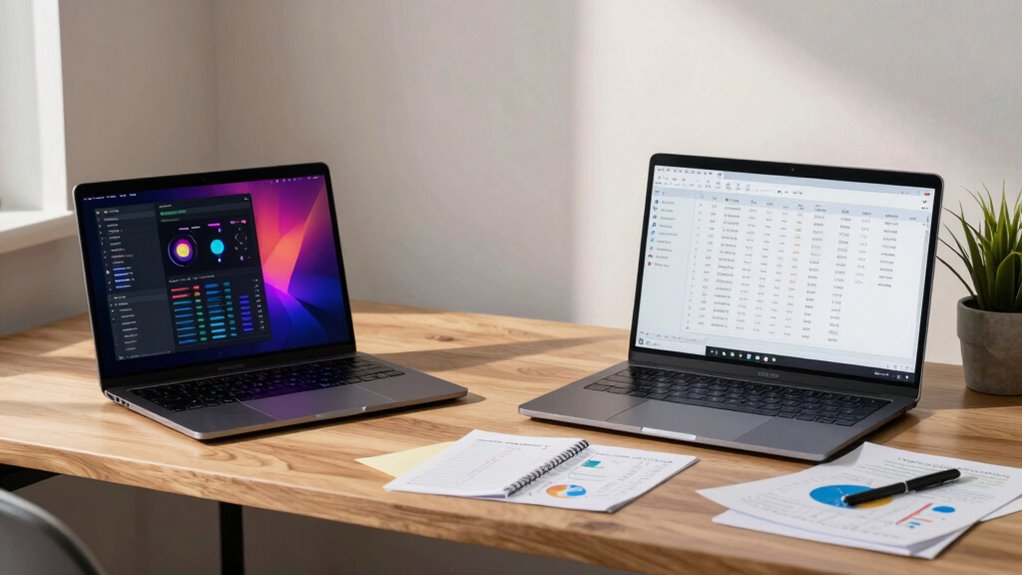
When choosing between Mac and Windows as a statistics student, consider software compatibility, user experience, and cost. R and Python work well on both, though SPSS and SAS favor Windows. Macs offer a sleek design, while Windows provides more hardware options at lower prices. Think about how each platform aligns with your study habits and budget, especially if resale value matters to you. Want to explore more factors that could impact your decision?
Key Takeaways
- Software Compatibility: R and Python work well on both, but SPSS and SAS may perform better on Windows, affecting coursework choices.
- User Experience: Macs offer an intuitive design, while Windows provides customization; personal preferences can influence productivity significantly.
- Hardware Options: Windows has a wider range of budget-friendly devices, whereas Macs are known for their durability and longevity.
- Cost Considerations: Windows devices are generally more affordable, but Macs have higher resale value, impacting long-term investment decisions.
- Data Visualization: Both platforms support data visualization, but Macs excel with graphic design integration, while Windows offers specialized software options.

When choosing between Mac and Windows for your statistics studies, which platform suits your needs best? The decision often hinges on a few key factors: statistical software availability, user experience, hardware compatibility, cost considerations, and data visualization capabilities.
First, let’s talk about statistical software. Many statistical packages, like R and Python, run seamlessly on both platforms. However, some specialized software, such as SPSS or SAS, may have better support or exclusive features on Windows. If your coursework relies heavily on specific software, you might want to verify it runs smoothly on your chosen platform.
Next, user experience plays a significant role in your productivity. Mac users often praise the intuitive design and seamless integration of software. If you appreciate a clean, minimalist interface that enhances your workflow, you might find a Mac more appealing. On the other hand, Windows offers a more customizable experience, which can be a plus if you prefer tweaking settings to suit your study habits. Think about how you like to work; the right user experience can make a big difference in your studies.
Hardware compatibility is another essential factor. Windows machines generally offer a broader range of hardware options, allowing you to find a laptop or desktop that fits your budget and performance needs. Macs, while typically more expensive, are known for their durability and longevity. If you plan to invest in a device for several years, consider how each platform’s hardware aligns with your performance requirements for statistics software. Additionally, software support and hardware flexibility are important considerations for optimal performance. The availability of upgrades and peripherals can also influence your decision.
Cost considerations also matter. Windows devices often come at a lower price point, giving you more options within your budget. If you’re a student juggling tuition and living expenses, this can be a significant factor. Macs, while pricier, often have a strong resale value, which could factor into your long-term investment.
Finally, let’s not forget data visualization. Both platforms support effective data visualization tools, but the experience can vary. Macs tend to integrate well with graphic design software, which can enhance your ability to present findings in visually appealing ways. Conversely, Windows offers robust software options that may provide better functionality for specific data tasks.
Ultimately, the right choice depends on your specific needs. Consider what matters most to you and how each platform aligns with your studies in statistics.
best laptops for statistics students
As an affiliate, we earn on qualifying purchases.
As an affiliate, we earn on qualifying purchases.
Frequently Asked Questions
Which Operating System Is More Cost-Effective for Students?
When it comes to cost-effectiveness for students, Windows often wins out. You’ll find more budget considerations with Windows laptops, which typically offer a wider range of price points. Plus, software availability is generally greater for Windows, especially for statistical programs commonly used in academia. Macs can be pricier upfront and may limit your options for certain applications. So, if you’re on a tight budget, a Windows device might be your best bet.
How Do Mac and Windows Handle Software Updates?
Think of software updates like seasons changing; they come regularly but can feel different depending on where you are. Macs generally offer a smoother user experience with less frequent updates, focusing on stability. Windows, on the other hand, tends to push more updates, which can sometimes disrupt your workflow. Ultimately, it’s about your preference: do you value a steady pace, or are you okay with more frequent changes?
What About Battery Life Differences Between Mac and Windows Laptops?
When it comes to battery longevity, both Mac and Windows laptops have their strengths. MacBooks often excel in power management, offering impressive battery life due to optimized hardware and software integration. On the other hand, some Windows laptops can match or exceed this, especially models designed for efficiency. Ultimately, it depends on your specific usage patterns and the laptop model you choose, so consider your needs when deciding.
Are There Significant Hardware Differences Affecting Performance?
Yes, there are significant hardware differences affecting performance. When you compare performance benchmarks, you’ll notice that certain Windows laptops often offer higher specs for the price, especially for gaming and heavy computational tasks. However, Mac systems excel in hardware compatibility with their software, providing a seamless experience. If you prioritize raw power and versatility, a Windows laptop might be better, but Macs deliver reliable performance for specific applications and workflows.
How Do Customer Support Options Compare for Both Systems?
When it comes to customer service, you might think you’re choosing between a warm hug and a cold stare. Macs offer sleek troubleshooting resources, complete with friendly support staff who seem like they just stepped out of a commercial. Windows, on the other hand, boasts a treasure trove of forums and DIY guides, perfect for the adventurous soul. Ultimately, it’s about what you prefer: hands-on help or a digital scavenger hunt!
MacBook Pro for data analysis
As an affiliate, we earn on qualifying purchases.
As an affiliate, we earn on qualifying purchases.
Conclusion
In the end, choosing between Mac and Windows boils down to your specific needs and preferences. Both platforms have their strengths, but it’s essential to prioritize software compatibility and usability. Remember, “a tool is only as good as the hand that wields it.” Focus on what helps you analyze data effectively and comfortably. Whether you lean toward Mac or Windows, make sure it enhances your learning experience and supports your goals as a statistics student.
Windows laptops for data visualization
As an affiliate, we earn on qualifying purchases.
As an affiliate, we earn on qualifying purchases.
statistics software compatible laptops
As an affiliate, we earn on qualifying purchases.
As an affiliate, we earn on qualifying purchases.