

To use CSV files without breaking your dataset, you should validate your data for accuracy and proper formatting before importing, ensuring there are no missing values or incorrect data types. Always specify and verify the correct encoding, like UTF-8, to prevent garbled characters. Keep backups before making changes, and use dedicated validation tools to catch errors early. If you want to learn more about maintaining data integrity, keep going for essential tips and best practices.

Get business pricing on monitors, keyboards and dev gear
- Business-only prices and quantity discounts
- Tax-exempt purchasing
- Multiple users, one account, clear invoices
Key Takeaways
- Always validate data formats, ranges, and types before importing CSV files to prevent errors.
- Specify and verify UTF-8 encoding when saving or exporting CSV files to maintain data integrity.
- Use automated validation tools to detect and correct anomalies proactively.
- Keep backups before making major changes or importing new data to safeguard against corruption.
- Avoid manual editing in plain text editors; use dedicated tools to prevent subtle encoding or formatting errors.
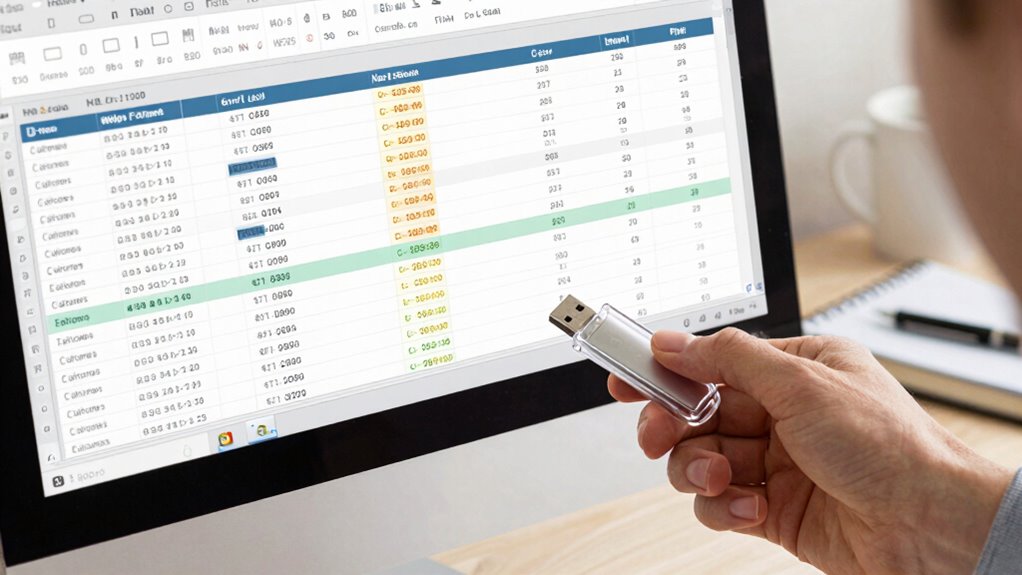
Using CSV files for data management is common, but if you’re not careful, they can easily corrupt or break your dataset. To avoid this, you need to pay close attention to data validation and file encoding. Data validation ensures that the data you input or import into a CSV is accurate, consistent, and formatted correctly. This step is essential because even a small mistake—like a missing value, an incorrect data type, or an unexpected character—can cause errors when processing or analyzing your dataset later. Before importing data, double-check that it adheres to your expected formats, ranges, and types. Implementing validation rules can catch anomalies early, preventing corrupt data from entering your CSV files. Many data tools and scripting languages offer built-in validation features, which you should leverage to automate this process. Additionally, understanding file encoding standards is crucial for maintaining data integrity across different systems. File encoding is another critical aspect often overlooked. CSV files are plain text, but different systems and applications may interpret character encoding differently, especially with special characters, symbols, or non-English text. Using the wrong encoding can lead to garbled characters or data loss. The most common encoding standard is UTF-8, which supports a wide range of characters and is compatible with most systems. Always specify and verify the encoding when saving or exporting CSV files. If you’re working with other tools or databases, ensure they’re configured to read the file’s encoding correctly. Failing to match encoding standards can cause data corruption and make your dataset unreadable or unusable. Additionally, when working with CSV files, always keep backups before making major changes or imports. This way, if something does go wrong—whether due to improper validation or encoding issues—you can restore your original dataset without losing valuable information. Proper validation can help prevent many common issues before they occur. To further safeguard your data, consider using automated validation tools that can scan and correct issues as you prepare your files. Also, be aware that manual editing of CSVs in plain text editors can sometimes introduce subtle errors that are difficult to detect, so using dedicated tools is generally safer. Moreover, staying updated on the latest AI ethics guidelines can help ensure your data handling practices align with evolving standards for responsible AI use.
As an affiliate, we earn on qualifying purchases.
Frequently Asked Questions
Can I Use CSV Files for Large Datasets Efficiently?
Yes, you can use CSV files for large datasets efficiently by leveraging data compression techniques to reduce file size and improve loading speeds. Storing your CSVs in cloud storage allows easy access and scalability, making data management smoother. Just guarantee you chunk your data into manageable sizes, compress files properly, and utilize cloud platforms that support quick data retrieval, so your workflow remains seamless even with extensive datasets.
How Do I Handle Special Characters in CSV Files?
Imagine you’re a modern-day scribe in the Renaissance, tackling special characters in CSV files. You should escape characters like quotes and commas properly, using escape sequences or double quotes. Make sure your encoding standards, like UTF-8, are consistent throughout your dataset to prevent misinterpretation. This way, special characters won’t break your CSV, ensuring your data remains accurate and readable across different software and platforms.
Is It Safe to Edit CSV Files Directly?
Yes, it’s safe to edit CSV files directly if you prioritize data privacy and use file encryption. Always back up your data before making changes, and guarantee your editing tools are secure. Avoid sharing unencrypted files over networks to prevent data breaches. Using encrypted storage or tools with built-in encryption helps protect sensitive information, making direct edits safer and maintaining the integrity of your dataset.
What Tools Are Best for Validating CSV Data?
Think of tools for validating CSV data as your digital gatekeepers, ensuring everything is in its right place. You can use Excel or Google Sheets for quick data formatting checks, while dedicated tools like CSVLint or OpenRefine offer robust validation techniques. These tools help catch inconsistencies, missing values, and formatting errors, preventing your dataset from becoming a chaotic jigsaw puzzle. Stay vigilant, and your data remains a well-organized masterpiece.
How to Import CSV Files Into Different Database Systems?
To import CSV files into different database systems, you start by guaranteeing your CSV formatting aligns with each system’s requirements, like delimiter and encoding. Use import tools or commands specific to each database, such as SQL Server Management Studio, MySQL’s LOAD DATA INFILE, or PostgreSQL’s COPY command. Double-check database compatibility to prevent errors, and always validate your data after import to ensure accuracy and integrity.
As an affiliate, we earn on qualifying purchases.
Conclusion
Using CSV files wisely can keep your dataset intact and reliable. Don’t worry about feeling overwhelmed—simple best practices like consistent formatting and proper handling of missing data make a big difference. Even if you’re new to working with CSVs, you can confidently manage your files without risking data loss or corruption. Remember, mastering these basics guarantees your dataset stays accurate and useful, so you can focus on what truly matters—your insights and analysis.
As an affiliate, we earn on qualifying purchases.
As an affiliate, we earn on qualifying purchases.
Fall Picks
fall essentials
As an affiliate, we earn on qualifying purchases.