A graphing calculator helps you quickly visualize equations and perform basic calculations without the complexity of software. It’s perfect for exams and when you need portability. However, when tackling complex problems or advanced analyses, software usually provides the necessary tools and depth. Knowing when to use each can make a big difference in your efficiency. Stick around, and you’ll discover more insights on maximizing your problem-solving skills with both tools.

Get business pricing on monitors, keyboards and dev gear
- Business-only prices and quantity discounts
- Tax-exempt purchasing
- Multiple users, one account, clear invoices
Key Takeaways
- Graphing calculators excel in portable, exam-friendly environments, making them ideal for quick calculations and visualizations.
- Software is advantageous for complex problems requiring advanced capabilities, offering more features for in-depth analysis.
- Graphing calculators provide a user-friendly interface, reducing frustration during time-sensitive tasks compared to complex software.
- Cost-effectiveness favors graphing calculators for straightforward tasks, while software may lead to higher long-term expenses.
- Choosing between tools should depend on task complexity and context, balancing efficiency with user familiarity and resource availability.
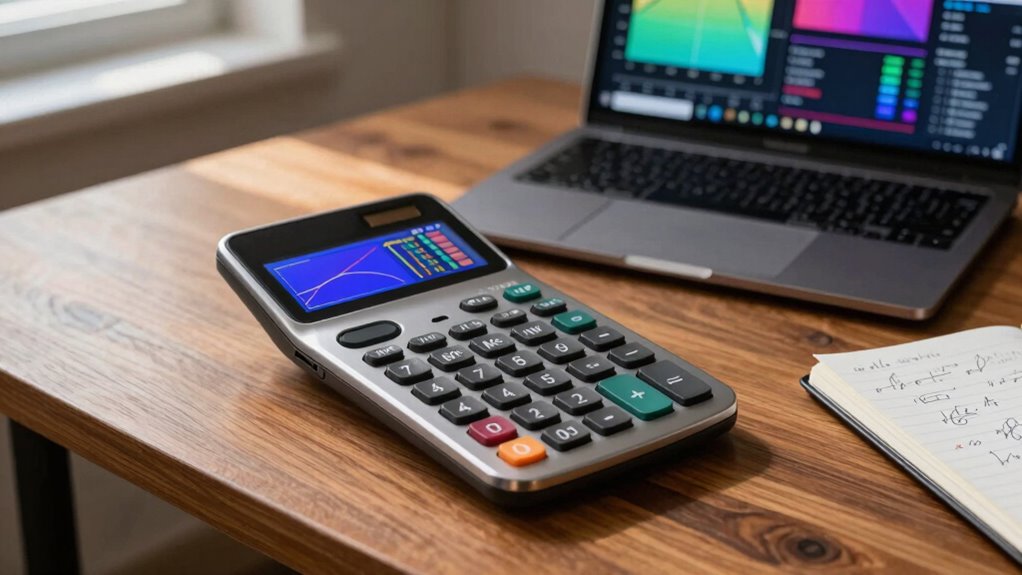
When you’re tackling complex mathematical problems, choosing between graphing calculators and software can feel overwhelming. Each option has its strengths, and knowing when to use one over the other can make a notable difference in your efficiency and understanding.
Graphing calculators often shine with their user-friendly features. They’re designed specifically for students and professionals who need to visualize equations and data quickly. You can input functions, plot graphs, and even perform calculus operations without the steep learning curve that some software might require. For many, this simplicity makes graphing calculators an attractive option, especially during exams where you can’t rely on a computer. Their ease of use means you can focus on solving problems rather than figuring out how to operate the tool.
Graphing calculators excel in simplicity, making them ideal for quick visualizations and problem-solving, especially during exams.
Portability advantages also play an important role in this decision. Since graphing calculators are compact and battery-operated, you can easily toss one in your backpack and take it anywhere. Whether you’re in class, at a study group, or simply working in a café, having a reliable device on hand can make studying more effective. In contrast, software often requires a laptop or tablet, which may not be as convenient if you’re on the go.
However, it’s essential to evaluate software limitations too. While many applications offer advanced features and a broader range of functionalities, they can sometimes be overly complex for straightforward tasks. If you’re just trying to plot a simple function or perform basic calculations, you might find yourself overwhelmed by the multitude of options available in software. This can lead to frustration rather than clarity, especially when you’re pressed for time.
Cost comparisons are another factor to weigh. Graphing calculators can be a one-time purchase, often ranging from $100 to $200, depending on the model. In contrast, software may have subscription fees or require a substantial initial investment for licensing, which can add up over time. If you’re a student on a budget, this could influence your choice considerably.
Ultimately, the decision between a graphing calculator and software boils down to what you need. For straightforward tasks and portability, a graphing calculator is usually your best bet. If you’re tackling more complex problems, software may offer the advanced features you need, provided you’re ready to navigate its intricacies. Knowing when to use each will enhance your mathematical experience.
best graphing calculator for students
As an affiliate, we earn on qualifying purchases.
As an affiliate, we earn on qualifying purchases.
Frequently Asked Questions
Can I Use Both a Graphing Calculator and Software Simultaneously?
Yes, you can definitely use both a graphing calculator and software simultaneously. They often have good calculator compatibility, allowing you to transfer data between them. By using software integration, you can enhance your calculations and visualizations. For example, you might perform complex calculations on your calculator and then input results into software for more detailed analysis. This combination can give you a deeper understanding of your data and help you tackle challenging problems effectively.
What Features Are Unique to Graphing Calculators?
Graphing calculators offer unique features like a durable design and long battery life—did you know they can last up to two years on a single charge? You’ll appreciate the tactile buttons for quick access during exams, unlike touch interfaces found in software. Plus, they often come with firmware updates that enhance functionality without needing an internet connection. These elements make graphing calculators reliable tools in educational settings, especially when precision counts.
Are There Specific Subjects Where Software Is Preferred?
Yes, software is often preferred for subjects like calculus simulations and statistical analysis. You’ll find that algebra applications can be more effectively handled with software, enabling detailed visualizations and complex computations. Data visualization tools in software let you manipulate and present data interactively, which isn’t as seamless with graphing calculators. If you’re tackling advanced topics or large datasets, software can greatly enhance your understanding and efficiency.
How Do I Choose Between a Calculator and Software?
Choosing between a calculator and software isn’t just a matter of convenience; it’s like picking the right tool for a craftsman. If you’re tackling complex problems, software efficiency often shines, overcoming calculator limitations. For quick calculations or basic functions, a calculator might suffice. Assess your needs: if you require advanced features or interactive visualizations, opt for software. If simplicity and portability matter more, stick with your trusty calculator.
Are There Costs Associated With Graphing Software?
Yes, there are costs associated with graphing software. Many programs charge subscription fees, which can add up over time. It’s essential to take into account your budget before committing. Additionally, some software might offer free versions with limited features, so weigh those options against your needs. A user-friendly interface can make a significant difference in your experience, so don’t forget to test out the software to guarantee it meets your expectations.
As an affiliate, we earn on qualifying purchases.
Conclusion
In the end, choosing between a graphing calculator and software boils down to your needs. If you’re tackling quick calculations or need portability, a calculator can’t be beat. But when you’re diving deep into complex data or wanting to visualize intricate graphs, software takes the cake. Don’t hesitate to mix and match tools—sometimes, it pays to have the best of both worlds at your fingertips. After all, you never know when you’ll need a different tool for the job!
As an affiliate, we earn on qualifying purchases.
As an affiliate, we earn on qualifying purchases.
Halloween Picks
halloween
As an affiliate, we earn on qualifying purchases.