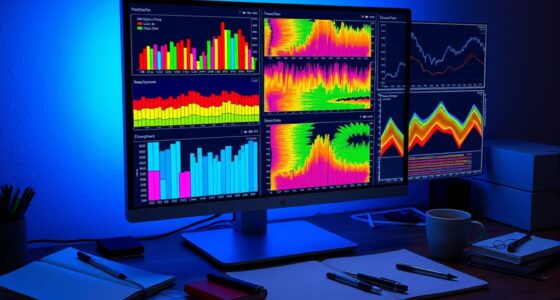

To get the most from your graphing calculator for statistics, start by mastering its data entry features, like using the spreadsheet interface for quick, error-free input. Explore built-in tools for calculations such as mean, median, and regression analysis to save time. Use function graphing to visualize data trends and identify key points easily. Practicing these tips will help you work efficiently—exploring further reveals even more techniques to boost your analysis skills.
Key Takeaways
- Utilize dedicated data entry features to efficiently input large datasets and reduce manual errors.
- Leverage built-in statistical functions like mean, median, and standard deviation for quick analysis.
- Use graphing capabilities to visualize data trends and function behaviors for better understanding.
- Apply regression tools to model relationships and make predictions from your data.
- Explore advanced analysis options such as residuals, confidence intervals, and hypothesis tests for comprehensive insights.

Have you ever wondered how graphing calculators can simplify complex statistical analysis? These powerful devices are more than just tools for plotting graphs—they streamline data entry and make function analysis straightforward. When you’re working with large datasets or intricate formulas, manual calculations can be time-consuming and prone to errors. That’s where a graphing calculator steps in, allowing you to input data efficiently and analyze functions with minimal fuss.
Data entry is a vital first step when using a graphing calculator for statistics. Instead of writing out long lists or manually calculating each point, you can quickly input your data into lists or tables. Most calculators let you access a dedicated data editor or spreadsheet-style interface, where you can enter data points directly. This minimizes mistakes and speeds up the process, especially when handling extensive datasets. Some models even allow you to import data from external sources, like spreadsheets or files, saving you even more time. Once your data is entered, you can easily perform statistical calculations such as mean, median, standard deviation, and regression analysis with just a few keystrokes.
Input data quickly with lists or tables to streamline statistical calculations.
Function analysis is another area where graphing calculators shine. They enable you to input a function—say, a quadratic or exponential—and then analyze it visually and numerically. You can graph the function to observe its behavior, identify key points like intercepts or maxima, and see how it fits your data. Many calculators also offer built-in tools to find roots, maxima, minima, or points of intersection automatically. This feature helps you interpret your data more intuitively, turning abstract formulas into concrete insights. By analyzing the function, you can better understand the relationship between variables, identify trends, and make predictions based on your model.
Furthermore, these calculators often include options for residual analysis, confidence intervals, and hypothesis testing, all accessible through simple menus once your data and functions are entered. Using these features, you can perform extensive statistical analyses without switching to complicated software or manual calculations. This integration of data entry and function analysis makes graphing calculators an invaluable resource for students and professionals alike.
Frequently Asked Questions
How Do I Update My Graphing Calculator’s Software?
To update your graphing calculator’s software, start by visiting the manufacturer’s website and downloading the latest firmware installation file. Connect your calculator to your computer using the appropriate cable, then open the update software. Follow the on-screen instructions to complete the firmware installation. This process guarantees you get the latest features and bug fixes, keeping your calculator running smoothly and efficiently.
Can Graphing Calculators Connect to Other Devices or Apps?
Imagine your calculator as a bridge connecting worlds. Yes, many graphing calculators now feature wireless connectivity, allowing you to link with other devices seamlessly. They often support app integration, making data transfers and sharing easier. You can connect to computers, smartphones, or tablets, expanding your learning landscape. This connectivity transforms your calculator from a standalone tool into a dynamic hub for collaborative and interactive learning experiences.
What Are Common Troubleshooting Steps for Calculator Errors?
When you encounter calculator errors, start by reading any error messages carefully. If the device behaves unexpectedly, try resetting it using the reset procedures specified in your manual. Clearing the memory or performing a soft reset often solves common issues. If problems persist, check for software updates or consult the troubleshooting guide. These steps usually help resolve errors quickly and get your calculator back to working smoothly.
How Do I Customize the Display Settings for Better Visibility?
Think of your calculator’s display as a canvas waiting for your personal touch. To customize the display settings for better visibility, go to the settings menu and select display or screen options. Adjust font size, brightness, and contrast to suit your needs. Use display customization to enhance visibility, making it easier to read graphs and data. This simple tweak can turn your calculator into a clear, eye-friendly tool for your calculations.
Are There Compatibility Issues With Specific Statistical Software?
You might encounter software compatibility issues with certain statistical software, especially if your device isn’t updated or is incompatible with specific applications. To avoid these problems, check the device integration options and confirm your calculator’s firmware is current. Always verify compatibility before installing new software, and consider using supported versions or updates provided by the manufacturer to ensure smooth operation and seamless integration.
Conclusion
Now that you’ve revealed the secrets of your graphing calculator, you’re armed with a powerful tool for your statistical journey. Think of it as your trusty compass, guiding you through data‘s twists and turns with ease. With every tip and trick, you’re transforming chaos into clarity, turning numbers into stories. So, keep exploring, practice often, and let your calculator be the steady drumbeat in your rhythm of discovery. Your statistical adventure has just begun—embrace it!