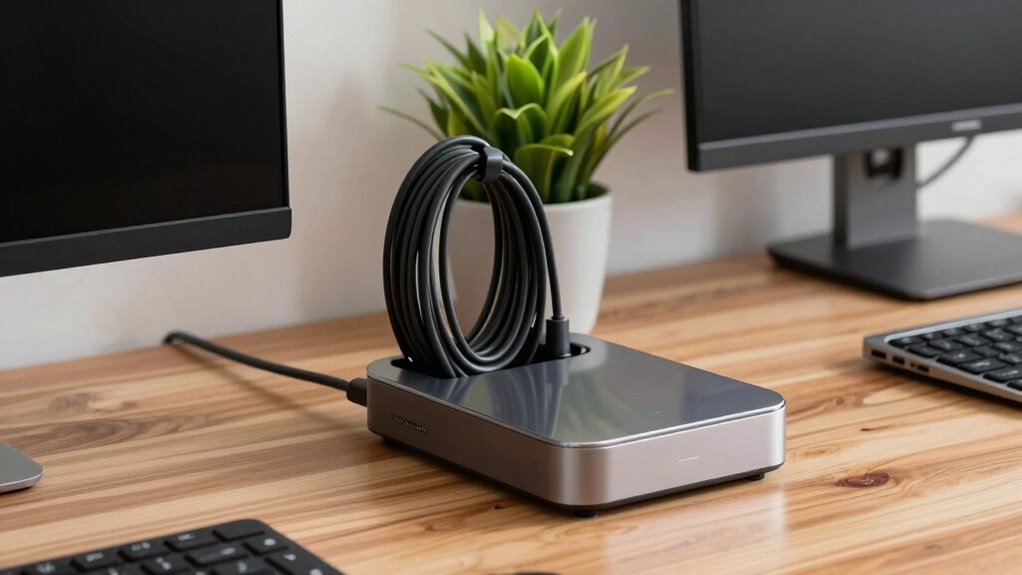

To avoid the cable mess that comes with docking stations, start by evaluating your device connections and gathering all necessary cables. Use Velcro straps and cable clips to bundle and secure cords, while labeling each cable for easy identification. Organize cables by length and function, ensuring shorter ones are near the dock. Utilize under-desk space with trays and hooks to hide excess length. With these tips, you’ll create a cleaner workspace and discover even more strategies for effective management.

Get business pricing on monitors, keyboards and dev gear
- Business-only prices and quantity discounts
- Tax-exempt purchasing
- Multiple users, one account, clear invoices
Key Takeaways
- Plan device connections ahead of time to determine necessary cables and prevent last-minute scrambling.
- Use Velcro straps and cable clips to bundle and secure cords, reducing tangling and clutter.
- Organize cables by length and function, placing shorter ones near the docking station for easy access.
- Utilize under-desk space with cable trays and adhesive hooks to keep cables hidden and organized.
- Regularly reassess and adjust cable management as new devices are added, ensuring ongoing efficiency and safety.
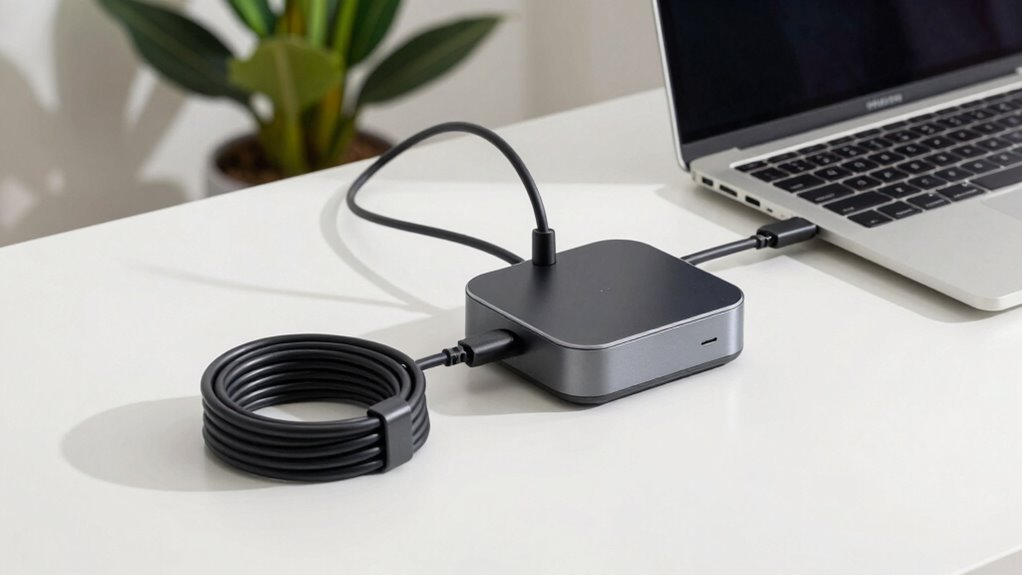
When you set up your docking station, managing cables effectively can make all the difference between a tidy workspace and a tangled mess. It’s frustrating to deal with cords that seem to multiply overnight, but with a few cable organization tips, you can keep everything in check and create a more efficient environment. It all starts with planning your docking station setups.
First, assess the number of devices you’ll be connecting. Knowing how many cables you’ll need helps you decide on the best organization strategy. For instance, if you’re connecting a laptop, monitor, keyboard, and mouse, you’ll want to gather all the necessary cables beforehand. This way, you can see what you’re working with and avoid surprises later on.
Assess the number of devices you’ll connect to determine your cable organization strategy for a smooth setup.
Next, consider investing in cable management tools. Velcro straps, cable clips, and sleeves can be lifesavers. With Velcro straps, you can bundle cables together, preventing them from tangling. Cable clips can hold each cord in place, ensuring they don’t slide off your desk or get lost behind it. If you prefer a cleaner look, cable sleeves can encase multiple wires, giving your setup a streamlined appearance. Proper filtration/suction basics can also help in maintaining a dust-free environment around your cables and devices, particularly in setups where dust accumulation could affect electronic performance. Additionally, understanding ergonomics can help you position cables to reduce strain and improve accessibility.
Once you’ve gathered your cables and tools, it’s time to arrange them. Start by laying out your cables according to length and function. Keep the shorter cables closer to the docking station and the longer ones extending toward the peripherals. This not only looks neater but also reduces the risk of tripping over them. Label each cable if needed; this is especially handy if you frequently unplug and replug devices.
Don’t forget to utilize the space under your desk, too. Consider securing excess cable length under the desk using adhesive hooks or cable trays. This keeps them out of sight and prevents clutter from taking over your workspace. Remember, proper cable management is essential for maintaining both organization and safety in your workspace.
Lastly, regularly revisit your cable organization strategy. As you acquire new devices or change your setup, adjust your cable management accordingly. Keeping things tidy is an ongoing process, so don’t shy away from making improvements as needed.
As an affiliate, we earn on qualifying purchases.
Frequently Asked Questions
What Types of Cables Are Essential for Docking Stations?
For your docking station, you’ll need essential connectors like USB-C, HDMI, and Ethernet cables. These cables allow you to connect multiple devices seamlessly. Good cable management is key—consider using cable ties or clips to keep everything organized. Don’t forget power cables, too! By choosing the right connectors and managing your cables effectively, you can create a clean workspace that’s both functional and aesthetically pleasing.
How Do I Choose the Right Docking Station for My Device?
Choosing the right docking station for your device is like picking the perfect puzzle piece; it needs to fit seamlessly. First, assess compatibility factors, ensuring the station works with your device’s brand and model. Next, consider your port requirements—USB-C, HDMI, or Ethernet. Make sure the docking station has enough ports for your needs, allowing for easy connectivity and a tidy workspace. This way, you’ll maximize functionality without the hassle of tangled cables.
Can Docking Stations Support Multiple Monitors?
Yes, docking stations can support multiple monitors, but you’ll need to check for monitor compatibility first. Not all docking stations have the capacity for dual or triple displays; it often depends on the graphics performance of the dock and your device. Look for a docking station with DisplayPort or HDMI outputs to maximize your setup. By ensuring compatibility, you enhance your productivity and enjoy a seamless multi-monitor experience.
Are There Wireless Docking Station Options Available?
Absolutely, there are wireless docking station options available! Imagine seamlessly connecting your devices like a conductor leading an orchestra. These stations leverage wireless technology, allowing you to dock without the clutter of cables. Many also offer charging capabilities, ensuring your devices stay powered while you work. With a wireless dock, you can enjoy a clean workspace and the freedom to move around, all while keeping your tech in harmony. Embrace the untangled future!
What Is the Average Lifespan of a Docking Station?
A docking station typically lasts between 3 to 5 years, depending on its durability and how well you maintain it. To extend its lifespan, keep it clean and avoid overheating by ensuring proper ventilation. Regularly check for loose connections and signs of wear. By following these maintenance tips, you can maximize your docking station’s performance and longevity, ensuring it serves you well for years to come.
As an affiliate, we earn on qualifying purchases.
Conclusion
To keep your workspace tidy, invest in cable management solutions for your docking station. Did you know that 80% of professionals say a clutter-free workspace boosts their productivity? By using cable ties, sleeves, or even clips, you can easily organize your cables and reduce that dreaded mess. A little effort goes a long way in creating a more efficient and enjoyable work environment. So, take control of those cables and enjoy a clean, focused workspace!
cable clips for desk organization
As an affiliate, we earn on qualifying purchases.
As an affiliate, we earn on qualifying purchases.
As an affiliate, we earn on qualifying purchases.
Fall Picks
fall essentials
As an affiliate, we earn on qualifying purchases.