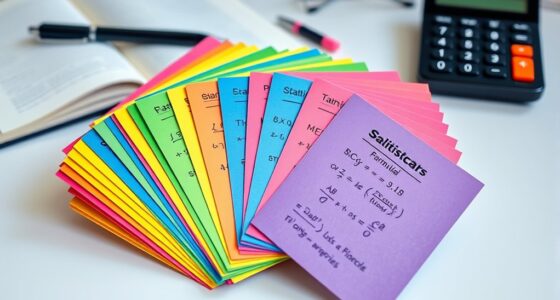
The best way to mark up journal articles on a tablet is by using digital annotation apps like Notability or GoodNotes. These tools let you highlight key points, add comments, and create summaries, all while keeping your notes organized. You can easily sync your work across devices for quick access anytime, anywhere. Plus, sharing your annotated articles with classmates enhances collaboration and understanding. Stick around to explore more effective techniques and app recommendations!
Key Takeaways
- Use apps like Notability or GoodNotes for efficient handwriting and text annotation on your tablet.
- Highlight key points and add comments directly on journal articles to enhance engagement.
- Organize your annotated articles into folders for easy access and better study routine.
- Sync your notes across devices to review content anytime, anywhere, ensuring continuous learning.
- Share annotated articles with peers for collaborative discussions that deepen understanding of the material.

Marking up journal articles on a tablet can transform how you engage with academic texts. Instead of scribbling notes in margins or relying on printed copies, you can use digital annotation techniques that enhance your study experience. Tablets offer flexibility and organization, making it easier to keep your notes in one place. You’ll find that using the right app can greatly impact how effectively you retain information and interact with the material.
When you start exploring tablet app comparisons, you’ll notice many options designed for academic use. Some popular choices include Notability, GoodNotes, and PDF Expert. Each app has unique features that cater to different user preferences. For example, if you prefer handwriting, Notability might be your best bet with its intuitive interface and advanced handwriting recognition. On the other hand, if you lean more towards typing, GoodNotes offers excellent text annotation capabilities alongside a user-friendly layout.
Exploring tablet apps like Notability and GoodNotes can enhance your academic experience with tailored features for handwriting and typing preferences.
Using digital annotation techniques effectively can also change how you approach your readings. Highlighting key points, adding comments, or creating summaries directly on the text allows you to engage with the material deeply. Plus, with the ability to organize your notes into folders, you can easily find your work later. Imagine having all your highlighted articles, notes, and references at your fingertips—all neatly categorized, so you don’t waste time searching. Incorporating digital annotation techniques can help you process and retain complex information more efficiently.
Furthermore, the option to sync your notes across devices is a game-changer. If you’re on the go, you can access your annotations from your phone or laptop, ensuring you never miss an opportunity to review your work. This connectivity keeps you in the loop with your studies, whether you’re at home or in a coffee shop. Incorporating smart organization principles can help you manage your notes more efficiently and enhance your overall study routine.
Don’t forget to explore collaborative features as well. Many apps allow you to share your annotated articles with classmates or colleagues, fostering a more interactive learning environment. You can discuss insights or critique notes, enhancing your understanding of the subject matter.
Ultimately, the best way to mark up journal articles on a tablet lies in finding the right app that suits your style and leveraging digital annotation techniques to your advantage. The combination of streamlined organization, ease of access, and collaborative opportunities will not only improve your study habits but also make your academic journey more enjoyable and productive.

Ophayapen Smart Sync Pen for Note Taking with Notebook and Writing Board,Real-time Sync for Digitizing,Convert to Text,Storing,Sharing Paper Notes via APP on Smartphone & iPad (Android and iOS)
【Free APP-Ophaya Pro+】 Instantly Sync,Effortlessly Captures handwritten notes and drawings with precision, synchronizing them in real-time to devices…
As an affiliate, we earn on qualifying purchases.
As an affiliate, we earn on qualifying purchases.
Frequently Asked Questions
What Are the Best Apps for Annotating Journal Articles?
For annotating journal articles, you can’t go wrong with apps like Adobe Acrobat Reader, Notability, or GoodNotes. These tools let you highlight text, use various highlighting techniques, and make digital note-taking a breeze. You’ll appreciate features like easy organization and searchability, which save you time when revisiting your notes. Plus, they’re user-friendly, allowing you to focus more on understanding content rather than struggling with the technology.
Can I Sync My Annotations Across Multiple Devices?
Absolutely, you can sync your annotations across multiple devices! Think of your notes floating on a cloud, always accessible. Most annotation apps offer cloud storage, letting you save and sync your work seamlessly. Just make sure you’ve enabled synchronization options in the app settings. This way, whether you’re on your tablet or laptop, your insights are right at your fingertips, ready to go wherever you are. Enjoy that smooth, connected experience!
How Do I Organize My Marked-Up Articles?
To organize your marked-up articles, start by using digital organization tools like folders or tags. Group articles by topic or project to make retrieval easier. Employ annotation techniques such as highlighting key points and adding comments or summaries. This way, you can quickly reference your insights. Regularly review and update your organization method to keep it efficient. Consistency will help you stay on top of your research and notes.
Is It Possible to Share My Annotations With Others?
Yes, you can definitely share your annotations with others. Think of your notes as a bridge, connecting minds in a sea of ideas. Many apps offer collaboration features, allowing you to invite peers to view or comment on your work. Just keep in mind annotation privacy; make sure you’re comfortable sharing before you hit send. Sharing your insights can spark discussions and deepen understanding, turning solitary study into a vibrant exchange.
Can I Convert My Notes Into a Different Format?
Yes, you can convert your notes into different formats. Most note management apps offer various format options like PDF, Word, or plain text. Simply select the notes you want to convert, choose your desired format, and export them. This allows you to share your insights easily or integrate them into other projects. Check your app’s features to maximize your note management experience and guarantee you’re using the best format for your needs.

Hardcover Leather Lined Spiral Notebook 8×10" with Removable Dividers – Black – 300 Pages 5 Subject College Ruled Notebook for Work with Tabs, Pockets, and Pen Loop for Note Taking, Large Journal
8×10” NOTEBOOK WITH ADJUSTABLE DIVIDERS – Stay organized with our 8×10” 300 pages college ruled notebook featuring five…
As an affiliate, we earn on qualifying purchases.
As an affiliate, we earn on qualifying purchases.
Conclusion
In the grand tapestry of learning, marking up journal articles on your tablet isn’t just about highlighting text; it’s a dance of discovery. As you navigate through insights and ideas, remember that each annotation adds a subtle brushstroke to your understanding. Embrace this digital quill that lets you etch your thoughts onto the canvas of knowledge. So, go ahead and turn those pages—your journey of enlightenment awaits, and it’s far more than a simple scribble.
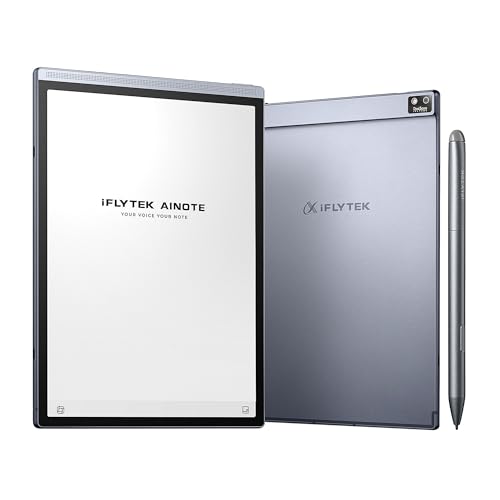
iFLYTEK AINOTE Air 2 Bundle – 8.2" E Ink AI Note-taking Tablet with Stylus, 4096 Pressure Levels, Digital Notebook with Voice-to-Text Transcription, Multi-languages Support, Ideal for Meetings & Study
【8.2 inches AI Note-Taking & Meeting Summary】iFLYTEK AINOTE Air 2 – The ultimate digital notebook and note-taking tablet…
As an affiliate, we earn on qualifying purchases.
As an affiliate, we earn on qualifying purchases.
PDF annotation app for iPad
As an affiliate, we earn on qualifying purchases.
As an affiliate, we earn on qualifying purchases.