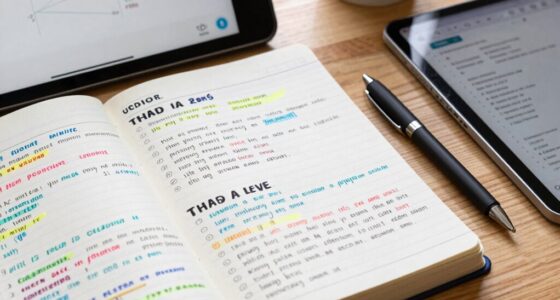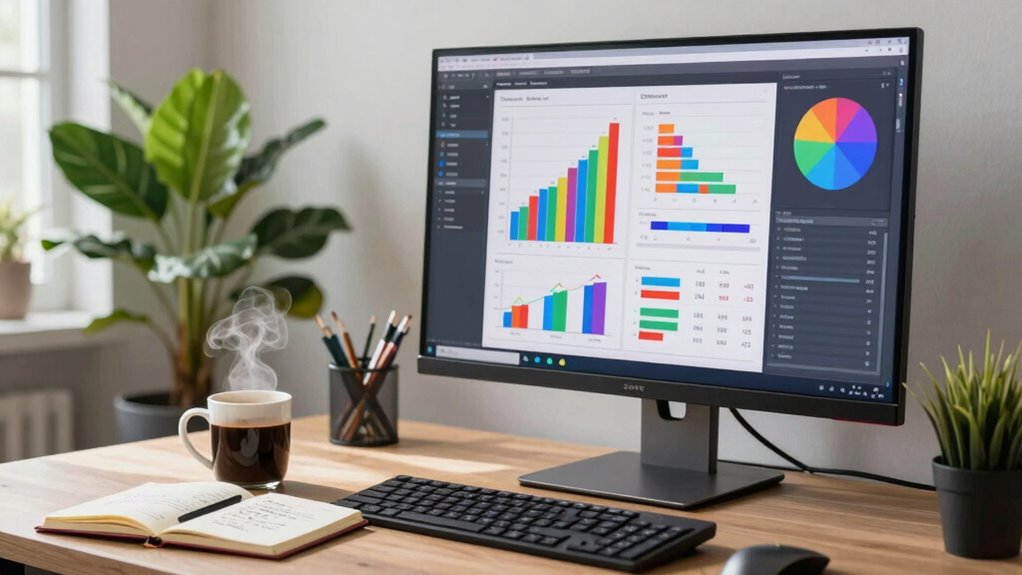

Large screens can really boost your productivity. They let you multitask effectively by allowing multiple windows side by side, helping you stay focused on tasks like drafting emails or joining video calls. The visual clarity reduces eye strain, while ergonomic setups support better posture. Plus, larger displays streamline your workspace by cutting down clutter. You’ll find that these features enhance your overall work quality and efficiency; keep exploring to see how to maximize these benefits.

Get business pricing on monitors, keyboards and dev gear
- Business-only prices and quantity discounts
- Tax-exempt purchasing
- Multiple users, one account, clear invoices
Key Takeaways
- Larger screens enhance multitasking by allowing simultaneous application use and quick switching, improving overall workflow.
- Higher resolutions on larger displays provide clearer text and images, reducing eye strain during long work sessions.
- Ergonomic advantages of larger screens support better posture and reduce fatigue, boosting concentration and productivity.
- Many applications are optimized for larger displays, facilitating better collaboration and communication during meetings.
- Larger screens help organize workspaces by consolidating tasks into one digital space, reducing clutter and enhancing focus.

When you think about enhancing your productivity, the size of your screen might not be the first thing that comes to mind, but it plays a crucial role. A larger screen can markedly impact how you work, making it easier to juggle multiple tasks at once. With the multitasking benefits of a big display, you can have several windows open simultaneously, allowing you to switch between applications without losing your train of thought. Imagine drafting an email while referencing a document or conducting a video call—all on the same screen. It’s a game changer.
Visual clarity is another key advantage. Larger screens often come with higher resolutions, offering sharper images and clearer text. This means less eye strain as you work, which can boost your focus over long periods. You won’t have to squint or lean in to read tiny fonts, making your workspace not just more organized but also more comfortable. With everything laid out in front of you, you can maintain a better overview of your tasks and priorities. Additionally, visual clarity can reduce fatigue and improve overall work quality.
Ergonomic considerations shouldn’t be overlooked either. A larger screen can be positioned at a prime height and distance, which helps maintain better posture. You can adjust your chair and desk setup to make sure you’re not spending hours hunched over a small screen. This adjustment can lead to less fatigue, allowing you to concentrate longer and be more productive. Plus, the ergonomic benefits of a larger display can help prevent discomfort during extended use. Incorporating features like adjustable stands and anti-glare coatings can further enhance comfort and usability during extended work sessions.
Software enhancement plays a crucial role in maximizing productivity as well. Many applications are designed to take advantage of larger displays, allowing you to utilize collaborative tools more effectively. You can easily share your screen during meetings, making it simpler to discuss projects in real-time. The combination of a large screen and the right software can facilitate better communication and boost teamwork. Additionally, large screens often include features like adjustable stands and anti-glare coatings, which further improve comfort and usability during extended work sessions. In terms of workspace organization, a larger display can reduce clutter. Instead of relying on multiple monitors or a sea of papers, you can consolidate your tasks into a single, expansive digital space. This organization not only keeps your workspace clean but also helps you stay mentally focused.
Ultimately, embracing a larger screen isn’t just about having more space; it’s about creating an environment conducive to productivity. From multitasking benefits to visual clarity and ergonomic advantages, the truth is clear: a larger screen can be a powerful ally in your quest for efficiency and effectiveness.
large 4K monitor for productivity
As an affiliate, we earn on qualifying purchases.
As an affiliate, we earn on qualifying purchases.
Frequently Asked Questions
Do Large Screens Reduce Eye Strain During Long Work Hours?
Yes, large screens can reduce eye strain during long work hours. When you use a larger display, you often benefit from better text clarity and can adjust screen brightness more easily. This helps minimize glare and enhances readability, allowing you to focus without straining your eyes. Plus, the increased screen real estate lets you view more content without squinting, making your work experience more comfortable and productive overall.
How Do Large Screens Affect Multitasking Abilities?
Large screens can skyrocket your multitasking abilities to new heights! With more screen real estate, you’ll find it easier to juggle multiple applications at once. Instead of constantly switching tabs, you can view documents side by side, boosting your multitasking efficiency. You’ll notice you’re less likely to lose focus and more capable of handling complex tasks. So, if you’re looking to enhance productivity, a larger screen might just be your best ally!
Are There Specific Large Screen Sizes Recommended for Productivity?
For productivity, screens around 27 to 32 inches are often recommended. These ideal dimensions provide ample space for multitasking without overwhelming you. A screen resolution of at least 1440p guarantees clarity, making it easier to focus on details without straining your eyes. By choosing the right size and resolution, you’ll enhance your workflow, allowing you to efficiently manage multiple tasks simultaneously. So, invest in a larger screen for better productivity!
Can Large Screens Improve Video Conferencing Experiences?
Large screens can definitely enhance your video conferencing experience. With better video quality on a bigger display, you’ll catch every detail, making remote engagement feel more personal and connected. You won’t miss those subtle facial expressions or important visual cues. Plus, sharing your screen becomes a breeze, letting everyone stay on the same page. So, if you want to level up your virtual meetings, a large screen’s the way to go!
What Are the Best Settings for Large Screen Productivity?
To optimize large screen productivity, focus on screen resolution and color calibration. Set your resolution to the highest supported for crisp visuals, making text and images easier to read. Adjust color settings to guarantee accurate representation, which can reduce eye strain during long work sessions. Position your screen at eye level and maintain a comfortable distance to enhance focus. These settings can markedly boost your efficiency and overall comfort while working.
ergonomic adjustable monitor stand
As an affiliate, we earn on qualifying purchases.
As an affiliate, we earn on qualifying purchases.
Conclusion
In the domain of productivity, the adage “bigger is better” often rings true. Large screens can enhance your focus, reduce eye strain, and boost efficiency by giving you more space to juggle tasks. As you embrace this technology, you’ll likely find that your workflow improves greatly. So, if you’re aiming to get more done, consider upgrading your display. After all, investing in the right tools can make all the difference in achieving your goals.
As an affiliate, we earn on qualifying purchases.
ultrawide monitor for multitasking
As an affiliate, we earn on qualifying purchases.
As an affiliate, we earn on qualifying purchases.
Fall Picks
fall essentials
As an affiliate, we earn on qualifying purchases.