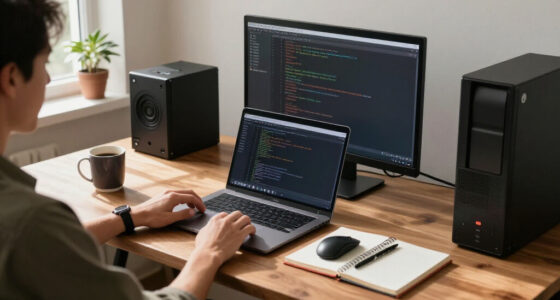
Webcam framing plays an essential role in how professional you appear online. When your camera’s at eye level, it helps maintain eye contact and builds rapport. Proper framing—showing your head and shoulders—keeps focus on you, while poor angles can make you look distant or awkward. A clean background and good lighting also enhance your professional image. By paying attention to these elements, you can guarantee you come across as confident and engaged. There’s more to discover about optimizing your virtual presence!

Get business pricing on monitors, keyboards and dev gear
- Business-only prices and quantity discounts
- Tax-exempt purchasing
- Multiple users, one account, clear invoices
Key Takeaways
- Proper webcam framing, including head and shoulders, ensures viewers focus on you, enhancing your professional presence.
- Being positioned at eye level fosters eye contact, establishing rapport and engagement with your audience.
- A clean and organized background minimizes distractions, allowing your message to take center stage in a professional setting.
- Good posture within the frame conveys confidence, while slouching can suggest disinterest and reduce professionalism.
- Effective lighting improves your visual appearance and overall presentation quality, reinforcing a polished and professional image.

When you’re in a virtual meeting, how you frame your webcam can make a significant difference in how others perceive you. The right camera angles can enhance your professionalism, while poor choices can detract from it. Consider the position of your webcam; it should be at eye level. This helps maintain eye contact, which is essential for building rapport and trust. If the camera’s too low or high, it creates an awkward perspective, leading to lens distortion that can make you look less approachable.
Your screen position matters as well. A well-framed shot should include your head and shoulders, with just a bit of space above your head. This framing technique keeps the focus on you without distractions. If you’re too far away, you’ll appear small and disengaged; too close, and it can feel invasive. Pay attention to your posture importance, too. Sit up straight and project confidence; slouching can convey disinterest, even if that’s not your intention.
Your screen position is crucial; frame yourself with head and shoulders visible, and maintain good posture to project confidence.
Background clutter is another aspect you shouldn’t overlook. A messy backdrop can distract your audience and shift their focus away from what you’re saying. Aim for a clean, organized background that reflects professionalism. If your environment isn’t conducive to a good impression, consider using virtual backgrounds or simple blur effects to keep the focus on you. Just be cautious—some virtual backgrounds can look unnatural, so make sure they don’t detract from your authenticity. Additionally, understanding home‑care techniques can help you optimize your environment, including lighting, to ensure your space looks its best on camera. For example, controlling lighting effects can significantly improve your visual appearance and overall presentation. Proper filtration and suction methods can also help reduce background noise or visual distractions, making your virtual presence even more polished. Incorporating smart home technology, like smart lighting, can further enhance your environment by adjusting brightness and color temperature automatically to suit your filming conditions. Being aware of your home‑appliance setup can further contribute to a more professional appearance, especially when it comes to maintaining a quiet and distraction-free environment.
Ultimately, the goal is to create an engaging, professional presence during your virtual meetings. By considering camera angles, screen position, and lighting effects, you’ll guarantee you come across as polished and prepared. Make these adjustments, and you’ll notice a significant difference in how others perceive you, leading to more productive and effective interactions.
adjustable webcam mount for eye level
As an affiliate, we earn on qualifying purchases.
As an affiliate, we earn on qualifying purchases.
Frequently Asked Questions
How Can I Improve My Webcam Lighting?
To improve your webcam lighting, focus on using natural light whenever possible. Position yourself facing a window for soft, even illumination. If that’s not an option, try using ring lights or softbox lights to create flattering lighting techniques. Avoid harsh overhead lights or backlighting, as they can cast unflattering shadows. Experiment with different angles and setups until you find the best lighting that highlights your features and enhances your appearance on camera.
What Background Is Best for Professional Video Calls?
For professional video calls, a clean home office background is key. Think of it as your stage—no background clutter should distract from your message. Opt for neutral wall colors; they symbolize professionalism and let your personality shine through without overwhelming viewers. This setup enhances your personal branding, projecting confidence and clarity. By curating your space, you invite others into a focused environment, making your presence more impactful and memorable.
Should I Use a Virtual Background?
You should consider using a virtual background, but weigh the pros and cons. The pros include a clean, professional look that hides any clutter in your space, making you appear more polished. However, the cons can be distracting if the background isn’t smooth or well-suited to your setting. It might also affect your camera’s performance. Ultimately, choose what enhances your professionalism and feels comfortable for you during video calls.
How Do I Adjust My Camera Angle?
Adjust your camera angle like it’s the key to the universe! To achieve the best look, position your camera at eye level. This minimizes lens distortion and creates a flattering perspective. If your camera’s too low, it’ll exaggerate your features, while a high angle can make you look like a floating head. Experiment with different heights until you find what works best for you, ensuring a polished, professional appearance.
What Camera Resolution Is Ideal for Online Meetings?
For online meetings, a camera resolution of at least 1080p is ideal. This guarantees you look sharp and professional, enhancing clarity during discussions. Whether you’re using a built-in laptop camera or an external webcam, higher resolutions offer better color accuracy and detail. You’ll notice the resolution benefits in how clearly your expressions and gestures come across, making your communication more effective. Don’t settle for less; invest in good quality for impactful meetings!
ring light for video conferencing
As an affiliate, we earn on qualifying purchases.
As an affiliate, we earn on qualifying purchases.
Conclusion
In the world of video calls, your webcam framing is like the stage spotlight—it highlights your professionalism. A well-framed shot not only projects confidence but also engages your audience, making them more likely to take you seriously. By paying attention to angles, background, and lighting, you can elevate your online presence. Remember, first impressions matter, and good framing can be the difference between being seen as a pro or just another face on the screen.
virtual background for Zoom meetings
As an affiliate, we earn on qualifying purchases.
As an affiliate, we earn on qualifying purchases.
ergonomic webcam and microphone setup
As an affiliate, we earn on qualifying purchases.
As an affiliate, we earn on qualifying purchases.
Halloween Picks
halloween
As an affiliate, we earn on qualifying purchases.