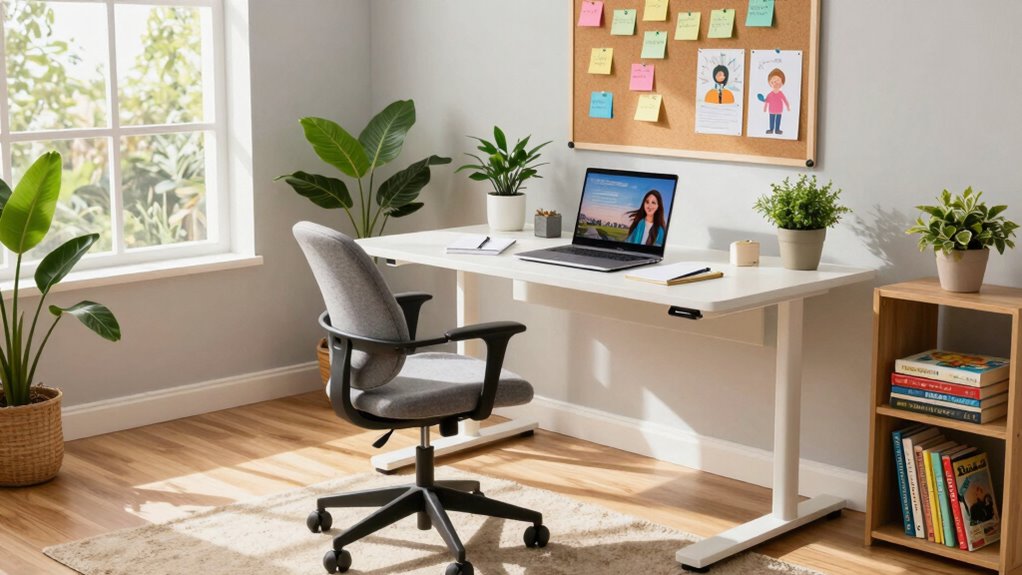

To build an effective home workspace for remote tutoring, invest in a comfortable chair and desk to promote good posture. Choose a quiet room, use noise-canceling headphones, and hang a “Do Not Disturb” sign to limit interruptions. Make sure your lighting is adjustable, and keep essential materials within arm’s reach. Personalize your space with a few decorations but keep it clutter-free. These elements can enhance your tutoring experience, and there’s more you can explore to optimize your setup.

Get business pricing on monitors, keyboards and dev gear
- Business-only prices and quantity discounts
- Tax-exempt purchasing
- Multiple users, one account, clear invoices
Key Takeaways
- Invest in ergonomic furniture to enhance comfort and support good posture during tutoring sessions.
- Choose a quiet, organized space with minimal distractions to maintain focus and engagement.
- Ensure proper lighting by utilizing natural light and adjustable lighting to reduce eye strain.
- Keep essential materials and tech tools within easy reach for a seamless tutoring experience.
- Personalize your workspace with minimal decor while integrating smart technology for optimal conditions.

Creating an effective home workspace for remote tutoring is vital for both you and your students. A well-designed space can greatly improve focus, productivity, and engagement during your sessions. To achieve this, start by establishing an ergonomic setup. Invest in a comfortable chair and a desk that fits your height, allowing you to maintain good posture. Your body will thank you, and so will your students when you’re able to teach without distractions from discomfort.
Next, consider the layout of your workspace. Aim for a distraction-free environment, where interruptions are minimized. Choose a quiet room, away from the hustle and bustle of household activities. If possible, use noise-canceling headphones to block out background sounds. This way, you can maintain a clear focus on your teaching and help your students stay engaged. You might even want to hang a “Do Not Disturb” sign on the door to signal to others that you’re in a session.
Aim for a distraction-free workspace by choosing a quiet room and using noise-canceling headphones to enhance focus during your tutoring sessions.
Lighting plays a key role in creating a conducive workspace. Natural light is ideal, so position your desk near a window if you can. If that’s not an option, invest in good-quality, adjustable lighting that reduces eye strain. Proper lighting will not only help you see your materials clearly but also create a warm and inviting atmosphere that makes your students feel more comfortable. Additionally, lighting quality can influence your mood and energy levels during long tutoring sessions. Incorporating lighting control options like dimmers or timers can further enhance your environment, allowing you to tailor lighting conditions to your needs.
Next, organize your materials. Keep essential tools—like your laptop, teaching aids, and any reference materials—within arm’s reach. A clutter-free desk promotes concentration, so consider using storage solutions like shelves or bins to keep everything in order. You might even want to designate a specific area for tech gear, like chargers and cables, to prevent them from becoming a mess.
Don’t forget about personal touches! Adding a few decorations or inspirational quotes can make your space feel more inviting. Just be cautious not to overdo it; too many distractions can pull your focus away from tutoring.
Additionally, integrating smart home technology like smart lighting or automated routines can help optimize your environment for focused work and comfort. For example, setting your smart lights to adjust brightness based on the time of day can reduce eye strain and improve your overall well-being during long sessions.
Finally, test out your setup before your first tutoring session. Sit at your desk and see how it feels for an extended period. Make adjustments as needed to confirm you’re comfortable and ready to teach. A well-prepared workspace can transform your remote tutoring experience, making it more enjoyable for both you and your students. With an ergonomic setup and a distraction-free environment, you’ll be on your way to creating a productive learning atmosphere.
As an affiliate, we earn on qualifying purchases.
Frequently Asked Questions
What Technology Do I Need for Effective Remote Tutoring?
For effective remote tutoring, you’ll need reliable video conferencing software that supports screen sharing. Interactive tools like digital whiteboards and quizzes can boost student engagement. Incorporate feedback mechanisms, such as polls or direct messaging, to gauge understanding. Make sure to utilize various digital resources, like educational videos and articles, to enhance your lessons. With the right tech, you’ll create an engaging learning environment that keeps your students motivated and connected.
How Can I Minimize Distractions During Tutoring Sessions?
To minimize distractions during tutoring sessions, create a distraction-free environment. Designate a specific workspace and keep it organized. Use noise-canceling headphones to block out background noise. Practice effective time management by setting clear session goals and time limits. Inform others in your home about your tutoring schedule, so they respect your focus time. Finally, consider using apps that limit notifications on your devices to maintain concentration throughout each session.
What Are the Best Online Platforms for Tutoring?
When it comes to tutoring, think of your platform as the stage for your performance. For the best online tutoring platforms, consider options like Zoom, Google Meet, or Skype. These platforms offer features like screen sharing, whiteboards, and chat functions, which enhance interaction. You’ll also find specialized platforms like Tutor.com or Wyzant that connect you directly with students. Choose one that fits your teaching style and maximizes engagement for a successful session!
How Do I Set My Rates for Remote Tutoring?
To set your rates for remote tutoring, start with market research. Check what others in your field charge and consider their experience levels. Use pricing strategies like hourly rates or package deals. Factor in your expertise and the subjects you teach, too. Don’t undervalue your services; set competitive rates that reflect your skill. Finally, be flexible and willing to adjust based on demand and client feedback.
What Certifications or Qualifications Should I Have for Tutoring?
To excel in tutoring, you should have relevant qualifications and tutoring experience. A degree in your subject area boosts your credibility, while certifications can enhance your skills. If you specialize in areas like math or languages, consider obtaining specific credentials. Additionally, showcasing your subject expertise through previous tutoring sessions or testimonials can attract more students. Continuous learning and professional development will also keep you competitive in the tutoring field.
adjustable desk lamp for workspace
As an affiliate, we earn on qualifying purchases.
As an affiliate, we earn on qualifying purchases.
Conclusion
Creating a home workspace for remote tutoring is like crafting a cozy nest for your ideas to take flight. Just as a bird needs a safe space to grow, you’ll thrive in an environment that inspires focus and creativity. Remember, a study by Stanford found that students learn better in organized spaces. So, as you set up your area, think of it as your personal launchpad—where every session can take your students higher.
noise-canceling headphones for study
As an affiliate, we earn on qualifying purchases.
As an affiliate, we earn on qualifying purchases.
desk organization storage solutions
As an affiliate, we earn on qualifying purchases.
As an affiliate, we earn on qualifying purchases.
Fall Picks
fall essentials
As an affiliate, we earn on qualifying purchases.