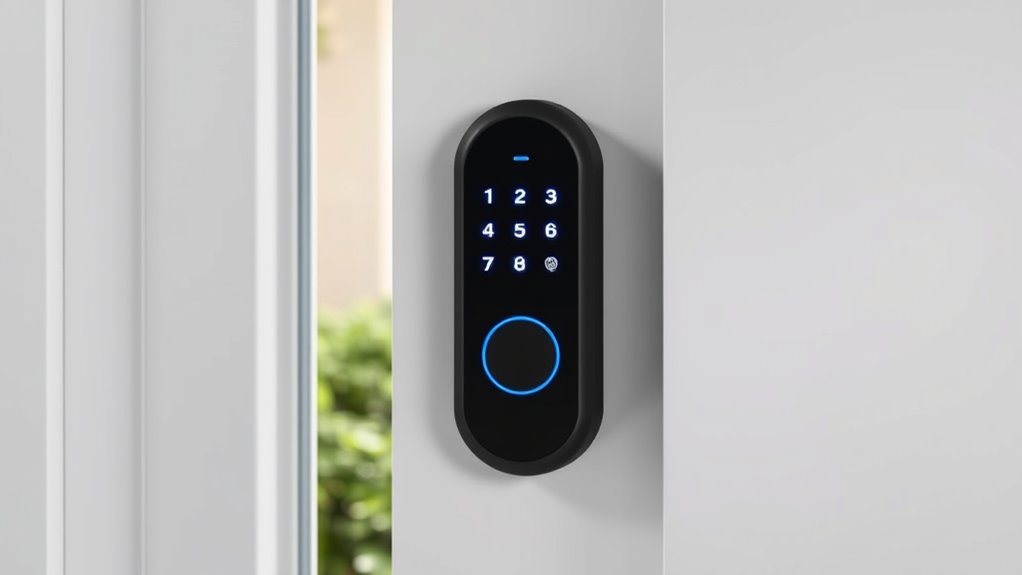

If you’re looking for the best smart locks in 2025 to boost your home security, I recommend checking out options like the eufy Security Smart Lock C220, Yale Assure Lock 2, and Schlage Encode Plus. These models offer multiple unlocking methods—fingerprint, app, keypad, and voice control—and support major smart home ecosystems like Apple HomeKit, Alexa, and Google. With features like weatherproofing, tamper alarms, and easy installation, these locks can meet diverse needs. Keep exploring, and you’ll discover how to choose the perfect fit for your home.
Key Takeaways
- Features multiple unlocking methods including fingerprint, keypad, app control, voice commands, NFC, and mechanical keys for versatile access.
- Meets ANSI Grade 1 security standards with durable, weatherproof designs and advanced encryption for outdoor and high-traffic use.
- Compatible with popular smart home ecosystems like Apple HomeKit, Google Assistant, Alexa, Zigbee, Z-Wave, and Google Matter.
- Easy DIY installation within 10-15 minutes, fitting standard US deadbolts and various door thicknesses without extensive tools.
- Offers remote management, activity logs, virtual keys, auto lock/unlock, and real-time alerts for enhanced security and convenience.
eufy Security Smart Lock C220 with Wi-Fi and Fingerprint

If you’re looking for a smart lock that combines convenience with advanced security features, the eufy Security Smart Lock C220 with Wi-Fi and Fingerprint is a top contender. It offers six unlocking methods, including fingerprint recognition (<1.5 seconds), app control, keypad, physical key, Apple Watch, and voice commands. Its sleek black polished aluminum finish fits most homes, and it’s easy to install—taking about 15 minutes without drilling. With built-in Wi-Fi, you can remotely manage access via the app, receive real-time notifications, and monitor activity. Rated BHMA Grade 3 and waterproof, it’s designed for durability in various weather conditions.
Best For: homeowners seeking a secure, convenient, and technologically advanced smart lock that offers multiple unlocking options and remote management.
Pros:
- Fast fingerprint recognition (<1.5 seconds) for quick access
- Easy installation without drilling, compatible with most standard US and Canada deadbolts
- Built-in Wi-Fi allows remote control, real-time notifications, and activity monitoring
Cons:
- Battery life lasts approximately 8 months, which may require frequent replacements depending on usage
- BHMA Grade 3 rating, which is standard but not the highest level of security available
- Requires 8 AA batteries, and power management is essential to ensure continuous operation
Yale Assure Lock 2 Deadbolt with Wi-Fi and Keypad
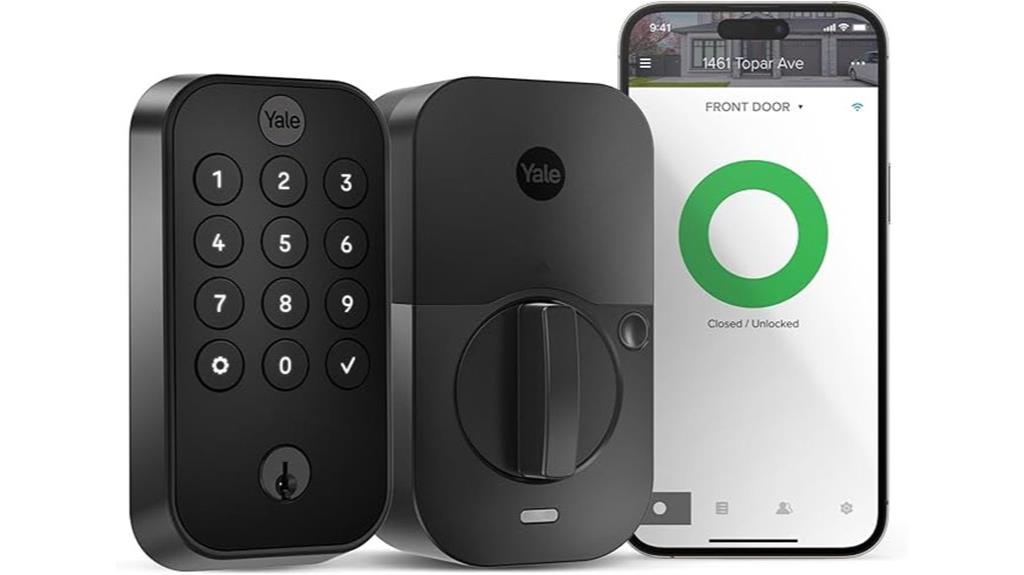
The Yale Assure Lock 2 Deadbolt with Wi-Fi and Keypad is an excellent choice for homeowners seeking seamless keyless access combined with versatile control options. It offers multiple unlocking methods, including keypad, voice assistants like Alexa, Google, and Apple HomeKit, plus remote management via the Yale Access App. Auto-Unlock and DoorSense features enhance convenience and security by detecting door closure and approaching users. Installation is straightforward, fitting standard US deadbolt openings. While setup can be a bit lengthy and some users report connectivity issues with third-party platforms, the lock’s keyless convenience, remote control, and durable design make it a top contender for modern smart home security.
Best For: homeowners seeking a convenient, keyless smart lock with versatile access options and remote management capabilities.
Pros:
- Offers multiple unlocking methods including keypad, voice assistants, and app control for flexible access.
- Easy installation suitable for standard US deadbolt openings without professional help.
- Features Auto-Unlock and DoorSense for enhanced security and user convenience.
Cons:
- Connectivity issues with third-party platforms like Alexa and Apple HomeKit can affect seamless integration.
- Battery life may be impacted by Wi-Fi use, requiring frequent replacements or monitoring.
- Some users experience difficulties with setup instructions and app connectivity, especially when managing multiple locks.
eufy Security Smart Lock C30, Keyless Entry and WiFi Deadbolt

For homeowners seeking a hassle-free, DIY smart lock that combines reliable security with easy installation, the eufy Security Smart Lock C30 stands out. It offers keyless entry, built-in Wi-Fi, and doesn’t require a bridge, making setup straightforward within 15 minutes. Compatible with most standard deadbolts, it features physical buttons for durability and error resistance instead of touchscreens. The lock can be remotely controlled via the eufy Security app, allowing you to manage access and get real-time alerts from anywhere. With auto-lock, voice command support, and strong security features like wrong-try protection, it’s a smart choice for modern homeowners seeking convenience and peace of mind.
Best For: homeowners seeking an easy-to-install, reliable smart lock with keyless entry and remote control capabilities.
Pros:
- No bridge required, with built-in Wi-Fi for seamless remote access.
- Durable physical buttons improve error resistance over touchscreens.
- Compatible with most standard deadbolts, allowing quick DIY installation.
Cons:
- Batteries (4 AA) are not included and need replacement approximately every 5 months.
- Requires proper alignment and compatibility with existing deadbolts for installation.
- Limited integration options beyond eufy ecosystem and voice assistants like Alexa and Google Assistant.
eufy Security Video Smart Lock E330, 3-in-1 Camera+Doorbell+Fingerprint Lock

Designed for homeowners who prioritize all-in-one security solutions, the eufy Security Video Smart Lock E330 stands out with its integrated 3-in-1 design that combines a camera, doorbell, and fingerprint lock. It offers multiple unlocking options—fingerprint, keypad, app control, keys, and voice assistants—making access flexible and convenient. Powered by a rechargeable battery, it eliminates the need for replacements, and remote management via the app adds extra control. Easy to install in about 15 minutes, it’s built from durable aluminum and features HD night vision, event logs, and local video storage. This device truly offers extensive security in one sleek package.
Best For: homeowners seeking a comprehensive, all-in-one security solution that combines smart lock, camera, and doorbell functionalities with versatile access options.
Pros:
- Combines three security devices into one sleek, easy-to-install unit, saving space and cost
- Multiple unlocking methods including fingerprint, keypad, app, keys, and voice assistants for flexible access
- Supports local video storage and remote management via app, with detailed event logs and video recordings
Cons:
- Initial setup can be complex, with occasional QR code scanning issues requiring support assistance
- Limited full voice control via Alexa, mainly for doorbell chimes rather than unlocking commands
- Absence of a door sensor in the E330 model, which can lead to auto-lock engagement when the door remains open
Yale Matte Black Keyed Deadbolt Smart Lock with Google Matter
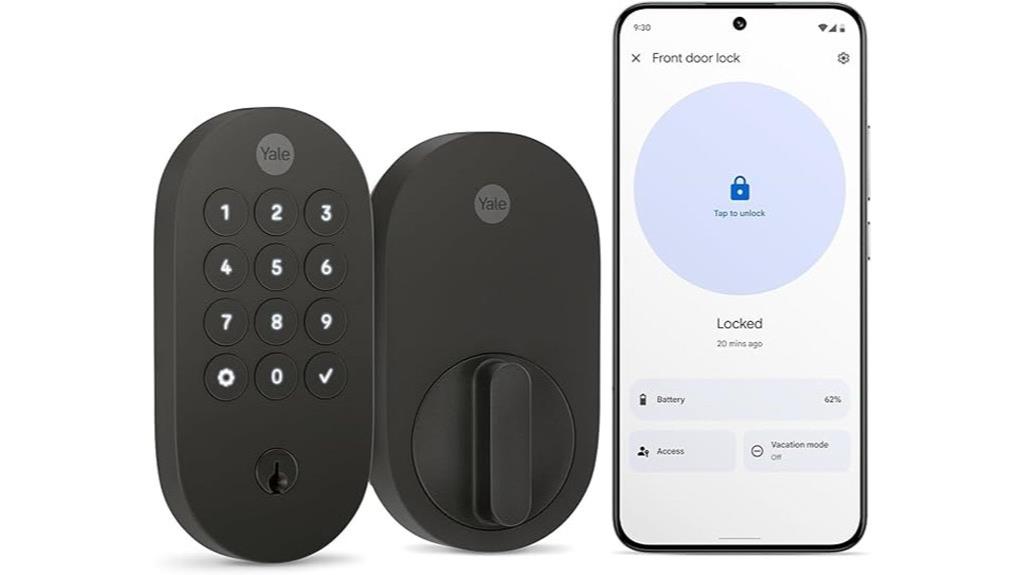
If you want a sleek, modern smart lock that combines advanced security features with seamless smart home integration, the Yale Matte Black Keyed Deadbolt Smart Lock with Google Matter is an excellent choice. Its stylish oval design in durable metal complements contemporary homes, and it offers multiple access options—key, keypad, or remote via the Google Home app. With built-in Matter technology, it’s compatible with various smart home devices, and voice control with Google Assistant makes locking and opening effortless. Weather-resistant and equipped with Yale DoorSense, it guarantees security and monitoring, all backed by a 2-year warranty and a user-friendly interface.
Best For: Homeowners seeking a sleek, modern smart lock with versatile access options and seamless integration with Google smart home devices.
Pros:
- Stylish oval design in durable matte black metal complements contemporary aesthetics.
- Built-in Matter technology ensures compatibility across multiple smart home ecosystems.
- Multiple access methods including keypad, physical key, and remote control via the Google Home app.
Cons:
- Price and availability may vary, potentially impacting affordability.
- Requires batteries, which need replacement over time despite long-lasting technology.
- First available date is June 22, 2025, so it may not be immediately accessible for urgent needs.
ULTRALOQ U-Bolt Pro WiFi Smart Lock with Door Sensor

The ULTRALOQ U-Bolt Pro WiFi Smart Lock with Door Sensor stands out as an ideal choice for homeowners seeking both convenience and robust security. Its 8-in-1 keyless system includes fingerprint ID, keypad, smartphone app control, and voice commands with Alexa and Google Assistant. With auto lock/unlock, remote access, and real-time alerts, it offers seamless management. Built to meet ANSI Grade 1 standards, it provides exceptional durability and security, plus IP65 weatherproofing. Easy to install in about 10 minutes, it runs on batteries and includes a backup key. Overall, it’s a versatile, high-security lock perfect for various settings, combining convenience with commercial-grade protection.
Best For: homeowners, property managers, and business owners seeking a secure, versatile, and convenient smart lock with advanced features and easy installation.
Pros:
- 8-in-1 keyless entry options including fingerprint, keypad, and app control for maximum flexibility.
- Meets ANSI Grade 1 standards, offering commercial-grade security and durability.
- Supports remote access, real-time alerts, and voice control with Alexa and Google Assistant for enhanced convenience.
Cons:
- Requires 2.4GHz WiFi and Bluetooth, which may limit compatibility with some older devices.
- Battery-powered operation means periodic replacement is necessary for continuous functionality.
- Slightly heavier and larger than some standard locks, which may not suit all door types.
Aqara Smart Lock U100 with Keyless Entry and Apple HomeKit

Looking for a smart lock that seamlessly integrates with your Apple devices? The Aqara Smart Lock U100 is an excellent choice. It offers keyless entry through fingerprint, keypad, NFC (sold separately), mechanical key, and Apple Home Key, all compatible with Apple HomeKit. You can open it with a tap on your iPhone or Apple Watch, even during power outages. With a durable zinc alloy body, IP65 weatherproof rating, and security features like AES encryption, it’s built for reliability. Easy to install and configure, the U100 combines versatility, security, and Apple ecosystem integration, making it a smart upgrade for modern home security.
Best For: homeowners and tech enthusiasts seeking a secure, versatile smart lock that integrates seamlessly with Apple devices and supports multiple unlocking methods.
Pros:
- Seamless integration with Apple HomeKit for convenient remote access and automation
- Fast, accurate fingerprint scanner with up to 50 stored fingerprints
- Weatherproof zinc alloy body with IP65 rating, suitable for various climates
Cons:
- Non-physical keypad buttons can be confusing for some users
- NFC card feature sold separately, adding extra cost
- Occasional setup challenges with Wi-Fi band adjustments during initial configuration
ULTRALOQ U-Bolt WiFi Smart Lock with Door Sensor
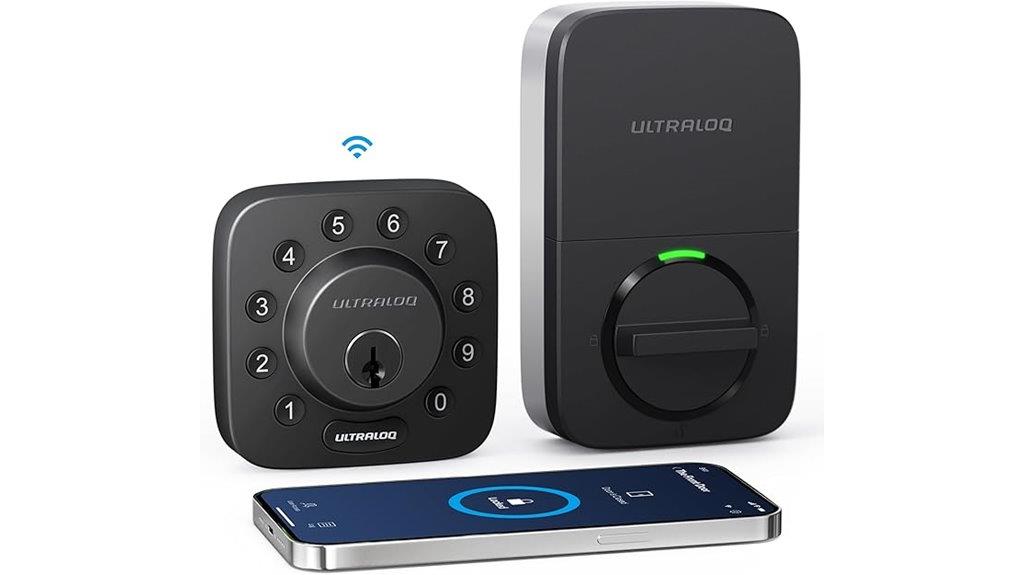
For those seeking a smart lock that combines robust security with easy installation, the ULTRALOQ U-Bolt WiFi Smart Lock with Door Sensor stands out. I appreciate its no-hub-needed WiFi control, allowing me to lock, unlock, share access, and monitor door activity remotely via a smartphone app. It supports auto unlock, auto lock, and manual key operation, offering versatile access options. With ANSI Grade 1 security, weatherproof design, anti-peep keypad, and activity logs, it guarantees top-tier safety. Plus, seamless integration with Alexa, Google, and smart home routines makes it a reliable, user-friendly choice for modern homes.
Best For: homeowners and renters seeking a secure, easy-to-install smart lock with remote control and smart home integration.
Pros:
- No hub required, supports remote control via WiFi with smartphone app
- High security with ANSI Grade 1 rating, anti-peep keypad, and activity logs
- Seamless compatibility with Alexa, Google Assistant, and smart home routines
Cons:
- Price point may be higher compared to basic locks
- Requires 2.4GHz WiFi network, not compatible with 5GHz only networks
- Installation, while DIY-friendly, may still be challenging for some users unfamiliar with hardware setup
Philips Wi-Fi Smart Lock with Handle
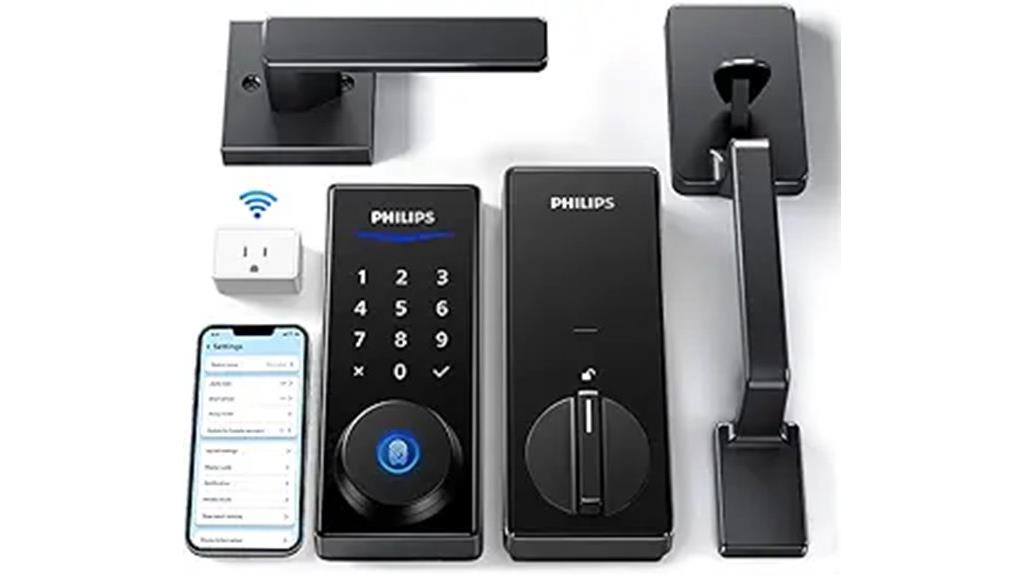
If you want a smart lock that combines sleek design with versatile access options, the Philips Wi-Fi Smart Lock with Handle is an excellent choice. It features a modern matte black finish and fits most standard doors, offering keyless entry through the app, fingerprint, PIN codes, physical keys, and voice commands with Alexa or Google Assistant. The lock provides remote control, real-time notifications, and access management via Wi-Fi. Its biometric open is fast and secure, with 99.99% accuracy. Easy to install, durable, and compatible with various smart home systems, it’s perfect for enhancing home security with style and convenience.
Best For: homeowners and renters seeking a stylish, versatile, and secure smart lock with multiple access options and remote management capabilities.
Pros:
- Supports multiple unlocking methods including app, fingerprint, PIN, physical key, and voice commands for maximum flexibility.
- Features fast biometric recognition with 99.99% accuracy, enhancing security and convenience.
- Easy to install on most standard doors with a sleek matte black finish that complements modern home decor.
Cons:
- Requires Wi-Fi connection, which may pose connectivity issues in areas with poor signal.
- Limited to doors between 1-3/8 to 2 inches thick, potentially incompatible with very thick or custom doors.
- Relies on batteries (included), which need periodic replacement to maintain functionality.
TEEHO TE001 Keyless Entry Door Lock with Keypad
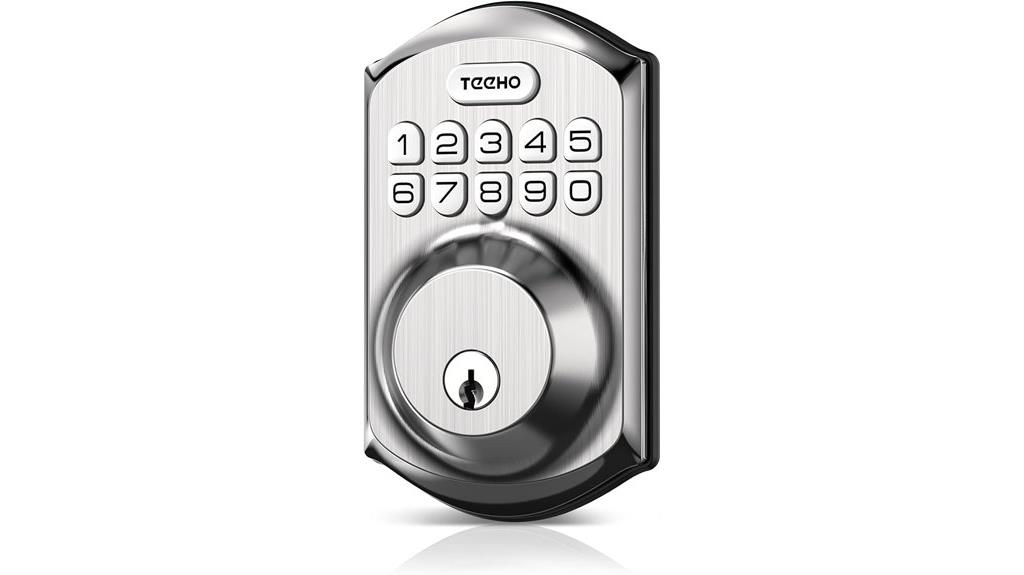
The TEEHO TE001 Keyless Entry Door Lock with Keypad stands out for anyone seeking a reliable, traditional-style lock that combines ease of use with advanced security features. Its satin nickel finish and sturdy construction from nickel, stainless steel, and zinc give it a classic look and durability. It offers 20 user codes, including temporary ones, and features an auto-lock option and anti-peeping password protection. Designed for indoor and outdoor use, it’s weather-resistant and easy to install with just a screwdriver. With a back-lit keypad and a low battery indicator, this lock ensures convenience and security, backed by a solid warranty and positive customer reviews.
Best For: homeowners and property managers seeking a durable, keyless entry lock with customizable access codes and easy installation for indoor or outdoor use.
Pros:
- Features 20 user codes, including temporary single-use options for versatile access control.
- Weather-resistant design with IP54 rating, suitable for outdoor environments.
- Easy to install with just a screwdriver, no advanced technical skills required.
Cons:
- Requires standard 1.8V batteries (not included), which need regular replacement.
- Limited to keypad touch control with no connectivity or smart home integration.
- Not compatible with door holes smaller than 2-1/8 inches (54mm).
eufy Security Smart Lock C210, Keyless Entry Door Lock
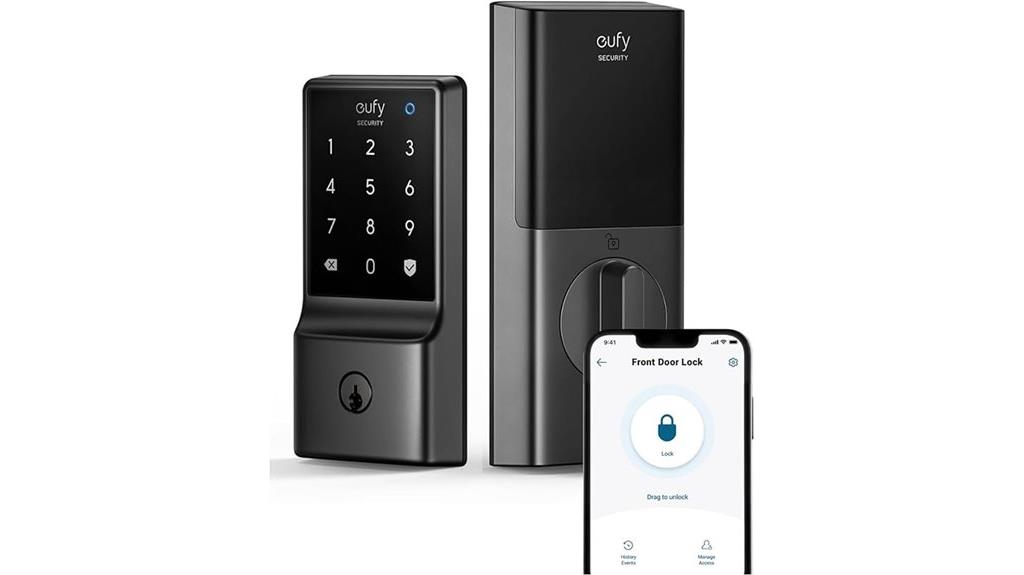
The eufy Security Smart Lock C210 stands out as an excellent choice for homeowners seeking a seamless, keyless entry system that combines convenience with robust security. I appreciate its built-in Wi-Fi, touchscreen keypad, and app control, making remote access easy without extra hubs. Installation is straightforward, taking about 15 minutes without drilling, and it’s compatible with standard US deadbolts. Made of durable aluminum with a matte finish, it’s designed for outdoor use and tested over 100,000 cycles. With multiple unlocking options—including app, keypad, voice commands, and physical key—it offers flexibility and peace of mind for secure home entry.
Best For: homeowners seeking a durable, keyless smart lock with easy installation and multiple access options for enhanced security and convenience.
Pros:
- Easy 15-minute installation without drilling, compatible with standard US deadbolts
- Multiple unlocking methods including app, keypad, voice commands, and physical key
- BHMA certified for durability, tested over 100,000 cycles, with real-time notifications and tamper alarms
Cons:
- Average battery life of only 4 months may require frequent replacements
- No additional bridge required but may limit advanced integrations compared to systems with hubs
- Limited to outdoor use; not suitable for interior doors
Philips Smart Lock with Handles, Keyless Entry Door Lock Set
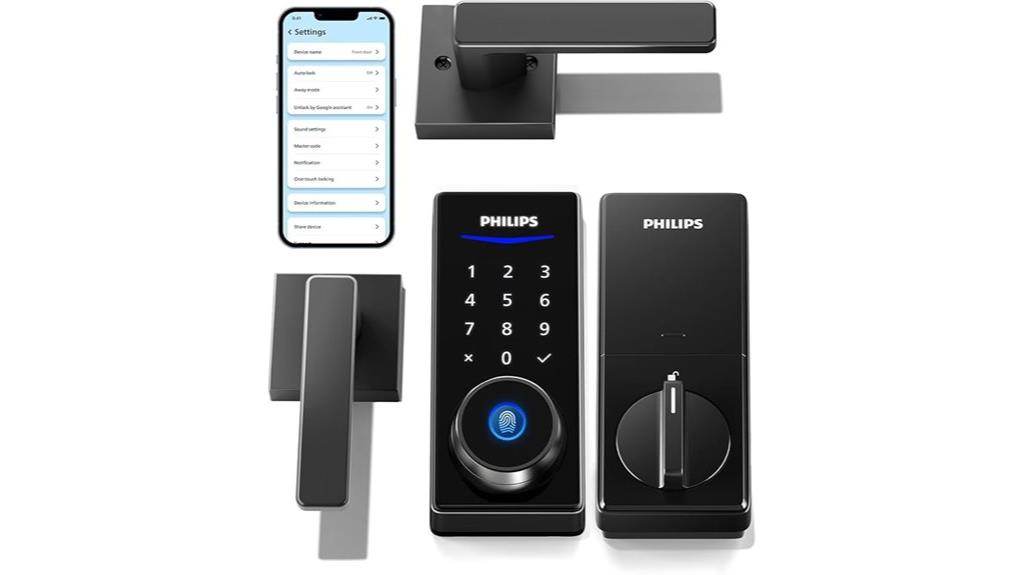
For homeowners seeking a stylish yet highly secure keyless entry solution, the Philips Smart Lock with Handles offers an excellent option. This set includes two lever handles and a smart deadbolt, making it easy to upgrade existing doors. It features a sleek matte black finish and durable aluminum construction, designed for outdoor use. With four unlocking methods—fingerprint, PIN, physical key, and app control—you get flexible access options. The lock supports up to 50 fingerprints and unlimited PINs, with automatic deletion after use. Pair it with a Philips WiFi Gateway for remote control, voice commands, and detailed access logs, enhancing your home security and convenience.
Best For: homeowners seeking a stylish, highly secure, and versatile keyless entry solution for outdoor doors.
Pros:
- Multiple unlocking options including fingerprint, PIN, physical key, and app control for flexible access
- Durable aluminum construction with weather-resistant finish ensures longevity outdoors
- Supports remote control, voice commands, and access logs when paired with Philips WiFi Gateway and Bridge
Cons:
- Requires separate purchases of WiFi Gateway and Bridge for remote and voice control features
- Limited to 50 fingerprint entries, which may be restrictive for larger households
- Higher price point compared to basic deadbolt locks without smart features
Schlage Encode Plus Smart Wi-Fi Lock
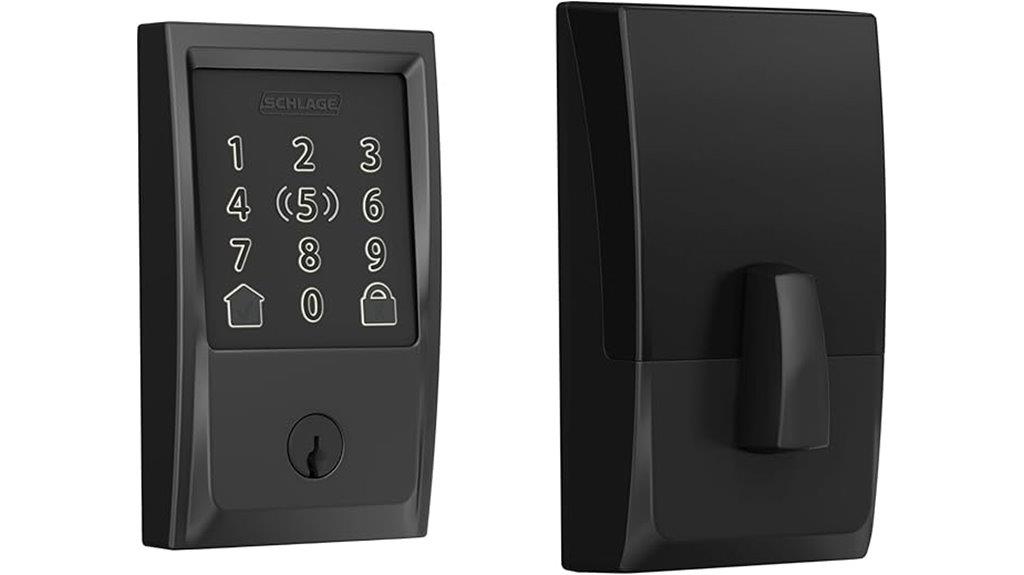
If you want a smart lock that offers seamless remote control and integrates effortlessly with your Apple devices, the Schlage Encode Plus Smart Wi-Fi Lock is an excellent choice. Its built-in WiFi lets you lock, open, and monitor your door from anywhere using the Schlage Home app. With compatibility for Apple HomeKit and Apple Home Keys, you can tap your iPhone or Apple Watch to unlock. It supports voice commands via Alexa and Google Assistant for hands-free control. Plus, you can manage up to 100 access codes, view activity logs, and receive notifications, all while enjoying a secure, encrypted connection and a fingerprint-resistant touchscreen for durability.
Best For: homeowners and Apple users seeking a secure, easy-to-install smart lock with remote control and seamless Apple device integration.
Pros:
- Supports remote control and monitoring via WiFi and the Schlage Home app.
- Compatible with Apple HomeKit and Apple Home Keys for tap-to-unlock convenience.
- Features a durable fingerprint-resistant touchscreen and customizable security settings.
Cons:
- May require a stable WiFi connection for optimal performance.
- Limited to specific door thicknesses and backset measurements.
- May be more expensive compared to basic smart locks without WiFi or Apple integration.
Kwikset Halo Wi-Fi Smart Lock
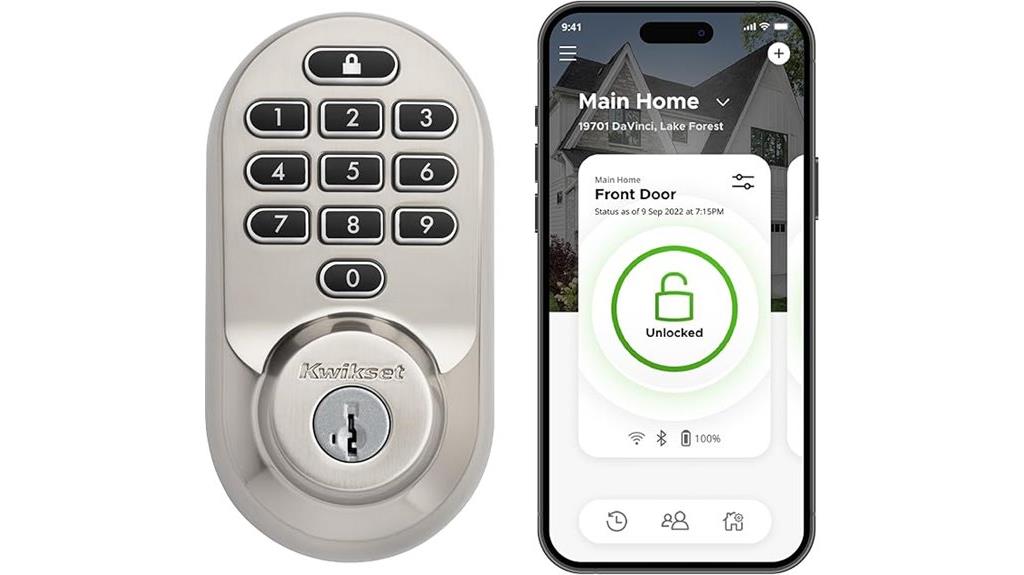
When choosing a smart lock that combines convenience with robust security, the Kwikset Halo Wi-Fi Smart Lock stands out. It offers keyless entry, remote control, and seamless smart home integration without needing a hub. You can lock or open your door via the app, share access, and get real-time alerts for tampering or invalid attempts. Features like auto-unlock, auto-lock, a backlit keypad supporting up to 250 codes, and voice control with Alexa and Google Home make it versatile and user-friendly. Easy to install, it fits standard doors and comes with a durable Satin Nickel finish. Overall, it’s a reliable, feature-rich choice for securing your home.
Best For: homeowners seeking a secure, convenient, and easy-to-install smart lock that integrates seamlessly with Alexa and Google Home for remote access and enhanced home security.
Pros:
- No hub required, easy DIY installation, and fits standard doors
- Supports up to 250 user codes with activity logs and real-time alerts
- Features auto-lock, auto-unlock, and voice control for added convenience
Cons:
- Customer rating of 3.9 stars indicates mixed reviews on long-term reliability
- Only supports Wi-Fi connection; lacks Zigbee or Z-Wave compatibility for some smart home systems
- Limited to a 1-year electronics warranty, which may require additional protection options
Yale Assure Lock 2 Touch Deadbolt with Wi-Fi and Fingerprint
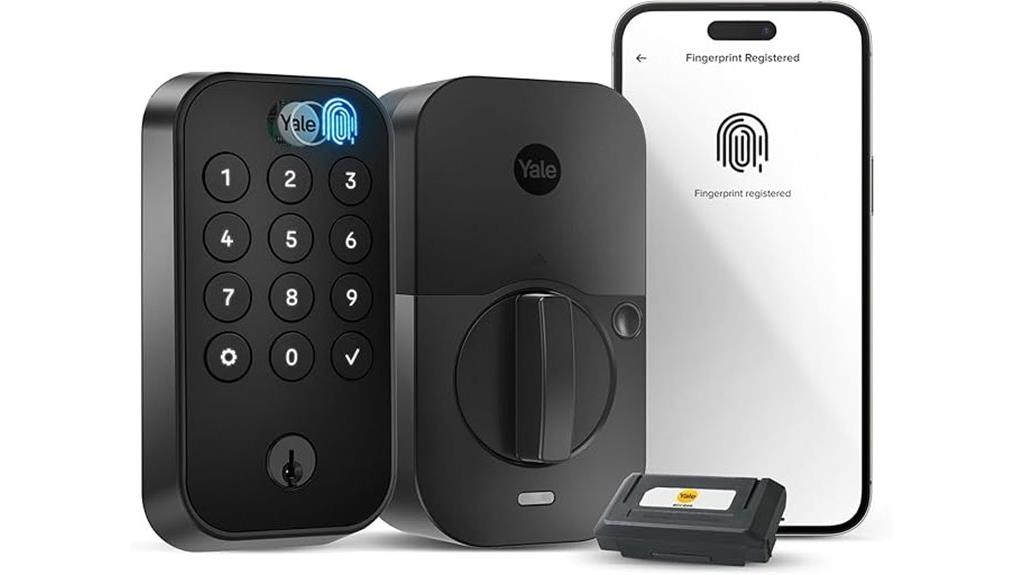
The Yale Assure Lock 2 Touch Deadbolt stands out with its biometric fingerprint scanner, which offers quick, secure access with 99% accuracy. I love how it combines multiple entry methods, including passcodes, virtual keys, and smartphone control via the Yale Access App. Its auto-lock and Auto-Unlock features make daily use seamless, while the back-lit keypad and battery indicator add practicality. Designed for exterior doors, it has a sleek powder-coated zinc finish and connects effortlessly through Wi-Fi and Bluetooth, compatible with Alexa, Apple HomeKit, and Google Assistant. Installation is straightforward, no locksmith needed, making this lock both secure and user-friendly.
Best For: homeowners seeking a secure, smart, and easy-to-install deadbolt with biometric access and remote control capabilities.
Pros:
- Features a biometric fingerprint scanner with 99% accuracy for quick, secure access
- Supports multiple entry methods including passcodes, virtual keys, and smartphone control via Yale Access App
- Easy to install without a locksmith, compatible with standard US deadbolts and various smart home systems
Cons:
- Only compatible with 2.4 GHz Wi-Fi, limiting integration in some networks
- Requires batteries (4 AA alkaline), which need replacement over time
- May be more expensive compared to traditional deadbolts without smart features
Factors to Consider When Choosing Smart Locks

When choosing a smart lock, I focus on how well it fits my door and the variety of unlocking options it offers. I also consider its battery life, smart home compatibility, and the security features it provides. These factors help guarantee I pick a lock that’s reliable, convenient, and keeps my home safe.
Compatibility With Doors
Choosing a smart lock that fits your door requires careful attention to compatibility factors. First, check your door’s thickness—most residential doors range from 1-3/8 to 2 inches—so confirm the lock supports this. Next, verify the backset measurement; common options are 2-3/8 or 2-3/4 inches, and it must match your existing hole placement. Also, verify the lock’s hole diameter, usually 2-1/8 inches, and whether any drilling or modifications are needed. You’ll want to verify the latch and deadbolt are compatible with your current strike plate and deadbolt system. Lastly, consider your door’s handedness—left or right—to ensure the lock operates correctly and fits seamlessly. Proper compatibility guarantees a smooth installation and reliable security.
Unlocking Methods Variety
A variety of opening methods can considerably improve both security and convenience in your smart lock system. Options like fingerprint, keypad, app control, physical key, voice commands, and biometric recognition cater to different needs and situations. Having multiple unlocking methods means you can choose the most convenient or secure option at any moment, whether you’re hands-full, outdoors, or facing a power outage. The speed and reliability of these methods, such as fingerprint recognition in under 1.5 seconds, greatly influence user experience. Plus, compatibility with smart home ecosystems and voice assistants allows seamless integration into daily routines. Redundant options guarantee you won’t be locked out during device failures or outages, boosting overall security and peace of mind.
Battery Life Expectancy
Battery life is a key consideration in selecting a smart lock, as it directly impacts security and convenience. Most models use 4 to 8 AA batteries, lasting roughly 5 to 12 months depending on how often you use features like auto-unlock or remote control. Heavy use of these features can drain batteries faster. To extend battery life, many locks offer power-saving modes, disable unnecessary functions, or use low-power communication protocols. Many models also include low battery alerts to notify you before power runs out, preventing lockouts. Rechargeable batteries or built-in rechargeable power sources are less common but eliminate frequent replacements. Considering how often you’ll use your lock’s features helps determine the best balance between battery longevity and functionality.
Smart Home Integration
To guarantee your smart lock works seamlessly within your home, it’s essential to verify that it supports integration with your existing smart home ecosystem, such as Alexa, Google Assistant, Apple HomeKit, or Zigbee. Compatibility ensures smooth voice control and automation, making your daily routines more convenient. Check that the lock connects reliably with your Wi-Fi or Zigbee network, so remote access remains consistent. The app should offer thorough management features like remote locking, access sharing, activity logs, and real-time alerts. It’s also wise to consider multiple control options—keypad, biometric, app, voice, or physical key backup—for versatile access. Lastly, ensure the lock’s integration features align with your privacy standards, including encryption and customizable access permissions, for peace of mind.
Security Features Offered
When selecting a smart lock, prioritizing advanced security features is vital to guarantee your home stays protected. I look for locks that offer multiple authentication methods, like fingerprint recognition, keypad entry, or biometric verification, to add layers of security. Tamper alerts, alarms, and real-time notifications give me peace of mind by alerting me to any unauthorized access attempts immediately. Certification standards such as BHMA Grade 1 or ANSI ensure the lock’s durability and security are reliable for both residential and commercial use. Additionally, advanced encryption and secure data storage protect my access codes, biometric data, and personal information from hacking. Features like DoorSense sensors or auto-lock mechanisms also help guarantee the door remains securely locked, preventing accidental or forced entry.
Installation Process Ease
Choosing a smart lock that’s easy to install can save you time and frustration, especially if you’re a DIY enthusiast. Many models can be set up in 15 minutes or less with just basic tools like a screwdriver. Most are designed to fit standard US deadbolt holes, so you won’t need to drill or call a professional. Clear instructions and compatibility with common door types make installation straightforward. Some locks even feature no-drill or snap-in designs, reducing complexity further. User reviews often praise ease of installation as a key factor when choosing a smart lock, especially for those wanting a quick upgrade without hassle. Overall, opting for a model with simple setup features ensures a smooth, stress-free experience.
Frequently Asked Questions
How Do Smart Locks Integrate With Existing Home Automation Systems?
Smart locks easily integrate with existing home automation systems through Wi-Fi, Z-Wave, or Zigbee protocols, allowing seamless control via apps or voice assistants like Alexa or Google Assistant. I love how I can lock or open my door remotely, set access schedules, and monitor activity from my smartphone. Most smart locks are compatible with popular hubs or platforms, making it simple to connect them to your smart home ecosystem.
What Are the Backup Access Options if the Smart Lock’s Battery Dies?
When the smart lock’s battery dies, I always have backup options to stay secure. I keep a physical key hidden nearby, so I can open manually if needed. Some locks also offer a backup power source or a keypad for entering a master code. It’s like having a safety net that’s nearly indestructible, ensuring I can access my home even in the most unexpected power emergencies.
Are Smart Locks Vulnerable to Hacking or Cybersecurity Threats?
Yes, smart locks can be vulnerable to hacking or cybersecurity threats, but I take steps to protect myself. I make sure my lock’s firmware is always updated, use strong, unique passwords, and enable two-factor authentication when available. I also avoid connecting the lock to public Wi-Fi networks. Staying vigilant and following these practices helps minimize risks and keeps my home secure.
How Durable Are Smart Locks Against Physical Tampering or Forced Entry?
Smart locks are quite durable against physical tampering, especially higher-quality models designed with sturdy materials like reinforced metal. I’ve found that they resist forced entry well, but no lock is completely tamper-proof. It’s essential to choose a lock with strong build quality and additional security features like anti-drill plates or alarms. Regular maintenance and proper installation also help make sure your lock stays resilient against physical threats.
What Is the Typical Installation Process for Different Smart Lock Models?
Installing a smart lock is like planting a seed; it starts with understanding your home’s unique landscape. Most models come with step-by-step guides, and I usually remove the existing lock, then connect the new one to my Wi-Fi or Bluetooth. Some require drilling, while others are peel-and-stick. I find that following the manufacturer’s instructions carefully makes the process smooth, turning a simple upgrade into a secure foundation for my home.
Conclusion
Choosing the right smart lock can feel like finding a needle in a haystack, but with these top options, you’re well on your way to a more secure home. Remember, it’s not just about locking up — it’s about peace of mind. Trust your gut, weigh your needs, and don’t be afraid to invest in quality. After all, a lock is only as good as the door it guards.