
TL;DR

Get business pricing on monitors, keyboards and dev gear
- Business-only prices and quantity discounts
- Tax-exempt purchasing
- Multiple users, one account, clear invoices
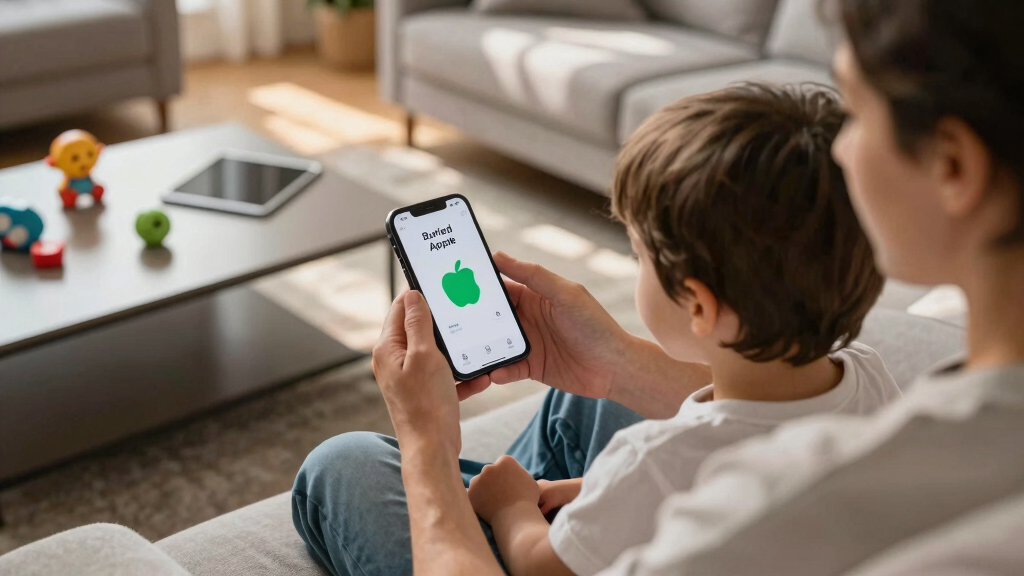
A hidden Apple feature enables users to configure an iPhone to function as a basic device suitable for children. This discovery offers a new way for parents to manage screen time and device use.
Apple’s hidden feature enables users to customize an iPhone to function as a simple, distraction-free device, making it ideal for children. This development is confirmed through user discovery and testing, offering a new tool for parents seeking limited-device options without third-party apps.
The feature, reportedly buried within iOS settings, allows users to disable most apps, notifications, and functionalities, leaving only basic calling and messaging capabilities. According to early reports, activating this mode involves a combination of accessibility settings and Screen Time restrictions, which can be customized to limit app access and features.Apple has not officially announced this feature, and details about its full capabilities or how to access it are still emerging. Tech enthusiasts and parents have shared screenshots and step-by-step guides online, indicating that the feature can be enabled through a series of settings adjustments, effectively turning an iPhone into a simplified device suitable for children.
This discovery matters because it provides a built-in method for parents to convert an iPhone into a basic device without relying on third-party apps or purchasing separate ‘dumb phones.’ It could help reduce screen time and limit exposure to distracting apps, aligning with ongoing concerns about digital wellbeing for children. Since the feature is integrated into iOS, it offers a more secure and seamless way to manage device use compared to external solutions.
As an affiliate, we earn on qualifying purchases.
Background on iPhone Restrictions and Parental Controls
Apple has historically offered various parental control tools through Screen Time and restrictions, but these typically still allow access to most apps and features. The recent discovery suggests a more comprehensive mode that can effectively turn an iPhone into a simplified device, similar to a basic phone, which has been a long-standing demand among parents. Prior to this, parents often resorted to third-party apps or purchased inexpensive feature phones for children, but this new mode could change that landscape.
“There is no official statement regarding this feature at this time.”
— Apple spokesperson
As an affiliate, we earn on qualifying purchases.
Details Still Unclear About Activation and Limitations
It is not yet confirmed how widespread or officially supported this feature is within iOS updates. The exact steps to activate it, its limitations, and whether it will be available in future iOS releases remain uncertain. Apple has not publicly acknowledged the feature, and user reports are based on unofficial discoveries.
As an affiliate, we earn on qualifying purchases.
Expected Updates and Official Clarification from Apple
Apple is likely to address this discovery in upcoming iOS updates or official documentation. Tech experts anticipate that Apple may introduce a dedicated ‘Kids Mode’ or similar feature in future releases, formalizing this functionality. Meanwhile, users interested in this mode should monitor official channels for confirmation and detailed instructions.
As an affiliate, we earn on qualifying purchases.
Key Questions
How do I activate this hidden iPhone feature?
Currently, activation involves adjusting accessibility and Screen Time settings, but detailed, official instructions are not yet available. Users should follow reputable online guides based on user reports, but caution is advised as it is unofficial.
Will this feature be available on all iPhone models?
It is unclear whether the feature is limited to specific models or iOS versions. Apple has not confirmed its availability, so it may depend on device compatibility and software updates.
Can this mode be customized for different age groups?
Based on current reports, the mode allows some customization, such as selecting which apps and features remain accessible. However, the extent of customization is still being explored.
Is this feature officially supported by Apple?
No, Apple has not officially announced or supported this feature. It appears to be an unofficial discovery by users and tech enthusiasts.
Will Apple add this feature in future iOS updates?
It is possible, especially if user demand grows. Apple may choose to integrate a formal ‘Kids Mode’ or similar feature in upcoming releases, but no official plans have been confirmed.
Source: hn
Evergreen bestsellers Picks
bestsellers
As an affiliate, we earn on qualifying purchases.