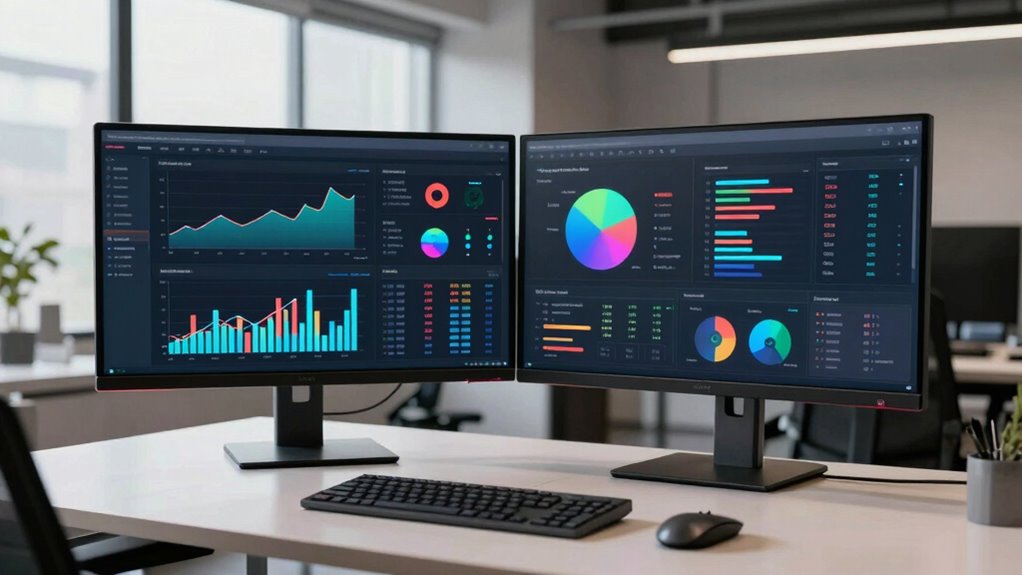

When choosing dual monitors for data analysis, the goal is to maximize workspace, clarity, and responsiveness. The InnoView 23.8-inch Dual Portable Monitor stands out for flexibility and high refresh rates, ideal for dynamic data tasks. The ViewSonic VA2256-MHD_H2 offers reliable performance at a budget, perfect for those starting out. Main tradeoffs include balancing screen size, resolution, and refresh rate—larger screens may bring better visibility but can be heavier and more expensive. Continue reading for a detailed breakdown of these options and what makes each one unique.

Get business pricing on monitors, keyboards and dev gear
- Business-only prices and quantity discounts
- Tax-exempt purchasing
- Multiple users, one account, clear invoices
Key Takeaways
- Performance differences between 1080p and 2K resolutions impact clarity for detailed data work.
- Refresh rates above 60Hz are beneficial for real-time data monitoring but add to cost and power consumption.
- Build quality and ergonomic features are often overlooked but crucial for long-term comfort during extended data analysis sessions.
- Size and form factor vary widely; portable options sacrifice some features but boost flexibility.
- Bundled monitors often come at a discount but may lack the customization and quality of standalone models.
| InnoView 23.8-inch Dual Portable Monitor 180Hz 2560x1440P 2K sRGB Foldable & Stackable Design |  | Best for Creative Professionals and On-the-Go Data Analysis | Screen Size: 23.8 inches | Resolution: 2560 x 1440P (2K) | Refresh Rate: 180Hz | VIEW ON AMAZON | See Our Full Breakdown |
| ViewSonic VA2256-MHD_H2 22 Inch 1080p IPS Dual Monitor Pack with FreeSync |  | Best for Home and Office Data Analysis with Easy Multi-Display Setup | Size: 22 inches | Resolution: 1920x1080p | Panel Type: IPS | VIEW ON AMAZON | See Our Full Breakdown |
| Lenovo ThinkVision 24-inch FHD IPS Monitor with 100Hz Refresh Rate |  | Best for Extended Data Analysis with Ergonomic Comfort | Display Size: 23.8 inches | Resolution: 1920 x 1080 | Refresh Rate: 100Hz | VIEW ON AMAZON | See Our Full Breakdown |
| HP 27 Monitor with Dual 2W Speakers, 27-inch FHD IPS, 100Hz, Anti-glare, Flicker-Free |  | Best for Multimedia-Integrated Data Work and Comfortable Viewing | Display Size: 27 inches | Resolution: 1920 x 1080 | Refresh Rate: 100Hz | VIEW ON AMAZON | See Our Full Breakdown |
| Dell P2425H 24-Inch FHD Monitor Bundle (2-Pack) |  | Best for High-Quality, Fully Adjustable Multi-Workspace Setups | Display Size: 24 inches | Resolution: 1920×1080 | Refresh Rate: 100Hz | VIEW ON AMAZON | See Our Full Breakdown |
| Dell Pack of 2 P2426H 24-inch Full HD IPS Monitors |  | Best Overall for Balanced Data Analysis Workflows | Screen Size: 24 inches | Resolution: 1920 x 1080 | Panel Type: IPS | VIEW ON AMAZON | See Our Full Breakdown |
| dual monitors for data analysi | Resolution | Refresh Rate | Connectivity | Panel Type |
|---|---|---|---|---|
| InnoView 23.8-inch Dual Portab | 2560 x 1440P (2K) | 180Hz | USB-C, HDMI | — |
| ViewSonic VA2256-MHD_H2 22 Inc | 1920x1080p | 75Hz | HDMI, DisplayPort, VGA | IPS |
| Lenovo ThinkVision 24-inch FHD | 1920 x 1080 | 100Hz | HDMI 1.4, VGA | — |
| HP 27 Monitor with Dual 2W Spe | 1920 x 1080 | 100Hz | — | IPS |
| Dell P2425H 24-Inch FHD Monito | 1920×1080 | 100Hz | USB-C, HDMI, DisplayPort, VGA | IPS |
| Dell Pack of 2 P2426H 24-inch | 1920 x 1080 | 120Hz | — | IPS |
More Details on Our Top Picks
InnoView 23.8-inch Dual Portable Monitor 180Hz 2560x1440P 2K sRGB Foldable & Stackable Design
This dual portable monitor stands out for its high 2K resolution and 100% sRGB color accuracy, making it ideal for detailed data visualization and creative tasks. Its foldable and stackable design offers exceptional portability, perfect for professionals who need to analyze data across different locations. Unlike larger stationary screens like the Dell P2425H, this model prioritizes mobility but sacrifices some compatibility and requires external power, limiting its use to fixed setups. While the 180Hz refresh rate benefits gaming and dynamic visuals, it’s less relevant for static data analysis. Its plug-and-play setup simplifies deployment, but it’s best suited where portability is a priority over extensive connectivity options or compatibility with all devices.
Pros:- High-resolution 2K display with accurate color reproduction
- Foldable and stackable design enhances portability and saves space
- Plug-and-play setup with versatile modes for different workflows
Cons:- Requires external power, reducing portability outside fixed locations
- Limited to specific device compatibility, mainly laptops and certain desktops
Best for: Data analysts who travel frequently or work across multiple locations and need a portable, high-resolution display
Not ideal for: Users seeking a permanent, all-in-one desktop solution with extensive ports and VESA mounting options
- Screen Size:23.8 inches
- Resolution:2560 x 1440P (2K)
- Refresh Rate:180Hz
- Color Gamut:100% sRGB
- Design:Foldable & Stackable
- Connectivity:USB-C, HDMI
Our verdict“This monitor is perfect for mobile professionals needing high-quality visuals but less suited for permanent office setups.”
ViewSonic VA2256-MHD_H2 22 Inch 1080p IPS Dual Monitor Pack with FreeSync
This dual pack offers vibrant IPS panels with 1080p resolution and thin bezels, making it a strong choice for multi-monitor configurations used in data analysis workflows. Compared to the Lenovo ThinkVision, it provides a slightly larger screen real estate at 22 inches, with the benefit of VESA compatibility for flexible mounting. However, the 75Hz refresh rate limits its responsiveness for fast-paced tasks like gaming, which is less relevant for data analysis but important for multimedia use. The included dual monitors are sold without stands, requiring additional investment, but their wide viewing angles and color consistency support prolonged analytical sessions. It’s best suited for users prioritizing VESA mounting and budget-friendly multi-monitor setups.
Pros:- Vivid color and wide viewing angles thanks to IPS panels
- Multiple connectivity options including HDMI, DisplayPort, and VGA
- Supports VESA mounting for flexible workspace arrangements
Cons:- Monitors are sold without stands, requiring additional purchase
- Limited to 75Hz refresh rate, not suitable for high-performance gaming
Best for: Office or home users who want vibrant, wide-angle displays for multitasking and data visualization
Not ideal for: Gamers or users seeking high refresh rates for fast motion or high-end gaming performance
- Size:22 inches
- Resolution:1920x1080p
- Panel Type:IPS
- Refresh Rate:75Hz
- Connectivity:HDMI, DisplayPort, VGA
- VESA Compatibility:Yes
Our verdict“This dual monitor set provides excellent visual clarity for data analysis in a versatile, space-efficient package, ideal for office or home use.”
Lenovo ThinkVision 24-inch FHD IPS Monitor with 100Hz Refresh Rate
The Lenovo ThinkVision offers a near 24-inch IPS display with a 100Hz refresh rate, blending smooth motion with accurate color reproduction. Its borderless design and anti-glare coating create a professional workspace, while ergonomic adjustments make it suitable for extended analytical sessions. Compared with the ViewSonic VA2256-MHD, it provides slightly better response times and broader connectivity options like VGA and HDMI 1.4, plus a portable data hub for extra versatility. It’s less ideal for gamers due to its limited 100Hz refresh rate and lacks VESA support, but it excels in delivering consistent image quality for routine data tasks and long hours of work.
Pros:- Vivid, accurate colors with 99% sRGB coverage
- Smooth motion with 100Hz refresh rate and quick response time
- Includes a portable data hub for expanded connectivity
Cons:- Limited to 1920×1080 resolution, not suitable for 4K workflows
- VGA port may be outdated for some setups
Best for: Data analysts who need ergonomic flexibility and extended screen time without sacrificing image quality
Not ideal for: Gamers or those requiring VESA mounting or higher refresh rates for fast-paced visuals
- Display Size:23.8 inches
- Resolution:1920 x 1080
- Refresh Rate:100Hz
- Response Time:Up to 4ms
- Color Gamut:99% sRGB
- Connectivity:HDMI 1.4, VGA
Our verdict“This monitor balances visual fidelity and ergonomic comfort, making it a smart choice for data professionals spending long hours at their desk.”
HP 27 Monitor with Dual 2W Speakers, 27-inch FHD IPS, 100Hz, Anti-glare, Flicker-Free
The HP 27-inch FHD monitor combines ample screen space with built-in dual speakers, forming a practical setup for data analysis combined with multimedia. Its 100Hz refresh rate ensures smooth visuals, though it’s not aimed at high-end gaming. The anti-glare coating and flicker-free technology reduce eye strain during long analytical sessions. Compared to the Dell P2425H, it offers a larger display and integrated speakers but lacks VESA support, limiting mounting options. The limited ports, mainly HDMI and VGA, might restrict flexible connectivity, especially if multiple peripherals are involved. Still, its ergonomic tilt adjustment and bright display make it a solid choice for casual analytical workflows that include some multimedia elements.
Pros:- Large 27-inch display ideal for multitasking
- Built-in dual speakers for multimedia use
- Good color accuracy with 99% sRGB coverage
Cons:- No VESA mount support, limiting mounting flexibility
- Limited ports, no USB-C or DisplayPort
Best for: Data analysts who want a larger screen with integrated audio for relaxed, long-duration work
Not ideal for: Users needing VESA mounting or extensive port options for complex setups
- Display Size:27 inches
- Resolution:1920 x 1080
- Refresh Rate:100Hz
- Panel Type:IPS
- Brightness:300 nits
- Speakers:Dual 2W
Our verdict“This monitor offers a spacious display with audio convenience, suited for those who value integrated features over extensive customization.”
Dell P2425H 24-Inch FHD Monitor Bundle (2-Pack)
The Dell P2425H bundle delivers two 24-inch IPS monitors with 99% sRGB coverage, ideal for detailed data analysis across dual screens. Its fully adjustable ergonomic stands support tilt, swivel, pivot, and height adjustments, making long sessions more comfortable. Compared to the HP 27, these monitors are smaller but offer more precise ergonomic controls. The extensive connectivity—including USB-C with power delivery, HDMI, and DisplayPort—makes it versatile for various devices, though it lacks built-in speakers, unlike some other models. The 100Hz refresh rate is adequate for most analytical tasks but less suited to fast-motion content. This bundle suits professionals who need a reliable, flexible multi-screen setup for extended data work.
Pros:- Excellent IPS panels with wide viewing angles and vibrant colors
- Fully adjustable stands for ergonomic comfort
- Versatile connectivity including USB-C with power delivery
Cons:- No built-in speakers for multimedia needs
- Requires multiple cables for complete setup
Best for: Data analysts and professionals seeking a high-quality, adjustable dual-monitor setup with versatile connectivity
Not ideal for: Users wanting built-in audio or VESA mounting for a more compact or aesthetic setup
- Display Size:24 inches
- Resolution:1920×1080
- Refresh Rate:100Hz
- Panel Type:IPS
- Color Coverage:99% sRGB
- Connectivity:USB-C, HDMI, DisplayPort, VGA
Our verdict“This dual monitor bundle offers a flexible, comfortable workspace tailored for serious data analysis and multitasking, with room for additional peripherals.”
Dell Pack of 2 P2426H 24-inch Full HD IPS Monitors
This Dell P2426H set stands out for its reliable color accuracy and ergonomic flexibility, making it a strong choice for detailed data analysis where visual precision matters. Compared to the ViewSonic VA2256-MHD, which offers similar size but slightly lower contrast, the Dell’s 99% sRGB coverage ensures more faithful color representation, critical for interpreting charts and dashboards. Its 120Hz refresh rate, while primarily beneficial for smoother scrolling rather than static data, can reduce eye strain during long sessions. The fully adjustable stand and VESA compatibility allow for ergonomic customization, unlike the Lenovo ThinkVision, which has more limited tilt options. However, the Full HD resolution at 24 inches might fall short for users needing sharper detail or multiple windows open simultaneously, and the 5ms response time isn’t ideal for fast-paced interactions. The multiple connectivity options, including USB-C and DisplayPort, facilitate seamless integration with modern workstations, but the need for multiple cables could clutter a compact desk. Overall, this monitor pack is well-suited for data analysts who prioritize color fidelity and ergonomic flexibility but can accept the resolution tradeoff.
Pros:- Vivid color accuracy with 99% sRGB coverage
- Fully adjustable ergonomic stand for personalized setup
- Built-in USB hub reduces desk clutter
- Smooth motion with 120Hz refresh rate
Cons:- Limited to 1920×1080 resolution, not 4K
- Response time of 5ms may not suit competitive gaming
- Requires multiple cables for full connectivity
Best for: Data analysts who require accurate colors and adjustable ergonomics for long work sessions.
Not ideal for: Power users needing 4K resolution or ultra-fast response times for real-time data streaming or gaming.
- Screen Size:24 inches
- Resolution:1920 x 1080
- Panel Type:IPS
- Refresh Rate:120Hz
- Brightness:300 nits
- Color Coverage:99% sRGB
- Ports:2 x USB-C (15W), 2 x USB-A, 1 x USB-B, HDMI 1.4, DisplayPort 1.4
- Adjustability:Tilt, swivel, height, pivot
- VESA Mount:Yes
Our verdict“This Dell monitor pack offers a balanced mix of color accuracy and ergonomic flexibility, ideal for data professionals prioritizing visual fidelity over ultra-high resolution.”

How We Picked
I evaluated these dual monitors based on their performance, build quality, and suitability for data analysis. Key factors included resolution clarity, refresh rate, ergonomic adjustments, and connectivity options. I prioritized models that offer consistent image quality, durability, and ease of use for extended periods. The rankings reflect a balance between price and features, with top picks delivering reliable performance without unnecessary extras. Monitors that excel in these areas were ranked higher, while those with notable compromises fell lower on the list.| dual monitors for data analysi | Connectivity |
|---|---|
| InnoView 23.8-inch Dual Portab | USB-C, HDMI |
| ViewSonic VA2256-MHD_H2 22 Inc | HDMI, DisplayPort, VGA |
| Lenovo ThinkVision 24-inch FHD | HDMI 1.4, VGA |
| HP 27 Monitor with Dual 2W Spe | — |
| Dell P2425H 24-Inch FHD Monito | USB-C, HDMI, DisplayPort, VGA |
| Dell Pack of 2 P2426H 24-inch | — |
Factors to Consider When Choosing Dual Monitors For Data Analysis
Choosing the right dual monitors for data analysis involves considering several factors that directly impact your workflow and comfort. Beyond basic specifications, understanding how size, resolution, and connectivity affect your tasks can save money and improve efficiency. It’s also wise to think about ergonomics and future expandability to ensure your workspace remains comfortable over time. This guide highlights the key considerations to help you avoid common pitfalls and make a well-informed purchase.Size and Desk Space
Monitor size influences how much data you can view at once. Larger screens (24-27 inches) provide more space for multiple windows, but they require more desk space and may be heavier. Consider your workspace dimensions and whether you prefer a more compact setup or ample viewing area. Keep in mind that extremely large monitors can sometimes cause neck strain if not positioned correctly, so pairing size with adjustable stands is advisable.
Resolution and Clarity
Higher resolutions, like 2K or 4K, offer crisper text and finer detail, which is essential for data analysis tasks involving charts, spreadsheets, and code. However, higher resolution monitors tend to be more expensive and demand more from your graphics card. For most data analysis, 1080p is adequate, but investing in 2K can significantly improve clarity if your budget allows.
Refresh Rate and Responsiveness
While a standard 60Hz refresh rate suffices for static data, a higher refresh rate (above 75Hz) can make interactions smoother, especially if you work with real-time dashboards or frequently switch between data sets. Be aware that higher refresh rates often come with increased costs and may not be necessary unless your workflow benefits from quicker screen updates.
Connectivity and Compatibility
Dual monitors should connect seamlessly with your existing setup, so check for compatible ports like HDMI, DisplayPort, or USB-C. Some models include multiple input options, allowing easy switching between devices. Also, consider whether you need daisy-chaining capabilities or USB hubs built-in, which can reduce cable clutter and simplify your workspace.
Ergonomics and Adjustability
Comfort is key during long analysis sessions. Look for monitors with adjustable height, tilt, swivel, and rotation features. Good ergonomics reduce strain and fatigue, helping maintain focus. Monitors with VESA compatibility also allow mounting on adjustable arms, offering further customization for your desk setup.
Frequently Asked Questions
Is it better to get two identical monitors for data analysis?
Using two identical monitors ensures consistency in color, resolution, and size, which can improve workflow and reduce visual fatigue. Matching monitors also simplify calibration and setup. However, if budget constraints exist, mixing models can work as long as they have similar resolution and size to minimize discrepancies. The key is ensuring both screens are compatible and provide a seamless experience for extended use.
Should I prioritize higher resolution or larger screen size?
Higher resolution offers sharper images and more detailed data visualization, which is often more beneficial for analysis accuracy. Larger screens provide more workspace, reducing the need to switch between windows frequently. The ideal setup balances both—preferably, a large monitor with at least 2K resolution. If budget limits, prioritize resolution for clarity and choose a size that comfortably fits your desk and viewing distance.
Are portable dual monitors suitable for data analysis?
Portable monitors like the InnoView model offer flexibility and easy setup, making them appealing for mobile or space-constrained environments. However, they may lack some features like high refresh rates or extensive ergonomic adjustments found in larger, dedicated monitors. For intensive data analysis, portability should be weighed against stability, screen size, and resolution—if you need detailed work, a larger, stationary monitor might serve better.
What is the importance of refresh rate in data analysis monitors?
While a standard 60Hz refresh rate is sufficient for most static data analysis, higher rates (75Hz or above) can make interactions feel more responsive, especially when monitoring live data streams or dashboards. Faster refresh rates reduce motion blur and lag, which can improve your ability to react quickly to changes. However, they tend to increase costs and power consumption, so consider whether this feature justifies the investment for your workflow.
How much should I spend on dual monitors for data analysis?
The budget depends on your specific needs, but investing in quality is wise if you spend long hours analyzing data. Expect to pay more for higher resolution, better build quality, and ergonomic features. Budget options can be suitable for light or occasional use but may lack durability or clarity. For professional use, allocating a higher budget typically results in a more comfortable and productive setup that lasts longer.
Conclusion
For most users, the InnoView 23.8-inch Dual Portable Monitor offers a versatile mix of performance and portability, making it ideal for mobile data analysis. Those prioritizing budget and simplicity will find the ViewSonic VA2256-MHD_H2 a solid choice. If you seek a premium, large-screen setup with excellent image quality, the Dell P2425H 24-Inch FHD Bundle stands out. Beginners or casual users should consider models with straightforward setup and good ergonomics, while professionals requiring high accuracy might prefer higher resolution, such as 2K or better. Tailor your choice to your workspace, budget, and specific data needs for the best results.Fall Picks
fall essentials
As an affiliate, we earn on qualifying purchases.