Gretl makes econometrics easy for you by offering an intuitive, no-code interface designed specifically for students. It helps you analyze time series and panel data without hassle, guiding you step-by-step through tests, models, and visualizations. You don’t need coding skills to perform complex tasks, and the clear outputs help you understand results quickly. Keep exploring to discover how Gretl can boost your learning and simplify your econometrics journey.

Get business pricing on monitors, keyboards and dev gear
- Business-only prices and quantity discounts
- Tax-exempt purchasing
- Multiple users, one account, clear invoices
Key Takeaways
- Gretl offers an intuitive, user-friendly interface that simplifies complex econometric analysis for students without requiring coding skills.
- It provides step-by-step tools for time series and panel data analysis, making learning accessible and straightforward.
- The software visualizes data trends and performs tests like stationarity and autocorrelation easily through menu-driven options.
- Gretl’s clear output displays coefficients, significance levels, and diagnostics, aiding students in interpreting results confidently.
- Its practical features support importing diverse datasets and performing advanced models with minimal technical knowledge.
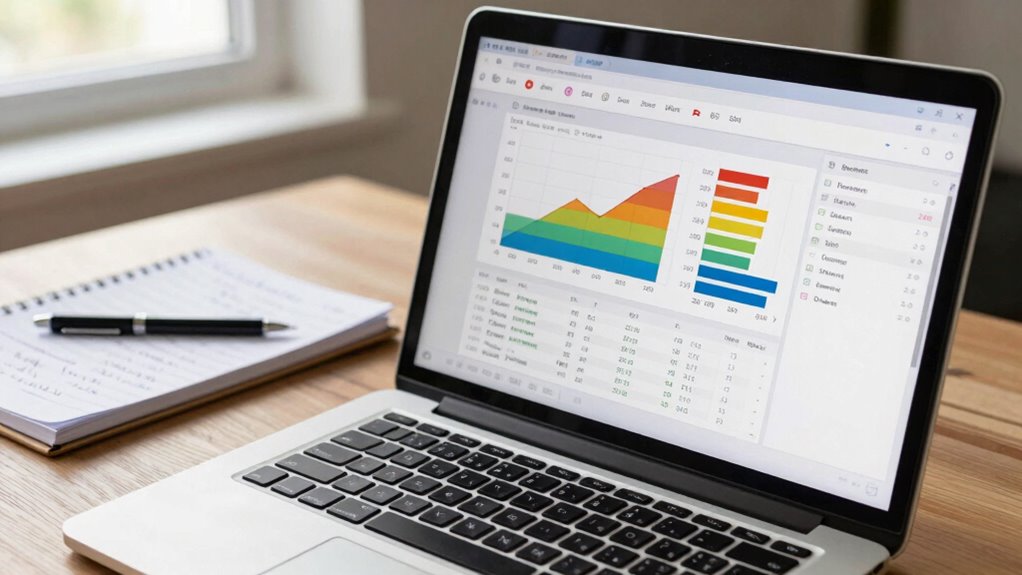
Ever wondered how to simplify the complex world of econometrics? Gretl, a user-friendly software, is designed to help you do just that. Whether you’re working with time series data or panel data, Gretl makes the process straightforward and accessible. Time series analysis involves examining data points collected over time, and Gretl provides intuitive tools to visualize trends, perform stationarity tests, and fit models like ARIMA. You can easily import your data, plot it, and get a clear sense of patterns and seasonality. The software’s built-in functions allow you to specify models, check residuals, and interpret results without getting lost in complicated syntax. This makes it ideal for students who want to grasp the fundamentals of time series analysis without struggling with overly technical software interfaces.
Panel data, which combines cross-sectional and time series dimensions, can seem intimidating at first. However, Gretl simplifies this by offering step-by-step procedures to run fixed effects, random effects, and other panel data models. You can import datasets that contain multiple entities observed over several periods, and Gretl’s menu-driven interface guides you through setting up the data properly. Once your data is ready, running a panel regression becomes as easy as clicking a few buttons. The software provides outputs that clearly display coefficients, standard errors, and significance levels, so you understand exactly what your results indicate.
One of the biggest advantages of Gretl is its simplicity combined with powerful features. You don’t need to be a coding expert to perform advanced econometric analyses. Its graphical user interface streamlines the process, allowing you to focus on interpreting your results rather than wrestling with syntax. For time series, you can quickly perform unit root tests, calculate autocorrelations, or estimate models like GARCH, all through straightforward menus. For panel data, Gretl guides you through specifying your model, handling unbalanced panels, and testing for heteroskedasticity or autocorrelation in your data.
econometrics analysis software for students
As an affiliate, we earn on qualifying purchases.
As an affiliate, we earn on qualifying purchases.
Frequently Asked Questions
Can Gretl Handle Large Datasets Efficiently?
Gretl can handle large datasets efficiently, but your experience depends on your computer’s capabilities. It manages data well while ensuring data privacy, especially with sensitive info. You can use Gretl’s data visualization tools to explore large datasets visually, making analysis easier. Keep in mind, very massive datasets might slow down performance, so optimizing your system and data management practices will help you work smoothly and securely.
Is Gretl Suitable for Advanced Econometric Models?
Gretl is like a toolbox with some advanced tools, but it’s not a full workshop. It can handle basic to moderate econometric models well, offering features like model selection and multicollinearity diagnostics. However, for highly complex or cutting-edge models, you might find its capabilities limited. If you’re exploring advanced techniques, consider supplementing Gretl with other software, but for many tasks, it’s quite suitable.
How Can I Import Data From Other Software Into Gretl?
You can import data into gretl by following straightforward import procedures. First, guarantee your data is in a compatible format like CSV, Excel, or Stata. Then, open gretl, go to ‘File’ > ‘Import,’ and select your file. Make sure your data is properly formatted to match gretl’s requirements, such as correct variable labels and consistent formatting. This way, you can seamlessly bring external data into gretl for analysis.
Does Gretl Support Scripting for Automation?
Gretl’s scripting flexibility is truly a game-changer—you can automate complex tasks easily! Yes, it supports scripting for automation, allowing you to streamline repetitive analyses effortlessly. Its built-in scripting language, based on GSL and Tcl, empowers you to customize workflows, run batch processes, and enhance productivity. With these robust automation features, you can focus more on interpreting results rather than getting lost in manual procedures.
Are There Any Online Tutorials for Beginners?
Yes, there are online tutorials designed for beginners that walk you through Gretl’s user interface and how to perform graphical analysis. These tutorials often include step-by-step guides, video demonstrations, and practical exercises to help you get comfortable with the software. You can find them on platforms like YouTube, educational websites, or Gretl’s official documentation, making it easier to start analyzing data with confidence.
As an affiliate, we earn on qualifying purchases.
Conclusion
Think of gretl as your trusty compass through the vast landscape of econometrics. With its user-friendly features, you’re equipped to navigate complex data with confidence. As you explore and experiment, remember that every new analysis is like discovering a hidden trail leading to valuable insights. Embrace gretl as your guide in this adventure—making your journey through econometrics not just manageable, but genuinely enjoyable. Happy exploring!
As an affiliate, we earn on qualifying purchases.
As an affiliate, we earn on qualifying purchases.
Fall Picks
fall essentials
As an affiliate, we earn on qualifying purchases.