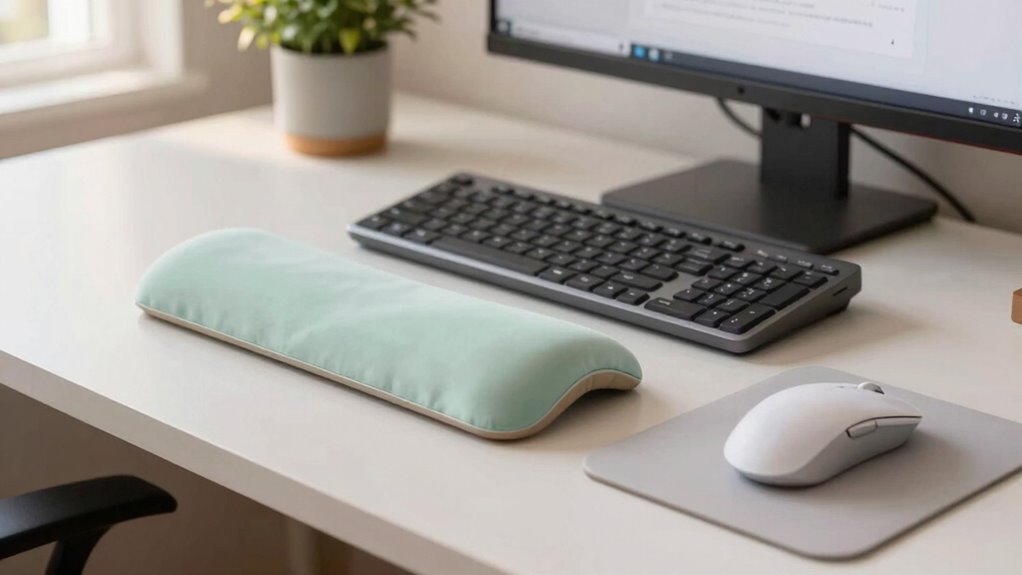

To reduce wrist fatigue during long quant sessions, invest in ergonomic tools like a neutral keyboard and a vertical mouse. Take short breaks every hour to stretch your wrists with simple exercises such as wrist circles and palm stretches. Maintain a relaxed posture and guarantee your elbows stay close to your body while typing. With the right practices, you can keep discomfort at bay. There’s more to explore that can further enhance your comfort and productivity.

Get business pricing on monitors, keyboards and dev gear
- Business-only prices and quantity discounts
- Tax-exempt purchasing
- Multiple users, one account, clear invoices
Key Takeaways
- Use an ergonomic keyboard and mouse to maintain a neutral wrist position and reduce strain during long quant sessions.
- Take short breaks every hour to perform wrist stretches and exercises to relieve tension and enhance flexibility.
- Ensure your workspace is properly set up, with the chair height allowing elbows to stay close to the body while typing.
- Stay mindful of your wrist positioning and avoid repetitive movements to prevent overuse injuries during extended tasks.
- Incorporate wrist exercises like wrist circles and palm stretches to strengthen muscles and improve mobility throughout the day.

When you spend long hours typing or using a mouse, wrist fatigue can sneak up on you, making everyday tasks uncomfortable. You might not realize it at first, but the tension can build up quickly, leading to pain and decreased productivity. To combat this, you need to be proactive about incorporating wrist exercises and ergonomic tools into your routine. Using ergonomic tools designed for your workspace can help prevent repetitive strain injuries and promote better wrist health. Start by paying attention to your workspace. Investing in ergonomic tools can make a significant difference. A well-designed keyboard and mouse can help maintain your wrist in a neutral position, reducing strain. Look for a keyboard that has a wrist rest, which provides support and helps keep your wrists aligned. A vertical mouse can also alleviate pressure on your wrist because it encourages a more natural hand position. Once you’ve set up your workspace, it’s time to integrate some wrist exercises into your day. Taking short breaks every hour to stretch and strengthen your wrists is essential. Simple exercises can relieve tension and improve flexibility. For instance, you can extend your arm in front of you, palm facing up, and gently pull back on your fingers with your other hand. Hold this stretch for about 15 to 30 seconds. Repeat it on both sides. You might also try wrist circles; just rotate your wrists in both directions to enhance mobility. Another effective exercise involves placing your palms together in front of your chest, fingers pointing upward. Press your palms together while slowly lowering them toward your waist until you feel a stretch in your wrists and forearms. This not only stretches the muscles but also helps to strengthen them. Incorporating proper ergonomic practices can further prevent strain and promote overall wrist health. Paying attention to muscle tension and maintaining a relaxed posture can significantly reduce fatigue. Maintaining awareness of body mechanics during work tasks can help distribute strain more evenly across your muscles. Don’t forget about the importance of posture while you’re working. Keep your elbows close to your body and your wrists straight while typing. Adjust your chair height so your arms are at a comfortable angle, which can further reduce strain. Additionally, staying mindful of repetitive movements can help prevent overuse injuries and keep your wrists comfortable over time.
ergonomic keyboard with wrist rest
As an affiliate, we earn on qualifying purchases.
As an affiliate, we earn on qualifying purchases.
Frequently Asked Questions
What Types of Exercises Strengthen Wrist Muscles Effectively?
To effectively strengthen your wrist muscles, try wrist curls and grip strengtheners. For wrist curls, sit with your forearm resting on your thigh, holding a light weight, and curl your wrist upward. For grip strengtheners, use a hand gripper or squeeze a tennis ball. Incorporating these exercises into your routine will enhance your wrist stability, boost endurance, and help prevent fatigue during prolonged activities. Remember, consistency is key for the best results!
How Often Should I Take Breaks During Long Quant Sessions?
Ever tried running a marathon without stopping? You wouldn’t get far! Similarly, during long quant sessions, aim for a break every 25 to 30 minutes. This ideal timing lets your mind recharge and your wrists rest. The break frequency keeps fatigue at bay, ensuring you’re sharp and focused. So, set a timer, stretch your legs, and give your wrists a breather. You’ll find your productivity soaring after those brief pauses!
Does My Chair Height Affect Wrist Fatigue?
Yes, your chair height definitely affects wrist fatigue. Proper chair ergonomics guarantee your elbows are at a 90-degree angle, keeping your wrists aligned comfortably while you type. If your chair’s too high or low, it can strain your wrists, leading to fatigue. Adjusting your chair can help maintain ideal wrist alignment, reducing discomfort during long sessions. Make sure your feet are flat on the ground for added support and stability.
Are There Specific Stretches for Wrist Relief?
Yes, there are specific stretches to improve wrist mobility and relieve tension. Try extending one arm in front, palm up, and gently pulling back on your fingers with the other hand. You can also do wrist circles to enhance flexibility. Using ergonomic tools, like a cushioned wrist rest, can further support your wrists. Incorporate these stretches into your routine, and you’ll likely feel a noticeable difference in comfort during long sessions.
Can Wrist Fatigue Be a Sign of a More Serious Issue?
Oh sure, wrist fatigue is just your body’s way of saying, “Keep going, my friend!” But seriously, it can be a sign of more serious issues like carpal tunnel syndrome or repetitive strain injuries. If you’re feeling persistent pain or numbness, don’t ignore it! You might want to consult a professional rather than relying on wishful thinking. Your wrists deserve better than to be mere foot soldiers in your quant battles.
As an affiliate, we earn on qualifying purchases.
Conclusion
In the end, tackling wrist fatigue is like traversing a winding road; it takes a bit of effort, but the journey’s worth it. By adjusting your posture, taking regular breaks, and using ergonomic tools, you can keep discomfort at bay and maintain your focus during those long quant sessions. Remember, your wrists deserve some TLC too—so treat them right, and you’ll find that your productivity soars like an eagle in the sky.
As an affiliate, we earn on qualifying purchases.
ergonomic office setup accessories
As an affiliate, we earn on qualifying purchases.
As an affiliate, we earn on qualifying purchases.
Columbus Day / Indigenous Peoples' Day Picks
long weekend sales
As an affiliate, we earn on qualifying purchases.